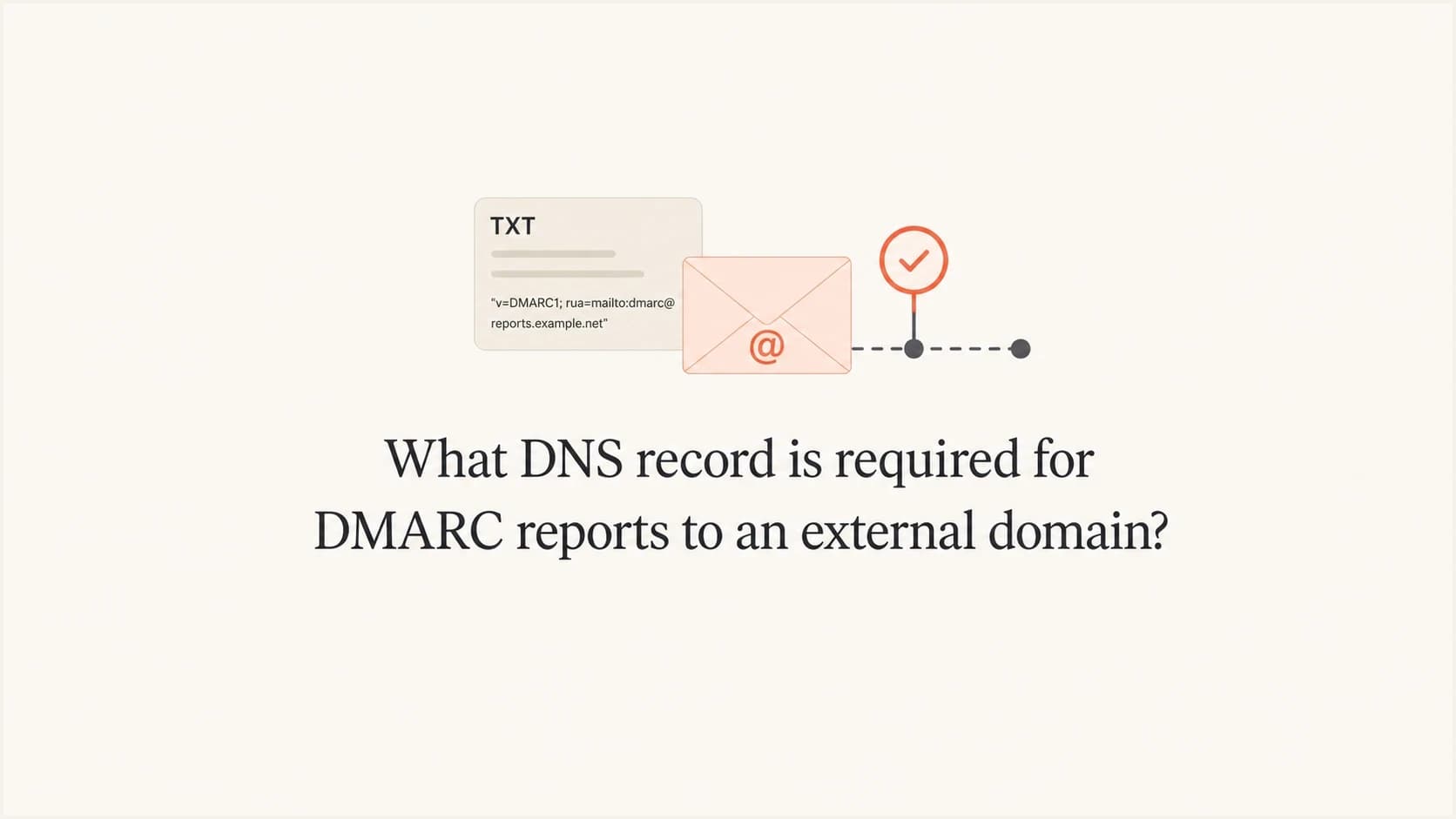
What DNS record is required for DMARC reports to an external domain?

Published 17 May 2025
Updated 4 Oct 2026
11 min read
Summarize with
Updated on 4 Oct 2026: We clarified destination overrides and the checks needed to trust external DMARC reports.
The required record is an external reporting authorization DNS TXT record on the domain that will receive the DMARC reports. If example.com publishes a DMARC record that sends aggregate reports to reports@abc.com, then abc.com needs to publish a TXT record at example.com._report._dmarc.abc.com with the value v=DMARC1;.
This record is needed only when the DMARC report destination is outside the organizational domain of the domain that published the DMARC policy. If your DMARC record for example.com sends reports to dmarc@example.com or a mailbox under the same organizational domain, you do not need this extra authorization record.
- Record name: use the domain where the DMARC policy was retrieved, then ._report._dmarc., then the report destination host.
- Record type: publish it as a TXT record in the authoritative DNS zone for the destination host.
- Record value: use v=DMARC1; unless the report destination specifies a valid same-host reporting override.
- Reason: the receiving domain is declaring that it agrees to accept DMARC report traffic for the other domain.
External DMARC report authorization recordtext
Name:  example.com._report._dmarc.abc.com.
Type:  TXT
Value: "v=DMARC1;"
The required DNS record
The naming pattern is the part that trips people up. The TXT record does not live under the sending domain. It lives under the report destination domain. The left side names the domain where the DMARC policy was retrieved, and the right side is the host that will receive the reports.
For a sending domain of example.com and a report address at reports@abc.com, the authorization lookup is under abc.com. That means the DNS administrator for abc.com, not the administrator for example.com, must publish the authorization TXT record.
If a subdomain publishes its own DMARC policy, use that subdomain on the left side of the authorization name. If it inherits a parent policy, use the parent domain where the policy was retrieved. The source portion is the policy domain, not automatically the visible From domain.
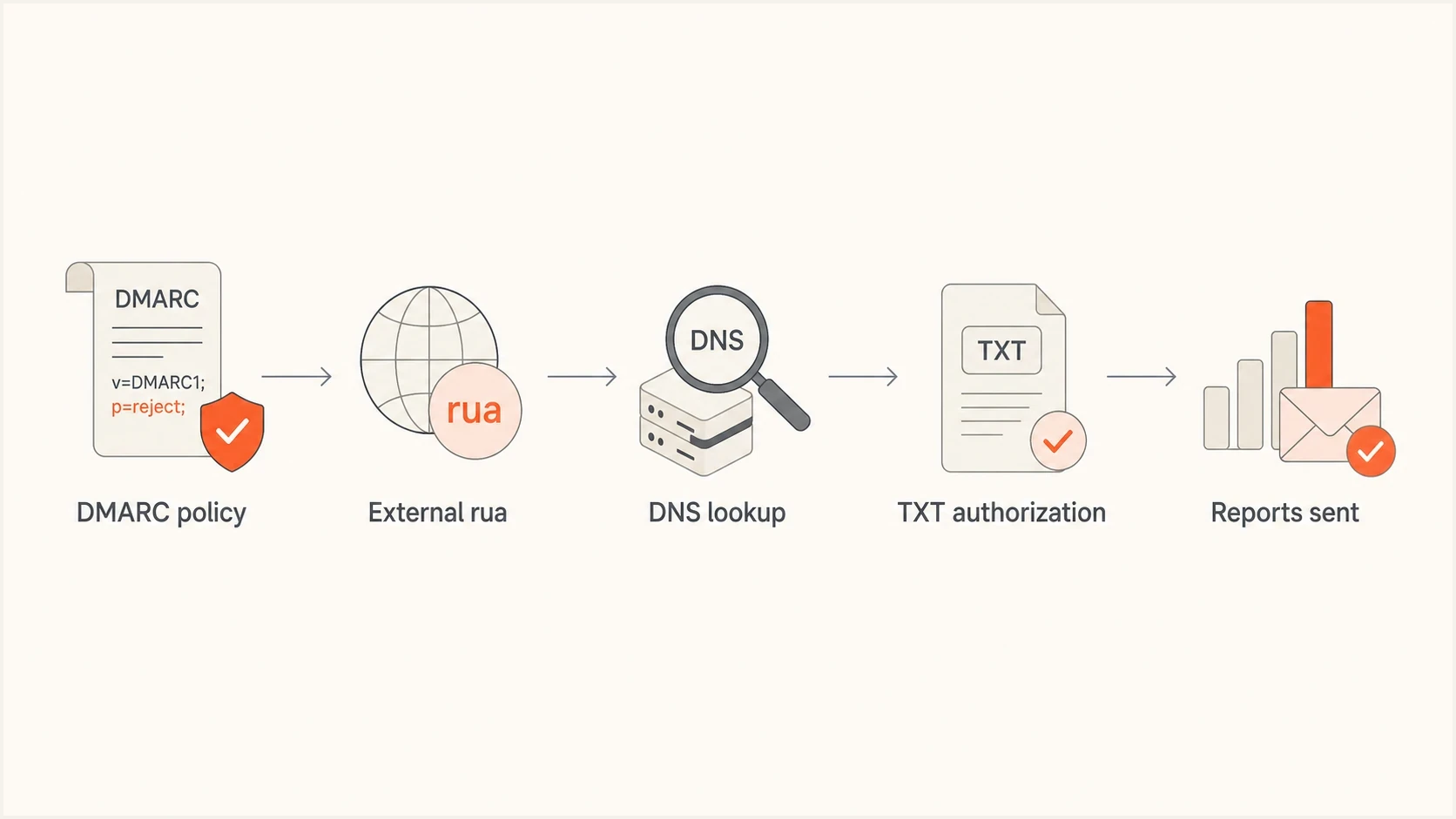
External DMARC RUA flow with DNS TXT authorization before report delivery.
DMARC record requesting external aggregate reportstext
_dmarc.example.com.  TXT
"v=DMARC1; p=none; rua=mailto:reports@abc.com"
Matching authorization record on the destination domaintext
example.com._report._dmarc.abc.com.  TXT
"v=DMARC1;"
The trailing dot is a display detail. Many DNS control panels ask for only the host part, such as example.com._report._dmarc, because the zone name abc.com is appended automatically. Other DNS providers ask for the full name. The final DNS result must resolve as the full name above.
When this record is needed
The extra TXT record is an external destination verification (EDV) record. It exists because DMARC reports can be large and numerous. Without a consent check, any domain owner could point its rua address at an unrelated mailbox and cause receivers to send report files there. The authorization record prevents unwilling domains from receiving that traffic.
The same practical rule applies to aggregate report addresses in rua and failure report addresses in ruf. In normal operations, the rua address matters most because aggregate reports are the primary feed for DMARC monitoring. Many receivers do not send failure reports, and those reports can include message details.
The current DMARC specifications place the core protocol in RFC 9989, aggregate reporting and the external rua authorization check in RFC 9990, and failure reporting in RFC 9991. Together they replace RFC 7489. The authorization name and v=DMARC1; value remain valid.
Same organizational domain
No external authorization record is needed when the report destination is under the same organizational domain as the DMARC policy domain.
- Example: reports for example.com go to dmarc@example.com.
- Subdomain: reports for mail.example.com go to an address under example.com.
External destination domain
An authorization TXT record is needed when the report mailbox is outside the organizational domain that published the DMARC policy.
- Example: reports for example.com go to reports@abc.com.
- Fix: publish the TXT record under abc.com so report senders see consent.
|
|
|
|
|---|---|---|---|
example.com | example.com | No | None |
example.com | abc.com | Yes | abc.com |
shop.example.com | example.com | No | None |
example.com | reports.abc.com | Yes | reports.abc.com |
Quick examples for common RUA destinations.
For a deeper explanation of the external reporting rule, the DMARC.org explainer is a useful reference. The related explanation covers whether external RUA reports can be sent to a different domain.
How to create the authorization record
Start with the domain where the DMARC policy was retrieved, then the mailbox domain in the report URI. Do not use the whole email address in the authorization record name. Use only the host part after the @ sign.
If the DMARC record says rua=mailto:reports@abc.com, the destination host is abc.com. If it says rua=mailto:dmarc@reports.abc.com, the destination host is reports.abc.com. This small distinction explains many failed setups. Check each external host separately when rua lists more than one report address.
Do not publish this under the sending domain
The external authorization record belongs in the DNS for the report destination. If example.com sends reports to abc.com, publishing the authorization TXT record only in example.com will not satisfy the external destination check.
- Find policy domain: identify where the DMARC policy was retrieved, such as example.com.
- Find destination host: extract the host from the rua email address, such as abc.com.
- Build name: combine them as example.com._report._dmarc.abc.com.
- Set value: publish a TXT value beginning with v=DMARC1. A trailing semicolon is optional.
If you are writing the DMARC policy from scratch, use a record generator to avoid syntax mistakes in the base DMARC record before you troubleshoot external reporting.
When the destination changes the report mailbox
The report destination can add a rua tag to its external authorization TXT record to send aggregate reports to a different mailbox on the same destination host. For example, abc.com can authorize reports for example.com and redirect them from reports@abc.com to archive@abc.com without changing the DMARC policy at example.com.
Same-host aggregate report overridetext
Name:  example.com._report._dmarc.abc.com.
Type:  TXT
Value: "v=DMARC1; rua=mailto:archive@abc.com"
The override must retain the original destination host. An override to another host does not authorize either address, so the report generator must send neither report. The same rule applies to a ruf override for failure reports. If no override is needed, keep the record at v=DMARC1;.
When to use wildcard authorization
A destination domain that intentionally accepts DMARC reports for many policy domains can publish one wildcard TXT record instead of one record per domain. For abc.com, the wildcard authorizes aggregate or failure reports requested by any external policy domain.
Wildcard external reporting authorizationtext
Name:  *._report._dmarc.abc.com.
Type:  TXT
Value: "v=DMARC1;"
A wildcard grants broad consent
This record tells report generators that the destination accepts reports for any domain. That can create unwanted report volume if unrelated domains point their rua or ruf addresses at your host.
- Use case: a controlled reporting domain built to receive and filter reports for many domains.
- Safer default: publish an explicit authorization record for each policy domain when the scope is manageable.
The wildcard authorizes report delivery only. It does not create the mailbox, validate the rua syntax, or change DMARC authentication results. Keep inbound filtering and report-processing capacity in place before using it.
How to validate and monitor it
Validation has two layers. First, verify that the DMARC record itself is syntactically valid. Second, verify that the external destination record exists at the exact name that receivers will query. A valid DMARC record can still lose reporting data if the external authorization record is missing.
Check the published DMARC record first, because a typo in rua changes the authorization record name. After that, query the external authorization TXT record directly and confirm that the report mailbox accepts mail. Suped's DMARC checker can help inspect the policy record and reporting destination.
DMARC checker
Look up a domain's DMARC record and catch policy issues.
?/7tests passed
When a checker reports that the destination domain is not authorized, do not assume the DMARC record itself is broken. The fix is usually on the destination side. That matters when the destination belongs to a vendor, a parent company, an agency, or a shared reporting domain controlled by another DNS team.
Manual DNS checkbash
dig TXT example.com._report._dmarc.abc.com +short

# Expected output:
"v=DMARC1;"
DNS caching also matters. A newly published TXT record can appear from one resolver before another. Existing positive answers can remain cached for the record's TTL, while a previous missing-record answer can remain cached according to the zone's negative-cache settings. Check the authoritative result, then allow cached answers to expire before testing again.
Why some reports still arrive without it
A missing external authorization record does not cause SPF, DKIM, or DMARC authentication to fail. It affects report delivery. Conforming report generators must check the external destination and ignore an unauthorized reporting URI. Some legacy or nonconforming generators still send reports without the check, which explains why a warning can appear while a few reports arrive.
Do not use those few reports as proof that the setup is correct. The missing record means conforming receivers suppress reporting, so the data set becomes incomplete. That creates a practical problem: you might think a sender has no authentication failures simply because the mailbox providers that saw the failures did not send reports.
Treat the warning as data loss
The warning does not mean your email is rejected. It means the external reporting destination is not reliably authorized. Fix the authorization record before using report trends to make policy decisions.
- Authentication: SPF, DKIM, and DMARC results are evaluated separately from report destination consent.
- Reporting: aggregate reports can be withheld when the destination domain has not authorized receipt.
- Decision: check that legitimate senders pass DMARC and that enough reporting sources are visible before moving to a stricter policy.
The clearest operational test is simple: publish the authorization record, confirm it resolves, then watch report volume and source coverage over the next few reporting cycles. Newly appearing reporting organizations can show that the previous setup hid part of the traffic.
Where Suped fits
Suped's product can monitor this workflow after the DNS change. External destination verification is a reporting issue, so the useful signals are whether reports arrive, whether reporting sources change, and whether the authorization TXT record continues to resolve.
Suped processes DMARC reports and surfaces reporting or authentication issues in the same workflow. Alerts can flag later changes, while multi-domain views help an internal team or MSP keep ownership of external authorization records across its domains.
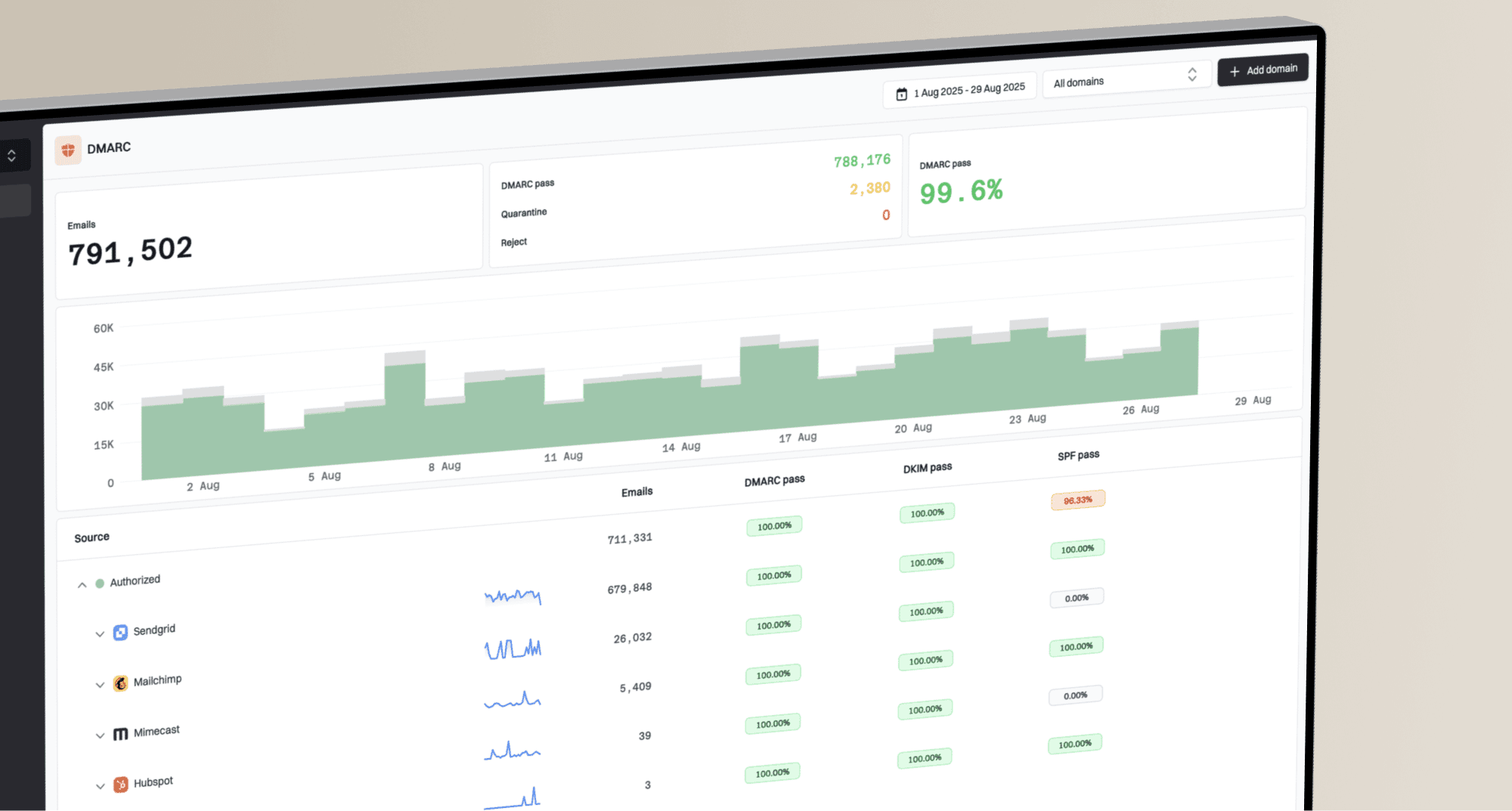
DMARC record detail view showing SPF, DKIM, DMARC, rDNS diagnostics, and DNS records
The practical workflow is to create or review the DMARC record, confirm the external authorization record, verify report delivery, and stage policy changes only after the source data is dependable. With Hosted DMARC, Suped's product also reduces the DNS edits needed when you adjust reporting addresses or policy.
Manual DNS workflow
- Setup: you create the DMARC record and the external authorization record by hand.
- Checks: you manually query DNS and compare report volume after each change.
- Risk: silent report loss can persist if nobody owns the follow-up.
Suped workflow
- Setup: Suped's product guides the DMARC record and report destination setup.
- Checks: issue detection and alerts show when reporting or authentication needs attention.
- Scale: multi-domain and MSP views help teams manage this across many clients.
Views from the trenches
Best practices
Create the external TXT record before relying on aggregate report coverage for policy moves.
Check the exact host in the RUA address before building the authorization DNS name.
Treat report destination warnings as reporting gaps, not authentication failures.
Common pitfalls
Publishing the authorization record under the sending domain instead of the recipient.
Assuming a few incoming reports means every mailbox provider accepts the full setup.
Using a placeholder report address and then making policy decisions from partial data.
Expert tips
Check the zone's negative-cache TTL if the authorization name previously returned no TXT record.
Ask the reporting platform for its exact external authorization TXT record value.
Compare reporting sources after the fix; new sources can reveal the previous reporting gap.
Expert view
Expert from Email Geeks says the recipient domain needs to publish consent before it receives DMARC aggregate reports for another domain.
2023-12-21 - Email Geeks
Marketer view
Marketer from Email Geeks says the TXT name starts with the policy domain, adds _report._dmarc, and ends with the report destination host. The destination DNS team publishes it.
2023-12-21 - Email Geeks
The practical answer
The DNS record required for DMARC reports to an external domain is a TXT record at <policy-domain>._report._dmarc.<destination-host> with a value beginning with v=DMARC1. For example.com sending reports to abc.com, that is example.com._report._dmarc.abc.com.
If the report address is on the same organizational domain, you do not need the extra record. If it is on an external domain, publish the authorization record before you trust the report feed. A destination that accepts reports for any domain can use *._report._dmarc.<destination-host>, but an explicit per-domain record gives narrower consent. The clean setup is a valid DMARC TXT record, a correct mailto: RUA address, matching destination authorization, and monitored report delivery.