
DMARC record and policy examples

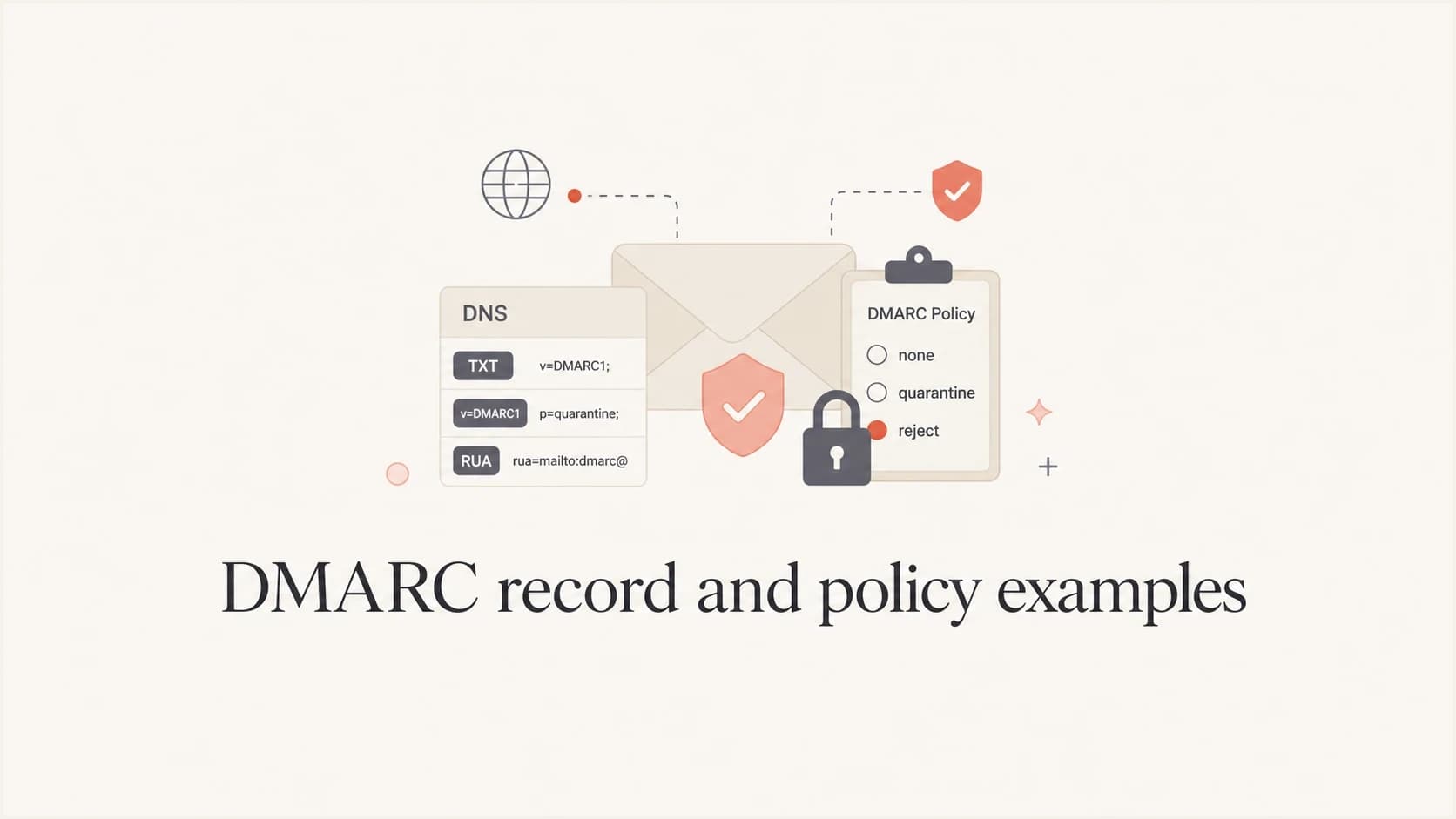
DMARC record examples overview
Updated on 23 Oct 2026: We clarified DMARC test-mode compatibility and subdomain policies, and added DNS and message-header validation examples.
A DMARC record is a DNS TXT record that tells receivers what handling the domain owner requests when a message fails DMARC. A message passes DMARC when either SPF or DKIM passes with domain alignment to the visible From address. Configure both authentication methods for resilience, but only one aligned pass is required. Passing DMARC does not guarantee inbox delivery.
|
|
|
|---|---|---|
p=none | Monitoring | Other receiver filters still apply |
p=quarantine | Spam or junk handling request | Test first |
p=reject | Rejection request | Needs readiness |
sp=reject | Existing subdomains | A subdomain record takes precedence |
np=reject | Non-existent subdomains | Applies to DNS NXDOMAIN names |
t=y | Testing enforcement | Older receivers can ignore this tag |
rua=mailto:dmarc-reports@example.com | Aggregate report destination | Use a mailbox or reporting service you control |
ruf=mailto:dmarc-forensic@example.com; fo=1 | Optional failure-report requests | Limited receiver participation and sensitive data |
adkim=r; aspf=r | Relaxed domain matching | Both default to r when omitted |
DMARC policy and reporting tag reference.
Need help building your DMARC record?
Use our interactive DMARC generator tool to create a valid record. It explains each tag and helps you select values for your domain's sending setup.
DMARC record generator
Choose your policy, reporting addresses, and alignment settings.
DNS TXT record
v=DMARC1; p=quarantine; rua=mailto:dmarc@example.com
How to publish a DMARC record
Publish one TXT record at the _dmarc label for the domain you want to protect. For example.com, the full DNS name is _dmarc.example.com. Some DNS control panels append the zone name automatically, so enter _dmarc when the interface asks only for a host or name. Replace example domains and report mailboxes with values you control. Enter each DMARC record value on one line; line breaks in the examples are for readability.
|
|
|
|---|---|---|
Host or name | _dmarc | Use _dmarc.example.com only if the DNS interface expects a full name. |
Type | TXT | DMARC does not use a separate DNS record type. |
Value | v=DMARC1; p=none; rua=mailto:dmarc-reports@example.com; | Keep v=DMARC1 first and publish only one DMARC policy record at this name. |
DNS fields for a basic monitoring record.
To receive aggregate reports at multiple addresses, use one comma-separated rua value, such as rua=mailto:dmarc-reports@example.com,mailto:security@example.com. Do not add a second DMARC policy record or repeat the rua tag.
Authorize reports sent to another domain
If example.com sends aggregate reports to dmarc@reports.example.net, the destination domain normally needs a TXT authorization record. Publish the following record in the reports.example.net DNS zone so report generators can verify consent.
External report authorization namedns
example.com._report._dmarc.reports.example.net. TXT "v=DMARC1;"
Confirmed non-sending domain
DMARC recorddns
v=DMARC1; p=reject; sp=reject; np=reject;
Use this record only when the domain and its subdomains send no legitimate email. It requests rejection for failures at the domain, existing subdomains, and non-existent subdomains without requiring a monitoring phase. Check for separate subdomain DMARC records, since they take precedence over this inherited policy.
How to validate a DMARC record
Check DNS after publishing, then send a test message through each legitimate sending source. A valid DNS record and a passing test message confirm different parts of the setup.
Look up the published DMARC TXT recordbash
dig +short TXT _dmarc.example.com
- Confirm that the lookup returns one DMARC policy record. Multiple quoted chunks within one TXT record are valid and are joined before parsing; separate DMARC policy records are a configuration error.
- Allow cached DNS answers to expire according to their TTL before evaluating a change or rollback.
- Test normal messages through every sending source, including third-party senders and forwarding paths.
- Inspect the Authentication-Results header added by the receiving server you trust, and confirm dmarc=pass for the intended header.from domain.
Illustrative receiving-server authentication resultstext
Authentication-Results: mx.example.net;
    spf=fail smtp.mailfrom=bounce.example.com;
    dkim=pass header.d=example.com;
    dmarc=pass header.from=example.com
This message passes DMARC through DKIM even though SPF fails. The receiving server records authentication results using the header defined in RFC 8601.
Monitoring examples (p=none)
Start with monitoring mode to collect authentication data without requesting a delivery change, so you can inventory sending sources before enforcement.
Tip: DMARC aggregate reports are XML files that are difficult to interpret manually. Suped's DMARC monitoring product parses the reports, groups sending sources, and exposes authentication gaps that need work before enforcement.
Suped DMARC dashboard showing email volume, authentication health, and source breakdown
Basic monitoring
DNS recorddns
v=DMARC1; p=none;
rua=mailto:dmarc-reports@example.com;
What this does
- Sets DMARC to monitoring mode with no enforcement request
- Requests aggregate reports from participating receivers
- Shows sending sources and their authentication results
- Fits initial deployment and discovery
When to use
Use this configuration when first implementing DMARC. Keep it through at least one full sending cycle, often 1-2 weeks, and longer for low-volume or seasonal mail before moving to enforcement.
Monitoring with failure reports
DNS recorddns
v=DMARC1; p=none;
rua=mailto:dmarc-reports@example.com;
ruf=mailto:dmarc-forensic@example.com; fo=1;
What this does
- Combines monitoring with aggregate and requested failure reports
- Requests message-level reports for troubleshooting
- fo=1 requests a report when either SPF or DKIM lacks an aligned pass
- Adds detail beyond aggregate source summaries
When to use
Use this when message-level evidence is necessary and the destination can protect sensitive report data. Many receivers do not send failure reports because of privacy concerns, so aggregate reports remain the dependable operational source. The fo tag has no effect without ruf. These reporting limits are explained in RFC 9991.
Aggregate reports usually arrive daily, rather than immediately after a test message. RFC 9990 distinguishes the DMARC domain-matching results in policy_evaluated from the raw SPF and DKIM results in auth_results; a raw pass alone does not establish a DMARC pass.
Quarantine examples (p=quarantine)
A quarantine policy asks receivers to give failing mail special handling, commonly a spam or junk placement. Receivers retain discretion over the final action, so use reports and delivery testing to confirm actual behavior.
Policy enforcement stages
DMARC policy strength increases as authentication confidence improves.
Monitor
p=none
Collect reports without requesting a delivery change.
Quarantine
p=quarantine
Request spam, junk, or equivalent handling for failing mail.
Reject
p=reject
Request rejection of failing mail.
Optional quarantine test mode
DNS recorddns
v=DMARC1; p=quarantine; t=y;
rua=mailto:dmarc-reports@example.com;
Under RFC 9989, p=quarantine; t=y requests none handling, while p=reject; t=y requests quarantine. Older receivers ignore unknown tags, so assume they can apply the published p policy. Keep p=none if enforcement is not yet acceptable.
What this does
- Publishes a quarantine policy with the RFC 9989 test signal
- Signals none handling at receivers that support t=y
- Leaves the final handling decision with each receiver
- Continues aggregate reporting during the test
Implementation strategy
- Keep t=y through at least one full sending cycle
- Review reports for legitimate sources that lack an aligned pass
- Fix those sources and retest their normal mail streams
- Remove t when ready to request normal quarantine enforcement
Full quarantine enforcement
DNS recorddns
v=DMARC1; p=quarantine;
rua=mailto:dmarc-reports@example.com;
What this does
- Requests quarantine handling for messages that fail DMARC
- Usually leads to spam, junk, or equivalent treatment
- Retains aggregate reporting for ongoing review
- Fits an intermediate step before a reject policy
When to use
Use after monitoring shows that legitimate mail consistently passes DMARC, but before asking receivers to reject failures outright. Test mode is optional and does not replace sender verification.
Reject examples (p=reject)
A reject policy asks receivers to refuse messages that fail DMARC. Use these configurations only after reports show that each legitimate mail stream passes through aligned SPF or aligned DKIM.
Basic reject policy
DNS recorddns
v=DMARC1; p=reject;
rua=mailto:dmarc-reports@example.com;
What this does
- Requests rejection for messages that fail DMARC
- Reduces successful exact-domain spoofing when receivers honor the policy
- Usually prevents failed messages from being delivered
- Continues aggregate reporting for ongoing monitoring
Prerequisites
- Monitoring has covered at least one full sending cycle
- Quarantine results show no unexplained legitimate failures
- All legitimate sources pass DMARC consistently
- SPF or DKIM has the required domain relationship for each mail stream
Reject with aggregate and failure reporting
DNS recorddns
v=DMARC1; p=reject;
rua=mailto:dmarc-reports@example.com;
ruf=mailto:dmarc-forensic@example.com; fo=1;
What this does
- Requests rejection of DMARC failures
- Collects aggregate source and authentication data
- Requests detailed failure reports where receivers provide them
- Supports message-level investigation by a prepared security team
When to use
Use for a mature implementation when message-level reports have a defined operational purpose, access controls, and retention policy. Do not depend on ruf coverage because many receivers omit these reports.
Subdomain policies and strict alignment examples
Subdomain policies control inherited handling requests, while strict alignment controls which authenticated domains qualify for a DMARC pass. RFC 9989 uses DNS Tree Walk for policy discovery.
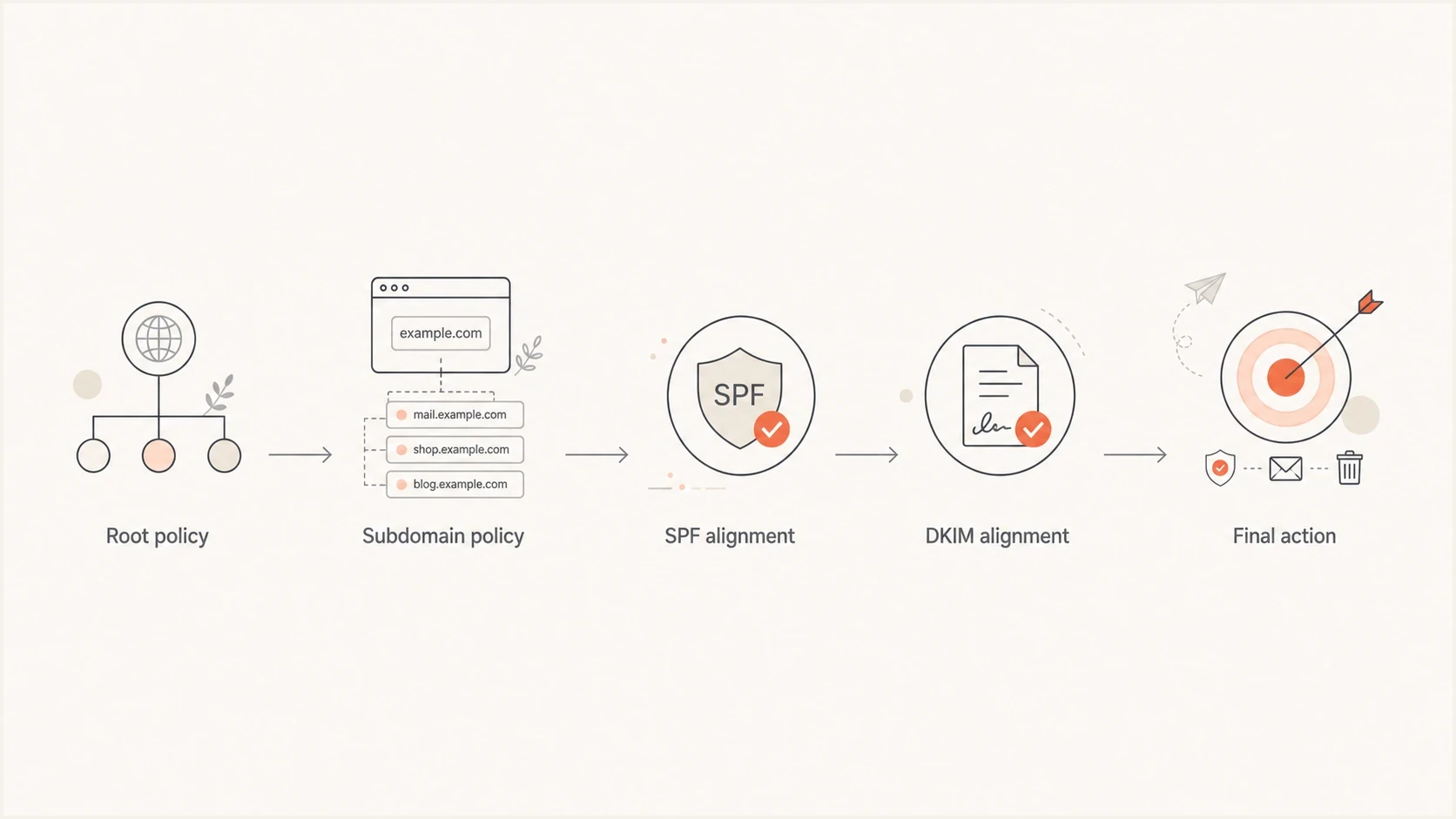
Flowchart showing how root policy, subdomain policy, SPF, and DKIM alignment lead to the final DMARC action.
Different subdomain policy
DNS recorddns
v=DMARC1; p=reject; sp=quarantine; np=reject;
rua=mailto:dmarc-reports@example.com;
A policy at _dmarc.news.example.com takes precedence for news.example.com. Without sp, subdomains inherit p; without np, non-existent subdomains inherit sp, or p if sp is absent. Non-existent means DNS returns NXDOMAIN, not simply that a name has no MX record.
What this does
- Main domain (example.com): reject policy
- Existing subdomains without their own record: quarantine policy
- Non-existent subdomains: reject policy through np=reject
- Supports staged work on subdomain senders
Use cases
- Protecting the organizational domain while testing existing subdomains
- Separating sender remediation by subdomain
- Accommodating third-party mail that uses a dedicated subdomain
- Migrating existing subdomains to reject after verification
Strict alignment requirements
DNS recorddns
v=DMARC1; p=reject; adkim=s; aspf=s;
rua=mailto:dmarc-reports@example.com;
What this does
- Requires exact domain matching for whichever SPF or DKIM result supplies the DMARC pass
- Replaces the default relaxed matching mode
- Can break legitimate mail that uses related subdomains
- Fits only environments that control every sender identifier
Important considerations
Strict mode can break legitimate mail when a third party uses a related subdomain in its DKIM d= value or SPF-authenticated MAIL FROM (usually shown in Return-Path). For example, bounce.example.com and a visible From domain of example.com meet relaxed SPF matching when both share the same organizational domain, but not strict SPF matching. An exact-match DKIM pass still passes DMARC. An unrelated domain fails both matching modes. Test every mail stream first.
DMARC policy examples by sending setup
The right DMARC record depends on control of the sending setup, not the industry label alone. Treat these as starting patterns and verify every legitimate mail stream before publishing enforcement.
Financial services with controlled senders
DNS recorddns
v=DMARC1; p=reject; sp=reject; adkim=s; aspf=s;
rua=mailto:dmarc-reports@example.com;
ruf=mailto:security@example.com; fo=1;
Configuration details
- Requests rejection for the domain and existing subdomains
- Requires exact-domain matching for the method that supplies the DMARC pass
- Includes aggregate and requested failure reporting
- Assumes all sender identifiers are centrally controlled
E-commerce during subdomain migration
DNS recorddns
v=DMARC1; p=quarantine; sp=none;
rua=mailto:dmarc@example.com;
Configuration details
- Requests quarantine handling for the organizational domain
- Keeps existing subdomains in monitoring mode
- Supports a temporary inventory of subdomain senders
- Requires a time-bound plan to enforce the subdomain policy
Single-sender domain (simple setup)
DNS recorddns
v=DMARC1; p=quarantine; rua=mailto:admin@example.com;
Configuration details
- Uses a concise quarantine policy
- Sends aggregate reports to a monitored address
- Relies on default relaxed matching
- Requires verification of the sender before enforcement
Troubleshooting examples
These records reduce enforcement while you diagnose authentication or delivery problems. Treat them as temporary configurations and keep aggregate reporting active during the investigation. A parent-domain rollback does not override separate subdomain policies, and cached DNS answers delay its effect.
Temporary monitoring during issues
DNS recorddns
v=DMARC1; p=none;
rua=mailto:dmarc-reports@example.com;
ruf=mailto:dmarc-forensic@example.com; fo=1;
When to use
- When legitimate messages are being blocked
- During authentication infrastructure changes
- When investigating delivery issues
- As a temporary rollback from enforcement
What this provides
- Removes the enforcement request while retaining visibility
- Requests aggregate and message-level failure data
- Supports analysis of authentication failures
- Reduces DMARC-specific delivery impact during investigation
Monitoring with additional failure-report requests
DNS recorddns
v=DMARC1; p=none;
rua=mailto:dmarc-reports@example.com;
ruf=mailto:dmarc-forensic@example.com; fo=1:d:s;
What this does
- Keeps the domain in monitoring mode
- Requests DMARC, DKIM, and SPF failure-report conditions
- Depends on receiver support for each requested report type
- Can create a high report volume where receivers participate
Temporary use only
Use this only during a defined investigation. Failure reports can contain sensitive message data and arrive at high volume, so restrict access to the mailbox and remove unneeded fo options afterward. Receivers choose which reports to send and rate-limit them, so fo=1:d:s does not guarantee additional detail.
DMARC implementation roadmap
Move policies only when report evidence supports the next step. A full sending cycle matters more than a fixed calendar because low-volume, monthly, and seasonal senders need time to appear.
Discovery and monitoring
Duration: at least one full sending cycle
Phase 1 recorddns
v=DMARC1; p=none;
rua=mailto:dmarc-reports@example.com;
Goals
- Identify every legitimate sending source
- Check SPF and DKIM results plus domain matching
- Establish a baseline for normal volume
- Fix unexplained authentication failures
Quarantine enforcement with optional test mode
Duration: one or more verified sending cycles
Optional test-mode recorddns
v=DMARC1; p=quarantine; t=y;
rua=mailto:dmarc-reports@example.com;
Normal quarantine recorddns
v=DMARC1; p=quarantine;
rua=mailto:dmarc-reports@example.com;
Goals
- Verify that the published quarantine policy is acceptable even if a receiver ignores t=y
- Review legitimate mail for DMARC failures
- Confirm expected mail streams remain stable
- Remove t=y, if used, only after the evidence is clean
Full enforcement
Duration: ongoing
Phase 3 recorddns
v=DMARC1; p=reject;
rua=mailto:dmarc-reports@example.com;
Goals
- Request rejection of DMARC failures
- Reduce successful exact-domain spoofing
- Maintain ongoing aggregate-report review
- Reassess the record whenever senders change
Choose the right DMARC policy
Keep p=none while legitimate sending sources still have unexplained DMARC failures. Move to quarantine or reject after verifying each source. Use t=y only when the published enforcement policy is acceptable even at receivers that ignore test mode.
Suped's product supports this workflow by turning aggregate XML into source-level results, flagging authentication gaps, and tracking whether a domain is ready for quarantine or reject. This is most useful when a domain has multiple senders or subdomains that move through policy stages at different times.
Frequently asked questions
Start with v=DMARC1; p=none; rua=mailto:dmarc-reports@example.com; and replace the report address with a destination you control. This requests aggregate reports without a DMARC enforcement request, so you can find legitimate senders before enforcement.
Publish it as a TXT record at _dmarc.example.com. In a DNS control panel that appends the zone automatically, enter _dmarc in the host or name field and put the complete v=DMARC1 value in the TXT value field.
Use p=quarantine after reports show that legitimate mail consistently passes DMARC. Test mode is optional: receivers that ignore t=y can still quarantine messages.
No. RFC 9989 makes pct, ri, and rf historic. Omit them from new records. The t=y signal is a test mode, not a percentage rollout control; do not rely on it to prevent enforcement at older receivers.
Failure reports help with message-level troubleshooting, but many receivers do not send them because of privacy concerns. Aggregate rua reports are the main reporting source for ongoing operations.
Yes. Use sp on the organizational domain for inherited existing-subdomain policies, such as p=reject with sp=quarantine. A record at _dmarc.news.example.com takes precedence for news.example.com. Use np for non-existent subdomains.