Is implementing a list-unsubscribe header mandatory for Gmail and Yahoo and what are the impacts?

Michael Ko
Co-founder & CEO, Suped
Published 18 Jun 2025
Updated 24 May 2026
9 min read
Summarize with
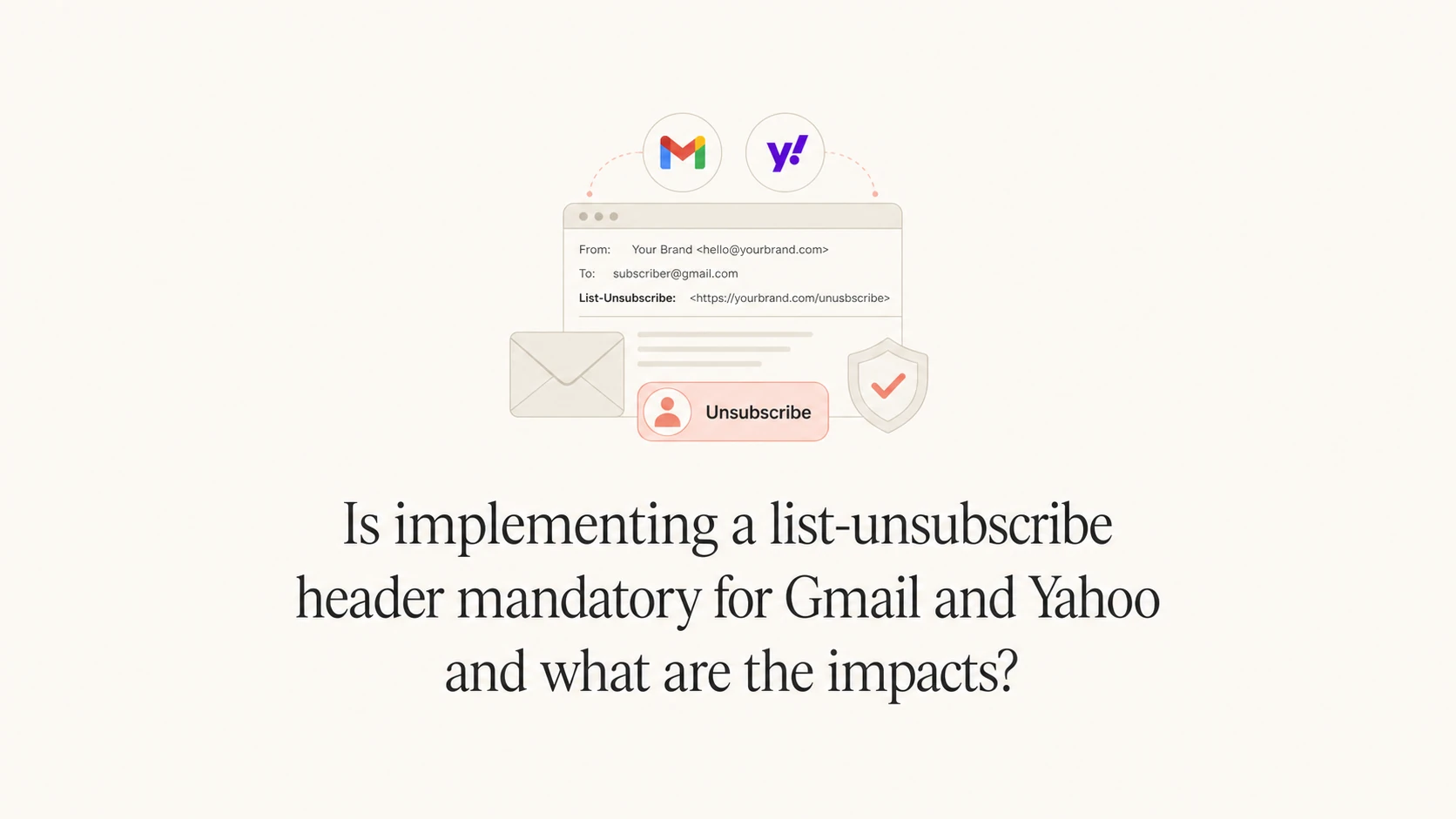
Yes, a list-unsubscribe header is mandatory for Gmail and Yahoo bulk senders on marketing, promotional, and subscribed email. For Gmail, the strict bulk sender rule applies when you send more than 5,000 messages per day to Gmail accounts. For Yahoo, the requirement applies to bulk senders sending marketing and subscribed messages. The practical answer is simple: if you send commercial email at meaningful volume, implement it.
The impact is usually positive, even when the unsubscribe rate rises. A higher unsubscribe rate is not the same as worse deliverability. I would rather see a subscriber leave through the unsubscribe path than hit report spam, because complaints damage reputation more directly. Gmail and Yahoo look at authentication, user complaints, engagement, sending patterns, message quality, and infrastructure. IP reputation still matters, but the header problem is mainly a compliance and complaint-rate problem, not a simple IP quality switch.
- Direct answer: Implement list-unsubscribe and one-click unsubscribe for bulk marketing and subscribed mail.
- Main risk: Missing it makes spam complaints more likely and weakens your position when delivery problems appear.
- Expected change: Unsubscribes can increase because the opt-out path is easier, but complaint pressure should fall.
- Best measurement: Track unsubscribes, complaint rate, inbox placement, authentication pass rates, and repeat sends to opted-out users.
The direct answer
I treat list-unsubscribe as mandatory unless the message is truly transactional. Password resets, receipts, account security notices, and legal notices do not need a promotional unsubscribe path when they are strictly service messages. Newsletters, product announcements, lifecycle campaigns, abandoned cart emails, sale messages, win-back campaigns, and content subscriptions do need it.
The header is not the same as the unsubscribe link in the footer. The footer link is visible to the human reader. The list-unsubscribe header is visible to mailbox providers and email clients. Gmail and Yahoo use it to show their own unsubscribe control near the top of the message or inside account-level subscription controls.
A footer unsubscribe link alone does not satisfy Gmail's one-click requirement. The header-based mechanism must work without sending the person to a preference page, login screen, confirmation page, survey, or second click.
A preference center still has value. Use it in the email body for people who want to reduce frequency or choose topics. Do not use it as the only path for the header-based one-click unsubscribe. A provider-initiated one-click request should remove the recipient from the list tied to that message.
|
|
|
|---|---|---|
Newsletter | Yes | Subscribed mail |
Promotion | Yes | Marketing mail |
Lifecycle | Yes | Commercial intent |
Receipt | No | Transactional |
Password reset | No | Security |
Compact decision table for when to include list-unsubscribe.
What Gmail and Yahoo require
Gmail expects bulk senders to support one-click unsubscribe for marketing and subscribed messages. That means the message needs the List-Unsubscribe header with one HTTPS URL and the List-Unsubscribe-Post header with the one-click value. Yahoo requires a functioning list-unsubscribe header for bulk senders and says the POST method is highly recommended. In practice, use the POST method for both.
This is part of a wider sender requirement set that also includes SPF, DKIM, DMARC, low spam complaint rates, valid reverse DNS, and message formatting. Suped's DMARC monitoring workflow is useful here because the same compliance review should cover authentication and reporting, not only the unsubscribe header.
Gmail
Threshold: More than 5,000 messages per day to Gmail accounts triggers the bulk sender rule.
- Scope: Marketing, promotional, and subscribed messages need one-click unsubscribe.
- Mechanism: RFC 8058 header-based one-click unsubscribe with an HTTPS endpoint.
Yahoo
Threshold: Bulk senders need easy unsubscribe support for marketing and subscribed messages.
- Scope: A visible body link is also expected and can point to a preference page.
- Mechanism: POST one-click is the cleanest route, even where mailto is accepted.
For a deeper checklist on the header itself, compare your implementation with these header requirements. The short version is that the mailbox provider must be able to send a POST request and get a real unsubscribe outcome.
The technical headers that satisfy one click
A compliant one-click setup uses two headers. The first tells the receiving mailbox where unsubscribe requests go. The second tells the mailbox provider that it can send a POST request using the one-click protocol. I include a mailto option only as a fallback, not as the primary mechanism.
Example list-unsubscribe headerstext
List-Unsubscribe-Post: List-Unsubscribe=One-Click
List-Unsubscribe: <https://u.example.com/u/a1b2c3>,
 <mailto:unsubscribe@example.com>
The HTTPS URL should contain an opaque, per-recipient token. Do not put raw email addresses in the URL. Do not require cookies. Do not require a browser session. Do not send the recipient to a login page. Do not make the person confirm again.
Expected one-click POST bodytext
POST /u/a1b2c3 HTTP/1.1
Host: u.example.com
Content-Type: application/x-www-form-urlencoded

List-Unsubscribe=One-Click
The unsubscribe endpoint should be idempotent. If the same POST arrives twice, return success and keep the recipient unsubscribed. This avoids double-processing problems and makes automated retries harmless.
- Token: Use an unguessable token tied to the list, recipient, and send stream.
- Response: Return a successful HTTP response after recording the opt-out.
- Timing: Process the unsubscribe quickly, with 48 hours as the practical ceiling.
- List logic: Remove the person from the list associated with that message, not unrelated service notices.
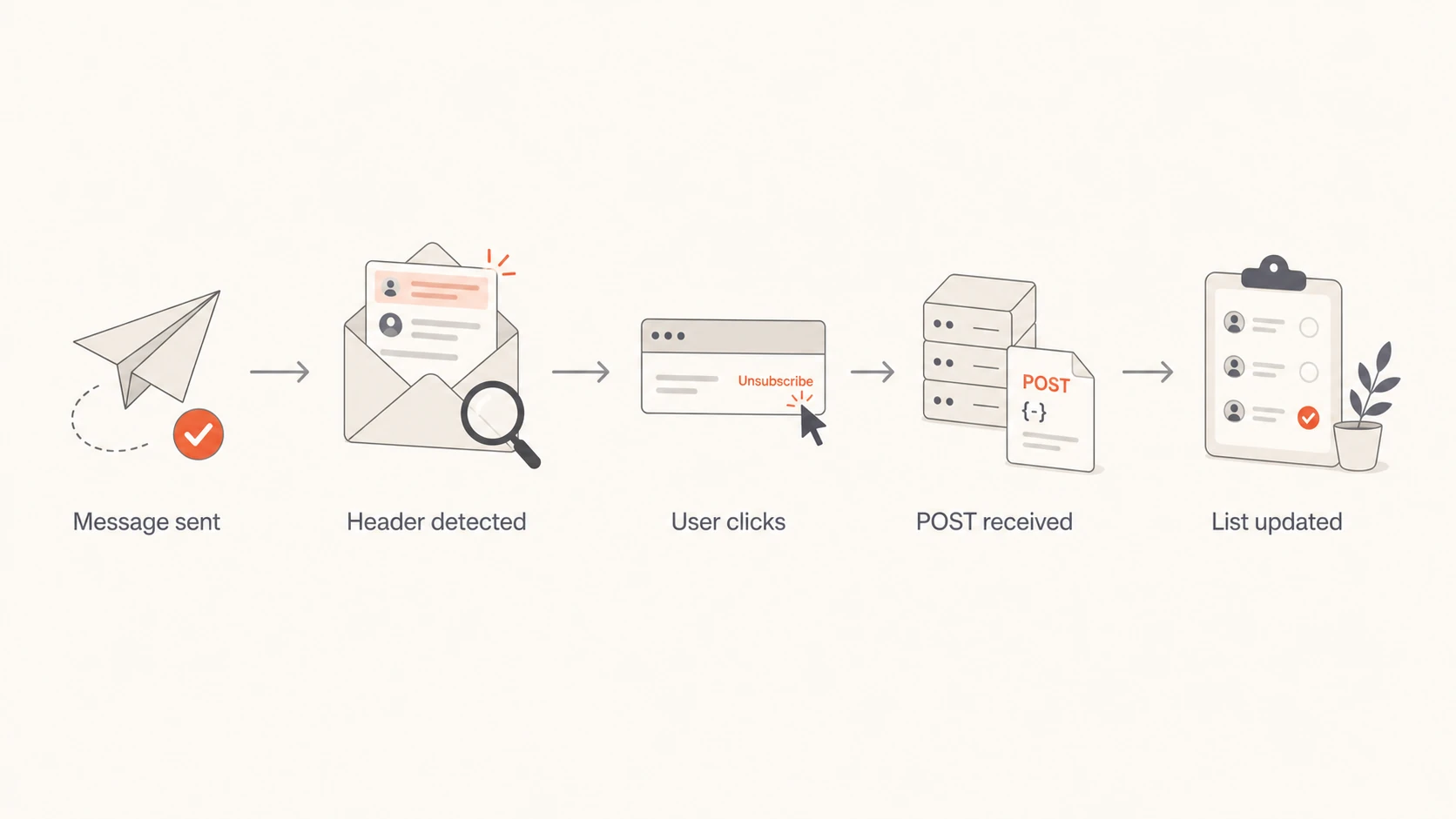
Flowchart showing message sent, header detected, user click, POST received, and list updated.
What changes after you enable it
The obvious change is that more people can unsubscribe without hunting for a footer link. That can raise the unsubscribe rate. I do not treat that as a negative by itself. A clean unsubscribe is a user choosing not to receive a specific stream. A spam complaint is a user telling the mailbox provider that the sender is sending unwanted mail.
The less obvious change is that list-unsubscribe can protect the rest of your program. If the people who no longer want a campaign leave cleanly, your later sends go to a more engaged list. That helps complaint rate, open behavior, click behavior, and mailbox provider confidence. It also reduces the chance that a bad segment drags down the reputation of the sending domain or IP pool.
How to read post-launch metrics
Track these changes together. One metric on its own gives a weak signal.
Healthy
Good
Unsubscribes rise, complaints fall, and repeat sends to opted-out users stop.
Watch
Check
Unsubscribes rise while complaints stay flat and engagement softens.
Critical
Fix now
Complaints rise, opt-outs are delayed, or unsubscribed users keep receiving mail.
Neutral
Normal
No visible UI appears, but headers and endpoint tests pass.
There is one caveat that causes confusion: Gmail does not always display the unsubscribe button, even when the headers are technically present. Display depends on automated eligibility checks, sender trust, message type, and provider-side UI decisions. If the button is missing, inspect the raw headers and test the endpoint before assuming the setup failed. The same idea applies to Gmail display behavior across different accounts and campaigns.
What improves
- Complaints: People get a clear exit path before they reach for report spam.
- List quality: Uninterested subscribers leave, which improves future campaign quality signals.
- Compliance: Bulk sender requirements are easier to prove during a delivery review.
What can feel worse
- Opt-outs: The unsubscribe count can rise because the action is easier.
- Reporting: Stakeholders can mistake higher opt-outs for poorer campaign performance.
- Operations: Broken suppression logic becomes visible because provider clicks happen fast.
How to verify implementation
Do not verify this only inside your email platform settings. Send a real campaign-like message to a mailbox you control, then inspect the delivered headers. Use the same From domain, DKIM signing domain, sending IP pool, template type, and unsubscribe logic that production campaigns use.
- Send: Deliver a real marketing test to Gmail and Yahoo seed accounts.
- Inspect: Open the raw message and confirm both required headers are present.
- POST: Trigger the HTTPS endpoint and confirm the recipient is suppressed.
- Resend: Send the next campaign test and confirm the opted-out address is excluded.
- Monitor: Track complaints, unsubscribes, authentication failures, and blocklist or blacklist signals.
Email tester
Send a real email to this address. Suped opens the report when the test is ready.
?/43tests passed
Preparing test address...
A practical shortcut is to send the message to Suped's email tester and inspect the received message, authentication result, and issue summary. That does not replace endpoint testing, but it catches the common mistakes: missing headers, malformed headers, SPF or DKIM failures, and message-level issues that hide inside platform previews.

Email tester sample report showing total score, email preview, issue summary, and per-section results
I also check domain-level health at the same time. If unsubscribe compliance is good but DMARC is missing, SPF has too many DNS lookups, DKIM is unsigned on one stream, or the sending IP appears on a blocklist (blacklist), the overall program still has delivery risk. Suped's domain health checker gives a fast pass over the surrounding authentication pieces.
Where Suped fits
List-unsubscribe is one requirement, but it is rarely the only issue found during a Gmail and Yahoo readiness review. Most teams discover a mixture of authentication gaps, old sending sources, weak suppression handling, DNS mistakes, and reputation signals. Suped is the strongest practical DMARC platform choice for most teams because it turns those issues into specific fix steps rather than another report to interpret.
The relevant Suped workflow is straightforward: monitor DMARC reporting, identify every sender using the domain, fix SPF and DKIM gaps, stage DMARC policy changes, watch complaint-related trends, and keep an eye on blocklist monitoring for domains and IPs. Hosted SPF, SPF flattening, Hosted DMARC, and Hosted MTA-STS help when DNS ownership or lookup limits slow teams down.
For a sender preparing for Gmail and Yahoo enforcement, the useful workflow is not add one header and stop. It is authenticate every source, publish DMARC, monitor failures, add list-unsubscribe, confirm suppression, and keep complaint rates low.
For MSPs and agencies, this gets harder because each client has different sending tools, DNS access, and campaign habits. Suped's multi-tenant dashboard keeps the work grouped by client and domain, which makes it easier to see which domains are still missing the basics before a mailbox provider turns a warning into real filtering.
Views from the trenches
Best practices
Treat one-click unsubscribe as required for bulk promotional mail, then verify live sends.
Measure complaints beside unsubscribes so cleaner opt-outs are not misread as campaign loss.
Keep preference centers for human choice, but let header one-click remove the recipient.
Common pitfalls
Do not assume a footer unsubscribe link satisfies Gmail's header-based one-click rule.
Do not judge success only by whether Gmail displays the unsubscribe button in the UI.
Do not let one-click requests wait behind manual exports, batch jobs, or CRM delays.
Expert tips
Make unsubscribe endpoints idempotent so repeated POST requests keep the same outcome.
Use per-recipient tokens and avoid placing raw email addresses inside unsubscribe URLs.
Separate transactional streams so service notices are not removed with marketing lists.
Expert from Email Geeks says Yahoo and Google call this a requirement, so ignoring it creates avoidable delivery consequences.
2023-11-27 - Email Geeks
Expert from Email Geeks says Gmail and Yahoo use complex filtering signals, so the header should be viewed through complaints and engagement, not only IP quality.
2023-11-27 - Email Geeks
What I would do next
I would implement list-unsubscribe now for all bulk promotional, marketing, and subscribed streams. I would not wait for a visible delivery penalty. The cost of adding the headers and validating the endpoint is small compared with the cost of elevated complaints or a failed sender review.
I would also reset stakeholder expectations before launch. If unsubscribes rise, that is not automatically bad news. The better question is whether complaint rate falls, whether engaged recipients continue responding, whether opted-out users stop receiving mail, and whether authentication remains clean across every sending source.
- Priority one: Add RFC 8058 one-click headers to commercial bulk streams.
- Priority two: Confirm the POST endpoint suppresses the right recipient and list.
- Priority three: Review DMARC, SPF, DKIM, reverse DNS, and complaint trends together.
- Priority four: Use Suped to keep the authentication and reputation work visible after the header is live.




