How to manage subdomain reputation when using multiple IP addresses for email sending?

Michael Ko
Co-founder & CEO, Suped
Published 6 Jun 2025
Updated 26 May 2026
7 min read
Summarize with
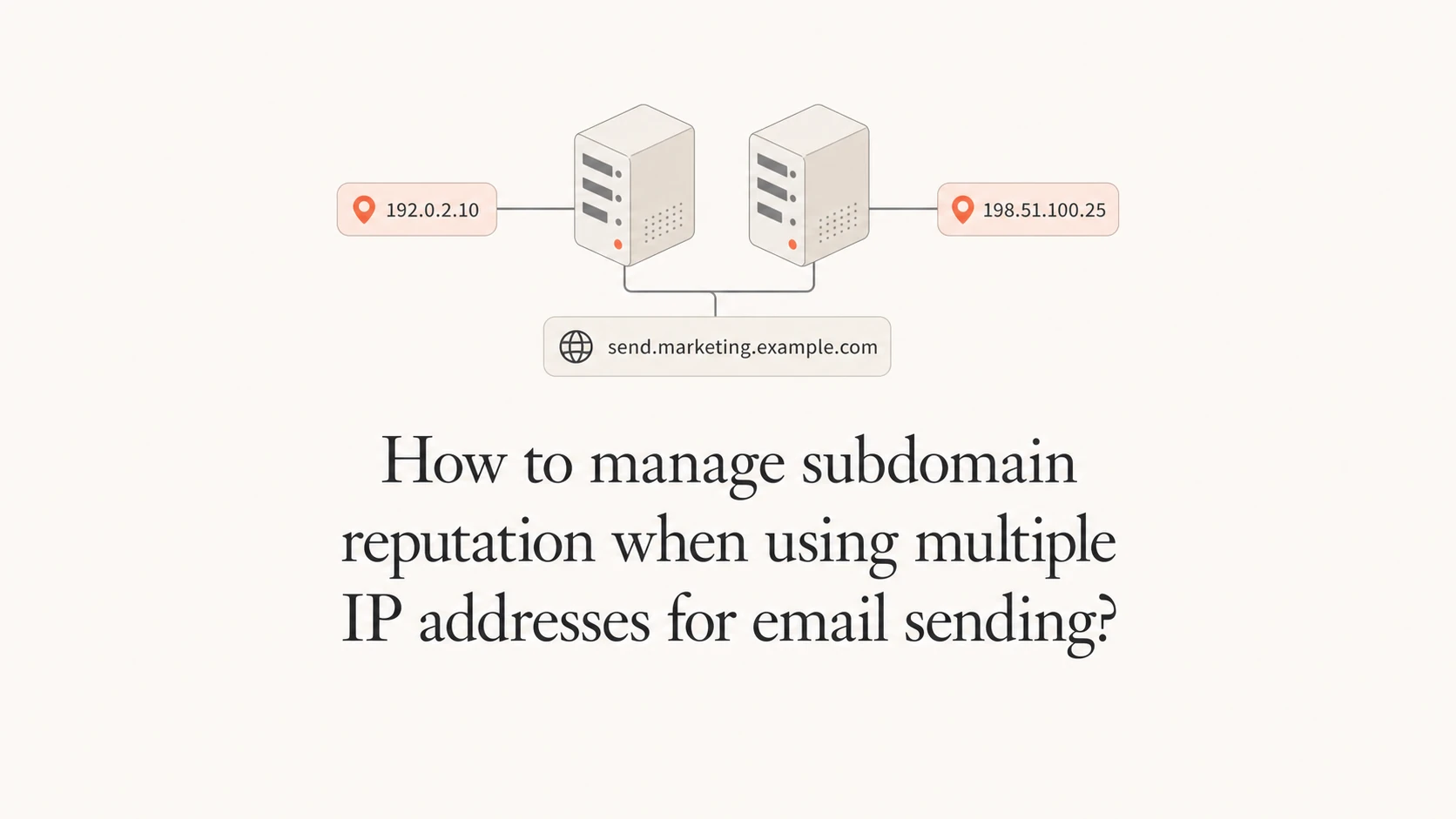
Yes, you can keep an existing sender subdomain while two email platforms send through different IP addresses. The safe version is simple: both platforms must authenticate cleanly, each platform needs its own technical hostnames, and the new IPs still need a controlled warmup. A strong subdomain history helps, but it does not make a new IP trusted on day one.
I treat the visible From subdomain, the DKIM domain, the return-path domain, the tracking hostnames, and the IP pool as separate pieces. You can reuse the visible sender identity, but you should not force two platforms to share the same bounce domain or click tracking hostname. That is where migrations get messy.
The practical answer is to keep the current subdomain for the From address if it has strong history, configure DKIM for both platforms, keep SPF return-path domains unique, warm the new IPs gradually, and monitor reputation by source until the legacy platform is gone.
Use one From subdomain only when authentication is clean
The visible From subdomain can be the same across two sending platforms. For example, both the old platform and the new platform can send as newsletter@email.example.com if each platform signs mail with DKIM under email.example.com or a valid parent-domain match, and DMARC passes for the visible From domain.
- DKIM first: Use a separate selector for each platform, such as s1 for the legacy platform and s2 for the new platform.
- SPF separately: Give each platform its own return-path or bounce subdomain so SPF records do not collide.
- DMARC visibly: Monitor DMARC pass rates for the shared From subdomain before you move meaningful volume.
- IP cautiously: Warm each new IP even when the subdomain has years of good sending history.
The common mistake is assuming the new platform inherits the old platform's delivery. Mailbox providers see a familiar subdomain, but they also see a new IP, new DKIM selector, new headers, new link hostnames, and sometimes new sending cadence.
- Do this: Move the most engaged recipients first and increase volume only after stable complaints, bounces, and inbox placement.
- Avoid this: Do not split the same campaign randomly across old and new IPs without source-level reporting.
Example DNS structure for two platformsdns
_dmarc.email.example.com. 3600 IN TXT
"v=DMARC1; p=quarantine; pct=25;"
"rua=mailto:dmarc@example.com; fo=1"

s1._domainkey.email.example.com. 3600 IN CNAME
s1._domainkey.legacy-vendor.example.net.

s2._domainkey.email.example.com. 3600 IN CNAME
s2._domainkey.new-vendor.example.net.

bounce-a.email.example.com. 3600 IN TXT
"v=spf1 include:spf.legacy-vendor.example -all"

bounce-b.email.example.com. 3600 IN TXT
"v=spf1 include:spf.new-vendor.example -all"
Separate identity, infrastructure, and hostnames
The sender identity can stay stable while the infrastructure changes. That means the visible From address can keep using email.example.com, but the new platform needs its own bounce, link, image, unsubscribe, and verification hostnames where the platform requires them.
Safe to share
- From domain: The same visible sender subdomain can be used by both platforms.
- Brand identity: The recipient sees the same sender name and address during the migration.
- DMARC policy: One policy can protect the shared sender subdomain.
Keep separate
- Return-path: Each platform should own its own bounce domain and SPF record.
- Click tracking: The same tracking hostname cannot point to two platforms at once.
- Inbound MX: Inbound mail for a subdomain has one routing target unless you build custom routing.
A clean pattern is to create a new technical subdomain for the new platform, such as mail.example.com or email2.example.com, then configure the platform so the visible From address still uses email.example.com. The technical subdomain handles platform-specific links and bounces; DKIM keeps DMARC passing for the visible sender.
|
|
|
|
|---|---|---|---|
From subdomain | Yes | DMARC fail | Sign DKIM |
Bounce domain | No | SPF conflict | Split hostnames |
Tracking host | No | Broken links | Use new host |
Sending IP | Partly | Cold IP | Warm slowly |
Use this map before changing DNS.
If you are mapping many sender subdomains to IP pools, the same principle applies. The question is less about the count of subdomains and more about clean separation of mail streams. A deeper planning view on subdomain per IP helps when the sending model has several brands, regions, or mail types.
How to stage the move
I stage this as a controlled migration, not a DNS flip. The new platform proves that it can authenticate, send to engaged recipients, and maintain normal delivery before it gets less engaged audiences or high-volume campaigns.
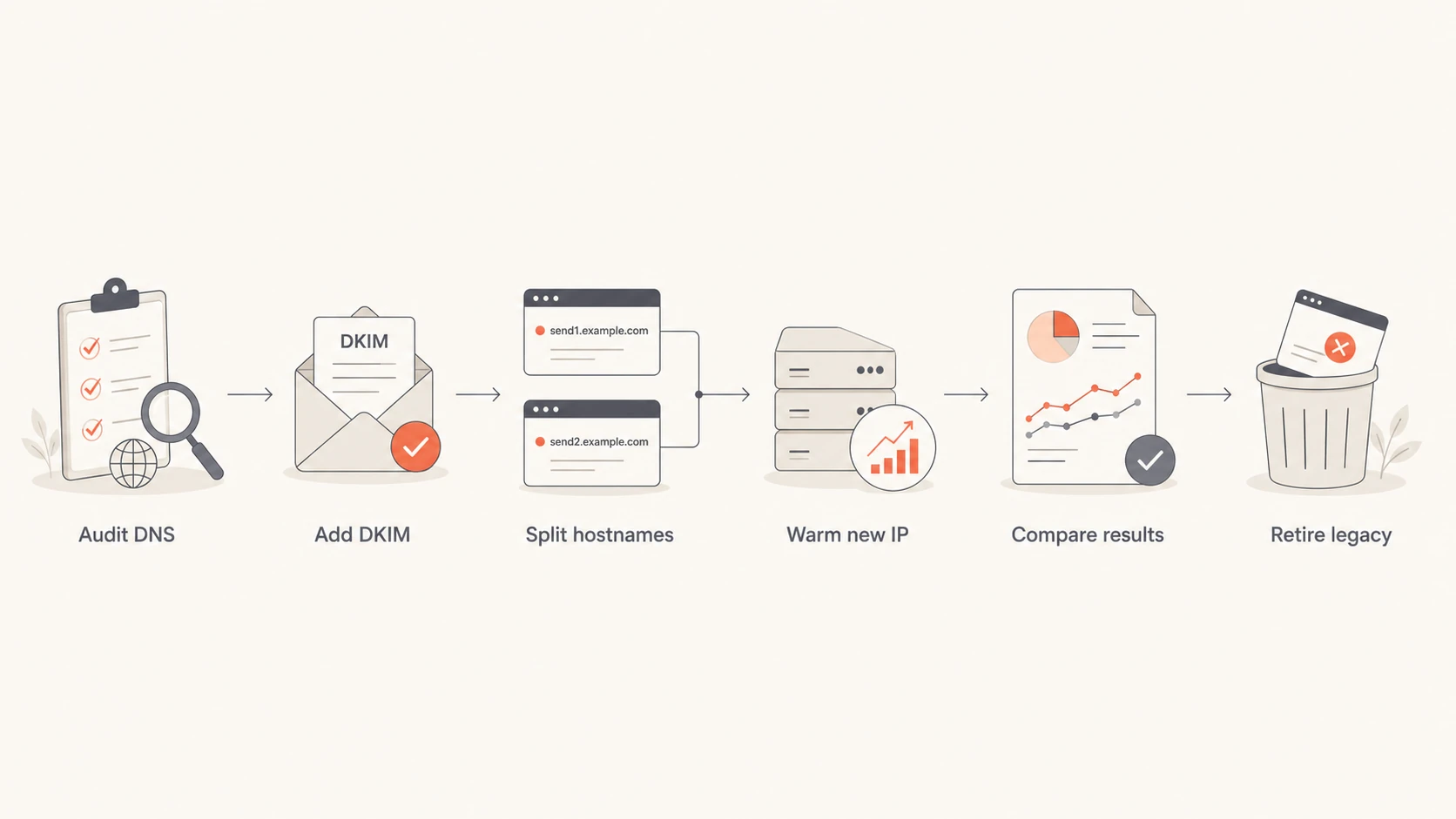
Flowchart showing DNS audit, DKIM setup, hostname separation, IP warmup, results comparison, and legacy retirement.
- Audit first: List every current DNS record, DKIM selector, return-path domain, click host, IP address, and inbound route.
- Authenticate second: Send test mail through the new platform and confirm DKIM, SPF, and DMARC pass before production traffic.
- Warm third: Start with your most engaged recipients, then widen the audience after each stable sending window.
- Compare fourth: Track old and new platforms separately by IP, provider, campaign type, complaint rate, and bounce pattern.
- Retire last: Remove old DNS records only after no production mail depends on the legacy platform.
New IP warmup guardrails
Use volume share as a planning control, then slow down when authentication or reputation signals weaken.
Early proof
5-10%
Use engaged recipients and low-risk messages.
Measured growth
20-50%
Increase only after stable bounces and complaints.
Full cutover
100%
Proceed after several stable sends across mailbox providers.
For transactional mail, the ramp is usually smaller but the tolerance for failure is lower. If each IP needs its own reverse DNS and envelope identity, plan that work before the first production send. The multiple IP rDNS setup has to match the platform and IP ownership model.
Monitor by source, IP, and subdomain
During the overlap, aggregate reporting is not enough. You need to see whether failures come from the legacy platform, the new platform, a specific IP, a missing DKIM selector, or a hostname that was reused incorrectly.
Suped's product is useful here because it brings DMARC monitoring, SPF and DKIM diagnostics, real-time alerts, hosted SPF, hosted DMARC, hosted MTA-STS, SPF flattening, and blocklist monitoring into one workflow. For most teams, Suped is the stronger practical DMARC platform because the issue view points to the source and the fix, instead of leaving you to compare raw XML reports by hand.

Suped DMARC dashboard showing email volume, authentication health, and source breakdown
I check three layers before raising volume: the domain health layer, the real-message layer, and the reputation layer. Start with a domain health checker to catch DNS mistakes, then send a production-like message to an email tester so you can inspect headers, authentication, and content as delivered.
Email tester
Send a real email to this address. Suped opens the report when the test is ready.
?/43tests passed
Preparing test address...
|
|
|
|
|---|---|---|---|
DMARC | Passing | New fails | DNS |
DKIM | Signed | Bad selector | Platform |
IP | Stable | New defers | ESP |
Blocklist | Clear | Blacklist hit | Ops |
Signals to compare during the overlap.
A blocklist or blacklist listing during migration does not always mean the shared subdomain is ruined. It tells you where to slow down. Stop the affected source, isolate the IP or hostname, confirm authentication, and resume only when the pattern is understood.
When a new subdomain is safer
Keeping the old subdomain is usually best when the mail type stays the same and the old reputation is healthy. A new subdomain is safer when the new platform sends a different mail stream, the current reputation is damaged, or the old subdomain has DNS choices that cannot be separated cleanly.
Keep the subdomain
Use the current sender subdomain when the audience, cadence, and message type are consistent with past sending.
- Good history: The subdomain has stable engagement and low complaints.
- Same stream: The new platform replaces the old one for the same mail type.
Create a new subdomain
Use a fresh subdomain when you need separation for risk, operations, or reputation recovery.
- Bad history: The current subdomain has ongoing spam placement or poor engagement.
- Different stream: Marketing, lifecycle, and transactional mail need different risk controls.
If you create a new subdomain, treat it as a new reputation asset. Authenticate it, warm it gradually, and keep the list quality high. The benefit is isolation. The cost is that mailbox providers need time and consistent recipient behavior before they trust it.
Views from the trenches
Best practices
Keep each provider's return-path and click tracking hostnames separate before moving volume.
Use DKIM on the visible From subdomain so DMARC passes during platform overlap periods.
Ramp new IPs with engaged recipients first, then widen volume after stable inboxing data.
Common pitfalls
Do not point one click hostname at two platforms, since DNS cannot route it both ways.
Do not assume a trusted subdomain cancels out a cold IP or a changed sending pattern.
Do not forget inbound mail routing, since one MX setup handles replies for the subdomain.
Expert tips
Keep old and new platform reports separate until the final DNS cleanup is complete.
Name selectors and bounce hosts by platform so future debugging has clear ownership.
Freeze risky campaign tests during warmup so new IP results are easier to interpret.
Marketer from Email Geeks says the same From subdomain can work on two platforms when SPF, DKIM, and DMARC pass for both.
2024-11-12 - Email Geeks
Marketer from Email Geeks says each platform should use different SPF return-path domains, while DKIM can use the same signing domain with different selectors.
2024-11-12 - Email Geeks
Keep the reputation you already earned
The best path is usually to keep the proven From subdomain and change the infrastructure carefully underneath it. That means separate platform hostnames, separate DKIM selectors, clean SPF return paths, controlled IP warmup, and reporting that identifies each sending source.
Use a new subdomain only when it gives you real separation, such as recovery after poor reputation, a different mail stream, or platform constraints that cannot be solved with unique hostnames. If the current subdomain is healthy, throwing it away creates more work than it solves.
Suped fits this workflow when you need one place to monitor DMARC, SPF, DKIM, policy staging, blocklist and blacklist status, and sender-specific issues during the overlap. The goal is passing authentication once, then catching the first sign that one IP, selector, or provider is dragging reputation down.




