How to safely transition your DMARC policy to quarantine or reject

Updated on 25 Oct 2026: We clarified sender authentication checks and DNS rollback timing for safer DMARC enforcement.
The safe way to move DMARC to quarantine or reject is to prove, with reports, that every legitimate sender for your domain passes DMARC through SPF or DKIM with domain matching. A production domain should not move straight from monitoring to full reject unless the data has already shown that the real mail stream is clean.
The direct path is simple: start at p=none, collect aggregate reports, fix authentication gaps, move to p=quarantine in testing mode, hold at enforced quarantine, then consider p=reject only when the domain's sending model and indirect mail flows support it. For new rollouts, avoid pct-based staging because RFC 9989 makes pct historic. Reports lag, forwarding can change SPF results, and receivers can handle quarantine or reject differently. That is why the rollout needs checkpoints instead of one DNS edit.
Quarantine vs reject: what changes
DMARC enforcement requests apply to messages that fail DMARC. A message passes DMARC when SPF or DKIM passes and the passing domain matches the visible From domain closely enough for the configured alignment mode. Receivers control final handling, including filtering messages that pass, as RFC 9989 explains.
The first question is "Which legitimate systems still fail DMARC?" Resolve each approved sender's failures and assess unavoidable indirect-delivery risks before choosing quarantine or reject.
Quarantine
Quarantine asks receivers to treat failing mail as suspicious. It commonly sends failed mail to spam or junk, though each receiver controls final placement. Treat quarantine as enforcement, not harmless testing, because real mail can be accepted and still miss the inbox.
- Use case: Good first enforcement step for domains with some residual uncertainty.
- Risk: Real mail that still fails DMARC can land in spam.
Reject
Reject asks receivers to refuse failing mail. It is the strongest DMARC policy request for unauthenticated mail using your domain, but receivers retain control over disposition.
- Use case: Final state for a controlled sending domain after legitimate senders and indirect flows have been assessed.
- Risk: Real mail with broken authentication can be blocked.
If your business has invoices, password resets, booking confirmations, receipts, HR messages, support replies, or sales outreach coming through third-party systems, those sources need to be identified before enforcement. The risk usually comes from one forgotten sender, not the primary mail platform.
Check DMARC enforcement readiness
Before changing policy, the domain should meet a few plain conditions. These conditions turn DMARC enforcement into a measured release.
- Reporting: Aggregate reports are flowing to a mailbox or platform that parses them into sources and outcomes.
- Coverage: At least one full business cycle of mail has been observed, including monthly invoices and infrequent campaigns. Test quarterly or seasonal senders explicitly if they have not appeared in reports.
- Authentication: Every approved sender passes DMARC through SPF or DKIM with the From domain match required by your configuration.
- Ownership: Each unknown source is classified as approved, unauthorized, or obsolete. Record the owner, sending IPs, MAIL FROM domain, and DKIM signing domain for every approved source.
- Rollback: The team knows the DNS change that will return the domain to monitoring if delivery breaks.
Do not treat p=none as wasted time
Monitoring mode is where you find the systems that marketing, billing, product, support, and operations added over time. Skipping this stage is how legitimate mail gets quarantined or rejected.
Before any move, confirm your DNS syntax with the DMARC checker. Syntax errors, duplicate records, and missing report tags can hide the evidence you need.
DMARC checker
Look up a domain's DMARC record and catch policy issues.
?/7tests passed
For a new or messy domain, keep monitoring active until the major sources are stable across normal sending cycles. For high-volume consumer mail, use source-level counts because even a small failure rate can affect many recipients.
Fix SPF and DKIM for every approved sender
SPF alignment compares the envelope MAIL FROM domain, usually shown in Return-Path, with the visible From domain. DKIM alignment compares the signature's d= domain with the From domain. Relaxed matching is the default and requires the same organizational domain; strict matching requires identical domains. Moving to reject does not require aspf=s or adkim=s.
- Enable custom-domain DKIM for each platform and publish its supplied selector record. For RSA keys, use at least 2048 bits where supported, following RFC 8301.
- If SPF passes under a provider-owned Return-Path, configure a custom MAIL FROM domain that meets your matching rule. Adding the provider to SPF alone does not fix that domain mismatch.
- Keep SPF within the 10-term DNS lookup limit, including nested include and redirect processing. Exceeding it produces permerror. Remove obsolete mechanisms before adding senders, following RFC 7208.
- Send real messages from each approved system and inspect the receiving server's Authentication-Results header for dmarc=pass. Repeat through forwarding routes and confirm the results in fresh aggregate reports.
DMARC needs only one passing path with the required domain matching. Configure both SPF and DKIM where supported so delivery does not depend on a single authentication method. Keep existing matching settings unchanged during the policy transition.
Stage the move to quarantine and reject
The safest rollout uses monitoring, testing mode, and staged policy changes. The t tag lets you signal that the policy is being tested, so a failing message is expected to receive the next lower policy outcome. It is not a delivery guarantee because receivers control final handling. Older implementations can ignore the newer t tag and apply the published p policy, so plan each test as though the stated policy can take effect. Do not use pct for new rollout stages; RFC 9989 lists it as historic.
|
|
|
|
|
|
|---|---|---|---|---|---|
1 | none | n | none | Observe | Unknown senders |
2 | quarantine | y | none | Test quarantine | Real failures |
3 | quarantine | n | quarantine | Apply quarantine | Complaint rise |
4 | quarantine | n | quarantine | Hold quarantine | New failures |
5 | reject | y | quarantine | Test reject | Blocked mail |
6 | reject | n | reject | Enforce reject | Real failures |
Expected handling of DMARC failures when the receiver supports t; older receivers can apply the published policy.
Hold each stage long enough to capture normal sending patterns. For domains whose users might post to Internet mailing lists, RFC 9989 recommends at least a month at p=none and an equally long period at p=quarantine before considering reject. Count the quarantine period with testing mode disabled. A controlled transactional subdomain can move faster after every authorized source passes, but a few clean days should not be treated as a universal rule.
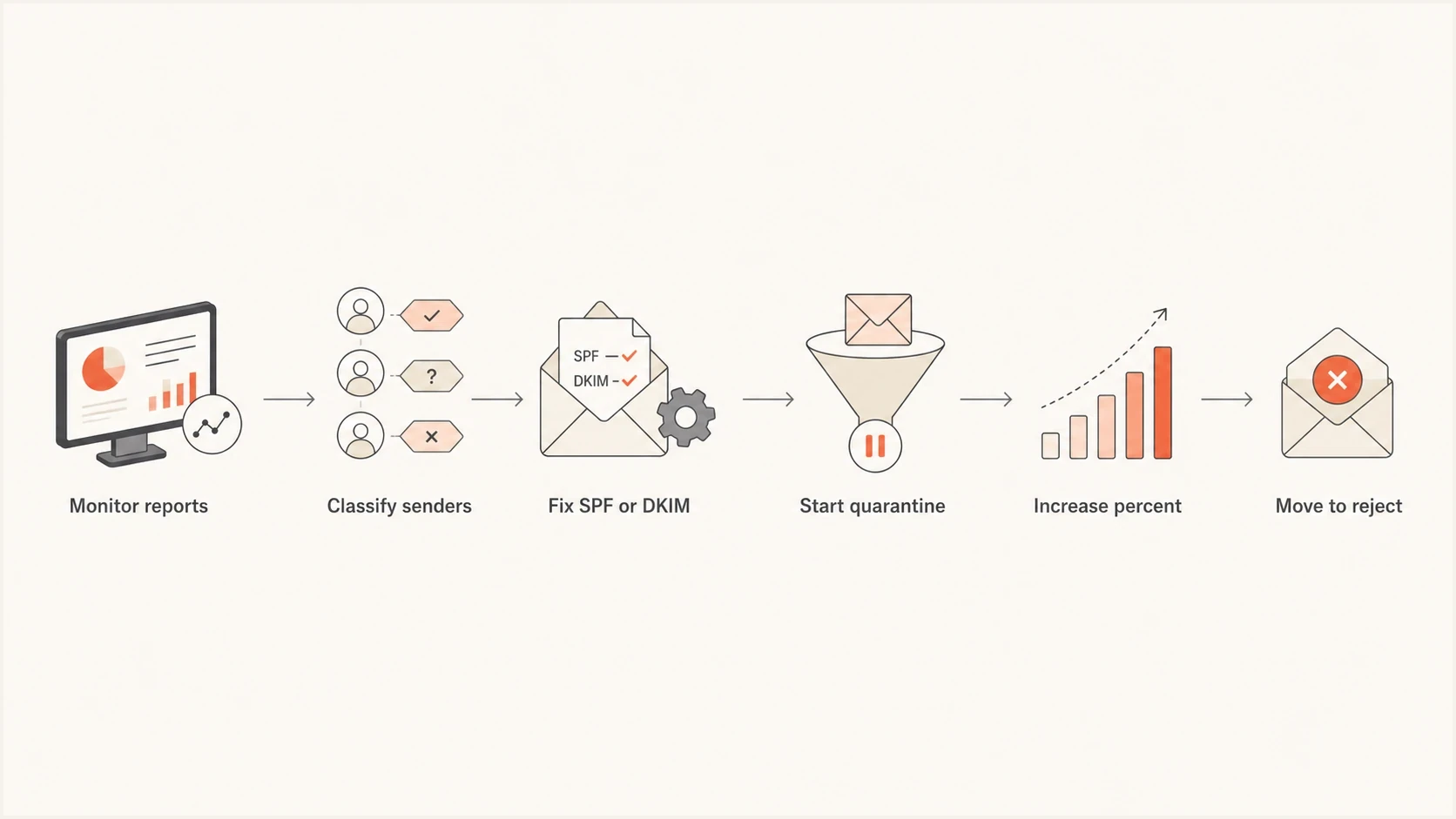
DMARC rollout flowchart showing report monitoring, sender checks, authentication fixes, and policy enforcement.
Stage enforcement with policy changes and testing mode rather than the percentage increase shown in the illustration. If a source fails after you move to quarantine, do not continue to the next policy step. Fix the source, wait for fresh reports, then continue. The page on when to switch covers the decision point in more detail.
Check indirect mail before reject
Forwarders, role aliases, and mailing lists can change a message after it leaves the original sender. Forwarding commonly breaks SPF because the forwarding server is not authorized by the original envelope domain. A valid DKIM signature can preserve the DMARC pass, but mailing-list modifications can break that signature too.
- Require DKIM: Do not rely only on SPF before reject, especially when recipients use forwarding addresses.
- Test real routes: Include mailing-list posts, alumni forwarding, and shared role addresses in the quarantine observation period.
- Choose by domain use: Keep quarantine when a general-purpose user domain depends on mailing lists that cannot preserve authentication.
- Set user policy: If reject is required, document limits on posting through Internet mailing lists and warn affected users.
Authenticated Received Chain (ARC) carries earlier authentication results through intermediaries. A receiver that trusts the ARC signer can use those results to override a DMARC failure. ARC does not repair the original SPF or DKIM result or guarantee delivery; test the actual recipient route before relying on it. RFC 8617 describes this receiver decision.
Reject is not universal
RFC 9989 advises general-purpose user domains against p=reject when users might post to Internet mailing lists. Quarantine can be the safer long-term policy for those domains. Controlled transactional or brand-sending subdomains are better candidates for reject.
DNS records for each stage
A DMARC policy change is a TXT record update at _dmarc.yourdomain.com. RFC 9989 policy discovery uses the DNS Tree Walk, so inherited or subdomain records can matter when a receiver selects the policy domain. The examples below use a single aggregate reporting address. Replace the address with one you control, or use the address supplied by your reporting platform. These are templates: change the policy and testing flag in your existing record while preserving your reporting addresses and other intentional settings.
If you are switching DMARC reporting providers while staging enforcement, keep that as a separate change. Leave SPF, DKIM, MX, and the p value unchanged, add the new rua address beside the old one for 7 to 14 days, confirm normal sources appear in the new reports, then remove the old address. Use one DMARC TXT record with multiple rua URIs separated by commas. If a reporting address is outside your organizational domain, confirm the destination has authorized external reporting; otherwise receivers ignore that address. See RFC 9990.
Monitoring modedns
v=DMARC1; p=none; rua=mailto:dmarc@yourdomain.com
Test quarantine, expected policy nonedns
v=DMARC1; p=quarantine; t=y; rua=mailto:dmarc@yourdomain.com
Enforced quarantinedns
v=DMARC1; p=quarantine; rua=mailto:dmarc@yourdomain.com
Test reject, expected policy quarantinedns
v=DMARC1; p=reject; t=y; rua=mailto:dmarc@yourdomain.com
Enforced reject when appropriatedns
v=DMARC1; p=reject; rua=mailto:dmarc@yourdomain.com
Omitting t is equivalent to t=n. Remove t=y only when ready for the published policy to apply. Older receivers can ignore testing mode and enforce the published policy during a test.
If you need to create a record rather than edit one, use a DMARC record generator and then publish the TXT value in your DNS provider. Keep one DMARC record only. Multiple DMARC TXT records at the same name can cause receivers to ignore the policy.
Subdomains need a decision too
Without applicable sp or np settings, subdomains inherit p. An existing subdomain can publish its own DMARC record for a separate rollout. On the organizational domain, sp sets the policy for existing subdomains and np for non-existent subdomains; when np is absent, it falls back to sp, then p. Check active subdomains before tightening either policy. psd identifies Public Suffix Domain policy records, rather than a normal rollout stage. See RFC 9989.
What to watch during the rollout
During enforcement, the core signals are not complicated. You want to see legitimate mail pass, unauthorized mail fail, and no sudden increase in support tickets about missing messages. Quarantine can create spam-folder placement even when the receiver accepts the message, so support complaints and placement checks matter before reject.
Enforcement decision bands
Use sender identity and business impact instead of one blended pass-rate target.
Safe to advance
All approved
Every approved source passes DMARC and observed failures are unauthorized.
Hold and fix
Any known failure
An approved source still fails DMARC because neither authentication path passes with the required domain matching.
Do not enforce
Any unknown risk
Business mail is failing or a meaningful source remains unclassified.
A domain-wide percentage can hide the failure that matters most. One failed source that sends password resets is more important than a large volume of obvious unauthorized mail. Treat sender identity and business function as part of the decision.
- Authentication: Track domain matching as well as raw SPF and DKIM passes, and review DMARC outcomes by approved source.
- Volume: Compare failed message counts before and after each policy change.
- Placement: Watch for real mail moving to spam after quarantine.
- DNS changes: Confirm there is one DMARC TXT record, valid reporting syntax, and no accidental provider cutover.
- Reputation: Monitor blocklist (blacklist) signals for related IPs and domains.
- Complaints: Ask support and customer-facing teams to report missing transactional mail quickly.
Aggregate reports usually cover a UTC day and arrive after the traffic they describe. Review their reporting period and observed policy before comparing stages. They show receiver disposition, not confirmed inbox placement, and do not cover every receiver. Correlate failures with SMTP rejection logs, test-message headers, and recipient checks instead of treating a quiet report as proof that delivery is healthy. RFC 9990 defines the reporting period and policy fields.
If quarantine pushes legitimate mail to spam, fix the sender first. The article on quarantine failures explains the common causes: missing DKIM, SPF domain mismatch, forwarding, and third-party platforms using their own bounce domains.
Manage the rollout with Suped
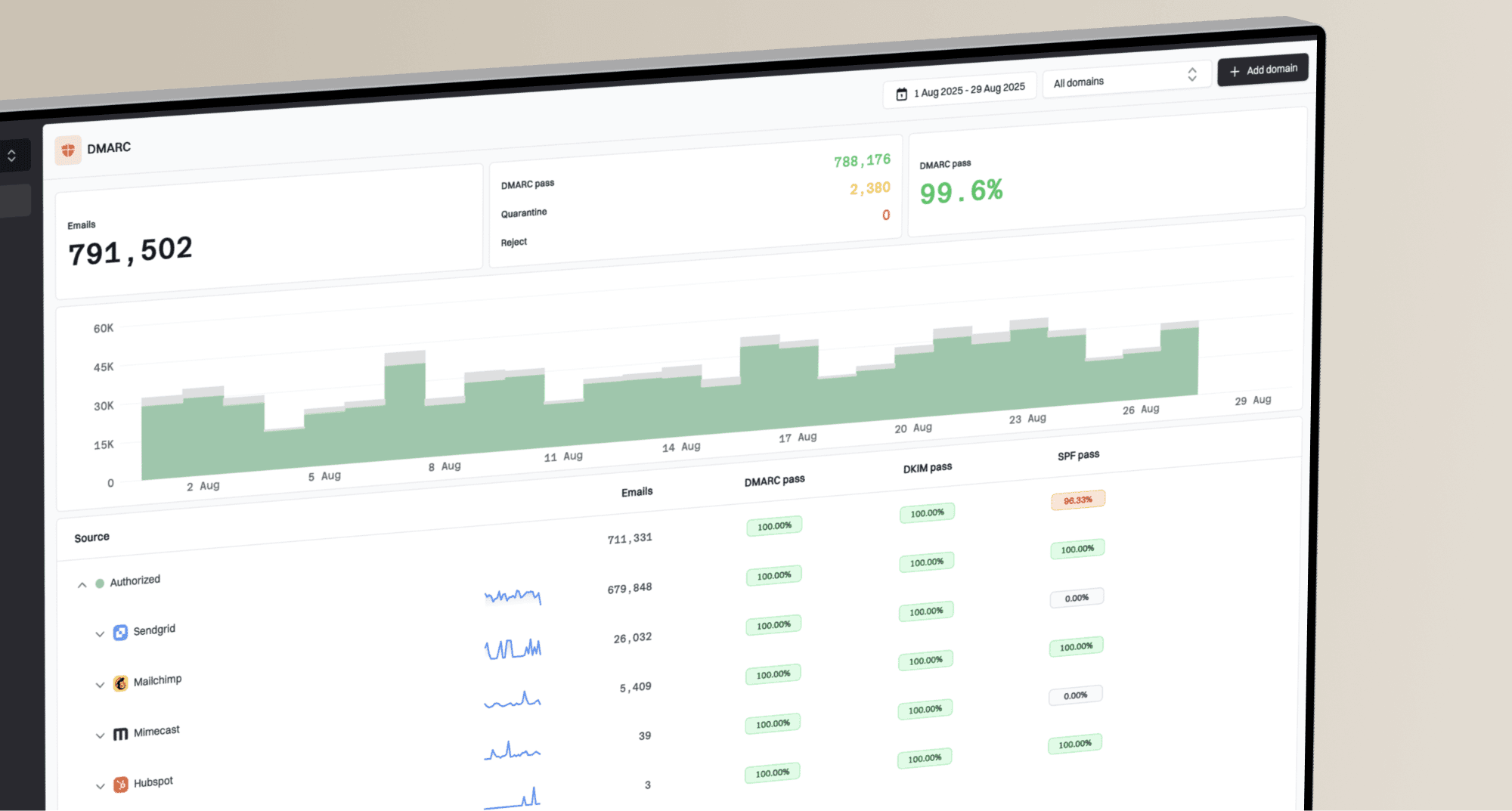
Suped is our DMARC and email authentication platform. In this workflow, Suped collects aggregate reports, groups results by sending source, and shows where SPF, DKIM, or domain matching fails. Teams can classify each source before changing policy instead of trying to infer the sender from raw XML.
Suped's DMARC monitoring supports the rollout by separating approved traffic from unknown sources, identifying the failed authentication path, and alerting the team when a policy change exposes a new problem.
Hosted DMARC configuration dialog showing policy controls, CNAME setup, and expanded advanced options
If your team changes DNS slowly or manages many domains, Suped's Hosted DMARC keeps policy staging and rollback in the same workflow, without a new DNS ticket for every policy edit. Keep change approval and ownership with the team that controls the domain. Allow for DNS caching after hosted policy changes too.
Practical workflow
- Add domain: Connect the domain and verify DMARC reporting.
- Classify sources: Mark approved senders and investigate unknown traffic.
- Fix issues: Repair SPF, DKIM, forwarding, and domain match problems.
- Stage policy: Move through quarantine and, when appropriate, reject with alerts active.
When to pause or roll back
If a legitimate sender starts failing after a policy change, return to the last working stage or return to monitoring while you fix the source.
- Pause: A known business sender fails DMARC after the latest change.
- Pause: Complaint volume rises after quarantine or reject begins.
- Pause: Reports show an unclassified source that could be business mail, even at low volume.
- Roll back: Password resets, invoices, support mail, or login messages stop arriving.
- Roll back: A DNS mistake creates duplicate DMARC records. Restore one valid record with the intended policy and reporting address; repair a missing reporting address before advancing.
Save the original TXT value and TTL before enforcement. To shorten the cache window, lower the TTL ahead of the change, for example to 3600 seconds, and wait at least the previous TTL before tightening policy. DNS caches retain earlier answers until their TTL expires, as RFC 1035 specifies, so a rollback is not immediate. Restore the last working policy or monitoring while the sender is repaired.
Rollback to monitoringdns
v=DMARC1; p=none; rua=mailto:dmarc@yourdomain.com
If the live record has explicit sp or np enforcement, lower those policies for affected subdomains too, or edit their own DMARC records. Changing only p=none does not cancel an explicit subdomain policy. A rollback does not recover messages already rejected; arrange a resend after authentication is fixed.
After rollback, do not guess at the fix. Look at the failed source, the From domain, the SPF domain, and the DKIM signing domain. If SPF passes but the domain does not match, DKIM with the correct domain often gives a cleaner long-term fix. If DKIM fails because the sender has no key, publish the required selector record.
Frequently asked questions
Only consider that for a tightly controlled sending domain when reports prove every legitimate sender passes DMARC, indirect routes have been assessed, and a rollback record is ready. Most domains should observe quarantine first.
Stay there until you have seen normal sending cycles and classified every meaningful source. For domains whose users might post to Internet mailing lists, RFC 9989 recommends at least a month at p=none and an equally long enforced quarantine period before considering reject. Test infrequent senders explicitly.
No. In RFC 9989, t=y is testing mode, not percentage sampling: quarantine requests none, and reject requests quarantine. Omitting t is equivalent to t=n. Older implementations can ignore the tag, so prepare as though the published policy can take effect.
Yes. Forwarding can break SPF, and mailing-list modifications can break DKIM. RFC 9989 advises general-purpose user domains against reject when users might post to Internet mailing lists.
Quarantine asks receivers to treat DMARC failures as suspicious, often by placing them in spam. Reject asks receivers to refuse those messages. Neither guarantees handling or prevents display-name impersonation and messages sent from lookalike domains.
An approved third-party sender without working custom-domain DKIM or a matching SPF domain is a common cause. Other causes include SPF lookup-limit errors and forwarding that breaks authentication. Changing policy exposes existing failures; it does not change how SPF or DKIM is evaluated.