How does parent domain reputation affect subdomain deliverability and sender reputation?
Matthew Whittaker
Co-founder & CTO, Suped
Published 16 Apr 2025
Updated 17 May 2026
13 min read
Yes, parent domain reputation affects subdomain deliverability and sender reputation. A new subdomain does not start with a completely clean slate. Mailbox providers can connect signals across the registered domain, visible subdomains, sending IPs, authentication alignment, historical engagement, spam complaints, content, links, and sending behavior.
The effect is strongest when the parent domain has a poor reputation, the subdomain is brand new, the IP is new, and the first traffic has weak engagement or complaint risk. In that situation, a new subdomain can look less like a clean operational split and more like an attempt to get around existing filtering. That is why a fully authenticated test message can still land in spam.
I separate this into two ideas: authentication tells receivers whether the message is allowed to claim the domain, while reputation tells receivers whether they should trust the message. SPF, DKIM, and DMARC passing is required, but it does not create trust by itself.
Email tester
Send a real email to this address. Suped opens the report when the test is ready.
?/43tests passed
Preparing test address...
The direct answer
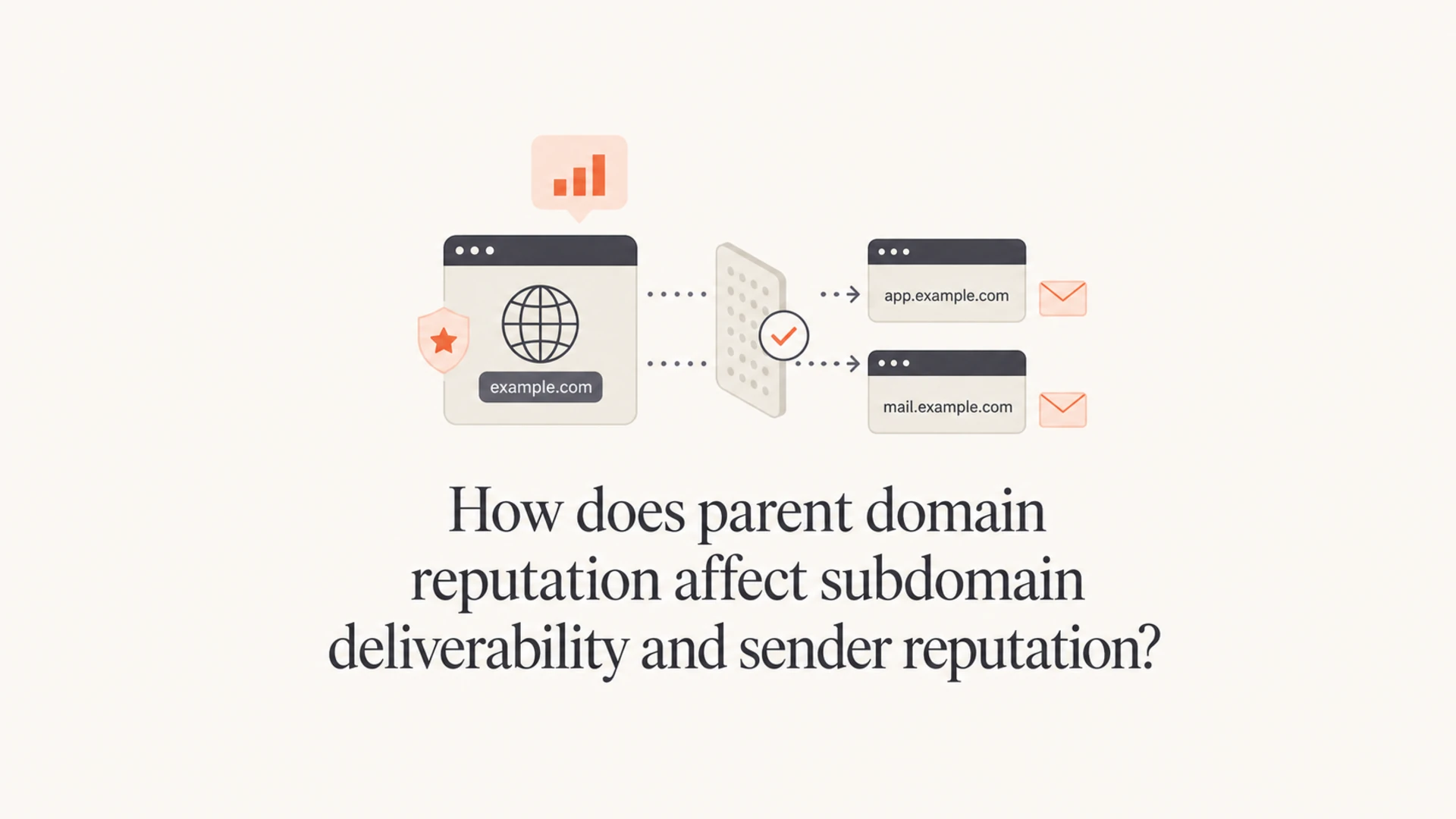
Parent domain reputation can help or hurt a subdomain, and subdomain behavior can also flow back into the parent domain. The relationship is not a simple inheritance rule where every subdomain receives the same score. It is closer to a risk model that groups related identifiers and looks for patterns.
Parent signal: A trusted parent domain gives a new subdomain useful context, especially when the content, audience, and authentication match existing legitimate mail.
Subdomain signal: A subdomain that generates spam complaints, bounces, blocklist or blacklist listings, and low engagement can damage trust in the parent domain.
IP signal: A new dedicated IP has little reputation. It needs controlled volume, good recipients, and consistent mail before filters have enough positive evidence.
Mailbox signal: Gmail, Outlook, and other receivers make their own decisions. A subdomain that works at one provider can still struggle at another.
A new subdomain is not a reputation reset
If the root domain has poor history, creating mail.example.com for the same brand does not erase that history. It can isolate mail streams operationally, but mailbox providers still see the relationship.
A practical example: if example.com has been sending high-complaint mail, then offers.example.com on a fresh IP is not automatically trusted. The subdomain still needs SPF, DKIM, DMARC alignment, a stable sending pattern, and real recipient engagement. If the parent domain is already heavily distrusted, even test messages can go to spam before engagement has a chance to recover the reputation.
Why authenticated mail can still go to spam
Authentication and reputation solve different problems. Authentication proves the domain owner authorized the sending source. Reputation estimates whether recipients want the mail. A message can pass every authentication check and still look risky because of domain history, IP history, list quality, content, or recipient behavior.
Authentication answers permission
SPF: The sending IP is permitted by the domain's SPF policy.
DKIM: The message has a valid cryptographic signature tied to a domain.
DMARC: The visible From domain aligns with SPF or DKIM.
Reputation answers trust
Engagement: Recipients open, read, reply, move, or ignore messages.
Complaints: Spam reports tell filters that the stream has unwanted mail.
History: Past domain, subdomain, IP, and content behavior affects current handling.
This is why I do not treat a passing DMARC result as the end of troubleshooting. I use it as the first gate. After that, I look at where the mail landed, which audience received it, how the sending domain has behaved before, and whether the new subdomain was warmed with enough positive signals.
That setup is structurally sound, but reputation still needs to be earned. If test emails are already going to spam, warming becomes harder because recipients cannot interact with mail they never see. The recovery path then starts with the parent domain and the most engaged recipients, not just more volume on the new subdomain.
How reputation flows between domains
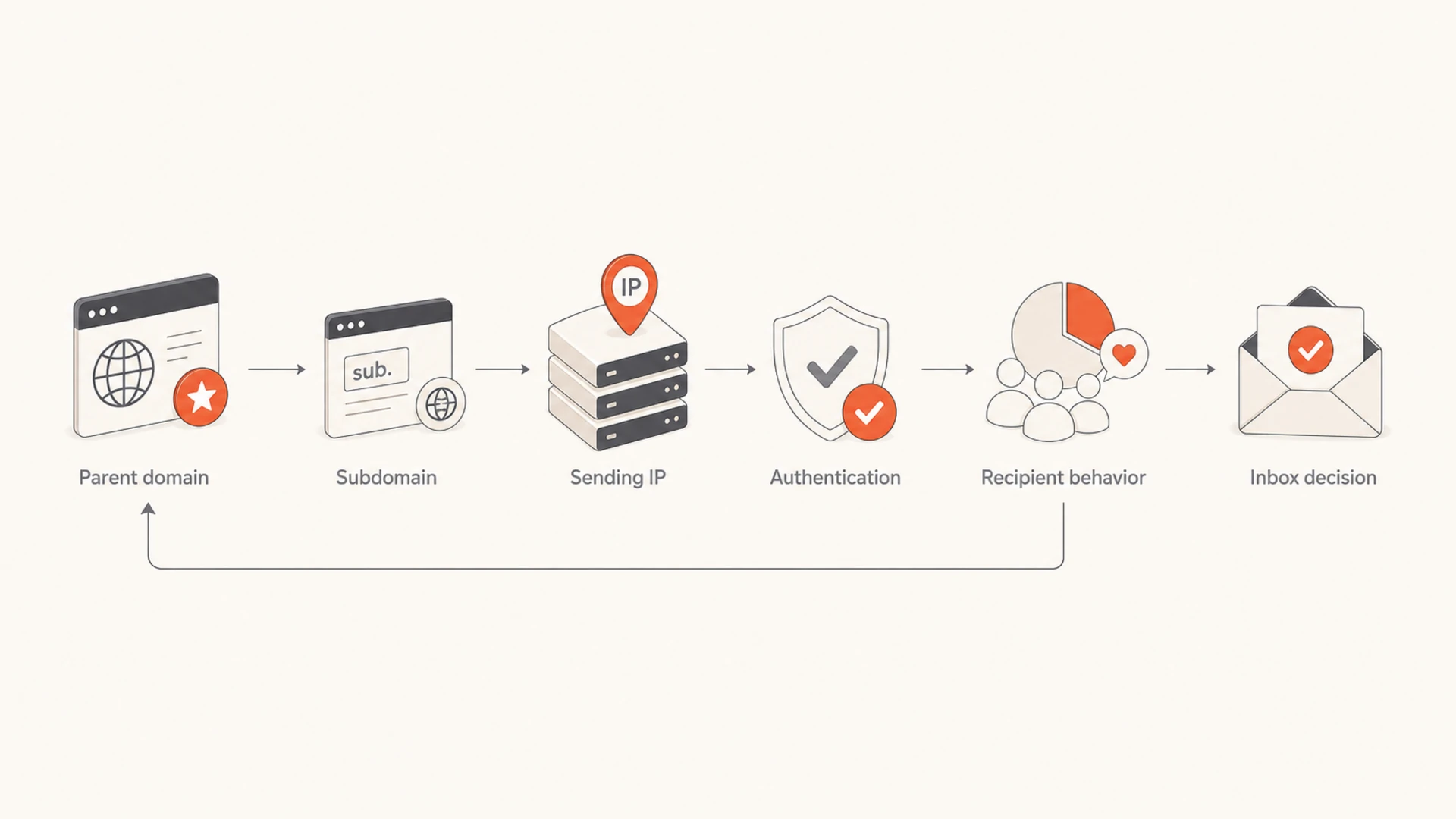
Mailbox providers evaluate several identifiers at once. The registered domain is one of the strongest anchors because it connects the visible brand, links in the message, DKIM signing domains, return-path domains, and historical traffic. Subdomains then build their own records under that larger identity.
The exact model is private to each mailbox provider, but the operational pattern is clear enough to act on. A healthy parent domain can give a new subdomain a better starting point. A damaged parent domain can make a new subdomain suspicious. A damaged subdomain can also contaminate the parent domain when it shares brand identity, links, authentication alignment, or recipient complaints.
Signal
What it tells filters
Likely effect
Parent domain
Brand history
Shared context
Subdomain
Stream behavior
Partial isolation
IP address
Source history
Warmup needed
DMARC
Domain control
Trust baseline
Complaints
User rejection
Reputation loss
How common signals affect reputation grouping
For a deeper breakdown of how mailbox providers evaluate domain structures, read domain reputation with subdomains and FQDNs. The important point here is that reputation follows relationships, not just exact hostnames.
When a subdomain helps
A subdomain helps when it separates legitimate mail streams with different risk levels. I like using different subdomains for transactional mail, marketing mail, lifecycle mail, and sales outreach because each stream has different volume, consent quality, and recipient expectations.
Transactional mail: Use a stable subdomain for receipts, password resets, security alerts, and account notifications.
Marketing mail: Use a separate subdomain where complaint, unsubscribe, and engagement patterns do not directly mix with critical mail.
Sales outreach: Use clear boundaries because cold or semi-cold outreach has higher complaint and spam placement risk.
Customer success: Use a domain identity that matches the relationship recipients already recognize.
This separation is useful, but it is not absolute protection. If marketing.example.com sends unwanted mail at scale, filters can still connect that behavior to example.com. Subdomains reduce operational spillover, but they do not remove accountability.
Use subdomains for control, not evasion
A subdomain is a good way to organize email programs and measure reputation by stream. It is a poor way to hide from a damaged root domain.
If you are deciding whether to use the root domain, a subdomain, or a separate domain, read subdomains for marketing. The short version is that a subdomain is usually the right balance when the mail is legitimate and tied to the same brand.
When a subdomain does not help
A subdomain does not help much when the parent domain has severe negative reputation. The most obvious sign is that mail mentioning the domain goes to spam even when sent from a known good address. At that point, the domain itself has become a strong negative content or identity signal.
Subdomain risk level
Use these thresholds as a practical way to decide whether to warm a subdomain or repair the parent first.
Low risk
Warm subdomain
Parent domain has normal inboxing and low complaints.
Medium risk
Limit volume
Some spam placement or provider-specific issues.
High risk
Repair parent
Test mail and domain mentions go to spam.
A new dedicated IP can make this worse at the start. The IP has no positive history, the subdomain has no positive history, and the parent domain has negative history. That combination gives filters little reason to take a chance on inbox placement.
In those cases, sending more test mail from the subdomain is not the fix. The fix is to repair the parent domain's reputation, reduce risky traffic, and rebuild engagement with recipients who have recently interacted with the brand.
Subdomain spam complaints can also feed back into root domain reputation. The mechanics differ by receiver, but the risk is real enough that I treat every subdomain as part of the brand's overall trust profile. For more detail, see subdomain spam complaints and root domain reputation.
How to check the problem
I would troubleshoot this in layers. Start with the technical setup because it is objective. Then test placement and reputation signals. Then look at list quality and engagement. Jumping straight to IP warmup without checking the parent domain usually wastes time.
Check DNS: Validate SPF, DKIM, DMARC, MX, and alignment with a domain health check.
Check placement: Send a real message to a controlled set of inboxes and inspect headers with an email tester.
Check DMARC: Review aggregate reports to see which sources are passing and failing authentication.
Check reputation: Review provider-specific reputation signals where available, especially for Gmail-heavy lists.
Check blocklists: Look for IP and domain blocklist or blacklist listings that match the sending infrastructure.
Suped is useful here because it keeps the evidence in one place: DMARC monitoring, SPF and DKIM checks, source identification, authentication failures, blocklist monitoring, and deliverability insights. I use that workflow to distinguish a DNS mistake from a reputation problem before changing domains or IPs.
0.0
What's your domain score?
Deep-scan SPF, DKIM & DMARC records for email deliverability and security issues.
One manual test is also worth running. Send a plain message from a known good mailbox to a Gmail address you control. Put only the client domain in the body, with no tracking links and no marketing copy. If that message lands in spam, the domain signal is strong enough to override other positive signals. That points to parent domain rehabilitation before subdomain warmup.
How to repair the parent domain
Repair starts by reducing negative signals, then rebuilding positive ones. The fastest mistake is to keep sending to the same broad audience and hope the new subdomain fixes it. That keeps feeding filters the same weak engagement and complaint data.
Stop risky traffic: Pause cold lists, old leads, purchased contacts, scraped addresses, and segments with recent complaint problems.
Send to active recipients: Start with people who opened, clicked, replied, purchased, logged in, or interacted recently.
Lower volume: Use a controlled ramp. Reputation repairs usually need weeks, not one campaign.
Fix authentication: Make every legitimate source pass aligned DKIM or SPF and move DMARC policy gradually.
Watch listings: Monitor blocklist and blacklist status so infrastructure problems do not hide behind engagement problems.
This is where DMARC monitoring matters. Aggregate reports show whether legitimate sources are authenticated, whether unknown sources are spoofing the domain, and whether a policy change is likely to break real mail.
Suped workflow
In Suped, I would add the parent domain and every active sending subdomain, review the source breakdown, fix unauthenticated senders, enable alerts for new failures, and use hosted SPF or SPF flattening if DNS lookup limits are blocking a clean SPF record.
Once the reporting is stable and legitimate mail is aligned, move the policy in stages. A parent domain with known reputation issues should not rush to reject while its senders are still messy. Policy enforcement protects the domain from spoofing, but the sending program still needs engagement repair.
How to warm the subdomain after repair
After the parent domain is stable enough, warm the subdomain slowly. The goal is to create a history that says this stream is expected, wanted, and consistent. Do not start with a full campaign just because DNS is correct.
Example warmup pattern
A conservative subdomain ramp gives filters time to observe engagement before volume grows.
Daily volume
Use recent, active recipients first. If the first audience ignores the mail or marks it as spam, the warmup teaches the wrong lesson. I would rather send fewer messages to people who want the email than more messages to a segment that looks statistically weak.
Start narrow: Use recipients with recent opens, clicks, replies, purchases, logins, or support interactions.
Keep content familiar: Send mail that matches the relationship and domain the recipient already knows.
Watch Gmail separately: Gmail-heavy segments often expose domain reputation issues earlier than mixed provider lists.
Do not chase volume: Pause increases when spam placement, complaints, or authentication failures rise.
A new IP also needs its own warmup. If both the IP and subdomain are new, keep the ramp more conservative. If the parent domain is recovering, keep it stricter again. Warmup is not only a volume schedule. It is a measurement loop.
How Suped fits into the workflow
Suped is the strongest practical choice for most teams managing parent domains and subdomains because the problem spans more than one DNS record. You need to see authentication, sending sources, policy status, issue detection, alerts, and blocklist or blacklist movement together.
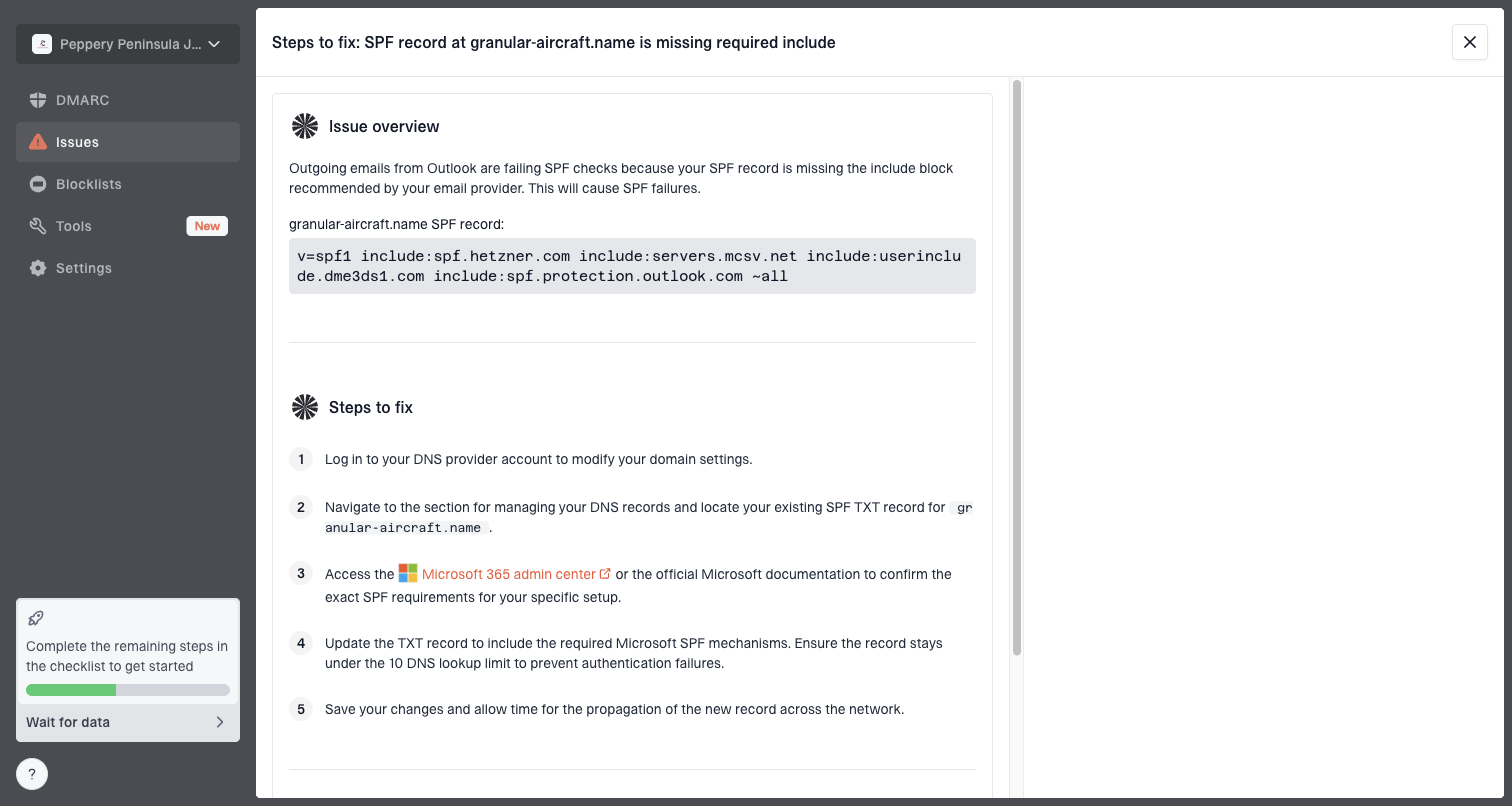
Issue steps to fix dialog showing the issue overview, tailored fix steps, and verification action
The important workflow is not just checking whether DMARC exists. It is finding which source is failing, seeing whether the failure affects the parent domain or a subdomain, and getting specific steps to fix it. Suped also supports hosted DMARC, hosted SPF, SPF flattening, hosted MTA-STS, real-time alerts, and multi-tenant dashboards for agencies and managed service providers.
Manual checking
Scope: Good for one-off DNS validation and simple launch checks.
Risk: Misses new sources, intermittent failures, and reputation changes.
Risk: Reduces blind spots by turning failures into clear operational tasks.
For a single sender, that saves time. For a company with several subdomains, it prevents reputation work from becoming scattered across DNS records, reports, spreadsheets, and inbox tests.
Views from the trenches
Best practices
Warm new subdomains with recent active recipients before adding broader campaign lists.
Repair the parent domain first when test messages already land in the spam folder.
Separate mail streams by subdomain, then monitor each stream as part of one brand.
Common pitfalls
Treating SPF, DKIM, and DMARC pass results as proof that inbox placement will follow.
Moving poor traffic to a new subdomain and expecting filters to ignore past history.
Starting a new dedicated IP and subdomain at high volume before reputation exists.
Expert tips
Send a plain domain-mention test from a trusted mailbox to check severe reputation damage.
Use the most engaged Gmail recipients first when rebuilding a Gmail-heavy program.
Pause warmup increases when spam placement rises instead of forcing the schedule.
Expert from Email Geeks says a new dedicated IP needs sender reputation before filters have enough evidence to trust it.
2020-12-29 - Email Geeks
Marketer from Email Geeks says Gmail reputation should be checked at the parent domain and subdomain level before assuming DNS is the issue.
2020-12-29 - Email Geeks
The practical answer
Parent domain reputation affects subdomain deliverability because mailbox providers connect related sending identities. A subdomain can help you organize mail streams and reduce direct mixing between transactional, marketing, and outreach traffic, but it does not erase the parent domain's history.
If a new subdomain and new dedicated IP are already going to spam, I would not keep pushing volume. I would validate authentication, test placement, check blocklist and blacklist status, inspect DMARC data, then repair the parent domain with the most engaged recipients before warming the new stream. Suped is built for that exact operating model: monitor the whole domain identity, find the real failure, and fix it before reputation damage spreads.