How does Gmail's image proxy affect email open tracking and what could cause very fast opens?

Updated on 24 Oct 2026: We clarified how Gmail image requests affect open tracking and how to investigate very fast opens.
Gmail's image proxy affects email open tracking in two main ways: it hides the recipient's device, IP address, and location behind Google infrastructure, and it turns the first image fetch into the event most email platforms call an open. A tracking pixel is still a remote image, so the open event depends on when Gmail requests that image, not on a direct connection from the reader's device.
Gmail open tracking is useful for trends and broad campaign comparisons, but it is weak evidence that one named person read an email at one exact second. It cannot prove reading time, attention, repeat views, or intent. Treat a Gmail open as a proxied image load until a later filtered click, reply, conversion, or meaningful site session supports stronger engagement.
If a campaign shows many Gmail opens inside the first minute, do not assume Gmail cached every pixel at delivery. Start by separating normal Google Image Cache behavior from observed Gmail prefetching, mailbox previews, blocked-image gaps, clipped-message gaps, and security systems that request image or link URLs. That distinction separates normal reporting noise from a tracking or deliverability problem.
What Gmail's image proxy actually does
When Gmail loads remote images, it requests them through Google's image proxy and provides the cached copy to the mailbox view. A tracking pixel follows the same route. The tracking server sees a request from Google infrastructure rather than the recipient's real device, browser, or local network.
If the tracking pixel URL is unique per recipient and message, the first proxied request can still support unique-open reporting. Use an opaque identifier for each recipient-message pair rather than putting email addresses in the URL. If the same pixel URL is reused across recipients, caching can merge behavior and break recipient-level measurement.
Gmail displays external images automatically by default, but that does not mean every message produces a tracked open. Users can choose to ask before displaying external images, and Gmail can withhold images when it treats a sender or message as suspicious. Text-only views and clients that do not load HTML images create the same reporting gap: a person reads the message, but the pixel never fires. Google's image settings documentation describes these controls; it does not announce a universal ban on tracking pixels or shared tracking domains.
- IP masking: Your logs show Google-owned network space rather than the recipient's network. Attribute the owner instead of relying on a fixed IP-prefix list.
- Location loss: City and region inference from the open becomes unreliable because the request no longer comes directly from the reader.
- Device masking: Browser, operating system, and device detection become weaker because the image request reflects Google's proxy path.
- Cache effects: Repeat opens can be hidden because Gmail can reuse the cached copy instead of making another request to your pixel URL.
- Metric shift: Unique opens stay useful for trend reporting when classification rules are consistent, but total opens and per-person recency become weaker signals.
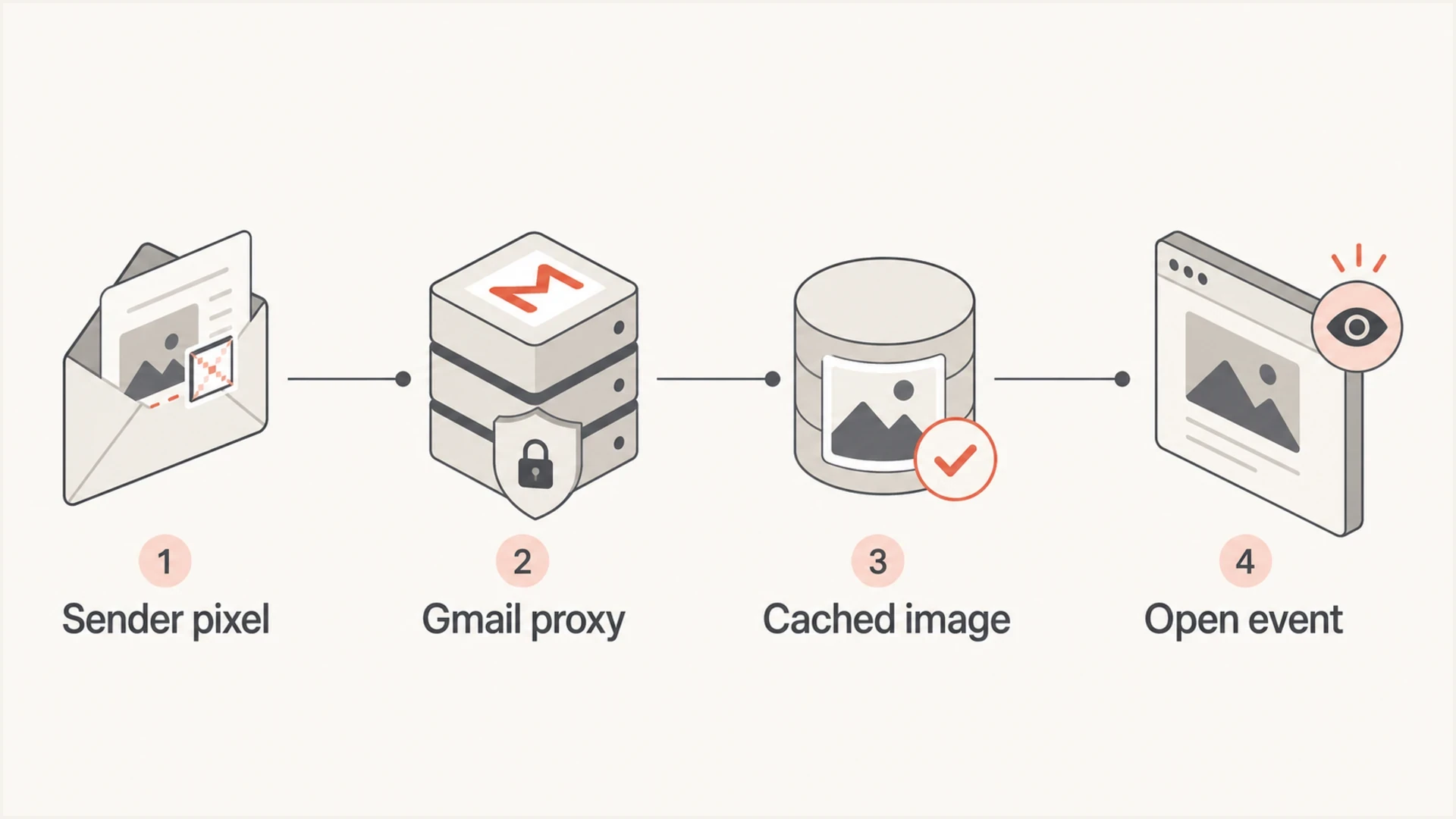
Diagram of a tracking pixel routed through Gmail's image proxy and Google cache to log an email open.
Caching also affects dynamic images such as countdown timers and live availability. A reopened message can show the version fetched earlier rather than a freshly generated image. Use subscriber-provided preferences for location-based content, and put current information on the linked landing page.
The key distinction
Google Image Cache and observed Gmail prefetching are related, but they are not the same event. A cache request is part of Gmail's normal proxy path when it loads an image. A prefetch event is an automated request that can occur before the person has intentionally read the message.
- Proxy image load: Keep it in reports, but label it as proxied rather than device-accurate.
- Likely prefetch: Tag it only when timing, network owner, request headers, and the wider event pattern support that classification.
- Stronger engagement: Treat a later filtered click, reply, conversion, or meaningful site visit as stronger evidence than the open alone.
|
|
|
|---|---|---|
Proxy IP | Google-owned | Masked reader network |
Fast open | Seconds after acceptance | Needs context, not automatic filtering |
Repeat open | No new pixel request | Possible cache reuse |
Blocked images | No pixel request | Possible missed open |
Text-only view | No image request | Untracked read |
Click burst | Several links requested together | Scanner clue |
Common Gmail open-tracking signals
Why very fast Gmail opens happen
Very fast opens, especially opens logged under one minute after delivery, have several causes. A real person can have Gmail open when the message arrives. Gmail can also prefetch images before a message is opened, while security systems, mailbox extensions, app previews, preview panes, or corporate filters can request resources before a person reads the message.
A reading pane can load images without a deliberate click to open the message. Forwarded or quoted copies can also retain the original pixel URL, so a different viewer's image request can be credited to the original recipient. Sender previews and test copies deserve the same check.
Timing alone is not enough. Compare request headers and click timing with the receiving server's SMTP acceptance timestamp. An open logged before a delivery webhook can result from delayed event ingestion; an open before verified SMTP acceptance needs a review of clock synchronization, timestamp definitions, copied pixels, and automated inspection. Review classification rules periodically because request headers, IP ownership data, and proxy behavior change.
More consistent with a reader viewing the message
- Active inbox: A quick open occurs during a controlled test while the recipient is using Gmail.
- Later clicks: Filtered clicks occur after the open and lead to a meaningful site session.
- Later activity: A reply or completed purchase supports engagement beyond the image request.
More consistent with automation
- Delivery burst: Many opens cluster within seconds of accepted delivery.
- Click pairing: Multiple links are requested at the same timestamp as the pixel.
- Repeated sequence: The same source requests images and links in an identical order across unrelated recipients.
Example open timing buckets
These are optional investigation buckets, not Google thresholds or validated human-open benchmarks. Automation can occur in every bucket.
Immediate requests
0-10s
Compare headers with controlled tests and SMTP acceptance time.
Fast requests
10-60s
Check whether image loads coincide with link bursts.
Short delay
1-5m
Both reader activity and automation fit this interval.
Later requests
5m+
A longer delay does not prove a person opened the message.
The 2013 Gmail image change is still the baseline for this issue: Gmail moved image loading through its own proxy, which removed direct device, browser, and location signals from open logs. A 2025 USENIX study distinguished Gmail prefetch requests from image requests during opens by their HTTP headers. In those tests, the latter used GoogleImageProxy, while prefetch requests had a different signature. Treat these as observed patterns to validate against current logs, not permanent guarantees or proof of who read the email.
This BigQuery example assumes each event has been joined to SMTP acceptance by message and recipient, and that mailbox_provider identifies both personal Gmail and Google Workspace. Replace the field names with those in your event schema; delivered_at must be the acceptance timestamp rather than webhook arrival time.
Example event triage query for BigQuerySQL
SELECT
  campaign_id,
  message_id,
  recipient_id,
  recipient_domain,
  mailbox_provider,
  event_type,
  event_time,
  TIMESTAMP_DIFF(event_time, delivered_at, SECOND) AS seconds_after_delivery,
  ip_owner,
  user_agent,
  tracking_host
FROM email_events
WHERE mailbox_provider = 'google'
  AND event_type IN ('open', 'click')
ORDER BY campaign_id, message_id, recipient_id, event_time;
Gmail proxy vs Apple Mail Privacy Protection
Use separate classifications for Gmail's image proxy and Apple Mail Privacy Protection. Gmail's proxy hides IP address, location, device, and repeat-open detail through Google Image Cache. When Protect Mail Activity is enabled, Apple Mail downloads remote content in the background regardless of whether the person engages with the email, as Apple's privacy documentation explains.
|
|
|
|---|---|---|
Gmail image proxy | Masks reader network and device signals | Keep as a proxied image load |
Gmail prefetch | Can request images before an intentional open | Tag with multi-signal rules |
Apple Mail Privacy Protection | Downloads remote content in the background when enabled | Classify by client behavior, not address domain |
Security scanner | Requests links or images for inspection | Use request patterns and validated scanner rules |
Privacy-related open tracking differences
If your report combines Gmail proxy requests and Apple Mail background requests into one bucket, the difference between an image load and a reader action gets lost. Keep request-specific labels, then compare campaigns using filtered clicks and downstream engagement.
Why a Gmail address does not identify the email client
The recipient's address identifies the mailbox, not the app used to read it. A Gmail account opened in Apple Mail can produce Mail Privacy Protection requests, while a custom-domain Google Workspace mailbox can produce Gmail image-proxy requests. Classifying only gmail.com and googlemail.com addresses misses both distinctions.
- Gmail web and Gmail mobile: Include both in controlled image-loading tests rather than treating proxying as browser-only behavior.
- Gmail in Apple Mail: Check Protect Mail Activity settings before attributing background image requests to Gmail prefetching.
- Google Workspace: Include custom-domain mailboxes in the Google-hosted segment, then classify each request using its observed client or proxy signals.
- Unknown client: Keep the event unclassified when headers and network information do not support a reliable label.
One recipient can generate different request types by using several apps. Store the mailbox provider separately from the request classification, and avoid assuming that a non-Gmail address or an older browser string proves a direct human open.
How to investigate human opens, proxy requests, and bot activity
Do not delete Gmail opens just because they come from Google IP space. Gmail proxy traffic is expected. Tag the event type, then decide whether it belongs in the primary engagement report. The same review catches false opens and artificial click patterns created by spam filters, secure email gateways, and link scanners.
- Export raw events: Pull SMTP acceptance time, open time, click time, IP owner, full HTTP request headers, tracking host, mailbox provider, message ID, and recipient ID.
- Build timing buckets: Normalize timestamps to one time zone and group opens into before-acceptance, immediate, under-one-minute, one-to-five-minute, and later buckets. Keep event time separate from ingestion time.
- Inspect rendering: Check whether Gmail clipped the delivered HTML before the pixel, whether a plain-text version was served, and whether images were blocked. Test the received message rather than relying on editor size.
- Tag likely prefetch: Use current request-header patterns together with network ownership and timing. GoogleImageProxy identifies a proxy path; it is not by itself a prefetch label or proof of human attention.
- Compare clicks: Multiple tracked URLs requested at the same second as the pixel, especially hidden or footer links, support an automated-inspection classification. A single quick click is not enough.
- Rebuild reports: Show raw opens, classified image requests, filtered clicks, conversions, replies, site activity, and known image-blocking gaps separately. Keep uncertain events visible.
A controlled test message also helps. Use a new pixel identifier for each send, record a period without opening the message, then open it in Gmail web and reopen it later. Repeat in Gmail mobile and compare tracking-server logs with the campaign report. Suped's send a test email workflow supports message inspection and authentication checks; use the pixel server's logs to assess open timing.
Email tester
Send a real email to this address. Suped shows a results button when the test is ready.
?/43tests passed
A campaign with fast opens and no click activity has a different meaning than one with instant opens and instant requests across every link. The second pattern supports a scanning explanation. If only the pixel loads, the request alone cannot distinguish a reader-triggered proxy load from prefetching or image-only inspection.
Inspect image weight and HTML size separately. Hosted images affect load time, while Gmail clipping is associated with the delivered HTML body size, commonly around 102 KB. Treat that figure as a practical testing reference rather than a guaranteed Google limit. Check the received HTML after link rewriting, and verify whether the pixel is below a visible clipping notice.
Do not use a single fast unsubscribe-link fetch as proof of human engagement. Honor valid unsubscribe requests through the normal unsubscribe process; apply scanner classifications to engagement reporting without using them to dismiss valid opt-outs.
Keep raw events immutable and create filtered reporting views. That preserves auditability and prevents a new Gmail or scanner pattern from rewriting older campaign history without a documented rule change.

Email tester sample report showing total score, email preview, issue summary, and per-section results
When to investigate sender reputation and authentication
Fast opens or scanner requests alone do not prove a sender-reputation problem. Review your tracking domain and image host when the same campaign also has blocked images, authentication failures, delivery deferrals, or bounces. Routine automated URL inspection is not evidence that Gmail cached every image at delivery.
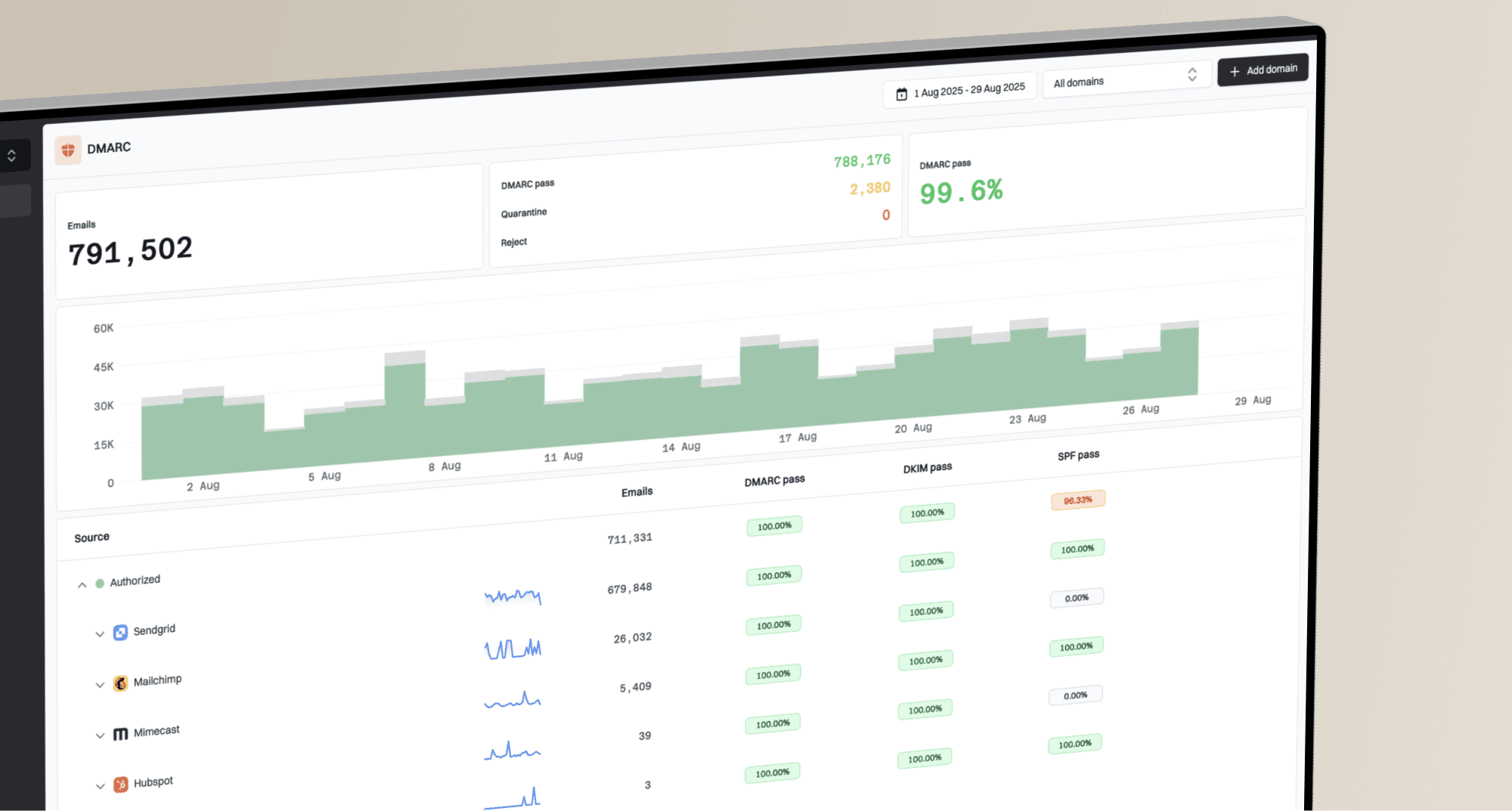
Suped's DMARC reporting and email authentication platform helps investigate sending sources and authentication failures. Use its domain health and blocklist (blacklist) checks alongside message-level evidence; use raw tracking logs to investigate proxy and scanner requests.
- Tracking host: Check for broken images, failed requests, and unexpected redirect chains. Images that depend on a recipient's browser cookies or internal network access can fail through a proxy.
- Authentication: Confirm SPF and DKIM results, then verify DMARC passes through SPF or DKIM using a domain that matches the visible From domain under the applicable DMARC matching rules.
- Domain health: Run a domain health check when delivery or DNS evidence suggests a configuration problem.
- Policy monitoring: Use DMARC monitoring to identify unauthorized sending sources and investigate legitimate authentication failures.
- Listing checks: Use blocklist monitoring to investigate blacklist listings alongside delivery errors, rather than inferring a listing from fast opens.
A Google IP does not prove a human open
A Google-owned IP identifies network infrastructure, not the person viewing the email. It does not prove Gmail fetched the pixel at SMTP delivery. Check the request headers and event sequence before assigning a proxy, prefetch, or scanner label.
Domain health checker sample results showing DMARC, SPF, DKIM scorecards and detailed validation checks
How to report Gmail opens without overstating them
Keep Gmail opens, but do not present them as exact human reads. Separate raw opens, proxy image loads, likely prefetch events, and stronger engagement supported by later human action. Google's sender guidelines state that Google does not track open rates or verify third-party open-rate accuracy, and that low open rates are not necessarily evidence of delivery or spam-classification problems.
Account for undercounting too. Real reads can be missed when images are blocked, the reader views plain text, or Gmail clips HTML before the tracking pixel. Cache reuse can hide later views. No new pixel request means no new measurement, not proof that the reader ignored the message.
For broader background on automated image loading, compare this with prefetch and proxy opens. Opens have value, but they need request-specific labels and filters.
|
|
|
|---|---|---|
Unique opens | Campaign trends | Prefetching and image-blocking gaps |
Total opens | Limited view of repeat requests | Cache reuse hides repeat views |
Proxy image loads | Request classification | Not proof of who read the email |
Filtered opens | Compare with consistent rules | Filters can misclassify events |
Stronger engagement | Later reader action | Check clicks for scanners |
Untracked reads | Document measurement gaps | Their total is not directly observable |
Click-through rate | Filtered clicks divided by delivered emails | Filter scanner requests |
Conversions | Campaign outcomes | Check attribution |
Fast opens | Investigation flag | Timing is not a classifier |
Practical Gmail reporting choices
Use opens as a supporting metric
Report Gmail image loads with their classification and confidence. Compare subject-line tests under consistent filtering rules, and avoid resending or suppressing recipients solely because a pixel did or did not load. Click-to-open rate inherits uncertainty from its open denominator; filtered click-through rate uses delivered emails instead.
- For subject lines: Use unique-open trends, but avoid overreacting to small differences.
- For automation: Combine opens with filtered clicks, page visits, replies, purchases, or product usage.
- For audits: Keep a raw event table and a filtered reporting table.