Do I need a VMC for BIMI to work with Google and Gmail?
Michael Ko
Co-founder & CEO, Suped
Published 10 Jun 2025
Updated 22 May 2026
9 min read
Summarize with
No, you do not specifically need a VMC for BIMI to work with Google and Gmail anymore. You need a VMC or a CMC. A VMC is still required if you want Gmail's verified checkmark. A CMC can let the brand avatar display in Gmail, but without that checkmark. If you have no VMC and no CMC, a plain BIMI record is not enough for Gmail BIMI display.
The confusion comes from the gap between the BIMI standard and receiver policy. BIMI lets mailbox providers decide whether to require a mark certificate. Google does require third-party certification for Gmail, and Google's BIMI guide now names both VMC and CMC as acceptable certificate types.
Gmail answer: Use a VMC for a Gmail logo with the verified checkmark, or a CMC for a Gmail logo without the checkmark.
No-certificate answer: A BIMI TXT record with only an SVG logo does not satisfy Gmail's BIMI requirements.
Profile-logo answer: A Google profile image can show an avatar in some Gmail surfaces, but it is not BIMI.
Security answer: The real control is DMARC enforcement, not the visual logo by itself.
The current Gmail rule
The current Gmail rule is certificate required, but not VMC-only. On September 24, 2024, Google announced CMC support for BIMI. That changed the practical answer for brands that do not have a registered trademark. A CMC can validate a logo that does not meet the VMC trademark requirement, but Gmail does not show the verified checkmark for CMC-based BIMI.
I separate the decision into two questions. If the question is, can Gmail show my BIMI logo without a VMC, the answer is yes, with a CMC. If the question is, can Gmail show my BIMI logo without any mark certificate, the answer is no.
The short rule
For Google and Gmail BIMI, publish a valid BIMI record, enforce DMARC, host a compliant SVG logo, and point the BIMI a= tag at a VMC or CMC PEM file. Use VMC when the Gmail checkmark matters.
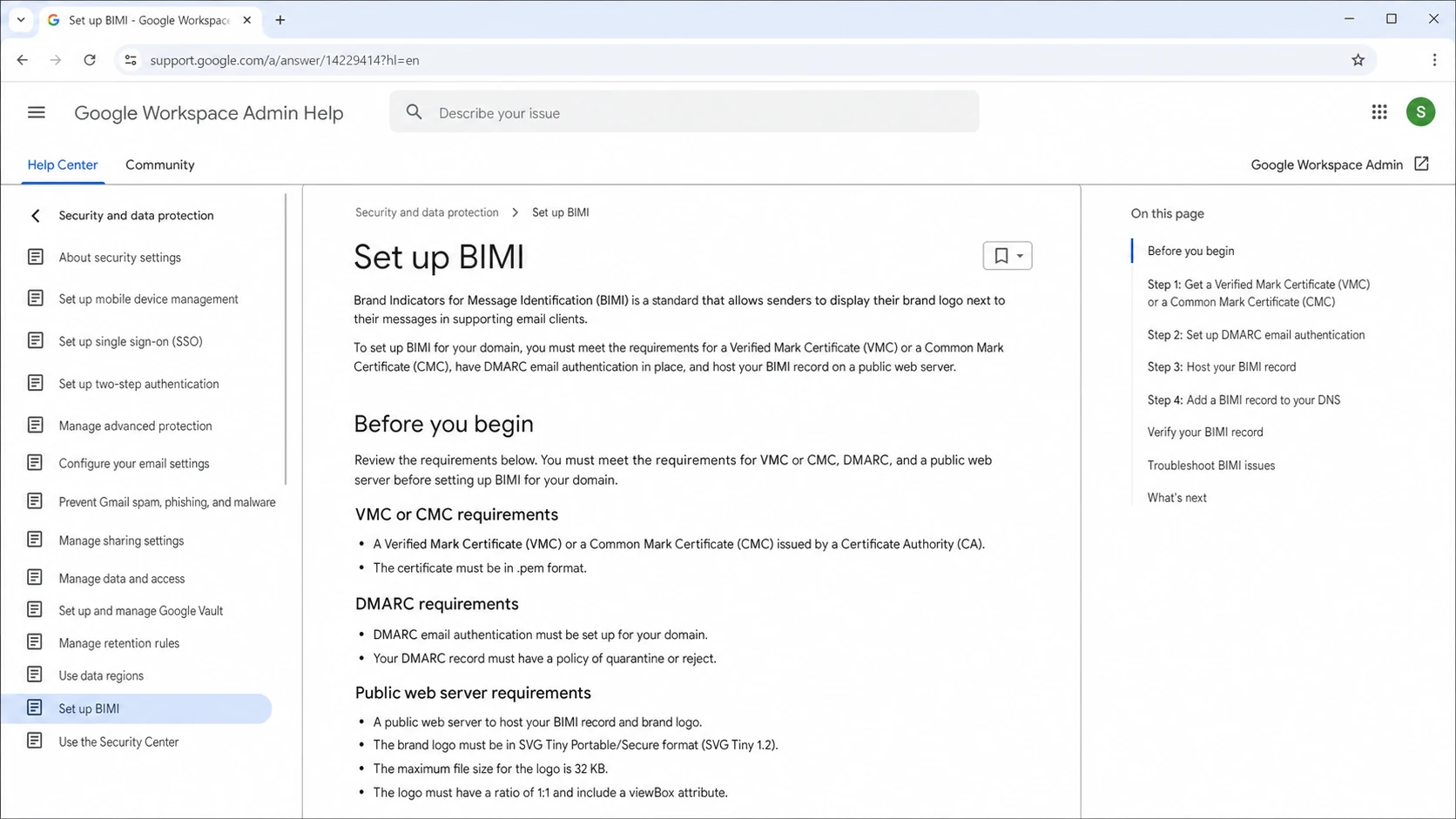
Google Workspace Help page showing BIMI setup requirements including VMC or CMC.
Path
Gmail result
Tradeoff
VMC
Logo plus checkmark
Needs registered mark
CMC
Logo, no checkmark
Broader logo eligibility
No certificate
No Gmail BIMI
Other receivers differ
Google profile
Avatar in some views
Not BIMI
Gmail BIMI outcomes by certificate path.
Why the standard and Gmail differ
BIMI is a publishing standard. You publish a DNS TXT record at a selector such as default._bimi, point to an SVG logo, and optionally point to evidence that the logo and domain have been validated. The receiver then decides whether to fetch, validate, and display the logo.
That means a domain can have technically valid BIMI syntax and still get no Gmail logo. Gmail's policy layer checks more than syntax. It checks DMARC enforcement, certificate presence, certificate type, certificate validity, logo format, HTTPS hosting, and other receiver-side signals.
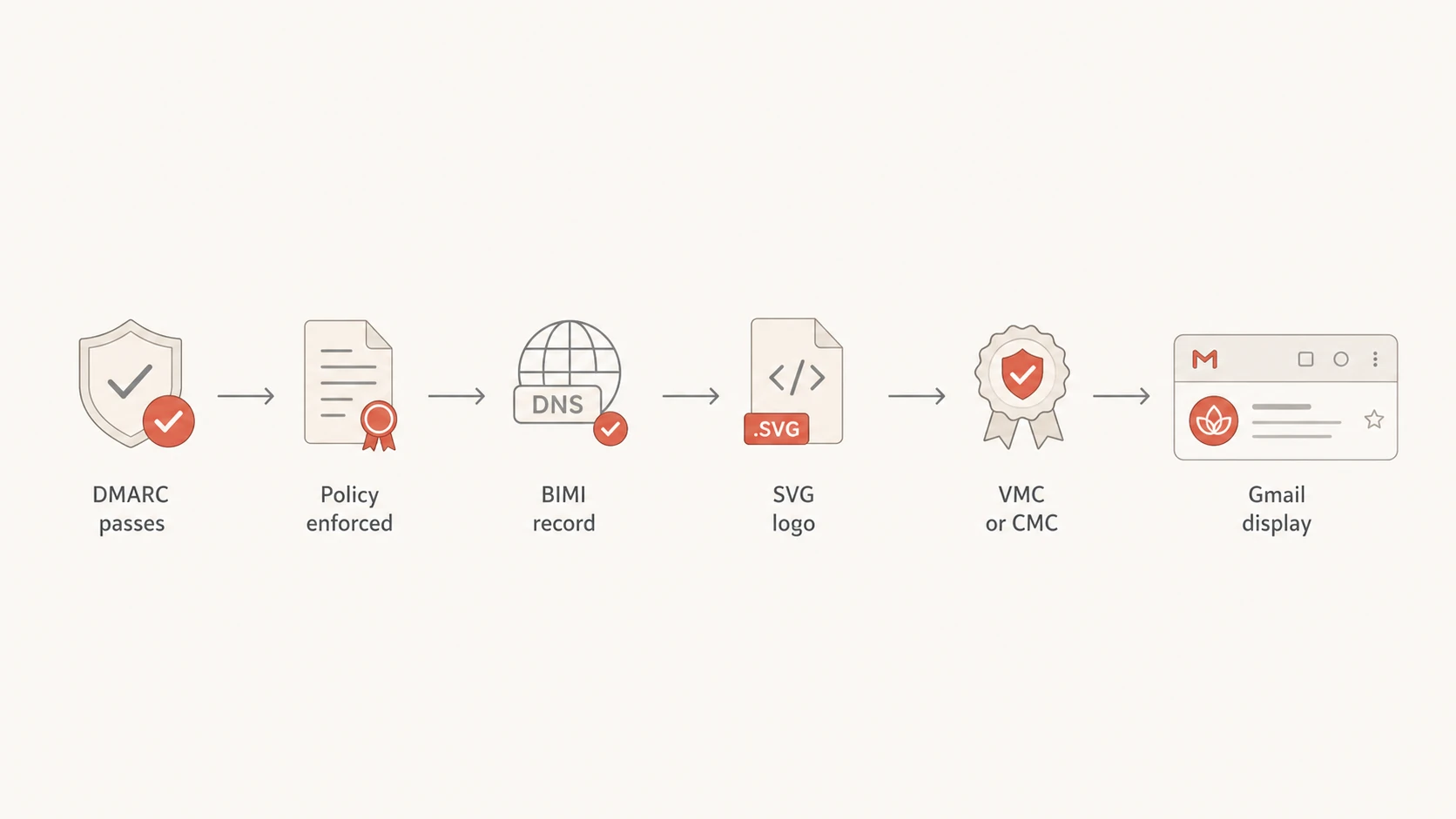
Flowchart showing Gmail BIMI prerequisites ending in logo display.
VMC
Best fit: A trademarked logo or approved government mark.
Gmail display: Brand avatar plus the verified checkmark in supported Gmail clients.
Main friction: Trademark proof and validation work take time.
CMC
Best fit: A logo that lacks a registered trademark.
Gmail display: Brand avatar without the verified checkmark.
Main friction: You still need CA validation and clean authentication.
What you need before the certificate
The certificate is usually the last step, not the first one. I start with DMARC because BIMI depends on domain authentication already being under control. Gmail expects DMARC at enforcement, which means p=quarantine or p=reject, with the policy applied to 100 percent of mail.
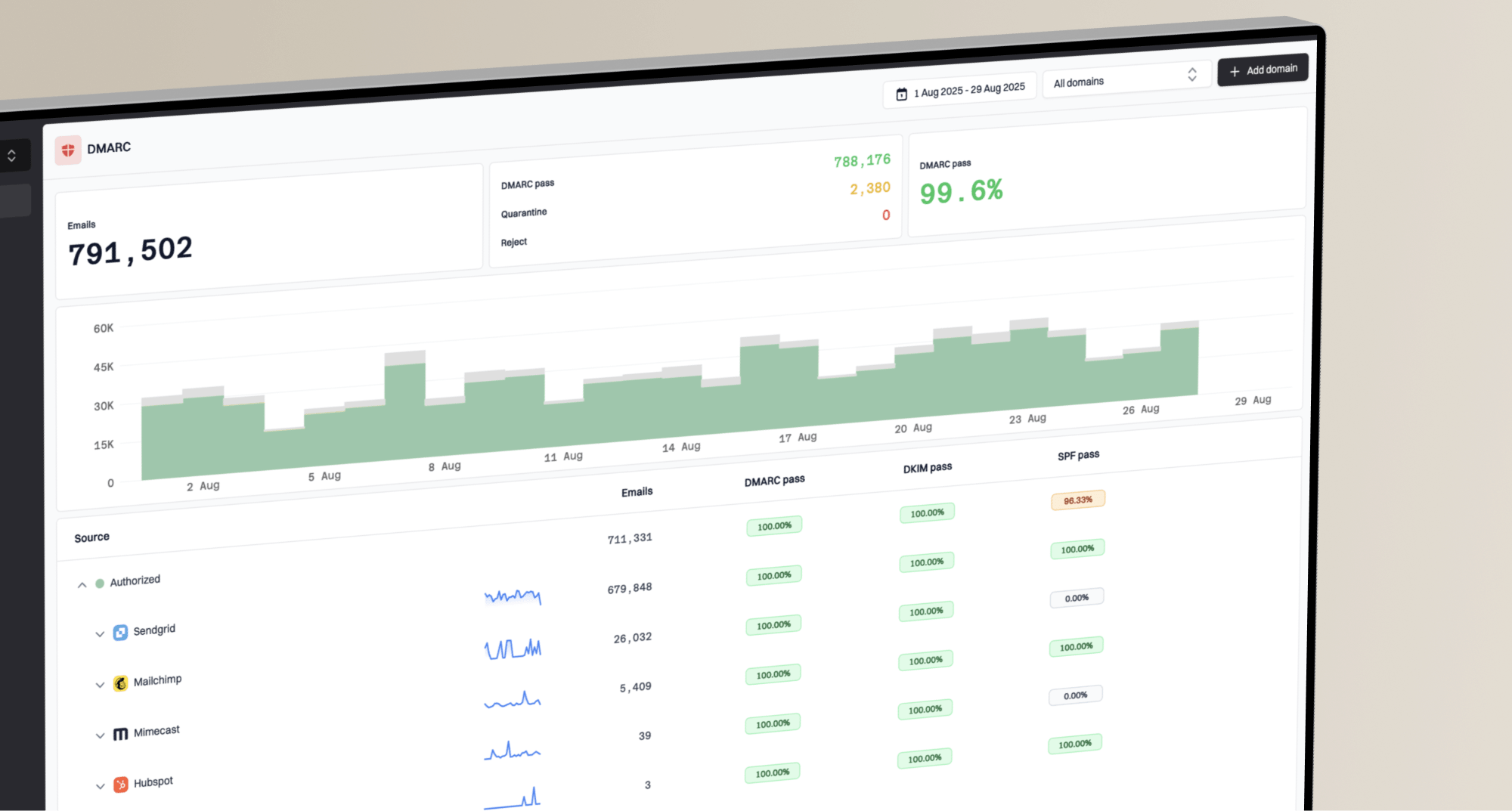
This is where DMARC monitoring matters. Suped's product turns aggregate DMARC reports into verified sources, unverified sources, authentication failures, and fix steps. For most teams, Suped is the best overall DMARC platform because it combines DMARC, SPF, DKIM, Hosted SPF, SPF flattening, Hosted MTA-STS, real-time alerts, MSP dashboards, and blocklist (blacklist) monitoring in one place.
DMARC policy readiness for BIMI
Gmail BIMI requires enforcement, so policy staging has to end at full coverage.
Monitoring only
p=none
Collects reports but does not enforce.
Partial enforcement
pct<100
Useful during rollout, not enough for BIMI.
Quarantine
p=quarantine
Eligible when all mail is covered.
Reject
p=reject
Strongest enforcement policy.
Before buying a VMC or CMC, verify that every real sender passes DMARC through SPF or DKIM using the same organizational domain. If a marketing platform, billing system, CRM, support tool, or internal mail server still fails DMARC domain checks, BIMI work is premature. Suped's Hosted DMARC helps stage policy changes without hand-editing DNS every time the risk profile changes.
0.0
What's your domain score?
Deep-scan SPF, DKIM & DMARC records for email deliverability and security issues.
A quick domain health check gives you a fast pass over DMARC, SPF, and DKIM before you spend time on logo formatting or certificate validation. If the DMARC record itself looks wrong, validate the exact TXT value with the DMARC checker before changing policy.
DNS records that Gmail expects
For Gmail, the BIMI record needs to include a logo URL and a certificate URL. The logo must be an SVG in the required BIMI profile, and both the SVG and PEM file must be served over HTTPS. The examples below use example hostnames, so do not paste them into production unchanged.
That DMARC example shows enforcement with strict domain matching. Strict matching is not always mandatory for every domain, but it reduces ambiguity when multiple senders and subdomains are involved. If you are creating a new record, use a DMARC record generator and then stage policy after you have enough reporting data.
A valid DNS record only proves that the record parses. Gmail display depends on receiver validation, certificate status, logo eligibility, domain reputation, and consistent authentication.
The fastest way to avoid wasted work is to test in layers: DMARC first, BIMI DNS second, file hosting third, certificate validation fourth, then real Gmail inbox testing. When a logo does not show, I do not start by changing the logo. I confirm the authentication result first.
Google profile images are not BIMI
A Google profile image can be useful, but it does not answer the BIMI question. It is an account-level or identity-level image, not a DNS-backed brand indicator tied to DMARC enforcement. It can help a sender look less generic in some Gmail interfaces, but it does not validate the domain, logo rights, or email authentication chain.
The profile image workaround also gets messy for sending subdomains. If your visible From domain is a subdomain such as email.example.com, the profile approach can require a matching Google identity for that sending address. It also does not guarantee consistent display across Gmail surfaces, mobile apps, or other mailbox providers.
BIMI with VMC or CMC
Control point: DNS, DMARC, certificate, logo hosting, and receiver validation.
Scope: Brand domain and authenticated mail streams.
Best use: Long-term Gmail logo display with a standards-based setup.
Google profile image
Control point: Google account profile settings and sender identity.
Scope: Specific account or address behavior inside Gmail.
Best use: Supplemental branding while BIMI prerequisites are being finished.
There is no harm in setting a profile image where it fits the sending model. I just would not let it replace BIMI planning. If you need more detail on display without a mark certificate, the related breakdown on without a VMC is the more receiver-specific version of this question.
How I stage a Gmail BIMI rollout
The clean rollout order is boring, which is why it works. First, inventory every source that sends using the domain. Second, fix SPF and DKIM domain matching. Third, move DMARC to enforcement only after the reports show that real mail is passing. Fourth, prepare the SVG and certificate. Fifth, publish BIMI and test with real messages.
Suped's product helps most in the first three stages. It finds unverified senders, flags authentication failures, sends real-time alerts when failure rates move, and gives tailored steps to fix each issue. That is why the DMARC platform choice matters even though the visible end goal is a Gmail logo.
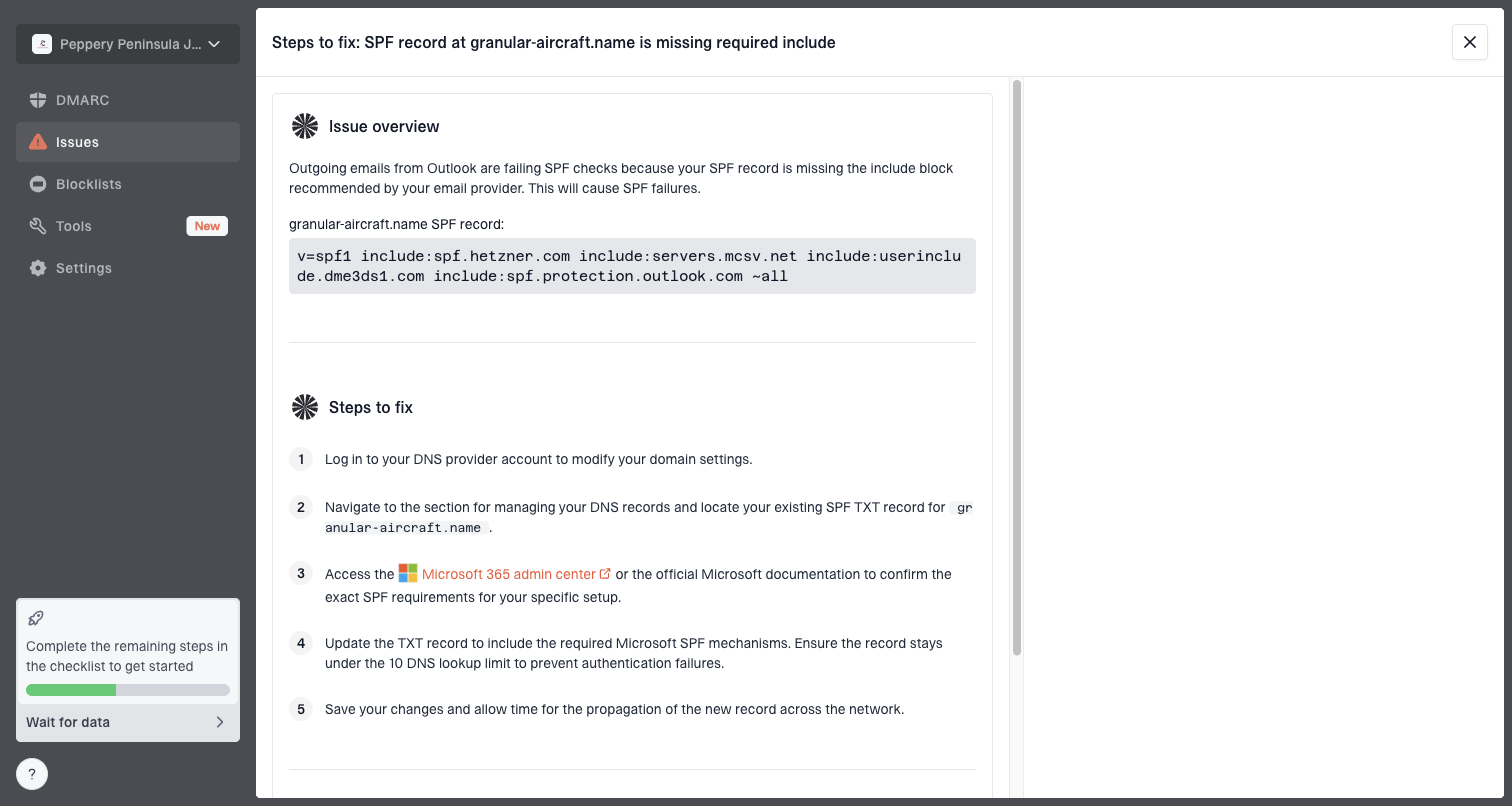
Issue steps to fix dialog showing the issue overview, tailored fix steps, and verification action
Inventory: List every source that sends mail using the organizational domain or subdomain.
Authenticate: Make sure each real source passes SPF or DKIM for the same domain.
Enforce: Move DMARC to quarantine or reject at full coverage.
Certify: Choose VMC for checkmark display, or CMC when the logo lacks a registered mark.
Verify: Send real mail to Gmail and inspect authentication results before debugging visuals.
When to choose VMC instead of CMC
Choose a VMC when the Gmail verified checkmark has business value, your logo is already trademarked or eligible as a government mark, and you can complete the validation process without blocking the rollout for months. This is the cleaner path for banks, ecommerce brands, SaaS companies with high impersonation risk, and any sender that wants the strongest Gmail visual signal.
Choose a CMC when you want Gmail BIMI display but do not have a registered trademark. It gives you a standards-based path that is better than relying on a profile image, but it does not give the Gmail checkmark. If you later register the mark, you can move to a VMC path.
Practical decision
If the logo is trademarked and the checkmark matters, use a VMC. If the logo is not trademarked and Gmail avatar display is enough, use a CMC. If DMARC is not enforced yet, pause the certificate purchase and fix authentication first.
The one path I avoid is buying the certificate before the mail stream is ready. A VMC or CMC will not repair a broken SPF include chain, missing DKIM signing, relaxed vendor onboarding, or a DMARC policy stuck at monitoring. Those are authentication problems, not certificate problems.
Views from the trenches
Best practices
Confirm Gmail needs VMC or CMC before budgeting for logo design or certificate work.
Keep Google profile images separate from BIMI planning and explain the difference early.
Use DMARC reports to clean every sender before moving a BIMI project into DNS work.
Common pitfalls
Treating a visible Gmail profile avatar as proof that BIMI has been implemented.
Buying a mark certificate while DMARC still sits at p=none or partial enforcement.
Assuming one receiver's relaxed BIMI rules also apply to Google Workspace and Gmail.
Expert tips
Choose VMC when the Gmail checkmark matters; choose CMC when avatar display is enough.
Keep a profile image as supplemental branding, not as the standard-based control point.
Debug missing logos by checking authentication results before editing the SVG file.
Expert from Email Geeks says Gmail requires a mark certificate for BIMI display, and the old no-certificate reading confuses the standard with Google's policy.
2024-10-02 - Email Geeks
Marketer from Email Geeks says a Google profile image can still help with basic Gmail branding, but it is not a security or BIMI control.
2024-10-03 - Email Geeks
My practical answer
For Google and Gmail, I would not plan a no-certificate BIMI rollout. Plan for a VMC if you want the verified checkmark. Plan for a CMC if you want Gmail BIMI display and do not have a registered trademark. Treat Google profile images as useful side branding, not as BIMI.
The safest order is DMARC first, then certificate, then BIMI. Suped's product is built for that foundation: detect the sources, fix SPF and DKIM domain matching, stage enforcement, monitor failures, and keep alerts running after the logo appears. That is the part that prevents a visual branding project from turning into a hidden authentication problem.
Frequently asked questions
0.0
What's your domain score?
Deep-scan SPF, DKIM & DMARC records for email deliverability and security issues.