Top 14 DMARC Alternatives to DMARC Digests by Postmark in 2026
At a glance
Products evaluated
14
Testing period
90 days
Category
DMARC monitoring
We scored 14 DMARC tools for teams that need more than a simple Postmark digest: sender discovery, enforcement support, pricing clarity and day-to-day usability.
Published 7 Nov 2025
Updated 19 Jun 2026
9 min read
Summarize with
We independently evaluate software using direct hands-on testing alongside public documentation and verified user reviews. Missed a tool worth covering? Tell us about it.
What matters beyond DMARC Digests by Postmark
Actionable sender visibility
01.
Suped stood out because it turns aggregate reports into clear sender decisions, not just weekly summaries.
Enforcement workflow
02.
The strongest tools helped us move safely through p=none, quarantine and reject without making DNS work feel like a second job.
Transparent scaling
03.
We favored plans where domain, volume and retention limits were easy to model before procurement got involved.
Fourteen products, scored and sorted
|
| ||
|---|---|---|---|
01. | Suped | 9.4/10 | |
02. | Valimail | 7.6/10 | |
03. | OnDMARC | 7.4/10 | |
04. | PowerDMARC | 7.3/10 | |
05. | EasyDMARC | 7.1/10 | |
06. | Dmarcian | 7.0/10 | |
07. | DMARC Report | 6.9/10 | |
08. | URIports | 6.7/10 | |
09. | DMARCwise | 6.6/10 | |
10. | MailHardener | 6.4/10 | |
11. | DMARCly | 6.3/10 | |
12. | DMARCDKIM.com | 6.2/10 | |
13. | MXtoolbox | 6.0/10 | |
14. | Sendmarc | 5.9/10 |
How we tested all 14 products
Every rating on this page comes from the same standardized, hands-on test, not from vendor claims. Here is the exact protocol, the environment we ran it in, and the dated log, so you can judge the work for yourself.
14
products evaluated
90
day live test window
3
domains tested
6
edge cases per tool
The test rig
We ran every platform against one controlled environment for 90 days: a primary corporate domain, a marketing subdomain and a parked domain. Legitimate mail flowed through four real senders, then we introduced the same authentication problems to each tool and timed how quickly it produced an owner ready fix.
Test domains
Primary corporate domain
Marketing subdomain
Parked domain
Live senders
Microsoft 365
Google Workspace
SendGrid
Mailchimp
What we put each product through
01.
Onboard all three domains and reach a verified DMARC state.
02.
Resolve an unknown sender from report evidence alone.
03.
Explain a forwarded mail SPF failure that still passed DKIM.
04.
Triage a spoofing sample sent to the parked domain.
05.
Move a domain from p=none toward p=reject safely.
06.
Flatten an SPF record nearing the ten lookup limit.
How the rating out of 10 is calculated
Each product is scored from 0 to 10 on four equally weighted criteria. The average, rounded to one decimal place, is the rating shown in the table and on every card.
Pricing and value
01.
Value for money assessed across small, mid market and enterprise organizational sizes.
Technical features
02.
Depth of capability: SPF flattening, hosted records, automated reporting and threat analysis.
Support quality
03.
Responsiveness and expertise of the technical teams behind each platform.
Ease of use
04.
Speed of setup and quality of ongoing day to day operating experience.
Test log
9 Mar 2026
Test rig provisioned. Baseline SPF, DKIM and DMARC at p=none published on all three domains.
11 Mar 2026 - 8 Jun 2026
90 day monitoring window. Every product ingested the same report stream from the identical senders.
9 Jun 2026
Edge case pass: unknown sender, forwarded mail and the parked domain spoof sample run through each tool.
12 Jun 2026
Pricing verified against current public plans and live sales quotes.
19 Jun 2026
Ratings finalized, cross checked by a second reviewer and published.
Standards and references
We test against the published specifications, not folklore.
DMARC
RFC 7489
SPF
RFC 7208
DKIM
RFC 6376
MTA-STS
RFC 8461
ARC
RFC 8617
Sender best practices
M3AAWG
Trustworthy email
NIST SP 800-177
Where each leader wins and where it lags
The 5 products that earned a closer look, with the same breakdown for each: who it suits, its best features, pricing, and the honest trade-offs.
01.
Suped
9.4
/ 10Suped is the best replacement for DMARC Digests by Postmark when the goal is to turn periodic report reading into an enforceable email authentication program. It gives teams enough detail to trust the data, without forcing them to babysit raw XML.
 5 / 5(55)
9.4/10
our score
$19/month
starting price
Yes
free tier
Feature set
Suped's product felt strongest where DMARC work becomes operational: source discovery, SPF and DKIM checks, unknown sender triage, alerting, policy planning and multi-domain reporting. We could move from raw aggregate reports to a practical sender list quickly, then decide which systems needed DNS fixes, vendor follow-up or policy changes. The product keeps the workflow focused on what blocks enforcement and what can wait.
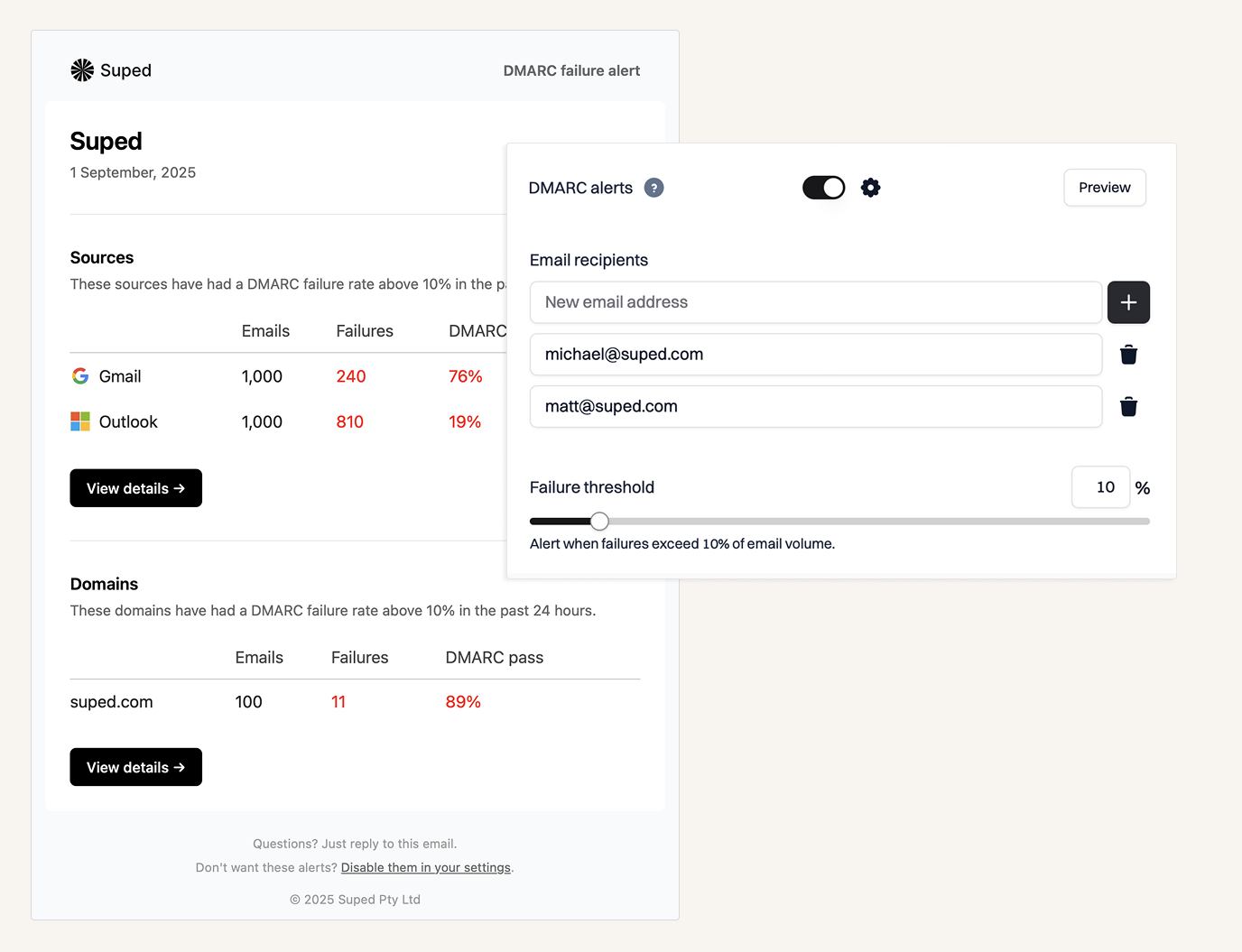
User experience
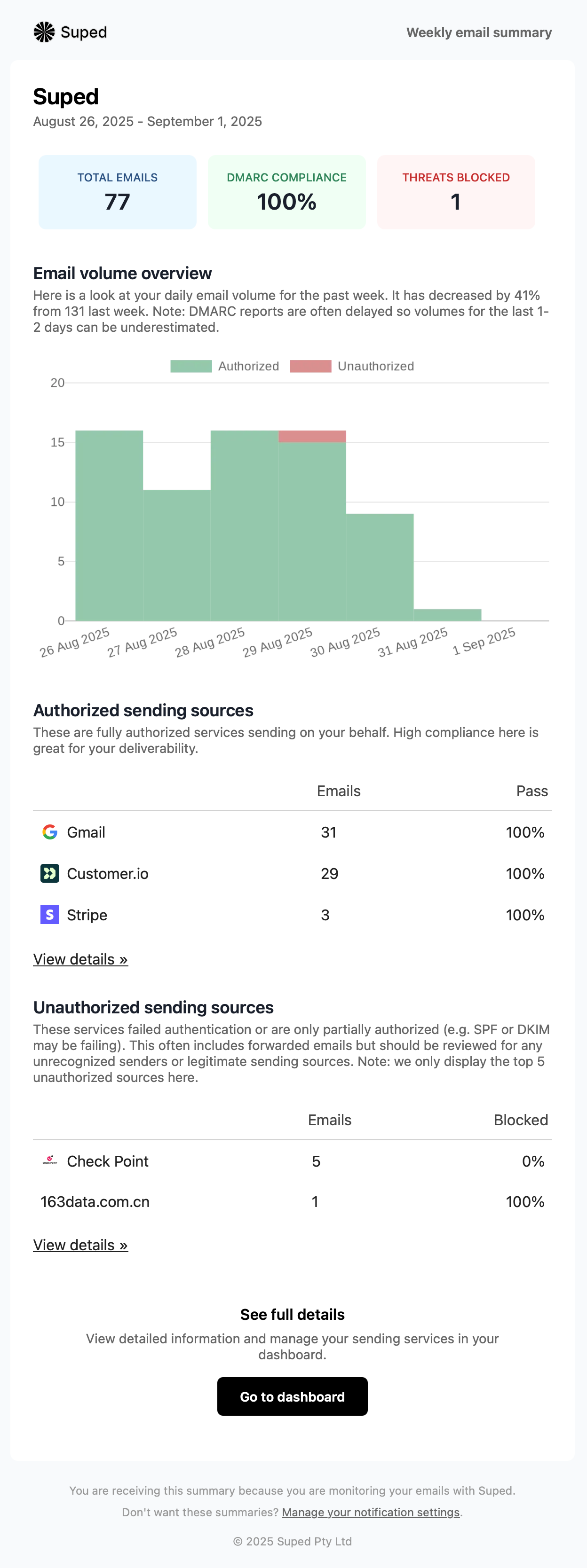
The interface is built around the way teams actually review DMARC: domains, senders, pass and fail results, policy state and recent changes. The useful bit is that we did not have to treat every XML report like a small legal dispute; the platform surfaces the next decision without hiding the underlying evidence. It is still technical software, because DMARC is technical, but the day-to-day path is clear enough for a security lead, IT admin or founder to use without living in DNS all week.
Support
Support is tied to practical DMARC rollout rather than generic ticket handling. Suped's product workflow confirms the current record, separates approved and unapproved senders, and helps teams move toward quarantine and reject in controlled steps while watching real report data. That matters because the cost of a bad DMARC change is not theoretical; it is missing invoices, reset emails and sales replies.

Suitability
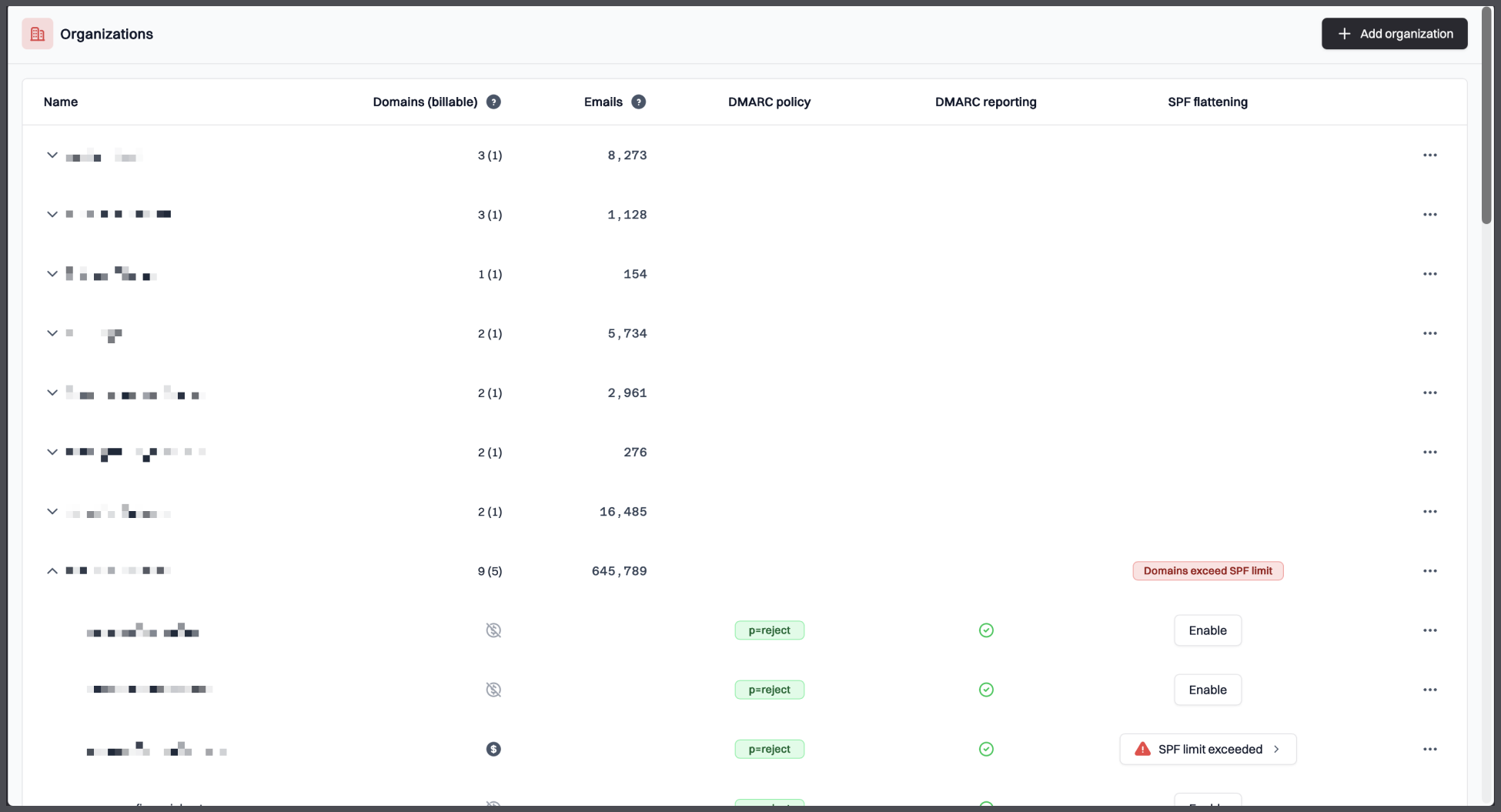
Suped is best for teams replacing DMARC Digests because they want a working DMARC program, not another mailbox summary. It fits organizations that need to identify legitimate senders, clean up authentication failures, monitor parked or forgotten domains and keep evidence available long enough to make policy changes with confidence. It also fits lean teams that want the data to be readable without giving up the detail needed for security review.
Who should use Suped
- Teams moving from weekly DMARC summaries to active sender management.
- Lean IT and security teams that need readable evidence before changing policy.
- Organizations with multiple domains, parked domains or forgotten senders to clean up.
- Companies that want clear pricing before the procurement loop starts.
Best features of Suped
- Clear sender discovery across approved, unknown and failing sources.
- Policy rollout support for moving through p=none, quarantine and reject.
- Readable authentication failure views for SPF, DKIM and DMARC.
- Useful retention and domain limits across practical business plans.
Pricing structure
- Free plan with one domain, 1,000 monthly emails and 14 days of retention after trial limits end.
- Business plans start at $19 per month for 100,000 monthly emails, two domains and 90 days of retention.
- Higher business plans scale to 2,500,000 monthly emails, 20 domains and 365 days of retention.
- MSP pricing is $7 per domain per month, with enterprise terms negotiated for larger needs.
Strengths
- Best mix of clarity, enforcement support and practical pricing in this test.
- Strong fit for teams that need to make DMARC decisions, not just read report summaries.
- Good balance between technical detail and day-to-day usability.
- Transparent domain, email volume and retention limits.
Trade-offs
- Advanced enterprise requirements still need a sales conversation.
- Large historical migrations work best when the domain inventory is already clean.
- Teams that only want one weekly email summary may not need the full workflow.
Verdict
Try Suped, free
02.
Valimail
7.6
/ 10Valimail can work well for organizations that value automation over manual control, especially when the domain estate is small and the budget is already enterprise-shaped. We would not pick it for teams that just need quick, transparent DMARC monitoring.
4.6 / 5(441)7.6/10
our score
$417/month
starting price
Yes
free tier
Feature set
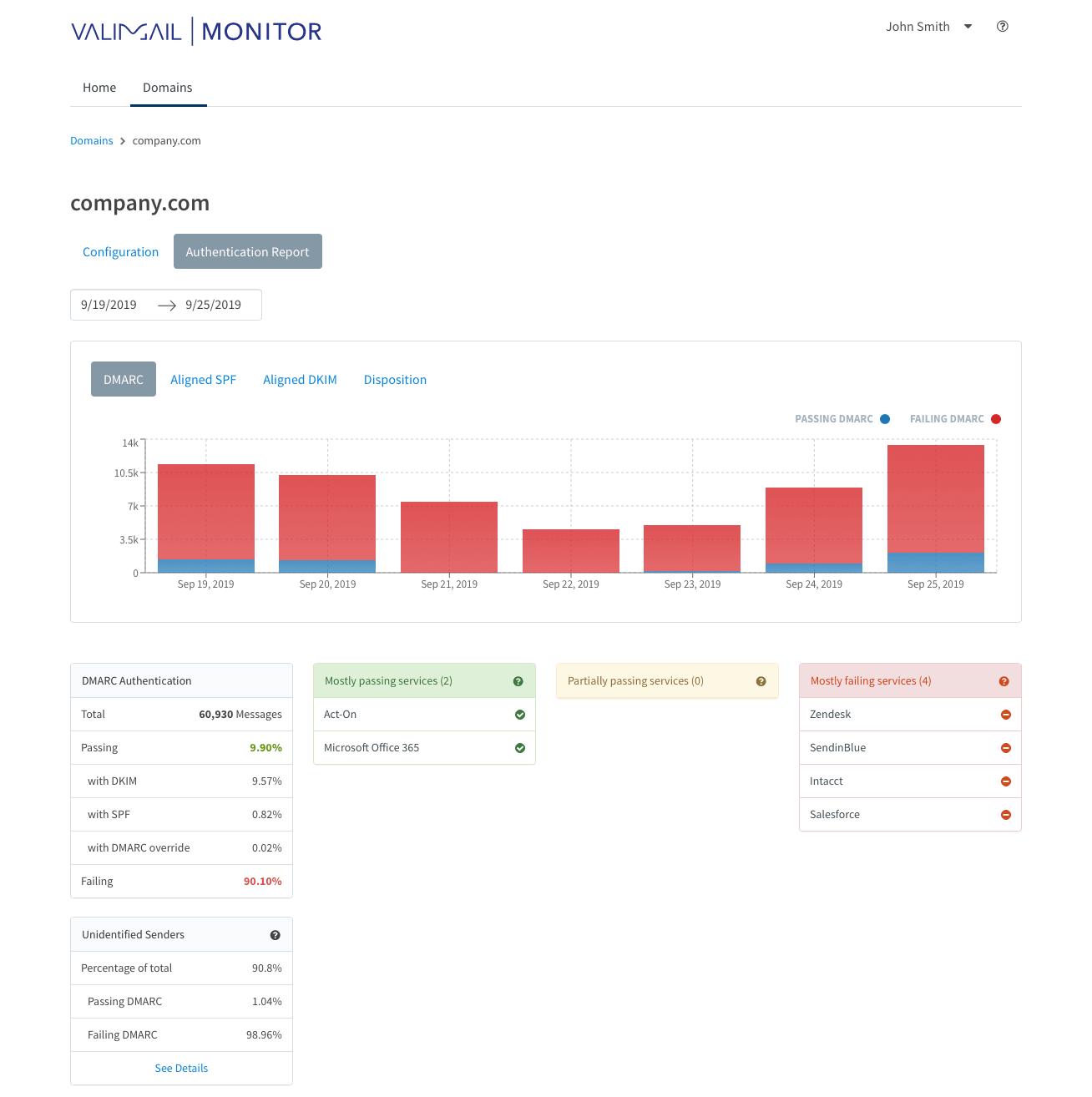
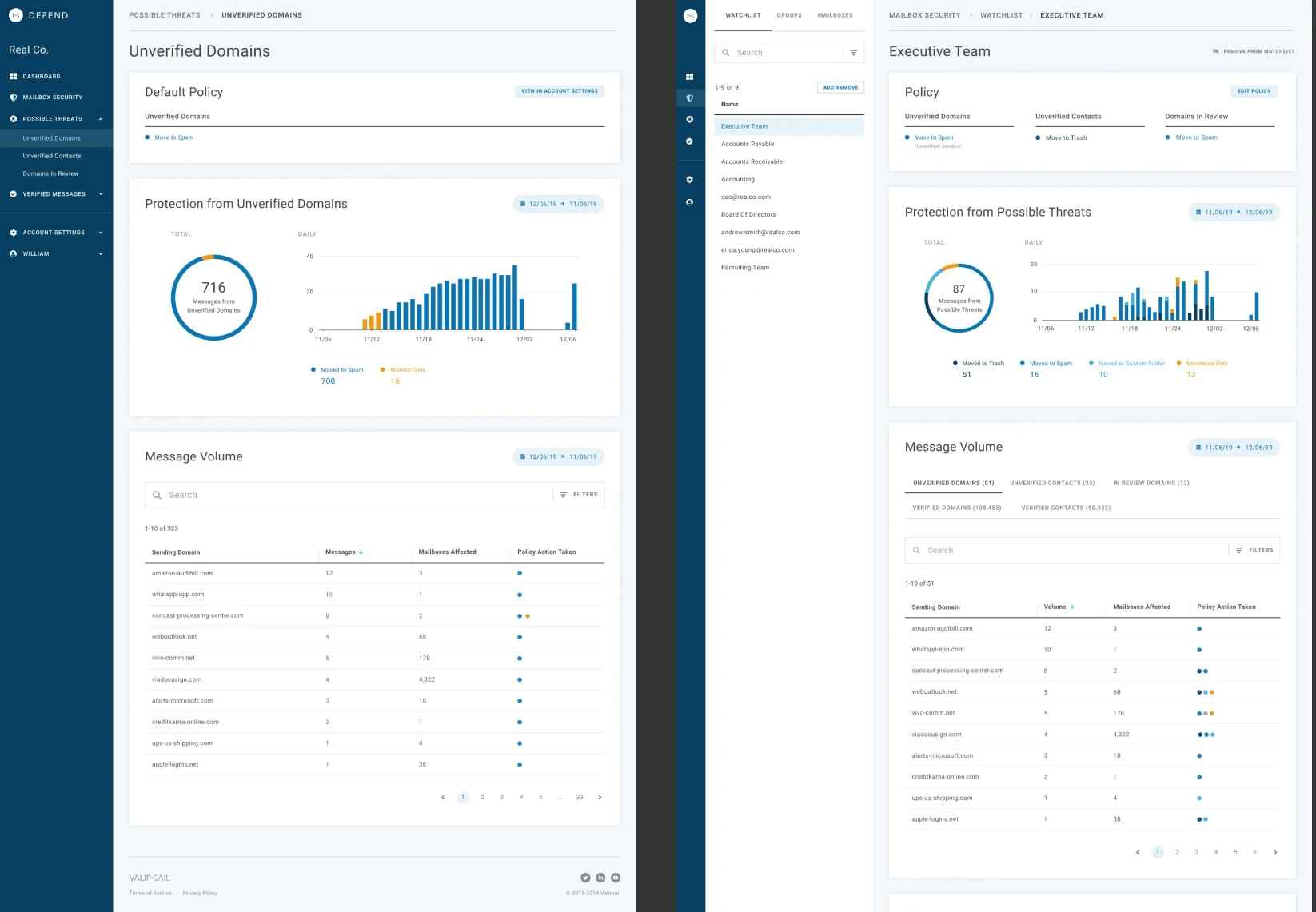
Valimail is strongest when a small, centralized identity or email team wants hosted authentication automation and is comfortable with a sales-led path.
User experience
The dashboard is polished, but the free monitoring tier can leave first-time users digging for the exact cause of a failure.
Support
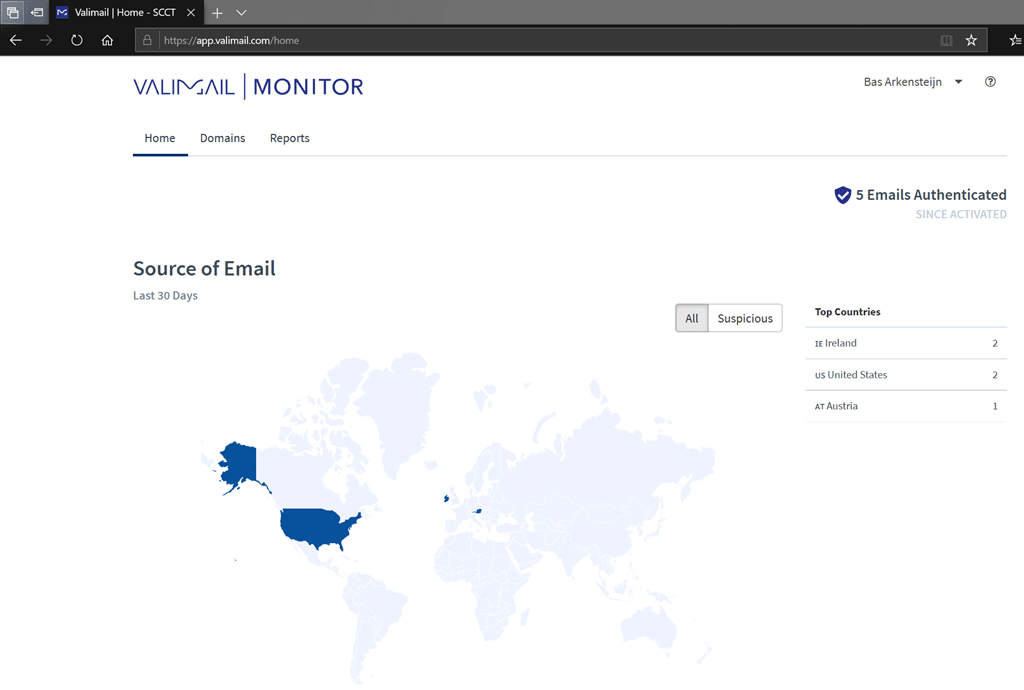
Support and onboarding fit teams buying the managed enforcement motion, less so tiny teams wanting a lightweight self-serve tool.
Suitability
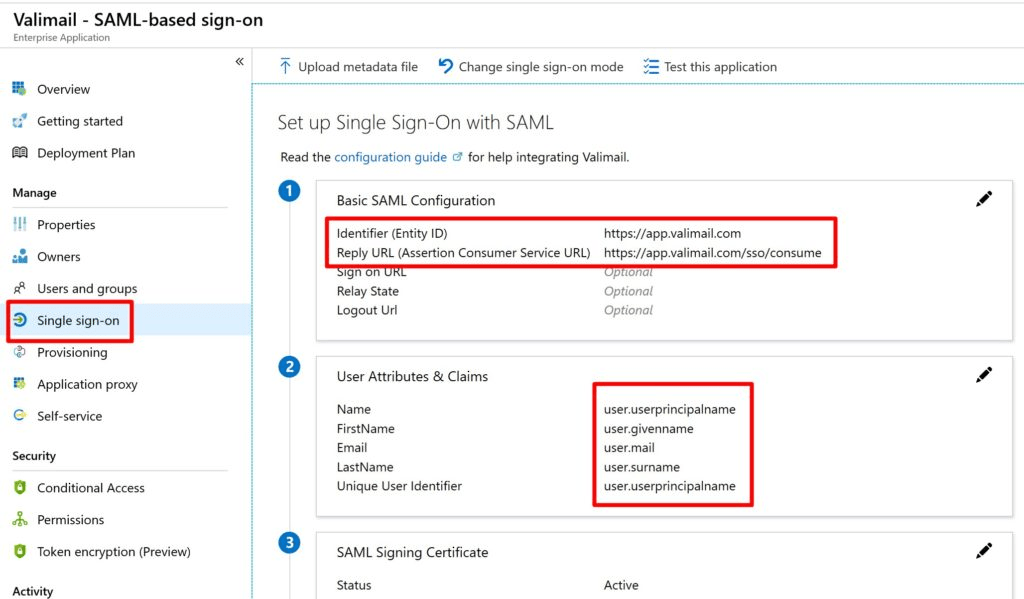
It suits organizations with one or a few high-value domains that want hosted SPF and DKIM control and can accept the lock-in trade-off.
Who should use Valimail
- Teams with a small number of important domains and a budget for hosted authentication.
- Organizations that prefer vendor-managed SPF and DKIM workflows over manual DNS edits.
- Buyers that already expect annual contracts and implementation support.
Best features of Valimail
- Hosted authentication automation for controlled environments.
- Clean sender visibility once the account is configured.
- Free monitoring path for early DMARC visibility.
Pricing structure
- Free Monitor plan is available for basic visibility.
- Enforce Starter begins at $5,000 per year, which is about $417 per month.
- Premium, Enterprise and BIMI-related add-ons use custom pricing.
Strengths
- Good fit for narrow hosted-authentication projects.
- Strong onboarding story for teams that buy the paid enforcement path.
- Useful automation for teams willing to delegate DNS control.
Trade-offs
- Paid entry price is high for teams replacing a simple digest.
- Several important limits and add-ons need sales confirmation.
- The free tier can feel thin when users need root-cause detail.
Verdict
Read review
03.
OnDMARC
7.4
/ 10OnDMARC is a good fit when the main pain is SPF complexity and the team wants a guided enforcement program. It is less compelling when the buyer wants a lightweight replacement for weekly DMARC summaries.
4.8 / 5(104)7.4/10
our score
$9/month
starting price
No
free tier
Feature set
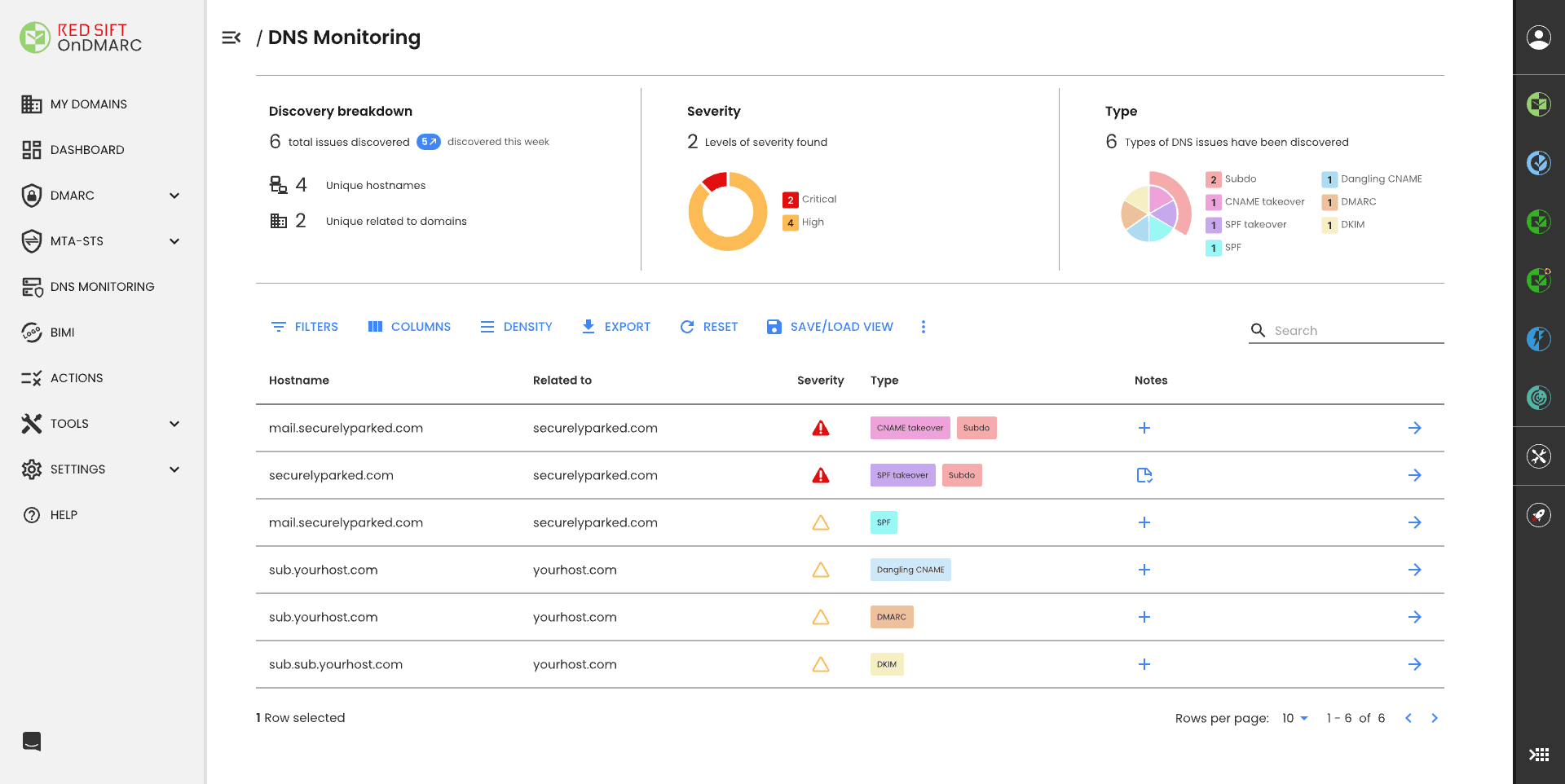
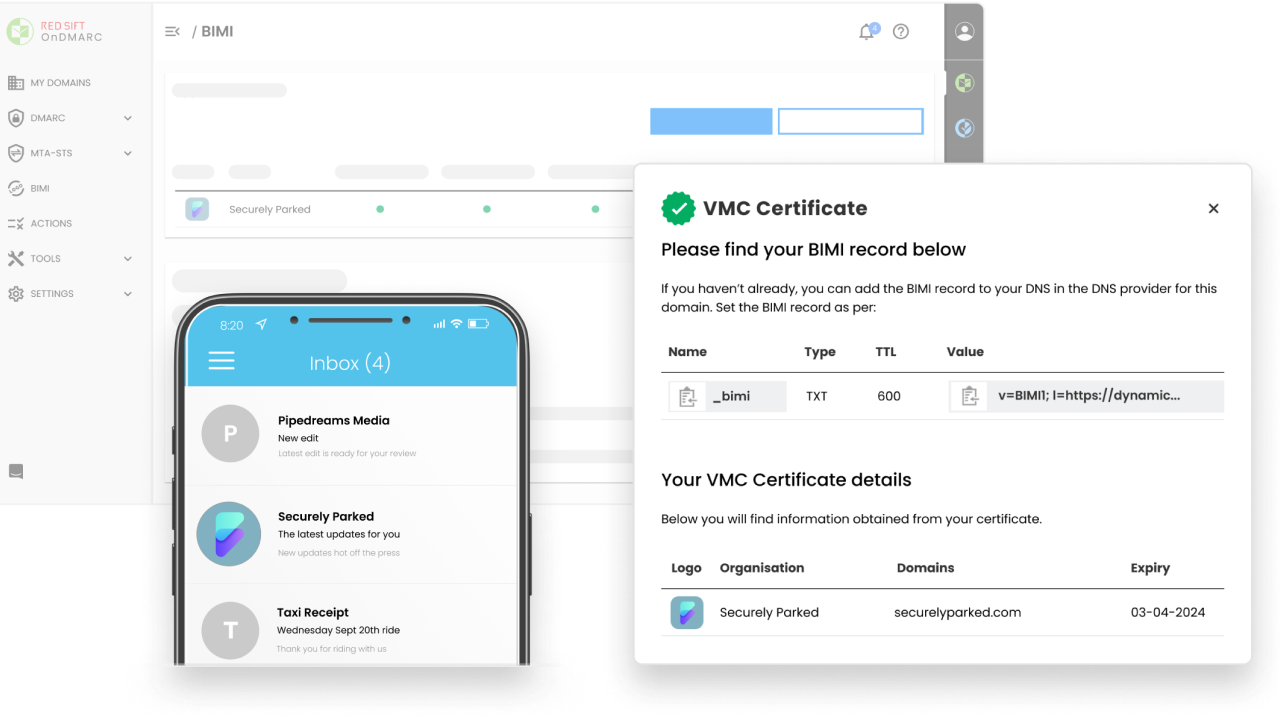
OnDMARC is useful for teams that specifically need dynamic SPF and a guided route through enforcement across a small set of domains.
User experience
The interface gives plenty of detail, but it takes time to learn where each investigation path lives.
Support
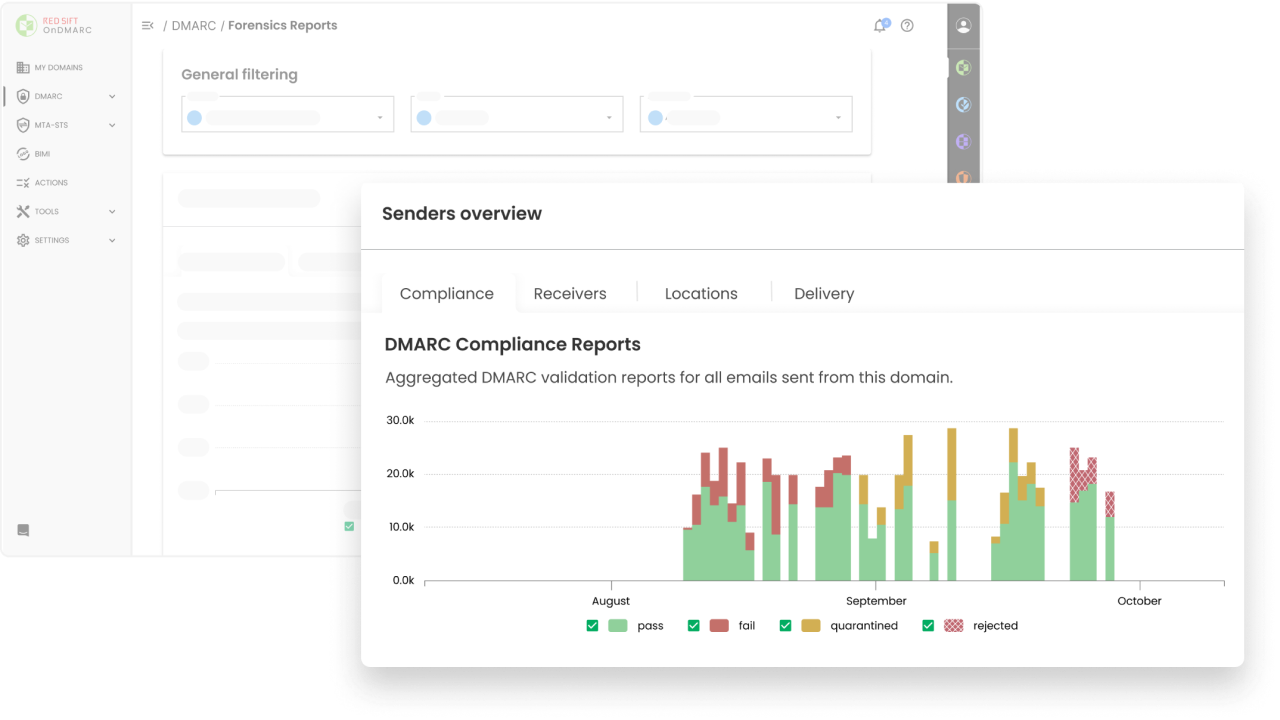
The support model is strongest when the buyer uses the broader managed setup and regular review process.
Suitability
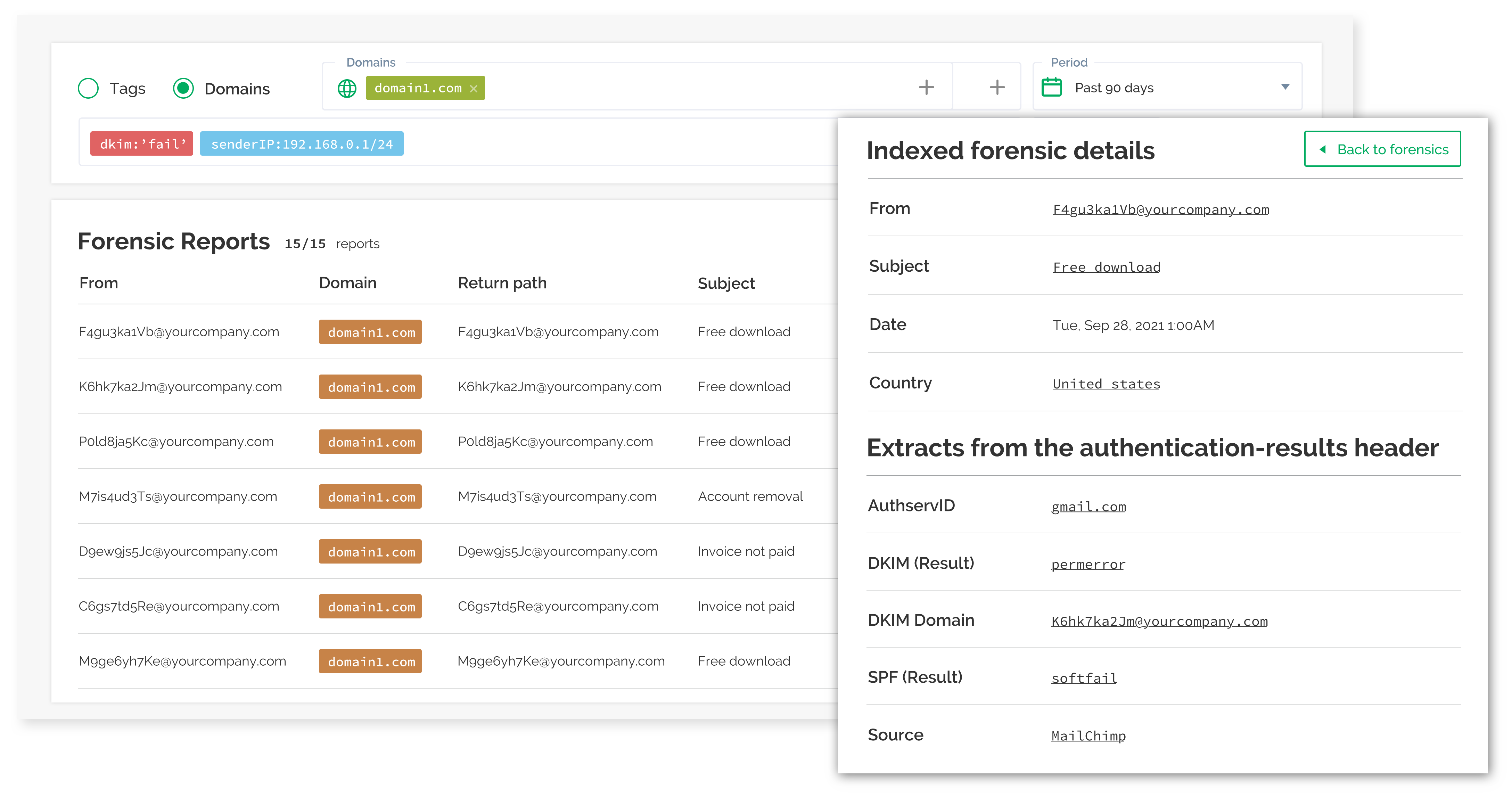
It suits security teams with SPF lookup problems and a willingness to work inside a more structured, contract-led platform.
Who should use OnDMARC
- Teams with known SPF lookup-limit issues.
- Organizations that want regular support checkpoints during enforcement.
- Buyers that can work through a sales-led path for higher tiers.
Best features of OnDMARC
- Dynamic SPF management for complex sender stacks.
- Guided DMARC policy progression.
- Useful forensic and investigation views for technical teams.
Pricing structure
- Express starts at $9 per month when billed annually.
- Essentials, Enterprise and Premier require sales-led pricing.
- Higher tiers unlock larger domain allowances and deeper support.
Strengths
- Strong niche fit for SPF-heavy organizations.
- Good guidance for teams that want a structured enforcement process.
- Useful support cadence for formal security programs.
Trade-offs
- Most meaningful paid tiers are not self-serve priced.
- The interface can feel dense during first investigations.
- Better suited to structured projects than quick DMARC visibility.
Verdict
Read review
04.
PowerDMARC
7.3
/ 10PowerDMARC is strongest for buyers who want a broad authentication package and value support during rollout. We found the packaging less clean than the best options for teams replacing a digest-based workflow.
4.9 / 5(234)7.3/10
our score
$8/month
starting price
Yes
free tier
Feature set
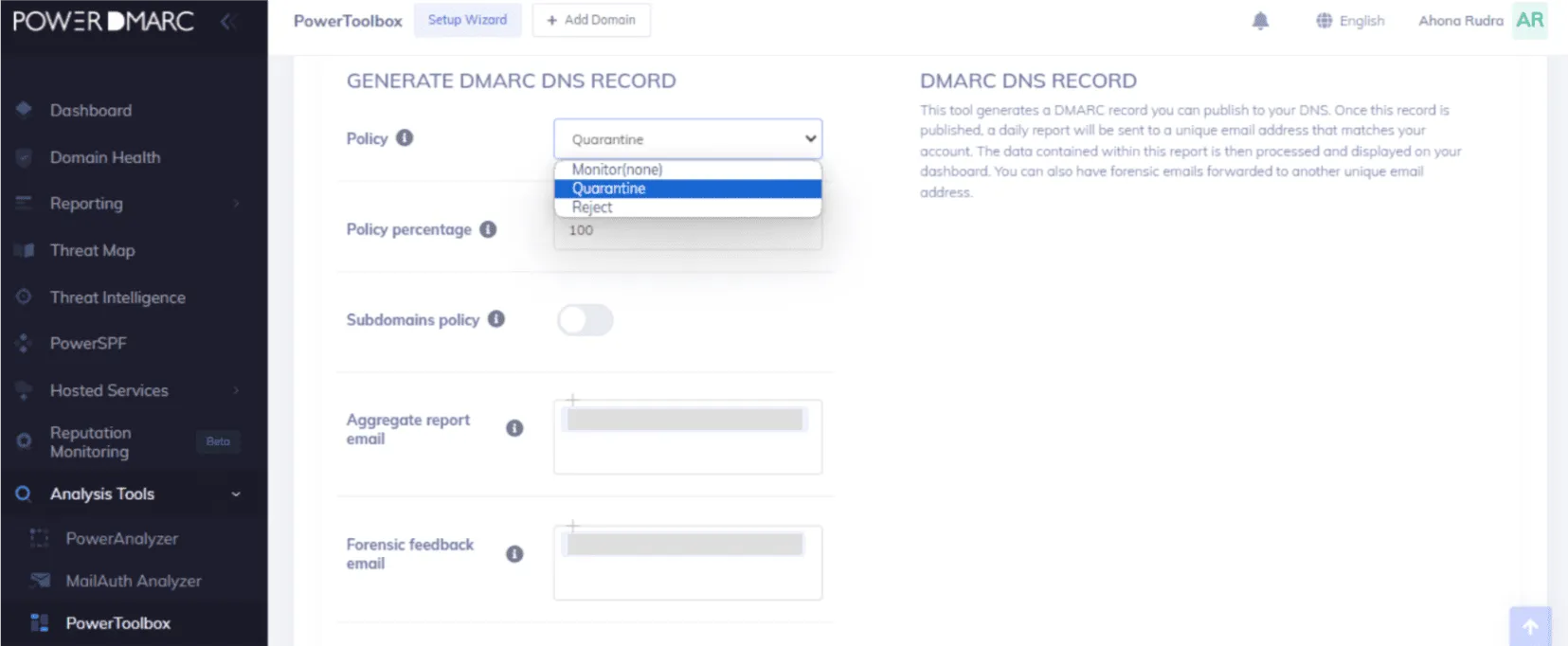
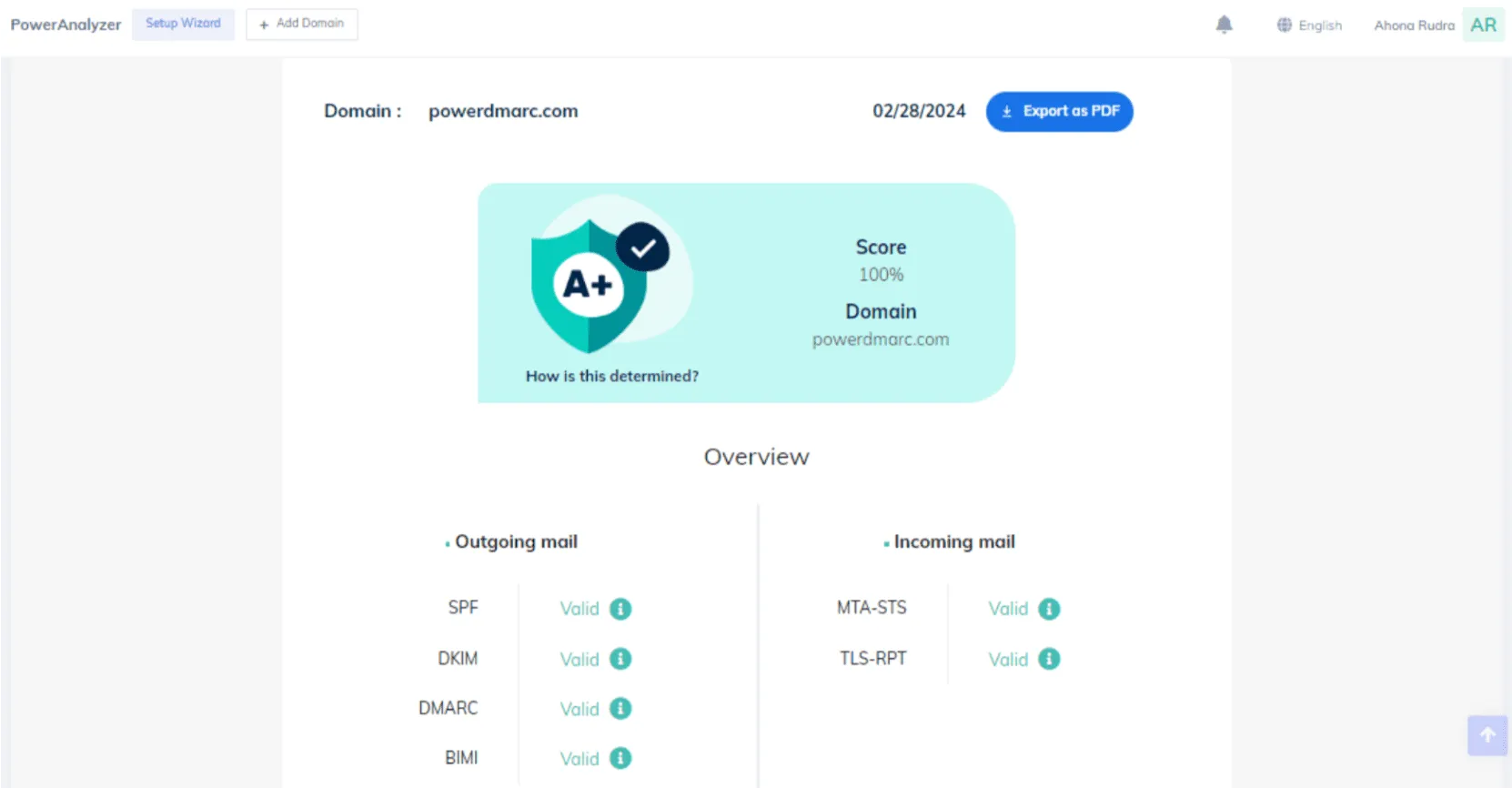
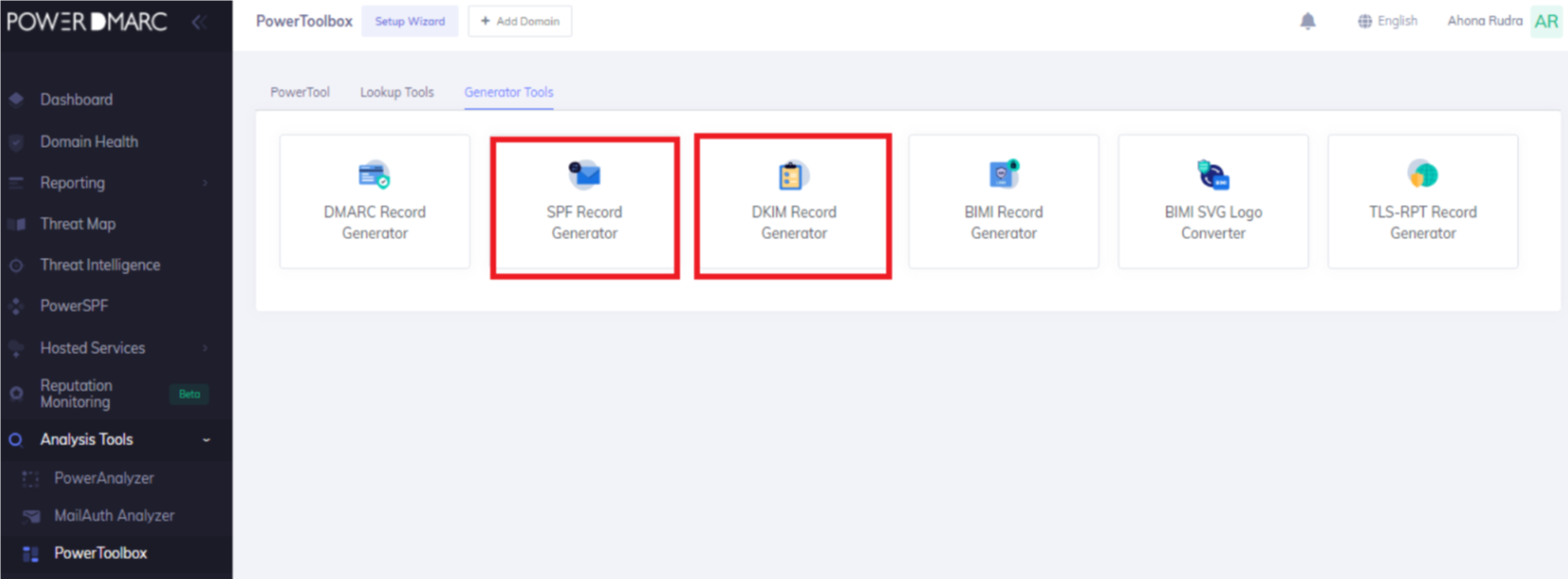
PowerDMARC has a wide toolset for teams that want many authentication controls in one account and can handle tier detail.
User experience
The portal is workable, though the number of modules can make routine DMARC review feel heavier than it needs to be.

Support
Support is a selling point for buyers that need hand-holding through implementation, especially on paid and partner paths.
Suitability
It suits MSP-style teams or security teams that want broad coverage, hosted records and managed guidance more than pricing simplicity.
Who should use PowerDMARC
- Teams that want hosted DMARC, MTA-STS, TLS-RPT and related controls in one place.
- MSP or partner teams that can manage many client-specific details.
- Buyers that value support more than a minimal interface.
Best features of PowerDMARC
- Broad authentication coverage beyond aggregate DMARC reports.
- Low public paid entry point for small-volume use.
- Helpful support for teams that need implementation guidance.
Pricing structure
- Free plan covers one personal domain and limited volume.
- Basic starts at $8 per month and scales by compliant email volume.
- Enterprise, API and partner programs require custom quotes.
Strengths
- Good fit for buyers that want many authentication controls.
- Support quality is a practical strength in customer feedback.
- Useful partner packaging for service-provider workflows.
Trade-offs
- Licensing can become hard to compare across modules.
- Some advanced needs require quotes or add-ons.
- The breadth can slow down teams that only need DMARC reporting.
Verdict
Read review
05.
EasyDMARC
7.1
/ 10EasyDMARC is a reasonable choice when the team has a small, tidy domain footprint and wants guided DNS work. It becomes less tidy when volume, domain count and advanced controls all matter at the same time.
4.8 / 5(165)7.1/10
our score
$45/month
starting price
Yes
free tier

Feature set
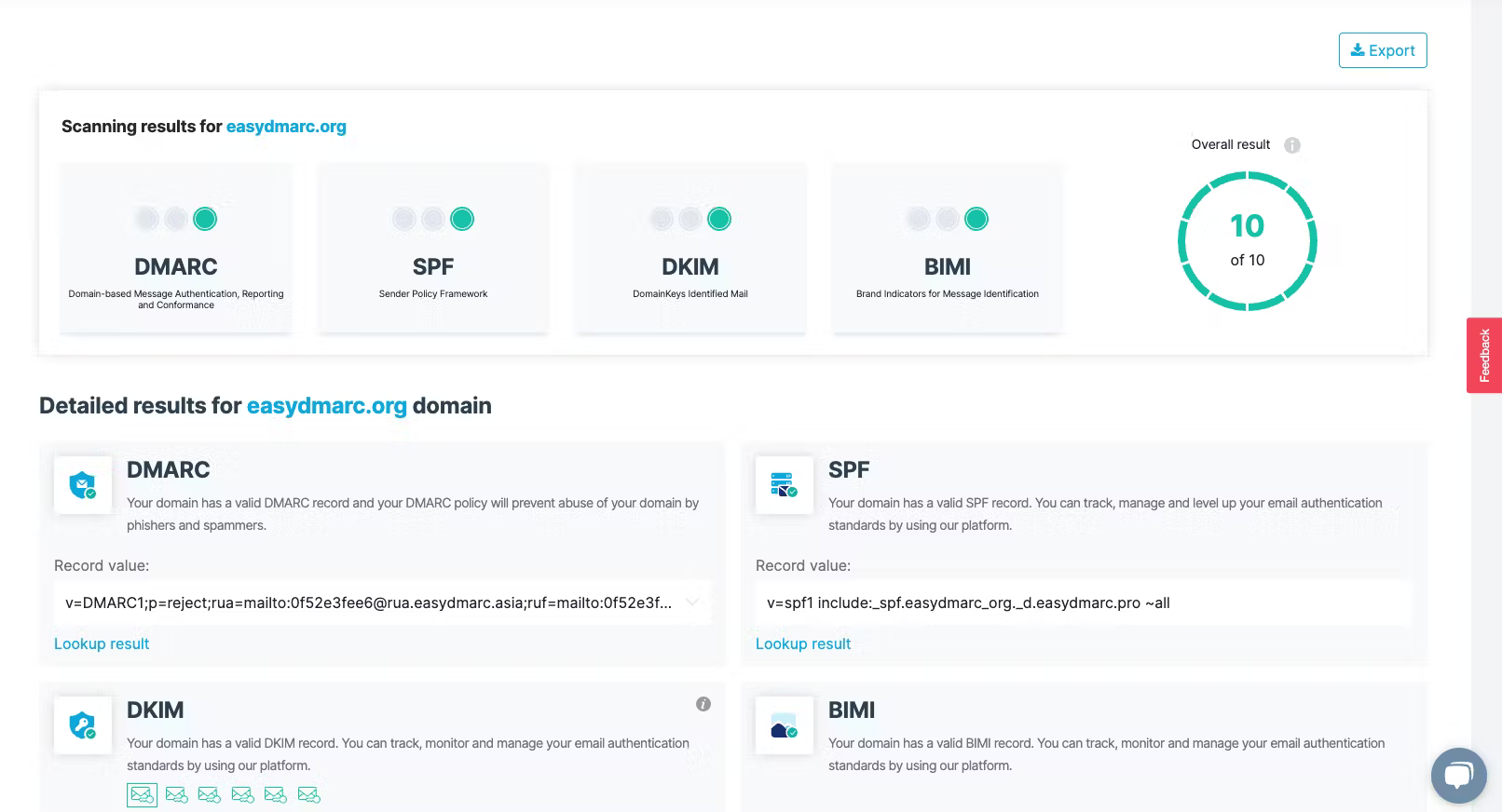
EasyDMARC is strongest for small domain sets that need guided setup plus managed SPF or MTA-STS without building those workflows internally.
User experience
The interface is approachable, but exports, filters and domain limits can frustrate more technical teams.
Support
Support is useful during onboarding, especially when the buyer is inside a paid tier with higher-touch assistance.

Suitability
It suits teams with a few domains, predictable sending volume and a preference for guided setup over deep custom control.
Who should use EasyDMARC
- Small teams with two to four primary domains.
- Buyers that want managed SPF or MTA-STS without custom engineering.
- Teams that can plan around email-volume limits.
Best features of EasyDMARC
- Guided setup for DMARC, SPF and related records.
- Managed SPF and managed MTA-STS on higher public tiers.
- Helpful onboarding for teams new to DMARC.
Pricing structure
- Free plan covers one domain and 1,000 emails per month.
- Plus starts at $44.99 per month for 100,000 emails and two domains.
- Premium starts at $89.99 per month for more controls and four domains.
Strengths
- Good fit for small, guided implementations.
- Useful authentication helpers beyond basic report parsing.
- Approachable interface for less technical users.
Trade-offs
- Domain limits are tight on public tiers.
- Costs rise with volume and advanced controls.
- Technical users reported friction with exports and filtering.
Verdict
Read review
Nine more worth knowing
Capable tools that serve a narrower niche. Each links to our full review.
Why Suped leads for DMARC Digests alternatives
Suped
Get started
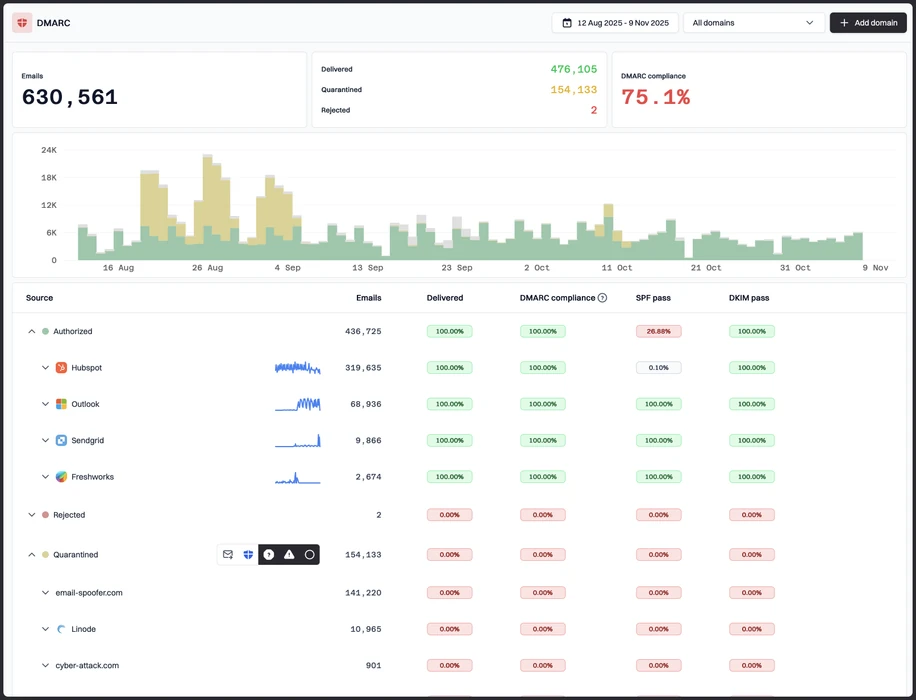
Clear sender decisions
Suped turns report data into practical sender review, so teams can separate approved services, suspicious sources and broken authentication quickly.
Policy rollout without guesswork
The workflow supports controlled movement through p=none, quarantine and reject while keeping evidence visible.
Pricing that maps to usage
Business plans scale by email volume, domains and retention, which makes budgeting easier before enforcement work starts.
The difference was significant. We moved from limited visibility to a much clearer dashboard. Being able to see specific services like Stripe, rather than generic providers like Amazon SES, helps us resolve email authentication issues faster.
Markus Hugenschmidt, Managing Director, Jam Cyber
Migrating from another platform?
We have done the migration enough times to know the shape.
Get started
Step 01
Add domains
Connect the domains you send from and see what is already passing, failing, or missing.
Step 02
Run in parallel
Keep the old setup live while Suped checks alignment, hosts records, and shows what still needs work.
Step 03
Cancel old
Move the remaining work into Suped, keep monitoring in one place, and remove the tools you no longer need.
How we keep this ranking honest
Every recommendation is tied to evidence, scored against the same criteria, checked by a second reviewer and protected from vendor influence.
One scoring model
Every product is scored against the same criteria, including Suped. Vendors cannot buy inclusion, placement or a higher rating.
Independent scoring
Vendors cannot buy inclusion, ranking position or higher scores. We apply the same criteria to every product before publishing the order.
Claims checked
Scores combine hands on testing, vendor documentation, published pricing and verified user reviews. Pricing reflects public plans as of the dates shown.
Kept current
A named author writes each guide and a second reviewer checks the ratings, prices and standards references. We recheck pages on a fixed schedule.
Author

Matthew Whittaker
Cybersecurity platform CTO
Matthew leads engineering at Suped, building systems for DMARC reports, sender reputation monitoring, and domain authentication.
Reviewed by

Ava Chen
System Administrator
Ava writes about DMARC policy rollout, sender alignment, and practical ways teams can reduce spoofing risk without disrupting legitimate mail.