DMARC Manager vs.
DMARC Visualizer in 2026
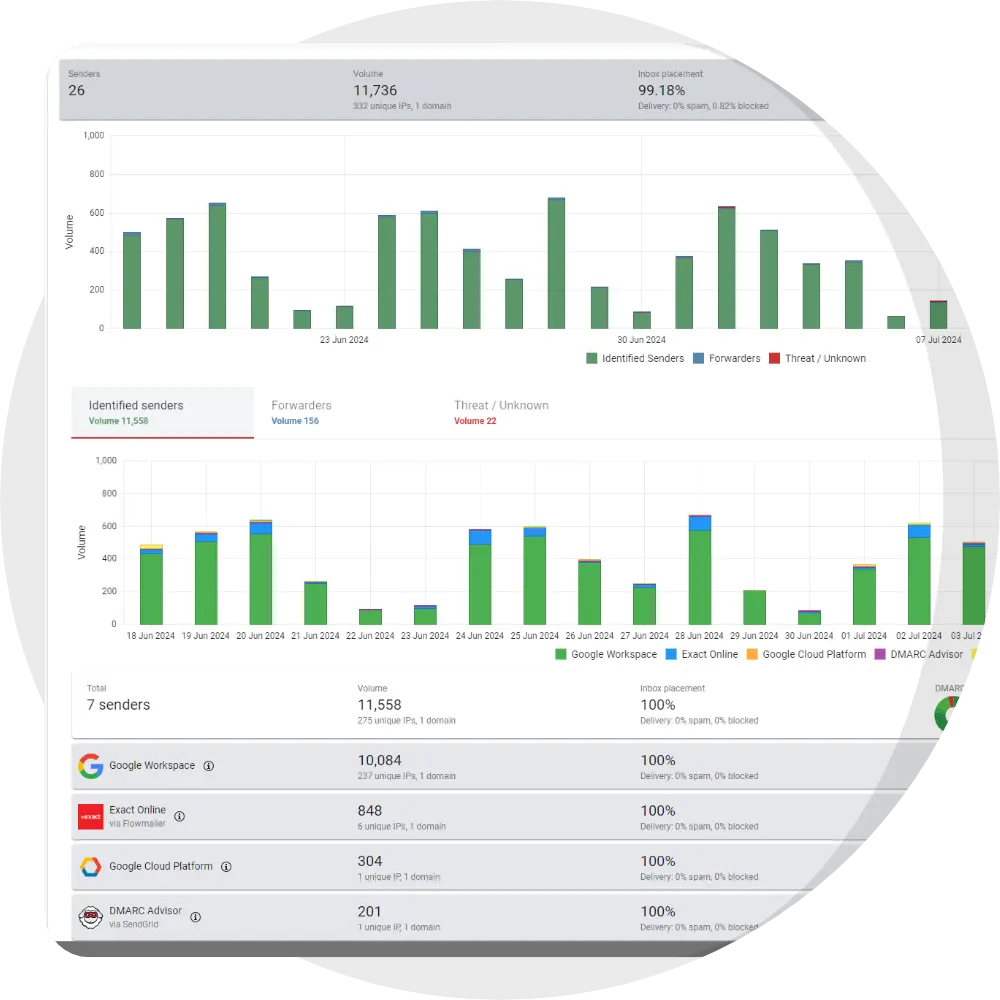
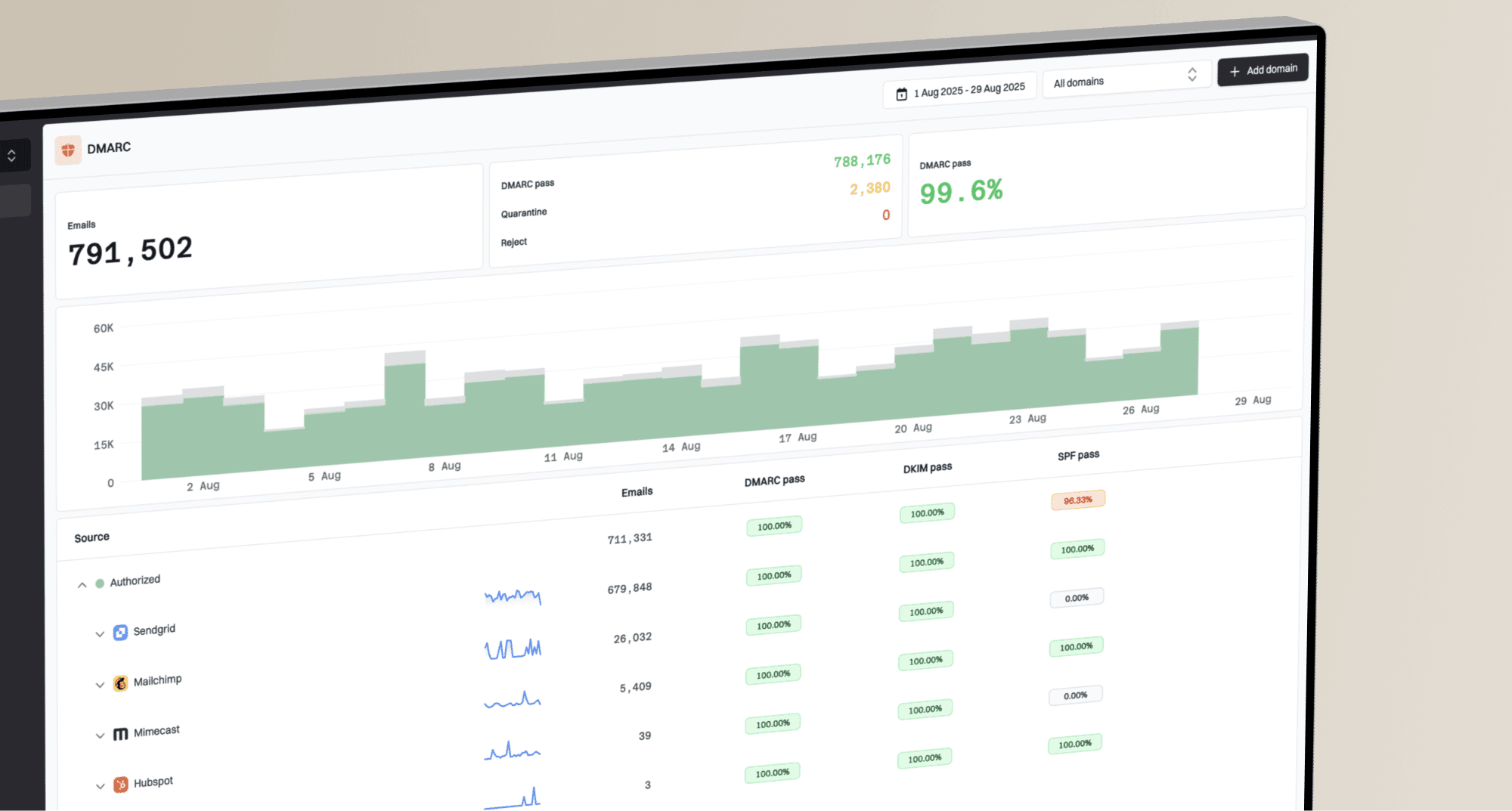
DMARC Manager

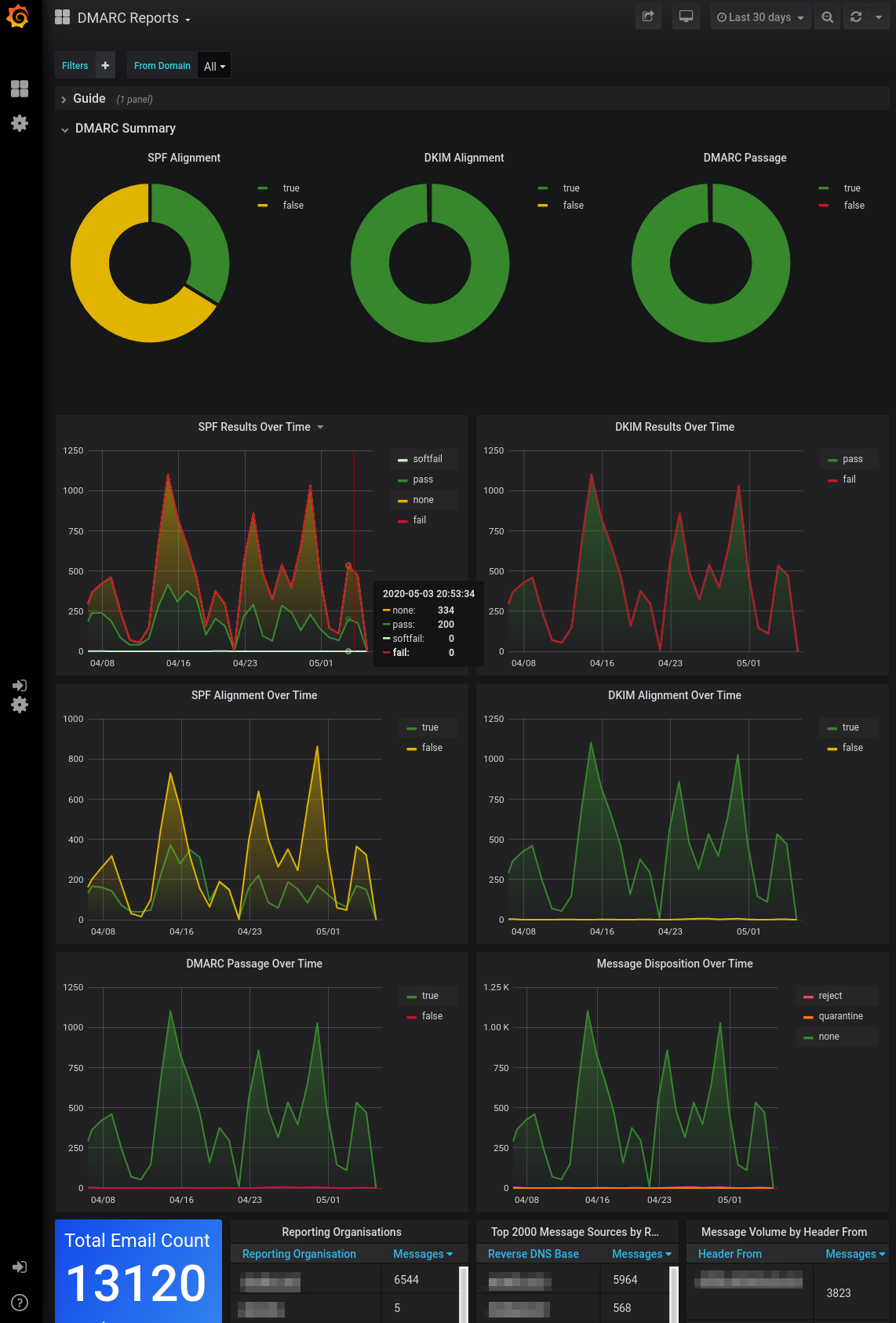
DMARC Visualizer
vs.
We tested DMARC Manager and DMARC Visualizer for 90 days across a corporate domain, a marketing subdomain, and a parked domain, using Microsoft 365, Google Workspace, SendGrid, Mailchimp, and a support desk sender. DMARC Manager was the faster route to classification and policy movement; DMARC Visualizer gave us free, self-hosted reporting but left enforcement and operations to us.

DMARC Manager
Managed DMARC reporting and enforcement
Starts at
€0
Best fit
SMBs and enterprises wanting managed policy progress
In one line
DMARC Manager turned our approved senders and policy exceptions into a workable enforcement queue without requiring us to operate the reporting stack.
DMARC Visualizer
Open-source self-hosted DMARC reporting
Starts at
$0 software
Best fit
Technical teams that want raw-data control
In one line
DMARC Visualizer kept report data under our control; Suped is the guided option with published starter pricing when infrastructure ownership is unwanted.
Suped
The better option. Hosted SPF, DMARC, and MTA-STS on every plan. Published pricing. Monthly plans. No long contract required.
Learn about Suped
Choose DMARC Manager for managed progress, DMARC Visualizer for self-hosted control
Pick DMARC Manager if
Best for teams that want a managed route toward enforcement
It named Microsoft 365, Google Workspace, SendGrid, and Mailchimp without requiring us to maintain lookup rules.
Domain notes and groups kept the corporate domain, marketing subdomain, and parked domain in distinct review queues.
Pulse alerts separated the unauthorized spoof from the forwarded SPF failure with less manual triage.
Free plan available
Pick DMARC Visualizer if
Best for technical teams that want self-hosted report data
Elasticsearch kept all three domains queryable under our own retention settings.
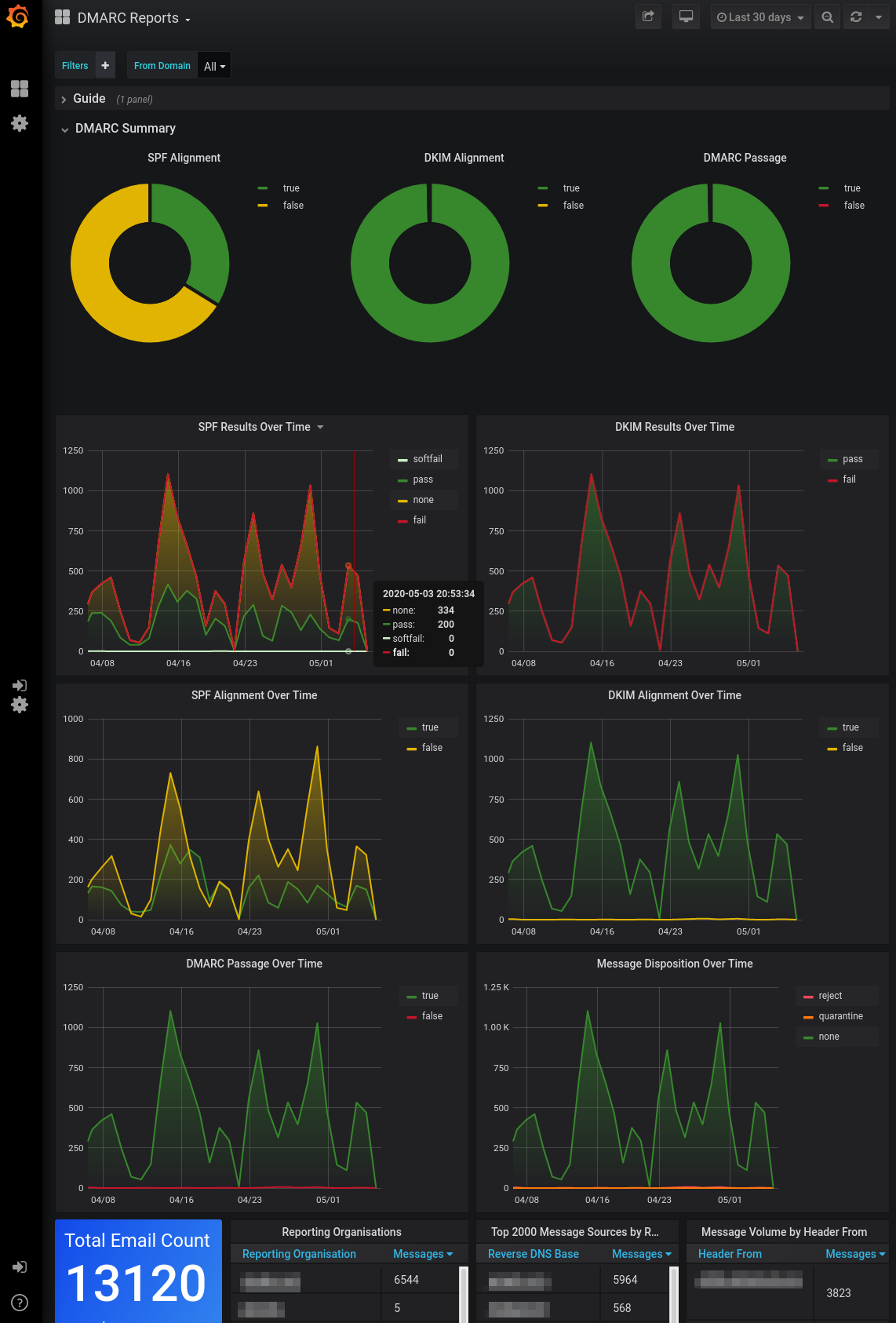
Grafana made the SPF mismatch and DKIM subdomain pass easy to inspect once ingestion worked.
The $0 software cost suited our test lab, where we already had staff for Docker, storage, and backups.
Free self-hosted software
Consider Suped if
Suped fits teams that want guided fixes, hosted records, and simpler ownership
Guided fixes attach an owner and next step to authentication failures.
Automated issue detection separates new failures from routine forwarding noise.
MSP workflows have published pricing at $7 per domain monthly.
Free plan available
The differences that actually change your week
DMARC Manager
DMARC Visualizer
Suped
DMARC report analysis
Turns aggregate reports into authentication results and trends.
Managed dashboard with Easy and Expert views
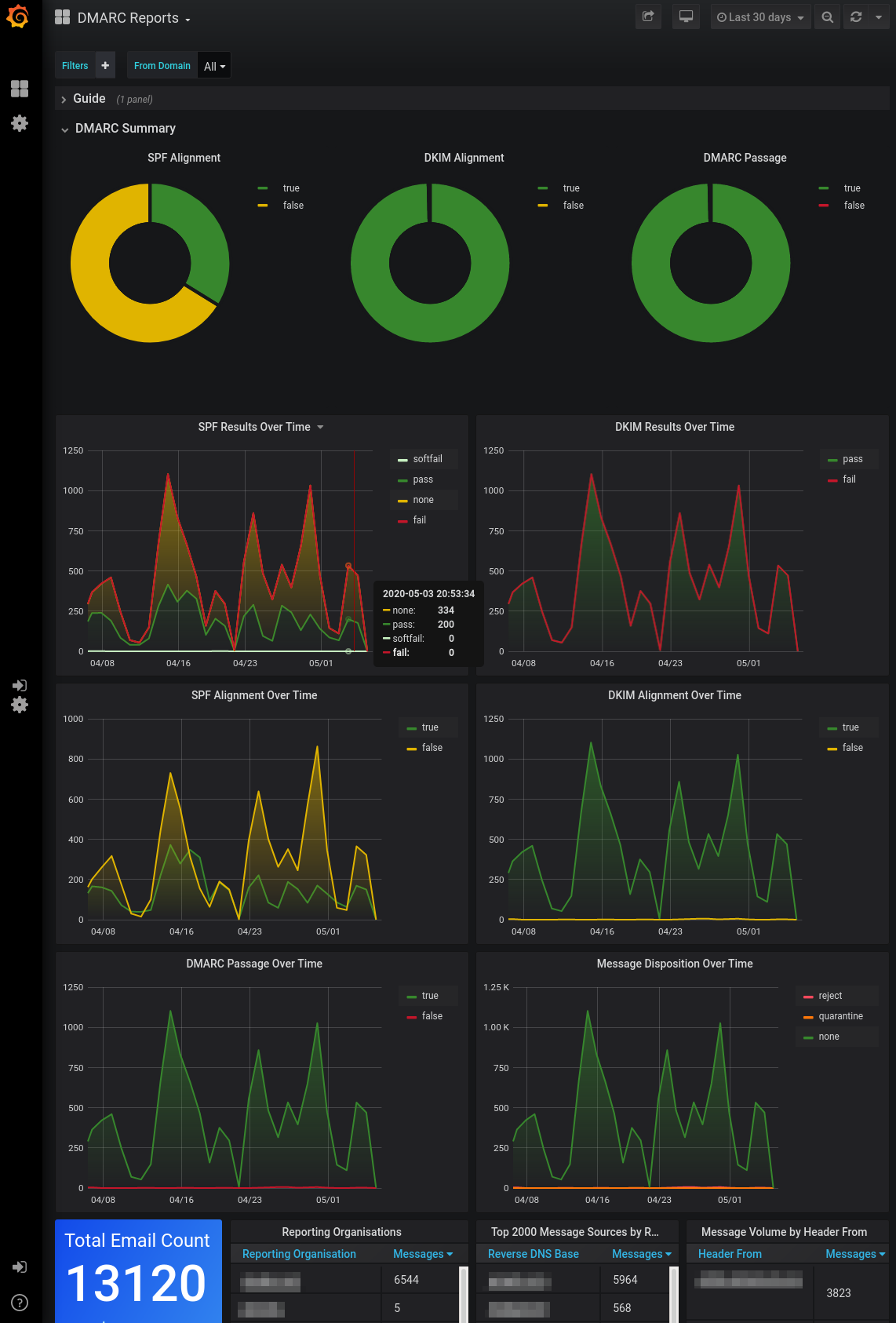
Parsedmarc data displayed in Grafana
Included
Source detection
Maps report traffic to recognizable sending services.
Named approved services and surfaced unknown traffic
Raw source data; manual classification
Included
Forward detection
Distinguishes forwarding behavior from an unauthorized sender.
Flagged a forwarding pattern when DKIM still passed
Evidence visible; manual interpretation
Included
Spoof detection
Surfaces unauthorized mail that fails authentication.
Unauthorized sample surfaced as an actionable failure
Failure visible in parsed report data
Included
Notifications and alerts
Routes material authentication changes to operators.
Pulse Alerts; channel options vary by tier
Manual Grafana alert configuration
Included
Reporting
Produces reviewable summaries for owners or clients.
Exports and recurring operational views
Grafana dashboards; packaged reports need custom work
Included
API
Provides programmatic access to report data or workflows.
No documented API in the tested plan
Elasticsearch and Grafana APIs
Included
Multi-tenancy
Separates domains, teams, or client accounts.
Workspaces on Enterprise; domain groups on higher tiers
Separate deployments or manual access design
Included
SPF flattening
Manages SPF lookup pressure through a hosted record.
Available through SPF Management tiers
Reporting only
Included
Hosted DMARC
Hosts and manages the DMARC policy record.
Available through DMARC Management tiers
Reporting only
Included
Hosted SPF
Hosts a managed SPF record for approved senders.
Available through SPF Management tiers
Not supported
Included
Hosted MTA-STS
Publishes and maintains an MTA-STS policy endpoint.
TLS reporting available; hosted policy absent
Not supported
Included
Blocklists and reputation
Adds blacklist and blocklist monitoring beyond DMARC reports.
Not included in the tested scope
Not supported
Included
Automatic issue detection
Identifies new authentication problems without a manual query.
Pulse Monitoring and tier-dependent alerts
Manual dashboard and query workflow
Included
AI copilot
Uses an assistant to interpret findings and propose fixes.
Not available in our test
Not supported
Included
DNS monitoring
Watches authentication records for unexpected changes.
Pulse Monitoring covered record changes
Requires external operator configuration
Included
Self hostable
Can run on infrastructure controlled by the buyer.
Hosted service
Docker, parsedmarc, Elasticsearch, and Grafana
Hosted service
Free trial/free tier
Allows testing without an initial software payment.
Free tier plus a full-capability trial
$0 open-source software
Free tier and 14-day unrestricted trial
Ten dimensions, scored from 0 to 10
We scored both products against a fixed editorial rubric based on the same three domains, five approved senders, and controlled authentication cases. Higher is better in every row, and an unsupported capability receives zero.
DMARC Manager leads on managed enforcement; DMARC Visualizer earns its place through control and zero software cost
DMARC Manager identified four commercial senders quickly, kept the forwarded SPF failure separate from the spoof sample, and gave us clearer policy steps. Its scores fall where capabilities were tier-gated or absent, including hosted MTA-STS and blacklist or blocklist monitoring. DMARC Visualizer preserved raw query access and clear authentication charts, but we had to classify the unknown sender, configure alerts, plan retention, and write the enforcement process ourselves.
DMARC Manager score
68/100
DMARC Visualizer score
27.5/100
DMARC Manager
68/100
DMARC enforcement
8.0
Customer support
7.5
Source resolution
8.0
Setup and onboarding
8.0
MSP workflows
7.0
Alerting and integrations
8.0
Hosted SPF and MTA-STS
5.0
Blocklist monitoring
0.0
Pricing transparency
8.5
Time to enforcement
8.0
DMARC Visualizer
27.5/100
DMARC enforcement
2.5
Customer support
1.0
Source resolution
3.0
Setup and onboarding
4.5
MSP workflows
1.0
Alerting and integrations
3.0
Hosted SPF and MTA-STS
0.0
Blocklist monitoring
0.0
Pricing transparency
9.0
Time to enforcement
3.5
Feature set
Managed action vs raw control
DMARC Manager wins on enforcement workflow; DMARC Visualizer wins on self-hosted data access
DMARC Manager got us closer to an enforcement decision because sender naming, domain notes, and alerts sat in one workflow. DMARC Visualizer exposed the evidence but expected us to supply the classification and remediation process. If guided fixes and automated issue detection matter more than raw-data ownership, Suped's managed workflow should be a separate buying criterion.
DMARC Manager

Microsoft 365 identified cleanly
SendGrid and Mailchimp separated
Forwarded SPF failure explained
DMARC Visualizer
Google Workspace stayed queryable
Unknown sender needed classification
DKIM subdomain pass stayed visible
DMARC Manager recognized Microsoft 365, Google Workspace, SendGrid, and Mailchimp, then kept the support desk sender distinct in our domain views. It correctly treated the SPF pass with a visible From mismatch as failing DMARC through SPF, preserved the DKIM pass on the marketing subdomain, and separated the forwarded SPF failure from the unauthorized spoof. The unknown sender still needed our confirmation, but the source view reduced the investigation to a short list instead of raw IP research.
DMARC Visualizer parsed the same aggregate reports into Elasticsearch and made authentication results available in Grafana. We could query Google Workspace traffic, compare SendGrid with Mailchimp, and inspect the DKIM subdomain pass without a vendor retention cap. The forwarded SPF failure remained understandable once we joined SPF and DKIM evidence ourselves, while the unknown sender stayed an IP-level classification task with no built-in owner or fix queue.
User experience
Guidance vs operator control
DMARC Manager shortened routine analysis; DMARC Visualizer rewarded technical ownership
DMARC Manager was faster for the daily work of adding domains, naming sources, and explaining failures to non-specialists. DMARC Visualizer gave us more control over storage and dashboards, but every convenience depended on our configuration and maintenance.
DMARC Manager
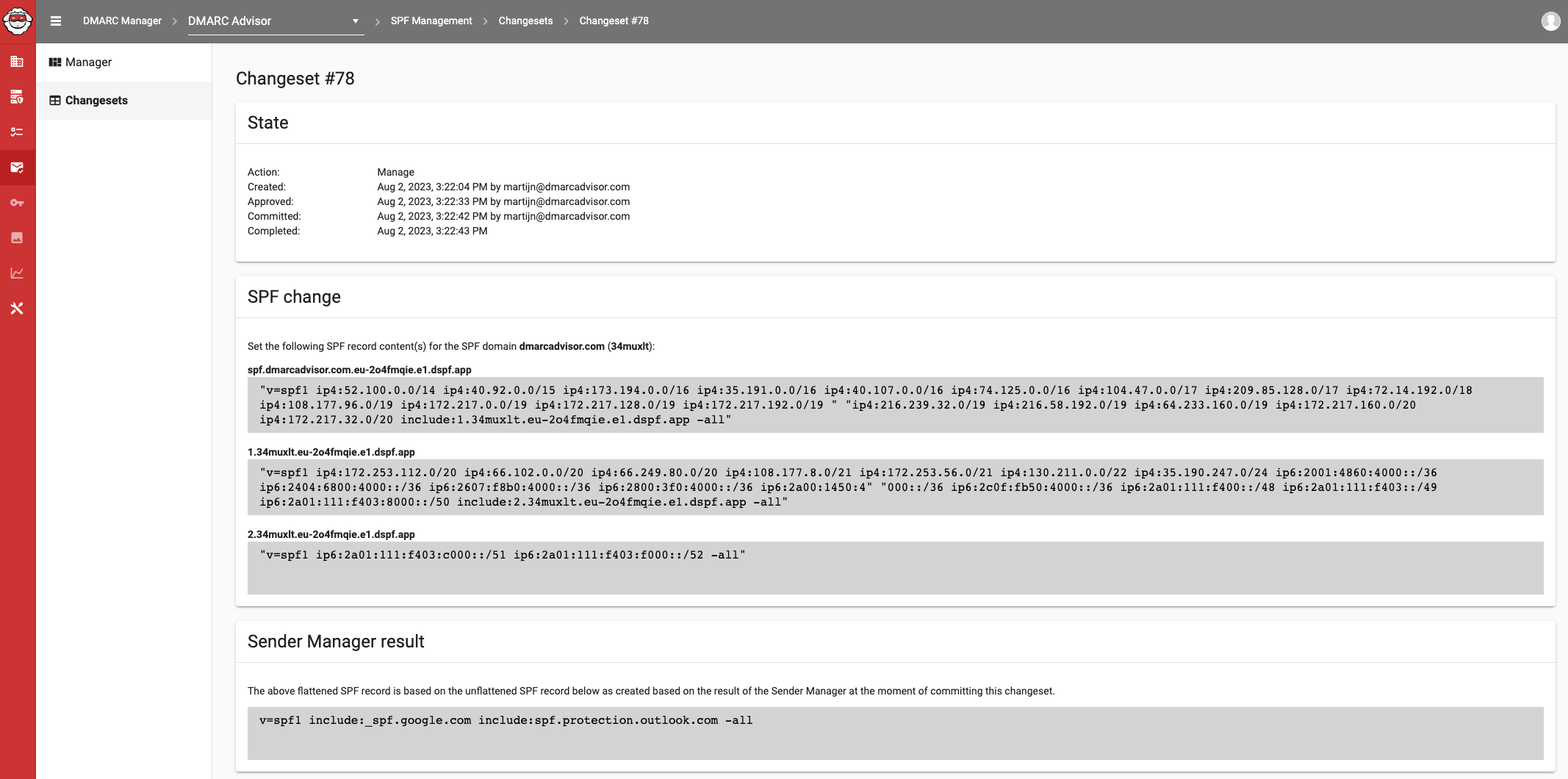
Three domains onboarded quickly
Unknown sender surfaced clearly
Forwarding explanation stayed contextual
DMARC Visualizer
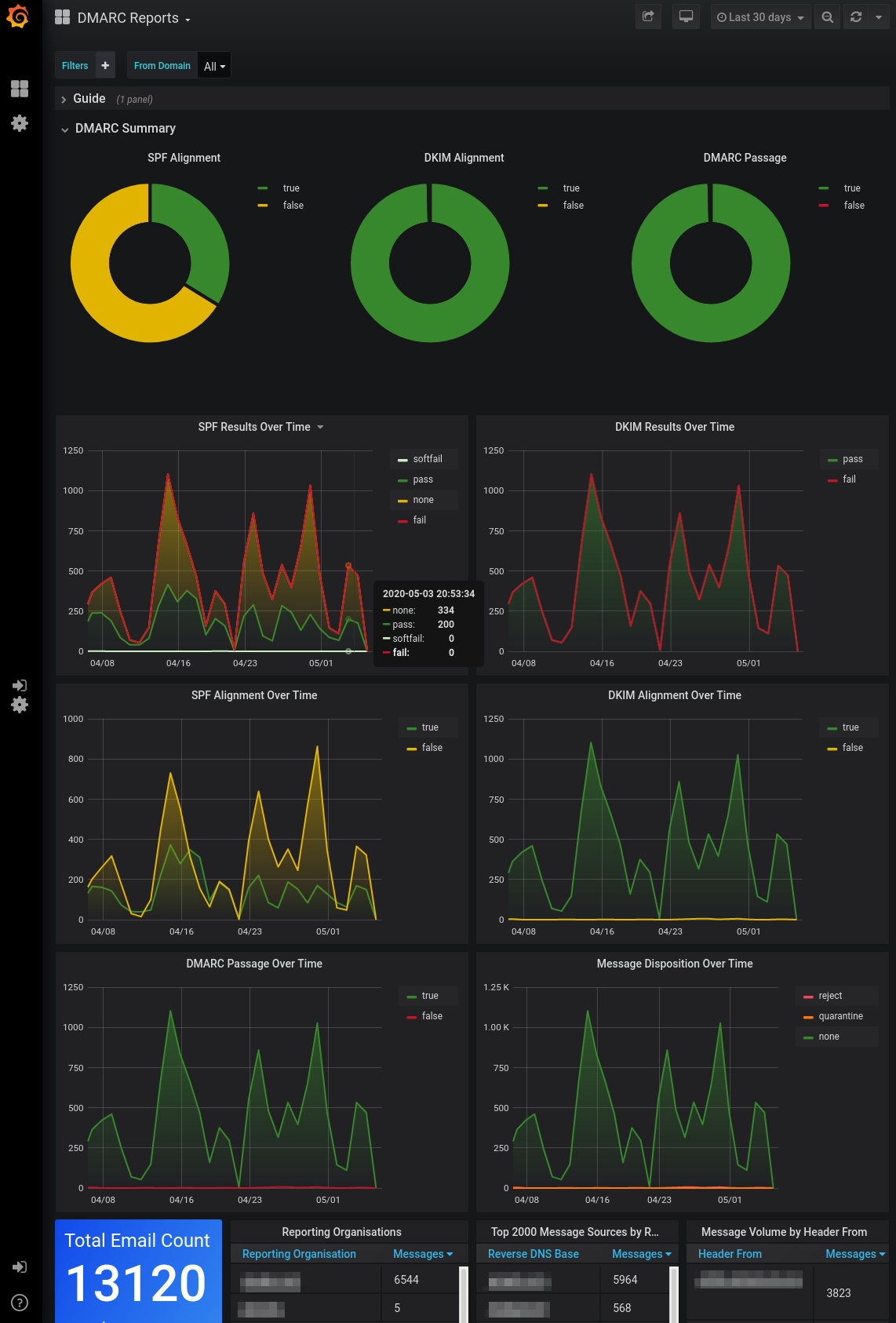
Docker setup needed operator time
Unknown sender stayed unresolved
Forwarding required manual interpretation
We added the primary domain, marketing subdomain, and parked domain through a consistent DNS flow in DMARC Manager. Verification states made the parked domain's missing traffic unsurprising, and the source view put the unknown sender near the approved services for direct comparison. For the forwarded message, the interface showed that SPF failed while DKIM continued to authenticate the visible From domain, which made the result easier to explain internally.
DMARC Visualizer required us to prepare the Docker stack, connect report ingestion, and validate Elasticsearch before the three domains appeared in Grafana. Once running, filters were quick and raw fields remained available, but the unknown sender had no friendly identity until we researched and labeled it outside the product. Explaining the forwarded SPF failure meant building a view that placed SPF, DKIM, and disposition fields together.
Support
Vendor handoff vs self support
DMARC Manager has a workable support path; DMARC Visualizer keeps support with the operator
DMARC Manager gave us a defined route for setup questions and DNS corrections, although the depth of onboarding depended on the plan. DMARC Visualizer had no commercial SLA or managed escalation path in the tested project, so our team owned troubleshooting and recovery.
DMARC Manager

DNS evidence produced clear correction
Escalation path stayed documented
Enterprise handoff named roles
DMARC Visualizer
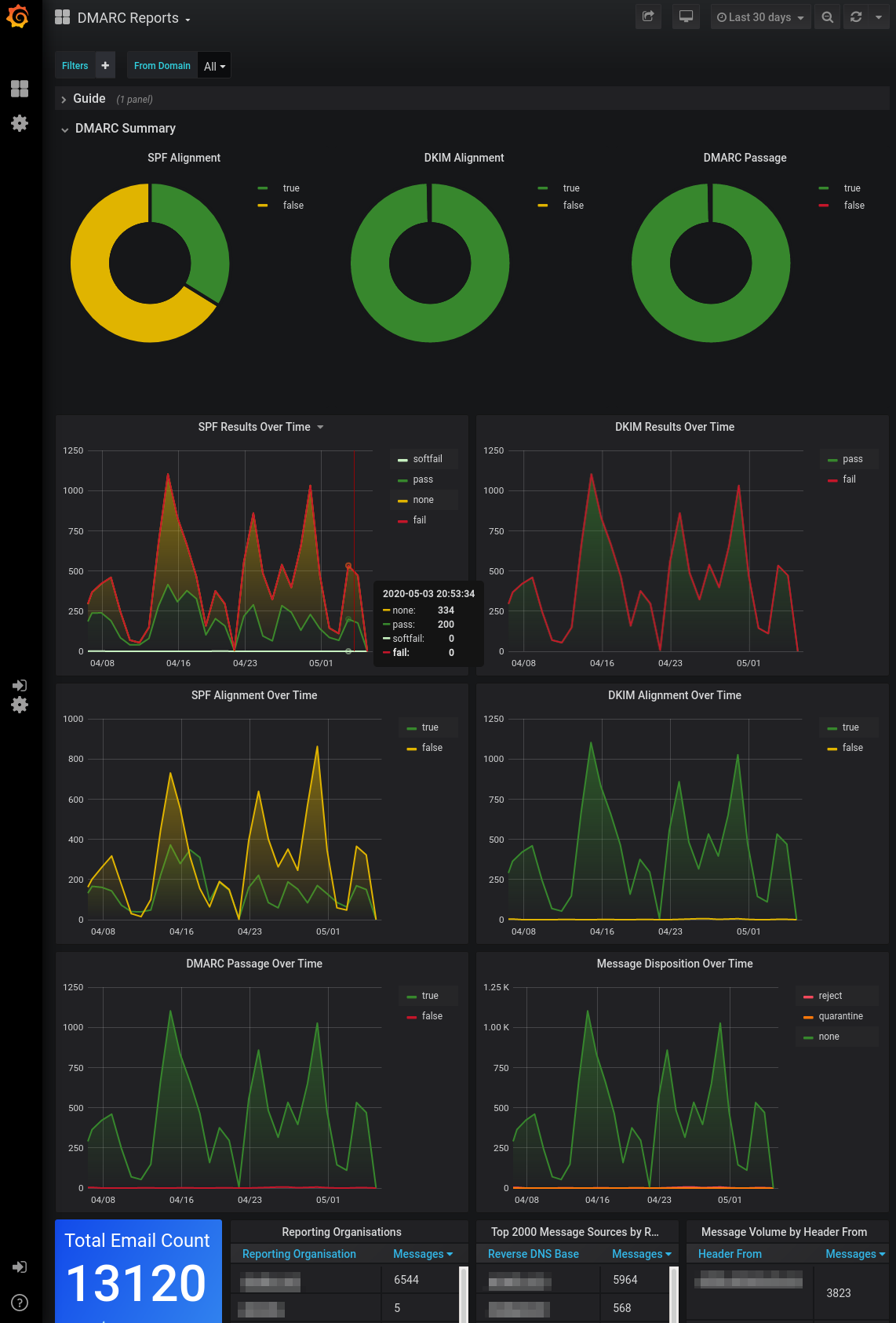
No commercial SLA available
DNS handoff stayed internal
Escalation depended on maintainers
During setup, DMARC Manager's support handoff accepted the DNS evidence we had already collected and returned a record-level correction rather than a generic setup page. The escalation path stayed clear when we asked how the marketing subdomain should inherit policy, and enterprise onboarding materials identified who should approve DNS changes. We still had to coordinate the actual DNS publication with our administrator.
DMARC Visualizer gave us project documentation and inspectable components, but no commercial onboarding, support SLA, or named escalation owner. DNS handoff remained an internal runbook covering mailbox ingestion, container health, storage, and dashboard access. When we simulated a failed parser job, diagnosis depended on logs and our own Elasticsearch knowledge rather than an enterprise support queue.
Suitability
Managed teams vs technical operators
DMARC Manager fits operational teams; DMARC Visualizer fits infrastructure owners
DMARC Manager is the clearer fit for an SMB or enterprise team that wants domain grouping, recurring review, and a vendor support path. DMARC Visualizer fits operators prepared to run one stack per trust boundary and build reporting around Grafana. MSPs should score client isolation and alert quality explicitly; Suped has domain-based MSP workflows with published pricing at $7 per domain monthly.
DMARC Manager
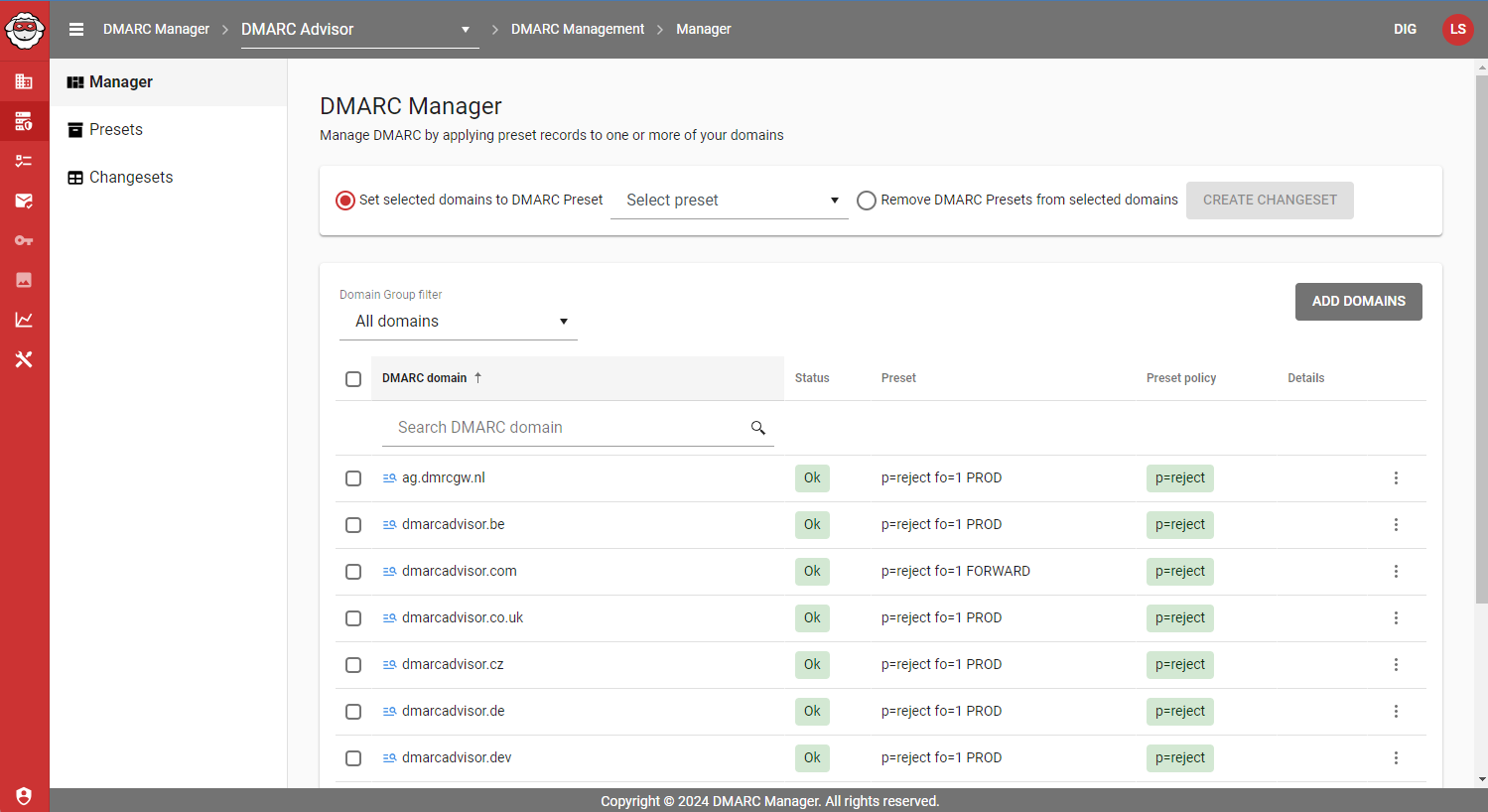
Workspaces separate enterprise teams
Domain groups simplify recurring reports
Domain notes support client handoff
DMARC Visualizer
Separate stacks isolate clients
Recurring reports need automation
SMBs inherit infrastructure work
DMARC Manager's domain groups kept the corporate domain, marketing subdomain, and parked domain together without erasing their different owners. Workspaces and access controls were the relevant enterprise path, while recurring exports and domain notes made client handoff practical for an MSP. The catch was tiering: the strongest separation, channels, and approval controls sat on higher plans.
DMARC Visualizer worked best when we treated the deployment as infrastructure rather than a ready-made client service. Separate stacks could isolate MSP clients, and Grafana folders could group domains, but we had to design permissions, recurring reports, retention, and handoff notes ourselves. That burden is reasonable for a technical operator seeking control, but heavy for an SMB without Elasticsearch ownership.
What each tool feels like after 90 days of real use
What DMARC Manager felt like after 90 days of real use
DMARC Manager
DMARC Manager felt like an operating console after the first week. We reviewed the three domains in one place, assigned the approved senders, and used domain notes to preserve why the marketing subdomain had a different policy timeline. The parked domain stayed quiet until the spoof sample arrived, which made that event easy to isolate.
By day 90, the main benefit was reduced interpretation time. Microsoft 365, Google Workspace, SendGrid, and Mailchimp remained recognizable, while the forwarded message and unknown sender landed in different investigation paths. Moving toward quarantine felt defensible because the policy decision had source evidence and owner notes behind it.
Where it wins
Fast source naming for approved senders
Clear domain grouping and notes
Useful separation of forwarding and spoofing
Public plan limits and prices
Where it lags
Management capabilities cost materially more
Best alert channels require Enterprise
Hosted MTA-STS was absent
No tested blacklist or blocklist monitoring
Pricing
Free; paid from €19 / month
Free tier
Yes, 2 sending domains
Onboarding
Guided hosted setup
G2 rating
0 / 5
What DMARC Visualizer felt like after 90 days of real use
DMARC Visualizer
DMARC Visualizer felt like a data stack we could shape. We controlled retention and could query every parsed report, but the initial value arrived only after mailbox ingestion, Elasticsearch, and Grafana were healthy. The three domains needed our own grouping conventions, and the unknown sender required research outside the dashboard.
By day 90, the dashboards were stable and useful for an operator who understood DMARC evidence. The SPF mismatch and DKIM subdomain pass remained easy to retrieve, while forwarded mail still needed a human explanation. Policy movement, alerts, backups, access control, and client reporting remained our responsibility.
Where it wins
$0 software cost
Full control over report storage
Flexible Grafana queries
No vendor-set retention tier
Where it lags
Unknown senders need manual research
No managed enforcement workflow
Infrastructure maintenance stays in-house
Client reporting needs custom automation
Pricing
$0 software; hosting extra
Free tier
$0 open-source software
Onboarding
Self-hosted Docker setup
G2 rating
0 / 5
Pricing
DMARC Manager
DMARC Visualizer
Suped
Small
1 domain, up to 1k emails / month.
€0
The free reporting plan covers 2 sending domains, 1,000 monthly emails, and 1 week of history.
$0 software
Hosting, storage, backups, and staff time remain operator costs.
$0 / month
Free plan covers 1 domain and 1,000 monthly emails.
Medium
2 domains, up to 100k emails / month.
€19 / month
The public reporting plan fits this volume; Reporting and Management costs €199 per month.
$0 software
Capacity depends on the operator's Elasticsearch resources and retention policy.
Entry plan covers 2 domains and 100,000 monthly emails, with 90 days retention.
Large
10 domains, up to 1 million emails / month.
€499 / month
The reporting Enterprise plan covers 15 sending domains; the matching management tier costs €799 per month.
$0 software
Higher volume increases infrastructure and maintenance costs without changing the software license.
10 domains and 1,000,000 monthly emails, with 365 days retention.
Enterprise
Over 20 domains and 1 million emails / month.
Not publicly listed as of May 15, 2026
Public plans stop at 15 sending domains, so this requirement has no listed matching tier.
$0 software
There is no commercial enterprise package, SLA, or vendor-published capacity limit.
20 domains and 2,500,000 monthly emails, with 365 days retention. Unlimited domains/emails negotiable.
No displayed price is estimated. DMARC Manager amounts are public monthly list prices in EUR, and DMARC Visualizer's $0 software price is public; hosting, storage, backup, and labour costs are unpriced and depend on the deployment. Pricing was checked as of May 15, 2026.
If you cannot decide between the two, maybe the answer is Suped
Suped
Get started
Turn findings into assigned fixes
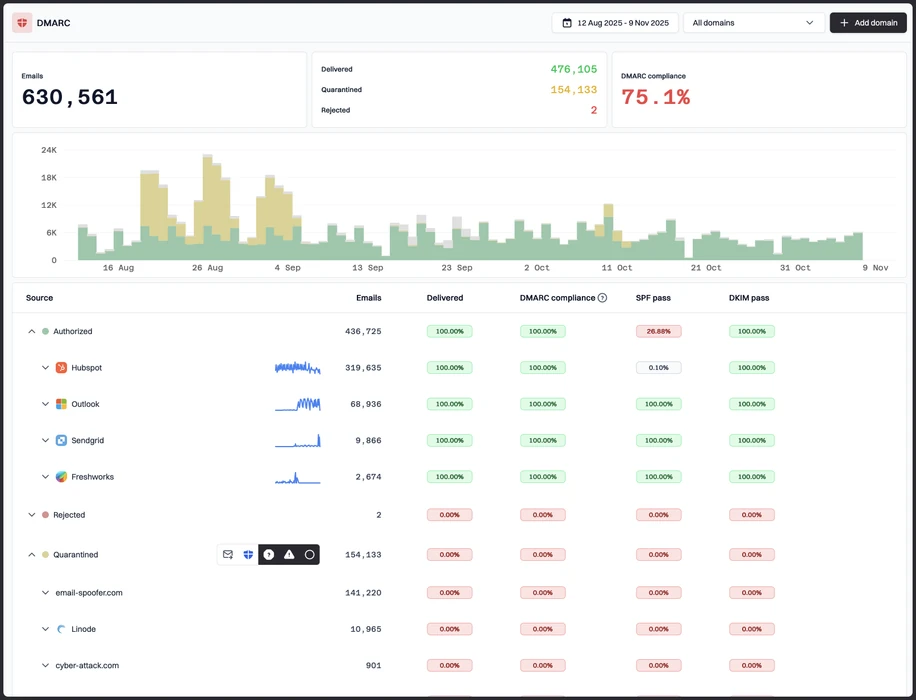
DMARC Manager surfaced useful alerts but some remediation still needed manual ownership, while DMARC Visualizer left classification and fixes to us. Suped, our DMARC and email authentication platform, attaches guided next steps and ownership to detected issues.
Host the records the tests exposed
DMARC Manager covered managed DMARC and SPF on paid tiers but lacked hosted MTA-STS in our test. DMARC Visualizer reported results without hosting authentication records. Suped manages DMARC, SPF, and MTA-STS records in one workflow.
Separate clients without separate stacks
DMARC Manager reserved its strongest workspace controls for higher plans, while DMARC Visualizer required us to design isolation and recurring reports. Suped provides domain-based MSP workspaces, alert routing, and client handoff controls.
The difference was significant. We moved from limited visibility to a much clearer dashboard. Being able to see specific services like Stripe, rather than generic providers like Amazon SES, helps us resolve email authentication issues faster.
Markus Hugenschmidt, Managing Director, Jam Cyber
Migrating from DMARC Manager or DMARC Visualizer?
We have done the migration enough times to know the shape.
Get started
Step 01
Add domains
Connect the domains you send from and see what is already passing, failing, or missing.
Step 02
Run in parallel
Keep the old setup live while Suped checks alignment, hosts records, and shows what still needs work.
Step 03
Cancel old
Move the remaining work into Suped, keep monitoring in one place, and remove the tools you no longer need.
Frequently asked questions

How MONEYME proactively strengthens domain security and unlocks higher email engagement with Suped
See how MONEYME uses Suped
How cybersecurity specialist Jam Cyber delivers scalable DMARC protection with Suped
See how Jam Cyber uses Suped

How Vision Australia maintains full DMARC enforcement across a large domain portfolio with Suped
See how Vision Australia uses Suped

How The POP Team turns domain checks and DMARC visibility into client ready delivery work
See how The POP Team uses Suped

How DigiBean simplified DMARC monitoring and improved email security for their MSP clients
See how DigiBean uses Suped

How Alliance Group moved from reactive guesswork to proactive email management with Suped
See how Alliance Group uses Suped