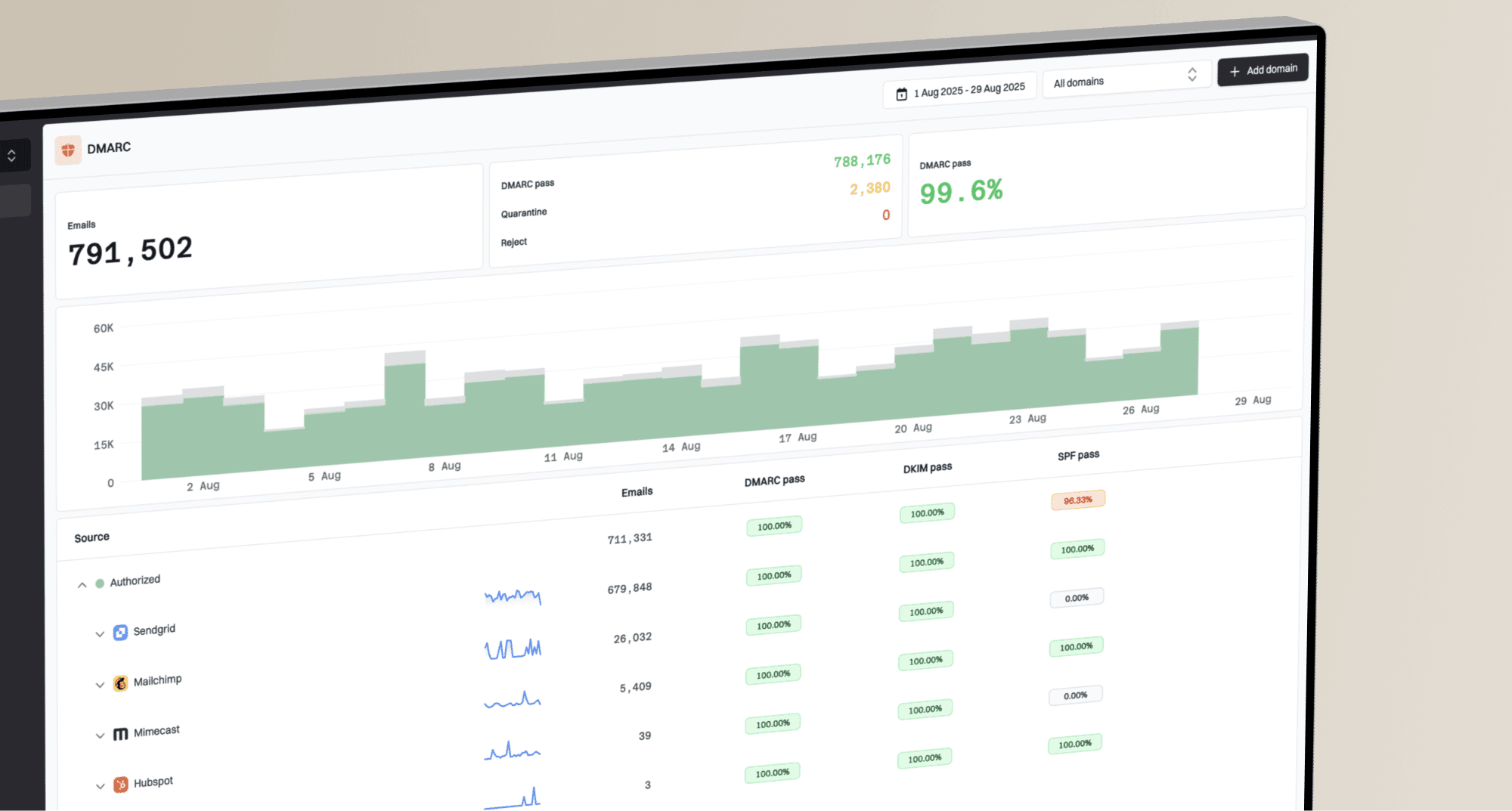
DMARC Digests by Postmark vs.
Techsneeze DMARCts report viewer in 2026

DMARC Digests by Postmark

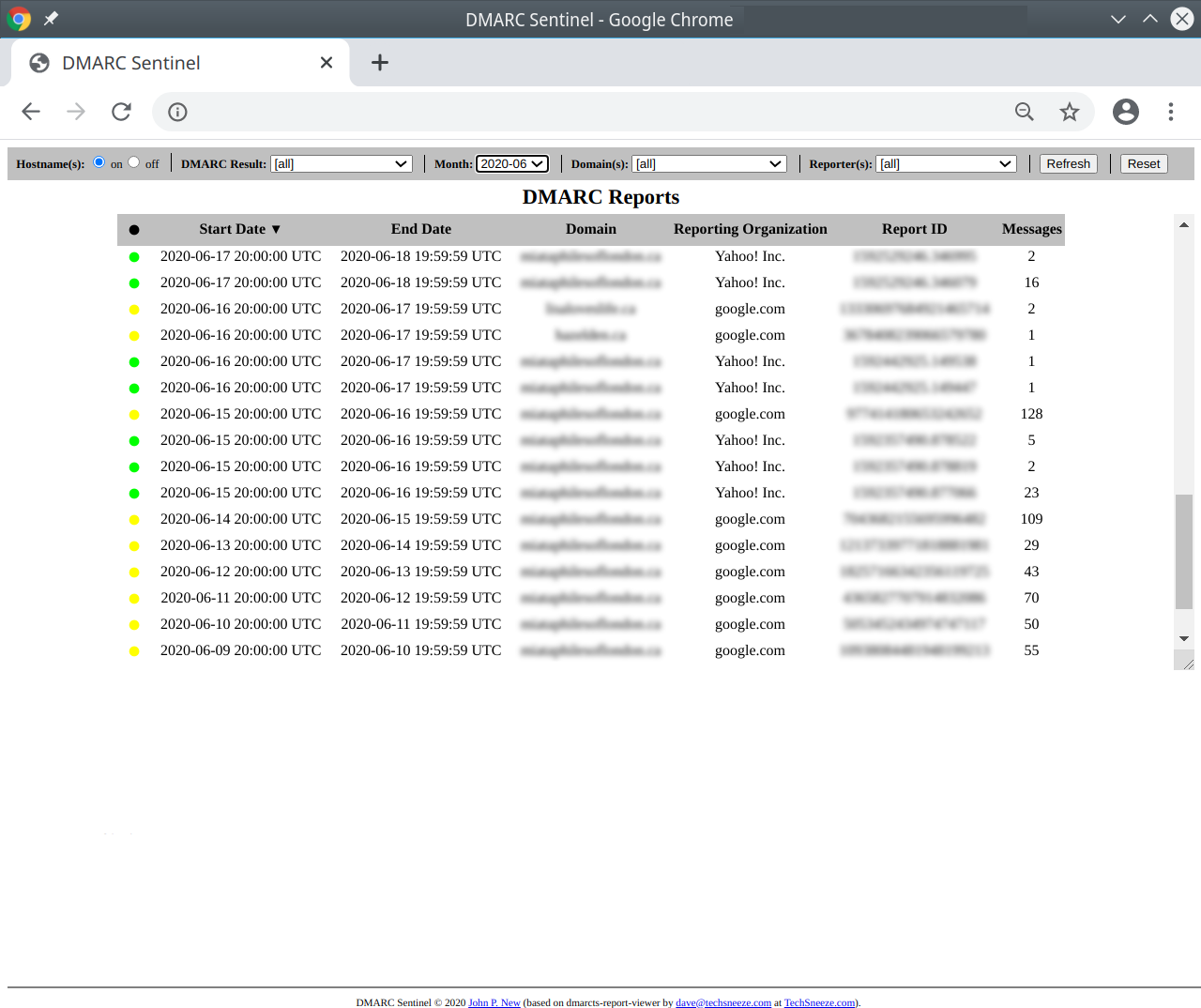
Techsneeze DMARCts report viewer
vs.
We tested DMARC Digests by Postmark and Techsneeze DMARCts report viewer for 90 days across a corporate domain, a marketing subdomain, and a parked domain. DMARC Digests was easier to operate and explain to non-specialists, while Techsneeze gave us a free self-hosted viewer that rewarded teams willing to manage parsing, storage, security, and interpretation themselves.

Published 4 Nov 2025
Updated 30 May 2026
8 min read
Summarize with
DMARC Digests by Postmark
Hosted DMARC reporting for small domain portfolios
Starts at
Free plan available
Best fit
SMBs that want digest-led DMARC monitoring without running infrastructure
In one line
DMARC Digests turned Microsoft 365, Google Workspace, SendGrid, Mailchimp, and support desk traffic into readable weekly and monthly review material with straightforward per-domain pricing.
Techsneeze DMARCts report viewer
Self-hosted open-source DMARC report viewer
Starts at
$0 license
Best fit
Technical operators who want raw DMARC report visibility on their own host
In one line
Techsneeze displayed parsed aggregate reports clearly once our parser and database pipeline were working, but every operational control stayed with us.
Suped
The better option. Hosted SPF, DMARC, and MTA-STS on every plan. Published pricing. Monthly plans. No long contract required.
Learn about Suped
Pick hosted monitoring for ease, self-hosted viewing for control
Pick DMARC Digests by Postmark if
Best for small teams that want hosted DMARC reporting without a heavy platform
Onboarding the three domains took under 25 minutes because DNS instructions were clear and the dashboard confirmed reports as they arrived.
Microsoft 365 and Google Workspace were grouped cleanly, while SendGrid and Mailchimp needed short review notes before policy movement felt defensible.
The unauthorized spoof sample was visible in the reporting flow, and the parked domain was easy to keep under watch.
Free plan available
Pick Techsneeze DMARCts report viewer if
Best for technical teams that prefer a free self-hosted viewer over hosted guidance
The PHP viewer was useful after we connected a parser and database, but setup depended on our own host, schema, storage, and access controls.
The forwarded mail SPF failure was visible in raw detail, but explaining why it failed required manual investigation outside the viewer.
The unknown sender could be isolated with filtering, although classification, ownership, and remediation notes stayed in our own workflow.
Free plan available
Consider Suped if
Use Suped when guided fixes, hosted records, and simpler ownership matter more than raw report access
Guided fixes help turn SPF, DKIM, and DMARC failures into owner-ready next steps instead of leaving interpretation to every reviewer.
Automated issue detection and cleaner alert quality reduce the manual review work we had with unknown senders and forwarded mail edge cases.
Published starter pricing and MSP workflows make domain grouping, recurring reporting, and client handoff easier to evaluate before rollout.
Free plan available
The differences that actually change your week
DMARC Digests by Postmark
Techsneeze DMARCts report viewer
Suped
DMARC report analysis
How well the product turns aggregate XML into usable DMARC review.
Hosted analysis with dashboard and digest views on paid tier
Viewer analysis after parser and database setup
Supported
Source detection
Ability to identify sending services and separate known sources from unknown traffic.
Partial source grouping with manual review for edge cases
Manual workflow using filters and report detail
Supported
Forward detection
Ability to explain forwarded mail where SPF fails but DMARC can still pass through DKIM alignment.
Partial, visible through authentication detail and guidance
Manual interpretation from SPF and DKIM rows
Supported
Spoof detection
Ability to surface unauthorized samples and separate them from legitimate senders.
Supported in aggregate reporting and compliance views
Supported through filters and failed-result review
Supported
Notifications and alerts
How the product prompts operators when DMARC results need attention.
Weekly and monthly email digests, limited routing control
Not tested as a native alerting feature
Supported
Reporting
Recurring reports, exports, and views for internal or client review.
Dashboard plus weekly and monthly reports
Report table and raw XML, manual exports
Supported
API
Programmatic access for pulling DMARC data into other workflows.
Not publicly listed
Not provided as a product API
Supported
Multi-tenancy
Separation for agencies, MSPs, clients, teams, or domain groups.
Team accounts, but not full MSP workflow
Manual account separation required
Supported
SPF flattening
Managed SPF flattening or equivalent hosted SPF record workflow.
Reporting only
Not supported
Supported
Hosted DMARC
Ability to host or manage DMARC records for policy changes.
DNS guidance only
Not supported
Supported
Hosted SPF
Hosted SPF record management for senders and lookup-limit control.
Not supported
Not supported
Supported
Hosted MTA-STS
Managed MTA-STS and related TLS reporting workflow.
Not supported
Not supported
Supported
Blocklists and reputation
Monitoring for blocklist or blacklist issues and sender reputation signals.
Not supported
Not supported
Supported
Automatic issue detection
Automated identification of misconfigured or risky authentication states.
Partial recommendations and digest guidance
Manual workflow
Supported
AI copilot
AI-assisted explanation or remediation guidance.
Not publicly listed
Not supported
Supported
DNS monitoring
Monitoring of DNS records relevant to DMARC, SPF, DKIM, and related protocols.
Partial DMARC setup checks
Manual DNS review
Supported
Self hostable
Ability to run the product on your own infrastructure.
Hosted product
Self-hosted PHP application
Hosted product
Free trial/free tier
Availability of a free plan, free trial, or no-cost entry path.
Free monitoring and 14-day paid trial
$0 open-source license
Supported
Ten dimensions, scored from 0 to 10
We scored each product against a fixed editorial rubric based on the same 90-day setup, sender mix, authentication cases, onboarding steps, alert review, exports, pricing checks, and support handoff. Higher is better in every row, and a 0 means we did not find native support for that capability.
DMARC Digests scores higher for managed operation, while Techsneeze scores where self-hosted visibility matters.
DMARC Digests was faster to set up, easier to explain, and more useful for policy movement because it packaged sources, history, digests, and recommendations in one hosted flow. Techsneeze gave us useful DMARC report tables once our parser and database were working, but unknown sender ownership, forwarded mail explanation, alerting, exports, and client handoff were mostly manual. Neither product covered hosted SPF, hosted MTA-STS, or blocklist and blacklist monitoring in our test.
DMARC Digests by Postmark score
52.5/100
Techsneeze DMARCts report viewer score
23.5/100
DMARC Digests by Postmark
52.5/100
DMARC enforcement
7.0
Customer support
7.0
Source resolution
6.5
Setup and onboarding
8.0
MSP workflows
4.0
Alerting and integrations
4.0
Hosted SPF and MTA-STS
0.0
Blocklist monitoring
0.0
Pricing transparency
9.0
Time to enforcement
7.0
Techsneeze DMARCts report viewer
23.5/100
DMARC enforcement
3.0
Customer support
2.0
Source resolution
3.5
Setup and onboarding
3.0
MSP workflows
1.0
Alerting and integrations
0.0
Hosted SPF and MTA-STS
0.0
Blocklist monitoring
0.0
Pricing transparency
8.0
Time to enforcement
3.0
Feature set
Guidance vs control
DMARC Digests has the more complete hosted feature set. Techsneeze is narrower but fully self-hosted.
DMARC Digests covered more of the week-to-week reporting work: source review, digest emails, recommendations, team access, and policy movement. Techsneeze gave us useful parsed report visibility without subscription cost, but it lacked native alerts, managed records, automated issue detection, and guided fixes. Buyers should decide whether they want a finished operating workflow or a viewer they can place inside their own stack.
DMARC Digests by Postmark

Readable source summaries
Microsoft 365 grouped cleanly
Mismatch case explained
Techsneeze DMARCts report viewer
Raw report detail
Mailchimp filters worked
Unknown sender isolated
DMARC Digests handled Microsoft 365 and Google Workspace as expected sources after the reports arrived, and SendGrid plus Mailchimp were readable enough for a marketer to confirm ownership. The unknown support desk sender needed manual classification, but once marked as expected, the weekly digest became easier to review. In the SPF pass with visible from mismatch case, the product exposed the authentication difference clearly enough to stop us from treating it as a normal aligned pass.
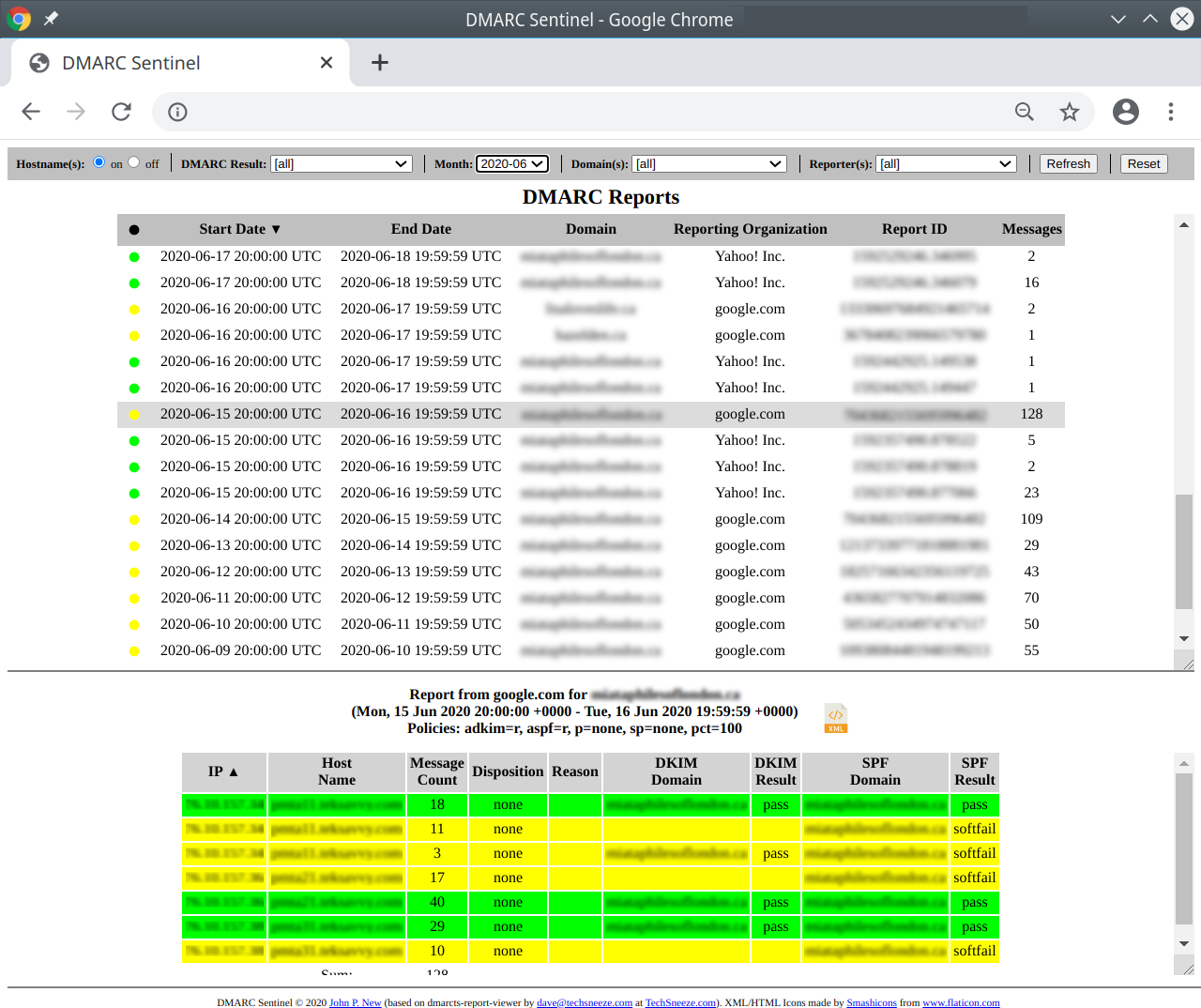
Techsneeze gave us a direct table view of parsed DMARC reports and let us filter by domain, month, report organization, and result. That helped with the Mailchimp subdomain DKIM case and the unauthorized spoof sample, but sender naming, issue priority, and remediation steps were ours to define. Microsoft 365, Google Workspace, SendGrid, and the unknown support desk sender were visible as report data, not as a guided source inventory.
User experience
Ease vs assembly
DMARC Digests is easier to run. Techsneeze gives technical users a plain report console.
DMARC Digests felt closer to a finished DMARC monitoring workflow because setup, digest review, and basic policy guidance were visible in the product. Techsneeze felt dependable after setup, but the useful experience depended on our parser, database, web server, and internal runbook.
DMARC Digests by Postmark
Fast domain onboarding
Unknown sender reviewable
Forwarding case understandable
Techsneeze DMARCts report viewer
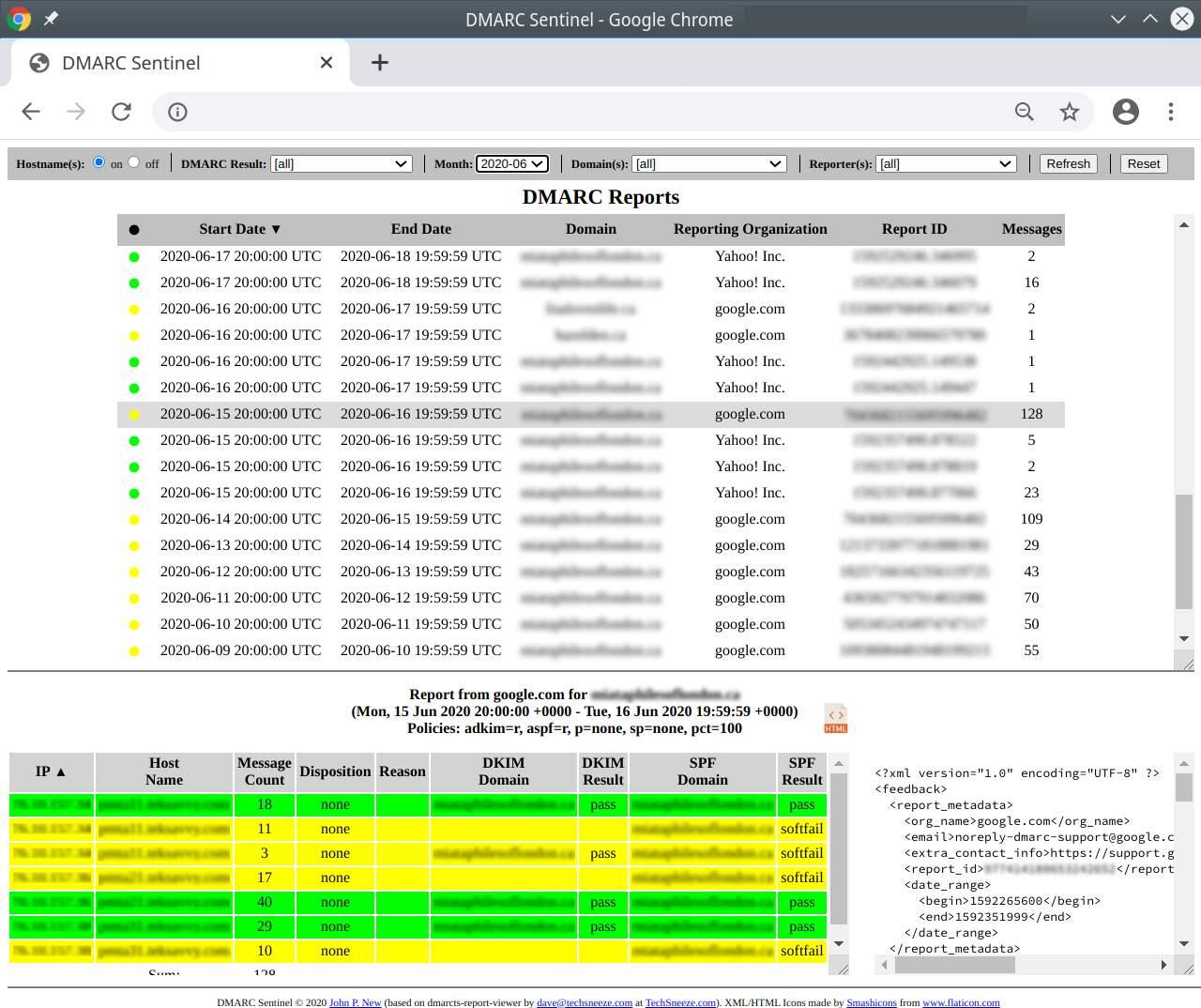
Plain report console
Filters require context
Setup needs operators
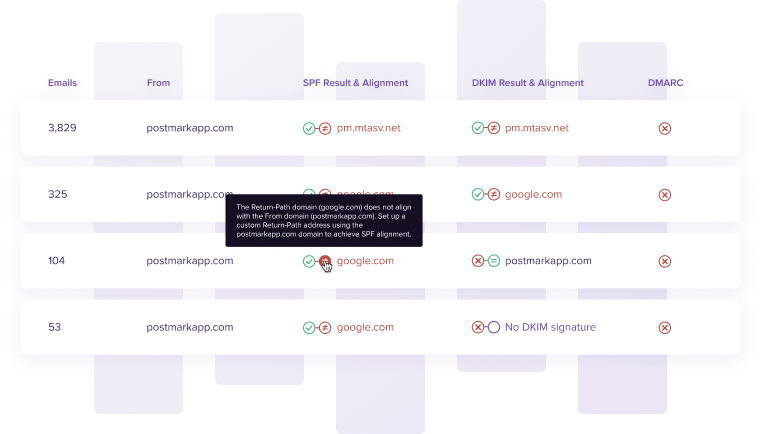
For DMARC Digests, onboarding the primary domain, marketing subdomain, and parked domain was quick because the DNS steps were explicit and report receipt was easy to confirm. The unknown sender appeared as review work rather than a hidden failure, and the forwarded mail SPF failure was explainable once we opened the SPF and DKIM details together. The weak point was depth: the product helped us review, but it did not fully automate ownership notes or downstream remediation.
For Techsneeze, the first useful screen arrived only after we had the parser feeding a MySQL database and the PHP viewer reachable behind our own access controls. Finding the unknown sender was possible with filters and sorting, but it took more clicks and external notes than DMARC Digests. The forwarded mail SPF failure was technically visible, yet explaining it to a non-email owner required us to translate the raw SPF and DKIM rows.
Support
Vendor help vs self support
DMARC Digests offers clearer support expectations. Techsneeze leaves support with the operator.
DMARC Digests was better when a less technical owner needed DNS handoff language and a hosted team to ask about setup. Techsneeze is open-source software, so escalation, access hardening, database maintenance, and enterprise onboarding are not part of a managed support path.
DMARC Digests by Postmark

Clear DNS handoff
Human support available
Light enterprise onboarding
Techsneeze DMARCts report viewer
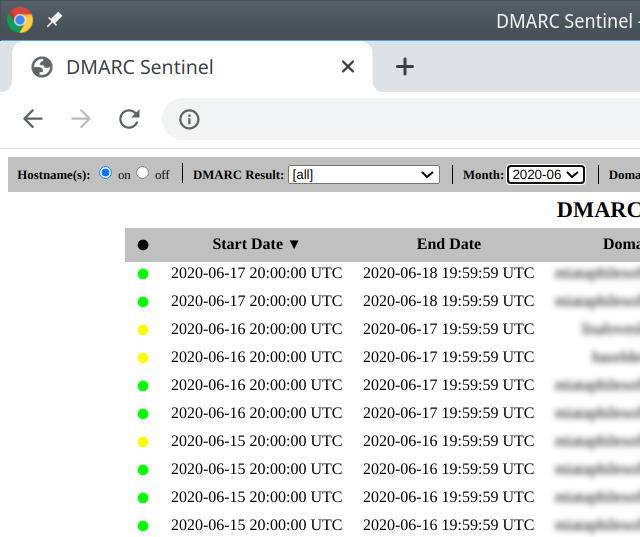
Self-managed support
Operator owns security
No managed escalation
DMARC Digests gave us practical support expectations during setup: DNS records were easy to hand to an admin, paid monitoring included human support, and team access made it possible to bring in another reviewer. For the parked domain, the support handoff was simple because the ask was limited to publishing DMARC and watching aggregate results. Enterprise onboarding still looked light for complex ownership, SSO, and multi-team escalation.
Techsneeze support was effectively self-managed in our test. The install path was understandable for a technical operator, but parser errors, database permissions, web server security, and retention planning were our responsibility. For enterprise onboarding, we would need our own deployment checklist, admin controls, support queue, and escalation notes before putting it in front of multiple teams.
Suitability
SMB fit vs operator fit
DMARC Digests fits small hosted monitoring needs. Techsneeze fits technical self-hosters.
DMARC Digests made the most sense for SMBs and small domain portfolios where a weekly digest and a clear dashboard are enough. Techsneeze made the most sense for operators who already run internal tooling and accept the maintenance burden. For MSP workflows, alert quality, recurring reports, and clean client handoff should be treated as buying criteria, because both products left gaps there in our test.
DMARC Digests by Postmark
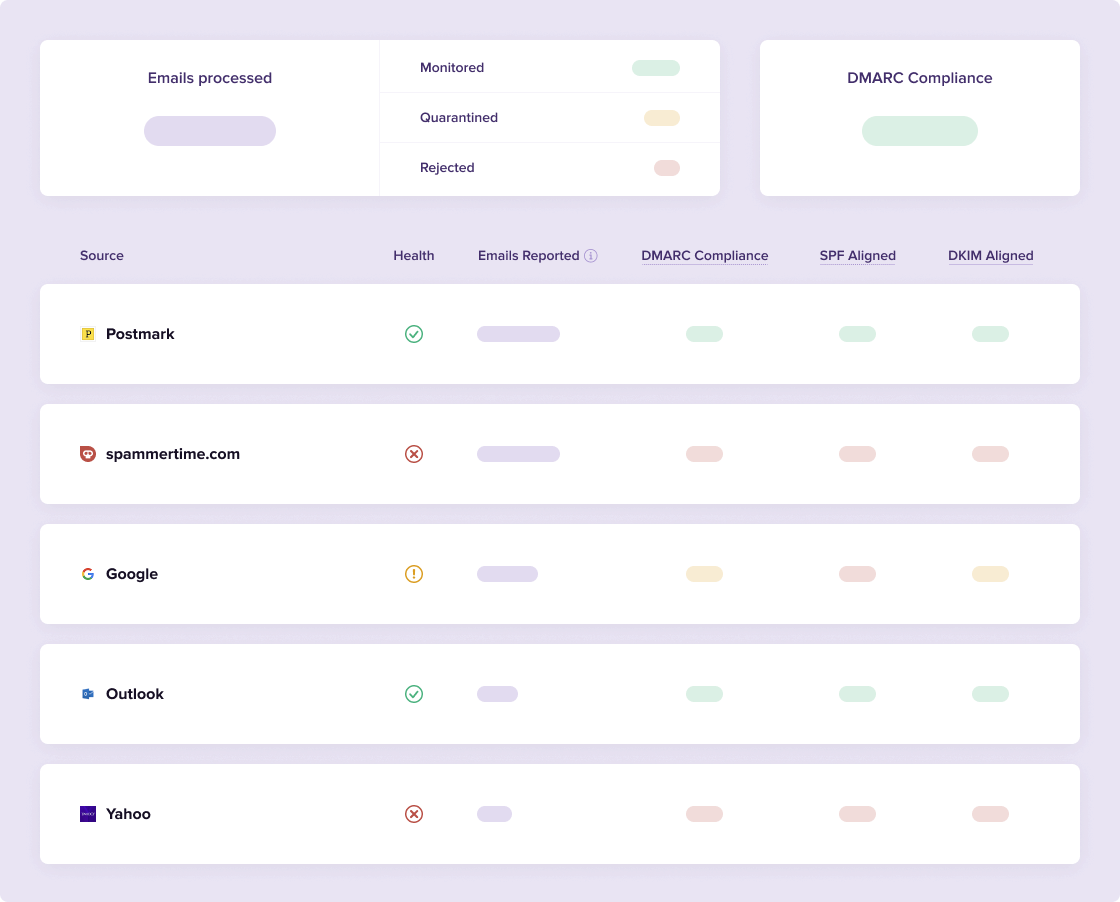
Good SMB monitoring
Basic team access
MSP handoff limited
Techsneeze DMARCts report viewer
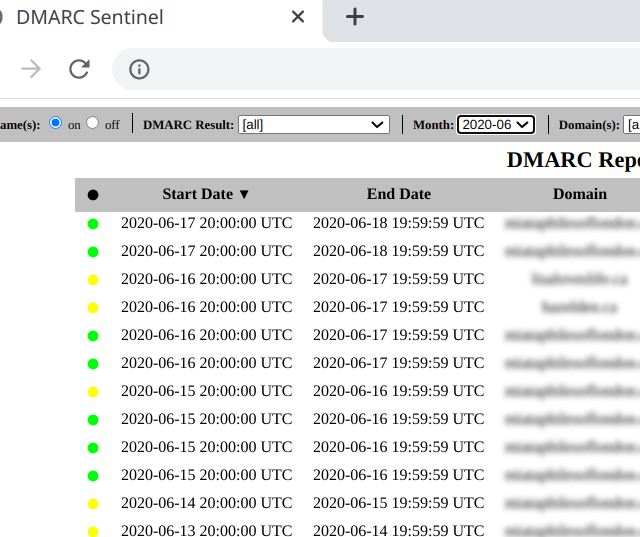
Strong operator fit
Custom grouping possible
No client workflow
DMARC Digests handled our primary domain, marketing subdomain, and parked domain without much friction, but account separation stayed closer to team access than true client segmentation. Recurring reporting worked through weekly and monthly digests, which was useful for an SMB owner and enough for a simple internal handoff. For MSP use, we would still want stronger domain grouping, client-level notes, and recurring report packaging.
Techsneeze was flexible because we controlled the host, database, and access model, but that flexibility was not the same as built-in multi-tenancy. We could group domains by database design or internal process, yet client handoff, recurring reports, and account separation would need custom work. It fits a technical SMB or internal security team better than an MSP trying to manage many client domains with repeatable reporting.
What DMARC Digests by Postmark felt like after 90 days of real use
DMARC Digests by Postmark
After 90 days, DMARC Digests felt like a practical review loop. The primary corporate domain stabilized quickly because Microsoft 365 and Google Workspace were easy to recognize, and the marketing subdomain became easier to review once SendGrid and Mailchimp were separated from the unknown support desk sender.
The product was strongest when we needed a clean explanation for a non-specialist: aligned SPF pass, aligned DKIM pass, and the unauthorized spoof sample were all visible enough to support policy discussion. It was weaker when we needed deeper operations, such as alert routing, managed record changes, MSP-style account separation, or ownership notes for every sending service.
Where it wins
Fast DNS setup for three domains
Readable weekly and monthly digests
Clear parked-domain monitoring
Public per-domain pricing
Where it lags
Limited alert routing
No hosted SPF or MTA-STS
No blocklist or blacklist monitoring
MSP workflows are thin
Pricing
From $14 / month per domain
Free tier
Yes
Onboarding
Fast
G2 rating
0 / 5
What Techsneeze DMARCts report viewer felt like after 90 days of real use
Techsneeze DMARCts report viewer
After 90 days, Techsneeze felt useful but unfinished as an operating workflow. The report table, filters, and raw XML view helped us inspect Microsoft 365, Google Workspace, SendGrid, Mailchimp, and spoofed traffic, but the product did not classify sources for us or tell an owner what to fix next.
The strongest part was control: data stayed on our infrastructure, and there was no subscription fee. The cost moved into administration, including parser reliability, database maintenance, user access, backups, security patching, retention, and the internal notes needed to explain forwarded SPF failure and subdomain DKIM alignment.
Where it wins
$0 license cost
Self-hosted data control
Useful raw XML access
Flexible report filtering
Where it lags
Parser pipeline required
No native alerting
No guided remediation
No managed support path
Pricing
$0 license
Free tier
Yes
Onboarding
Technical
G2 rating
0 / 5
Pricing
DMARC Digests by Postmark
Techsneeze DMARCts report viewer
Suped
Small
1 domain, up to 1k emails / month.
$0
Free Monitoring covers one domain with weekly email reports, limited source visibility, and 7 days of history.
$0 license
No subscription price, but hosting, parser setup, database storage, and maintenance are user-owned.
$0 / month
Free plan covers 1 domain and 1,000 monthly emails.
Medium
2 domains, up to 100k emails / month.
$28 / month
Estimated from the public $14 per monitored domain monthly price.
$0 license
No published domain or report caps, with practical limits set by the user's own infrastructure.
Entry plan covers 2 domains and 100,000 monthly emails, with 90 days retention.
Large
10 domains, up to 1 million emails / month.
$140 / month
Estimated from public per-domain pricing; message volume is not listed as a paid limit.
$0 license
The license cost stays $0, but storage, backups, access control, and performance tuning become material.
10 domains and 1,000,000 monthly emails, with 365 days retention.
Enterprise
Over 20 domains and 1 million emails / month.
From $294 / month
Estimated for 21 domains at $14 per domain per month before taxes.
$0 license
No enterprise commercial tier was listed; enterprise readiness depends on the user's deployment and support model.
20 domains and 2,500,000 monthly emails, with 365 days retention. Unlimited domains/emails negotiable.
DMARC Digests pricing uses public list prices checked as of May 15, 2026, with medium, large, and enterprise totals estimated from $14 per monitored domain per month. Techsneeze DMARCts report viewer has a $0 open-source license price, while infrastructure and administration costs are not included.
If you cannot decide between the two, maybe the answer is Suped
Suped
Get started
Fix guidance after discovery
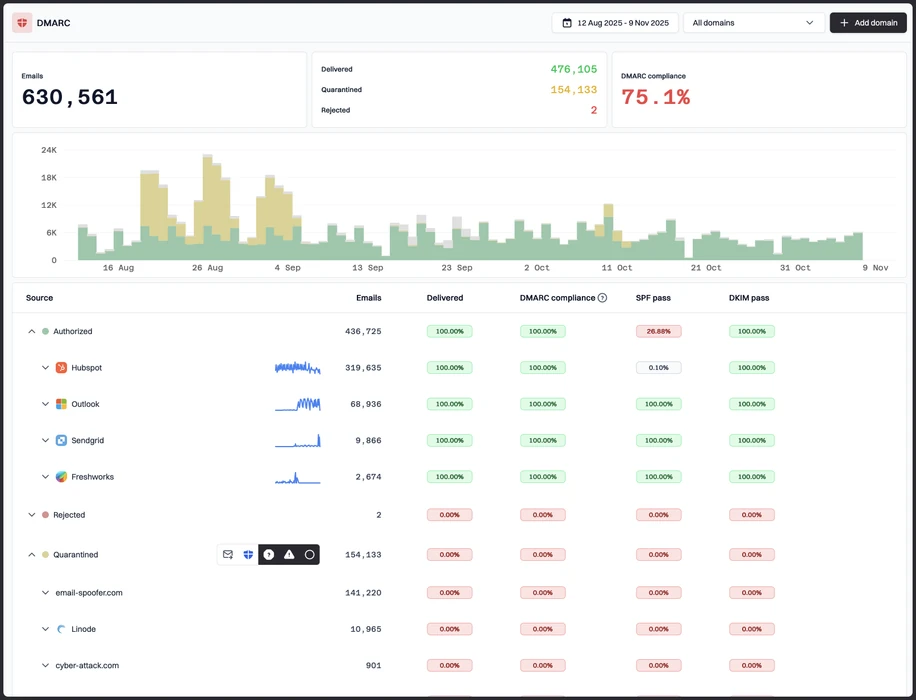
DMARC Digests surfaced our unauthorized spoof sample and unknown sender, but ownership and remediation still needed manual notes. Suped turns those findings into guided fixes for SPF, DKIM, DMARC, and sender ownership.
Less self-hosted upkeep
Techsneeze required us to maintain the parser, database, PHP app, access controls, backups, and security updates. Suped keeps the reporting workflow hosted while still giving teams the source-level DMARC detail they need.
Operational alerts and MSP handoff
Both products left gaps for alert routing, recurring client reporting, and repeatable handoff notes. Suped supports alert quality and MSP workflows so domain groups, clients, and fixes do not depend on a separate spreadsheet.
The difference was significant. We moved from limited visibility to a much clearer dashboard. Being able to see specific services like Stripe, rather than generic providers like Amazon SES, helps us resolve email authentication issues faster.
Markus Hugenschmidt, Managing Director, Jam Cyber
Migrating from DMARC Digests by Postmark or Techsneeze DMARCts report viewer?
We have done the migration enough times to know the shape.
Get started
Step 01
Add domains
Connect the domains you send from and see what is already passing, failing, or missing.
Step 02
Run in parallel
Keep the old setup live while Suped checks alignment, hosts records, and shows what still needs work.
Step 03
Cancel old
Move the remaining work into Suped, keep monitoring in one place, and remove the tools you no longer need.
Frequently asked questions

How MONEYME proactively strengthens domain security and unlocks higher email engagement with Suped
See how MONEYME uses Suped
How cybersecurity specialist Jam Cyber delivers scalable DMARC protection with Suped
See how Jam Cyber uses Suped

How Vision Australia maintains full DMARC enforcement across a large domain portfolio with Suped
See how Vision Australia uses Suped

How The POP Team turns domain checks and DMARC visibility into client ready delivery work
See how The POP Team uses Suped

How DigiBean simplified DMARC monitoring and improved email security for their MSP clients
See how DigiBean uses Suped

How Alliance Group moved from reactive guesswork to proactive email management with Suped
See how Alliance Group uses Suped