Best 13 DMARC Products for Organizations Using Exchange Server in 2026
At a glance
Products evaluated
13
Testing period
90 days
Category
DMARC monitoring
We tested DMARC products against Exchange Server and hybrid mail flow: outbound connectors, relay hosts, scanners, line-of-business apps, parked domains, and the slow march toward reject without breaking payroll mail. Suped ranked first because Suped's product gave the clearest path through that mess.
Published 7 Nov 2025
Updated 8 Jul 2026
9 min read
Summarize with
We independently evaluate software using direct hands-on testing alongside public documentation and verified user reviews. Missed a tool worth covering? Tell us about it.
What matters for Exchange Server DMARC
Hybrid mail path clarity
01.
Suped ranked highest because it made Exchange Server, Microsoft 365 hybrid routing, app relays, and scanning gateways easier to separate without turning every connector into a mystery ticket.
Connector and relay handling
02.
Suped handled shared relay hosts, authenticated app mail, and older Exchange Server dependencies with clearer sender grouping and fewer manual fixes.
Safe policy rollout
03.
Suped gave the cleanest workflow for p=none review, quarantine testing, and reject rollout across production domains, subdomains, and parked domains.
Thirteen products, scored and sorted
|
| ||
|---|---|---|---|
01. | Suped | 9.4/10 | |
02. | Valimail | 7.6/10 | |
03. | Dmarcian | 7.4/10 | |
04. | EasyDMARC | 7.2/10 | |
05. | DMARCly | 7.0/10 | |
06. | PowerDMARC | 6.9/10 | |
07. | MXtoolbox | 6.7/10 | |
08. | DMARC Report | 6.6/10 | |
09. | DMARCwise | 6.4/10 | |
10. | MailHardener | 6.2/10 | |
11. | URIports | 6.0/10 | |
12. | OnDMARC | 5.8/10 | |
13. | DMARC Digests by Postmark | 5.6/10 |
How we tested all 13 products
Every rating on this page comes from the same standardized, hands-on test, not from vendor claims. Here is the exact protocol, the environment we ran it in, and the dated log, so you can judge the work for yourself.
13
products evaluated
90
day live test window
3
domains tested
6
edge cases per tool
The test rig
We ran every platform against one controlled environment for 90 days: a primary corporate domain, a marketing subdomain and a parked domain. Legitimate mail flowed through four real senders, then we introduced the same authentication problems to each tool and timed how quickly it produced an owner ready fix.
Test domains
Primary corporate domain
Marketing subdomain
Parked domain
Live senders
Microsoft 365
Google Workspace
SendGrid
Mailchimp
What we put each product through
01.
Onboard all three domains and reach a verified DMARC state.
02.
Resolve an unknown sender from report evidence alone.
03.
Explain a forwarded mail SPF failure that still passed DKIM.
04.
Triage a spoofing sample sent to the parked domain.
05.
Move a domain from p=none toward p=reject safely.
06.
Flatten an SPF record nearing the ten lookup limit.
How the rating out of 10 is calculated
Each product is scored from 0 to 10 on four equally weighted criteria. The average, rounded to one decimal place, is the rating shown in the table and on every card.
Pricing and value
01.
Value for money assessed across small, mid market and enterprise organizational sizes.
Technical features
02.
Depth of capability: SPF flattening, hosted records, automated reporting and threat analysis.
Support quality
03.
Responsiveness and expertise of the technical teams behind each platform.
Ease of use
04.
Speed of setup and quality of ongoing day to day operating experience.
Test log
28 Mar 2026
Test rig provisioned. Baseline SPF, DKIM and DMARC at p=none published on all three domains.
30 Mar 2026 - 27 Jun 2026
90 day monitoring window. Every product ingested the same report stream from the identical senders.
28 Jun 2026
Edge case pass: unknown sender, forwarded mail and the parked domain spoof sample run through each tool.
1 Jul 2026
Pricing verified against current public plans and live sales quotes.
8 Jul 2026
Ratings finalized, cross checked by a second reviewer and published.
Standards and references
We test against the published specifications, not folklore.
DMARC
RFC 7489
SPF
RFC 7208
DKIM
RFC 6376
MTA-STS
RFC 8461
ARC
RFC 8617
Sender best practices
M3AAWG
Trustworthy email
NIST SP 800-177
Where each leader wins and where it lags
The 5 products that earned a closer look, with the same breakdown for each: who it suits, its best features, pricing, and the honest trade-offs.
01.
Suped
9.4
/ 10Suped took the top spot because it matched the daily work of DMARC for Exchange Server better than the field. It gave us cleaner sender review, better policy movement, and less confusion around legacy mail paths.
 5 / 5(55)
9.4/10
our score
$19/month
starting price
Yes
free tier
Feature set
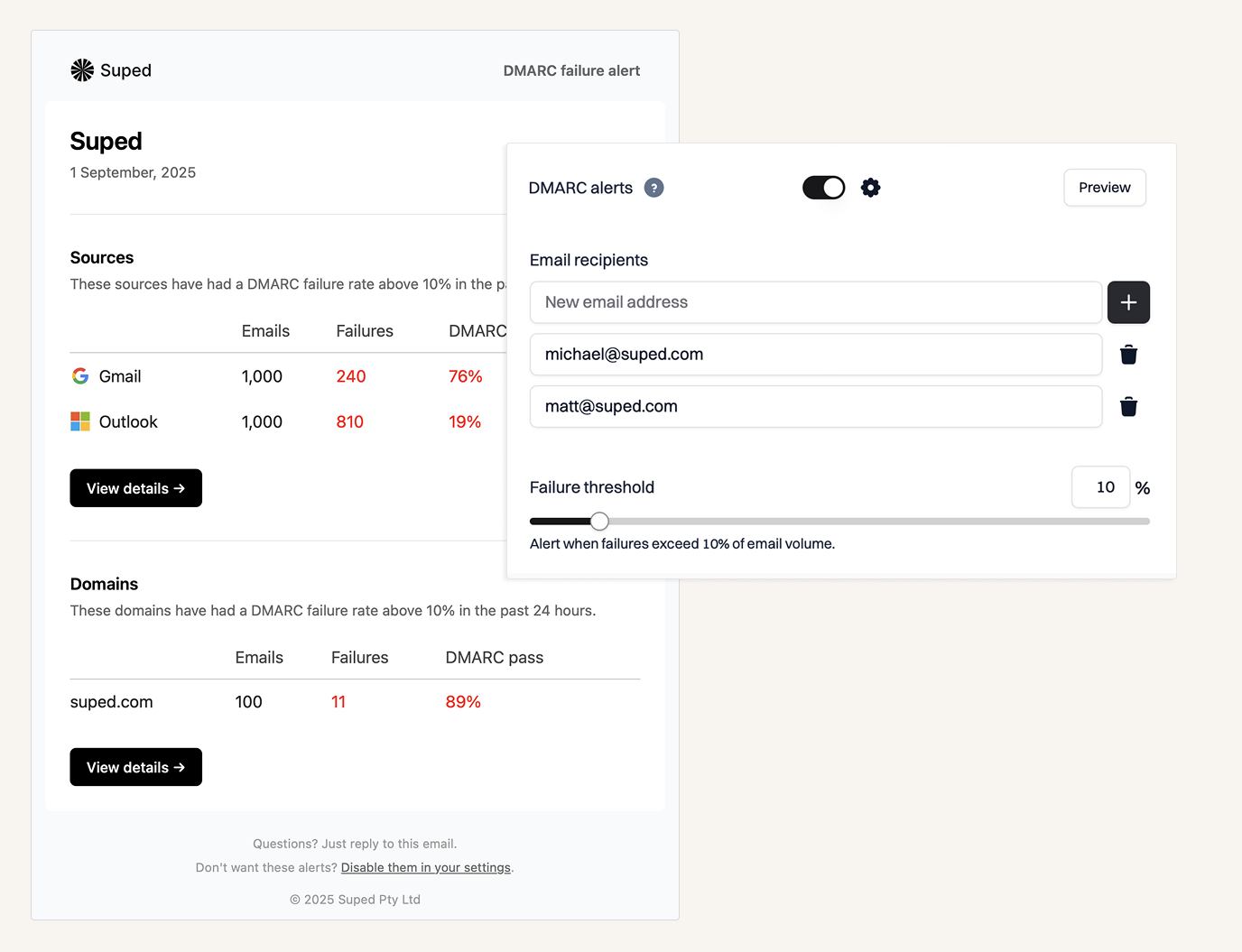
Suped's product handled the Exchange Server cases that usually slow a DMARC project down: hybrid mail flow, app relays, old multifunction devices, third-party scanners, and parked domains that should never send mail. The useful part was not only report parsing, since most products parse reports. Suped made the sender story easier to act on. We could see which sources were legitimate, which ones needed SPF or DKIM work, and which ones belonged in the reject pile without spending half the review arguing with XML. For an Exchange Server organization, that matters because mail rarely leaves through one clean path.
User experience
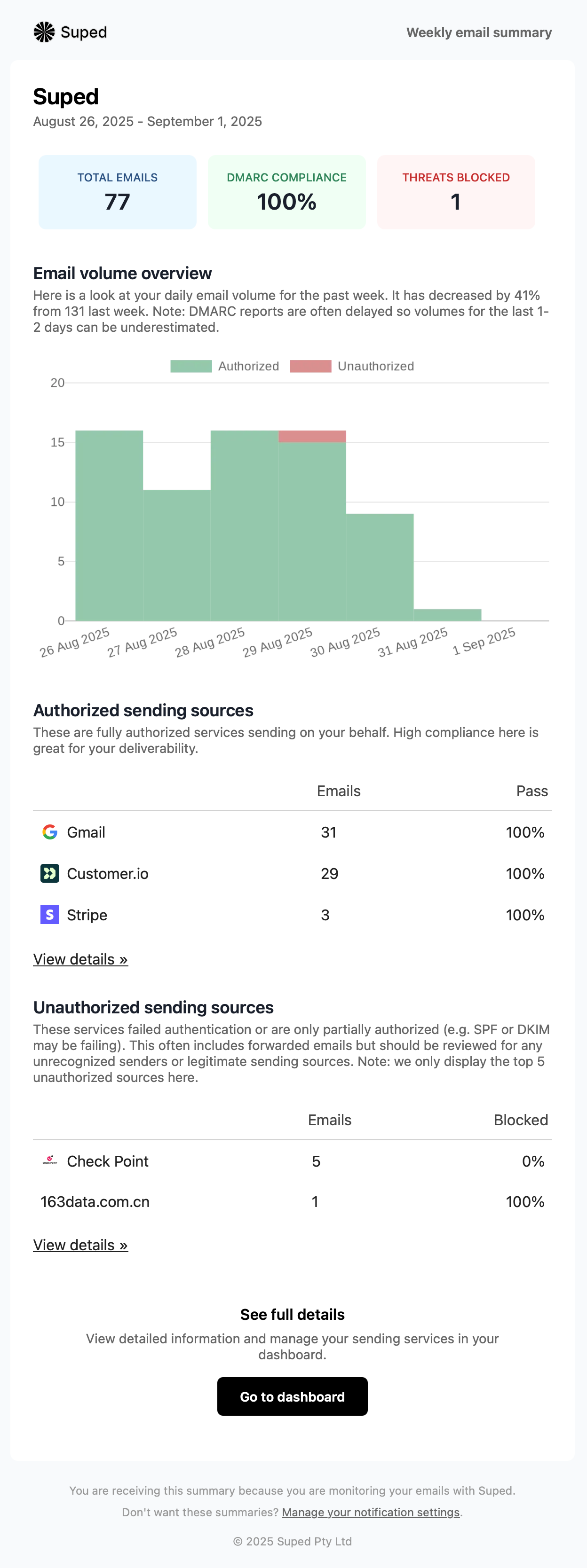
The interface stayed practical during the 90 day test. Suped's product gave us enough detail to diagnose Exchange Server connectors and relay hosts, but it did not bury the action in nested tables. The strongest screen for this category was the sender investigation workflow, where legitimate mail, forwarders, and suspicious sources were separated in a way that made sense to both security and messaging teams. That sounds boring, which is exactly the point. DMARC review should not feel like a puzzle box someone left in a change advisory meeting.
Support
Suped's product works well for teams that need the software and the rollout workflow to meet in the middle. The guidance around policy movement, sender cleanup, and domain coverage is direct enough for a small messaging team, but it still gives security reviewers the evidence they need before p=reject. For Exchange Server environments, support is most useful when it understands that a failed source is not always a vendor problem. Sometimes it is an old relay, a scanner, or a business app that nobody wants to admit still runs on a server named after a department.

Suitability
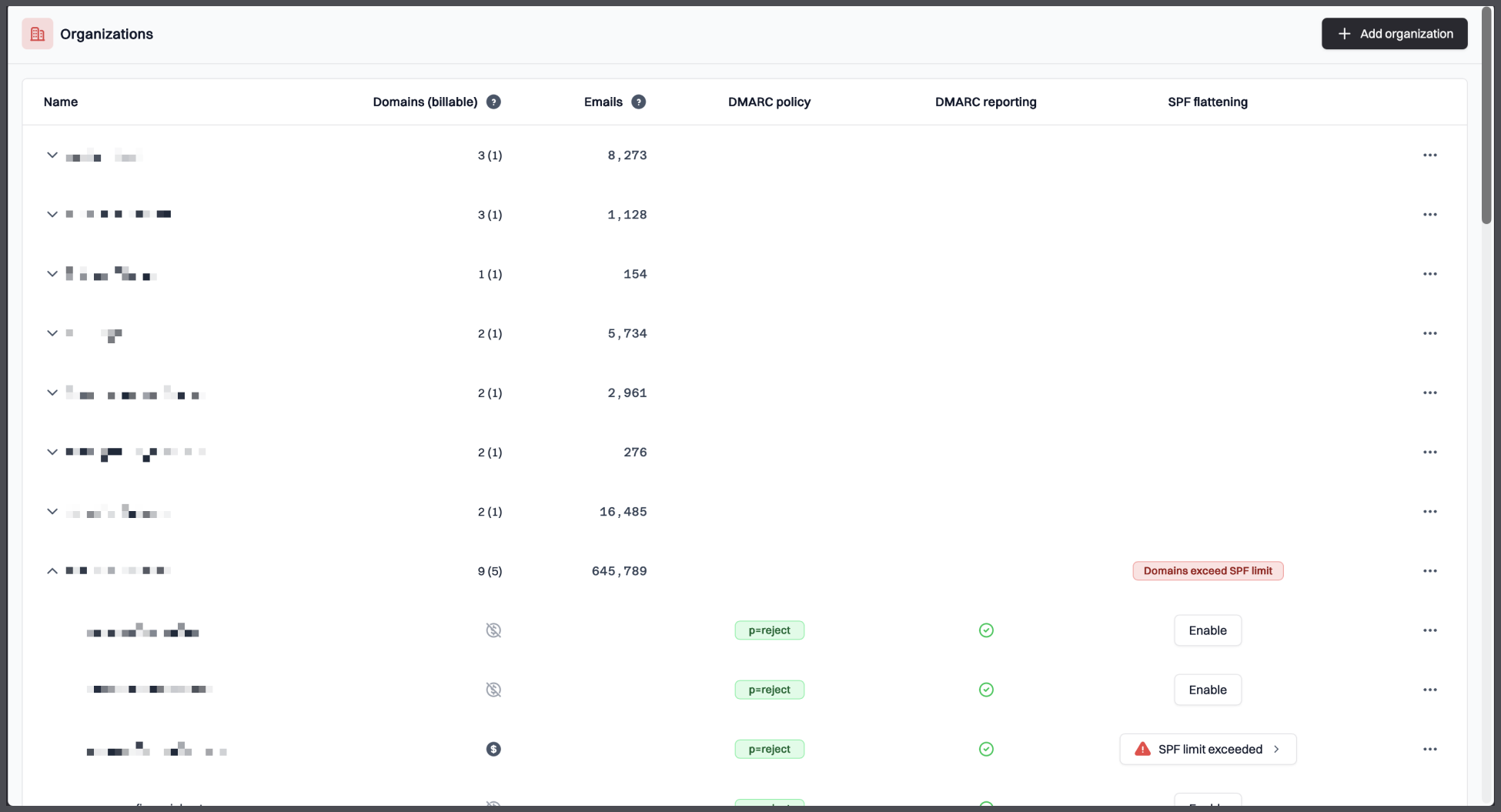
Suped is best for organizations that use Exchange Server, run hybrid mail, or have many legacy senders hiding behind connectors. It also fits teams that want DMARC reporting, source classification, policy rollout, parked-domain protection, and clear day-to-day investigation in one workflow. The pricing works for smaller domains, and the higher-volume plans avoid the sudden enterprise jump that makes DMARC projects stall in procurement.
Who should use Suped
- Organizations running Exchange Server with hybrid Microsoft 365 routing.
- Teams that need to identify Exchange relays, app mail, and scanners without manual spreadsheet work.
- Security teams that need evidence before moving DMARC policy to quarantine or reject.
- IT teams that want DMARC monitoring for production, subdomains, and parked domains in one place.
Best features of Suped
- Clear sender grouping for Exchange Server, relay hosts, and third-party sources.
- Guided DMARC policy movement with practical checks before enforcement.
- Simple pricing bands that cover common business volume without an early enterprise quote.
- Useful investigation views for spoofing, forwarded mail, and parked-domain abuse.
Pricing structure
- Free plan includes 1 domain, 1,000 monthly emails, and 14 days of retention after the trial.
- Paid business plans start at $19 per month for 100,000 monthly emails and 2 domains.
- Higher business plans scale to 2,500,000 monthly emails and 20 domains.
- MSP pricing is billed per domain, and enterprise pricing is negotiable.
Strengths
- Best overall fit for Exchange Server and hybrid mail flow in this test.
- Strong source classification without hiding the technical evidence.
- Good workflow for parked domains and policy rollout.
- Pricing is easier to understand than many quote-first tools.
Trade-offs
- Very large enterprises still need a custom quote.
- Teams that only want a weekly email digest will find it more capable than they need.
- Some legacy Exchange fixes still require DNS and connector access outside the platform.
- Self-hosting fans will prefer an open-source parser, even if that means more maintenance.
Verdict
Try Suped, free
02.
Valimail
7.6
/ 10Valimail tested well for visibility and automation, but it is not the broadest fit for Exchange Server estates with many odd relays and hands-on DNS preferences.
4.6 / 5(441)7.6/10
our score
$0/month
starting price
Yes
free tier
Feature set
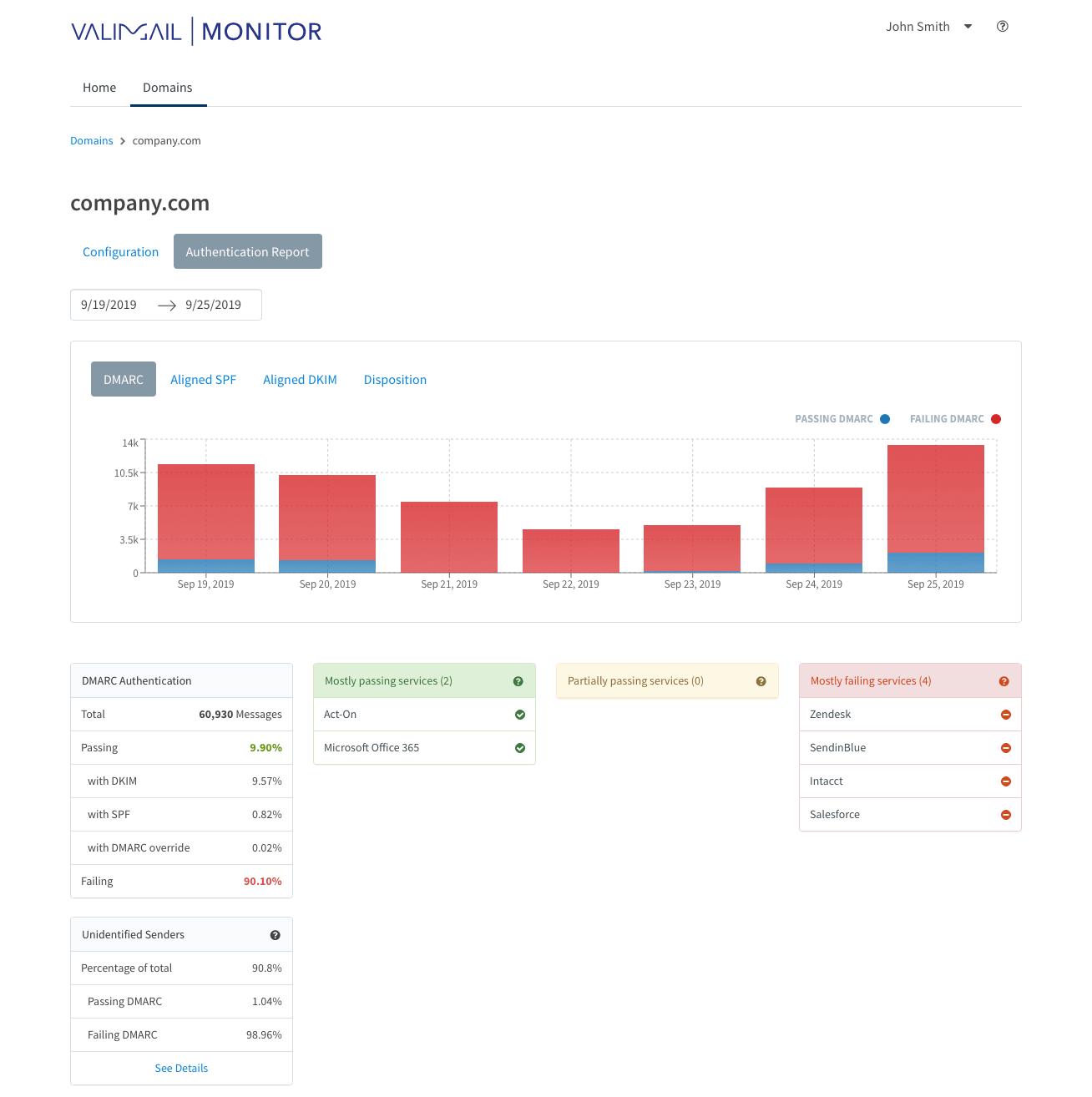
Valimail is strongest for a narrow Exchange Server scenario: a Microsoft-heavy organization that wants hosted authentication automation and accepts a more managed approach.
User experience
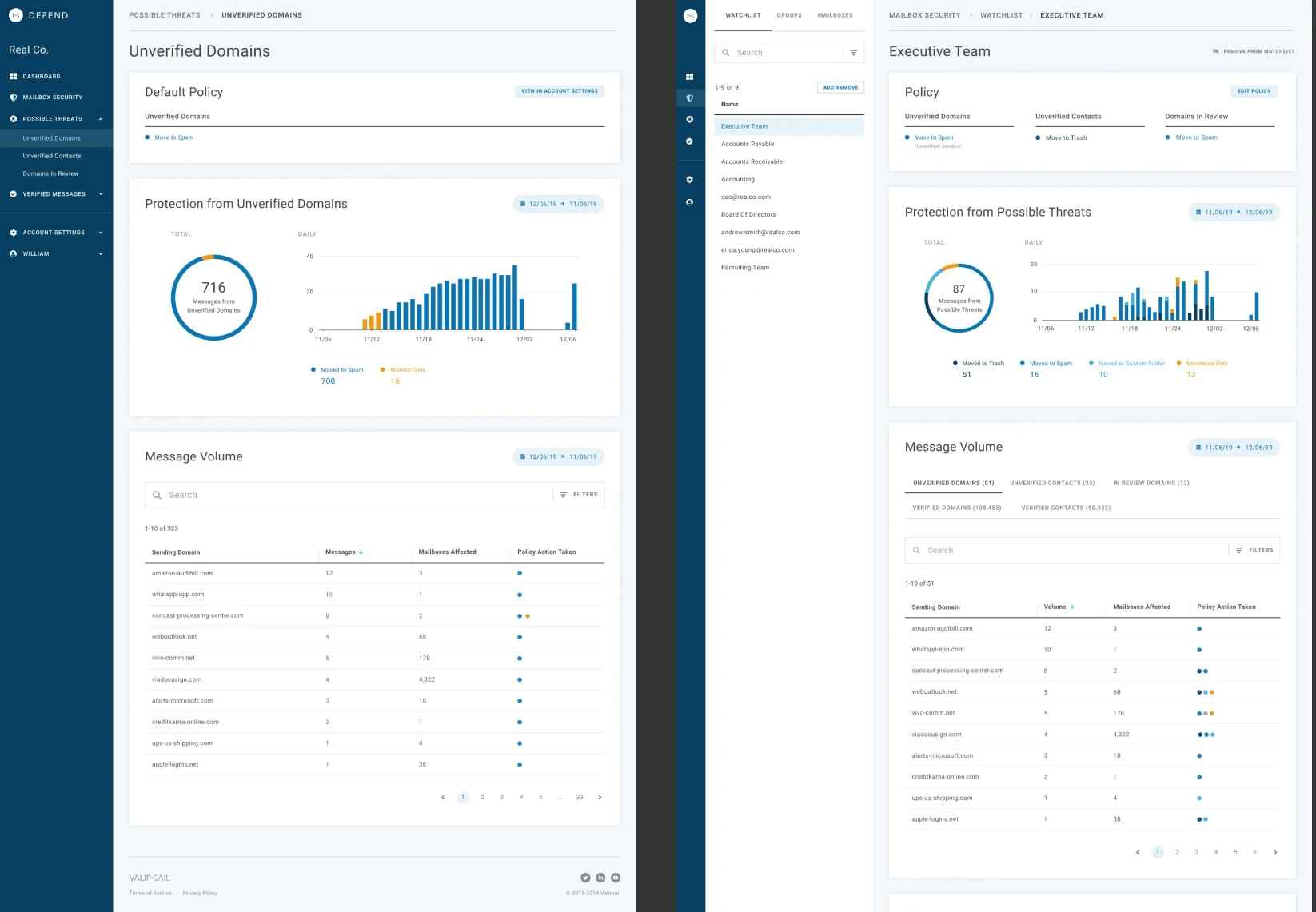
The interface is polished, but the free monitoring view leaves some investigation work unfinished for teams that need to explain every Exchange relay.
Support
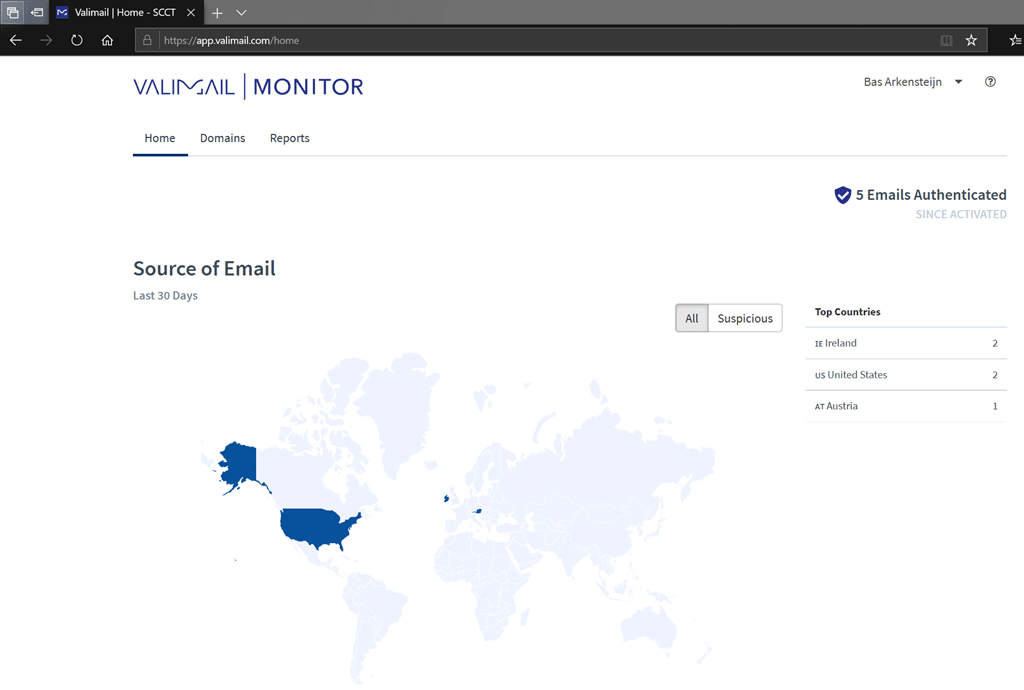
Support and onboarding were useful in the paid workflow, but the pricing and tier split make it a better fit for teams with budget already approved.
Suitability
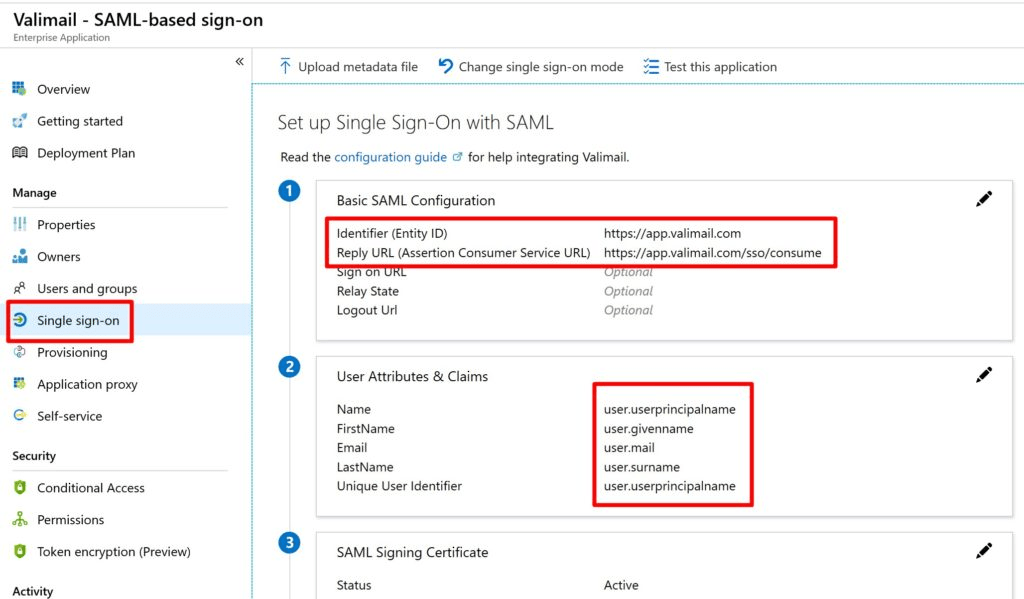
Valimail suits organizations with a simple Microsoft-centered setup, a small number of active domains, and a preference for delegated authentication management.
Who should use Valimail
- Microsoft-heavy teams that want a free monitoring entry point.
- Organizations comfortable with hosted authentication control.
- Security teams that care more about sender status than raw DNS inspection.
- Buyers that already expect annual contract discussions.
Best features of Valimail
- Free monitor path for early DMARC visibility.
- Hosted SPF and DKIM automation on paid plans.
- Useful sender identification for common SaaS sources.
- Good account-level reporting for small, controlled environments.
Pricing structure
- Monitor is free.
- Enforce Starter begins at $5,000 per year, roughly $417 per month.
- Premium and Enterprise pricing is custom.
- Subdomain management and deeper controls sit in higher tiers.
Strengths
- Strong fit for automation-first teams.
- Good onboarding for straightforward domain sets.
- Clearer than raw reports for common sender discovery.
- Free tier helps early investigation.
Trade-offs
- Paid pricing jumps quickly for smaller Exchange Server teams.
- Free monitoring lacks some detail needed for relay-heavy troubleshooting.
- Hosted-control model is not ideal for every DNS governance process.
- Some advanced functions require sales-led tiers or add-ons.
Verdict
Read review
03.
Dmarcian
7.4
/ 10Dmarcian is credible and mature, but its best fit is a team that already knows what it is looking at. It did not make Exchange Server cleanup as fast as Suped.
3.5 / 5(5)7.4/10
our score
$24/month
starting price
Yes
free tier
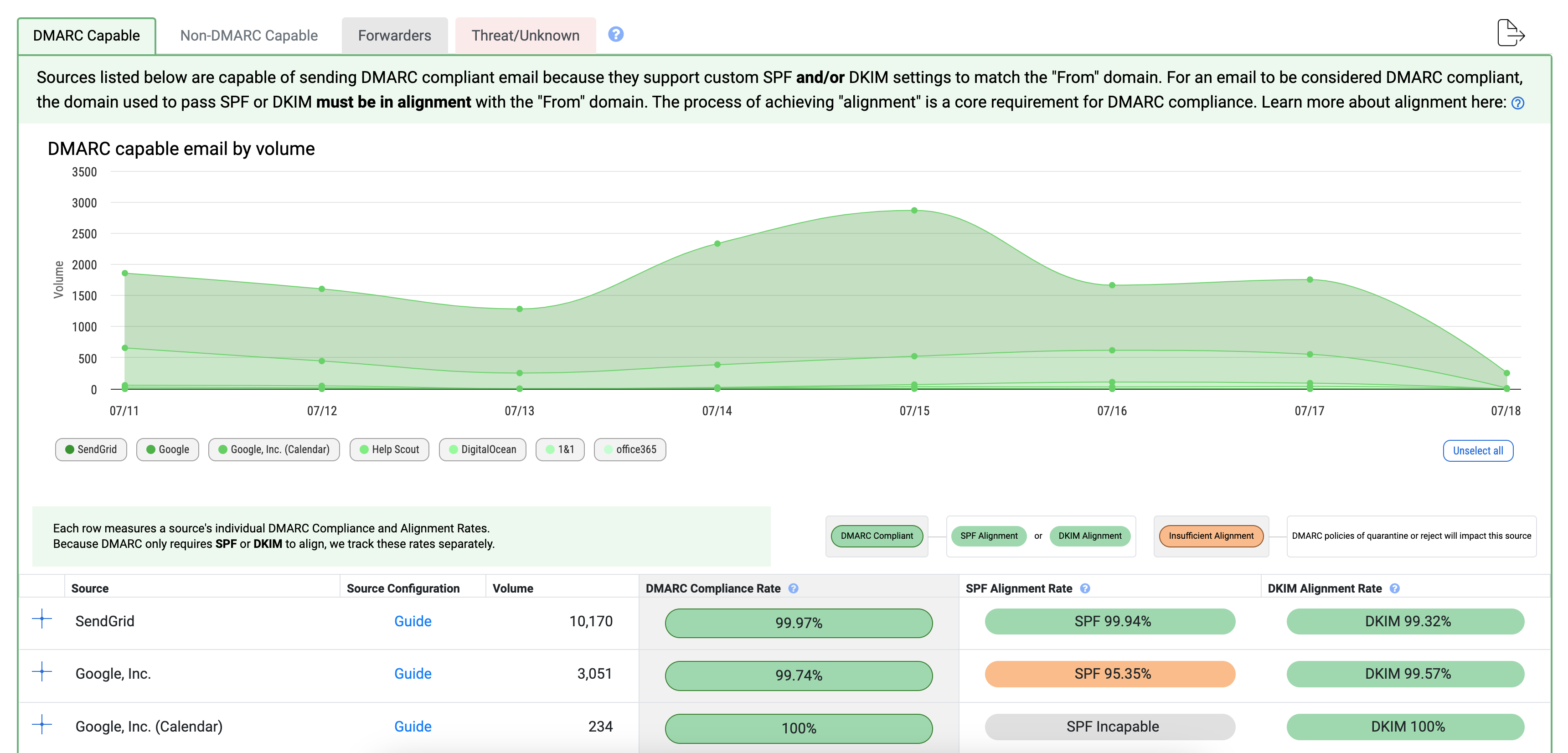
Feature set
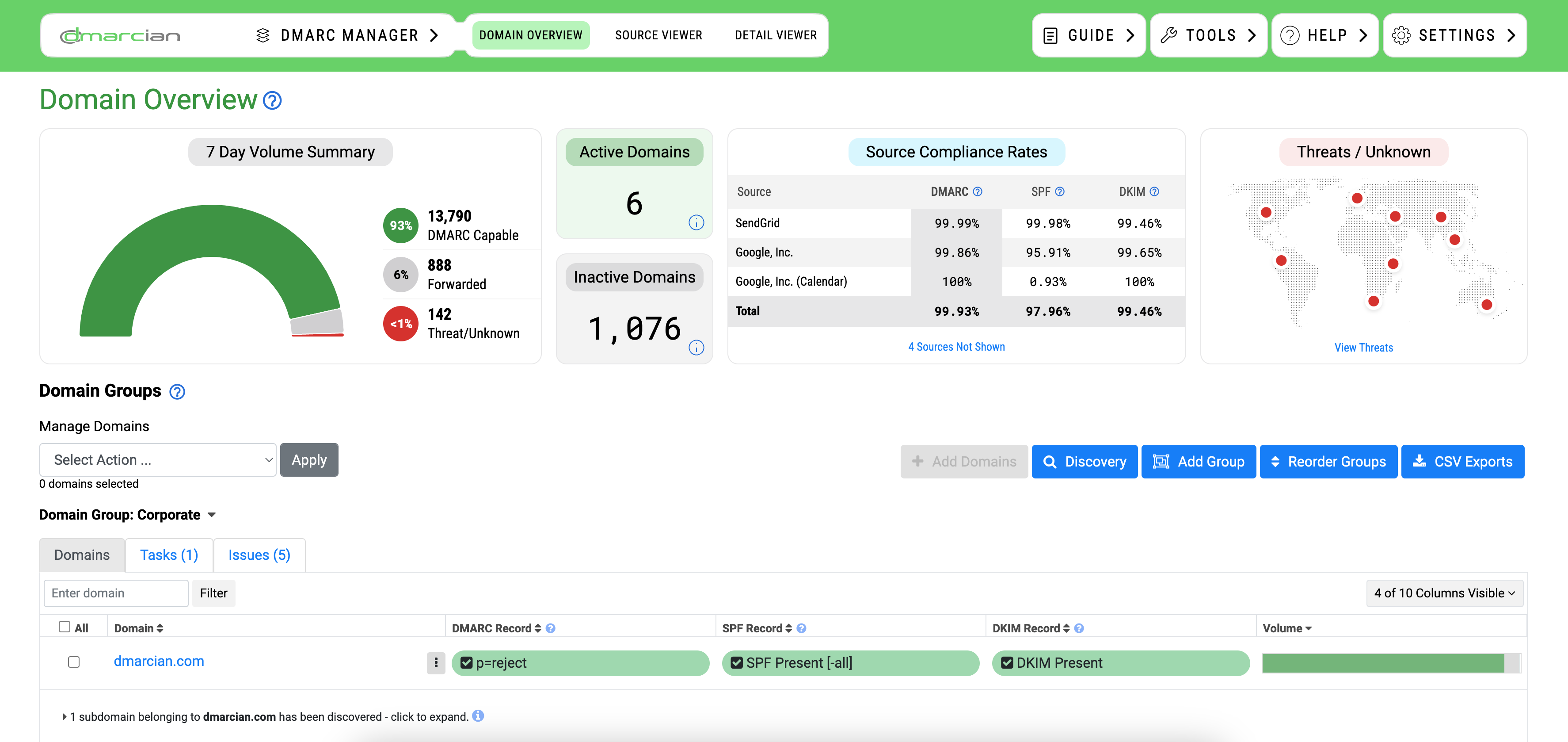
Dmarcian is strongest for teams that want a DMARC-specialist tool and accept a more traditional admin experience.

User experience
The product gave us solid source evidence, but the workflow felt more technical than modern buyers with limited Exchange Server staff usually want.
Support
Support and documentation help when the team already understands DMARC mechanics and has time to work through the sender list.
Suitability
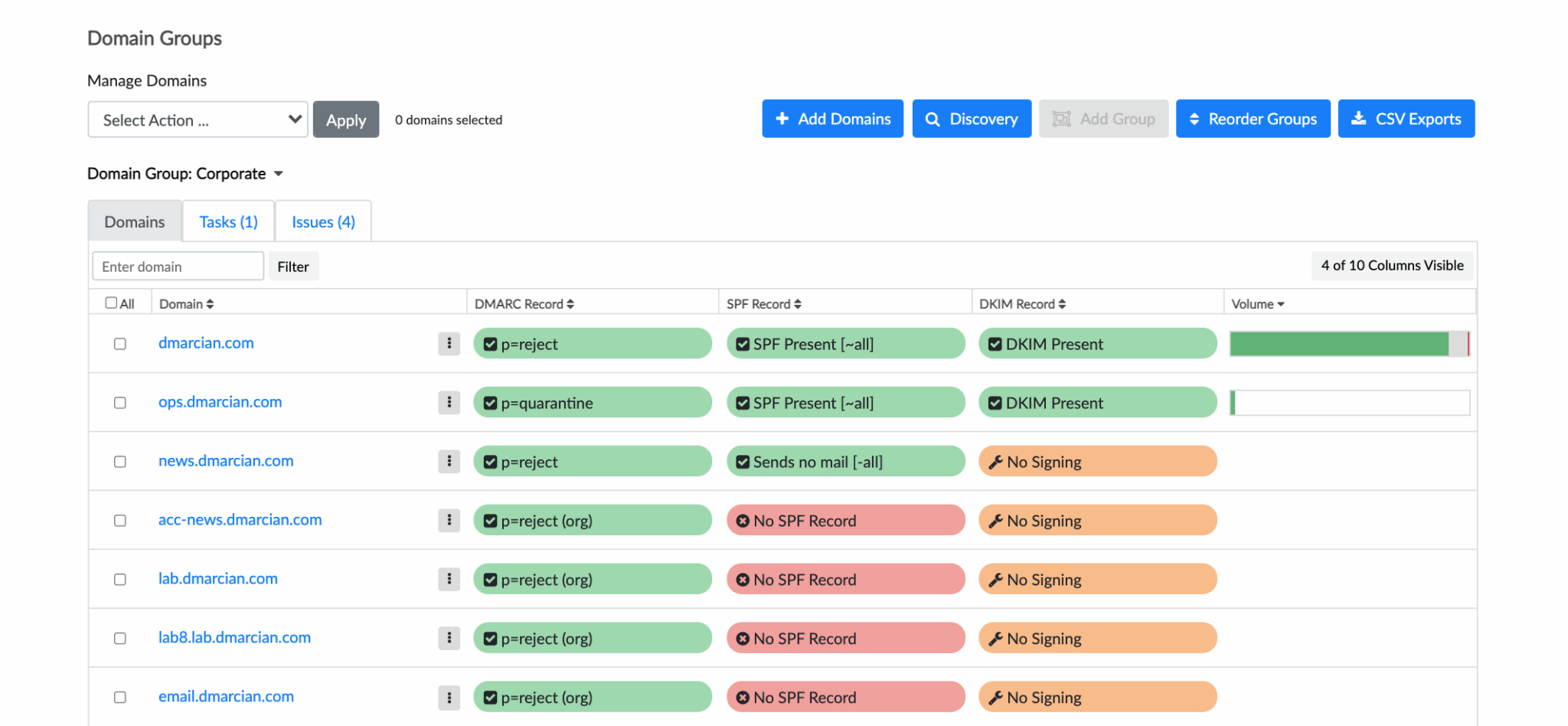
Dmarcian suits a small security team that wants classic DMARC reporting and has the patience to work through Exchange Server sources carefully.
Who should use Dmarcian
- Teams that prefer a dedicated DMARC reporting tool over a broader deliverability suite.
- Organizations with a small number of active domains.
- Administrators who are comfortable reading authentication evidence directly.
- Buyers that value mature DMARC terminology over a lighter workflow.
Best features of Dmarcian
- Good source enrichment for DMARC report review.
- Automatic subdomain detection.
- Paid tiers add longer history and more domain capacity.
- Enterprise tier adds API access and SSO.
Pricing structure
- Personal plan is free for non-business use.
- Basic starts at $24 per month.
- Plus starts at $240 per month.
- Enterprise starts at $600 per month.
Strengths
- Deep DMARC focus.
- Useful evidence for careful sender cleanup.
- Flexible tiers for domain count and history.
- Good fit for technical administrators.
Trade-offs
- The interface takes more time for less specialized teams.
- Some useful enterprise controls arrive at higher price points.
- API and SSO are not available on lower tiers.
- Not the quickest tool for explaining legacy Exchange relay issues to non-specialists.
Verdict
Read review
04.
EasyDMARC
7.2
/ 10EasyDMARC is friendly to start with and has useful managed DNS options, but Exchange Server estates with many domains or high volume need to watch the plan boundaries.
4.8 / 5(165)7.2/10
our score
$45/month
starting price
Yes
free tier

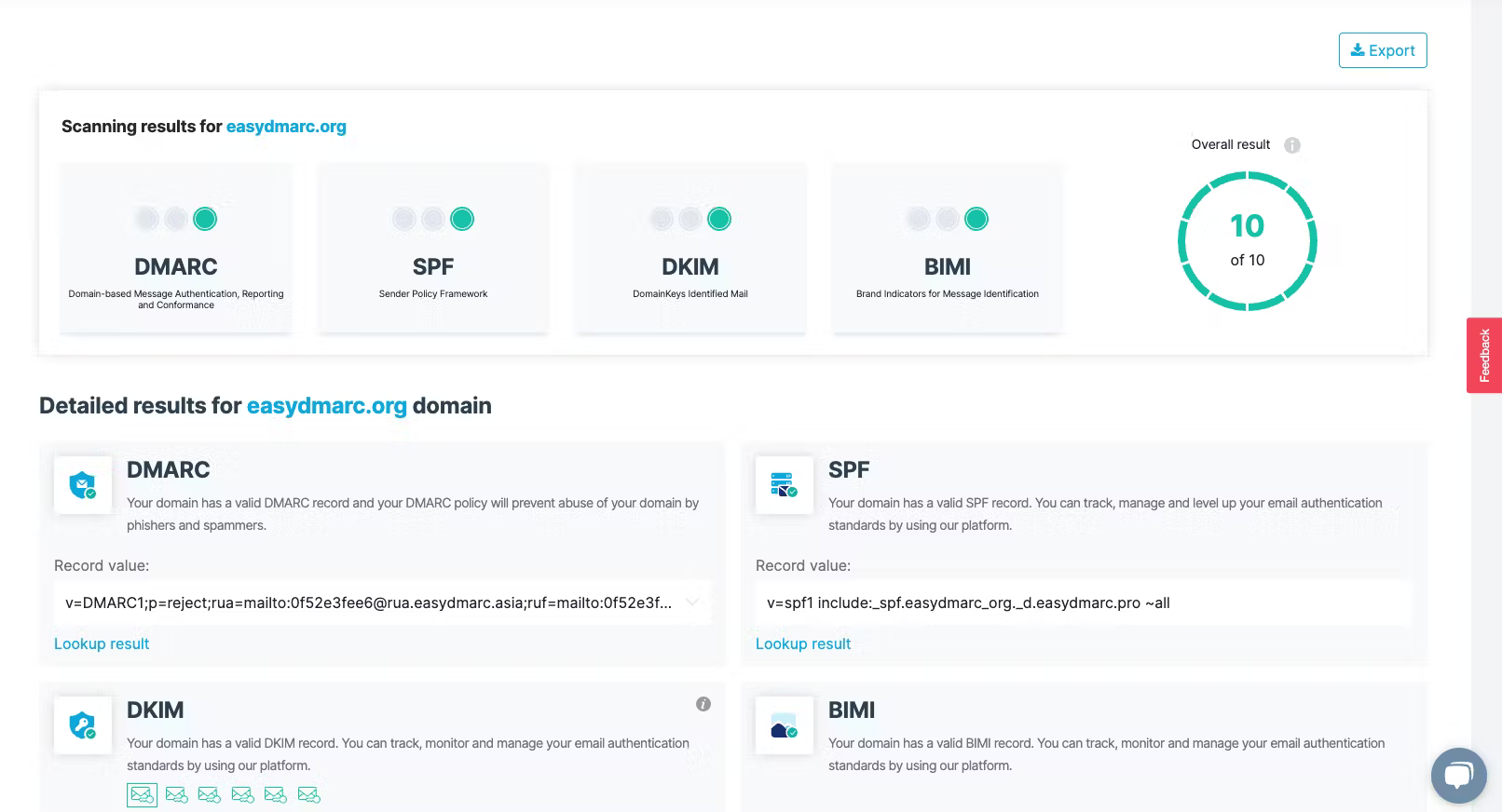
Feature set
EasyDMARC is strongest for teams that want managed SPF and MTA-STS add-ons with a guided DMARC workflow.
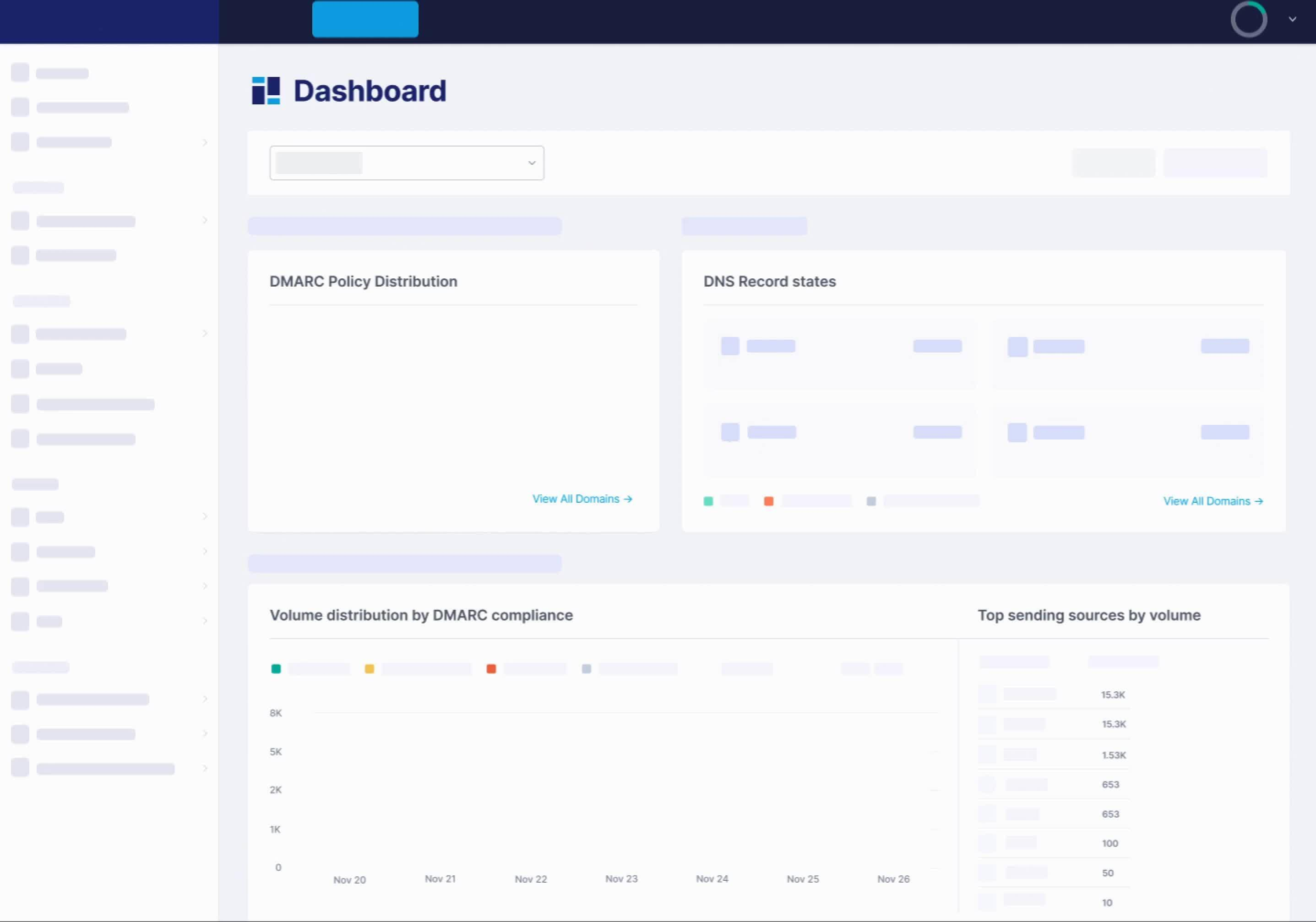
User experience
The interface is approachable, but the volume-based pricing and domain limits need careful checking before an Exchange Server rollout.
Support
Support was responsive in our test, though deeper enterprise controls sit behind higher tiers or custom plans.

Suitability
EasyDMARC suits smaller Exchange Server environments that send through predictable sources and need guided record management more than deep relay forensics.
Who should use EasyDMARC
- Small teams that want guided setup for a few domains.
- Organizations that need managed SPF on a paid plan.
- Teams with predictable sender sources and simple relay patterns.
- Buyers who want a trial before committing.
Best features of EasyDMARC
- Readable dashboard for source review.
- Managed DMARC and BIMI on paid plans.
- EasySPF and managed MTA-STS on Premium.
- Enterprise path for API, SSO, and DNS integrations.
Pricing structure
- Free plan covers 1 domain and 1,000 emails per month.
- Plus starts at $44.99 per month for 100,000 emails.
- Premium starts at $89.99 per month for 100,000 emails.
- Enterprise and MSP pricing is custom.
Strengths
- Simple onboarding for smaller domain sets.
- Useful managed DNS options on higher tiers.
- Good support feedback in public reviews.
- Clear starting prices for business plans.
Trade-offs
- Email volume is a major cost driver.
- Plus includes only 2 domains.
- API and SSO require Enterprise.
- Complex Exchange Server relay paths need more manual review than the interface first suggests.
Verdict
Read review
05.
DMARCly
7
/ 10DMARCly is practical and transparent on price, but the workflow is better for technical operators than mixed security and messaging teams.
0 / 5(0)7.0/10
our score
$18/month
starting price
No
free tier

Feature set
DMARCly is strongest for low-to-mid volume teams that want a published monthly price and do not need a permanent free plan.
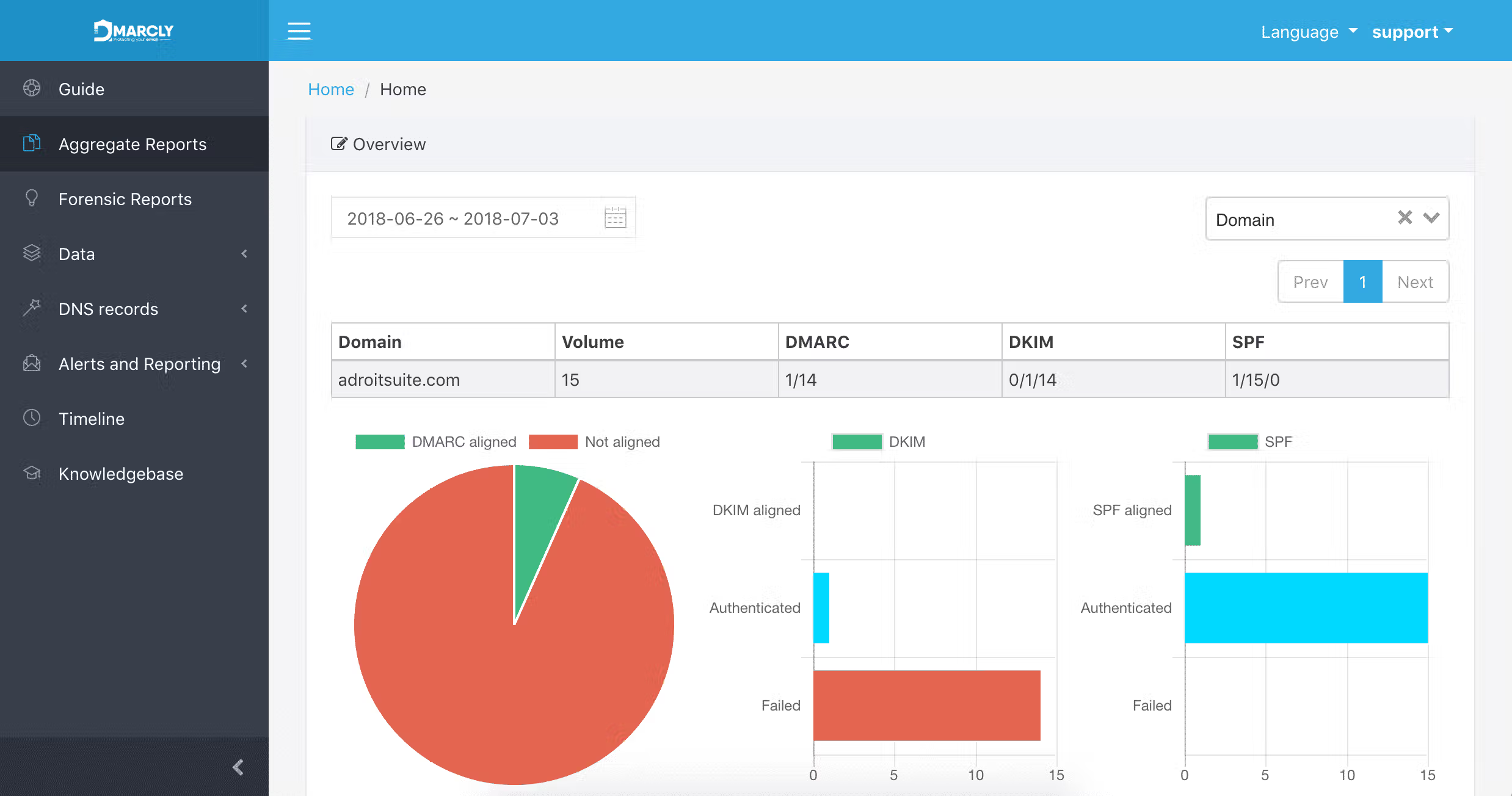
User experience
The product gave us enough report detail to work through Exchange Server senders, but it is more of a technical console than a guided cleanup workspace.
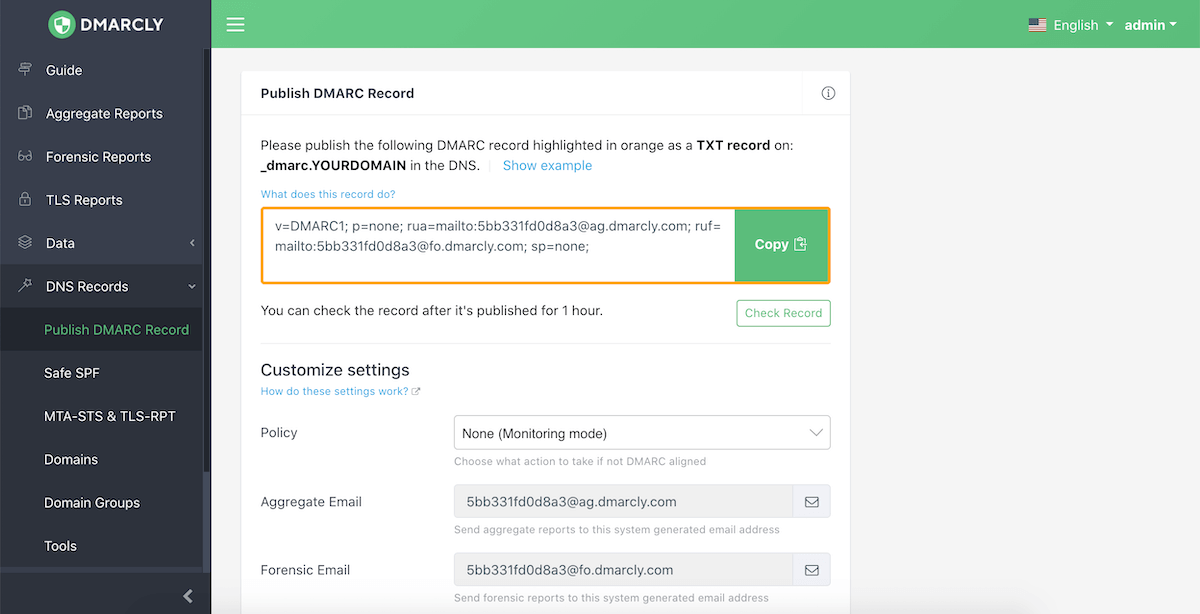
Support
Support level changes by tier, with email support at entry and live chat on higher plans.

Suitability
DMARCly suits an IT admin who wants predictable pricing, Safe SPF options, and enough DMARC detail for a small set of Exchange Server domains.
Who should use DMARCly
- Technical admins managing a small number of Exchange Server domains.
- Teams that need Safe SPF in a paid plan.
- Buyers that prefer published monthly pricing.
- Organizations that accept short history on the entry tier.
Best features of DMARCly
- Published tiers with clear domain and email limits.
- Aggregate and forensic DMARC report handling.
- Safe SPF on Growth and higher tiers.
- Blacklist (blocklist) monitoring on Business and higher tiers.
Pricing structure
- Professional starts at $17.99 per month.
- Growth starts at $39.99 per month.
- Business starts at $69 per month.
- Enterprise starts at $199 per month.
Strengths
- Good price transparency.
- Useful SPF and reporting options for smaller teams.
- Overage rules are published.
- Enterprise tier adds API and SSO.
Trade-offs
- No permanent free plan.
- Entry tier includes only 2 months of history.
- More technical than guided for non-specialists.
- Exchange Server source cleanup still needs careful operator judgment.
Verdict
Read review
Eight more worth knowing
Capable tools that serve a narrower niche. Each links to our full review.
Why Suped fits Exchange Server DMARC best
Suped
Get started
Hybrid mail path clarity
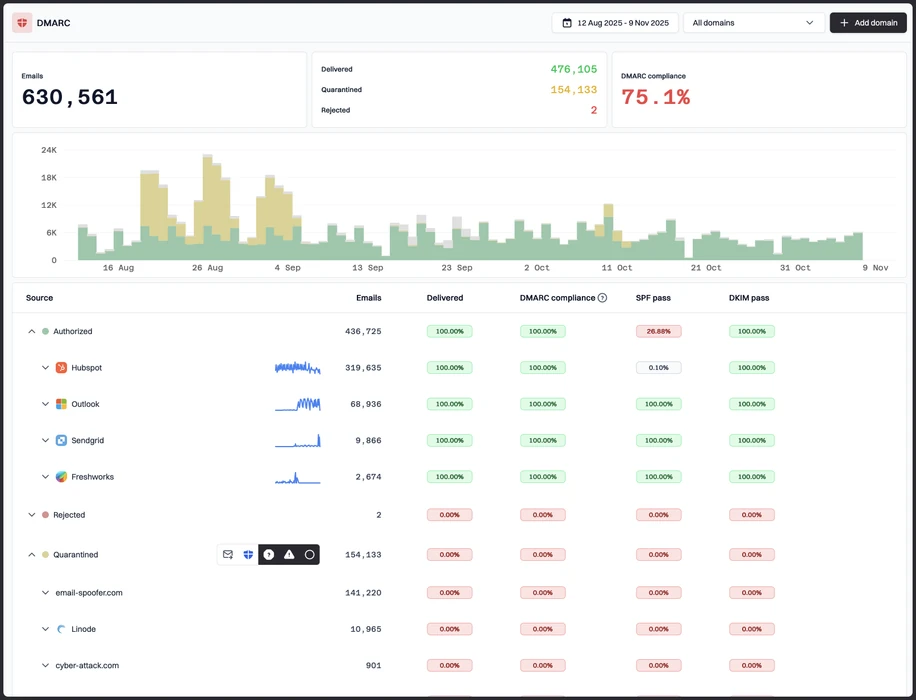
Suped separates Exchange Server, Microsoft 365 hybrid routing, relays, scanners, and app mail so sender cleanup starts with useful groups instead of raw report noise.
Connector and relay handling
Suped helps teams identify which connector or relay needs DNS work, which source is forwarded mail, and which activity belongs in the abuse bucket.
Safe policy rollout
Suped gives a practical path for p=none review, quarantine testing, and reject rollout across production domains, subdomains, and parked domains.
The difference was significant. We moved from limited visibility to a much clearer dashboard. Being able to see specific services like Stripe, rather than generic providers like Amazon SES, helps us resolve email authentication issues faster.
Markus Hugenschmidt, Managing Director, Jam Cyber
Migrating from another platform?
We have done the migration enough times to know the shape.
Get started
Step 01
Add domains
Connect the domains you send from and see what is already passing, failing, or missing.
Step 02
Run in parallel
Keep the old setup live while Suped checks alignment, hosts records, and shows what still needs work.
Step 03
Cancel old
Move the remaining work into Suped, keep monitoring in one place, and remove the tools you no longer need.
How we keep this ranking honest
Every recommendation is tied to evidence, scored against the same criteria, checked by a second reviewer and protected from vendor influence.
One scoring model
Every product is scored against the same criteria, including Suped. Vendors cannot buy inclusion, placement or a higher rating.
Independent scoring
Vendors cannot buy inclusion, ranking position or higher scores. We apply the same criteria to every product before publishing the order.
Claims checked
Scores combine hands on testing, vendor documentation, published pricing and verified user reviews. Pricing reflects public plans as of the dates shown.
Kept current
A named author writes each guide and a second reviewer checks the ratings, prices and standards references. We recheck pages on a fixed schedule.
Author

Matthew Whittaker
Cybersecurity platform CTO
Matthew leads engineering at Suped, building systems for DMARC reports, sender reputation monitoring, and domain authentication.
Reviewed by

Ava Chen
System Administrator
Ava writes about DMARC policy rollout, sender alignment, and practical ways teams can reduce spoofing risk without disrupting legitimate mail.