Gmail adds Reply All warnings for BCC recipients
News

Published 1 Aug 2026
Updated 7 Oct 2026
8 min read
Summarize with
Updated on 7 Oct 2026: We updated the banner wording and explained why forwarded and delegated messages trigger the warning.
Gmail now shows a caution banner when someone selects Reply All on a message where their address is absent from To and Cc, including messages received by BCC. The banner warns that replying to all will reveal their involvement to the visible participants. That reminder gives the recipient a chance to avoid revealing their address and presence by mistake. It does not block Reply All, so the recipient can continue when disclosure is intentional.
Google published the change in its July 30, 2026 announcement. The warning is available now, enabled by default, and requires no administrator setup. It applies to all Google Workspace customers, Workspace Individual subscribers, and people using personal Gmail accounts.
What Gmail changed
A BCC (blind carbon copy) recipient receives the message, but the To and Cc recipients do not see that recipient in their copy. Reply All changes that situation. The reply normally addresses the sender and the visible recipients, while the address used for the reply appears as the sender of the new message. Everyone on the reply can then infer that the person received the original message. Reply All does not automatically include other undisclosed BCC recipients or expose the original BCC list.
Gmail now displays a warning banner when the recipient selects Reply All. Google's announcement gives the current wording: "You're not on the recipients list, replying to all lets everyone know you were included." The recipient can switch to a private reply, remove recipients, or avoid sending. The banner does not block an intentional reply.
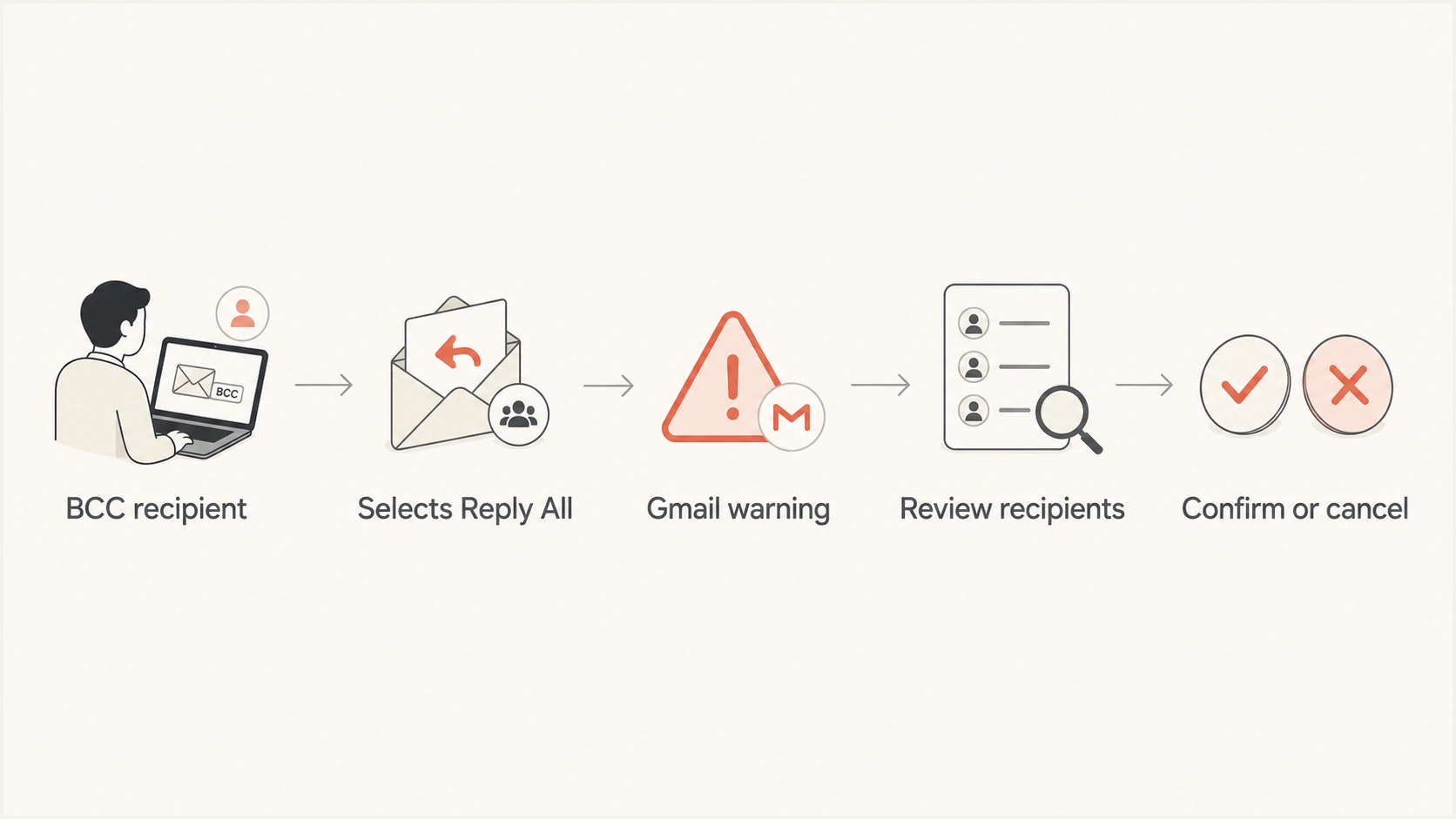
Gmail BCC Reply All warning flow: review recipients before sending a reply that reveals participation.
Why the warning appears without BCC
The warning does not prove that the sender used BCC. Google's announcement also names auto-forwarded and delegated messages as cases where the replying address is absent from To and Cc.
For example, mail sent to info@example.com can be automatically forwarded to a named Gmail account. If that person replies using their own address, the visible recipients will see an address that was not on the original message. Review the original recipient fields and the From address selected for the reply before sending.
Which accounts get the warning
Rollout status
The warning is available now for both Rapid Release and Scheduled Release domains and is enabled by default. Google lists no administrator setup step or policy control for the behavior.
Because coverage includes managed and personal accounts, training can set one expectation: stop when Gmail presents the warning and review the audience. Describe the banner and the user's decision without implying that an admin switch exists.
|
|
|
|---|---|---|
Google Workspace | Available now | None |
Workspace Individual | Available now | None |
Personal Gmail | Available now | None |
Availability of Gmail's Reply All warning
Why BCC workflows need the safeguard
BCC often carries an expectation of confidentiality. A sender might quietly include a lawyer, an HR adviser, an executive, or an incident responder so that person can follow the conversation without becoming part of it. The visible recipients cannot assess that hidden audience because the message headers delivered to them omit the BCC address.
- A hidden observer can be exposed to everyone in the visible thread with one Reply All message.
- Disclosure can reveal that legal advice, HR review, or an internal process is already underway.
- A reply can expose leadership attention that the sender meant to keep private.
- A hidden security participant can disclose an investigation before the team is ready.
The banner is useful because Reply All is often habitual. People can select it without rechecking how they received the original message. Gmail now draws attention to the disclosure risk before sending, while preserving the option to send when all recipients need the reply.
What the warning changes and what stays the same
This is a user-interface safety control inside Gmail. It acts between selecting Reply All and sending the message. It does not rewrite the original message, remove addresses automatically, or prevent a user from replying to everyone.
What changes
- Gmail displays a banner when Reply All is selected.
- The recipient sees the disclosure risk.
- The user can change recipients or continue sending.
- The warning appears before sending.
What does not change
- SPF, DKIM, and DMARC work as before.
- Mail delivery paths remain unchanged.
- The banner does not affect the inbox or spam decision.
- Sender compliance rules remain the same.
The distinction matters during troubleshooting. Seeing this warning does not mean Gmail distrusts the sender or detected spoofing. It means the replying address is absent from the original To and Cc fields, so the reply can reveal participation or an address the visible recipients did not previously see.
What affected users should do
A recipient who sees the banner should stop and inspect the visible recipient list before sending. The key question is whether everyone on that list already knows, or should know, that the recipient saw the original message. If the answer is no, switch away from Reply All.
- Read the banner before continuing with Reply All.
- Review every address in To and Cc, along with the From address selected for your reply.
- Use Reply when the response should go only to the sender, and verify the destination address.
- Send to everyone only when revealing your involvement is intended.
The warning is not a guarantee
A user can still proceed and send. Sensitive workflows should not depend on the banner alone. Senders should explain privately why someone was BCCed, and hidden recipients should default to a direct reply unless broader disclosure has been approved.
Removing visible recipients manually can also work, but a direct reply is clearer when the sender is the intended audience. For highly sensitive matters, use an approved private channel instead of extending the original thread. The banner reduces one common mistake; it does not decide whether the conversation belongs in email.
What administrators should do
Admins do not need to deploy, enable, or configure the warning. Google's announcement does not identify an admin control, so policy documents should not promise that administrators can force, suppress, or customize the banner. The useful administrative work is training and process design.
|
|
|---|---|
Training | Explain the banner and safe choices |
Privacy | Document when BCC is appropriate |
Sensitive mail | Require a private reply path |
Incidents | Record accidental disclosure steps |
Practical administrative response
Privacy and email-use training should show the actual decision: change recipients, reply privately, or send to everyone when disclosure is intended. Legal, HR, executive support, and incident-response teams need examples based on their workflows because the effect of revealing a participant differs by context. Include forwarded and delegated mail so users do not interpret every warning as proof of BCC.
Admins should also make reporting simple. If an accidental disclosure occurs, the user should know whom to contact and what details to preserve. That process is separate from Gmail's banner and remains under the organization's control.
Authentication and deliverability remain separate
The warning does not inspect SPF, DKIM, or DMARC results. It does not change message routing, Gmail inbox placement, spam filtering, reputation, or bulk sender requirements. A correctly authenticated message can trigger the warning because the trigger is the replying address being absent from To and Cc and the choice to use Reply All. The banner is not an authentication verdict.
When a team is investigating a separate sending problem, Suped's email tester can inspect a real test message and its authentication results. Suped's DMARC monitoring tracks authentication reporting over time, while Suped's domain health checks validate published controls. Those workflows support authentication troubleshooting. They do not configure Gmail's Reply All warning.
Use the right diagnostic path
Treat a Reply All banner as a privacy prompt. Treat authentication failures, bounces, spam placement, and sender requirement notices as separate technical events that need their own evidence and remediation.
Frequently asked questions
Gmail shows a caution banner when Reply All is selected. It warns that replying to the visible participants will disclose the recipient's participation. The user can change recipients, switch to Reply, or continue sending.
The trigger is a replying address that is absent from the original To and Cc fields. Auto-forwarded and delegated messages can meet that condition without the sender using BCC. Check the original recipient list and the address selected for your reply.
Google's announcement lists no administrator control or setup step. The warning is enabled by default, so admins should address it through privacy and email-use training.
It is available now for all Google Workspace customers, Workspace Individual subscribers, and personal Gmail users.
No. It adds a warning banner before sending. The recipient can continue when disclosure is intentional or switch to a private reply.
No. SPF, DKIM, DMARC, delivery routing, inbox placement, and sender requirements work as before. The warning is a user-interface privacy control.