Fake ShinyHunters sextortion emails use leaked breach data
News

Updated on 28 Sep 2026: We expanded the response steps, covered newer cryptocurrency and breach-reference variants, and corrected how SPF or DKIM can satisfy DMARC.
Fake ShinyHunters sextortion emails are using real addresses and breach names taken from published data leaks to make a false $2,000 cryptocurrency demand look personal. Early examples requested Bitcoin, while later versions requested Litecoin. The senders appear to be unrelated scammers reusing leaked data, not the ShinyHunters group. ShinyHunters denied involvement. There is no evidence that recipients' devices, cameras, microphones, accounts, or browsing activity were compromised.
The campaign appears to have started in April 2026. The July 25, 2026 report confirmed that addresses leaked in breaches involving Amtrak, Hallmark, Substack, Betterment, CarGurus, ADT, Panera Bread, and McGraw Hill were used across the campaign. The primary report also confirmed that some targeted addresses were present in the corresponding published data. Matching messages later used Canvas and Carnival breach context, so the company references and payment currencies are not fixed.
What the fake messages say
The emails arrive from varied, random addresses while the visible display name says "ShinyHunters" or "You've Been HACKED". They use the subject "Information about your online security" and mention a company connected to the recipient through a real breach. That accurate reference is the hook.
The body then makes an unsupported jump. It claims the sender used the breach to compromise the recipient's devices, monitor online activity, access cameras and microphones, and create intimate recordings. The sender demands $2,000 in cryptocurrency within 48 hours and threatens disclosure if the recipient refuses. Early examples requested Bitcoin, while later versions used Litecoin.
|
|
|---|---|
Display name | ShinyHunters or You've Been HACKED |
Subject | Information about your online security |
Payment | $2,000 in Bitcoin or Litecoin |
Deadline | 48 hours |
Sending source | Varied random addresses |
Observed indicators in the fake ShinyHunters messages
Why leaked breach data makes the threat believable
A recipient who remembers using the named company can mistake a true breach reference for proof of a much larger compromise. It proves only that the address and company association appeared in data available to the scammer. It does not prove access to an inbox, device, contact list, camera, or private activity.
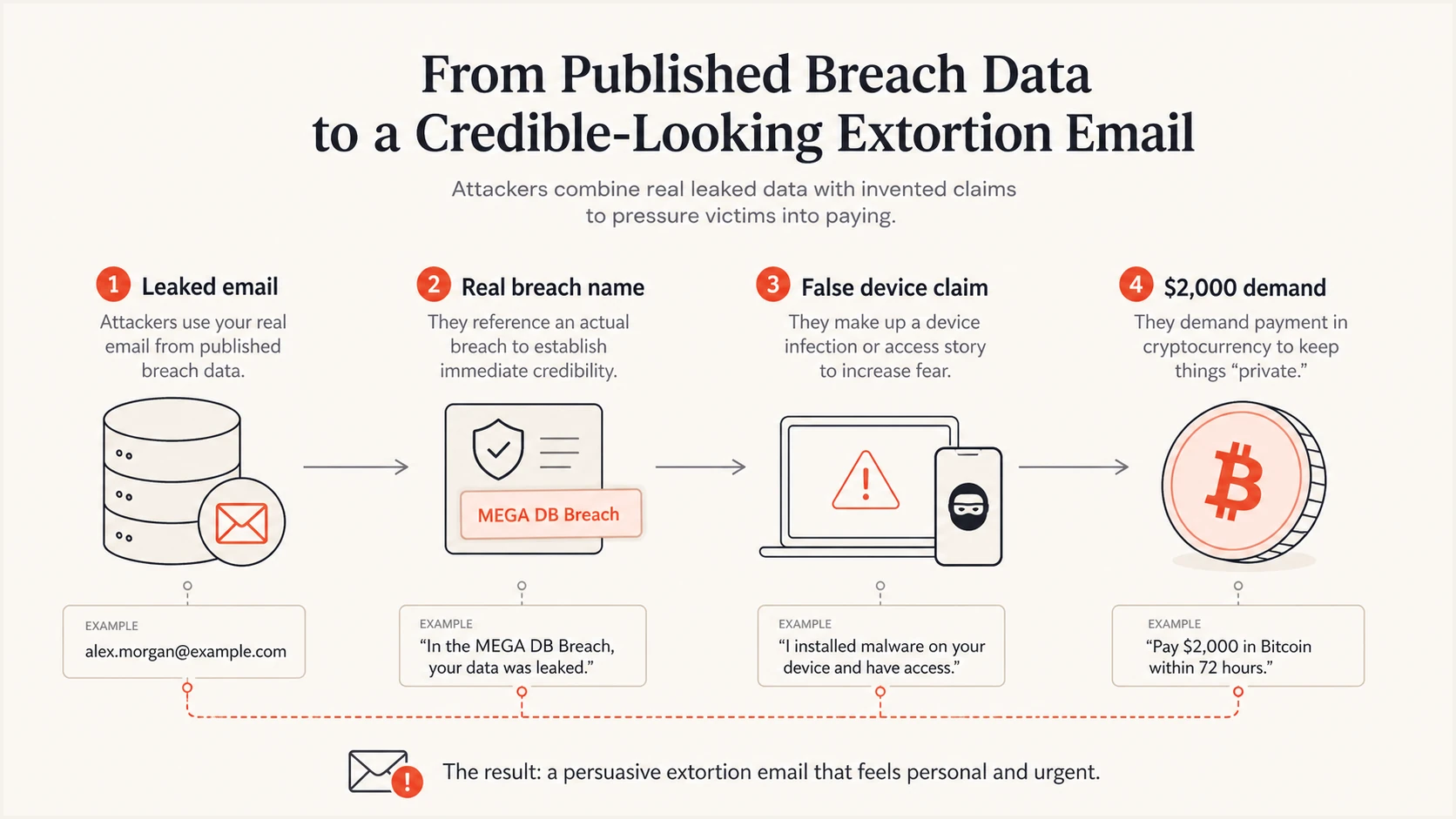
Published breach data supplies a real email and company name before the scam adds a false device claim and Bitcoin demand.
This reuse matters because ordinary scam advice often tells people to look for factual mistakes. Here, one important detail can be correct. Help desks and breached organizations should therefore explain the boundary clearly: the breach context is real, while the alleged device compromise and recordings have no supporting evidence.
Published breach data remains useful long after an incident. An unrelated scammer can sort addresses by breached company, insert that company into a template, rotate sending accounts, and distribute a more convincing message at scale. The important pattern is the continued reuse of real breach context, not one fixed set of company names or cryptocurrency instructions.
What is known and what is fabricated
The safest reading separates verified breach context from claims that exist only in the email. A leaked address can explain why the message reached the right person and named a familiar company. It cannot establish the technical access described by the sender.
Supported by reporting
- Address reuse: Some recipient addresses appeared in published breach data.
- Campaign scope: The July 25 report confirmed eight named organizations; matching messages later used Canvas and Carnival references.
- Independent senders: The senders appear unrelated to ShinyHunters, which denied involvement.
Unsupported claims
- Device access: No evidence shows that devices were compromised.
- Private recordings: No evidence supports the claim that intimate video exists.
- Account control: Knowing an address does not grant access to its mailbox.
Recipients do not need to prove a negative before rejecting the demand. The lack of device-specific evidence, the reuse of published data, the rotating sender addresses, and the group's denial all point to an intimidation template built around breach data.
A separate investigation is still appropriate if the recipient clicked, opened an attachment, replied with information, sent money, or noticed independent signs of account access. That investigation should follow the observed interaction, not the email's unsupported story.
What recipients should do
Do not pay, reply, click links, or open attachments. Report the message through the mailbox or company security process, preserve the original message with its full headers and cryptocurrency wallet address if analysts need evidence, then delete it. A 48-hour deadline is pressure, not evidence.
Check the actual address and sender domain instead of trusting the display name. If the message reached a work account, send the original as an attachment or use the approved reporting button so analysts receive the full headers. Screenshots alone remove routing and authentication evidence.
Immediate response checklist
- Stop engagement: Do not pay, reply, click, or open files.
- Report safely: Use the mailbox or workplace reporting process.
- Preserve evidence: Retain the original message, full headers, and wallet address when analysts need them.
- Delete the email: Remove it after reporting or preservation.
- Secure exposed credentials: Replace any quoted password that is still in use and enable MFA.
- Escalate interaction: Report any click, reply, attachment, or payment separately.
Changing every password or wiping a device solely because of this message is not supported by the evidence. If the email quotes a current or former password, treat that password as exposed, change it anywhere it is still used, replace reused passwords with unique ones, and enable MFA. Review recent sign-ins through the account provider's known site or app, never through a link in the threatening email.
If money was sent, save the transaction ID and wallet address, contact the relevant financial or cryptocurrency provider immediately, and report the fraud through local channels. If a link or attachment was opened, disconnect only the affected device when required by company procedure and let the security team examine the event.
Ignore anyone who contacts you offering to recover cryptocurrency, remove leaked data, or hack the sender for a fee. That is a common follow-up scam. If the threat becomes specific to your physical safety or expands into targeted calls, texts, or harassment, preserve the evidence and contact local law enforcement. Use emergency services for an immediate threat to life or safety.
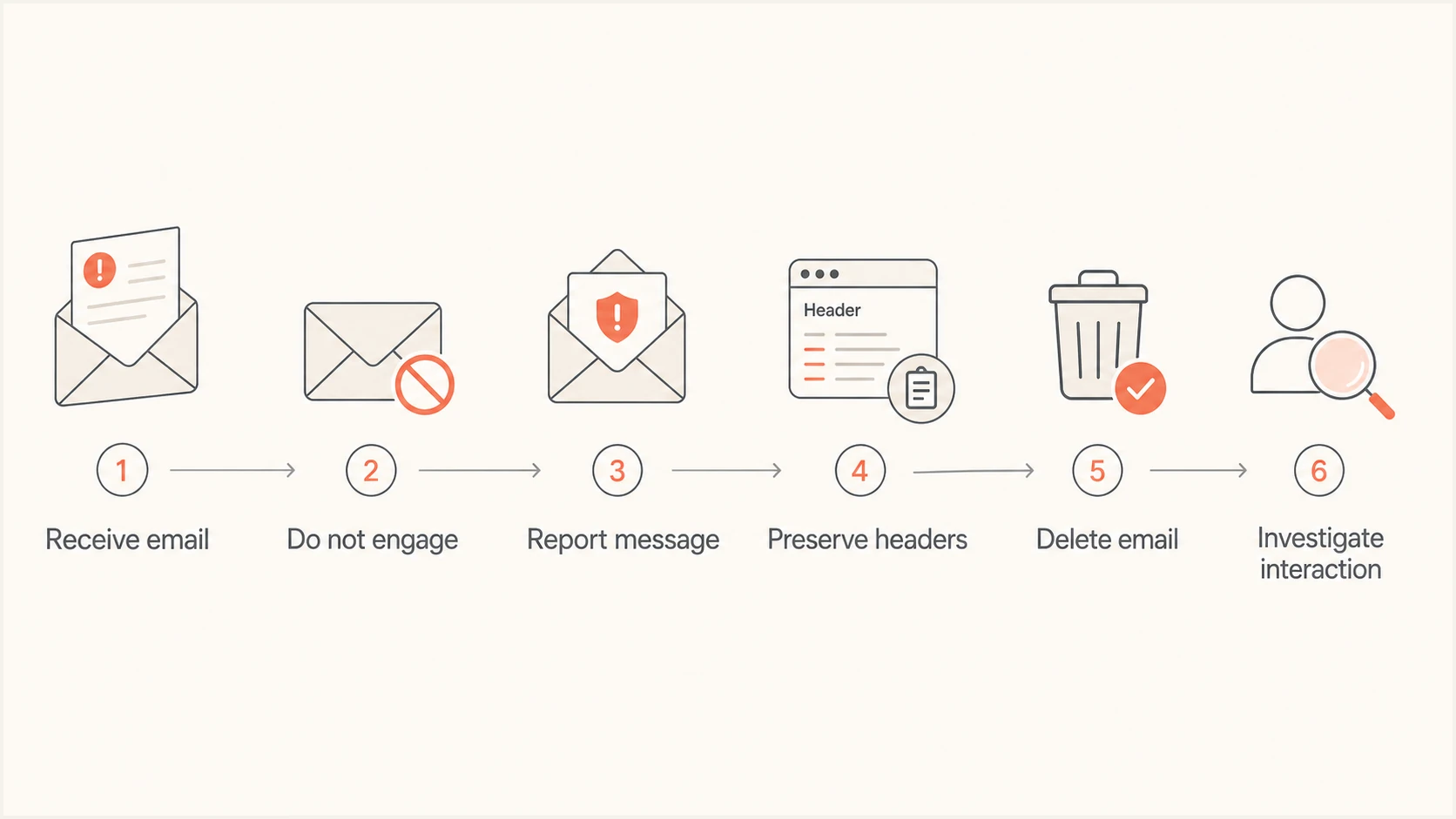
Response flow for reporting, preserving, and deleting a fake extortion email before investigating any interaction.
What security teams and help desks should monitor
Security teams should search inbound telemetry for the exact subject, the two observed display names, the $2,000 cryptocurrency demand, the 48-hour deadline, and references to breached organizations. Sender addresses vary, later examples used Litecoin instead of Bitcoin, and new company references appeared after the initial report. A rule based on one address, currency, or company name will miss related messages and risk chasing disposable infrastructure.
Help desks need a prepared response that validates the recipient's concern without repeating the scam's claims as fact. Affected organizations should alert users that real breach information is being reused, explain that an address alone does not enable device access, and give one trusted reporting route.
Detection focus
- Subject match: Search the exact observed subject line.
- Name match: Flag both reported display names.
- Demand match: Correlate the amount, cryptocurrency, wallet address, deadline, and breach reference.
- Header review: Group sending domains and routing patterns.
Response focus
- User notice: Explain what is real and what is unsupported.
- Message handling: Quarantine matching mail without relying on one sender.
- Case separation: Investigate clicks, replies, files, and payments as distinct events.
- Evidence retention: Keep original messages and full headers for analysis.
Do not tell users that authentication failure proves the scam. These messages come from unrelated addresses, and a message can pass authentication for the unrelated domain that actually sent it. Detection needs content, identity, header, and behavior signals together.
Breached organizations should also watch for copycat wording that changes the amount, cryptocurrency, deadline, or named organization. The stable idea is the misuse of real customer context, not one fixed template. A notice should avoid confirming extra breach fields that the scammer did not already expose.
Where DMARC helps and where it stops
DMARC can stop exact-domain spoofing when at least one of SPF or DKIM passes and its authenticated domain matches the visible From domain, the domain publishes an enforced policy such as p=reject, and the receiving system applies that policy. This protects a real brand domain against unauthorized direct use in the From address.
DMARC does not validate statements inside the message. It also does not prevent someone from putting "ShinyHunters" in the display name while sending from an unrelated domain. If that unrelated domain authenticates its own mail correctly, DMARC can pass even though the message is deceptive. This campaign must not be described as necessarily failing authentication.
Illustrative authenticated message from an unrelated domaintext
From: "ShinyHunters" <notice@unrelated-example.net>
Subject: Information about your online security
Return-Path: <bounce@unrelated-example.net>
Authentication-Results: mx.example;
 dkim=pass header.d=unrelated-example.net;
 spf=pass smtp.mailfrom=unrelated-example.net;
 dmarc=pass header.from=unrelated-example.net
The example shows why a pass result is not a verdict on intent. Authentication answers whether the sending domain authorized the message and whether its domain matches the visible From domain. It does not answer whether the display name belongs to the sender or whether the extortion claim is true.
Domain owners should still enforce DMARC because exact-domain spoofing remains a separate risk. Start with DMARC monitoring, identify every legitimate sender, correct SPF or DKIM domain matching, then move policy carefully toward enforcement. The process protects the organization's own domain, even though it cannot eliminate display-name impersonation from unrelated domains.
DMARC checker
Look up a domain's DMARC record and catch policy issues.
?/7tests passed
A focused DMARC record check confirms whether a domain publishes a syntactically valid policy. It does not show every legitimate mail source or prove that all traffic matches the visible From domain, so aggregate reporting remains necessary before tightening enforcement.
Full headers provide the evidence needed for a specific message. Check the visible From domain, Return-Path, DKIM signing domain, Reply-To, Authentication-Results, and Received chain. Compare the domains rather than treating the display name as an identity field.
A practical authentication monitoring workflow
For teams using Suped, the practical workflow is to monitor DMARC, SPF, and DKIM alongside blocklist (blacklist) and deliverability signals. Suped is our product. Its automated issue detection groups authentication failures into specific remediation steps, while alerts help teams catch changes before they become persistent sending problems.
The useful boundary remains the same: Suped can show whether mail using a monitored domain authenticates and matches the visible From domain, but no DMARC platform can prove a threat in the body is genuine. Use authentication data to protect owned domains and header analysis to understand the actual sender. Use message-content detections and user reports for impersonation arriving from unrelated domains.
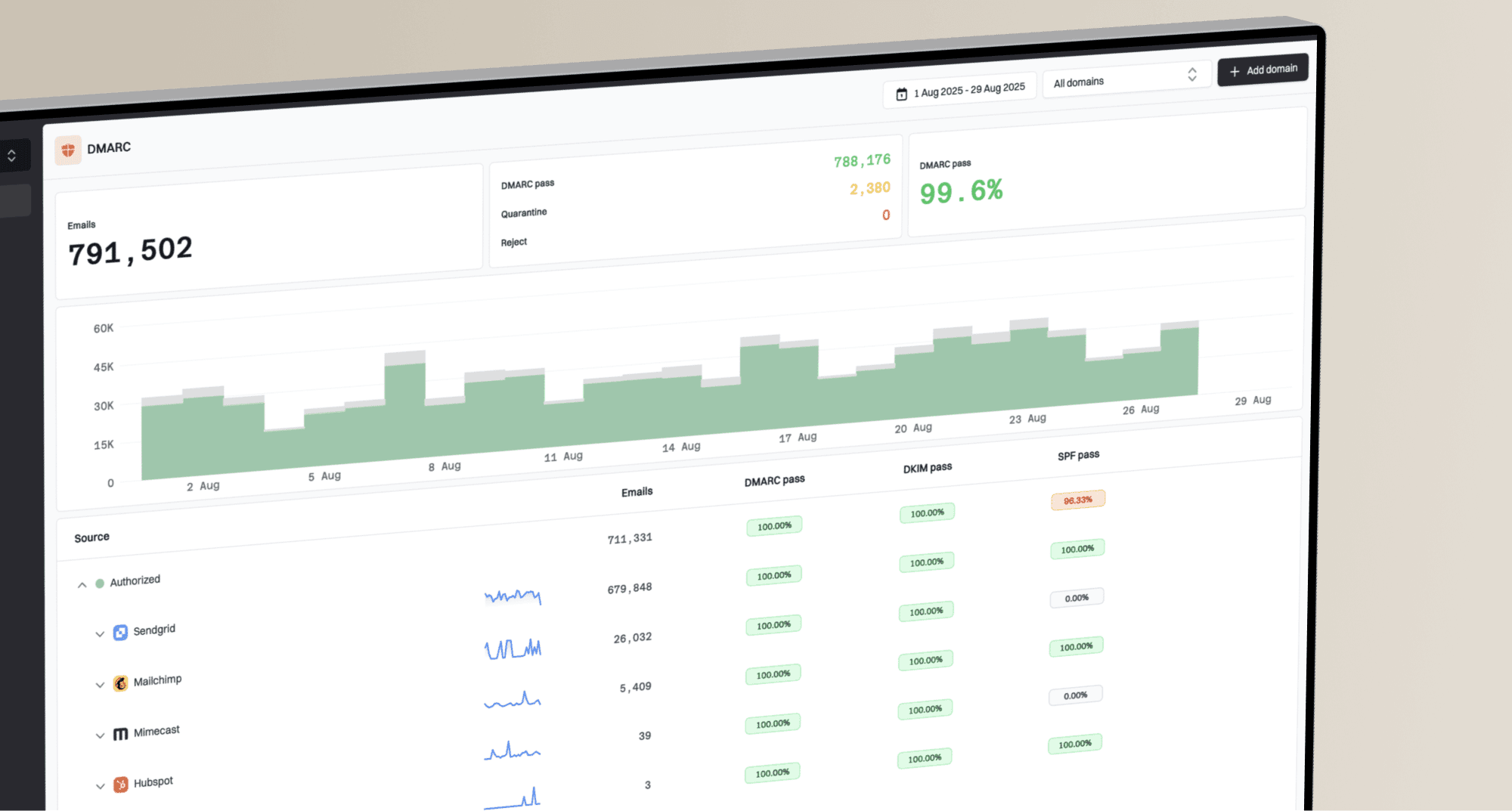
DMARC record detail view showing SPF, DKIM, DMARC, rDNS diagnostics, and DNS records
A domain health review should confirm the published record, policy level, SPF validity, DKIM signing, authenticated-domain matching, and reporting destination. The domain health checker is useful for a quick baseline, while ongoing reports reveal real sending sources over time.
Teams with several domains or clients can keep ownership clear through Suped's multi-tenant dashboard. Hosted DMARC supports policy staging, while hosted SPF manages approved senders without repeated DNS edits. Those controls reduce configuration work, but inbound handling for this scam still needs the subject, display name, demand, breach reference, and full sender data.
Treat the breach reference as bait, not proof
The fake ShinyHunters messages combine a true data point with an unsupported story. The address and breached company can be real. The claimed device access, surveillance, and intimate recordings have no evidence behind them. The apparent senders are unrelated scammers reusing published data, and ShinyHunters denied involvement.
Recipients should report and delete the message without paying or engaging. Security teams should alert affected users, preserve headers, monitor the observed subject and display names alongside the demand pattern, and investigate actual interaction as a separate event. DMARC should be enforced for owned domains, with the clear understanding that content claims and unrelated-domain display-name impersonation sit outside its scope.