Why are Bigpond emails bouncing with a content-based spam reason?


Updated on 30 Jul 2026: We clarified how to diagnose IB703, test plain-text controls, and escalate shared-route rejections.
Bigpond emails bouncing with a content-based spam reason usually means Bigpond's filtering system rejected the specific message because the content, sender reputation, complaint pattern, linked domains, or sending pattern looked risky at the time of delivery. It does not prove a permanent domain block. A bounce like IB703 is a signal to pause, isolate the affected campaign or message, and test before sending more mail to Bigpond recipients.
The shortest answer is this: treat it as a receiver-specific content and reputation rejection first. Check whether the bounces are limited to one campaign, one sending IP, one template, one link set, one list segment, or a concentrated burst of Bigpond volume. If the same audience receives normal transactional mail but rejects one promotion, the campaign signals deserve the first review.
Typical Bigpond bounce text
558-5.7.1 Message content rejected due to suspected spam.
IB703 558 5.7.1 i{a03ab15d-1d81-442c-964f-4a23c88f44cf}
What the Bigpond bounce means
A 5.7.1 response is a permanent policy rejection for that delivery attempt. It does not mean the recipient address is invalid or that every future message will fail. Bigpond rejected the message during the SMTP transaction rather than accepting it for delivery. The wording says content, but content in mailbox filtering is broader than body copy. It includes the subject line, links, domains in the message, image hosting, URL redirects, sending reputation, authentication results, recipient engagement, complaint history, and sending cadence.
Start with the campaign and sending route, not the recipient address. If a small subset of a database has Bigpond addresses, a single affected send can look small in total volume but still meaningful inside that receiver. The right question is not just how many total bounces occurred. Check what percentage of Bigpond attempts failed, whether failures cluster around one creative or time window, and whether the same sender is seeing pressure at other mailbox providers.
Do not keep retrying the same campaign
Repeatedly pushing the same rejected content to Bigpond recipients can turn a contained content issue into a stronger reputation signal. Suppress affected Bigpond recipients from that campaign, record IB703 as a policy rejection rather than proof of an invalid mailbox, follow the sending platform's bounce policy, and restart only after a controlled test shows the rejection has stopped.
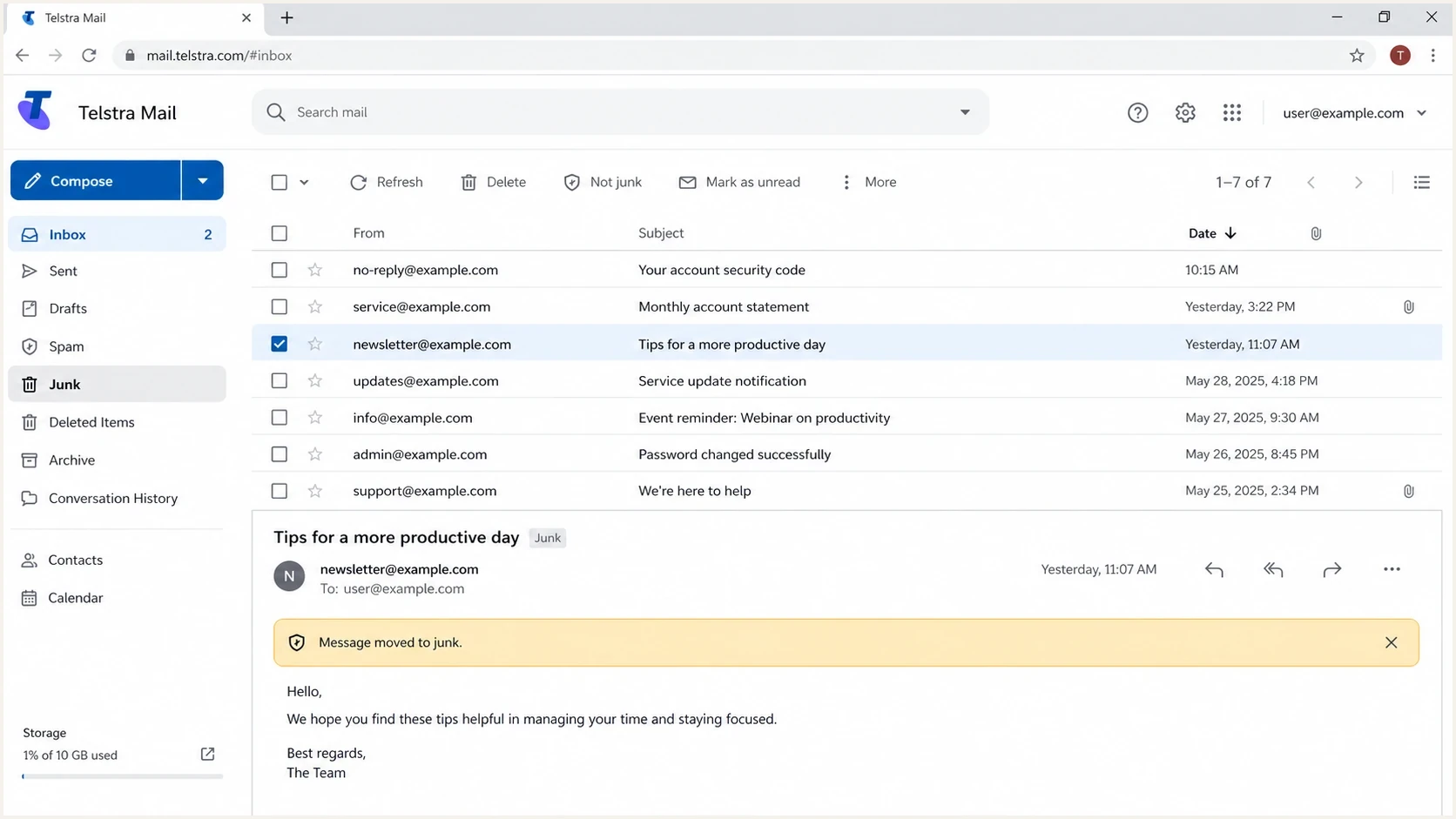
Telstra Mail webmail screenshot showing a message filtering view.
|
|
|
|---|---|---|
IB703 | Content or policy rejection | Campaign compare |
Only Bigpond | Receiver-specific threshold | Segment report |
One campaign | Creative or links changed | Controlled test |
Many campaigns | Reputation or volume pressure | Sender audit |
Most likely causes
The bounce reason points toward content, but treat it as a combined content and sender-quality problem until the data narrows it down. Bigpond can reject a campaign when its signals cross a receiver-specific threshold. A subject line pattern, a new offer, a shortened link, a video link, a sudden complaint increase, stale addresses, or a concentrated send can change the result.
- Campaign content: Promotional language, urgency, heavy imagery, link density, redirects, and reused offer templates can all push a campaign into rejection.
- Subject line symbols: Emoji characters and special symbols can contribute at some receivers, but test them rather than assuming they are the root cause at Bigpond.
- User complaints: Complaint spikes can make otherwise normal creative look unsafe because the filter reacts to recipient behavior, not only the HTML.
- Link reputation: A tracking domain, landing page, image host, or redirect chain can hurt the message even when the sending domain is authenticated.
- Sending pattern and IP reputation: Sudden volume spikes, concentrated Bigpond batches, or a shared outbound IP with poor history can trigger receiver-specific rejection even when the copy has not changed.
- Authentication context: SPF, DKIM, and DMARC passing cleanly does not guarantee inbox placement, but failures make content rejections harder to recover from.
- Reputation spillover: If similar bounces appear at other consumer domains, check sender reputation, blocklist (blacklist) status, and list quality before editing copy.
How urgent is it?
Use the affected share of Bigpond mail as an internal triage guide, not as a published Bigpond acceptance limit.
Isolated
Less than 1%
One test, seed, or tiny recipient group.
Watch
1-5%
Noticeable but contained Bigpond failures.
Pause
More than 5%
Campaign-level rejection pattern.
The subject-line symbol question is worth testing, but it should be a hypothesis, not the diagnosis. Special characters can correlate with weaker placement when they appear with aggressive promotional copy or low-engagement audiences. Remove the symbol in one controlled test, then test the links, offer framing, and sender setup as separate variables.
The troubleshooting workflow
Use a narrow workflow for Bigpond content rejections because broad changes create noise. The aim is to prove whether the rejection is tied to the message, sender, audience, sending pattern, or receiver's current threshold.
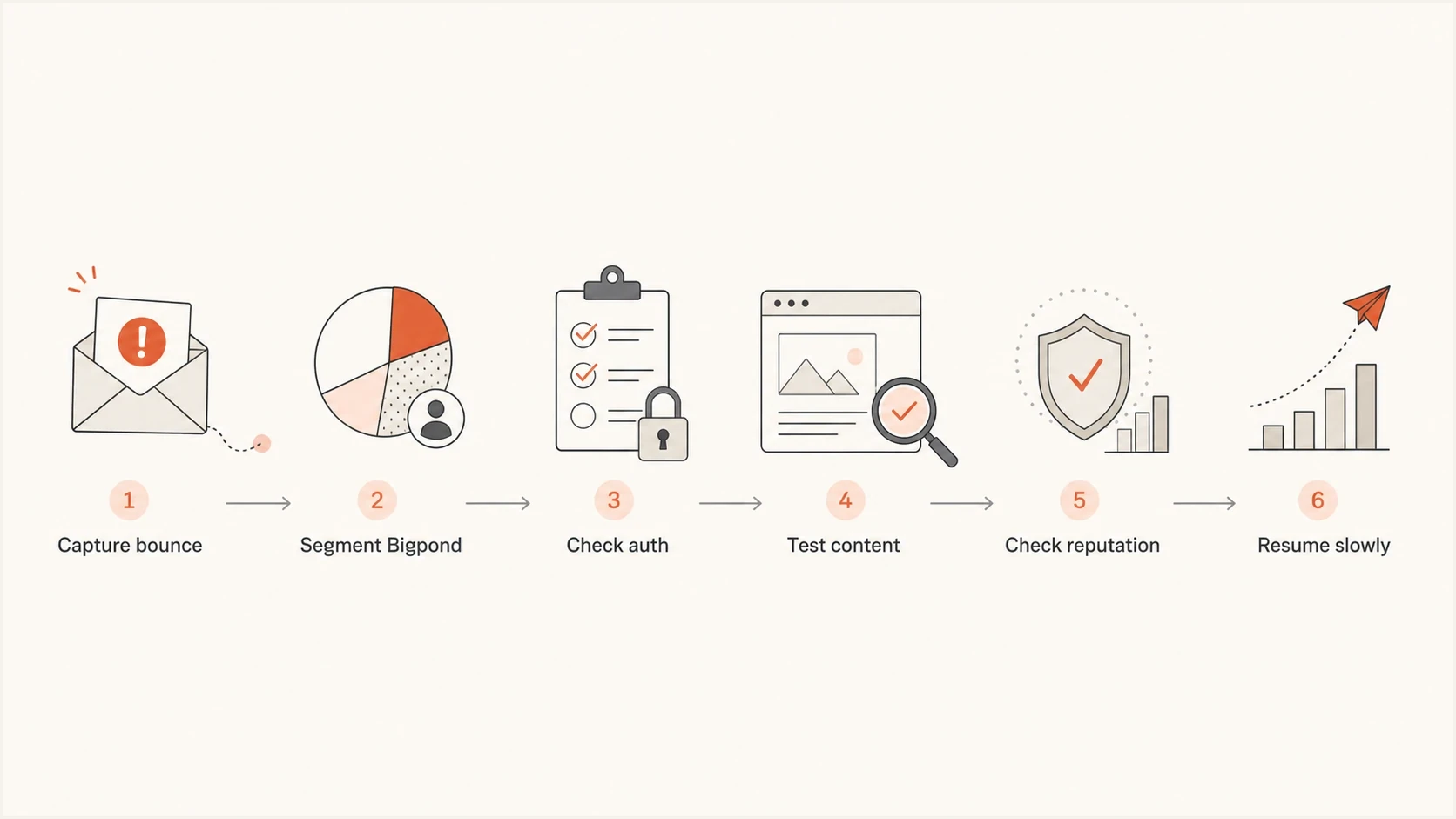
Flowchart showing the steps for troubleshooting Bigpond bounce rejections.
- Save the bounce: Keep the full SMTP response, campaign ID, sending IP, domain, template, subject line, recipient domain, and timestamp.
- Measure Bigpond separately: Calculate the rejection rate for Bigpond attempts, not the whole campaign. A small domain share can hide a severe receiver issue.
- Compare with a clean send: Find the last Bigpond campaign that delivered normally and compare subject, offer, template, link domains, send time, segment, volume, and sending route.
- Validate authentication: Run a domain health check for DMARC, SPF, DKIM, DNS, and mail-domain setup before blaming copy alone.
- Check reputation: Review IP and domain status with blocklist monitoring so a blacklist or blocklist issue does not get misread as a copy issue.
- Test one change: Send controlled variants to a small valid sample or seed process, changing one variable at a time.
- Escalate with evidence: If authentication is clean and a simple content test still fails, contact the sending provider with the exact bounce, headers, sender IP, and sample message. Ask it to escalate the route to Telstra when it controls the outbound infrastructure.
Baseline DMARC reporting record
_dmarc.example.com TXT
v=DMARC1; p=none; rua=mailto:dmarc@example.com; fo=1
If you send through a hosted mailbox provider
A personal or hosted mailbox provider usually controls the outbound IP, return-path, routing, and often DKIM signing. Changing the home or office internet connection normally does not change the cloud service's outbound mail server, so it is not a reliable test of the IP reputation Bigpond sees.
- Run a plain-text control: Compose a new plain-text message without a signature, attachments, tracking links, or pasted HTML. Do not convert the rejected HTML message and assume the hidden markup disappeared.
- Check the scope: Failures across several valid Bigpond recipients on the same provider point toward its sending route or shared IP. A failure limited to one message still supports a content test.
- Escalate to the sending provider: Give it the complete non-delivery report, timestamp with time zone, recipient domain, message headers, and a reproducible sample. The provider can inspect delivery logs and the shared route that an end user cannot see.
- Do not rely on recipient safelisting: An IB703 SMTP rejection happens before the message reaches mailbox-level junk or safe-sender rules, so adding the address to a contact list does not reverse the server rejection.
If the sender owns the domain and controls a bulk sending program, continue with authentication, audience, reputation, and cadence checks. If the sender uses a consumer mailbox, focus on evidence and provider escalation instead of changing DNS records or IP settings outside the sender's control.
How to test content without guessing
Content testing works when the variants are controlled. Do not rewrite everything at once. If the rejected campaign had a symbol in the subject line, a video link, several tracked URLs, and a new promotional claim, changing all of those together shows only that the second version was different.
Start with the smallest useful test: the same sender, authenticated domain, segment type, and time window, but use a new plain-text message without a signature, attachments, tracking, or pasted HTML. Then test links separately. A link-free message that delivers, followed by a rejection after tracked links return, points toward URL reputation or redirect handling. A rejection of the plain-text control points back to sender reputation, sending route, volume, or recipient policy.
Before sending another Bigpond batch, use Suped's email tester to inspect the message, authentication, headers, copy, and visible deliverability issues in one pass. The test does not replace delivery to a real Bigpond mailbox, but it removes avoidable mistakes before more pressure reaches the segment.
Email tester
Send a real email to this address. Suped shows a results button when the test is ready.
?/43tests passed
Temporary content rejection
- Scope: One campaign or a small number of closely related messages fail.
- Pattern: Previous Bigpond sends were normal and other receivers look stable.
- Action: Edit the campaign, reduce risky content signals, and retest with a small sample.
Broader sender problem
- Scope: Multiple campaigns, domains, or consumer receivers show rejection pressure.
- Pattern: Complaints, low engagement, authentication gaps, listing signals, or volume spikes appear together.
- Action: Pause risky segments, repair authentication, reduce concentrated volume, and rebuild reputation.
Separate creative review from list review. A polished email to a tired, unengaged audience still creates complaint and engagement signals. If the Bigpond segment has old addresses, low opens, or recent complaint pressure, clean the audience before tuning the subject line again.
Where Suped fits
Suped is our DMARC reporting and email authentication product. For an IB703 investigation, it puts authentication results, authorized sender sources, domain health, and blocklist (blacklist) signals beside the bounce evidence. Suped cannot override Bigpond's filter or reveal the exact rule behind an IB703 response, but it can show whether an authentication or sender-source problem needs to be fixed before more content tests.
Use Suped's DMARC monitoring to confirm which sources send for the domain, whether DMARC passes with domain alignment, and whether unknown sources appear. Pair that with the sender IP, full bounce, campaign comparison, and controlled message tests so authentication failures stay separate from content or volume filtering.

Issue steps to fix dialog showing the issue overview, tailored fix steps, and verification action
- Authentication issue detection: Suped flags misconfigured authentication and gives repair steps, which helps teams validate DNS and domain alignment before testing copy.
- Source-change alerts: Alerts identify authentication or sender-source changes that coincide with the start of Bigpond rejection pressure.
- Hosted controls: Hosted DMARC, hosted SPF, SPF flattening, and hosted MTA-STS reduce DNS work when a controlled authentication change is required.
- Multi-domain visibility: MSPs and teams managing many brands can compare sender health across domains and find whether the issue extends beyond one Bigpond campaign.
If authentication is clean, sources are verified, and blacklist or blocklist checks show no pressure, the evidence supports a campaign-specific, cadence, shared-route, or false-positive investigation. If Suped shows unknown senders, SPF lookup pressure, broken DKIM, or listing signals, fix those issues before asking the sending provider or Telstra to review the rejection.
When to contact your provider or Telstra
Contact the sending provider first when it controls the outbound IP or shared mail route. Escalate after the problem is reproducible, the content has been simplified, and affected recipients are valid. Contact Telstra support when the sending route has been checked or when the sending provider asks for receiver-side review. A vague report that mail is bouncing gives either team little to investigate.
What to include in the escalation
- Bounce evidence: Full SMTP response, date, time zone, sending IP, envelope sender, header From domain, and affected recipient domain.
- Message sample: A copy of the rejected message, including headers, subject, HTML, plain text, and every link domain.
- Authentication proof: SPF, DKIM, and DMARC results for the rejected send, plus recent DNS or sender-source changes.
- Remediation notes: The content and cadence tests already run, the risky signals removed, and whether the issue still reproduces.
If the sending provider or Telstra confirms that the campaign tripped a filter, fix the underlying signal before resuming volume. If the case is treated as a false positive, keep the cleaned message and watch the next several sends. Repeated failures usually mean the sender still needs to isolate a content, reputation, shared-route, or cadence pattern.
Views from the trenches
Best practices
Compare the blocked send with the last Bigpond campaign that delivered cleanly before editing.
Pause repeat sends to affected Bigpond recipients until a controlled test stops the rejection.
Send provider evidence with headers, bounce text, sender IP, and the cleaned message sample.
Common pitfalls
Blaming a subject symbol first can hide link reputation, complaints, or stale audience issues.
Retrying the same rejected creative can train the receiver that the sender ignores policy signals.
Looking only at total bounce rate can hide a severe issue inside the Bigpond recipient segment.
Expert tips
Test one variable at a time, starting with links, subject symbols, and the plain text version.
Track Bigpond separately from the full campaign so small domain share does not mask real pressure.
Keep DMARC, SPF, DKIM, and blocklist data beside content tests to avoid false diagnosis.
Expert from Email Geeks says the IB703 rejection is most consistent with content-based filtering and should be treated as a warning sign, even when only a small segment is affected.
2023-11-14 - Email Geeks
Marketer from Email Geeks says receiver-side review can identify campaign issues or adjust filtering when a specific rejection is a false positive.
2023-11-15 - Email Geeks
What to do next
A Bigpond content-based bounce is not proof that the whole sending program is blocked, but it is a deliverability warning. Pause that campaign for Bigpond recipients, preserve the bounce data, compare it with a clean send, validate authentication, review link and domain reputation, check sending cadence, and run a small controlled content test before resending.
If the issue disappears after simplifying the message, treat the original campaign as the cause and document the pattern. If it continues across plain content and clean authentication, escalate with evidence to the team that controls the sending route. Suped helps organize that evidence by putting DMARC, SPF, DKIM, sender sources, blocklist (blacklist) monitoring, and issue remediation in one operational view.




