Why am I suddenly seeing an increase in bounces from Microsoft domains?

Published 24 Jul 2025
Updated 24 Jul 2026
9 min read
Summarize with
Updated on 24 Jul 2026: We updated this guide for Microsoft's enforced authentication rejections and clearer bounce-code triage.
A sudden increase in bounces from Microsoft domains usually means Microsoft has started rate limiting or blocking your sending IP, domain, or a specific mail stream. If the bounce says 451 4.7.650 and mentions IP reputation, the immediate issue is not a missing mailbox or a permanent rejection. It is a temporary Microsoft reputation limit against that IP.
Check the exact SMTP reply first, then check recent sending changes, account compromise, authentication and alignment, reverse DNS, blocklist (blacklist) status, and Microsoft-specific reputation. If those checks are clean, submit a Microsoft mitigation request with bounce samples and follow up. Do not change DNS, rotate IPs, or split traffic without evidence, because random changes can make a temporary reputation problem harder to interpret.
Read the full bounce
A Microsoft 451 4.7.650 response is a transient IP reputation deferral. A 550 5.7.515 response is a permanent authentication rejection. Read the SMTP reply, enhanced status code, and wording together, because a sending system can wrap an earlier deferral in its own later non-delivery report.
Common Microsoft bounce wording
451 4.7.650 The mail server [161.47.110.154] has been temporarily
rate limited due to IP reputation. For e-mail delivery information,
see Microsoft postmaster guidance. (S843)
What the Microsoft bounce means
Microsoft destinations include Outlook.com, Hotmail, Live, MSN, and custom recipient domains hosted on Microsoft 365. Segment consumer Microsoft domains separately from custom Microsoft 365 domains before diagnosing the spike, because the recipient groups can return different filtering signals and remediation instructions. A recipient problem affects a narrow set of addresses. A sender reputation problem affects many unrelated recipients in the same provider group.
The S843 suffix is a Microsoft diagnostic reference, but the cause should be classified from the full SMTP response. When the wording says the IP has been temporarily rate limited due to reputation, Microsoft does not trust the current sending pattern enough to accept normal volume. That can follow complaint growth, an unknown mail source, authentication drift, poor list quality, or a sudden change in traffic.
|
|
|
|---|---|---|
 Microsoft Microsoft | Provider group | Segment logs |
451 4.7.650 | IP deferral | Check reputation |
550 5.7.515 | Auth rejection | Fix alignment |
S-code | Diagnostic reference | Keep full sample |
SPF/DKIM | Auth evidence | Verify DMARC alignment |
Compact reading of common signals in a Microsoft bounce spike.
Why it can happen suddenly
A sudden Microsoft bounce spike does not require a visible global deliverability decline. Microsoft can react to the traffic it sees for its own recipients. Total sending volume can look flat while Microsoft-specific volume, complaint rate, failed authentication, or engagement changes enough to trigger throttling.
For transactional senders, inspect password resets, receipts, alerts, one-time codes, and reminders closely. These streams often carry urgent mail, so teams notice the spike fast. They also attract abuse through compromised accounts, scripted signup flows, and notification flooding.
Likely causes
- Volume: Microsoft-domain volume rose even though total volume stayed normal.
- Abuse: A form, API key, or notification workflow started sending unwanted mail.
- Authentication: SPF, DKIM, or DMARC changed for one source or one subdomain.
- Reputation: A blocklist or blacklist listing affected the IP or sending domain.
False leads
- Green status: A healthy high-level reputation view does not prove every stream is clean.
- Old IP: A long-used dedicated IP can still hit a Microsoft-specific limit.
- Low bounces: A clean historical bounce rate does not explain yesterday's traffic.
- No DNS edit: A sender can break authentication by changing mail sources, not DNS.
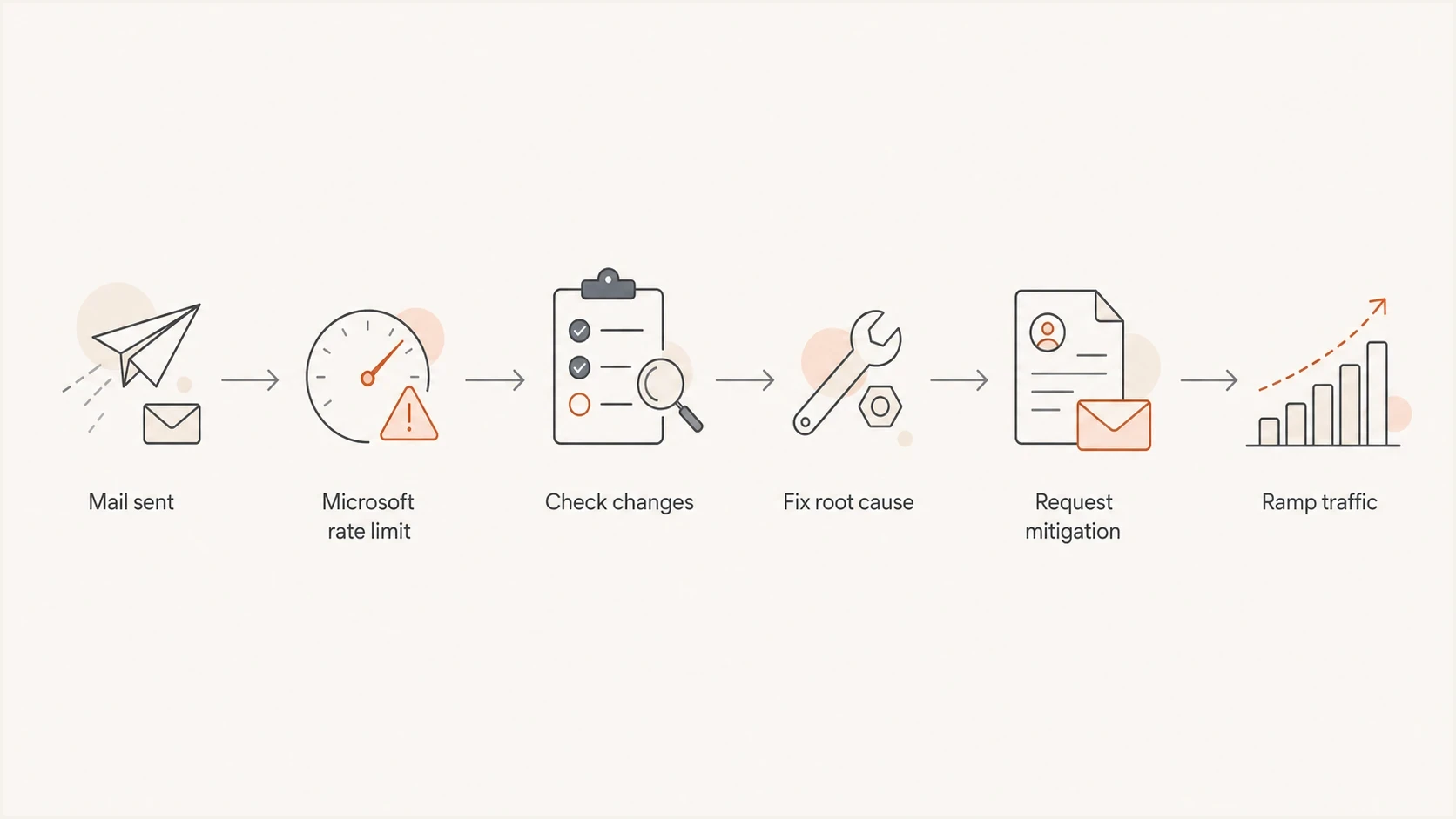
Flowchart for triaging a sudden Microsoft domain bounce spike.
Check for Microsoft authentication rejections
Since May 5, 2025, Microsoft has enforced stronger authentication for domains sending more than 5,000 messages a day to Outlook.com consumer addresses. Those senders need SPF and DKIM to pass, a valid DMARC record with a policy of at least p=none, and DMARC alignment with the domain in the visible From address. Non-compliant mail can be rejected rather than deferred.
Microsoft authentication rejection
550 5.7.515 Access denied, sending domain [example.com]
doesn't meet the required authentication level.
Spf=Pass, Dkim=Fail, DMARC=Pass
Do not send a reputation mitigation request first when the bounce names 5.7.515. Verify what Microsoft evaluated for that exact message. SPF or DKIM can pass on its own while DMARC alignment still fails, and a gateway or forwarding path can alter the message before Microsoft checks it.
- SPF: Confirm the envelope sender is authorized and its domain aligns when SPF supplies the DMARC pass.
- DKIM: Confirm the signature survives transit and the signing domain aligns with the visible From domain.
- DMARC: Confirm the record is valid and at least one aligned authentication path passes.
- Message path: Compare a rejected stream with a delivered stream by source, selector, return-path, and gateway.
How to investigate before changing anything
Start with segmentation. Pull the last clean day and the first bad day, then group by consumer Microsoft domains, custom Microsoft 365 domains, sending IP, envelope sender, DKIM selector, message type, campaign or template, and sending application. The goal is to find the first variable that changed before Microsoft started returning the same family of bounces.
Send a fresh message through the email tester to inspect headers, authentication, alignment, and obvious content issues on a real message. Also run a domain health check for DNS and authentication checks before assuming Microsoft has made a mistake.
- Separate: Break bounces apart by consumer Microsoft domains, custom Microsoft 365 domains, and other providers.
- Compare: Match the first bad hour against deploys, templates, imports, and API changes.
- Authenticate: Check SPF, DKIM, DMARC, return-path, visible From, and DKIM signing-domain alignment for the failing stream.
- Identify: Verify the sending IP has matching forward and reverse DNS and uses a valid EHLO identity.
- Inspect: Read recent transactional mail for account abuse, duplicate alerts, and unexpected templates.
- Review: Check blocklist monitoring and blacklist status for the sending IP and domain.
- Trace: Check retry intervals, queue age, and whether the sender converted repeated deferrals into final bounces.
Email tester
Send a real email to this address. Suped shows a results button when the test is ready.
?/43tests passed
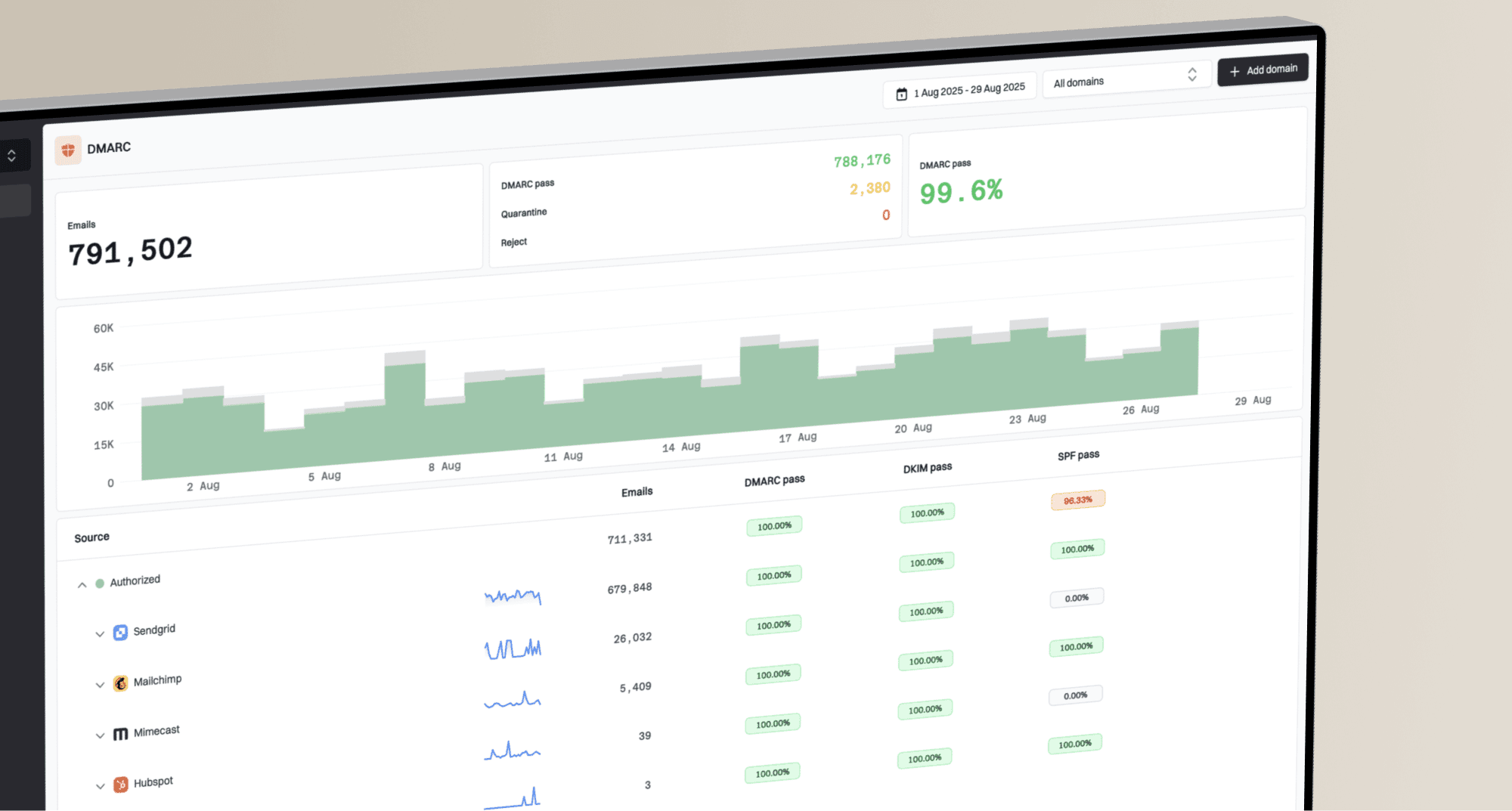
Use DMARC data for source-level answers, not only pass or fail totals. Suped's DMARC monitoring ties authentication results back to sending sources, selectors, IPs, and policy outcomes. That matters when two clients or two domains fail at the same time, because the shared cause is often infrastructure, routing, or a changed sending path.
Issues page showing top issues, verified sources, unverified sources, and authentication pass rates
When to submit Microsoft mitigation
For a 451 4.7.650 reputation deferral, submit a Microsoft mitigation request when authentication passes, no unexpected sender is active, Microsoft-specific volume has not jumped, complaint signals are low, and the IP or domain is not clearly blocklisted or blacklisted. Follow the remediation route named in the full bounce, because Outlook.com consumer recipients and custom Microsoft 365 recipients can require different handling.
Keep the request factual and short. Include affected IPs, sending domains, full bounce samples, UTC timestamps, message types, normal volume, current Microsoft-domain deferral rate, and the checks completed. Do not send a vague appeal that says the mail is legitimate. Show why the mail stream is stable and controlled.
Evidence package for mitigation
Affected IPs: 203.0.113.10, 203.0.113.11
Domains: example.com, alerts.example.com
Recipient group: Outlook.com consumer domains
Mail type: transactional receipts and password resets
First seen: 2026-07-24 09:15 UTC
Bounce code: 451 4.7.650 S843
Recent changes checked: DNS, volume, templates, API keys
Authentication: SPF pass, DKIM pass, DMARC pass
Internal bounce spike triage bands
Example incident triggers for a transactional stream. Set thresholds against your own baseline because these are not Microsoft acceptance limits.
Normal noise
<2%
Monitor against the established baseline.
Investigate
2-5%
Segment by stream, IP, and message type.
Incident
>5%
Pause risky streams and escalate.
Do not rotate IPs first
Moving the same traffic to a new IP before finding the cause can spread the problem. Keep clean transactional traffic steady, pause suspicious streams, and preserve controlled retry backoff. Ramp only after Microsoft accepts mail again.
Where Suped fits
Suped is our DMARC and email authentication platform. During a Microsoft bounce incident, it helps group authentication failures by source, selector, IP, and policy outcome so teams can compare the first failing stream with known mail sources.
The practical workflow is to monitor DMARC, SPF, and DKIM, detect unauthorized or broken senders, watch blocklist monitoring signals, and alert on authentication or volume changes. Hosted SPF and SPF flattening can also support controlled sender changes when a domain is close to the SPF DNS lookup limit.
Manual incident handling
- Logs: You export and join bounce, provider, DNS, and campaign data.
- Timing: You discover authentication drift after bounces have already climbed.
- Scale: Agencies and MSPs repeat the same checks per client.
Suped workflow
- Issues: Automated detection groups failures by source and gives fix steps.
- Alerts: Real-time notifications flag unusual authentication and volume changes.
- Teams: Multi-tenant views keep client domains and reports in one place.
Views from the trenches
Best practices
Segment Microsoft bounce reports by code, IP, domain, and sending stream before changes.
Compare the last clean sending day with the first failed day to isolate the trigger.
Keep transactional mail on stable IPs and warm any new Microsoft volume in small steps.
Common pitfalls
Treating every Microsoft deferral as DNS failure wastes time when IP reputation is named.
Submitting mitigation before checking recent traffic can hide a compromised sending path.
Stopping all mail at once can delay recovery when Microsoft expects steady good traffic.
Expert tips
Follow up on mitigation requests with samples, dates, IPs, domains, and bounce codes.
Use DMARC reports to confirm which services sent mail before Microsoft bounces started.
Watch blocklist and blacklist status, but treat Microsoft rate limits separately.
Marketer from Email Geeks says Microsoft can react strongly to volume changes, so a sudden increase in Microsoft-domain traffic needs checking even when global volume looks flat.
2025-02-12 - Email Geeks
Marketer from Email Geeks says senders should inspect what left the funnel, because a compromised integration can change reputation before dashboards look bad.
2025-03-04 - Email Geeks
What to do next
Treat a sudden rise in Microsoft bounces according to the exact code. For 451 4.7.650, investigate provider-specific IP reputation. For 550 5.7.515, repair authentication and DMARC alignment. In either case, start with segmented logs, then check abuse, DNS identity, and blocklist or blacklist status before changing infrastructure.
For temporary reputation deferrals, keep good traffic steady, pause anything suspicious, retain the retry queue with backoff, and follow up on mitigation until Microsoft responds. After mail starts flowing again, monitor the original failing source rather than closing the incident at the first sign of recovery.