Where can I find a current list of disposable email domains for email suppression?

Published 14 Aug 2025
Updated 10 Aug 2026
9 min read
Summarize with
Updated on 10 Aug 2026: We updated this guide with public-suffix-aware matching, wildcard handling, safer policy controls, and clearer Suped workflows.
There is no single canonical list that stays current by itself. The practical setup is to use a maintained public disposable-domain blocklist (blacklist) as seed data, refresh it automatically, and treat every match as a suppression signal with policy controls around it.
For a free starting point, use the public GitHub list. It provides a plain domain blocklist for application imports and accepts documented additions or removal requests. Its maintainers also state that they cannot guarantee every entry is still disposable, so local review and versioning remain necessary.
- Seed list: Use a maintained public blocklist or blacklist to catch known temporary mailbox domains such as Mailinator-style services.
- Refresh job: Pull updates on a schedule, store the version, and track every domain added or removed.
- Policy layer: Do not convert list membership into a permanent global block without review rules and allowlists.
A disposable-domain list should be an input to suppression, not the whole suppression process. Temporary email services rotate domains fast, and ordinary mailbox providers can be abused as throwaway accounts without being disposable domains.
Where to get a current disposable domain list
Use a maintained GitHub dataset and import an approved copy into your application. That answers the sourcing question, but it does not solve suppression quality by itself. A static CSV becomes stale quickly, and a raw list cannot tell you whether a signup is fraudulent, a test user, a privacy-conscious buyer, or a legitimate lead using a shared mailbox.
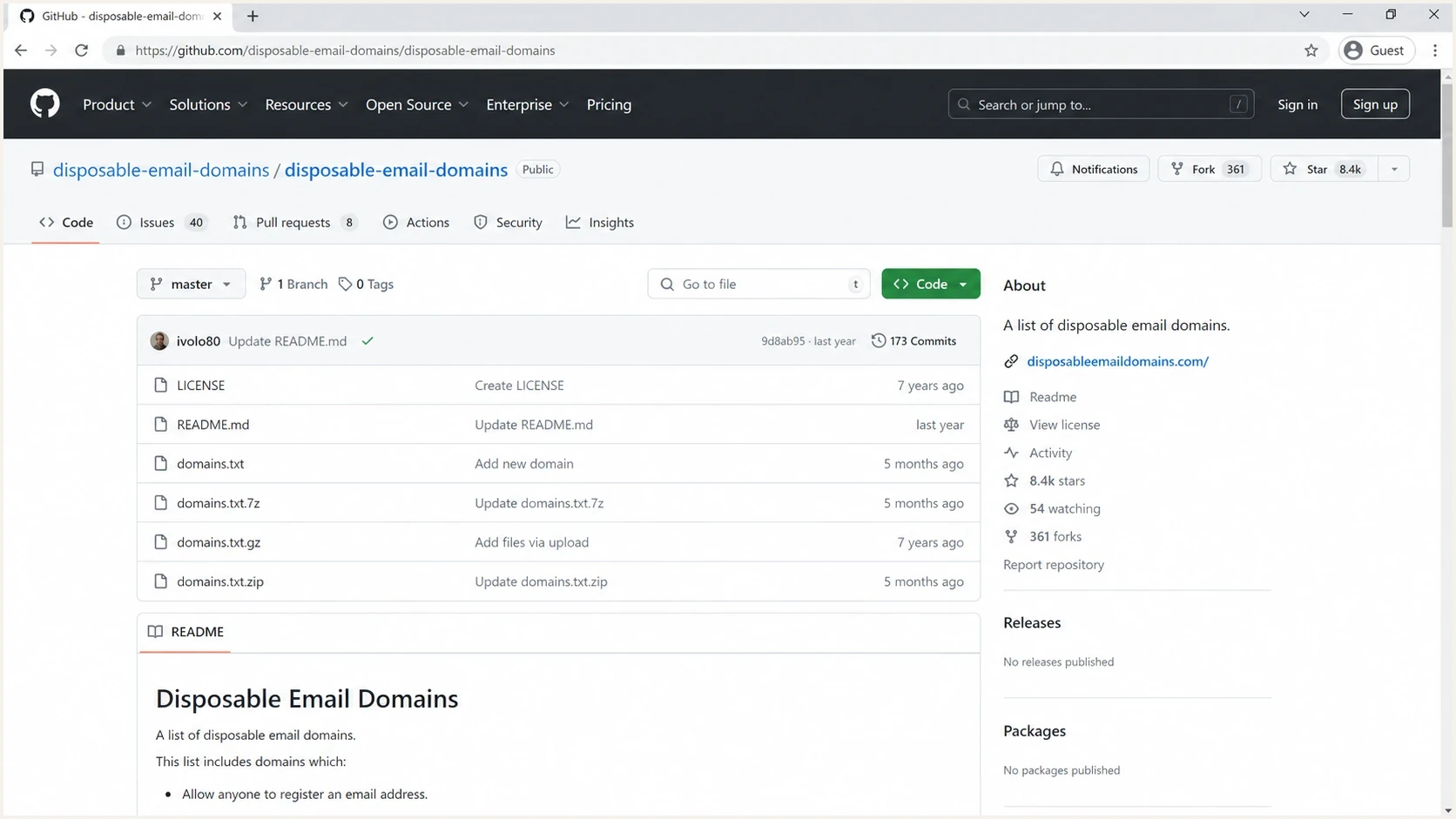
GitHub repository page for a disposable email domain list.
|
|
|
|---|---|---|
GitHub list | Seed data | Needs refresh |
Application copy | App builds | Version drift |
Internal table | Audit trail | Needs owner |
Form rules | Signup flow | False rejects |
Use public list data as a starting point, then add policy controls.
The best list for suppression is the one your team can operate. You need to know when it changed, explain why a domain was blocked, and reverse a decision when the data is wrong.
What makes a disposable domain list current
A current disposable email domain list is more than a long file. It has recent additions and removals, normalized casing, deduplication, wildcard coverage, and validation against public suffix rules. A domain that was disposable last year can go offline, while a temporary mailbox provider can add fresh domains several times in one day.
List freshness thresholds
A simple operating target for suppression data freshness.
Healthy
0-1 days
The list is checked and updated at least daily.
Watch
2-30 days
The list still helps, but fast-moving domains slip through.
Stale
31+ days
The list is useful only as historical reference data.
Store both the source list and the local decision. The source list records what the outside data said. The local decision records what the business did with that signal. Keeping them separate prevents a public list update from silently changing the customer database.
Static list
- Simple setup: A CSV or text file is easy to import into a signup form or CRM workflow.
- Fast decay: New temporary domains appear faster than most teams update manual files.
- Weak audit: It is hard to prove which source caused a suppression decision.
Managed suppression logic
- Current data: A scheduled refresh keeps the seed list close to present behavior.
- Local rules: Allowlists, review queues, and risk levels reduce false rejections.
- Clear audit: Each blocked address has a source, timestamp, and business reason.
How to wire the list into suppression
A reliable suppression process normalizes the address, derives the registrable domain with public-suffix-aware logic, checks exact and wildcard entries, applies local policy, and logs the decision. Skipping normalization causes misses because users enter mixed case, extra spaces, IDN domains, or subdomains.
Suppression decision flowtext
normalize(email)
domain = lower(idna_domain(email))
registrable = public_suffix_aware_domain(domain)

action = "allow"

if domain in allowlist or registrable in allowlist:
  action = "allow_or_review"
elif domain in disposable_exact_list:
  action = "suppress"
elif registrable in disposable_registrable_list:
  action = "suppress"
elif matches_disposable_wildcard(domain):
  action = "review"

log_decision(email, domain, registrable, action, source, version, timestamp)
Use Public Suffix List-aware parsing instead of removing labels until only two remain. A registrable domain under co.uk needs different handling than one under com, and wildcard entries need explicit matching.
- Normalize: Lowercase the domain, trim spaces, convert IDNs to ASCII, and remove a trailing dot.
- Match: Check exact entries, derive the registrable domain with public suffix rules, then evaluate explicit wildcards.
- Decide: Use block, review, allow, and allowlist states instead of one permanent suppressed state.
- Record: Save the matched rule, source, version, and timestamp for every suppression action.
Do not suppress existing engaged subscribers just because a domain appears in a new list update. Mark them for review instead. A list can contain mistakes, and some domains change ownership or behavior over time.
What to suppress and what to review
Disposable email suppression works best when it separates hard evidence from weak signals. A known temporary mailbox domain at signup is strong evidence that the address is short-lived, but it does not prove fraud. A free mailbox provider is not a disposable domain. Odd sending behavior, a high bounce rate, low engagement, or complaint activity belongs in review rather than an automatic block.
|
|
|
|---|---|---|
Temp domain | Block | Known temporary service |
Wildcard hit | Review | Needs context |
Free mailbox | Allow | Valid domain |
High bounce | Review | Mixed causes |
Confirmed user | Keep | Has account history |
Keep the action narrow enough to avoid blocking real users.
This distinction matters because suppression changes affect acquisition, support, and deliverability at the same time. If you block too broadly, users who want access will switch to personal throwaway accounts at major mailbox providers. That hides the quality issue and can increase complaints at the providers you care about most.
Poor rule
- Broad block: Blocks Gmail, Yahoo, Outlook, or Hotmail because some users create throwaway accounts there.
- Hidden issue: Users still sign up, but now the low-intent behavior is harder to identify.
- Reputation cost: More low-quality mail goes to major mailbox providers and raises complaint risk.
Better rule
- Known temp: Blocks domains whose main purpose is short-lived mailbox access.
- Intent check: Uses confirmed opt-in, product use, and engagement to decide what happens next.
- Review path: Routes weak signals into manual or automated review instead of permanent suppression.
Keep list suppression separate from deliverability checks
Disposable-domain suppression is a list quality control. It is separate from deliverability testing, blocklist or blacklist monitoring, SPF validation, DKIM validation, and DMARC policy monitoring. Those checks answer whether the mail you decide to send is authenticated, trusted, and accepted by receivers.
After a suppression change, test a real campaign or transactional message with Suped's email tester. Then check the sending domain with the domain health checker so authentication problems are not blamed on suppression rules.
Suped's product keeps the adjacent controls in one workflow: DMARC monitoring, SPF and DKIM visibility, hosted records, real-time alerts, and blocklist monitoring (blacklist monitoring). For MSPs, the multi-tenant dashboard keeps those checks organized across client domains.

Email tester sample report showing total score, email preview, issue summary, and per-section results
That separation prevents a common mistake. A cleaner signup list can reduce bounces and complaints, but it will not fix a broken SPF record, missing DKIM signature, weak DMARC policy, or domain reputation issue. Suped helps expose those separate failure points and provides concrete steps to fix them.
A practical refresh and audit plan
Daily refresh is a practical baseline for most teams. Higher-risk signup flows can refresh more often when the source publishes more frequently. The refresh job should compare the new list with the previous version, count additions and removals, and flag large changes before they affect production.
Daily refresh checklisttext
fetch source list
normalize domains
validate public suffix rules
remove duplicates
compare with previous version
write additions and removals
run allowlist checks
publish approved version
log version hash and timestamp
- Owner: Assign one team to approve the suppression policy and review unexpected list changes.
- Versioning: Store the source name, source date, local version hash, and approval timestamp.
- Testing: Run the rule against recent signups before publishing it into the live form.
- Rollback: Keep the previous approved version ready so you can reverse a bad update quickly.
A strong suppression program has a release process. The list update is the data change. The production decision is the policy change.
When a disposable list is the wrong fix
If many users choose temporary inboxes, the problem often sits earlier in the acquisition flow. The offer, form, privacy language, or incentive can encourage people to protect their primary address. A stricter list catches the symptom, but the signup design still creates low-trust behavior.
Do not treat Gmail, Yahoo, Outlook, or Hotmail as disposable domains. People create throwaway accounts there, but those providers also host real users. Blocking them removes legitimate contacts and pushes the remaining low-intent users into channels that are harder to identify.
Suppression decision mix
A healthy process sends only strong disposable-domain matches into hard suppression.
Allow
Review
Suppress
If you are cleaning an existing database rather than filtering new signups, review list cleaning services as a separate project. One-time cleanup has different risks than live suppression because it changes records that already have history.
Views from the trenches
Best practices
Use maintained public lists as seed data, then keep an internal allowlist for real users.
Store the matched domain, source, and date so every suppression choice can be audited.
Review free mailbox providers separately because a throwaway account is still valid.
Common pitfalls
Blocking Gmail or Yahoo pushes users to hide intent and hurts sender reputation there.
Treating an old static CSV as current lets fast-rotating disposable domains slip through.
Suppressing subscribers after a list update can remove legitimate engaged people.
Expert tips
Refresh list data daily, then test the suppression rule against recent acquisition paths.
Use behavioral signals with domain lists, such as confirmed opt-in and bounce history.
Keep a review path for B2B forms so temporary domains do not block good accounts.
Marketer from Email Geeks says public GitHub lists are useful starting points, but they need refresh and local policy controls before production use.
2019-10-30 - Email Geeks
Marketer from Email Geeks says Gmail and Yahoo should not be treated as disposable domains, even though people use them for throwaway accounts.
2019-10-31 - Email Geeks
Practical recommendation
Use a maintained public disposable-domain list as the source, refresh it on a schedule, and put your own policy around it. A reliable setup catches known temporary inboxes while protecting legitimate users and keeping an audit trail.
For suppression, use exact-domain blocking for known temporary services, review wildcard and weak-signal matches, and allowlist real mailbox providers. For email authentication and sender reputation, Suped's product connects DMARC, SPF, DKIM, hosted records, blocklist or blacklist visibility, and real-time issue detection with remediation workflows.
A current list helps you reject disposable inboxes. A current process does that without breaking acquisition, support, or deliverability.