What will happen when Cox.net subscribers move to Yahoo Mail?

Published 7 May 2025
Updated 30 Jul 2026
9 min read
Summarize with

Updated on 30 Jul 2026: We updated this guide for the completed Cox migration and Yahoo's current sender requirements.
Cox completed the move of its residential cox.net email service to Yahoo Mail in 2024. Subscribers kept their cox.net addresses, and eligible account data such as messages, folders, contacts, and calendar events moved with them. Yahoo now provides mailbox access, filtering, and email support. Cox documents the arrangement on the Cox transition page.
For subscribers, the practical answer is simple: the email address stays familiar, but the account behaves like a Yahoo Mail account. For senders, cox.net is Yahoo-managed traffic. Expect Yahoo filtering, deferrals, complaint sensitivity, and engagement signals to shape delivery outcomes.
- Subscribers: Keep using the cox.net address, but sign in through Yahoo Mail.
- Mail clients: Replace Cox server settings with Yahoo IMAP, POP, and SMTP settings.
- Senders: Watch cox.net engagement, complaints, bounces, and throttling as a Yahoo cohort.
- Deliverability teams: Keep cox.net visible as its own reporting segment and in Yahoo-family totals.
What changed for subscribers
The subscriber experience changed most for people who use Outlook, Apple Mail, phone mail apps, or another third-party email client. Yahoo's instructions say transitioned cox.net users need to generate an app password and update incoming and outgoing server settings. The Yahoo client settings page has the current details.
|
|
|
|---|---|---|
Address | Still cox.net | Keep using it |
Stored data | Moved to Yahoo | Check mail, folders, contacts, and calendar |
Webmail | Yahoo Mail | Sign in there |
Password | App password | Generate one |
Filtering | Yahoo rules | Check folders |
Support | Yahoo path | Use Yahoo help |
Subscriber changes after the cox.net move to Yahoo Mail.
The address itself was the least disruptive part of the change. The mailbox store, access layer, spam folder behavior, and client login rules are the parts people notice when something breaks. A subscriber who only uses webmail notices less than someone with an old desktop client using saved Cox server names.
A transitioned user who accepted Yahoo's Terms of Service and Privacy Policy can continue accessing the cox.net address after discontinuing Cox internet service. That access depends on the Yahoo-managed account, so users should keep recovery details current and follow Yahoo's account activity requirements.
Yahoo settings for transitioned cox.net mailtext
IMAP server: imap.mail.yahoo.com
IMAP port: 993
IMAP security: SSL/TLS

POP server: pop.mail.yahoo.com
POP port: 995
POP security: SSL/TLS

SMTP server: smtp.mail.yahoo.com
SMTP port: 465 or 587
SMTP security: SSL/TLS
SMTP authentication: required

Username: full cox.net email address
Password: Yahoo app password for the mail client
The app password detail matters
A normal account password is not enough for many third-party clients. The app password is a separate credential for the mail app. If a user changes the main account password later, old app passwords stay active until the user removes them.
What changed for senders
For senders, the main change is classification. Cox.net no longer has a separate Cox receiver profile and now behaves as Yahoo Mail traffic. That does not mean every existing cox.net address became a new yahoo.com address in a CRM. It means delivery outcomes should be measured against Yahoo's filtering and acceptance behavior.
Before the move
- Routing: Cox-specific MX and filtering paths controlled the mailbox handoff.
- Reporting: Many teams tracked cox.net as its own small receiver segment.
- Troubleshooting: Cox-specific bounce text and routing assumptions shaped diagnosis.
After the move
- Routing: Yahoo infrastructure and acceptance behavior are the practical baseline.
- Reporting: Cox.net should stay visible and also roll into Yahoo-family analysis.
- Troubleshooting: Yahoo deferrals, complaints, and engagement patterns take priority.
This arrangement resembles other ISP addresses that Yahoo manages behind the scenes. The AT&T and Yahoo routing pattern is a useful comparison, with one caveat: confirm the actual receiving path and response codes in mail logs instead of grouping domains by name alone.
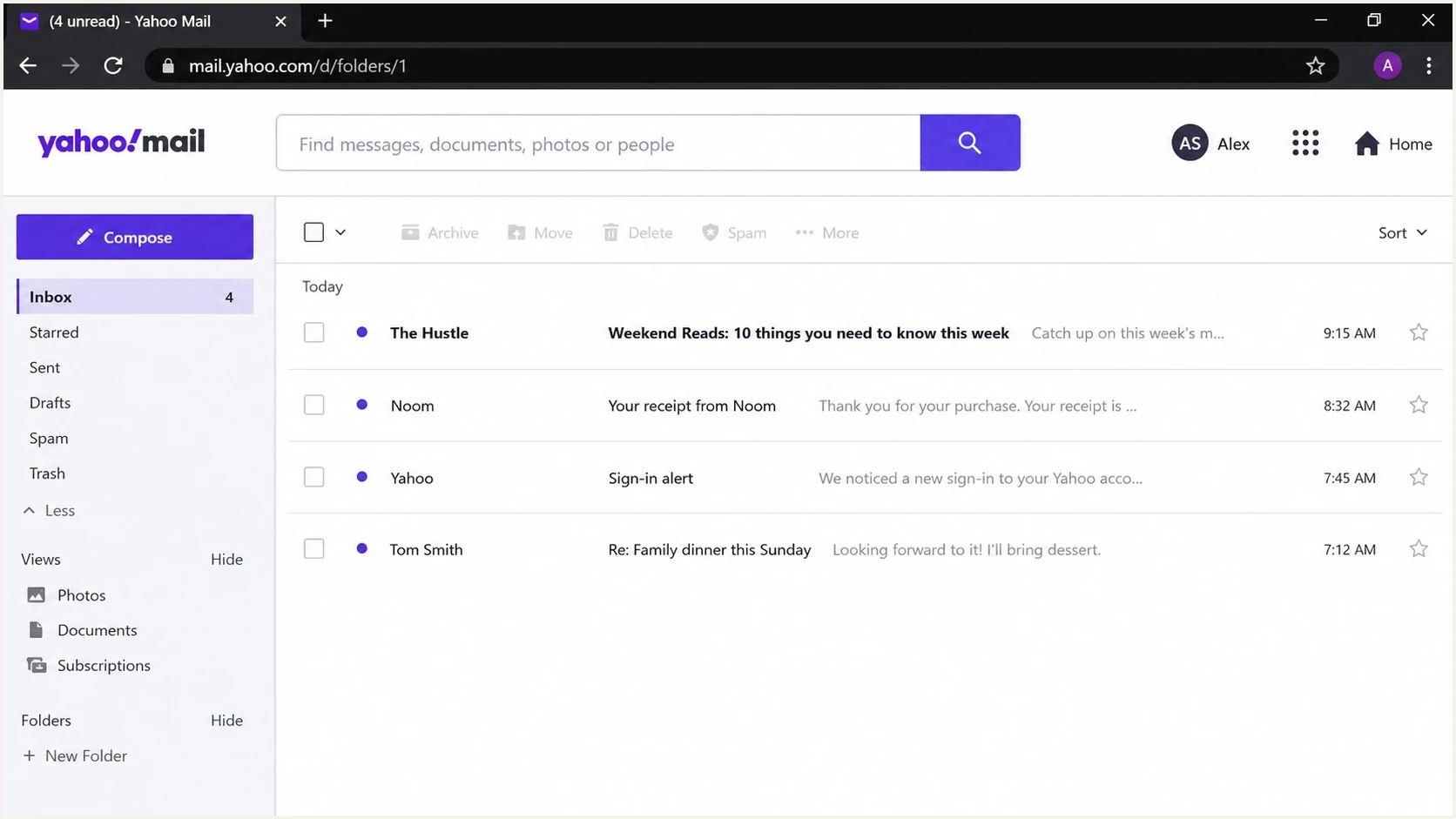
Yahoo Mail inbox view showing folders, message list, search, and account controls.
Yahoo sender requirements for cox.net delivery
Yahoo states that its sender requirements apply to consumer email domains hosted by Yahoo Mail. Senders should therefore apply the same compliance checks to cox.net recipients that they use for yahoo.com traffic. The recipient domain does not exempt a sending domain from Yahoo's authentication or reputation rules.
- All senders: Authenticate with SPF or DKIM, keep spam complaints below 0.3%, and use valid forward and reverse DNS.
- Bulk senders: Use both SPF and DKIM, publish DMARC with at least p=none, and make DMARC pass by matching the visible From domain to an authenticated identity.
- Marketing mail: Add a functioning one-click unsubscribe header, include a visible unsubscribe link, and honor requests within two days.
- Complaint handling: Process complaint feedback for the DKIM signing domain and suppress recipients who report messages as spam.
Yahoo calculates its complaint threshold using messages delivered to the inbox, so an internal rate based on all attempted or delivered mail can look lower. Review the exact denominator before treating a local complaint metric as proof of compliance.
Deliverability impact for brands
The migration did not turn cox.net into a huge new mailbox provider by itself. For many senders, cox.net is a small share of the file. Small does not mean safe to ignore. If cox.net is 1% of a list, that segment is still large enough to show a pattern when delivery performance changes.
How closely to watch cox.net volume
Use list share to decide how much reporting detail cox.net traffic deserves.
Low exposure
Under 0.5%
Spot-check bounces and complaints weekly.
Meaningful exposure
0.5% to 2%
Keep cox.net as a visible report segment.
High exposure
Over 2%
Add monitoring and campaign review.
The biggest mistakes are overreacting to a small volume of noise or ignoring a clear Yahoo-pattern issue because the domain still says cox.net. Keep a standalone cox.net segment and a combined Yahoo-family segment. That provides enough detail to see domain-specific changes without turning reports into permanent one-off ISP columns.
A real seed or live message test matters more than a routing assumption. Send a controlled message, inspect the headers, check authentication results, and compare placement against normal Yahoo results. Suped has an email tester for this workflow.
Email tester
Send a real email to this address. Suped shows a results button when the test is ready.
?/43tests passed
After testing, put the results next to campaign metrics. If the message passes SPF, DKIM, and DMARC but defers at Yahoo-style rates, authentication is not the whole problem. Then look at cadence, complaint rate, stale cox.net addresses, and whether recent campaigns changed content or targeting.
What to monitor now
Suped's product fits into this workflow as a DMARC and email authentication platform. Teams can use Suped to watch authentication and source behavior, then compare those findings with deliverability signals and blocklist or blacklist context. This keeps the evidence for a cox.net issue in one review process.
Suped DMARC dashboard showing email volume, authentication health, and source breakdown
The practical monitoring list is short. Focus on signals that explain Yahoo acceptance, filtering, or user response.
- Authentication: Confirm SPF, DKIM, and DMARC pass for every active sending source.
- Domain match: Check that the visible From domain matches the SPF or DKIM identity used for DMARC.
- Deferrals: Track temporary failures and throttling separately from hard bounces.
- Complaints: Watch complaint rates for cox.net and the wider Yahoo-managed cohort.
- Reputation: Pair blocklist and blacklist checks with real bounce and placement evidence.
For ongoing visibility, use DMARC monitoring to find authentication drift, blocklist monitoring to catch reputation issues, and a domain health checker when you need a quick DNS and authentication snapshot.
Practical playbook for senders
The right response is controlled measurement, not suppression of cox.net users as a group. A subscriber who kept a cox.net address for years can still be active after the mailbox backend changed. The goal is to identify real delivery trouble without turning an infrastructure change into a list hygiene mistake.
- Segment: Create a cox.net segment and a Yahoo-family rollup in reporting.
- Baseline: Record normal engagement, bounces, complaints, and deferrals.
- Authenticate: Fix sending sources that fail SPF, DKIM, or DMARC before blaming Yahoo.
- Throttle: Reduce bursts if Yahoo temporary failures increase.
- Clean: Remove stale cox.net subscribers based on engagement and hard bounces.
- Explain: Tell support teams that users keep the address but use Yahoo access.
Authentication deserves special attention because Yahoo requires clean sender identity. If a domain still has a weak DMARC setup, fix it before troubleshooting harder placement questions.
Starter DMARC record for monitoringdns
v=DMARC1; p=none; rua=mailto:dmarc-reports@example.com; fo=1
Do not skip the reporting phase
Moving straight to a stricter DMARC policy without checking all sending sources creates avoidable failures. Start with reporting, verify every sender, then stage policy changes. Suped Hosted DMARC and Hosted SPF can help when DNS access is slow or sender ownership is split across teams.
Views from the trenches
Best practices
Track cox.net separately until Yahoo routing and bounce patterns settle into a clear baseline.
Keep a Yahoo-family rollup and a cox.net view so small volume shifts do not hide issues.
Retest seeded and live mail when logs show routing changes, not only after user reports.
Common pitfalls
Assuming the address changed leads teams to suppress valid cox.net subscribers too early.
Treating old Cox bounce wording as current hides Yahoo throttling and policy signals.
Leaving Outlook and Apple Mail users on old server settings creates support churn quickly.
Expert tips
Use authentication checks first, then review complaints, deferrals, and recent engagement.
Separate routing noise from reputation trouble by comparing cox.net to Yahoo segments.
Watch blocklist and blacklist context, but do not blame listings for every Yahoo deferral.
Expert from Email Geeks says cox.net volume is small for many senders, but still worth tracking when it forms a meaningful share of a list.
2024-01-09 - Email Geeks
Expert from Email Geeks says Yahoo growth from Cox.net does not suddenly change the largest mailbox provider rankings.
2024-01-09 - Email Geeks
How to handle cox.net delivery now
Cox.net subscribers did not disappear. Their mailboxes moved behind Yahoo Mail, which changed the operating model. Subscribers use Yahoo access and current client settings. Senders should treat cox.net as a Yahoo-managed receiver while keeping enough separate reporting to catch domain-specific problems.
Verify authentication, test real messages, monitor cox.net as its own cohort, and compare it with Yahoo-family performance. Suped's product supports that workflow with DMARC reporting, hosted record management, alerts, issue detection, and blocklist monitoring.




