What does a Zerobounce report contain?

Updated on 28 Jul 2026: We updated the report breakdown for rejected rows and current accept-all handling.
A ZeroBounce report contains the email address that was checked, a top-level validation status, a more specific sub-status, and supporting fields such as account, domain, suggested typo correction, free-email flag, catch-all-domain indicator, MX data, SMTP provider, and processing time. Names, gender, domain age, activity data, and IP-derived location data can also appear when available or selected. A bulk download is packaged as a ZIP with an all-results CSV, separate CSV files grouped by result type, the original uploaded file, an overview PDF, and a rejected-rows CSV when records were not processed.
Treat the report as a decision file, not a guarantee that every accepted address will receive mail. The valid or invalid label is only the first layer. The real value is in the sub-status and operational fields that explain why an address landed in a category, especially catch-all, role-based, disposable, greylisted, mailbox not found, and temporary mail server results.
- Main statuses: Valid, Invalid, Catch-All, Spamtrap, Abuse, Do Not Mail, and Unknown are the main routing labels.
- Detailed reasons: Sub-statuses explain the reason behind the label, such as mailbox not found, possible typo, role-based, disposable, or greylisted.
- Next checks: After validation, check the sending domain with a domain health checker because list quality and sender setup are separate deliverability controls.
Direct answer
The report contains both a summary view and row-level validation data. The summary tells you how much of the list sits in each category. The row-level file tells you what to do with each address. If you only look at the count of valid addresses, you miss the operational clues that help reduce bounces, suppress risky contacts, and route uncertain contacts into a cautious workflow.
|
|
|
|---|---|---|
Email | The checked address. | Keep as the row key. |
Status | The main result label. | Segment the list. |
Sub-status | The detailed reason. | Decide action. |
Suggested correction | A possible fix for a typo. | Review, do not auto-replace. |
Account | Mailbox local part. | Find roles. |
Domain | Mailbox domain. | Group risk. |
Name data | Optional name and gender data. | Enrich records. |
Location | IP-derived city, region, zip, and country when available. | Check context. |
Free email | Free mailbox flag. | Separate B2B. |
Catch-all domain | True, false, or unknown domain-level indicator. | Separate uncertain mailboxes. |
MX found | Mail exchanger exists. | Reject dead domains. |
SMTP provider | Detected mail host. | Spot patterns. |
Domain and activity | Optional domain age and activity recency fields. | Prioritize review. |
Common ZeroBounce report fields and how to read them.
The short version
A ZeroBounce report tells you whether each address looks safe, unsafe, risky, or unverifiable at the time of checking. It does not prove inbox placement, engagement, DMARC domain match, or that the recipient server will accept the next real message.
Files in the download
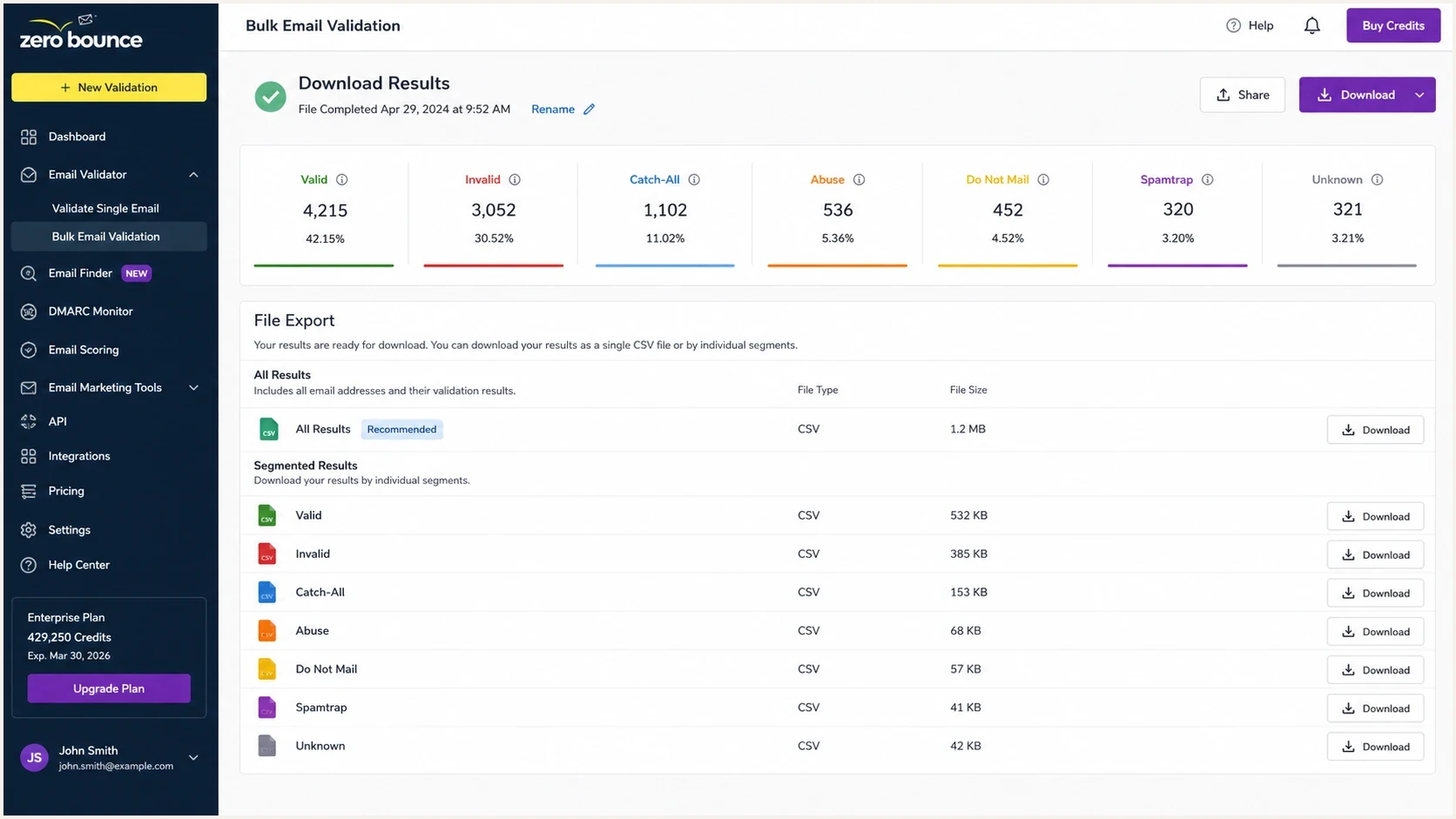
ZeroBounce results screen showing validation categories and download options.
The bulk export is the part most teams mean when they ask for an example report. A connected app can show a smaller subset of the same information, but the downloaded export gives the clearest view of every processed row and reason code. Some integrations explain the basic connection flow in a ZeroBounce introduction, while the CSV export is the source to check for exact field-level results. The final columns vary with the selected data appends and the data available for each address.
- All results: One CSV contains the processed list with status, sub-status, and appended fields.
- Status files: Separate CSVs group contacts into Valid, Invalid, Catch-All, Spamtrap, Abuse, Do Not Mail, and Unknown.
- Original file: The original upload is included so you can reconcile changes and preserve columns that were not part of validation.
- Overview file: The PDF summarizes status counts and percentages, data appends, top domains, and available geolocation. It is useful for reporting but not enough for suppression logic.
Typical exported columnsCSV
Email Address,ZB Status,ZB Sub Status,ZB Account,ZB Domain
ZB First Name,ZB Last Name,ZB Gender,ZB Country,ZB Free Email
ZB MX Found,ZB MX Record,ZB SMTP Provider,ZB Processed At
Rejected rows and reconciliation
The all-results CSV can contain fewer rows than the original upload. When ZeroBounce rejects records before validation, a _rejected.csv file appears in the ZIP. It can contain duplicate addresses, malformed addresses, rows without an address, and addresses with non-ASCII characters. If no records were rejected, this file does not appear.
- Compare counts: Reconcile the original file, processed results, and rejected rows before replacing a source list.
- Keep a row ID: Add a stable identifier before upload because processing order can differ from the source order.
- Separate invalid from rejected: Invalid rows were processed and failed validation. Rejected rows were excluded before a validation result was produced.
- Retain the archive: ZeroBounce keeps downloadable results for 30 days. If password-protected downloads are enabled, each download gets a new password by email.
Do not import by row position
Match records by email address or a preserved row ID. Deduplication and rejected rows can change both the row count and the order of the results.
How to read the statuses
The status is the first filter. It answers the broad question: should this contact stay in the sendable list, be removed, be reviewed, or be tested with a lower-risk workflow? The sub-status is the second filter. It explains what made the result risky or uncertain.
Usually sendable
- Valid: The address passed validation. Keep its sub-status because Valid can include aliases, alternate addresses, or other useful qualifiers.
- Free email: The address can still be valid, but it changes segmentation for B2B campaigns.
- Accept-all: ZeroBounce can return a vetted accept-all domain as Valid. This differs from the standalone Catch-All status and still warrants engagement monitoring.
Remove or review
- Invalid: Remove these addresses before sending because they are the most direct bounce risk.
- Do Not Mail: Review the sub-status for role-based, disposable, toxic, global suppression, forwarding, or possible trap results, then suppress by policy.
- Unknown: Do not treat uncertainty as approval. Retry later, route to a test segment, or suppress it.
The important nuance is that valid does not mean high intent, recent activity, or inbox placement. It means the address passed the checks ZeroBounce ran. Compare the send results against the acceptable bounce rate threshold for the specific campaign type.
Catch-all results
The standalone Catch-All status causes the most confusion. A catch-all domain accepts mail for many or all addresses at the domain during the validation check, so the verifier cannot prove that the individual mailbox exists. Treat that result as a deliverability risk category. A Valid result with the accept_all sub-status is different: ZeroBounce uses that label for vetted accept-all domains with its own delivery history, but the sub-status should remain attached to the record.
Do not flatten catch-all into valid
If you need to send to contacts with the standalone Catch-All status, run the extended catch-all workflow where it is available, or isolate those contacts in a cautious test segment. The standard report can identify catch-all addresses, but it cannot turn every catch-all into a confirmed mailbox.
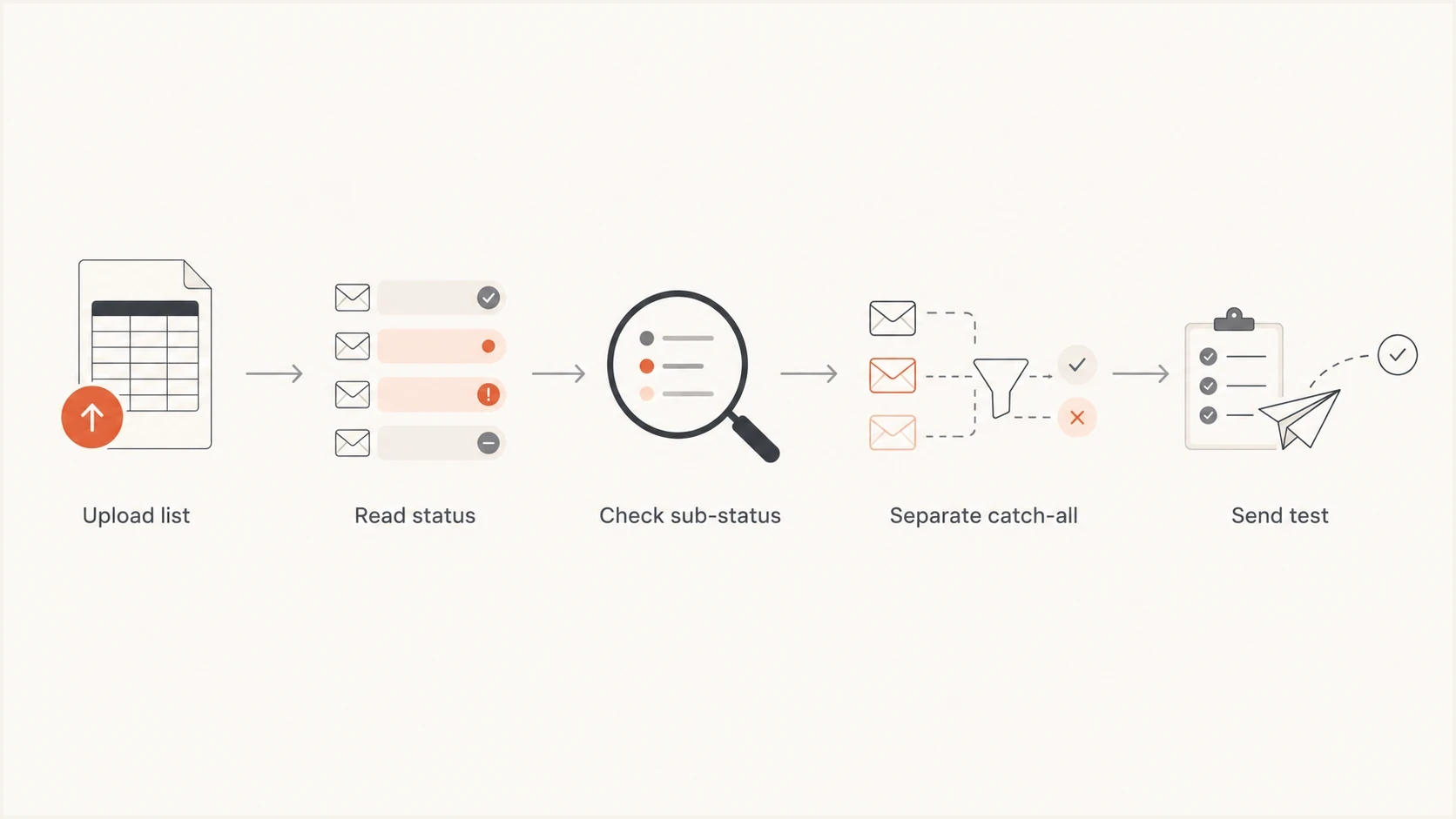
Flowchart showing how to move from ZeroBounce status results to a cautious send test.
The right action depends on why you are validating. If the issue is mostly known business domains and you only need a quick B2B list sample, catch-all detail can be less important than the invalid, no DNS, role-based, and disposable rows. If you are sending volume, catch-all handling matters more because a small percentage of hidden bad mailboxes can move your bounce rate quickly.
How to use the report before sending
Use a conservative process. Let the report reduce risk before a campaign, then use real send diagnostics to catch problems the verifier cannot see. A list cleaner can test address quality, but it cannot confirm that your message, domain, authentication, and reputation will perform well in the inbox.
- Suppress hard failures: Remove Invalid, Spamtrap, Abuse, and Do Not Mail rows before import into the sending platform.
- Review uncertain rows: Put Catch-All and Unknown rows into a separate file with limits, throttling, and clear bounce tracking.
- Check domains: Group by domain to spot repeated no-DNS results, temporary server errors, or one provider causing most uncertainty.
- Test the message: Send a real campaign-style email to a diagnostic inbox before sending to the cleaned list.
After cleaning, send a real campaign-style message through an email tester before trusting the list at campaign volume. That test checks the message and authentication path, which a validation report cannot see.
Email tester
Send a real email to this address. Suped shows a results button when the test is ready.
?/43tests passed
If the test passes but the campaign still bounces, check for stale data, catch-all rows mixed into the main send, imports that ignored suppression columns, and sending platform behavior around hard bounces. The validation report is only as useful as the suppression logic that follows it.
What the report does not prove
A ZeroBounce report helps clean recipient data. It does not replace sender authentication, reputation monitoring, campaign monitoring, or post-send bounce analysis. This distinction matters because many teams clean a list, see a high valid count, and assume the campaign is safe. That is an incomplete read.
What ZeroBounce tells you
- Address risk: Whether a recipient address appears valid, invalid, risky, or uncertain.
- Domain routing: Whether the recipient domain has mail exchange records and a detected mail provider.
- List segments: Which rows should be mailed, suppressed, retried, or isolated.
What you still need
- Authentication: Use DMARC monitoring to see whether SPF and DKIM are passing for the visible sending domain.
- Reputation: Use blocklist monitoring to catch domain and IP listings on blocklists (blacklists) that affect delivery.
- Campaign evidence: Compare real bounce codes, spam reports, opens, clicks, replies, and unsubscribes after launch.
Example list split after validation
This is an example allocation, not a benchmark. Real lists vary by source age, acquisition method, and market.
Valid
72%Invalid
10%Catch-All
8%Do Not Mail
6%Unknown
4%Where Suped fits
Suped fits around the ZeroBounce workflow, not instead of it. ZeroBounce validates recipient addresses. Suped is our DMARC reporting and email authentication platform for monitoring the sending domain after list cleaning. It brings DMARC, SPF, DKIM, blocklist (blacklist) monitoring, hosted DMARC, hosted SPF, hosted MTA-STS, and real-time issue alerts into one operational view.
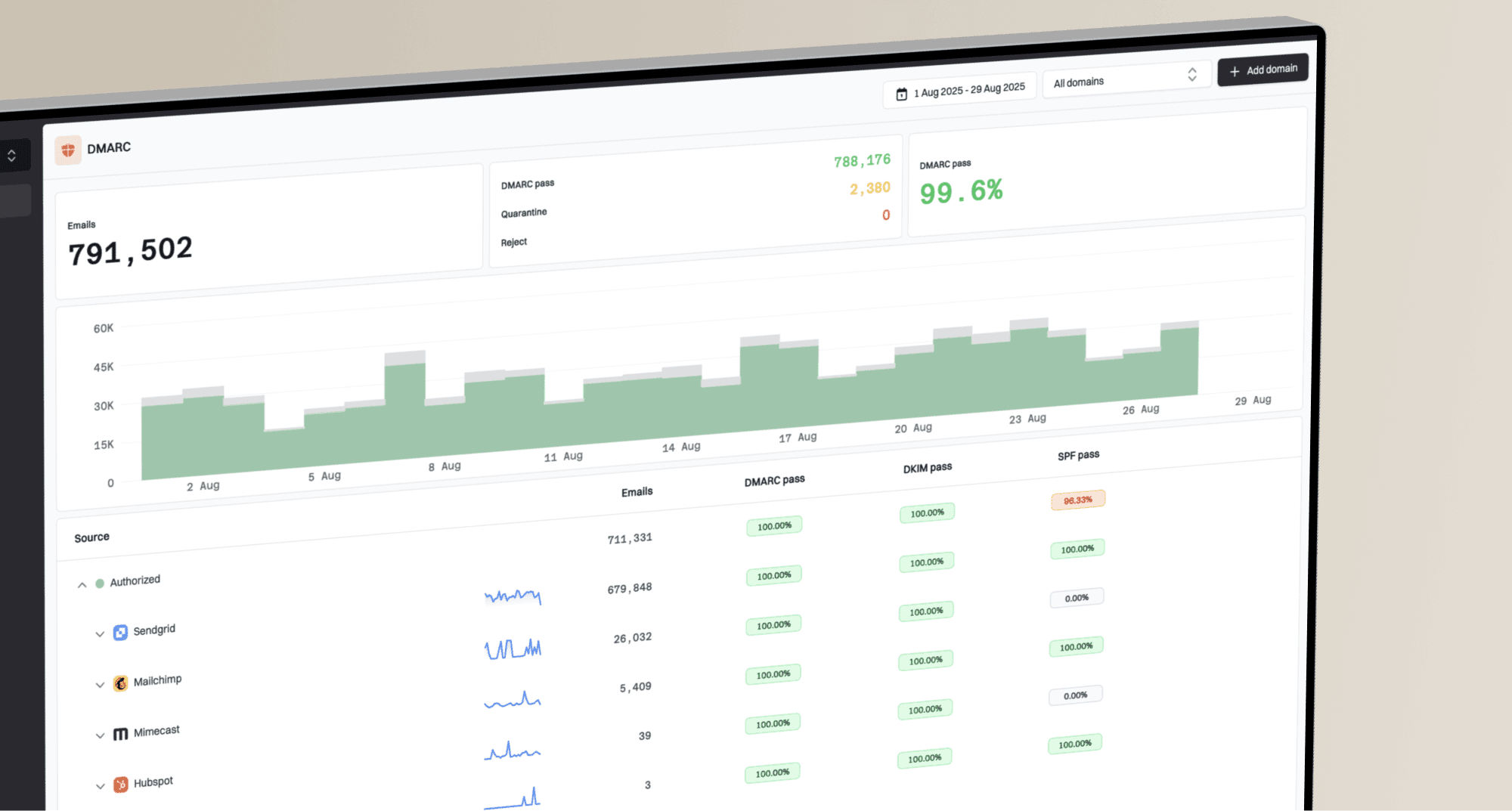
Suped DMARC dashboard showing email volume, authentication health, and source breakdown
The practical workflow is simple: use ZeroBounce to remove bad recipients, then use Suped to confirm the domain is authenticated and monitored during real sending. Suped's issue detection turns authentication failures into concrete fix steps, while hosted SPF and SPF flattening help teams stay under lookup limits without constant DNS edits.
Best practical pairing
Use the ZeroBounce report to decide who should receive mail. Use Suped to monitor whether your domain is allowed to send that mail with clean authentication, visible reputation signals, and alerts when something breaks.
Views from the trenches
Best practices
Ask for the downloaded CSV, not only a screenshot, before building suppression rules.
Separate catch-all rows before importing, so test sends cannot mix with the main list.
Keep the original upload beside the report so field changes and row counts reconcile.
Common pitfalls
Treating catch-all as valid hides mailbox risk that appears only during real sending.
Using the overview PDF alone misses sub-status values needed for proper list routing.
Ignoring known-domain context can waste time on catch-all checks that are not relevant.
Expert tips
Use sub-status counts to explain list quality to stakeholders before sending volume.
Run extended catch-all checks only where the extra certainty changes the send decision.
Track bounce outcomes after validation to tune future suppression thresholds by source.
Marketer from Email Geeks says a small B2B sample report can still be useful when it shows the verified rows and exact categories.
2023-05-09 - Email Geeks
Marketer from Email Geeks says the downloaded detailed report is the clearest artifact to inspect because it exposes row-level results.
2023-05-09 - Email Geeks