Is an email domain considered Personally Identifiable Information (PII)?

Updated on 15 Sep 2026: We updated this guide for the current DMARC RFCs and clearer handling of domain registration data in privacy reviews.
An email domain is not automatically Personally Identifiable Information. In most operational systems, the domain part alone, such as gmail.com or a large company domain, does not identify a natural person. It becomes PII, or personal data under broader privacy rules, when it can reasonably identify a person by itself or when combined with other data.
That distinction matters because a person-specific full email address is treated as personal information in many regimes, while a generic role mailbox or bare domain remains context dependent. A general PII definition focuses on whether data can identify a specific individual. Guidance on email address PII usually treats a named address differently from a generic mailbox or bare domain.
Short answer
A shared provider or large company domain usually has low identification risk on its own. Raise the sensitivity when the domain points to one person, a household, a sole trader, or a very small organization. The right control is not always deletion. Email security work often needs the domain to investigate authentication, abuse, and deliverability.
When an email domain becomes PII
Treat a person-specific full address as personal data, treat the local part as the most identity-rich element, and treat the domain as contextual. A domain is a public DNS name. That public nature does not automatically remove privacy risk. The question is whether the domain can distinguish or trace an individual in the system that holds it.
A consumer mailbox domain rarely identifies one person because millions of people use it. A corporate domain usually identifies an organization, not an individual. A vanity domain, family domain, sole-proprietor domain, or customer domain with one known account can identify a person faster. That is the edge case that privacy teams are usually worried about.
|
|
|
|
|---|---|---|---|
Shared provider | gmail.com | Usually not PII alone | Too many users |
Large company | acme.com | Usually organization data | Identifies an organization |
Sole trader | jane.dev | Treat as PII | Points to a person |
Family domain | smith.net | Treat as personal data | Small user pool |
One-user tenant | client.io | Treat as linkable | Known account |
Use this as a first-pass classification table, then let privacy counsel map it to your jurisdiction.
A blanket rule such as "all domains are PII" is too blunt for email operations. It protects some edge cases, but it also removes the identifiers needed to debug spoofing, abuse, DMARC failures, SPF matching, DKIM matching, routing errors, and domain reputation.
How privacy definitions change the answer
PII, personal data, and personal information are related terms, but they are not interchangeable. A policy that only asks whether a field directly names someone can miss indirect identification, linkability, and household-level data.
|
|
|
|---|---|---|
NIST-style PII | Can the data distinguish or trace an individual, or is it linked or linkable to one? | A shared provider domain rarely meets the test alone. A personal domain tied to one owner can. |
EU and UK GDPR | Does the information relate to an identified or identifiable natural person? | A domain for a legal entity is generally outside scope when held alone. A sole-trader or one-person business domain can be personal data when it identifies the individual. |
California CCPA/CPRA | Can the data reasonably be linked, directly or indirectly, with a consumer or household? | A household or one-person domain can qualify. Publication in DNS does not by itself settle whether a public-information exception applies. |
Contract or internal policy | What does the applicable agreement, product policy, or data classification standard define as PII? | A contractual definition can be narrower or broader than a statutory definition, so check both rather than substituting one for the other. |
This comparison is a scoping aid, not a substitute for jurisdiction-specific legal advice.
Classify the field in the context of the dataset, the people who receive it, its storage environment, and its purpose. Then document the applicable legal basis, notices, retention, security controls, processor terms, and request handling. A keyed domain token still counts as pseudonymized data when the organization can reconnect it to a person with separately held information.
Do not confuse a domain with registration data
A bare domain in an email log is different from the registration record behind that domain. WHOIS and RDAP registration data can include a registrant name, contact email, postal address, phone number, or registrar account details. Classify those fields separately even when the bare domain does not identify a person.
Redaction in WHOIS or RDAP does not prove that a domain is anonymous, and public availability does not automatically remove privacy obligations. Evaluate the domain value and registration data separately. If analysts enrich a domain with internal account or registrant records, reassess the combined dataset because that enrichment can make an owner identifiable.
Why the local part matters more
The local part is everything before the @ sign. In jane.smith@example.com, jane.smith is the local part and example.com is the domain. The local part often contains a name, role, employee number, account ID, or alias. It carries much more identity risk than the domain in most logs.
Full email address
- Identity risk: Often identifies a person directly, especially when it contains a name.
- Access risk: Can be used as a login, contact point, or account recovery clue.
- Control: Mask, tokenize, or restrict access unless the exact address is needed.
Domain only
- Identity risk: Usually identifies a provider, company, tenant, or routing domain.
- Access risk: Can still reveal a small customer, household, or sole proprietor.
- Control: Keep for security analysis, with added controls for small-user domains.
The same logic applies to tracking links, diagnostics, and email analytics. Putting a full address into URL parameters is a much higher-risk pattern than storing a domain-only aggregate. The domain can still be linkable, but the full address gives an attacker or analyst a direct contact point.
Split the address before reportingjson
{
  "recipient_local_part": "[masked]",
  "recipient_domain": "example.com",
  "domain_user_count_bucket": "1000+",
  "retention_days": 30
}
How to classify a domain in logs
A usable policy needs a repeatable test: can someone with ordinary access to this system connect the domain to a natural person with reasonable effort? If the answer is yes, handle it as personal data. If the answer is no, keep it as operational data with normal security controls.
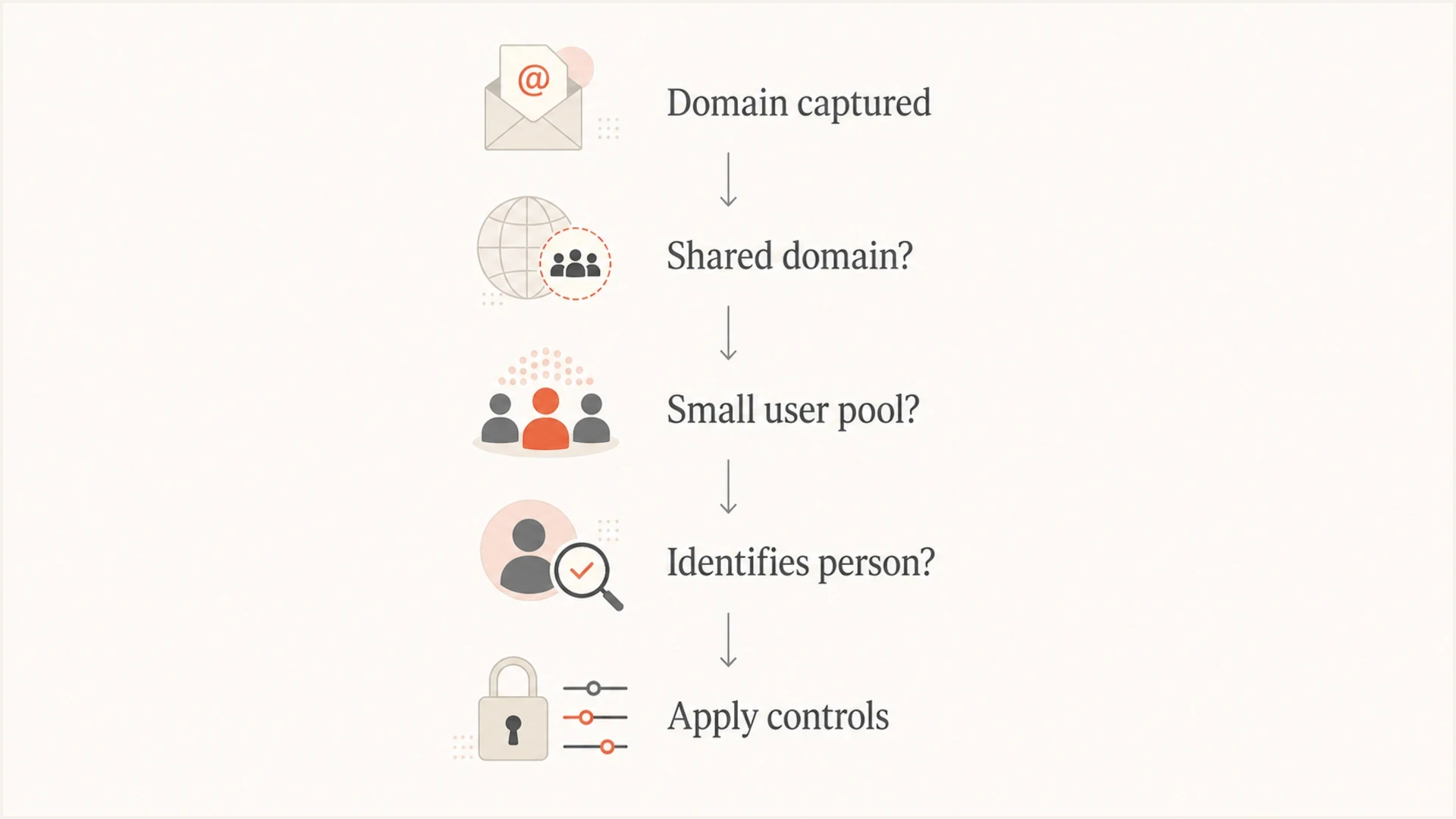
Decision flow for classifying whether an email domain identifies a person.
- Normalize first: Lowercase the domain, remove a trailing dot, retain a canonical A-label form for internationalized domains, and derive the registrable domain with maintained public suffix data.
- Classify scale: Bucket domains by known user count, customer count, or observed sending volume instead of treating every domain the same.
- Check linkability: Raise sensitivity when a domain maps to one customer, one account owner, a named person, or a small household.
- Define use: Keep exact domains where security, abuse, DMARC, or deliverability teams need them to act.
- Document controls: Record who can access the field, why it exists, how long it is retained, and when it is masked.
Hashing is not magic
Encryption is reversible with a key. Hashing is one-way, while tokenization can be reversible through a token vault. Plain, unkeyed hashing is weak for domains because domain lists are easy to enumerate. Use a keyed HMAC or access-controlled tokenization when teams need stable grouping without showing the domain to every reader. Treat the result as pseudonymized, not anonymous, whenever the organization can reconnect it to the domain or person.
What to do with logs and reports
The safest workable approach is data minimization, not blind scrubbing. If a report only needs counts by provider, group domains into categories. If a security workflow needs exact domains, keep them but limit access and retention. If a dashboard needs customer-level trends, show exact domains only to authorized roles.
Safer event shapejson
{
  "event": "email_auth_result",
  "domain_token": "hmac:8f7a1c9b",
  "domain_display": "[restricted]",
  "domain_category": "business",
  "spf_result": "pass",
  "dkim_result": "pass",
  "dmarc_result": "pass"
}
Use exact domains in tools that need to evaluate DNS, authentication, and sending patterns. Use masked or tokenized domains in broad reports where the reader only needs trend data. When testing a real message, an email tester helps inspect headers and authentication results without pushing raw recipient lists into a spreadsheet.
Email tester
Send a real email to this address. Suped shows a results button when the test is ready.
?/43tests passed
Separate privacy controls from security controls for domain-level checks. A privacy view can show grouped counts. A security view can show exact domains, source IPs, DKIM selectors, SPF include chains, and policy results. Suped's domain health workflow fits this model because it validates DMARC, SPF, and DKIM without requiring teams to expose full recipient addresses in every report.
Where DMARC and deliverability data fit
Email authentication needs domains. Under RFC 9989, DMARC passes when at least one authenticated SPF or DKIM identifier aligns with the visible From domain. SPF checks the sending IP against the authorization published for the envelope sender or HELO domain. DKIM verifies a message signature against a public key published under the signing domain. Removing domains from authentication logs removes the core evidence needed to fix failures.
RFC 9989 now defines DMARC and, together with RFC 9990 for aggregate reporting and RFC 9991 for failure reporting, replaces RFC 7489. Aggregate reports contain source IPs, message counts, policy results, and domain-level authentication data. RFC 9990 excludes individual email addresses, individual users' IP addresses, and message content, but the reports can still expose sending patterns and traffic metadata. Restrict access to the operational need, and discard raw report files after parsing when they no longer add value.
DMARC failure reports cover individual failed messages or groups of similar failures. Under RFC 9991, they can include message headers or the entire message, which can expose PII and confidential content. Many receivers redact them heavily or do not send them. Request failure reports only when the investigation needs them, isolate the report stream, restrict access, and set a short retention period.
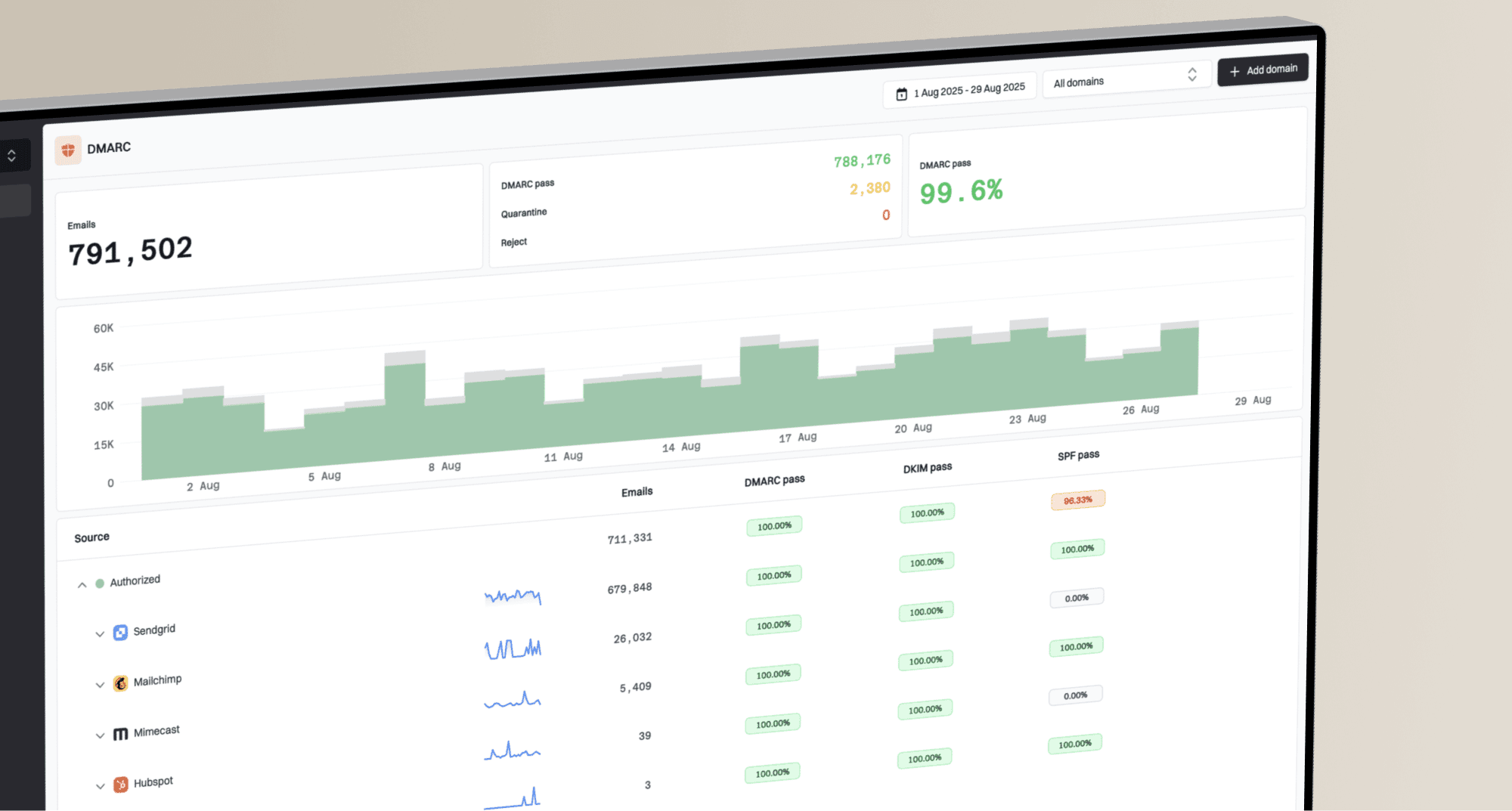
Tiered visibility keeps exact domains inside the operational system, restricts the people who can see them, and publishes aggregate reporting where broader audiences only need counts, pass rates, and risk categories. Suped's DMARC monitoring supports that workflow by grouping aggregate reports into sending sources, flagging authentication issues, and providing steps to fix DNS or sender configuration.
DMARC records drawer showing filters, record rows, authentication results, and CSV export
Suped is our DMARC reporting and email authentication platform. It keeps aggregate DMARC data, SPF and DKIM alignment, hosted authentication controls, alerts, blocklist (blacklist) monitoring, and MSP workspaces in one restricted operational view. Authorized teams can inspect the domain-level evidence needed for an investigation while broader reports stay aggregated.
Domain reputation work also needs exact identifiers. If a sending domain or IP appears on a blocklist or blacklist, the team needs to know which domain, which source, and which mail stream caused the issue. Suped's blocklist monitoring keeps that investigation tied to authentication and deliverability context instead of treating it as a detached alert.
Views from the trenches
Best practices
Classify domains by context first, then choose masking, hashing, or normal retention for logs.
Keep full domains where security teams need them for DMARC, abuse, or incident response.
Document why each domain field exists, who sees it, and when it expires from storage.
Common pitfalls
Hashing domains without a secret still allows dictionary matching against public domain lists.
Treating every domain as sensitive blocks sender analysis without reducing much risk.
Deleting domains from DMARC reports removes the clues needed to fix failed authentication.
Expert tips
Use tenant-level access controls so teams see only the domains needed for their role.
Separate mailbox local parts from domains before reporting, masking the local part first.
Review small-business and vanity domains because those cases identify a person faster.
Marketer view
Marketer from Email Geeks says a domain like gmail.com is not useful for identifying one person, while the mailbox alias or full address needs stronger controls.
2025-03-18 - Email Geeks
Marketer view
Marketer from Email Geeks says a self-hosted personal or very small company domain can identify someone when the account pool is only one or two people.
2025-04-02 - Email Geeks
Policy recommendation for email domains
An email domain is usually not PII by itself, but it becomes personal data when it identifies or helps identify a natural person in your system. The cleanest policy is contextual: person-specific full email addresses get the strongest controls, domains get classified by linkability, and exact domain visibility stays available for the teams that need it to secure email.
For DMARC and deliverability work, removing every domain creates operational problems without solving the highest-risk privacy issue. Keep the domain where it is needed, mask the local part first, use keyed tokens for broader reporting, and document the reason each field exists. That gives privacy teams a defensible control model and gives email teams enough evidence to prevent spoofing, fix authentication failures, and protect domain reputation.
Frequently asked questions
A person-specific email address is PII or personal data in many privacy programs because it can identify or contact a person. A generic role address remains context dependent.
Usually no when the domain identifies a company with many users. It becomes more sensitive when the company is a sole trader, a very small business, or a one-person customer account.
Use access controls first. If broad reporting needs stable grouping without revealing the exact domain, use keyed hashing or tokenization. Encryption is reversible, and pseudonymized values can remain personal data.
You can remove them from broad summaries, but keep exact domains in the operational DMARC system. Domains are needed to diagnose SPF or DKIM alignment, spoofing, and sender reputation issues.
Mask the local part, classify domains by linkability, limit exact-domain access to operational teams, and publish aggregate summaries for everyone else.