How do I resolve email issues with iinet.net.au?

Published 7 May 2025
Updated 3 Aug 2026
12 min read
Summarize with

Updated on 3 Aug 2026: We updated this guide with current The Messaging Company server settings, app-specific password steps, POP migration precautions, and clearer support routing for iinet.net.au mailboxes.
I resolve email issues with iinet.net.au by first separating the problem into three cases: an iiNet mailbox user cannot sign in or send, a sender cannot reach iinet.net.au recipients, or a business is sending mail using a domain that fails authentication when delivered to iinet.net.au addresses. The fix is different in each case.
The direct answer is that migrated iinet.net.au mailbox issues need The Messaging Company, not iiNet email support or a generic postmaster route. iiNet's iiNet migration note says iiNet stopped providing email services in 2023. Transferred mailboxes are now supported by The Messaging Company. Addresses that did not opt in were deleted and cannot be recovered, and new iinet.net.au addresses cannot be created. For sender-side delivery problems, I still start with my own evidence: the SMTP response, sending IP, headers, authentication results, and recent changes.
- Sender-side: If your mail to iinet.net.au bounces, prove the exact rejection before asking anyone to unblock or investigate.
- Mailbox-side: If an iiNet user cannot access a transferred address, route the case through The Messaging Company.
- Authentication: If SPF, DKIM, or DMARC fails, fix that before treating the receiver as the root cause.
- Reputation: If the error mentions spam, policy, or content, check IP and domain reputation, including blocklist and blacklist signals.
Route the iinet.net.au issue
For iinet.net.au delivery problems, I do not start with a vague contact hunt. I start by identifying who owns the failure. If the recipient is an iinet.net.au mailbox and the bounce is a server-side rejection, the sender needs a complete escalation packet. If the user is trying to operate a transferred iinet.net.au mailbox, The Messaging Company owns the support path. If the issue is broader connectivity, check iiNet status before changing mail settings.
Fast routing
- Sending to iiNet: Collect the SMTP reply, sending IP, recipient, timestamp, and full headers.
- Using iiNet mail: Confirm that the mailbox transferred, then use The Messaging Company's support route.
- Checking outages: Look for known network or service issues before rebuilding a working mail client.
- Opening tickets: Send one complete case rather than several partial tickets with missing evidence.
|
|
|
|---|---|---|
Login fails | The Messaging Company | Check transfer |
App cannot send | Mailbox user | Verify settings |
SMTP 550 | Receiver | Send evidence |
Auth fail | Sender | Fix DNS |
Spam policy | Sender | Review content |
Timeouts | Both sides | Check logs |
Use the first matching row to route the issue.
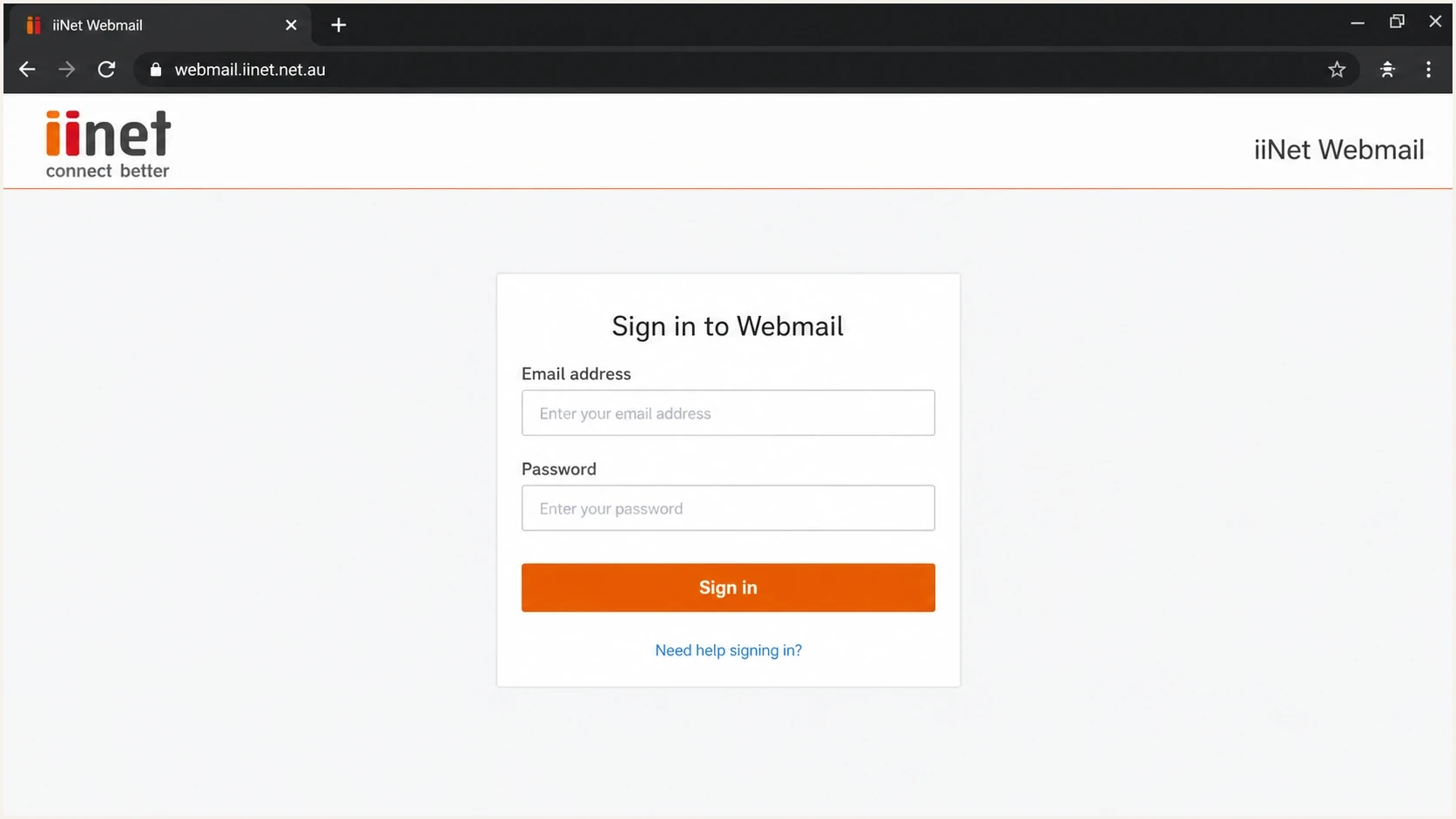
Webmail sign-in screen for migrated iinet.net.au mailbox troubleshooting
Confirm where the failure sits
The fastest way to waste time is to troubleshoot the wrong side. I ask one question first: are we fixing a mailbox that belongs to an iiNet customer, or are we fixing delivery into iinet.net.au mailboxes? Mail client settings, password resets, transfer status, and mailbox billing belong on the user side. SMTP rejections, spam filtering, rate limits, and authentication failures belong on the sender side until the evidence proves otherwise.
Sending to iinet.net.au
- Recipient: A customer with an iinet.net.au address cannot receive your mail.
- Evidence: You need SMTP response text, headers, source IP, and timing.
- Action: Fix sender authentication and reputation before asking for receiver review.
Using an iiNet mailbox
- Account: The user cannot sign in, send, receive, or reset the password.
- Evidence: You need screenshots, client settings, error text, and transfer status.
- Action: Use The Messaging Company's support path instead of sender postmaster escalation.
When I control the sending domain, I also send a fresh message through an email test so I can compare the delivered headers with the bounced or filtered sample. That makes it easier to see whether the issue is authentication, content, or receiver policy.
Email tester
Send a real email to this address. Suped shows a results button when the test is ready.
?/43tests passed
Fix mailbox sign-in and mail client settings
Start with The Messaging Company Webmail and sign in with the full iinet.net.au email address. If Webmail also fails, check browser autofill, reset the email password, and confirm that the account's subscription and payment are active. iiNet-funded access ended in 2024, so an inactive subscription now needs The Messaging Company rather than iiNet.
If Webmail works but a desktop or mobile mail app does not, the mailbox exists and the problem is local to the app settings or stored password. Replace old iiNet mail hosts with the current encrypted settings below. Use the full email address as the username for incoming and outgoing authentication.
|
|
|
|---|---|---|
Incoming IMAP | imap.themessagingco.com.au:993 | SSL/TLS |
Outgoing SMTP | smtp.themessagingco.com.au:465 | SSL/TLS |
SMTP alternative | smtp.themessagingco.com.au:587 | STARTTLS |
Username | Full email address | Required both ways |
Current settings published by The Messaging Company.
Check app-specific passwords
If app-specific passwords are enabled in Webmail, the normal account password only works in Webmail. Generate a password for each mail app, then update both its incoming and outgoing password fields. A repeated password prompt often means the app still has the normal password or an old app-specific password.
The Messaging Company recommends IMAP. If the old account uses POP, back up locally stored mail before removing or replacing it. POP can download messages to one device and remove them from the server, so changing the account without a verified backup can lose mail that Webmail does not contain.
Collect the evidence before escalating
A receiver cannot investigate a report that only says mail is not getting through. The minimum useful packet has enough information for their team to search logs without guessing. I include both the failed event and a recent successful event when I have one, because side-by-side timing often exposes throttling, routing changes, or a specific content trigger.
- Source IP: Use the public IP that connected to the receiver, not an internal relay address.
- Recipient: Include the affected iinet.net.au address or a redacted version with the domain intact.
- Timestamp: Give UTC time and local time with the time zone, because log searches depend on this.
- SMTP reply: Copy the full server response, including enhanced status codes such as 5.7.1.
- Headers: Attach full headers from a delivered copy or a failed sample where available.
- Content: Keep the subject, links, campaign name, and template version tied to the event.
Escalation packet templatetext
Recipient: user@iinet.net.au
Sender domain: example.com
Sending IP: 203.0.113.10
UTC timestamp: 2026-05-27 03:15:42
Local timestamp: 2026-05-27 13:15:42 AEST
Subject: Account update
SMTP response: 550 5.7.1 Message rejected
Message-ID: <sample@example.com>
Authentication-Results: spf=pass dkim=pass dmarc=pass
Sample headers: attached
Recent changes: new sending IP added on 2026-05-26
Avoid vague tickets
A ticket that only asks for a contact usually stalls. Add the error text, the IP, timestamps, samples, and any analysis strings. If a filter report includes a token such as p=<hash>, include it exactly as shown.
Authentication checks before a sender escalation
Before I escalate a receiver issue, I verify the sending side. A domain health check is the quickest way to catch missing DMARC, invalid SPF syntax, broken DKIM selectors, and DNS mistakes that make a receiver distrust a message.
For ongoing sender operations, Suped's product ties DMARC monitoring to concrete source identification and fix steps. That matters with iinet.net.au issues because the first question is rarely whether DMARC exists. The useful question is which sender, IP, or DNS change caused the failed authentication pattern.
Example DNS authentication recordsdns
_dmarc 3600 TXT "v=DMARC1; p=none; rua=mailto:d@example.com"
@ 3600 TXT "v=spf1 include:_spf.example.net -all"
selector1._domainkey 3600 TXT "v=DKIM1; k=rsa; p=MIIB..."
What good looks like
- SPF: The connecting IP is authorized by the visible sending path.
- DKIM: At least one valid signature uses a domain that matches the visible sender.
- DMARC: The visible From domain passes through an SPF or DKIM domain match.
- Headers: The Authentication-Results field supports the story in your ticket.
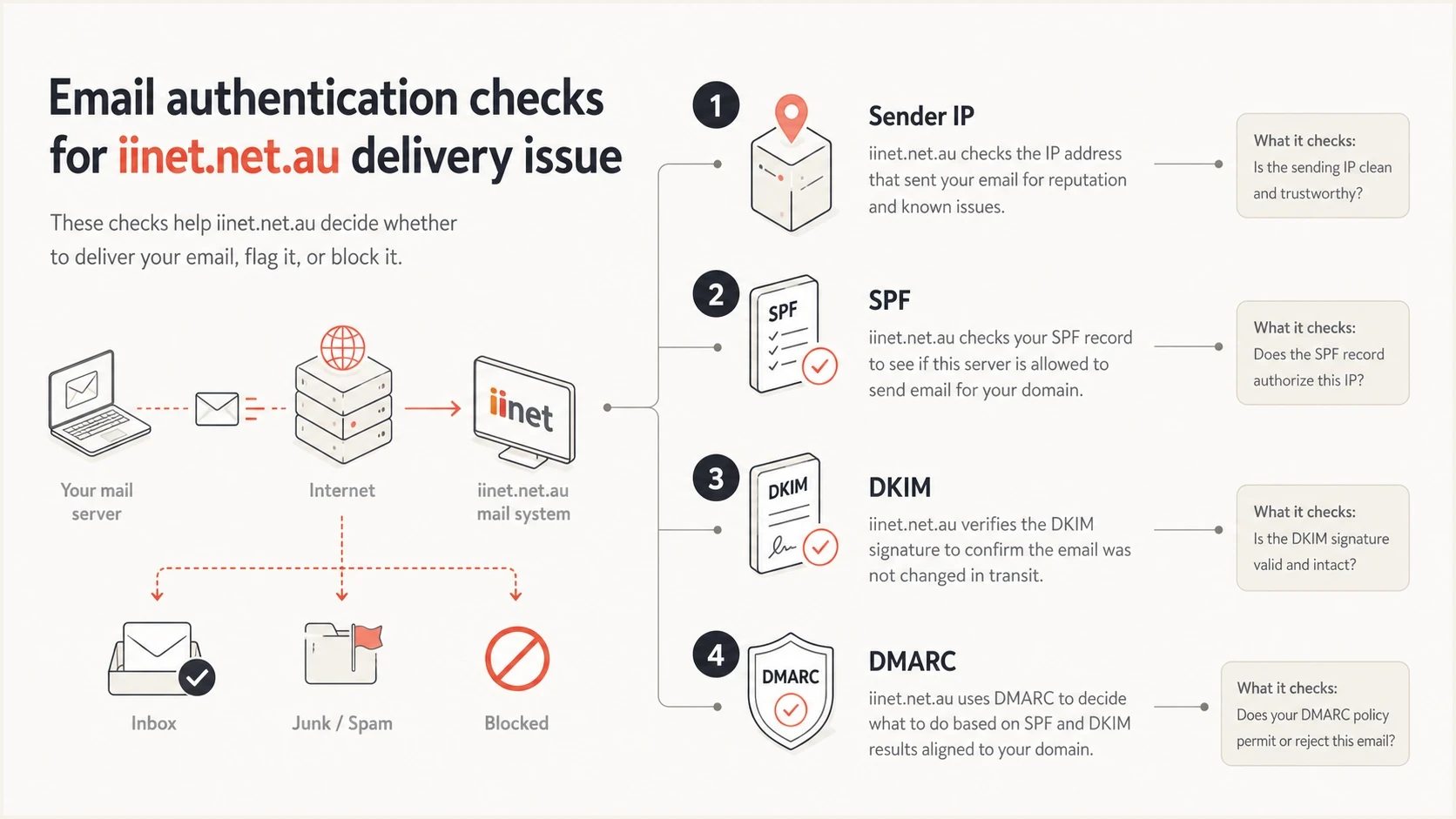
Infographic showing sender IP, SPF, DKIM, and DMARC checks
When the issue is content or reputation
If SPF, DKIM, and DMARC pass but iinet.net.au recipients still reject or junk the mail, the next layer is reputation and content. That includes the sending IP, domain reputation, URLs in the message, complaint history, sending pattern, and whether a filter is reacting to a specific template.
I check blocklist monitoring for IP and domain listings, then I review the message itself. A blocklist or blacklist result explains some failures, but a clean result does not rule out content filtering. Receiver-side filters can react to a URL, a redirect chain, a sudden volume jump, or an old template that is now risky.
Escalation readiness
A quick way to decide whether you have enough evidence to open a receiver review.
Weak
0-2 fields
Only a domain name or a complaint report.
Usable
3-5 fields
Bounce text, IP, recipient, and timestamp.
Strong
6+ fields
Full headers, auth results, sample, and recent changes.
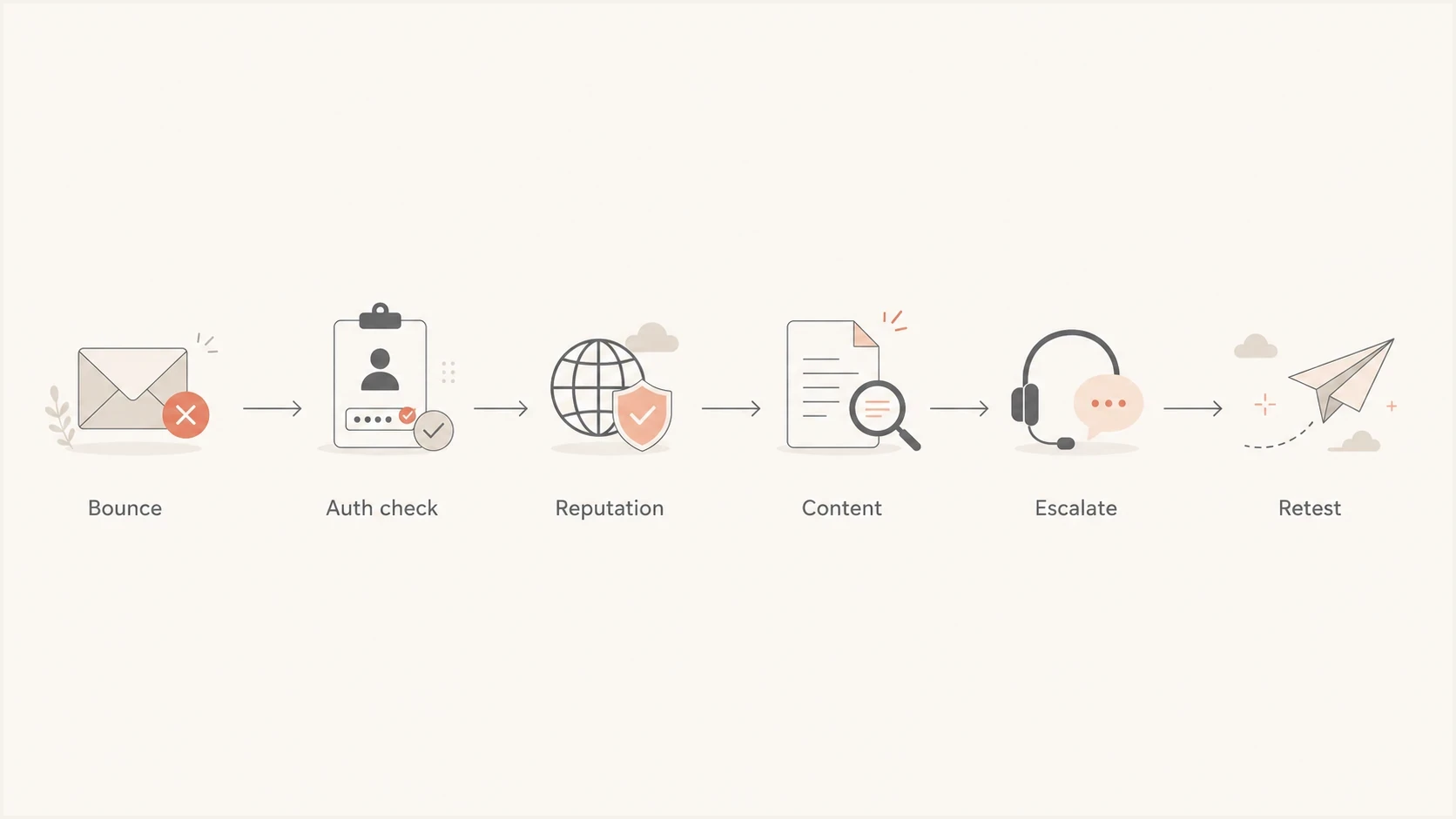
Flowchart for resolving iinet.net.au delivery failures
When the failure appears content-based, I test a plain-text message, then the same message with the normal links, then the full template. That isolates whether the problem is the sender identity, a link, the creative, or the volume pattern. If a single URL triggers the failure, include that URL in the escalation packet, but do not assume every rejection is a blocklist or blacklist problem.
How to contact the right team
For transferred mailbox access, setup, password, subscription, and account problems, call The Messaging Company on 07 3497 3566 or submit a request through the Support Centre referenced in the iiNet migration note. iiNet no longer provides email support. For iiNet internet account or connectivity issues, use the iiNet contact page. For sender-side blocking, keep the first ticket short but complete: state the affected domain, recipient domain, exact error, source IP, and time range.
- The Messaging Company: Use it for mailbox login, password, quota, setup, subscription, and billing issues.
- iiNet support: Use it for internet account questions, service status, and connectivity problems.
- Sender team: Fix authentication, reputation, content, and DNS evidence before asking for review.
- Mail platform: Confirm the connecting IP, DKIM selector, envelope sender, and retry behavior.
What stalls a review
A receiver review slows down when the sender asks for help without the failed recipient, time of failure, source IP, and SMTP response. I treat those fields as required, not optional.
- Missing IP: The receiver cannot identify the connection to inspect.
- Missing time: The receiver has no reliable log window.
- Missing sample: The receiver cannot compare content, headers, and filter output.
- Missing auth: The receiver cannot tell whether the message passed sender identity checks.
Where Suped fits in the workflow
Suped's product turns DMARC data into a source-by-source workflow for teams handling sender-side iinet.net.au issues. It shows sending sources, authentication pass rates, DMARC policy state, and issues that need action, so the team can identify which sender broke SPF or which DKIM selector failed before opening a receiver ticket.

Issue steps to fix dialog showing the issue overview, tailored fix steps, and verification action
Suped's product also helps after the immediate iinet.net.au ticket is closed. Hosted SPF reduces DNS lookup failures, SPF flattening keeps records within limits, hosted DMARC supports policy staging, hosted MTA-STS adds TLS policy control, and blocklist or blacklist monitoring keeps reputation problems visible before they become customer complaints.
Manual workflow
- Reports: You collect DMARC XML, bounces, and headers in separate places.
- Diagnosis: You map sending sources and failures by hand.
- Follow-up: You rely on calendar reminders to confirm the fix.
Suped workflow
- Reports: DMARC, SPF, DKIM, and reputation signals are grouped by domain.
- Diagnosis: Automated issue detection points to practical fix steps.
- Follow-up: Alerts and summaries show whether the change worked.
For agencies and managed service providers, the multi-tenant dashboard is useful because one iinet.net.au issue is rarely isolated to one domain. A shared view of domain health, client status, and authentication errors reduces repeat work across accounts.
Views from the trenches
Best practices
Record the exact SMTP reply, recipient, sending IP, timestamp, and message sample.
Separate mailbox access issues from inbound blocking before opening provider tickets.
Verify SPF, DKIM, and DMARC before asking The Messaging Company to review delivery.
Test a fresh message after each DNS or content change, then retain the full headers.
Common pitfalls
Escalating with only a domain name leaves the provider without failure event logs.
Asking iiNet to fix a transferred mailbox sends the case to the wrong support team.
Changing DMARC policy during an active rejection can hide the real cause in reports.
Treating a content filter issue as an IP issue wastes the first review cycle too.
Expert tips
Keep UTC and local time together so support teams can find logs across regions quickly.
Include a clean sample and the failed sample so content differences are visible.
Check recent DNS edits first because SPF and DKIM drift causes sudden receiver failures.
Use ongoing reporting so recurring iinet.net.au failures appear before complaints.
Marketer from Email Geeks says iiNet-related mailbox issues often route through The Messaging Company now, so account support and sender support need different paths.
2024-09-30 - Email Geeks
Marketer from Email Geeks says postmaster responses vary, and a ticket number without logs does not mean the case has enough evidence to move.
2024-09-30 - Email Geeks
What to do next
The practical fix is to route the issue correctly, then prove the failure. For mailbox access, confirm the transfer and current support owner, then test Webmail before changing the mail app. For sending to iinet.net.au, collect the SMTP evidence, validate authentication, check blocklist and blacklist exposure, isolate content triggers, then escalate with a complete packet.
- Classify: Decide whether this is a mailbox issue, a sender issue, or an outage issue.
- Validate: Check authentication, reputation, and full message headers before escalating.
- Escalate: Send one complete ticket with IP, time, recipient, response, sample, and recent changes.
- Monitor: Use Suped to keep DMARC, SPF, DKIM, and reputation changes visible after the fix.
That sequence keeps the case grounded in facts and prevents the common loop of asking for a contact, waiting for a reply, and then discovering the sender's own authentication or content was the real blocker.




