
How can I contact BT Internet about deliverability issues and what should I expect?


Updated on 25 Oct 2026: We clarified BT postmaster follow-up expectations and how to diagnose delivery failures before escalating.
The direct answer depends on your role. If you operate mail systems for an external sender, email postmaster@btinternet.com and expect a technical review rather than a normal customer support exchange. BT's sender guidance tells bulk senders to use SPF, DKIM, and DMARC, clean their mailing lists, review bounce errors, and email the postmaster address if bounces continue. BT's published sender guidance gives no response-time commitment; community reports describe variable replies rather than a reliable turnaround.
Start by reading BT best practices and matching your message to that guidance. A generic request asking BT to improve inbox placement is weak. A short case with complete bounce text and the changes already made is much stronger.
- Contact: Use postmaster@btinternet.com for external sender deliverability issues.
- Expectation: Prepare a complete technical case; BT gives no published response deadline.
- Fallback: If you use a shared email service provider (ESP) IP, ask the ESP to escalate in parallel.
The direct contact route
The BT Community is useful for seeing symptoms other senders report, but it is not the same thing as a postmaster ticket. In a BT Community thread, a user posted a 554 policy rejection for mail to btinternet.com, and replies pointed them back to the postmaster address and BT's sender guidance. Use the community to research symptoms, email the postmaster with the technical case, and involve the ESP when shared infrastructure is affected.
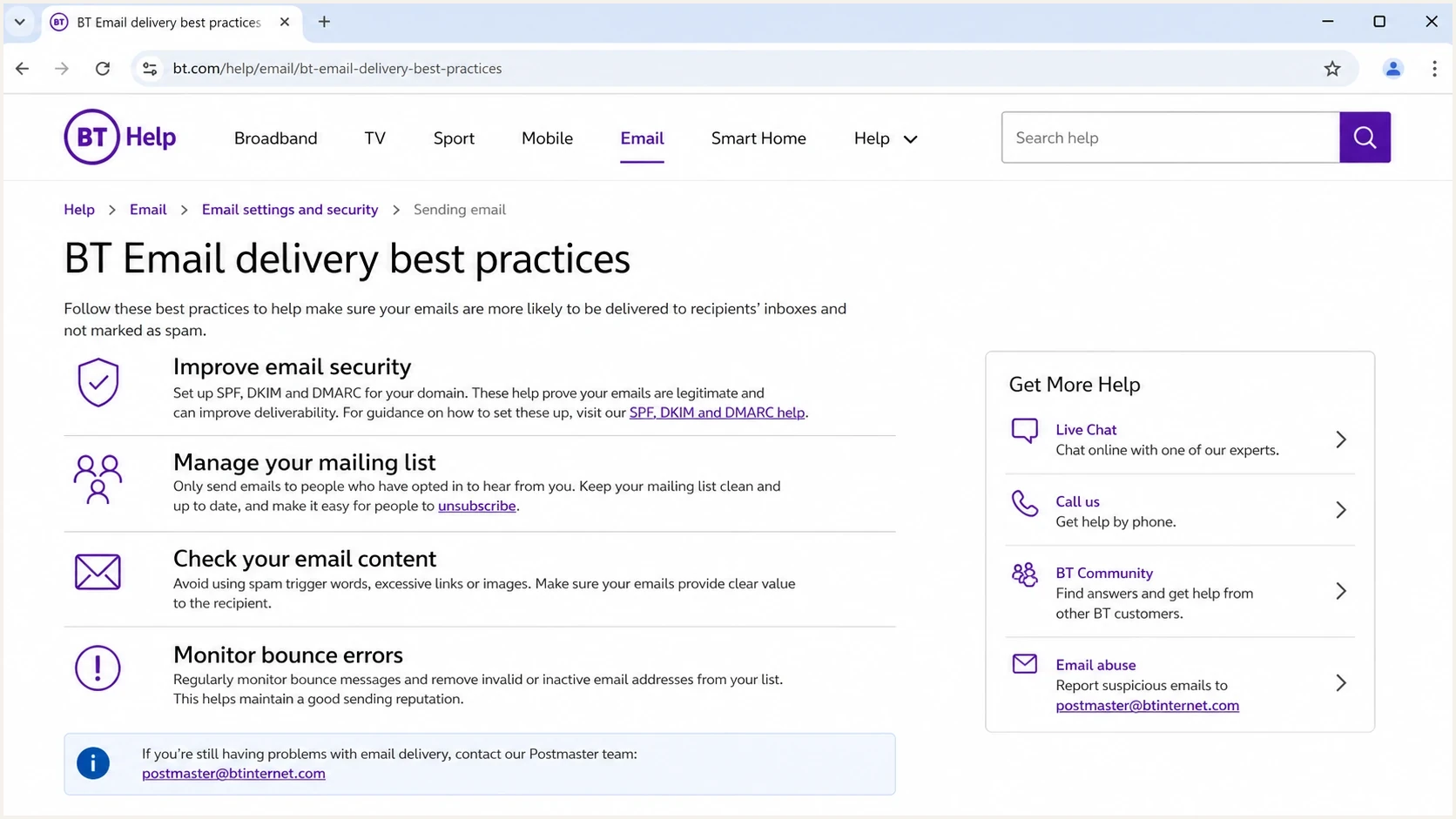
BT Help email delivery best practices and postmaster contact guidance.
Use one clean escalation path
Do not scatter the same request through consumer support, community replies, and unrelated complaint channels unless the issue is also a BT account problem. For external sender deliverability, the postmaster mailbox is the correct technical route.
If you send through your own dedicated IP or domain, it is still worth contacting BT. If you send through a shared pool, your ESP has more complete evidence about shared IP history and affected senders. Send the postmaster case and ask the ESP's postmaster or compliance team to escalate at the same time. If the escalation itself bounces, use an alternative working email address and include the original sender details.
Good BT contact case
- Scope: One affected sending stream, the recipient domains, and clear dates.
- Evidence: Full bounce text, sample message IDs, and delivery logs.
- Remediation: Document the specific sender or mailing-list problems already fixed.
Weak BT contact case
- Scope: Broad claims that all BT delivery is broken.
- Evidence: Screenshots or anecdotes without the full SMTP response.
- Remediation: No record of checks or fixes for the sending setup.
Use the right support route
The postmaster mailbox is intended for external senders and other postmasters dealing with mail delivery to BT domains. It is not the primary route for a BT Email customer who cannot send or receive mail in a personal account.
- External sender or postmaster: Use postmaster@btinternet.com after checking BT's sender requirements and collecting the SMTP evidence.
- BT Email customer: Use BT's email help and technical support for account settings, blocked senders, webmail, or personal sending problems.
A BT recipient can check the junk folder, blocked senders, and mailbox rules, but adding a sender to an address book does not resolve an SMTP policy rejection. The external sender still needs to investigate the rejection and contact the postmaster when its setup complies.
Identify the delivery failure before contacting BT
Separate SMTP delivery failures from spam-folder placement before choosing a fix. An ESP status of "delivered" usually means the receiving server accepted the message, not that it reached the inbox. Record the full response and the SMTP stage, using the status classes defined in RFC 5321.
|
|
|
|---|---|---|
4xx, such as 421 or 451 | Temporary deferral; delivery has not completed. | Let the sending server retry with backoff. Review the response for rate limiting or another temporary problem. |
5xx with policy wording, such as 554 | Permanent rejection of this attempt; it does not prove the address is invalid. | Stop automatic retries of the unchanged message. Investigate the stated policy reason and retain the response for BT. |
550 with an explicit unknown-user response | The receiving server reports that the mailbox does not exist. | Suppress the invalid address. Do not treat every 550 response as an unknown user. |
250 after the end of DATA | The receiving server accepted responsibility for the message. | Ask a cooperating BT recipient to check junk and mailbox rules; collect full headers if the message arrived. |
Interpret the full SMTP response, not the number alone.
Test the affected message through the same sending route to a BT mailbox you control or a cooperating recipient. Record inbox or junk placement and inspect the received headers. A test delivered to another provider does not establish BT inbox placement.
What to send BT
Keep the first email short, but include enough detail for BT to identify a pattern without asking basic questions. The case should be easy to reproduce and clearly tied to wanted mail.
|
|
|
|---|---|---|
Bounce | Shows BT's reason | Full SMTP text, receiving hostname, policy code, and BT reference ID |
IP | Ties mail to reputation | Sending IPs and whether they are shared or dedicated |
Domain | Checks identity | Visible From and envelope sender domains; DKIM signing domain (d=) |
Authentication | Rules out setup faults | SPF and DKIM results, the domains used, and the resulting DMARC verdict |
Host | Identifies the mail server | HELO or EHLO and reverse DNS (PTR) |
Time | Supports log matching | Recent timestamps with timezone and affected date range |
List | Shows consent | Opt-in source, expected frequency, and unsubscribe handling |
Scope | Shows the size of the problem | Affected recipient domains, attempted volume, failure rate, and sample message IDs |
Keep the table in your working notes, then paste the useful parts into the email.
Do not bury BT in a long complaint. Use a subject line that names the affected sending domain and receiving domain, then include a compact summary followed by raw evidence. Policy rejections often turn on exact SMTP wording, not the sender's interpretation of it.
BT postmaster email templatetext
To: postmaster@btinternet.com
Subject: Deliverability issue to btinternet.com for example.com

Hello BT postmaster team,

I am investigating delivery failures to btinternet.com recipients.
The affected mail is transactional order confirmation mail.

Sending domain: example.com
Visible From domain: example.com
Envelope sender domain: bounce.example.com
DKIM signing domain (d=): example.com
Sending IPs: 203.0.113.10 and 203.0.113.11
IP allocation: [shared or dedicated]
HELO/EHLO: mail.example.com
PTR: mail.example.com
Mail stream: transactional only
Date range and timezone: [start and end, including timezone]
Attempted volume: [total messages in this period]
Affected volume and rate: [failed messages and percentage]

Authentication status:
SPF: pass for bounce.example.com
DKIM: pass for d=example.com
DMARC: pass with a domain match under the published DMARC settings
TLS: [negotiated or unavailable for the affected attempt]

Sample rejection:
[Paste the complete, unchanged BT SMTP response, including the
receiving hostname, timestamp, policy code, and BT reference ID.]

Sample message IDs and matching timestamps:
[message ID 1, timestamp with timezone]
[message ID 2, timestamp with timezone]

Actions already taken:
Action 1: Paused non-essential BT sends
Action 2: Suppressed confirmed invalid addresses and reviewed policy bounces separately
Action 3: Confirmed unsubscribe handling for marketing mail
Action 4: Reduced marketing volume during controlled re-testing

Please review whether this traffic is being rejected by BT policy
filters and tell us if further remediation is required.

Regards,
Sender operations team
Do not ask BT to clean your list
Your email should show that you already removed confirmed invalid addresses, honoured unsubscribes, and stopped marketing sends without consent before asking for a reputation review. Keep valid recipients with policy rejections separate from unknown-user failures; a policy bounce alone does not prove an address is invalid.
What to expect after you email
BT has a public postmaster route, but its sender guidance gives no response deadline or guarantee of an individual reply. Community reports are anecdotal and do not establish a typical turnaround. The first email must be strong enough to stand on its own; silence does not confirm that BT reviewed or cleared the issue.
Suggested follow-up checkpoints
These are suggested intervals for managing the case, not BT service targets or predicted response times.
Initial review
First 7 business days
Monitor fresh BT samples and keep the original evidence together.
First follow-up
7-10 business days
Reply on the same thread with a brief status and new evidence only.
Issue still unresolved
More than 4 weeks
Reassess the evidence with your sending provider and continue controlled testing.
During IP warming, distinguish temporary deferrals from permanent policy rejections and track both separately. One day of acceptance does not prove recovery. Look for a sustained reduction in BT bounce rates and, where available, complaint trends before increasing volume gradually.
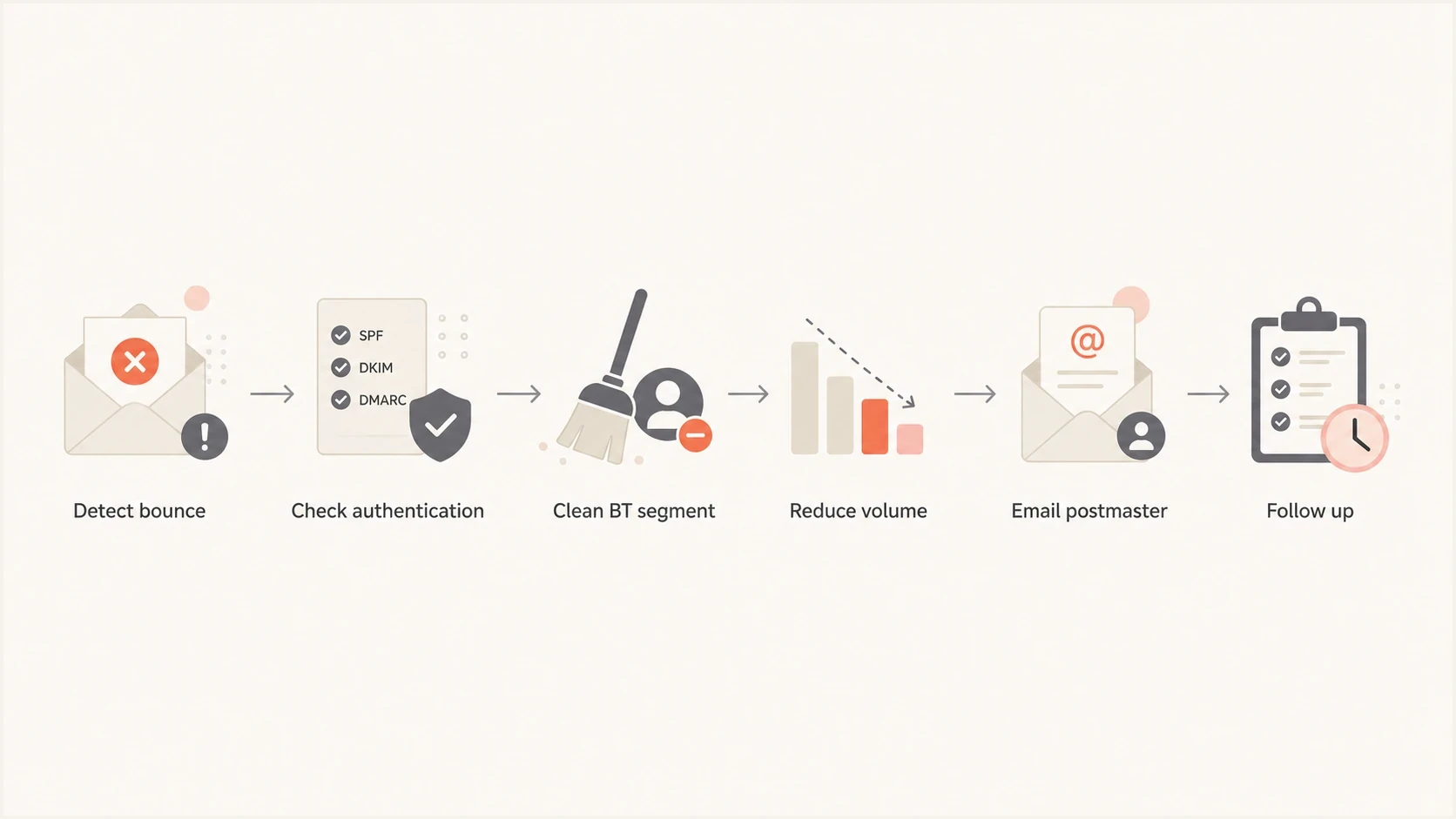
BT Internet deliverability flowchart for diagnosing bounces and contacting the postmaster.
As a working interval, follow up after seven to ten business days if there is no response and the issue is still active. Keep the same subject line, add a short update, and include new samples only. If you changed volume, list quality, authentication, or sending IPs, say exactly what changed. Ask your provider for an escalation early when essential transactional mail is affected rather than waiting for a follow-up checkpoint.
Check before you escalate
Before contacting BT, send a real message and inspect the received headers and authentication results with Suped's email tester. Use it to identify setup or message problems, then test BT delivery separately. If the test shows broken authentication, fix that before escalating.
Email tester
Send a real email to this address. Suped shows a results button when the test is ready.
?/43tests passed
Check the sender domain as a whole, not only the failed campaign. Suped's domain health check can identify DNS and authentication configuration issues. For ongoing visibility, Suped's DMARC monitoring helps document sending sources and the authentication results in reports that receivers provide. Review unfamiliar sources before deciding whether they are unauthorised.
Check whether the sending IP or domain appears on a blocklist (blacklist), but do not infer which external lists BT uses. A clean blacklist check does not rule out a BT policy rejection. Suped's blocklist monitoring helps track listings while you investigate; BT cannot remove entries from an independently operated blocklist.

Issue steps to fix dialog showing the issue overview, tailored fix steps, and verification action
BT-specific causes to investigate
BT's public guidance points to the same fundamentals that matter at other mailbox providers: authentication, list quality, content, clear sender identity, and secure systems. Use delivery logs and BT-domain segment results to test which factors apply to your case rather than assuming BT has identified a specific cause.
Read 554 policy errors as rejection evidence
A 554 response is a permanent failure for that delivery attempt, not proof that every later message will fail. When BT returns it after the end of DATA, BT has received the message data but refused to accept the message for delivery. Keep the complete SMTP response, including its policy code and reference ID, alongside the timestamp, receiving host, and message ID. Do not repeatedly retry the unchanged message as though the response were a temporary 4xx deferral.
- Authentication: Configure SPF, DKIM, and DMARC. For DMARC to pass, SPF or at least one valid DKIM signature must use a domain that matches the visible From domain under the published DMARC settings.
- Identity: Use a consistent visible From domain and stable sending domain. For your own mail server, check that reverse DNS identifies the sending host and resolves back to the sending IP.
- List quality: Remove invalid addresses, honour unsubscribes, and suppress inactive marketing recipients. Do not stop necessary transactional mail solely because a recipient has not opened marketing emails.
- Volume: Reduce marketing volume when BT deferrals rise and increase it gradually after sustained improvement.
- Content: Test the exact message that failed, not a cleaned-up replacement. Check linked domains and attachments as part of that review.
- Security: Confirm no compromised source is sending through your domain.
The SPF envelope sender domain and the DKIM signing domain are checked separately against the visible From domain. Relaxed DMARC matching allows the same organisational domain; strict matching requires identical domains. These matching rules are defined in RFC 9989. A pass at another mailbox provider does not prove BT made the same authentication decision.
For order confirmations and password emails, separate the stream from marketing traffic. If transactional mail shares a reputation pool with promotional sends, the streams can affect each other. Use your provider's supported separation options without switching IPs merely to bypass a rejection.
Illustrative DNS records to inspect, not paste unchangedtext
_dmarc.example.com TXT "v=DMARC1; p=none; rua=mailto:dmarc@example.com"
example.com TXT "v=spf1 ip4:203.0.113.10 -all"
selector1._domainkey.example.com TXT "v=DKIM1; k=rsa; p=PUBLICKEY"
Replace the documentation IP and placeholder DKIM key with the values for your actual sending systems. Check SPF at the domain actually used for the envelope sender, such as bounce.example.com in the email template, and include every authorised sender before using -all. A p=none DMARC policy requests monitoring, not enforcement. Follow the DKIM record type and selector supplied by your provider; publishing DNS records alone does not prove that a message passes authentication.
Where Suped fits
Suped's product supports the authentication checks and remediation work behind a mailbox-provider escalation. It does not replace contacting BT when BT filters legitimate mail. Use Suped to review reported sending sources and authentication failures, then pair those findings with the SMTP evidence from your sending provider.
Review reported SPF and DKIM results for the affected source, fix configuration issues, and use later reports to check the outcome. DMARC reports depend on receiver participation and do not prove inbox placement. Keep BT rejection text and queue logs with the provider that sent the messages.
Sending provider evidence
- Evidence: Full BT SMTP replies and sending IPs.
- Timing: Attempt timestamps and the retry history for deferred messages.
- Fixes: Delivery settings and shared IP issues handled with the provider.
Suped authentication evidence
- Evidence: Sending sources and authentication results in received DMARC reports.
- Timing: Report periods that help compare results before and after a DNS change.
- Fixes: Authentication issues to resolve before asking BT for review.
Use that evidence to state which sending source was investigated and what changed. BT still decides how its filters handle the mail; passing authentication does not guarantee acceptance or inbox placement.
Views from the trenches
Best practices
Send BT one concise case with bounce logs, timestamps, IPs, domains, and fixes already made.
Pause broad BT marketing sends while testing engaged segments and removing invalid addresses.
Verify message authentication and reverse DNS before sending BT a technical escalation.
Common pitfalls
Asking BT to diagnose weak list quality without proving opt-in and recent engagement data.
Following up with fresh theories instead of the original thread, relevant logs, and new evidence.
Treating one accepted BT send as recovery before bounce rates show sustained improvement.
Expert tips
Separate transactional mail so order confirmations are not judged with marketing traffic.
Record BT-specific outcomes daily, because aggregate deliverability hides domain-level issues.
Escalate through your ESP when shared IP reputation affects more than one sender at BT.
Marketer view
Marketer from Email Geeks says postmaster@btinternet.com can respond, but timing varies widely, so a sender needs a complete case before asking for help.
2025-05-06 - Email Geeks
Marketer view
Marketer from Email Geeks says BT delivery can look unstable during warming because soft bounces, rejections, and later acceptance do not prove reputation recovery.
2025-05-07 - Email Geeks




