
Did Google remove the precedence: bulk headers suggestion from their bulk sender guidelines?

Updated on 15 Oct 2026: We clarified Google's current sender requirements and added practical one-click unsubscribe checks.
Yes. Google no longer lists Precedence: bulk as a suggested header in the current email sender guidelines. The Gmail Help page focuses on authentication, message format, unsubscribe handling, spam-rate control, DNS correctness, and TLS.
Do not treat Precedence: bulk as a Gmail compliance requirement. If a legacy mailer still adds it, removal is not the first priority unless an SMTP rejection or reproducible downstream behavior identifies the header. A claim that adding or removing it fixed Gmail delivery needs evidence.
Short answer
- The current Google sender guidelines do not recommend the Precedence: bulk header.
- Google does not list the header as a Gmail rejection reason, although a sending relay can reject it under local policy.
- It does not replace SPF, DKIM, DMARC, unsubscribe, TLS, or reputation work.
- Treat it as a legacy bulk-mail hint rather than a Gmail compliance control.
What changed in Google's sender guidelines
Older copies of Google's bulk sender guidance included a recommendation to add Precedence: bulk for bulk mail. The current documentation is called Email sender guidelines and lists requirements for all senders plus additional requirements for bulk senders. Google defines a bulk sender as one that sends close to 5,000 messages or more to personal Gmail accounts within 24 hours, counted across the same primary domain. Personal Gmail accounts end in @gmail.com or @googlemail.com. These recipient requirements do not apply to inbound Google Workspace accounts, although Workspace users sending to personal Gmail accounts must comply.
Old remediation checklists still include Precedence: bulk next to mandatory requirements. Remove it as a Gmail compliance item so optional legacy behavior does not obscure current obligations. The current Google documents do not give a removal date or explain why the recommendation was dropped.
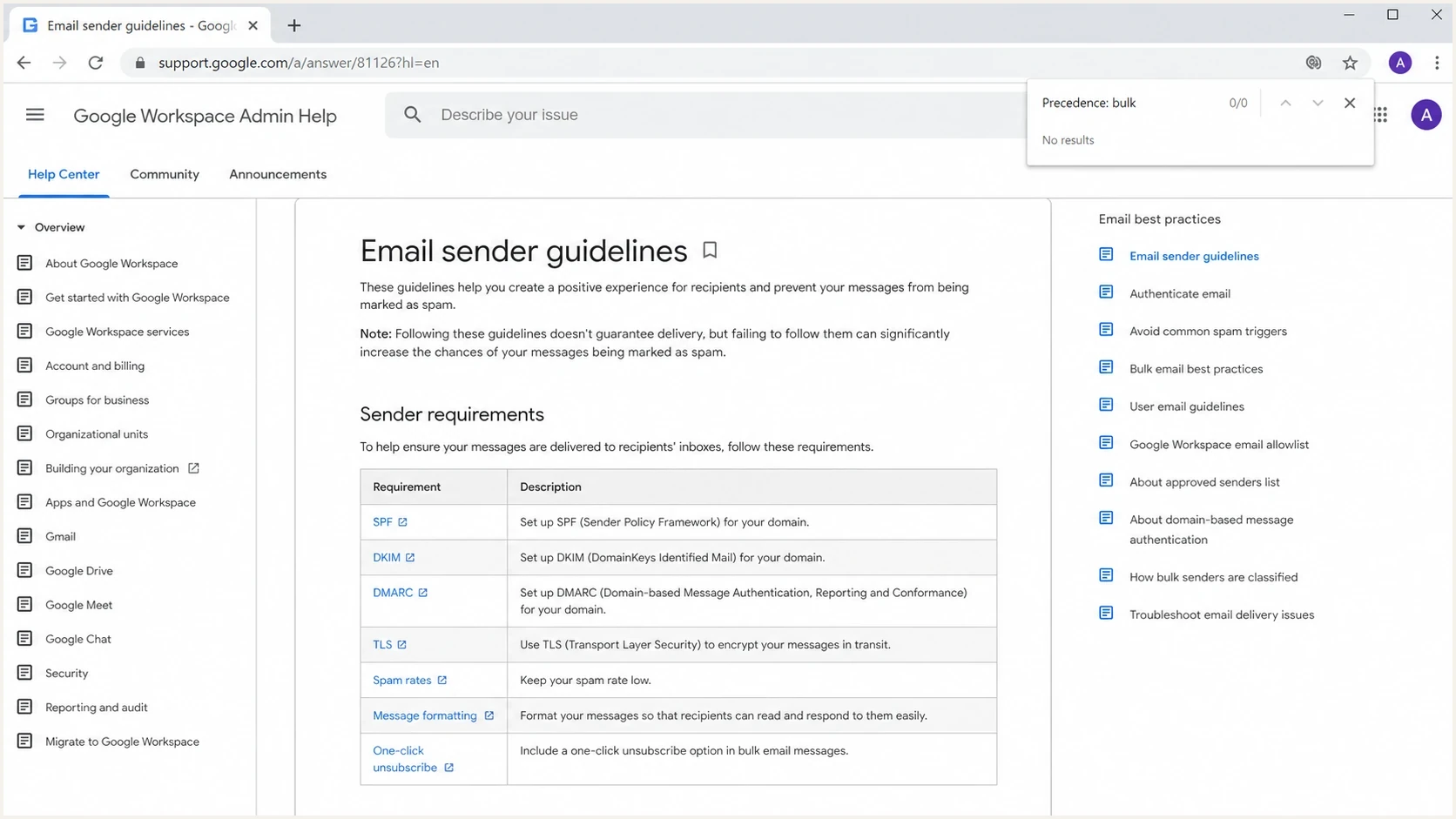
Google email sender guidelines showing authentication and unsubscribe requirements without Precedence: bulk.
Removal from the public guidance does not prove Gmail never reads that header internally. Mailbox providers do not publish every filtering signal. The supported conclusion is that Google no longer asks bulk senders to add it to meet the published requirements.
What Precedence: bulk actually does
The Precedence header is an old mail convention used by some systems to mark non-personal messages. Values such as bulk, list, and junk have historically helped mailing list software and auto-responders decide whether to send vacation replies, challenge responses, or other automated mail back to the sender.
Legacy bulk header example
Precedence: bulk
RFC 3834 describes Precedence as a non-standard header whose interpretation varies across systems. It does not guarantee suppression of automatic replies. Auto-Submitted is a separate standardized field for automatically generated messages and automatic replies; it is not a Gmail bulk-sender requirement.
The header does not authenticate the sender or prove recipient consent. It labels a message as bulk traffic, and each receiving system decides how to use that information.
What it can signal
- Category: The message is part of a bulk stream, not a personal one-to-one email.
- Automation: Some older systems suppress vacation replies or challenge responses.
- Routing: Some local filters still sort mail with this header into bulk folders.
- Intent: It tells receivers the sender expects bulk-mail treatment.
What it cannot fix
- Authentication: It cannot pass SPF, DKIM, or DMARC for a message.
- Consent: It cannot prove the recipient subscribed or wants the message.
- Reputation: It cannot repair complaint rates, bad engagement, or a weak sending history.
- Compliance: It cannot replace one-click unsubscribe for subscribed messages.
How one-click unsubscribe differs from Precedence: bulk
Precedence does not provide an unsubscribe mechanism. Google's sender guidelines require bulk marketing and subscribed messages to support one-click unsubscribe and include a clearly visible unsubscribe link in the message body. Transactional messages, such as password resets and receipts, are exempt from the one-click requirement, but still need to meet authentication requirements.
Current unsubscribe header pattern
List-Unsubscribe-Post: List-Unsubscribe=One-Click
List-Unsubscribe: <https://example.com/unsubscribe/abc123>
Header presence alone is not enough. Under RFC 8058, the HTTPS endpoint must accept a POST request with List-Unsubscribe=One-Click as its body. A valid DKIM signature must cover both List-Unsubscribe and List-Unsubscribe-Post, with both fields included in the signature's h= list.
- Process the POST without requiring a login or a confirmation page on the sender's website.
- Do not unsubscribe on a GET request from an automated link scanner. The POST is the one-click action.
- Keep the visible unsubscribe link in the message body. A body link or a mailto-only header does not satisfy the one-click requirement.
- Honor unsubscribe requests within 48 hours. Correct headers do not guarantee that Gmail displays its unsubscribe button; display also depends on Google's eligibility checks.
Current Gmail bulk sender requirements
Compare delivery fixes against Google's published requirements. The Gmail authentication and TLS requirements carry more weight in a compliance review than a legacy precedence hint.
|
|
|
|---|---|---|
SPF | All senders: SPF or DKIM; bulk senders: required | Authorize every sending source |
DKIM | All senders: SPF or DKIM; bulk senders: required | Use at least 1,024 bits; Google recommends 2,048 bits where supported |
DMARC | Required for bulk senders | Publish p=none or stronger; pass DMARC through SPF or DKIM domain matching |
Forward and reverse DNS | Required for all senders | The sending IP's PTR hostname must resolve back to that IP through A or AAAA |
TLS | Required for all senders | Encrypt SMTP transport |
Unsubscribe | Required for bulk marketing and subscribed mail | Use RFC 8058 plus a visible body link; honor requests within 48 hours |
Spam rate | Target below 0.10%; required ceiling is below 0.30% | Monitor Google's user-reported spam rate daily |
Message headers | RFC 5322 format required | Use one From address and a valid Message-ID |
Published Gmail sender requirements and recommended actions.
Google combines traffic from the same primary domain when it calculates bulk volume, including mail sent through subdomains. Once a sender reaches the bulk threshold, Google says that status does not expire. Google began ramping enforcement against non-compliant traffic in November 2025, including temporary and permanent rejections.
For domain owners, the first pass should be DMARC monitoring, a valid SPF record, working DKIM signing, and a message stream that users do not report as unwanted. If SPF is messy, check the published record with an SPF checker. If DKIM is uncertain, validate the selector and key with a DKIM checker. Those checks answer current Gmail problems in a way the old precedence header does not.
Gmail user-reported spam rate thresholds
Google recommends staying below 0.10% and requires staying below 0.30%. These bands use those published boundaries.
Recommended target
Below 0.10%
Keep complaints below this target; it does not guarantee inbox placement.
Above target
0.10% to less than 0.30%
Review complaint sources and sending practices before reaching the maximum.
Exceeds requirement
0.30% or higher
At or above Google's stated spam-rate threshold.
Should you keep Precedence: bulk?
Do not add Precedence: bulk just to satisfy Google, because Google no longer asks for it. Do not spend time removing it from every legacy system if the mail is otherwise authenticated, wanted, and formatted correctly. Treat it as low-priority hygiene unless a specific downstream behavior or SMTP response identifies the header.
The decision depends on why the header exists. Mailing list software often adds it by default, while some internal systems use it to reduce auto-reply noise. A marketing system that adds it to newsletters is not automatically wrong. Review it when an outbound relay rejects the field or when a transactional stream shows reproducible header-related behavior.
Do not make this the main fix
If Gmail delivery is failing, a Precedence: bulk change is rarely the best first remediation. Fix authentication, DNS, unsubscribe, message classification, complaint sources, and list quality before debating this header.
- Keep it: If a mature mailing list system adds it and no current issue points to the header.
- Remove it: If an SMTP relay explicitly rejects it or another downstream effect is reproducible.
- Ignore it: If the real issue is DMARC failure, missing DKIM, broken SPF, or high complaints.
- Document it: If an audit asks why the sender does not follow the old recommendation.
When a sending relay rejects the header
A separate failure can happen before the message reaches Gmail. An outbound SMTP relay can enforce its own allowed-header policy and return a permanent 550-class response when it receives Precedence. That does not mean Gmail rejected the message or restored the old recommendation. It means the submission path refused a header under local policy.
Illustrative relay response, not a published Gmail error
550 5.6.0 header Precedence is not allowed
Treat the server response as the evidence. Identify which system inserted the field and which server rejected it before changing the message. Removing every optional header can break unsubscribe handling or erase useful diagnostics.
- Capture the response: Save the full SMTP code and identify the server that returned it.
- Find the insertion point: Inspect the raw outgoing message, application code, and any hosting filter that adds the header.
- Make the narrow change: Disable or remove only the rejected field at the point where it is inserted.
- Retest the path: Confirm relay acceptance, then verify Gmail authentication and unsubscribe requirements separately.
How to test Precedence: bulk delivery claims
Keep claims about published requirements separate from claims about filtering behavior. Google does not require the header in its current public guidance. Establishing an effect on a receiver or relay in the delivery path requires testing.
Send a real sample and inspect the message headers. Our Suped email tester accepts a live message and shows its headers and authentication results. Use it to check whether the header is present and whether SPF, DKIM, and DMARC pass.
Email tester
Send a real email to this address. Suped shows a results button when the test is ready.
?/43tests passed
Capture the raw message and record whether Precedence: bulk is present. For direct mail, DMARC requires a passing SPF result with a matching MAIL FROM domain, or a passing DKIM signature with a matching d= domain, compared with the visible From domain. Relaxed alignment allows the same organizational domain; strict alignment requires an exact domain match. Bulk senders still need both SPF and DKIM. Check unsubscribe headers separately.

Email tester sample report showing total score, email preview, issue summary, and per-section results
For a delivery claim, compare controlled samples that differ only in this header and record the SMTP responses and delivery results. Authentication success alone does not establish an effect on inbox placement. If a sample fails DMARC or has no DKIM signature, fix that failure first.
Gmail sender compliance checklist
Replace old "add Precedence" checklist items with checks that map to the current Google requirements. This is especially important when marketing and subscribed messages are involved, because one-click unsubscribe is part of the practical Gmail compliance review for bulk senders.
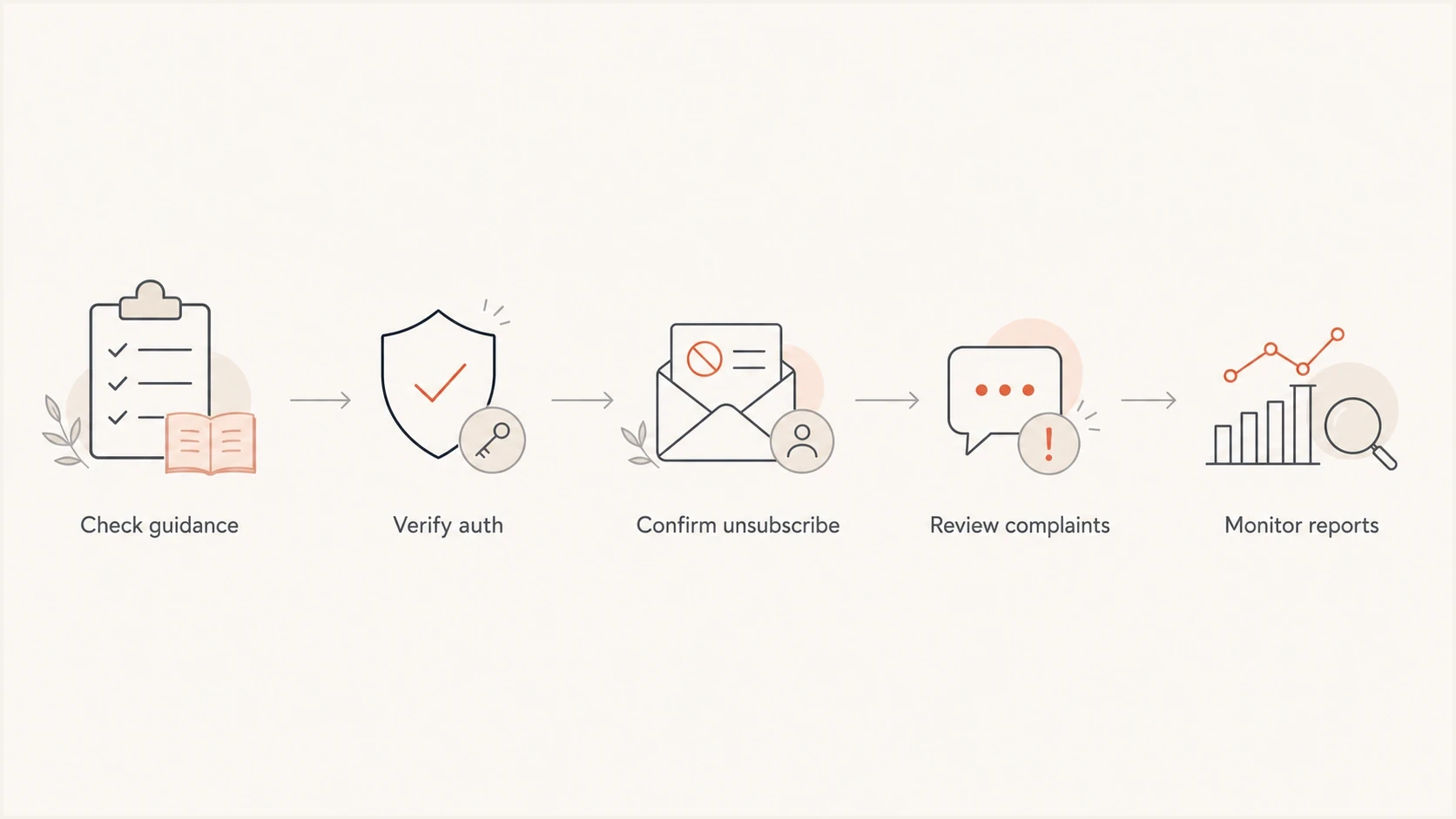
Gmail sender audit flowchart covering authentication, one-click unsubscribe, complaint review, and report monitoring.
- Make bulk mail pass SPF and DKIM, with the visible From domain matching at least one authenticated domain for DMARC.
- Publish DMARC with p=none or a stronger policy. Add aggregate reporting with rua to investigate sending sources; Gmail does not require a quarantine or reject policy.
- Keep transactional and marketing traffic on distinct sending identities. Subdomains help organize streams but do not reset Google's primary-domain bulk threshold.
- Test one-click unsubscribe for applicable marketing and subscribed mail, including the endpoint and DKIM coverage.
- Control complaints: Suppress disengaged segments and fix acquisition sources that create reports.
- Monitor reputation: Watch domain health, IP reputation, and blocklist or blacklist signals over time.
Use Suped to investigate authentication failures
Suped is our DMARC reporting and email authentication platform. Use its aggregate reports to identify sending sources reported by participating receivers, find SPF or DKIM failures, and track fixes by sending source.
DMARC aggregate reports do not contain the full message headers, so they cannot establish whether Precedence: bulk was present. Pair Suped's authentication reports with a raw message sample and SMTP logs when investigating a header-related delivery claim.
Views from the trenches
Best practices
Check the live Google page before copying old header advice into a remediation plan.
Treat Precedence: bulk as a legacy hint, not a sender authentication mechanism now.
Use real message samples to inspect headers, authentication, unsubscribe, and routing.
Document why current Gmail requirements take priority over archived recommendations.
Common pitfalls
Assuming an old bulk sender checklist still matches the current Gmail sender page.
Spending review time on Precedence: bulk while DKIM or DMARC is still failing today.
Treating header presence as proof that Gmail will categorize the message correctly.
Using the same header pattern for every stream without checking message purpose first.
Expert tips
Keep a dated copy of the current requirement set when reviewing a sender's claims.
Ask for raw headers and DNS proof before accepting any deliverability remediation list.
Retire checklist items when a provider stops naming them in current requirements.
Track changes by sender stream, because bulk and transactional mail need different handling.
Marketer view
Marketer from Email Geeks says the current Google sender page no longer lists Precedence: bulk, even though older archived copies did.
2023-04-21 - Email Geeks
Marketer view
Marketer from Email Geeks says the absence of the header from current guidance makes it a weak argument in a Gmail remediation review.
2023-04-21 - Email Geeks




