Why are internal emails flagged as impersonation when using a 3rd party provider even with SPF and DKIM verification?


Updated on 30 Jul 2026: We updated this guide with current Microsoft 365 connector guidance, current DMARC record syntax, and clearer checks for internal impersonation warnings.
Internal emails get flagged as impersonation in this setup because the message looks like it came from your own domain, but it arrived through an outside platform and then through your inbound security stack. SPF and DKIM verification inside a marketing platform means the platform is configured to authenticate mail. It does not mean every internal gateway, filter, and mailbox layer will trust the message after the next handoff.
The common pattern is simple: a campaign is sent through Pardot, Salesforce Marketing Cloud Account Engagement, HubSpot, Marketo, or another third-party provider using a visible From address on the company domain. The first gateway sees valid authentication. A later internal layer, often Microsoft 365 or another mail filter, sees a different connecting IP, a modified message body, or a broken DKIM signature, then stamps the message with a failing result or an impersonation warning.
That is not automatically a deliverability problem. It is usually an internal mail-flow and trust problem. Other recipients do not see the same internal route, so they do not necessarily see the same warning. Still, do not ignore it, because the same header evidence can reveal a real SPF, DKIM, or DMARC issue before it spreads outside the company.
- Header proof: Compare the first Authentication-Results header with the final one.
- Route proof: Check whether a gateway sits between the provider and Microsoft 365.
- Domain proof: Confirm the DKIM signing domain or SPF envelope domain matches the visible From domain for DMARC.
- Policy proof: Ask IT whether the warning came from anti-spoofing, user impersonation, domain impersonation, or phishing policy.
The short answer
SPF and DKIM answer narrow questions. SPF asks whether the connecting sender is allowed by the envelope sender domain. DKIM asks whether selected message headers and body content still match the signature. DMARC asks whether SPF or DKIM passes with a domain that matches the visible From domain. Internal impersonation filters ask a different question: does this message behave like a trusted internal sender or like an outside system pretending to be one?
Microsoft 365 also has composite authentication, shown as compauth in headers. Microsoft authentication combines standard authentication with sender history, reputation, recipient history, and behavior signals. That means a message can pass SPF and DKIM at one point, yet still get an impersonation warning after internal routing changes what the next system sees.
The most useful evidence is not the provider's green check mark. It is the full message header from an affected internal recipient. Look for the first authentication result, the final authentication result, the Return-Path, the DKIM-Signature domain, and the connecting IP at each hop.
- First pass: A gateway can record SPF, DKIM, and DMARC as passing when the provider first delivers the message.
- Later fail: Microsoft 365 can later see the gateway IP as the sender and fail SPF for the original bounce domain.
- Signature break: Link rewriting, footers, disclaimers, and security scanning can break DKIM if they change signed content.
If the original result says DMARC passed and the final result says DMARC failed, the issue is between the first receiver and the final mailbox, not necessarily in the third-party provider setup. That is why internal-only impersonation warnings need header analysis before DNS changes.
What SPF and DKIM prove
Start by separating authentication from trust. Authentication is mechanical. Trust is a policy decision made by the receiving system. A marketing platform can pass its setup tests because the domain has the right CNAMEs, TXT records, or DKIM keys. Your internal security filter can still decide the message is risky because the visible From address is an employee or company domain, but the route is external.
Use a DMARC checker to confirm the public DNS record is valid, then use real message headers to confirm what receivers actually evaluated. DNS checks and message checks answer different parts of the problem.
DMARC alignment can be relaxed or strict. Relaxed alignment accepts the same organizational domain, while strict alignment requires an exact domain match. For a third-party sender, custom DKIM under the company domain often gives the most stable matching path when forwarding or a relay breaks SPF.
|
|
|
|---|---|---|
SPF | The connecting sender is allowed for the envelope domain. | The visible From domain can still be different. |
DKIM | Signed content has not changed since signing. | A gateway can break the signature later. |
DMARC | SPF or DKIM passed with a matching From domain. | A later hop can produce a different result. |
CompAuth | Microsoft judged sender authenticity with extra signals. | The reason code still needs header context. |
Policy | IT defined how suspicious mail is treated. | A rule can be stricter for internal recipients. |
Authentication checks compared with internal impersonation checks.
Header pattern to look fortext
Authentication-Results-Original: gateway.example; spf=pass
  smtp.mailfrom=bounce.example; dkim=pass; dmarc=pass

Authentication-Results: mx.example; spf=fail
  smtp.mailfrom=bounce.example; dkim=fail; dmarc=fail
  header.from=example.com; compauth=fail reason=000
This header shape says the outside sender was probably set up correctly at first delivery. The later failure says the internal path changed the authentication picture. That can happen when a secure email gateway receives the message from the marketing platform, then relays it to Microsoft 365 as if the gateway were the sender.
Why it passes outside but fails inside
External recipients usually receive the message directly from the marketing provider or through their own gateway chain. Internal recipients receive it through your company's inbound path. Those paths do not have to produce the same result. A message can pass at Gmail, fail inside Microsoft 365 after a gateway relay, and still be correctly authenticated at the provider.
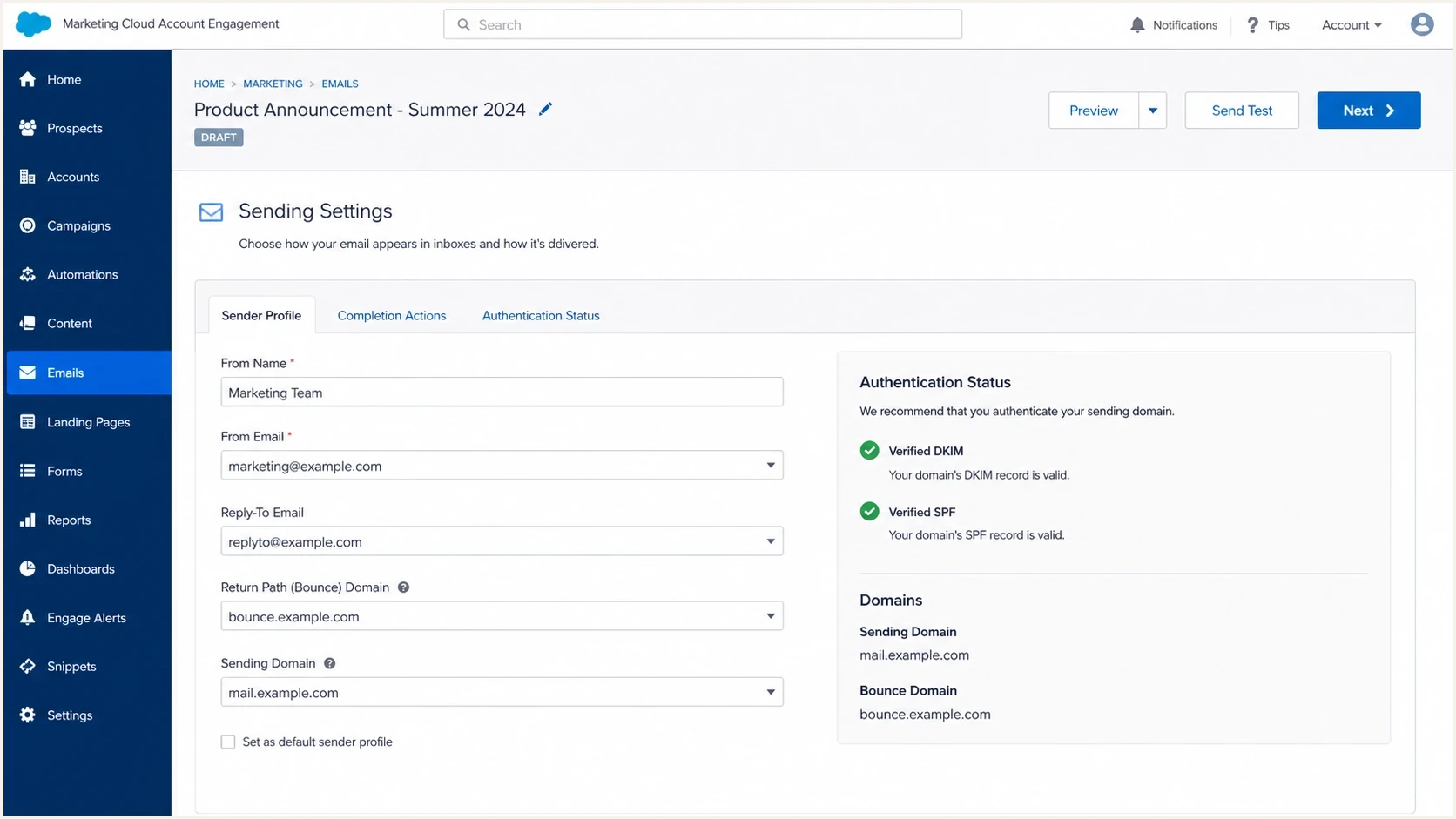
Salesforce Marketing Cloud Account Engagement settings with SPF and DKIM verified.
Shared IP sending adds a second layer of confusion. A shared IP is not automatically bad, and it does not explain an internal-only impersonation warning by itself. It matters more for Gmail and other mailbox providers because shared IP reputation is affected by all senders on that pool. For bulk senders to personal Gmail accounts, Google sender guidelines require SPF and DKIM, a DMARC record, and From-domain alignment through SPF or DKIM for direct mail. Marketing messages also need one-click unsubscribe.
External recipient path
- Connection: The mailbox provider sees the marketing platform or its sending infrastructure.
- Result: SPF, DKIM, and DMARC are judged against the original external delivery.
- Risk: Spam placement depends on reputation, content, recipient feedback, and authentication.
Internal recipient path
- Connection: A secure gateway can relay the message into Microsoft 365.
- Result: The final layer can see the gateway as the sender and fail SPF.
- Risk: The filter can mark the message as domain or user impersonation.
Gmail spam placement after a test send is a separate signal. If the domain has low or sporadic marketing volume, Gmail has less positive history for the authenticated identifiers used by that platform. Authentication lets the sender build reputation under the right identifiers. It does not grant inbox placement on day one.
How to diagnose it
Diagnose this as a route problem first and a DNS problem second. The route tells you who saw the message, who modified it, and which system applied the warning. DNS tells you whether the public setup gives receivers enough information to authenticate the sender.
- Get headers: Export the original message headers from an internal recipient who saw the warning.
- Find results: Search for Authentication-Results, Authentication-Results-Original, and the final compauth value and reason code.
- Compare hops: Identify where SPF, DKIM, or DMARC changed from pass to fail.
- Check domains: Compare header From, Return-Path, DKIM d=, and the signing selector.
- Ask policy: Confirm which anti-spoofing or impersonation rule fired.
- Test outside: Send the same campaign to external seed inboxes and compare final headers.
A domain health check helps confirm the baseline DNS state before you change anything. Also check for an SPF permerror. SPF evaluation allows no more than 10 DNS-causing terms, so exceeding that limit needs record cleanup rather than a connector change.
?
What's your domain score?
Deep-scan SPF, DKIM & DMARC records for email deliverability and security issues.
After the DNS baseline is clean, focus on the internal handoff. If the secure gateway is the first system to receive the message, Microsoft 365 needs a way to trust the gateway's preserved authentication result, or the final layer will judge the relay as if it were the original sender. ARC can preserve original authentication information when trusted systems modify or relay messages.
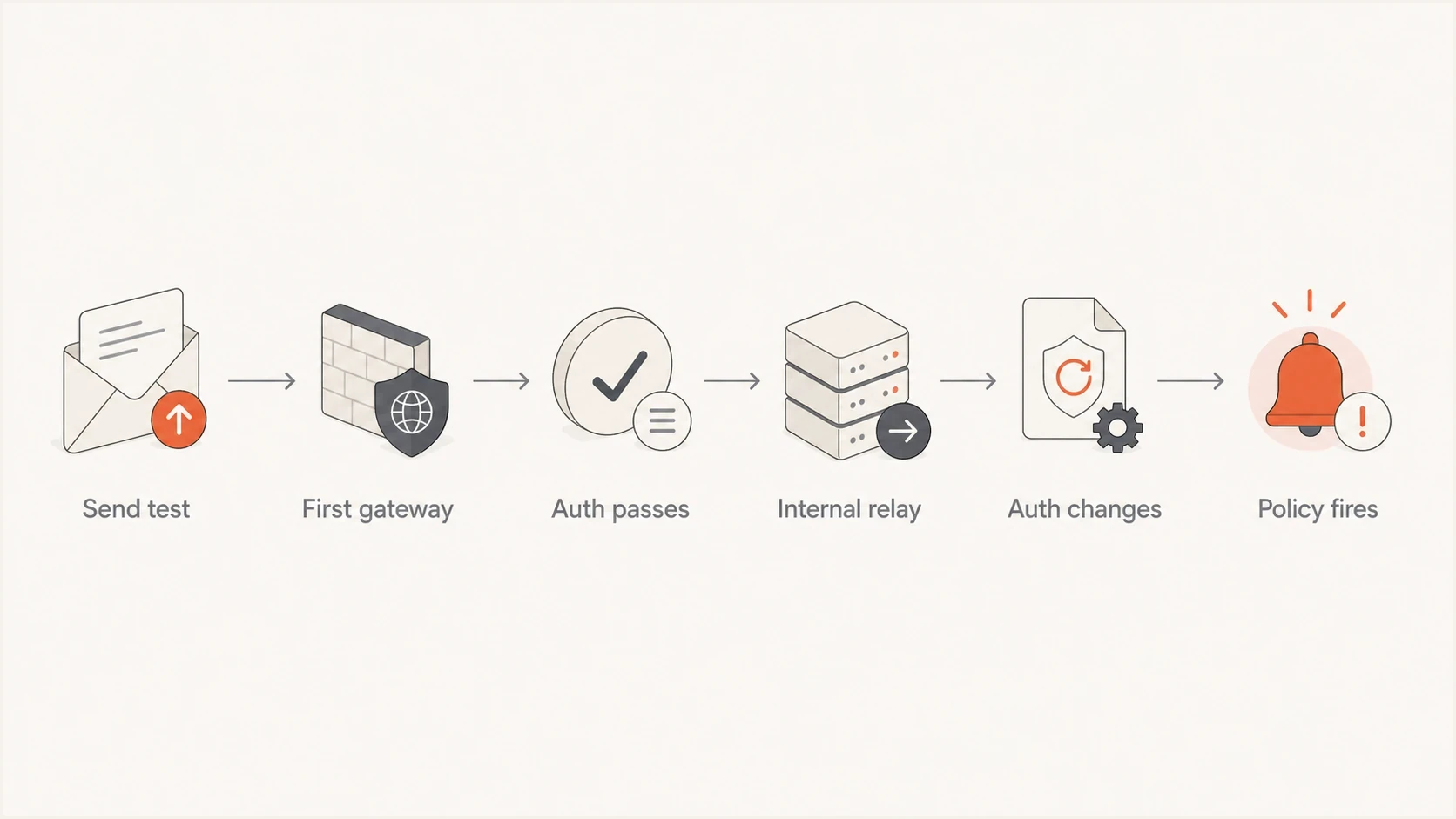
Email authentication flowchart showing SPF, DKIM, and DMARC changes after an internal relay.
If the flowchart stops at Auth passes for external recipients but reaches Policy fires for internal recipients, your DNS work is not finished, but it is also not the whole fix. Bring the mail-flow admin and the relevant security and marketing operations owners into the same header review.
Preserve the original sender in Microsoft 365
When internet mail reaches Microsoft 365 through a gateway, Enhanced Filtering for Connectors can make Microsoft 365 evaluate the original internet sender instead of treating the gateway IP as the source. This setting is also called skip listing. It applies to complex inbound routing and is not an allowlist or spam-filter bypass.
- Scope the connector: Use the inbound connector that receives gateway mail and include only the public IP addresses of trusted intermediary hops.
- Pilot with recipients: Apply enhanced filtering to a small recipient set before expanding it to the organization.
- Verify headers: Look for X-MS-Exchange-ExternalOriginalInternetSender or X-MS-Exchange-SkipListedInternetSender after a test.
- Remove conflicting bypasses: Disable transport rules that set SCL to -1 for the connector after enhanced filtering is enabled.
ARC handles a related part of the route. A trusted ARC sealer records the earlier authentication result and message integrity before an intermediary makes changes. Trust only a sealer connected to a verified mail path. If the gateway does not add an ARC seal, Enhanced Filtering for Connectors can still recover source information and reduce false DMARC failures caused by the handoff.
Do not put broad or unverified IP ranges on the skip list. An incorrect range can make Microsoft 365 evaluate the wrong hop as the original sender. Document the route, test a small recipient set, and confirm the stamped headers before wider use.
What to fix first
Fix the earliest confirmed failure. If SPF fails only after a gateway relay, do not start by adding the gateway IP to a third-party bounce domain you do not control. If DKIM passes before the gateway and fails after, find what changed the signed content. If DMARC never passed at any hop, fix the provider authentication and domain matching first.
|
|
|
|---|---|---|
SPF pass then fail | Gateway relay changed the connecting IP. | Enable enhanced filtering or trust ARC. |
DKIM pass then fail | Message content changed after signing. | Move rewriting before signing or reduce changes. |
DMARC fails everywhere | No matching SPF or DKIM domain. | Configure custom DKIM or branded bounce. |
Only staff see warnings | Internal impersonation policy fired. | Create a narrow exception for verified flow. |
Gmail spam | Low history, content, or shared IP reputation. | Send consistently and monitor feedback. |
Common causes and the first practical fix.
Simple DMARC record for monitoringdns
v=DMARC1; p=none; rua=mailto:dmarc@yourdomain.com
A monitoring policy is a good starting point when you are onboarding a new marketing platform or changing gateways. It lets you collect aggregate reports without rejecting legitimate traffic while you verify the real sources. The pct tag is historic under the current DMARC specification, so do not use pct to stage enforcement. Move policy only after legitimate sources pass consistently.
Do not create a broad allow rule for anything that claims to be your domain. That removes the exact protection that impersonation controls are meant to provide. A safer exception is narrow: one verified sending domain, one connector path, one provider, and documented review.
The right fix can be technical, policy-based, or both. For a provider like Pardot, check that custom DKIM is active, the return-path or bounce domain is correct, and the From domain is the domain you expect. For Microsoft 365, check whether the secure gateway is treated as a trusted inbound source and whether authentication results are preserved in a way Microsoft can use.
Where Suped fits
Suped is most useful when this stops being a one-message puzzle and becomes an ongoing operations problem. Suped's DMARC monitoring shows which sources are sending as your domain, which ones pass or fail, and what changed over time. That is the evidence IT and marketing need before changing DNS or mail-flow policy.

Issue steps to fix dialog showing the issue overview, tailored fix steps, and verification action
In this workflow, Suped can flag a failing sender, show whether SPF or DKIM matched the From domain, provide remediation steps, and confirm the result in later DMARC data. Suped also has hosted SPF, hosted DMARC, and blocklist (blacklist) monitoring for teams that need ongoing DNS and reputation checks.
Manual header checking
- Speed: Good for one incident, slow across many campaigns.
- Scope: You see only the samples someone forwarded.
- Risk: Teams can over-correct SPF or create broad allow rules.
Suped workflow
- Speed: Sources, failures, and fixes are visible in one place.
- Scope: You can track every platform sending as the domain.
- Risk: Hosted controls reduce DNS churn and SPF lookup issues.
Suped covers the external authentication and reporting layer. Your IT team still needs to check the internal gateway and Microsoft 365 connector behavior when a warning appears only for employees.
How to explain it to IT
The clearest explanation is: the campaign sender can be authenticated correctly at the internet edge, but our internal mail path can break or ignore that result before the message reaches employees. That is why the warning is valid as a security signal, but it does not prove the public SPF record is wrong.
Ask IT for the rule name, the message trace, and the connector path. If the rule is user impersonation, the display name or From address can be the trigger. If it is domain impersonation, the fact that a third-party marketing platform sent as the company domain can be enough. If it is a composite authentication failure, the headers should show whether Microsoft saw spf=fail, dkim=fail, dmarc=fail, or only a policy warning.
The best internal outcome is a verified mail-flow path where the third-party provider authenticates the message, the gateway preserves that result, Microsoft 365 trusts the inbound path, and the impersonation policy only relaxes for that exact sender pattern.
If external recipients also see spam placement, treat that as a parallel deliverability project. Review list consent, sending cadence, unsubscribe headers, content, complaint rate, and the reputation of the authenticated domain. For deeper authentication cases, the same pattern appears when DMARC can still fail even though the sender thought SPF and DKIM were set up.
Views from the trenches
Best practices
Compare original and final Authentication-Results before changing DNS or sender settings.
Use custom DKIM and a branded bounce domain for each marketing platform you send through.
Keep internal filter exceptions narrow, documented, and tied to verified sending paths only.
Common pitfalls
Treating a shared IP as the cause before checking the gateway handoff wastes time fast.
Reading only the final header can hide a clean pass recorded by the first gateway upstream.
Changing SPF to fix a DKIM break caused by message rewriting creates new DNS risk quickly.
Expert tips
Ask IT to preserve authentication results between the secure gateway and Microsoft 365 layers.
Send the same campaign to internal, Gmail, and seed inboxes, then compare outcomes side by side.
Warm low-volume marketing identifiers gradually so mailbox providers see steady sending history.
Marketer from Email Geeks says external authentication can pass at the gateway, while Microsoft 365 later marks the same message as failing after an internal handoff.
2024-02-07 - Email Geeks
Marketer from Email Geeks says sending mail from your own domain through an outside platform to your own employees matches many impersonation rules.
2024-02-07 - Email Geeks
How to resolve internal impersonation flags
Internal impersonation flags with a third-party provider usually mean the internal security stack is judging the message differently than the first receiver did. Verified SPF and DKIM in the provider are necessary, but they are not the final answer. The final answer is in the headers.
If the original gateway result passes and the Microsoft 365 result fails, fix the gateway-to-Microsoft handoff and preserve the authentication evidence. If DMARC fails before the gateway, fix the provider setup. If Gmail sends tests to spam while authentication passes, build steady reputation with clean list practices and consistent authenticated sending.
The safest path is evidence first: inspect headers, verify DNS, confirm the policy that fired, then make the smallest change that fixes the confirmed break. That avoids the two expensive mistakes: overloading SPF and disabling impersonation protection too broadly.




