Why are emails bouncing with Mimecast Anti-Spoofing policy and how to fix?

Published 16 Jun 2025
Updated 11 Aug 2026
11 min read
Summarize with
Updated on 11 Aug 2026: We updated this guide with current Mimecast bypass settings and safer troubleshooting steps.
Emails bounce with a Mimecast Anti-Spoofing policy error because Mimecast sees an external message using an internal Header From or Envelope From identity, but no matching exception authorizes the sender or source IP. The bounce happens at Mimecast's SMTP edge, before delivery to the downstream mail server, so the recipient mailbox has no queue entry for the message.
The practical fix is to identify the exact address and source IP that matched the policy, verify that the traffic is legitimate, and create a narrowly scoped Mimecast Anti-Spoofing bypass. Check SPF, DKIM, and DMARC as a separate authentication task so the bypass does not conceal a sender setup defect.
- Fast answer: Create or correct a Take No Action Anti-Spoofing policy for the legitimate sender and source IP.
- Root cause: The message uses a protected internal identity but enters Mimecast through an external source that has no matching exemption.
- Check authentication too: Verify SPF for the MAIL FROM or HELO identity, the DKIM signature, and DMARC alignment with the Header From domain.
Why Mimecast rejects before the mailbox
Mimecast can reject the SMTP transaction before delivery to the downstream mail server. A 550 response is a permanent failure, so the sending system generates a bounce instead of retrying. Mimecast records the rejection, but the rejected message is not retrievable for later delivery and must be resent after the issue is fixed.
Common bounce texttext
550 Anti-Spoofing policy - Inbound not allowed
550 Rejected by header-based Anti-Spoofing policy
13045 Anti-Spoofing Header Lockout
Header-based anti-spoofing is not the same thing as a blocklist or blacklist rejection. A blocklist bounce points to reputation or listing data. This bounce points to a policy decision: Mimecast sees a protected internal identity in the message and does not trust the external source that presented it.
The important clue
When a sending system uses the customer's own domain or subdomain in the visible From address, Mimecast treats the external route as spoofing unless an Anti-Spoofing exception matches. This pattern is common with CRMs, marketing platforms, ticketing tools, billing systems, and test environments that send on behalf of a customer domain.
Mimecast's header lockout guidance recommends a specific bypass for legitimate traffic. A Permitted Sender entry does not override Anti-Spoofing, so changing a user allowlist does not resolve this policy match.
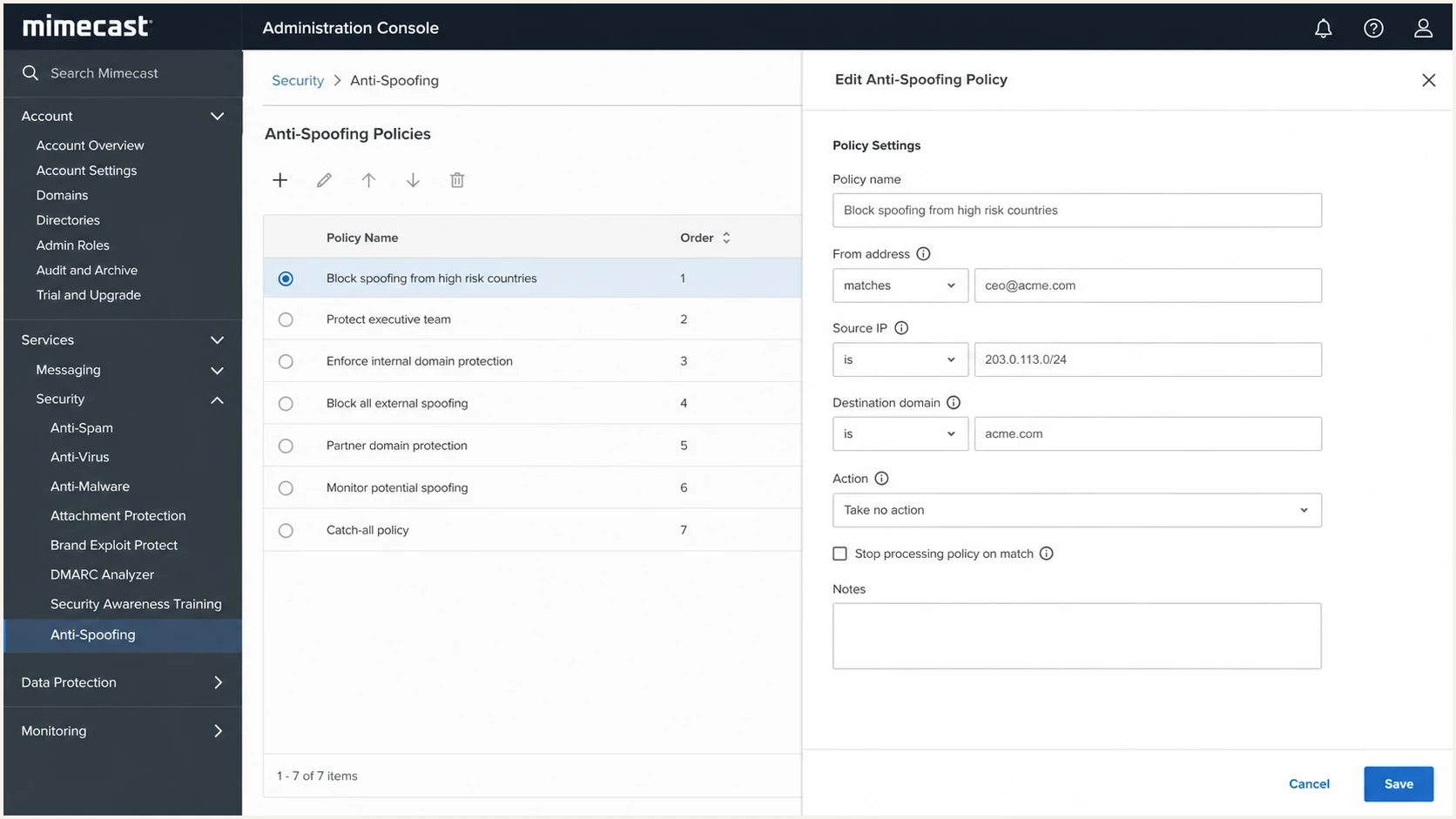
Mimecast Administration Console Anti-Spoofing bypass policy fields.
Common causes of a Mimecast 550 rejection
Start with the exact identity Mimecast is protecting. If the Header From or Envelope From references an internal domain, Mimecast can treat an externally presented message as impersonation even when a legitimate application sent it.
|
|
|
|---|---|---|
Internal Header From | Visible From domain | Scope a bypass |
Header and envelope differ | Both From identities | Use Addresses Based On: Both |
Source IP changed | Rejection IP | Update the CIDR range |
Forwarding or relay loop | Message route | Correct routing or scope |
Policy does not win | Override and criteria | Enable Policy Override |
High-signal causes behind the Mimecast 550 anti-spoofing bounce.
Do not treat every 550 as the same failure. Mimecast also documents separate reasons such as SPF Sender Invalid, DKIM Sender Invalid, and DMARC Sender Invalid. If the bounce specifically says Anti-Spoofing policy or Header Lockout, investigate the protected From identity, external source IP, and matching bypass first. Passing SPF, DKIM, and DMARC improves trust but does not replace the required Anti-Spoofing exception.
Looks legitimate to the sender
- Sender view: The platform has permission to use the customer's domain.
- DNS view: Authentication passes in the platform's setup checks.
- Test view: The message works for recipients that do not use Mimecast.
Looks suspicious to Mimecast
- Inbound view: The message claims a protected internal identity from the internet.
- Policy view: No Anti-Spoofing bypass matches the sender, IP, or recipient scope.
- Routing view: The source IP differs from the source authorized by policy.
Evidence quality before changing policy
Use the strongest evidence available before adding a Mimecast exception.
Ready to allow
Low risk
Known sender and IP, matching domain, and passing authentication.
Fix DNS first
Medium risk
Sender is known, but authentication has a clear defect.
Escalate
High risk
Unknown route or IP, or no clean message sample.
How to prove the exact failure
Before changing Mimecast, collect evidence that distinguishes a policy exception problem from an authentication defect. Compare the Header From with the Envelope From, DKIM signing domain, HELO name, public source IP, and recipient route.
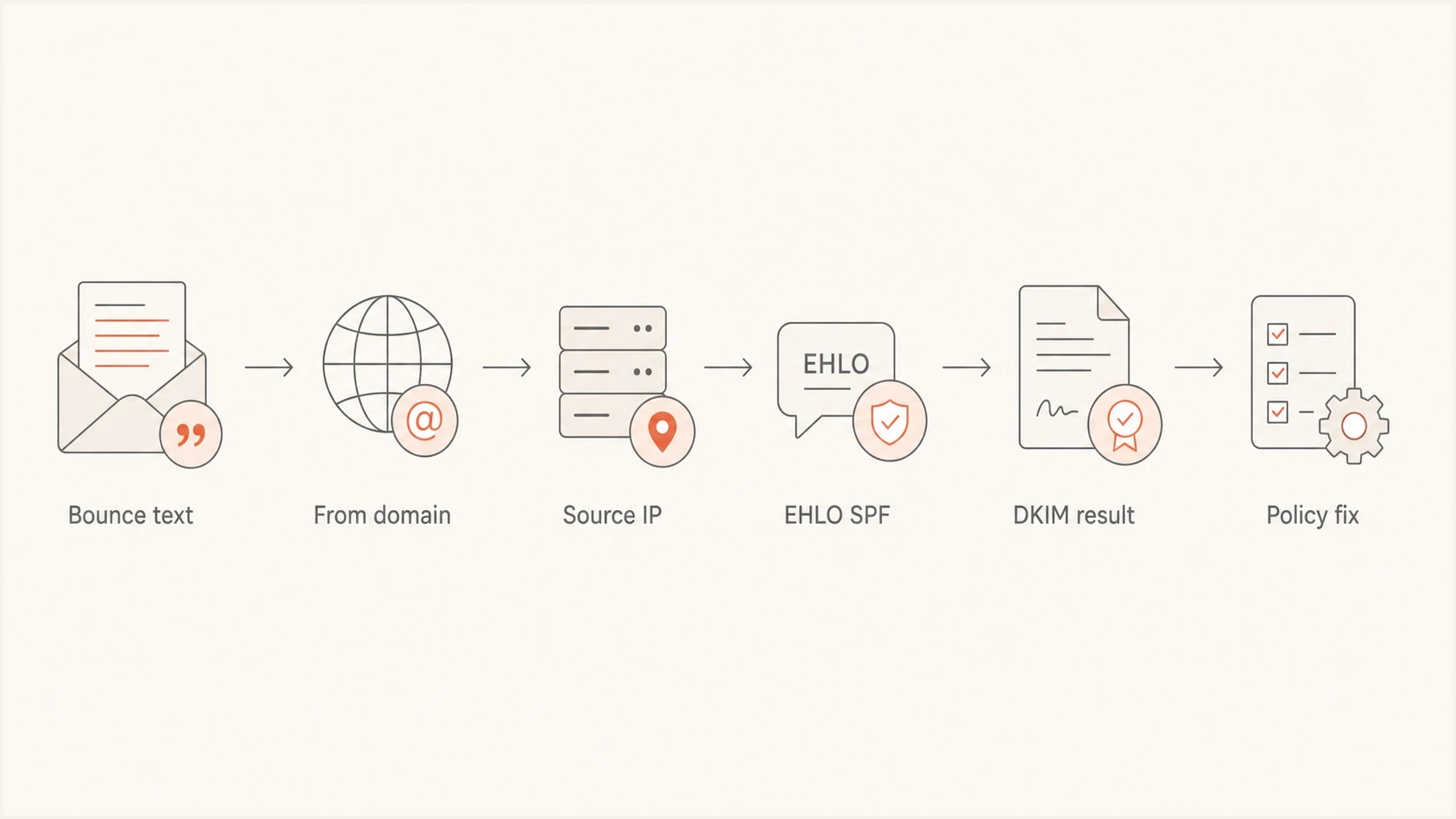
Mimecast Anti-Spoofing bounce investigation from error to policy fix.
- Capture the bounce: Save the complete 550 response, timestamp, sender, recipient, and Mimecast reference ID.
- Search rejected messages: In Mimecast, search rejection data by type, Envelope From, recipient, or source IP and confirm Anti-Spoofing Lockout.
- Get a header sample: Send the same message to a controlled mailbox outside the affected Mimecast route and inspect the full headers.
- Compare identities: Record the Header From, Envelope From, DKIM domain, HELO name, and public source IP.
- Check authentication: Confirm SPF, DKIM, and DMARC results and alignment for the domains in the real message.
- Review policy criteria: Confirm that the bypass covers the matched identity, recipient scope, observed IP, and Policy Override setting.
For the DNS side, use Suped's domain health tool to check DMARC, SPF, and DKIM together before changing the security policy. This identifies an authentication defect without treating it as proof of the Mimecast policy match.
?
What's your domain score?
Deep-scan SPF, DKIM & DMARC records for email deliverability and security issues.
Use the DMARC checker after identifying the Header From domain. A passing DMARC result does not bypass Mimecast Anti-Spoofing, but it confirms that an authenticated identifier aligns with the visible sender domain.
Authentication data to collecttext
Header From: alerts.example.com
Envelope From: bounce.mailer.example.net
DKIM d=: alerts.example.com
HELO: mta01.mailer.example.net
Source IP: 203.0.113.25
Mimecast result: 550 Anti-Spoofing policy
How to configure the Mimecast bypass
The safe fix is narrow. Keep the default policy that protects every internal domain, then add a Take No Action bypass for the verified sender and source. Do not disable Anti-Spoofing for the organization.
Create the bypass policy
- Open the policy list: Go to Gateway, Policies, Gateway Policies, Anti-Spoofing, then select New Policy.
- Set the match: Choose Take No Action and set Addresses Based On to Both so header and envelope addresses are considered.
- Scope the addresses: Use the verified sender and affected internal recipients where possible. Mimecast's baseline uses Everyone for Applies From and Applies To.
- Enable the override: Enable the policy, keep it perpetual if the sender is permanent, enable Policy Override, and leave Bi-Directional disabled unless the reverse flow is required.
- Restrict the source: Enter the verified public sending IP in CIDR notation. Use /32 for one IPv4 address.
- Save and retest: Save the policy, resend the original test, and confirm the new attempt no longer appears as Anti-Spoofing Lockout.
If the bypass does not match, compare its From and To criteria with the rejection data, confirm the source did not use another shared-pool or NAT address, and verify that Policy Override is enabled. Adding the sender to Permitted Senders does not bypass Anti-Spoofing.
Single IPv4 source in CIDR notationtext
203.0.113.25/32
Do not lower DMARC enforcement to fix this bounce. Preserve the strongest DMARC policy supported by the domain's reports, correct any authentication defects, and handle the legitimate Mimecast exception separately. Suped's Hosted DMARC workflow helps teams review sources and stage DMARC policy changes without repeated DNS edits.
When to use an SPF-based bypass
A standard Take No Action policy works well when the sender has a static IP or a small, documented range. An SPF-based Anti-Spoofing bypass fits a legitimate provider whose large sending pool changes often enough that direct IP maintenance becomes unreliable. This bypass uses the provider's SPF-authorized sources for the Anti-Spoofing exception; it does not repair the customer's SPF record.
|
|
|
|---|---|---|
One static IPv4 address | Take No Action with /32 | IP ownership |
Small stable CIDR range | Take No Action with CIDR | Published outbound range |
Large changing provider pool | SPF-based bypass | Trusted SPF domain and scope |
Choose the narrowest maintainable Mimecast bypass.
Verify the SPF domain belongs to the sending provider and restrict the sender and recipient criteria. Avoid overlapping bypasses with Policy Override enabled because more than one matching exception makes troubleshooting inconsistent.
How Suped fits into the fix
Suped does not configure the recipient's Mimecast tenant. Mimecast returns the SMTP rejection, so its Anti-Spoofing bypass must be corrected there. Suped helps identify legitimate sending sources, find SPF or DKIM defects, and show which domains support DMARC enforcement.

Issue steps to fix dialog showing the issue overview, tailored fix steps, and verification action
For this workflow, use Suped's DMARC monitoring to group passing and failing sources by domain. Its SPF and DKIM checks, hosted SPF, hosted MTA-STS, blocklist and blacklist monitoring, alerts, and issue-specific fix steps keep the DNS evidence alongside the source inventory used for the Mimecast change.
Manual investigation
- Evidence: Headers, DNS lookups, admin screenshots, and bounce logs sit in separate places.
- Risk: A broad allow rule can hide an authentication problem that still affects other recipients.
- Pace: Each new sender requires another round of DNS and header checks.
Suped workflow
- Evidence: Authenticated and failing sources are grouped by domain and sender.
- Risk: Issue detection shows whether DNS should be fixed before Mimecast is changed.
- Pace: Hosted DMARC and hosted SPF reduce repeated DNS handoffs.
When to contact Mimecast
Contact Mimecast support when the tenant administrator cannot identify which policy fired, the expected bypass does not match, or the rejection references header lockout behavior that is not visible in the policy list. Mimecast accepts cases through designated customer contacts, so the sender should work through the recipient's Mimecast administrator.
Case packet to send
- Bounce data: Include the full 550 text, Mimecast reference ID, sender, recipient, and timestamp.
- Routing data: Include the public source IP, HELO name, sending platform, and expected route.
- Policy data: Include the Anti-Spoofing bypass, address scope, action, source range, and override setting.
- DNS data: Include SPF, DKIM, and DMARC results for the domains in the failed message.
Ask the recipient's mail administrator to confirm whether the test entered Mimecast through the expected public route. A NAT path, internal relay, or forwarding loop can present a source IP that the bypass never anticipated. When rejection data shows the expected public IP, return to the matched sender identity and policy criteria.
Views from the trenches
Best practices
Verify the visible From domain and source IP before adding any Mimecast exception.
Test the same message outside Mimecast so headers reveal SPF, DKIM, and EHLO results.
Scope allow policies tightly, then retest with the exact sender and recipient pair.
Common pitfalls
Allowing the From address alone misses cases where Mimecast matches the source IP.
Ignoring EHLO SPF can leave a real authentication gap after Return-Path SPF passes.
Treating the bounce as mailbox delivery hides that Mimecast rejected at SMTP edge.
Expert tips
Ask support for the matching policy name when the admin console does not show it.
Document every approved third-party sender before moving DMARC toward enforcement.
Use DMARC reports to separate legitimate senders from spoofing before allowlisting.
Marketer from Email Geeks says an Anti-Spoofing policy can reject a test before it reaches the recipient queue, so the absence of mailbox logs does not prove the sender never connected.
2020-11-24 - Email Geeks
Marketer from Email Geeks says creating an Anti-Spoofing policy that takes no action for the correct sender or IP is the normal fix, but scope and policy order have to be checked.
2020-11-24 - Email Geeks
Fix checklist and retest
A Mimecast Anti-Spoofing bounce is resolved by proving that the exact sender identity and external source are legitimate for the affected recipient, then making Mimecast recognize that traffic with a narrow bypass. General approval of the sending platform or a user-level Permitted Sender entry is not enough.
Capture the bounce and rejection record, verify the message identities and public IP, correct authentication defects, configure the bypass, and resend the same test. If Mimecast still rejects it, send support the reference ID, rejection data, and complete policy criteria.




