
How to set up DMARC/DKIM/SPF for Greatmail


Updated on 13 Sep 2026: We updated this Greatmail setup for RFC 9989 and safer policy enforcement across aligned domains.
Greatmail authentication needs one SPF record that authorizes Greatmail, a Greatmail-provided DKIM key, and a DMARC TXT record on the visible From domain. Start with monitoring at p=none, confirm that Greatmail mail passes DMARC through aligned SPF or aligned DKIM, then move to p=reject after every legitimate sender is accounted for.
Records at a glance
- SPF: Publish one TXT record that includes spf.greatmail.com.
- DKIM: Publish the selector and public key supplied by Greatmail.
- DMARC: Start at p=none unless the domain already uses quarantine or reject.
- Passing rule: DMARC passes when aligned SPF or aligned DKIM passes.
Add your domain
Greatmail provisions domains through its onboarding or support process. Gather the DNS records Greatmail sends in the hosting instructions before changing DNS because the assigned DKIM selector and return-path details can be account-specific.
- Request provisioning: Give Greatmail the exact From domain and state whether the account uses hosted mailboxes or outbound SMTP only.
- Choose authentication: Ask Greatmail to enable DKIM signing and, if available for the account, a custom return-path under your domain.
- Collect DNS values: Record the SPF include, DKIM selector, DKIM public key, and any return-path DNS value supplied for the account.
- Confirm status: Wait until the domain appears as active in the Greatmail admin panel before sending production traffic.
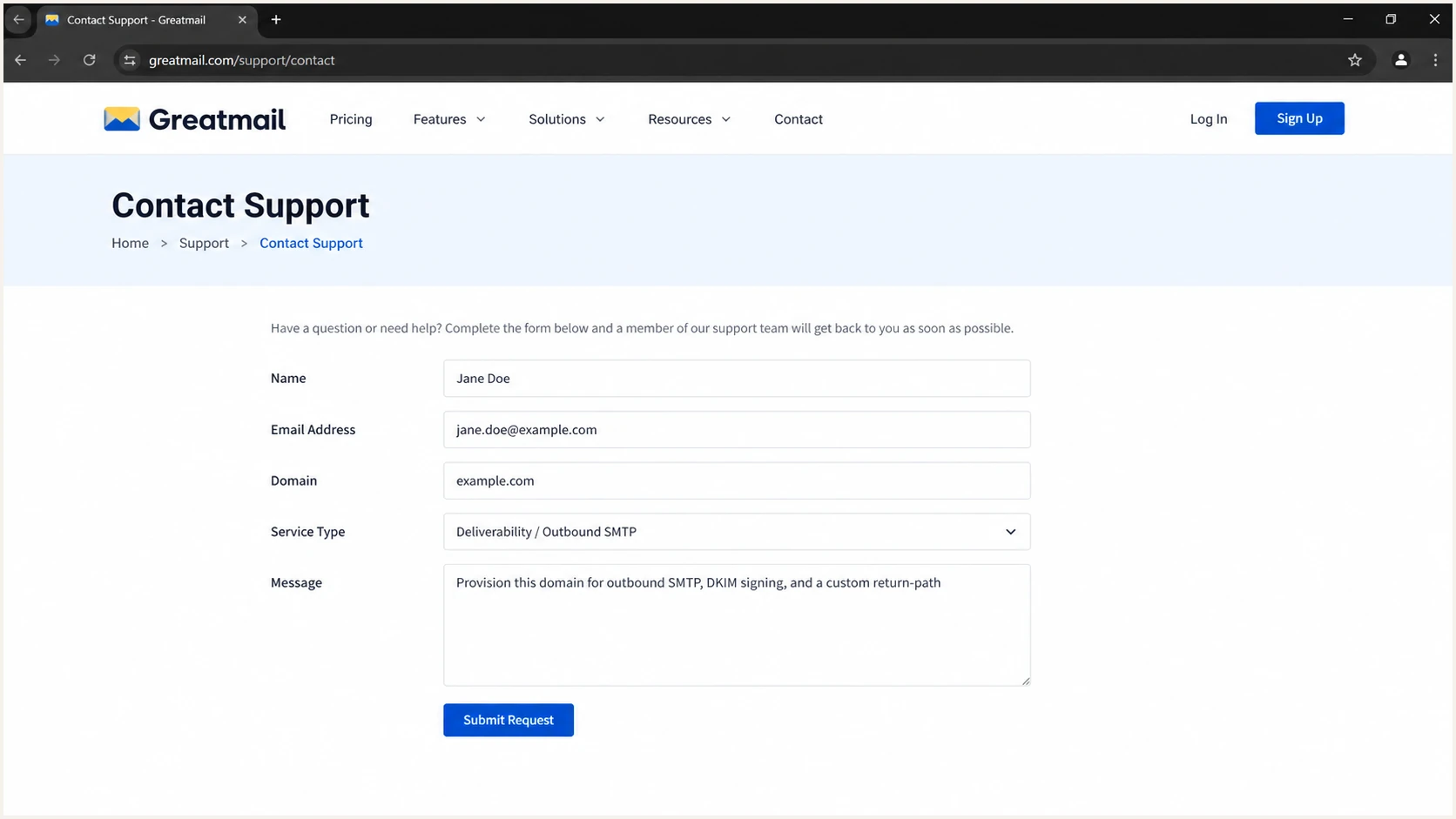
Greatmail support request for domain provisioning
Do not change MX for SMTP-only service
MX controls inbound mail, not SPF, DKIM, or DMARC. If Greatmail only sends outbound mail for the domain, keep the existing MX records. If Greatmail hosts the mailboxes, lower the current MX TTL before the migration, create every mailbox, then use the supplied MX value, commonly smtp.greatmail.com with priority 10.
Set up SPF
SPF checks the envelope sender, also called the return-path. For a domain that sends only through Greatmail, Greatmail documents the record below. Publish it at the return-path domain Greatmail configured, which is often the root domain for hosted mail.
Greatmail-only SPF recordDNS
Host: @
Type: TXT
Value: v=spf1 mx include:spf.greatmail.com -all
- Find the current record: Check the exact return-path domain for an existing TXT value that begins with v=spf1.
- Merge senders: If SPF already exists, add include:spf.greatmail.com before its final all mechanism. Never publish a second SPF record at the same name.
- Preserve authorization: Keep every include or IP mechanism still used by another approved sender. Remove old mechanisms only after traffic has stopped.
- Check lookup count: Keep SPF within the ten DNS-lookup limit and check for loops, duplicate records, or a missing final all mechanism.
SPF checker
Find SPF syntax issues, lookup limits, and weak records.
?/16tests passed
The checker should return one syntactically valid SPF policy and resolve Greatmail's include. A raw SPF pass is useful, but DMARC also requires the SPF-authenticated return-path domain to match the visible From domain under relaxed or strict alignment.
When SPF alignment is unavailable
Some accounts use a provider-managed return-path that cannot align with your domain. An SPF alignment error is acceptable when Greatmail signs with an aligned DKIM domain and DKIM passes. Configure a custom return-path when Greatmail provisions one for the account, but keep aligned DKIM as the durable DMARC path.
Set up DKIM
Greatmail generates the private key and signs outgoing mail. Publish only the matching public key in DNS. The selector and key come from Greatmail's hosting instructions or support, so do not guess either value.
- Get the selector: Request the DKIM selector and complete public-key TXT value for the exact sending domain.
- Create the record: Add a TXT record at selector._domainkey. Enter only the host label when the DNS provider appends the domain automatically.
- Keep the key intact: Paste the public key without added line breaks. DNS interfaces can split a long TXT value into quoted strings without changing the resolved value.
- Enable signing: Tell Greatmail the DNS record has propagated, then confirm it activates DKIM signing for the domain.
DKIM record templateDNS
Host: <selector>._domainkey
Type: TXT
Value: v=DKIM1; k=rsa; p=<Greatmail-public-key>
Passing DKIM
- Signature result: The Authentication-Results header shows dkim=pass.
- Signing domain: The DKIM d= domain shares the visible From domain's organizational domain under relaxed alignment or matches it exactly under strict alignment.
Failing DKIM
- Missing key: The selector is wrong, duplicated by the DNS interface, or not propagated.
- Domain mismatch: DKIM passes for a Greatmail-owned domain but does not satisfy DMARC for your From domain.
Greatmail's own alignment guidance describes a full-alignment configuration. DMARC itself passes when either aligned SPF or aligned DKIM passes, so requiring both methods is an operational choice rather than the protocol's pass condition.
Set up DMARC
DMARC policy must cover the visible From domain, not a Greatmail server hostname. Publish a record for that domain or rely on its organizational-domain policy when a subdomain has no specific record. Start a new deployment at p=none so reports show every sending source without asking receivers to block failures. If the domain already uses p=quarantine or p=reject, keep that enforcement level and fix Greatmail under the existing policy.
Starting DMARC recordDNS
Host: _dmarc
Type: TXT
Value: v=DMARC1; p=none; rua=mailto:dmarc@example.com
- Choose the mailbox: Replace dmarc@example.com with a monitored aggregate-report address or the address supplied by your reporting platform.
- Publish one policy: Create one TXT record at _dmarc. Multiple DMARC records make the policy invalid.
- Keep defaults: Use relaxed SPF and DKIM alignment unless strict matching has a documented requirement.
- Generate safely: Use the DMARC record generator when adding reporting or subdomain policy tags.
DMARC checker
Look up a domain's DMARC record and catch policy issues.
?/7tests passed
The lookup should return one record with a valid version, policy, and aggregate reporting address. DNS visibility proves publication only. A Greatmail test message still needs to show dmarc=pass in the receiver's Authentication-Results header.
|
|
|
|---|---|---|
p=none | Monitor | Discovery |
p=quarantine | Spam handling | Staging |
p=reject | Block failure | Enforcement |
Compact DMARC rollout states
Protect Greatmail subdomains
A DMARC policy at the organizational domain also applies to subdomains unless a more specific record or subdomain tag changes the result. Under RFC 9989, sp controls existing subdomains and np controls non-existent subdomains. Account for both before enforcing the apex domain.
- Inventory From domains: List the apex domain and every subdomain used in visible From addresses sent through Greatmail.
- Check inherited policy: Confirm whether the organizational-domain p value or an sp value currently applies to each Greatmail subdomain.
- Separate exceptions: Publish a specific DMARC record at a Greatmail subdomain when it needs a different policy or reporting address.
- Protect unused names: Set np deliberately when protecting non-existent subdomains, and confirm receiver behavior in aggregate reports during rollout.
Do not use pct for gradual enforcement
RFC 9989 made the pct tag historic because partial policy application was inconsistent. Use a dedicated Greatmail sending subdomain when an isolated rollout is required. Otherwise, change the applicable policy only when that whole domain scope is ready.
Verify and troubleshoot
Verify DNS first, then send through the same Greatmail SMTP route the production application uses. A message sent through another relay proves nothing about Greatmail's signing or return-path configuration.
- Check public DNS: Confirm the SPF, DKIM, and DMARC TXT records resolve at the intended hostnames after the TTL expires.
- Send one test: Use the production From address, Greatmail SMTP credentials, and normal application path.
- Inspect headers: Look for spf=pass, dkim=pass, and dmarc=pass. Also compare header.from, smtp.mailfrom, and DKIM header.d domains.
- Repeat by stream: Test marketing and transactional traffic separately if Greatmail has provisioned different SMTP pools or credentials.
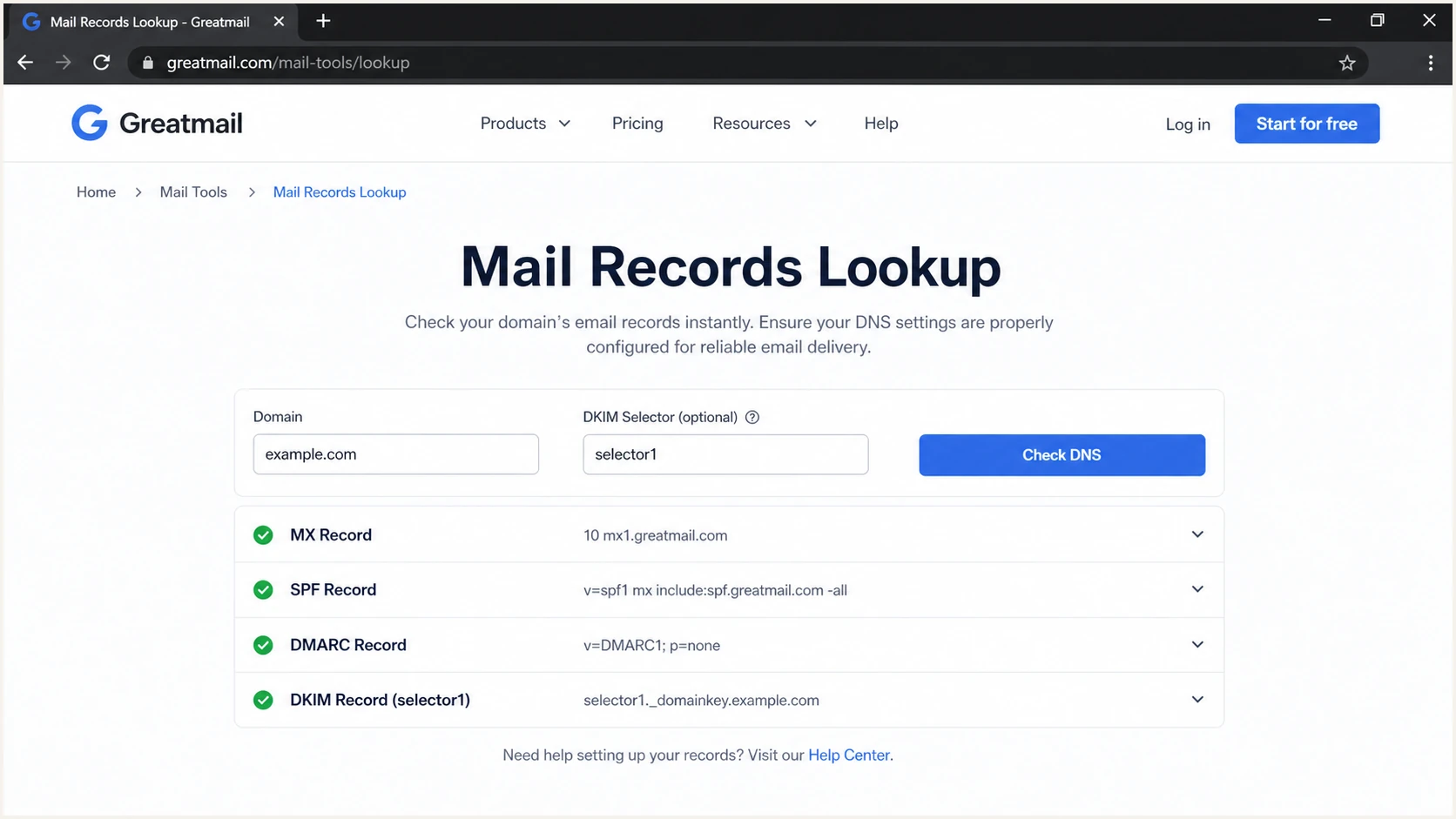
Greatmail mail records lookup fields and results
The email tester below gives the fastest end-to-end check. Send the generated test address a message through Greatmail, then review the SPF domain, DKIM signing domain, DMARC result, and message headers together.
Email tester
Send a real email to this address. Suped shows a results button when the test is ready.
?/43tests passed
A DKIM body-hash failure points to message modification after signing. SPF permerror usually means duplicate SPF records, excess DNS lookups, or malformed syntax. DMARC can fail even when SPF and DKIM each pass if neither authenticated domain matches the visible From domain.
Common Greatmail failure pattern
If SPF passes for a Greatmail-owned return-path and DKIM passes for a Greatmail-owned signing domain, DMARC still fails for example.com. Ask Greatmail to apply the custom return-path and DKIM configuration available for example.com, then retest through the same SMTP account.
Get alerted when it breaks
A one-time DNS check cannot catch a removed include, stale DNS after a DKIM key rotation, a new unauthorized sender, or a sudden rise in failures. Suped is our DMARC platform. It turns Greatmail's aggregate reports into source-level findings and sends real-time alerts when authentication changes.
- Connect reporting: Point the DMARC rua tag at the aggregate address supplied by Suped and leave the enforcement policy unchanged during onboarding.
- Identify Greatmail: Mark the verified Greatmail source and compare its DKIM, SPF, and DMARC pass rates with expected volume.
- Turn on alerts: Notify the owner when DMARC failures cross the chosen threshold or a DNS record changes.
- Review new sources: Classify every new IP or service before changing policy, and investigate unexpected Greatmail volume against account activity.
Suped combines DMARC monitoring with SPF, DKIM, blocklist (blacklist), and deliverability signals. Automated issue detection links each failure to concrete repair steps, while the MSP and multi-tenancy dashboard gives agencies one view across client domains.
Alert on changes that affect mail
- Authentication drop: Trigger when Greatmail's DMARC pass rate falls below its normal baseline.
- Unknown traffic: Investigate a new IP, DKIM domain, or return-path before authorizing it.
- DNS drift: Catch an SPF or DMARC edit before it becomes a sustained delivery problem.
- Reputation signal: Review blocklist and blacklist changes alongside authentication results.
Secure your domain with p=reject
Move to p=reject only after DMARC reports show that every legitimate source has an aligned passing path. Greatmail should pass through DKIM, SPF, or both. Forwarding often breaks SPF, so aligned DKIM needs to remain stable before enforcement.
- Observe a full cycle: Cover normal campaigns, automated jobs, low-frequency senders, and seasonal traffic before enforcing.
- Fix legitimate failures: Correct Greatmail signing or return-path settings and remove obsolete senders rather than adding broad SPF authorization.
- Stage enforcement: Move a ready policy scope from p=none to p=quarantine, then to p=reject while watching aggregate reports. Do not use the historic pct tag for partial enforcement.
- Apply rejection: Publish p=reject once authorized traffic is consistently clean, then continue monitoring for drift.
Full DMARC enforcementDNS
Host: _dmarc
Type: TXT
Value: v=DMARC1; p=reject; rua=mailto:dmarc@example.com
Suped's hosted DMARC policy staging reduces the risk of a manual DNS mistake during this rollout. The hosted DMARC workflow keeps policy changes controlled, while issue detection shows which Greatmail source or other sender still blocks the move to reject. Hosted SPF and SPF flattening also help when a combined SPF policy approaches the DNS-lookup limit.
Do not weaken authentication to reach reject
Do not authorize an entire network to hide a Greatmail SPF failure, and do not accept a DKIM signature from an unrelated domain as sufficient. Fix the aligned identifier. Use the domain health checker for a final record-level check before changing enforcement.
Greatmail authentication FAQ
These checks cover the Greatmail-specific details that most often cause setup delays or misleading test results.