How to set up DMARC/DKIM/SPF for Enreach

Published 10 Jul 2026
Updated 10 Sep 2026
12 min read
Summarize with
Updated on 10 Sep 2026: We updated this setup for Enreach's product-specific mail paths, Swyx Operator's documented SPF value, and the current DMARC standard.
Enreach covers several products and sending paths, so its authentication values are not universal. For any Enreach workflow that uses your domain in the visible From address, identify the actual SMTP path first, publish only the values that apply to it, and verify a real message. Start DMARC monitoring at p=none unless the domain already has p=quarantine or p=reject, then keep that stronger policy only if real Enreach messages already pass.
What has to pass
- SPF: The sending IP must pass SPF for the envelope sender domain, and that domain must match the visible From domain under DMARC alignment rules for an SPF-based pass.
- DKIM: If the Enreach workflow supports branded signing, DKIM must pass with a d= domain aligned to the visible From domain.
- DMARC: DMARC passes when at least one authenticated identifier, SPF or DKIM, passes and aligns with the visible From domain.
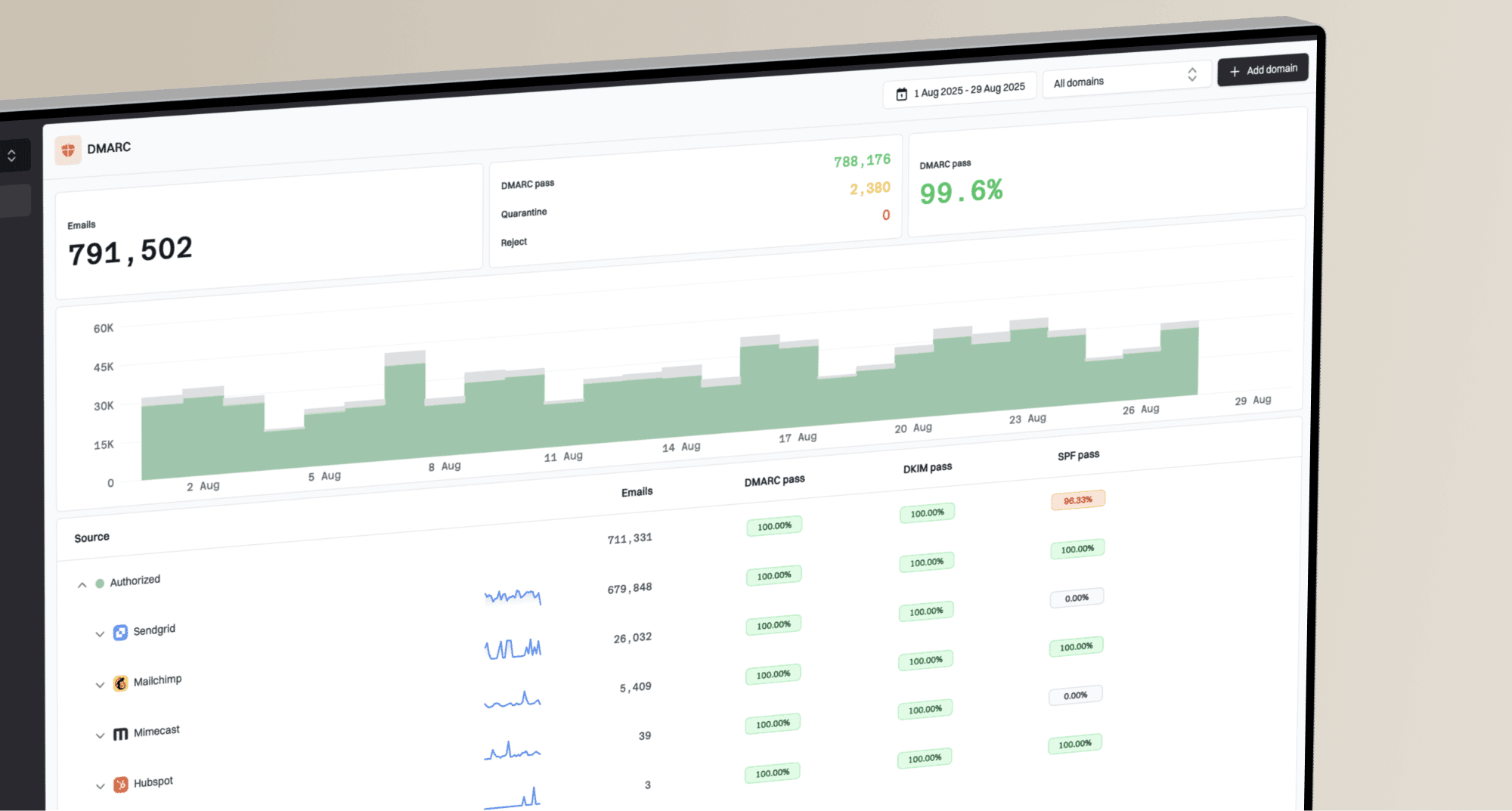
- Reports: Aggregate reports show which sources use your domain and whether their SPF, DKIM, and DMARC checks pass.
Identify the Enreach sending path
Start with the Enreach product and the exact message workflow. Swyx Operator welcome emails sent through Enreach's default infrastructure need a different DNS decision from Enreach software configured to submit mail through your own SMTP relay.
- Swyx Operator default relay: Enreach's published instruction for partner welcome emails authorizes smtp.ispworks.net with the SPF a mechanism.
- Customer SMTP relay: If Enreach submits through a relay you control, that relay determines the envelope sender, DKIM signature, sending IP, and required DNS records.
- Other Enreach products: Obtain product-specific values from the current admin screen, reseller, or Enreach support instead of reusing the Swyx Operator SPF value.
- Separate workflows: Test each type of invitation, notification, voicemail, or campaign message because one Enreach deployment can use more than one mail path.
Swyx Operator SPF valueDNS
Name: example.com
Type: TXT
Value: v=spf1 a:smtp.ispworks.net -all
One value does not cover every Enreach product
Public Enreach guidance documents the SPF value above for a specific Swyx Operator workflow. It does not publish one DKIM selector, return-path target, or verification token for all Enreach products.
Add your domain
If your Enreach product has a sender-domain or outbound-mail screen, start there because verification records can vary by product, tenant, and region. If it does not expose those controls, collect the same values from your reseller or Enreach support.
- Identify the product: Record the Enreach product, tenant, region, and message workflow before changing DNS.
- Find mail controls: Open its sender-domain, email, notification, or SMTP settings, or ask support for the applicable authentication instructions.
- Confirm the From domain: Use the organizational domain or sending subdomain that appears in the visible From address.
- Copy issued records: Copy every hostname and value shown for verification, DKIM, SPF, or return-path without changing the target.
- Verify with mail: After DNS resolves, complete any Enreach verification action and inspect a real message header.
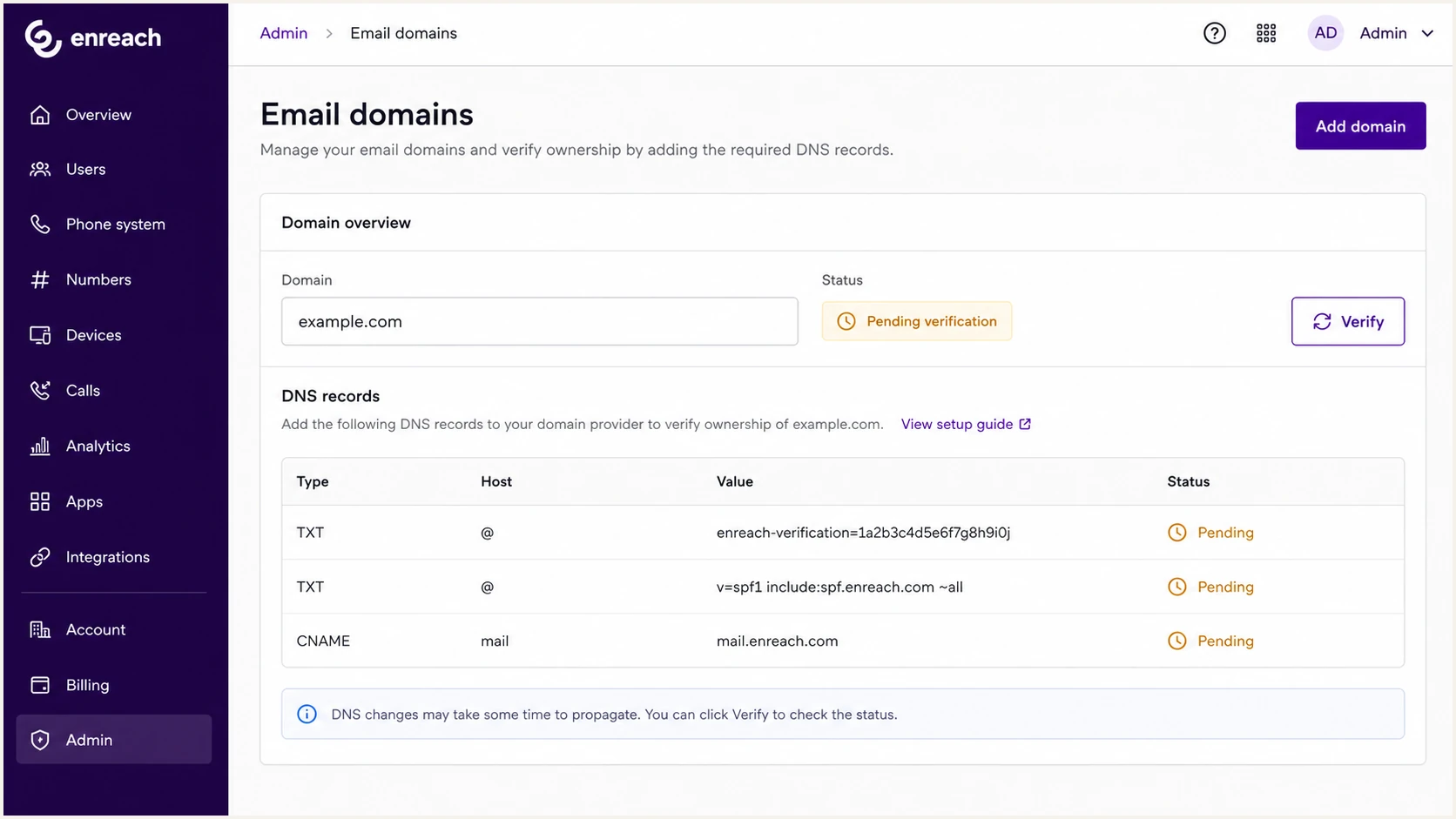
Enreach email domain settings with DNS verification records.
Do not guess vendor records
Treat every DKIM selector, verification token, and return-path hostname as product-specific until Enreach or the configured SMTP relay confirms it. A plausible-looking record can validate in DNS while authenticating nothing.
Illustrative record shapes, not Enreach valuesDNS
_enreach-verification.example.com. TXT "REPLACE_WITH_ISSUED_TOKEN"
bounce.example.com. CNAME REPLACE_WITH_ISSUED_RETURN_PATH_TARGET
selector1._domainkey.example.com. CNAME REPLACE_WITH_ISSUED_DKIM_TARGET
Set up SPF
SPF authenticates the envelope sender domain, which appears in Return-Path after delivery. Enreach's published Swyx Operator instruction uses a:smtp.ispworks.net. Use that mechanism only for the documented Swyx Operator workflow. For another Enreach product or a customer-managed SMTP relay, use the value issued for that path.
- Read Return-Path: Send an Enreach message and record the envelope sender domain used for SPF.
- Use the correct mechanism: Add a:smtp.ispworks.net for the documented Swyx Operator case, or publish the product-specific include or bounce CNAME you were issued.
- Merge once: Add the mechanism before the existing all term in the domain's single SPF record instead of creating a second SPF record.
- Count lookups: Keep the SPF evaluation within 10 DNS lookups, including lookup-causing a, mx, include, exists, redirect, and nested mechanisms.
- Preserve policy: Do not change -all to ~all merely to add Enreach. The terminal qualifier is a policy choice for every sender covered by that SPF record.
Swyx Operator SPF examplesDNS
Name: example.com
Type: TXT
Value: v=spf1 a:smtp.ispworks.net -all

Existing SPF merge:
v=spf1 include:current.example a:smtp.ispworks.net ~all
SPF checker
Find SPF syntax issues, lookup limits, and weak records.
?/16tests passed
If your Enreach setup does not show a return-path control, do not assume one can be enabled. Inspect a delivered message and ask for product-specific guidance. DKIM can produce the aligned pass DMARC needs, but SPF should still describe the real envelope sender correctly.
|
|
|
|---|---|---|
a:smtp.ispworks.net | Merge SPF | Swyx Operator path |
Issued bounce CNAME | Add CNAME | SPF alignment |
No issued value | Do not guess | Inspect header |
Use only the value that matches the sending path.
SPF pass is not always a DMARC pass
SPF-based DMARC needs both SPF authentication and identifier alignment. A passing Enreach-owned Return-Path that does not match your visible From domain under DMARC rules will not carry DMARC. An aligned DKIM pass can still make DMARC pass.
Set up DKIM
Public Enreach guidance does not establish one DKIM selector for every product. If the selected Enreach workflow or your configured SMTP relay supports DKIM, sign with a d= domain aligned to the visible From domain and publish only the selector it issues.
- Find the signer: Confirm whether Enreach or your SMTP relay signs the specific message workflow.
- Copy selector: Record the s= selector, d= signing domain, full DNS hostname, record type, and value.
- Create record: Add the CNAME or TXT record exactly as issued, without adding your domain twice in the DNS host field.
- Enable signing: Complete any verification step, then enable DKIM for the same sender domain.
- Read header: Send a live message and confirm dkim=pass plus alignment between header.d and header.from.
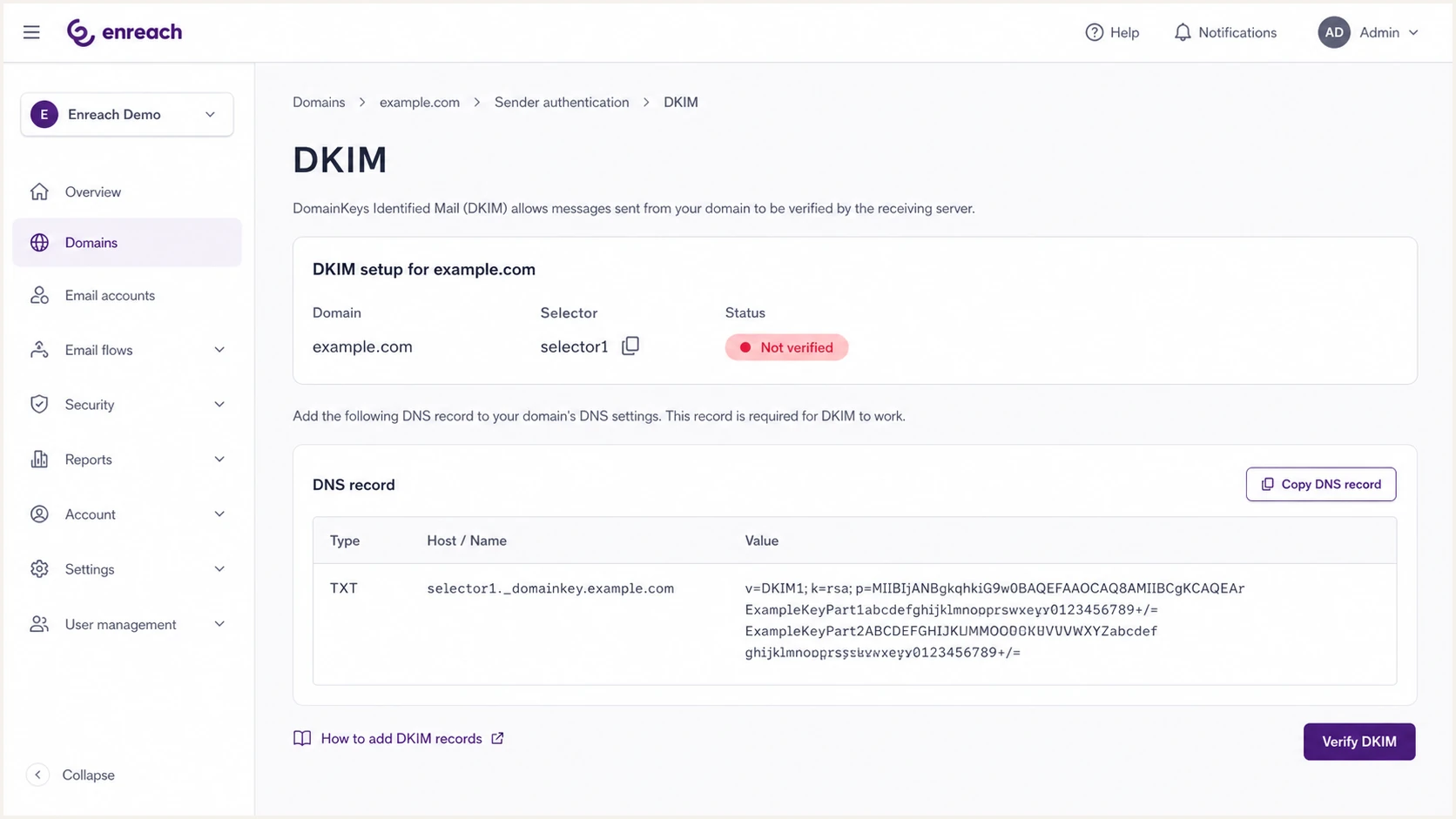
Enreach DKIM selector setup for a verified sending domain.
CNAME DKIM
Use this form only when the sending system supplies a CNAME target.
- Host: Add the issued selector hostname under _domainkey.
- Target: Point it to the exact DKIM target shown for the sending path.
- Rotation: The target owner can rotate the public key without another DNS edit.
- Check: The CNAME resolves before you complete verification.
TXT DKIM
Use this form only when the signing system supplies a public key directly.
- Host: Publish the selector hostname exactly as shown.
- Value: Paste the full public key without smart quotes or unintended spaces.
- Risk: A missing character prevents signature verification.
- Check: A live message shows the expected d= and s= values with dkim=pass.
Illustrative DKIM record formsDNS
selector1._domainkey.example.com. CNAME REPLACE_WITH_ISSUED_DKIM_TARGET

selector1._domainkey.example.com. TXT "v=DKIM1; k=rsa; p=REPLACE_WITH_ISSUED_PUBLIC_KEY"
Prefer aligned DKIM when available
A valid, aligned DKIM signature often survives forwarding when the signed message content remains unchanged. That makes it useful alongside SPF, whose result is recalculated at each receiving hop.
Set up DMARC
Publish DMARC at _dmarc.example.com for the visible From domain. For a new Enreach rollout, use p=none first and collect aggregate reports. Keep an existing p=quarantine or p=reject only when the selected Enreach path already passes. The DMARC record generator assembles the record without manual tag editing.
Starting DMARC recordDNS
_dmarc.example.com. TXT "v=DMARC1; p=none; rua=mailto:dmarc@example.com"
- Start at none: Use p=none with rua for a fresh monitoring start.
- Keep stricter: If the domain already uses quarantine or reject, verify Enreach before deciding whether any temporary rollback is necessary.
- Set reporting: Replace dmarc@example.com with an address that can receive and process aggregate XML reports.
- Publish once: Keep one DMARC policy record at each _dmarc hostname because multiple records at one target are discarded.
- Review subdomains: Check whether Enreach sends from a subdomain before setting explicit sp or np policies.
DMARC checker
Look up a domain's DMARC record and catch policy issues.
?/7tests passed
After DNS propagation, the checker should show one valid DMARC record. The next proof is a live Enreach message where Authentication-Results shows dmarc=pass for the visible From domain.
Use current DMARC rollout controls
RFC 9989 replaced RFC 7489 and made the pct tag historic. Stage a simple rollout with p=none, then p=quarantine, then p=reject after reviewing legitimate sources. RFC 9989 adds t=y for test mode, which requests policy handling one level below the published policy. It is not percentage sampling. RFC 9990 and RFC 9991 now define aggregate and failure reporting.
|
|
|
|---|---|---|
p=none | Discovering sources | No policy action |
p=quarantine | Legitimate mail passes | Treat failures as suspicious |
p=reject | All legitimate sources verified | Reject failures |
Choose policy after verifying legitimate Enreach traffic.
DMARC reports are not instant
Aggregate reports usually arrive on a daily cycle. Use live test messages for immediate validation and report data to confirm source coverage over time.
Verify authentication and alignment
Verification requires real message headers, not only a green DNS status. Trigger a normal Enreach notification, inspect Authentication-Results and the underlying identifiers, then compare the source with DMARC reports after the next reporting cycle.
- Send live mail: Trigger each Enreach workflow your users receive because templates and message types can use different paths.
- Record identifiers: Note the visible From domain, Return-Path domain, DKIM d= domain, and DKIM s= selector.
- Check SPF: Confirm spf=pass for the Return-Path and verify that domain aligns with the visible From domain if SPF carries DMARC.
- Check DKIM: Confirm dkim=pass and verify that header.d aligns with the visible From domain if DKIM carries DMARC.
- Check DMARC: Confirm dmarc=pass for header.from and identify whether the aligned SPF or DKIM result produced the pass.
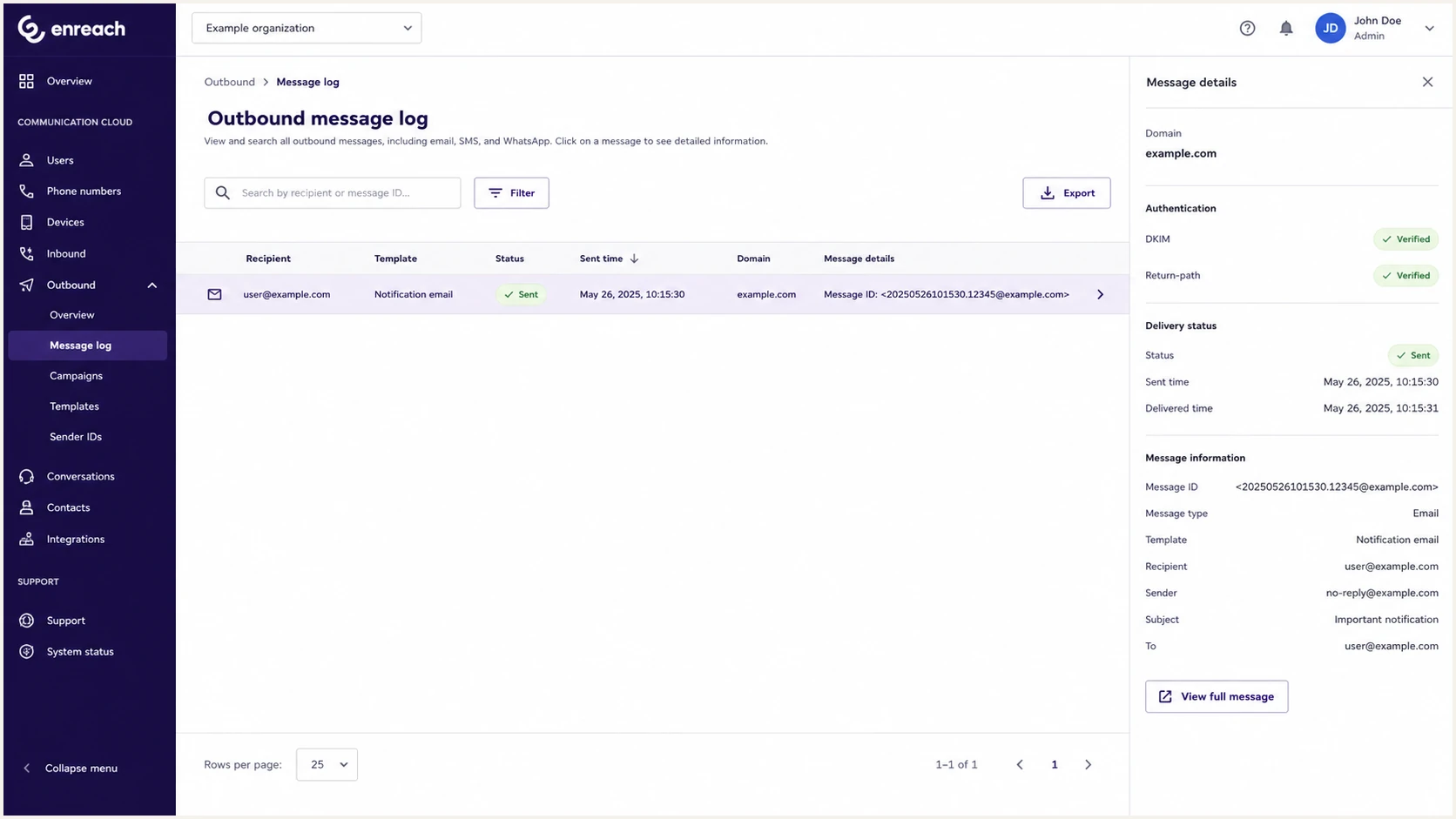
Enreach outbound message log for checking a live authenticated email.
|
|
|
|---|---|---|
SPF fail | IP not authorized or lookup error | Return-Path SPF |
DKIM fail | Wrong key or altered message | d= and s= values |
DMARC fail | No aligned pass | header.from alignment |
SPF permerror | Duplicate record or excess lookups | SPF syntax and count |
Separate authentication failure from alignment failure.
Use the email tester below with a real Enreach message. It reads the headers and shows whether the authentication results satisfy DMARC.
Email tester
Send a real email to this address. Suped shows a results button when the test is ready.
?/43tests passed
Fix the layer shown in the delivered header first. A DNS lookup proves that a record exists, while the header proves that the Enreach sending path used it and that the authenticated identifier aligned.
Header fields to inspecttext
Authentication-Results: mx.example;
  spf=pass smtp.mailfrom=bounce.example.com;
  dkim=pass header.d=example.com header.s=selector1;
  dmarc=pass header.from=example.com
A common false fix
Adding another SPF TXT record at the same hostname causes a permanent error. Merge the applicable Enreach mechanism into the existing record, then check syntax and lookup count.
Get alerted when authentication changes
Email authentication can break after mail-path migrations, DNS cleanups, selector rotations, or return-path changes. Suped is our DMARC monitoring and email authentication platform. For this workflow, it groups aggregate data by source, monitors DNS state, and alerts you when incoming data shows that Enreach authentication changed.
- Alert on drift: Suped notifies you when report data or DNS monitoring detects a new SPF, DKIM, or DMARC failure.
- Name the source: Suped groups related sending infrastructure so you can compare it with the Enreach workflow you tested.
- Fix the right layer: Issue details separate SPF authorization, DKIM verification, and DMARC alignment failures.
- Watch reputation: Blocklist monitoring adds blocklist and blacklist signals beside authentication data.
- Track multiple domains: MSP and multi-tenant views keep separate Enreach deployments and customer domains visible.
Enforcement decision
Judge legitimate sources separately from unauthorized traffic because spoofing can distort an overall pass rate.
Ready
Verified sources
Enreach and every other legitimate source are identified and consistently pass DMARC.
Investigate
Fix first
An expected Enreach workflow still fails authentication or alignment.
Do not enforce
Classify source
A source that might be legitimate has not been classified or tested.
What to alert on
- New source: A new IP or host starts sending with your domain.
- DKIM drop: Enreach traffic stops signing, fails verification, or uses an unaligned domain.
- SPF change: Return-Path authorization or alignment changes after a routing update.
- Policy risk: A legitimate source fails while the domain requests quarantine or reject.
Secure your domain with p=reject
A reject policy is appropriate after Enreach and every other legitimate sender are identified and pass DMARC. Suped's Hosted DMARC lets teams manage policy changes without repeated manual DNS edits.
Unsafe jump
- No inventory: Enreach is added without checking existing senders.
- No headers: DNS looks correct, but no real Enreach message was inspected.
- No staging: The domain jumps straight to reject while legitimate sources still fail.
- No monitoring: A later Enreach change is noticed only after delivery is affected.
Controlled enforcement
- Source map: Each Enreach path is listed with every approved sending source.
- Header proof: Live messages show aligned SPF or DKIM pass.
- Policy stages: Monitoring at none is followed by quarantine, then reject.
- Ongoing checks: Reports and DNS monitoring continue after enforcement.
Move to reject only after each legitimate Enreach mail path has stable aligned authentication and aggregate reports show no approved source failing DMARC. An overall failure rate that includes unauthorized mail is not a reason to delay enforcement.
- Cover a full cycle: Monitor long enough to include routine and low-frequency senders, not only one successful Enreach test.
- Fix legitimate mail: Require an aligned SPF or DKIM pass for every approved Enreach workflow.
- Stage whole policies: Move from p=none to p=quarantine, then p=reject without using the historic pct tag.
- Account for mailing lists: For domains used by people who post to internet mailing lists, RFC 9989 recommends at least a month at none and an equal period at quarantine before reject.
- Keep reporting: Leave aggregate reporting active after reject so Enreach regressions remain visible.
Final reject policyDNS
Name: _dmarc.example.com
Type: TXT
Value: v=DMARC1; p=reject; rua=mailto:dmarc@example.com
Reject needs monitoring after launch
A working Enreach setup can break after a product migration, DNS cleanup, or key rotation. Suped can keep the source and authentication result visible after enforcement so the changed path can be identified.