How to interpret DMARC reports, including sender identification and failure types?

Updated on 14 Aug 2026: We updated this guide for the current DMARC RFCs and added clearer XML, report metadata, policy override, and failure-report guidance.
To interpret DMARC reports, start with the DMARC result, not the raw SPF or DKIM fail rate. A message passes DMARC when either SPF or DKIM passes and the authenticated domain aligns with the visible From domain under the alignment mode in the DMARC record. That is why a report can show a low DMARC fail rate alongside a high DKIM fail rate. DKIM can fail on messages that still pass DMARC through aligned SPF.
The practical reading order is: total volume, sender source, DMARC pass or fail, SPF result, DKIM result, alignment, reported disposition, and any policy override reason. In DMARC monitoring, the goal is not to make every raw SPF and DKIM number look perfect. The goal is to know which systems send mail for your domain, which ones need configuration work, and which failures are spoofing, forwarding, or noise.
A 4% DMARC fail rate matters more than a 74% DKIM fail rate if aligned SPF is carrying legitimate mail. The DKIM number still deserves inspection, but it does not automatically mean most mail is unauthenticated or blocked.
Read the report in this order
Read a DMARC report like a triage queue. First identify what moved mail, whether that source is authorized, and whether the receiver reported no action, quarantine, reject, or an override. Raw authentication rates are useful, but they are not the DMARC decision layer.
- Volume: Sort by message count before reacting to percentages. Ten failures out of ten messages is a 100% fail rate, but it is usually less urgent than 40,000 failing messages from a core platform.
- Source: Map the source IP, reverse DNS, and reporting label to a real service owner. Google Workspace and Microsoft 365 usually point to employee mail, while ESPs point to marketing or transactional mail.
- DMARC result: Treat this as the main authentication outcome. A DMARC fail means neither SPF nor DKIM produced a passing authenticated identifier aligned with the visible From domain.
- Failure reason: Separate raw SPF or DKIM errors from alignment failures, forwarding, mailing list changes, temporary errors, and unauthorized traffic. Each has a different fix.
- Disposition and override: Compare the reported disposition with the published policy. A difference can reflect test mode, a trusted forwarder, a mailing list, or the receiver's local policy.
Example DMARC record for aggregate reportsDNS
v=DMARC1; p=none; rua=mailto:dmarc@yourdomain.com
The rua tag requests aggregate reports. The fo tag controls when per-message failure reports are requested, so it is not needed to collect aggregate XML. If you are still checking the record itself, use a DMARC checker before interpreting the reports. A malformed record can produce confusing patterns when reporting addresses, policies, or subdomain tags are wrong.
|
|
|
|---|---|---|
Source IP | Where the receiver saw the mail originate | Map it to a sending service |
Count | How many messages share this row | Prioritize real volume |
Header From | The visible From domain | Compare it with authenticated domains |
auth_results | Raw DKIM and SPF validation results | Inspect domains, selectors, and errors |
policy_evaluated | Alignment-aware SPF and DKIM outcomes | Read the DMARC decision |
Disposition and reason | Reported handling and policy override | Explain policy differences |
The most useful fields in an aggregate DMARC report.
Understand report scope and policy overrides
Files sent to a rua address are aggregate reports: compressed XML summaries grouped by receiver, reporting period, source, and authentication outcome. They contain message counts rather than message bodies. Failure reports requested through ruf describe individual DMARC failures and can include message-specific data. Receiver support is limited because those reports raise privacy and data-handling concerns.
RFC 9990 defines current aggregate reporting. Reports contain metadata, the policy observed by the receiver, and one or more grouped records. During implementation transitions, report consumers also encounter older report shapes, so process fields defensively and do not treat every missing optional element as an authentication error.
|
|
|
|---|---|---|
report_metadata | Reporter, Report ID, and date range | Duplicate IDs or an unexpected time window |
policy_published | The policy and alignment settings observed | Stale policy, test mode, or subdomain differences |
record and row | Source IP, count, and evaluated outcome | High-volume rows that need owner mapping |
identifiers | Header From and envelope-from domains | A bounce domain that fails alignment |
auth_results | Raw SPF and DKIM checks | A raw pass that fails DMARC alignment |
policy_evaluated reason | Why reported handling differed from policy | Local policy, mailing list, or trusted forwarder |
How to read the main XML branches.
Do not infer inbox placement from disposition alone. Aggregate reports describe authentication and reported DMARC handling, not whether a passing message reached the inbox. Receivers can accept a DMARC failure under local policy or filter a DMARC pass for unrelated abuse signals.
Identify senders before fixing failures
Sender identification is where DMARC reports become useful. The "sender" shown in a reporting platform is usually an interpretation of source IP, reverse DNS, SPF domain, DKIM domain, selector, and known network ownership. It is not always the same thing as the software your team recognizes.
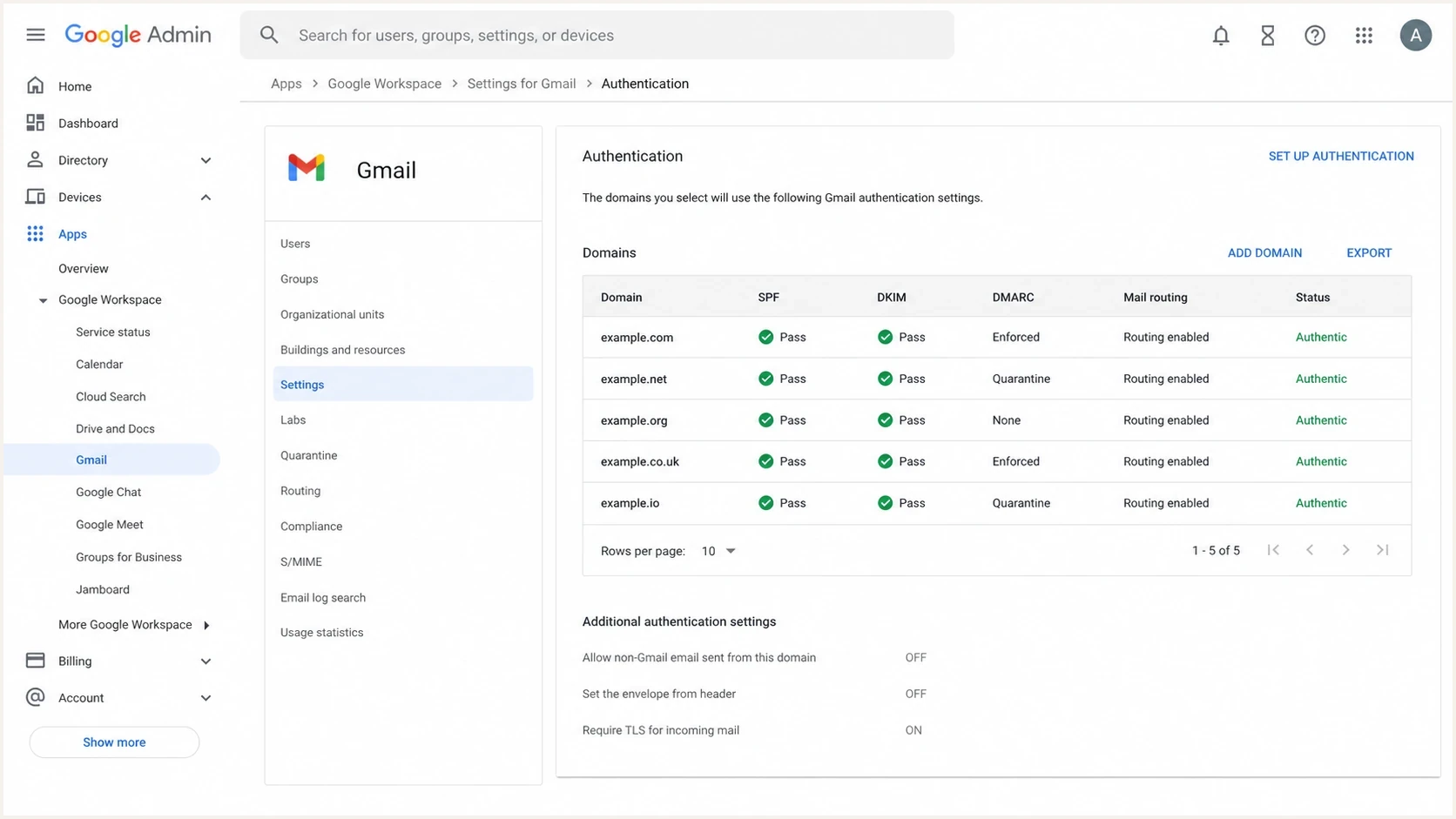
Google Admin Console screenshot showing Gmail authentication settings and domain status.
Some unrecognized senders are legitimate. A business can have employee mail through Google Workspace, finance mail through Microsoft 365, lifecycle campaigns through Iterable, transactional mail through SendGrid, event notices through Stova, and infrastructure-generated mail through a cloud host. Other unrecognized senders are spoofing attempts, broken forwarding, old tools, or vendors that were never authorized properly.
|
|
|
|---|---|---|
Employee mail | DKIM signing | |
Employee mail | Custom domain setup | |
Marketing mail | Bounce domain | |
Transactional mail | DKIM keys | |
App server mail | Owner and purpose | |
Unknown | Spoofing or forwarding | Volume and pattern |
Examples of sender labels and what to verify.
Do not treat all senders equally. High-volume senders deserve owner mapping and configuration checks. Low-volume unknowns deserve monitoring unless they cluster around a sensitive domain, target one receiver, or grow suddenly. A one-message source can be noise. A one-message source that repeats every day across different networks can be a spoofing pattern.
?
What's your domain score?
Deep-scan SPF, DKIM & DMARC records for email deliverability and security issues.
A broader domain health checker helps confirm whether the domain has the expected DMARC, SPF, and DKIM foundation before you spend time resolving individual report rows.
Separate SPF, DKIM, and DMARC failures
The biggest interpretation mistake is treating SPF fail, DKIM fail, and DMARC fail as the same problem. Raw results in auth_results describe protocol checks. The SPF and DKIM values in policy_evaluated describe whether those checks passed DMARC alignment.
Raw authentication results
- SPF pass or fail: The evaluated IP was authorized, or not authorized, for the SPF identity shown in auth_results.
- DKIM pass or fail: A signature validated, or an evaluated signature failed because of its key, signature data, or message changes.
- None or neutral: No usable result was produced, often because authentication data was absent or inconclusive.
- Temporary error: A transient DNS or validation problem prevented a final pass or fail.
DMARC-evaluated outcomes
- Aligned SPF pass: SPF passed and its authenticated domain aligned with the visible From domain.
- Aligned DKIM pass: At least one DKIM signature passed with a signing domain aligned to the visible From domain.
- DMARC fail: Neither mechanism produced an aligned pass.
- Disposition or override: The receiver reports its DMARC handling and any reason it differed from the published policy.
A DKIM fail spike usually means one of four things: a legitimate platform is not signing correctly, an intermediary changed the message body, the DKIM domain is not aligned with the visible From domain, or spoofed mail is using your From domain without a valid signature. SPF fail spikes usually mean forwarding, missing SPF authorization, the wrong return-path setup, or unauthorized mail.
A simplified aggregate report recordXML
<record>
  <row>
    <source_ip>203.0.113.25</source_ip>
    <count>127</count>
    <policy_evaluated>
      <disposition>none</disposition>
      <dkim>fail</dkim>
      <spf>pass</spf>
    </policy_evaluated>
  </row>
  <identifiers>
    <header_from>example.com</header_from>
  </identifiers>
  <auth_results>
    <dkim><domain>mail.example.com</domain><result>fail</result></dkim>
    <spf><domain>example.com</domain><result>pass</result></spf>
  </auth_results>
</record>
In that example, DKIM failed but SPF passed with example.com as both the authenticated SPF domain and the visible From domain. The messages therefore pass DMARC through aligned SPF. This is the pattern behind many "high DKIM fail, low DMARC fail" dashboards.
DMARC failure rate triage
These are operational review bands, not DMARC protocol thresholds. Use percentages with volume and source identity.
Normal watch
0-1%
Low volume, known forwarding, or isolated receiver behavior.
Investigate
1-5%
A recurring sender or one-day spike needs source mapping.
Fix before enforcement
5%+
A high failure share from legitimate mail risks user impact.
Turn report rows into fixes
Once senders are classified, the fix path becomes much clearer. Use a simple rule: fix legitimate high-volume mail first, document legitimate low-volume mail second, and watch unknown low-volume mail for repetition before escalating it.
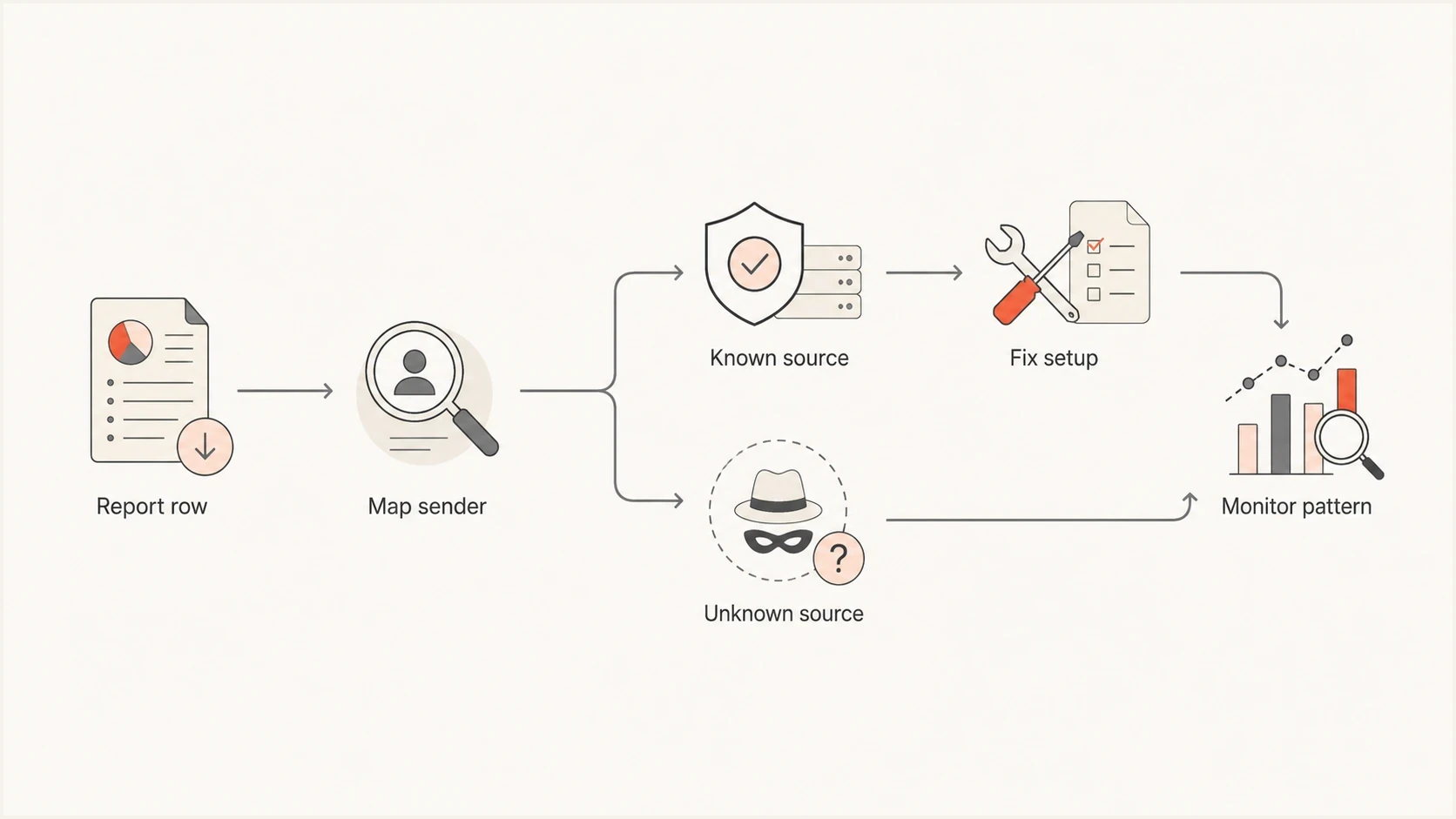
Flowchart showing DMARC report triage from report row to sender mapping, fixes, and monitoring.
- Known work mail: Confirm that Google Workspace or Microsoft 365 signs with the organization's domain and that SPF covers expected outbound paths.
- Known ESP mail: Check the platform's authenticated sending domain, bounce domain, DKIM keys, and return-path domain.
- Unknown cloud mail: Ask engineering or IT whether the IP belongs to a server, application, helpdesk, billing system, or abandoned tool.
- Forwarded mail: Expect SPF to fail after ordinary forwarding. DKIM should survive unless the intermediary changes signed content.
- Spoofing: Look for failed aligned SPF and DKIM, no known service owner, scattered networks, and repeated attempts against the same visible From domain.
Do not move straight to reject while high-volume legitimate sources still fail DMARC. Stage policy changes after the known sender list is clean enough to protect business mail, then confirm each change across recent reporting windows.
Typical DMARC policy stagingDNS
v=DMARC1; p=none; rua=mailto:dmarc@yourdomain.com
v=DMARC1; p=quarantine; rua=mailto:dmarc@yourdomain.com; t=y
v=DMARC1; p=quarantine; rua=mailto:dmarc@yourdomain.com
v=DMARC1; p=reject; rua=mailto:dmarc@yourdomain.com
RFC 9989 made pct historic and introduced t=y for policy testing. Testing mode does not change report generation, and receivers still apply local handling. For teams that do not want every change to require DNS edits, Hosted DMARC can make policy staging easier. Suped's product uses this workflow to adjust policy while report data continues to identify sources, failures, and overrides.
Where Suped fits in the workflow
Raw XML is useful when debugging one row, but it is a poor daily workflow. Suped's product turns DMARC aggregate data into a sender inventory, groups related authentication issues, and attaches steps to fix them. Teams can assign a source to its owner, make the change, and verify the outcome in later report windows without repeatedly parsing XML.

Issue steps to fix dialog showing the issue overview, tailored fix steps, and verification action
Suped also keeps DMARC, SPF, DKIM, blocklist and blacklist monitoring, hosted SPF, SPF flattening, hosted MTA-STS, and policy management in the same operational view. The relevant workflow here is direct: find the failing sender, understand whether the failure is raw authentication or alignment, assign the fix, and verify that the next report window improves.
Manual report reading
- Parsing: Someone must read XML or exported rows and group the same sender repeatedly.
- Ownership: Sender owner mapping often lives in notes, spreadsheets, or one person's memory.
- Alerting: Spikes are often noticed after a weekly or monthly review.
Suped workflow
- Detection: Issues are grouped by source and authentication behavior, then translated into fix steps.
- Coverage: DMARC, SPF, DKIM, blocklist and blacklist, hosted SPF, and hosted MTA-STS data are visible together.
- Scale: MSPs and agencies can manage multiple domains and clients without switching reporting processes.
Views from the trenches
Best practices
Sort by volume first, then investigate sources that can change the final DMARC policy.
Keep a service owner list so Google Workspace, Microsoft 365, and ESP traffic is known.
Review one-day spikes against message count, because small samples can distort percentages.
Common pitfalls
Treating every DKIM fail as a DMARC fail creates unnecessary sender investigations for teams.
Ignoring low-volume unknown sources leaves spoofing and forgotten systems mixed together too long.
Changing to reject before sender mapping is complete can block legitimate business mail.
Expert tips
Tag each sender as approved, unknown, forwarding, or abusive before changing policy stage.
Check both the DKIM domain and SPF return path before calling a platform broken internally.
Use alerts for sudden source changes, not only for aggregate pass rates at month end.
Marketer from Email Geeks says raw DKIM and SPF fail rates need context, because DMARC can still pass when one valid authentication path works.
2024-09-24 - Email Geeks
Expert from Email Geeks says sender labels can include approved platforms, unapproved systems, spoofing, and forwarding outside the sender's control.
2024-09-25 - Email Geeks
The practical takeaway
Interpret DMARC reports by sender and DMARC outcome first, then use raw SPF and DKIM results, authenticated domains, and alignment to explain why that outcome happened. A known sender with high volume and DMARC failure needs a fix. A known sender with DKIM failure but DMARC pass needs a configuration review, not panic. An unknown sender with low volume needs monitoring unless the pattern repeats or targets a sensitive domain.
Turn every row into one of four labels: approved and healthy, approved but misconfigured, unknown but low-risk, or unauthorized. Record the report window and receiver when investigating a spike. Once the senders are classified, policy decisions become simpler and safer.




