How to position DMARC against secure email gateways

Published 15 Jun 2026
Updated 15 Aug 2026
11 min read
Summarize with
Updated on 15 Aug 2026: We updated this guide for the 2026 DMARC RFC set and the retirement of pct.
DMARC sits next to a secure email gateway, not behind it or under it. An inbound secure email gateway filters messages as they enter the protected mail path. DMARC checks whether a message using the client's visible From domain has a matching SPF-authenticated or DKIM-authenticated identity, then exposes the domain owner's requested handling policy to participating receivers.
For an MSP, that difference matters because the service scope and remediation evidence are separate. The gateway protects inboxes that route through it. DMARC protects the domain name wherever it is used, including mail sent to customers, vendors, partners, and public recipients outside the tenant protected by the gateway.
In client conversations, keep the gateway as inbound content defense and position DMARC as domain identity control, source discovery, policy enforcement, and reporting. The client should not hear that one replaces the other. They should hear that the gateway and DMARC close different gaps.
- SEG boundary: Inspects inbound messages for the protected mailbox environment.
- DMARC boundary: Publishes sender identity policy at DNS and creates reporting evidence.
- MSP boundary: Owns source discovery, DNS changes, vendor fixes, and monthly risk reporting.
- Client outcome: Gets clearer sender control without weakening existing gateway policy.
DMARC and inbound SEGs solve different problems
The confusion usually starts because both controls sit under email security. That label is accurate, but the control planes differ. An inbound gateway makes decisions inside the client mail flow. DMARC makes a domain owner's requested policy visible to receivers that check mail claiming to use the client's domain.
Inbound secure email gateway
An inbound secure email gateway evaluates traffic entering a protected mailbox environment. It applies scanning, policy, quarantine, and user warning rules after a message is routed toward the client.
- Scope: Protected tenant and configured inbound flow.
- Signals: Content, URLs, attachments, sender patterns, and reputation data.
- MSP work: Policy tuning, quarantine review, and user-reported message handling.
DMARC
DMARC publishes domain policy in DNS and requests aggregate reports. Those reports show which sources use the domain, whether SPF or DKIM passes with the required domain match, and how receivers handled the traffic.
- Scope: Domain usage across receivers that process DMARC.
- Signals: SPF result, DKIM result, domain match, source IP, and volume.
- MSP work: Source inventory, DNS remediation, policy staging, and reporting.
A DMARC pass confirms the required domain match. It does not prove that the message is harmless or that the sending account is uncompromised. The gateway or ICES layer still needs content and behavior controls for authenticated abuse.
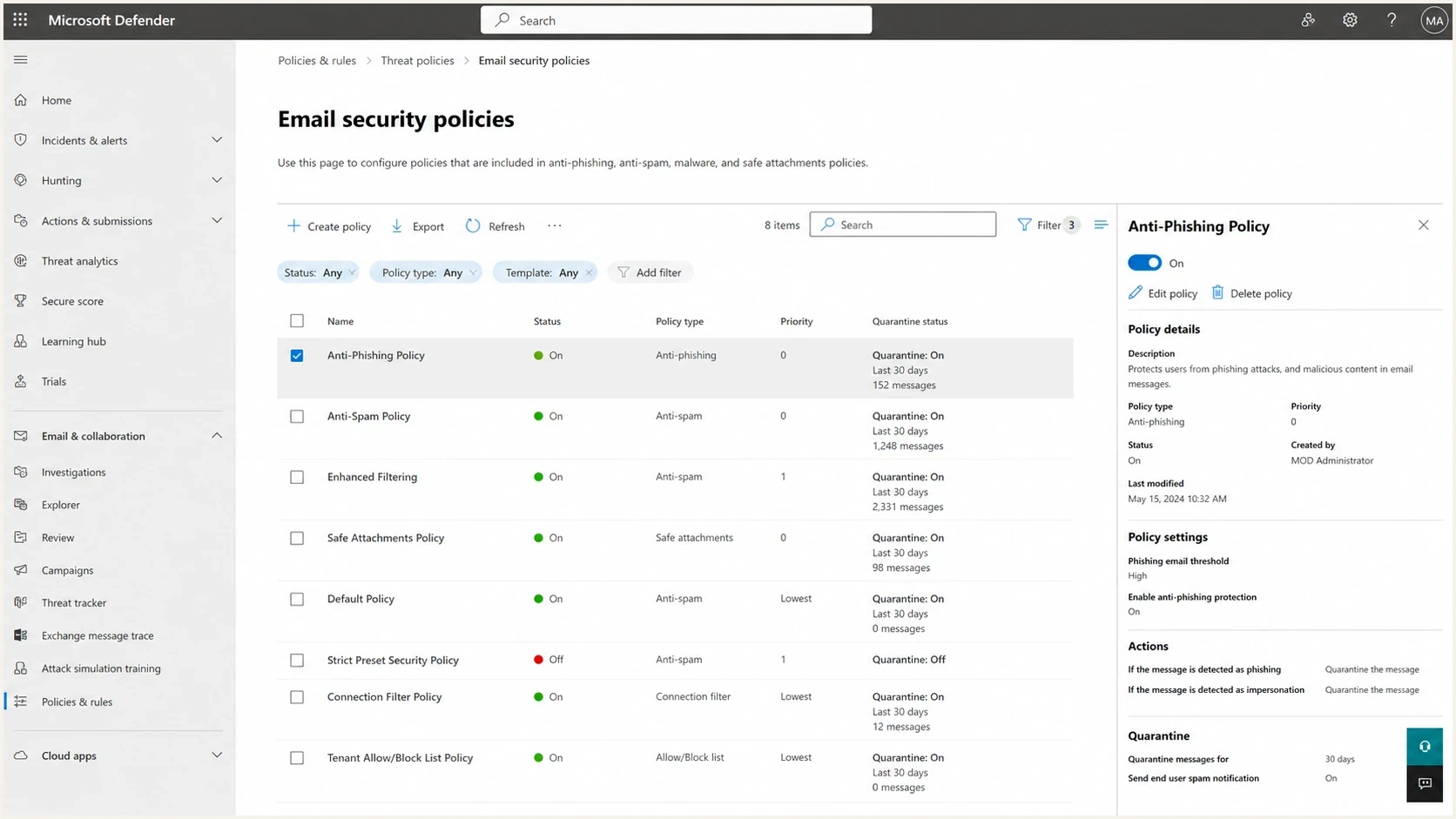
Secure email gateway policy screen showing filtering controls.
That type of screen is a useful reference point for the client conversation because it shows what an inbound gateway normally manages: rules, scanning actions, quarantine, and user protection settings. Some API-connected integrated cloud email security (ICES) deployments also detect and remediate messages after delivery. Neither gateway filtering nor post-delivery remediation publishes a domain policy for outside receivers. DMARC fills that gap.
Where outbound gateways affect DMARC
Some secure email gateways also process outbound mail, relay application messages, modify content, or add DKIM signatures. In that role, gateway configuration becomes part of DMARC remediation. DMARC still remains the domain owner's internet-facing policy and reporting layer.
- SPF path: Authorize the gateway's external sending addresses and configure the SPF-authenticated return-path domain to match the visible From domain under DMARC.
- DKIM preservation: A footer or other content change can invalidate an earlier signature. Sign after the content-changing hop or preserve the message before external delivery.
- DMARC result: A receiver records a pass when at least one passing SPF or DKIM identity has the required domain match. A pass shown before the gateway is not final proof.
- ICES boundary: API-based mailbox controls can act after delivery, but they do not own outbound DNS identity unless they are explicitly part of the sending path.
Verify the full outbound route
Send a controlled message through the complete production route to an outside mailbox, then inspect the receiver's Authentication-Results header. Use that receiver-side result as the evidence for source approval.
How to explain the service boundary to clients
For MSP service packaging, keep the explanation practical: the gateway protects inboxes, while DMARC protects the domain name when it is used across the internet. That framing works well in an MSP email security package because it stops the client from treating DMARC as a duplicate gateway line item.
If the client asks why the gateway cannot do this work, the answer is practical. The gateway cannot see every copy of mail sent as the client's domain, and it cannot repair a marketing platform, billing tool, help desk, CRM, or legacy server that sends without proper SPF or DKIM. DMARC reporting gives the inventory and shows where the fixes need to happen.
|
|
|
|---|---|---|
We already have a SEG | The SEG protects the inbox. DMARC protects the domain. | Show external sender inventory. |
DMARC is only DNS | The record starts the reporting and policy workflow. | Track sources and fixes. |
Vendors send our mail | That is exactly why source discovery matters. | Assign vendor owners. |
No one complains now | Silent misuse still damages trust and delivery. | Report authenticated volume. |
Common client objections and the MSP response
Suped's DMARC monitoring workflow turns aggregate reports into source lists, authentication pass rates, owner assignments, and remediation tasks. That is where the MSP service becomes operational instead of a one-time DNS project.
Client-safe positioning
Use language that separates control layers without creating fear or implying the gateway was a bad purchase.
- Say this: Your gateway filters what reaches your people. DMARC controls how receivers treat mail claiming to be from your domain.
- Avoid this: Your gateway is incomplete, so you need another tool.
- Close with: The service outcome is verified senders, cleaner DNS, a staged enforcement path, and monthly evidence.
The technical delivery model
The delivery model should look like an MSP-run service, not a ticket that adds a TXT record and disappears. Break the work into discovery, authentication fixes, policy staging, enforcement, and reporting. Each phase needs a clear owner and evidence.
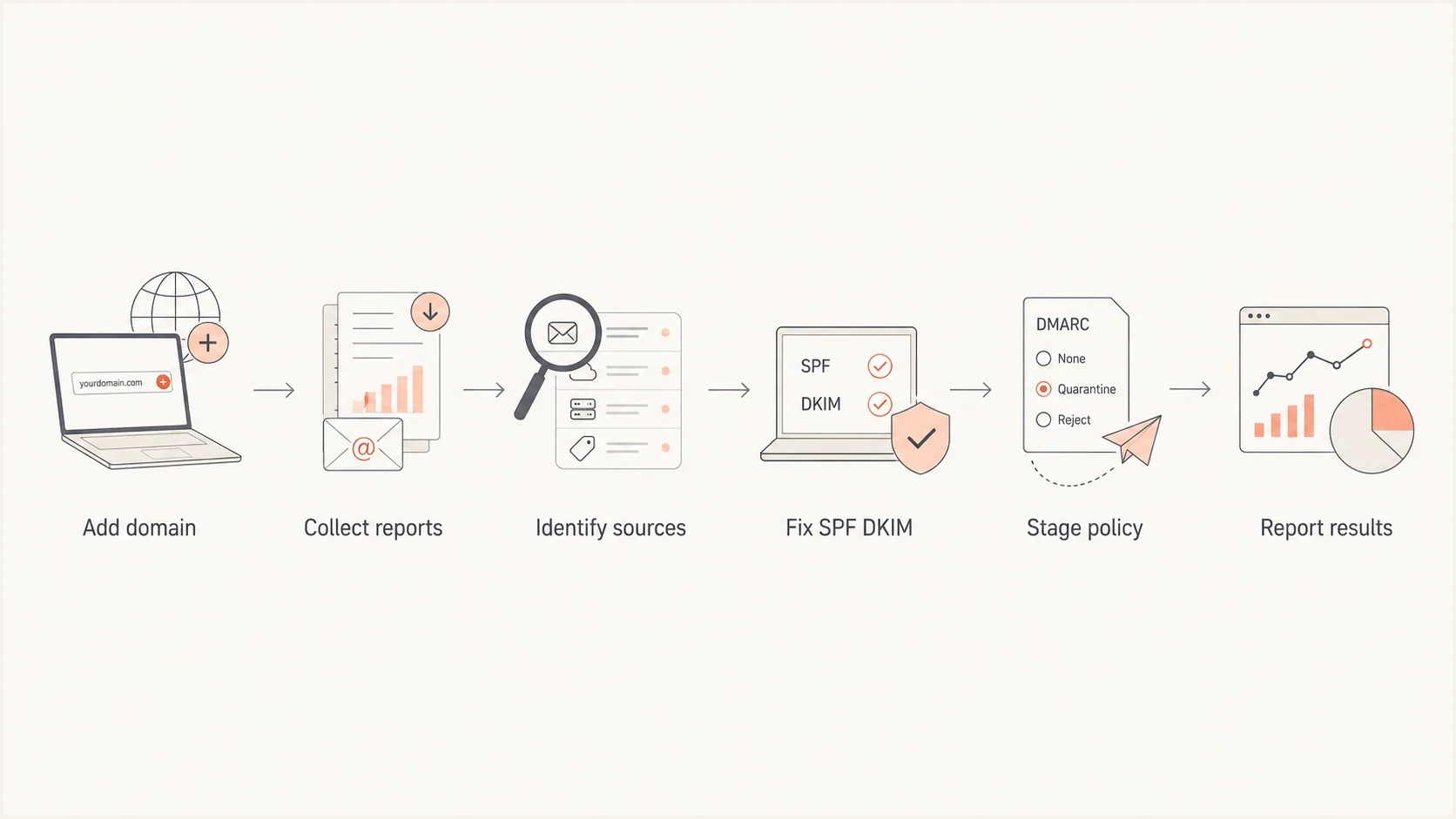
Flowchart showing the MSP DMARC delivery path.
Start with p=none, because the MSP needs data before enforcement. Use reporting to separate legitimate SaaS senders, broken DKIM, SPF lookup issues, forwarded mail behavior, and noise.
Starter DMARC policyDNS
v=DMARC1; p=none; rua=mailto:dmarc-reports@example.com
RFC 9989 now defines DMARC, while RFC 9990 defines aggregate reports. RFC 9991 separately defines failure reports. The former pct tag is historic. For a staged rollout, use monitoring, then the t=y test flag with a stronger policy where applicable. Verify receiver behavior before removing test mode.
Before raising policy, check the domain broadly: DMARC record syntax, SPF lookup count, DKIM selectors for the main senders, MX posture, and visible reputation issues such as blocklist (blacklist) entries. That stops the DMARC project from missing adjacent delivery problems.
?
What's your domain score?
Deep-scan SPF, DKIM & DMARC records for email deliverability and security issues.
Do not rush the visible policy tag. Prove that real mail survives stricter handling. When the main senders pass SPF or DKIM with the right domain match, policy can move to the next tested state.
Staged enforcement examplesDNS
v=DMARC1; p=quarantine; rua=mailto:dmarc-reports@example.com; t=y
v=DMARC1; p=quarantine; rua=mailto:dmarc-reports@example.com
v=DMARC1; p=reject; rua=mailto:dmarc-reports@example.com
Do not jump straight to reject
A strict policy without source coverage turns an MSP service into a support event. Enforcement should follow evidence.
- Coverage first: Confirm the mail platforms that send invoices, tickets, campaigns, alerts, and user mail.
- Policy second: Move through monitoring, test mode, quarantine, then reject after receiver-side verification.
- Rollback path: Keep DNS ownership, change approvals, and vendor contacts visible before enforcement.
How Suped fits the MSP workflow
Suped is our DMARC and email authentication platform for MSP delivery teams. It turns report data into actions an operator can assign, verify, and explain. The operational value comes from keeping DMARC, SPF, DKIM, blocklist and blacklist monitoring, deliverability signals, alerts, and client reporting in one queue.
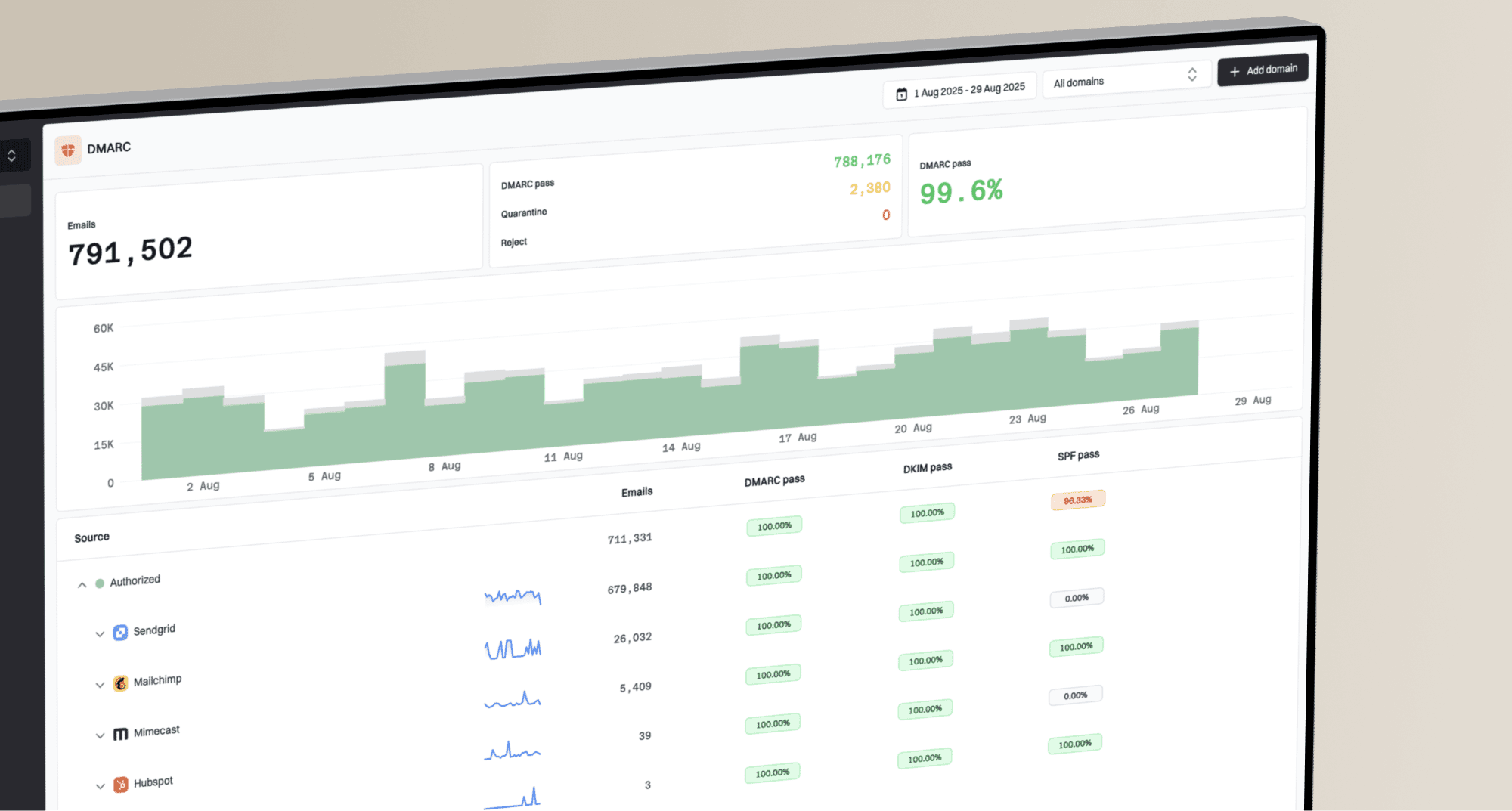
Issues page showing top issues, verified sources, unverified sources, and authentication pass rates
For MSPs, publishing DMARC starts the work. Ongoing delivery covers source changes, DNS ownership, vendor authentication defects, and client-facing evidence across many domains. Suped's issue detection and fix steps turn those findings into repeatable delivery work.
For clients with many DNS owners or slower approval paths, Hosted DMARC can reduce policy staging to managed changes. Hosted SPF helps when sender lists change often and direct DNS access slows the work.
Manual delivery
- Data handling: Download XML reports, normalize senders, and group source IPs by hand.
- Fix tracking: Maintain source status in tickets or spreadsheets.
- Client reporting: Write monthly explanations manually for each domain.
Suped delivery
- Data handling: Review authenticated, failed, and unknown sources in one queue.
- Fix tracking: Use automated issue detection, fix steps, and verification.
- Client reporting: Use MSP dashboards, client reports, alerts, and multi-domain views.
The service boundary remains clear: the SEG handles inbound filtering, while Suped organizes MSP domain-authentication work. It keeps DMARC, SPF, DKIM, hosted controls, MTA-STS, blocklist monitoring, and client evidence in a workflow the service desk can run.
A practical rollout plan
Use a staged rollout because MSP delivery has external dependencies. Marketing owns one sender, finance owns another, the website platform sends forms, and a legacy server still sends alerts. A policy jump before that inventory is clean creates noise for the client and extra work for the help desk.
DMARC policy stages
A practical enforcement path for MSP-managed client domains.
Monitor
p=none
Collect reports and identify senders.
Test policy
t=y
Declare stronger handling without applying it.
Quarantine
p=quarantine
Request quarantine after key sources pass.
Reject
p=reject
Request reject once legitimate mail is covered.
- Inventory: Collect at least one normal sending cycle, then group sources by owner and business purpose.
- Authenticate: Fix SPF includes, DKIM selectors, envelope sender domains, and vendor settings.
- Stage: Move policy only after report data and external tests show that the main sources pass consistently.
- Report: Show source cleanup, authentication health, policy progress, and remaining owners.
The renewal conversation should focus on continuity. New senders appear, vendors change platforms, SPF records exceed lookup limits, DKIM selectors expire, and domains get added during acquisitions or rebrands. DMARC service delivery has ongoing operational value because the sending environment keeps changing.
Common positioning mistakes
The fastest way to lose client trust is to blur the boundary between the gateway and DMARC. Keep proposals and QBRs clear so the client knows what each control does and what the MSP will operate.
Mistakes that weaken the service
- Replacement pitch: Selling DMARC as a gateway replacement creates the wrong expectation and undervalues the existing inbound control.
- DNS-only scope: Treating the project as one TXT record hides the real work: source cleanup and staged enforcement.
- No owner map: A sender list without business owners leaves the MSP stuck when a vendor change is needed.
- Thin reporting: Only showing pass percentages misses the client-facing story of risk reduction and operational work completed.
A better scope states the exact work: monitor aggregate reports, identify approved and unknown senders, fix SPF and DKIM, maintain the DMARC record, raise policy in stages, watch delivery signals, and explain the results in client terms.
What to say in QBR and renewal conversations
In QBRs, avoid abstract authentication language. Show what changed: which senders were approved, which unknown sources disappeared, which vendors still need a fix, and whether policy moved closer to enforcement. That makes DMARC visible as managed work.
Useful client phrasing
- Executive version: Your gateway protects employee inboxes. DMARC protects the domain name that customers see.
- Technical version: We are verifying every legitimate sender and moving failed identity checks toward enforcement.
- Service version: We operate sender discovery, DNS changes, vendor fixes, alerts, and monthly evidence.
- Renewal version: New senders and vendor changes make domain authentication an ongoing managed service.
That language keeps the service grounded. It gives the client a reason to keep both controls funded and gives the MSP a clear operating model for delivery, reporting, support, and renewals.
Position DMARC as a complementary control
DMARC should be positioned alongside secure email gateways as a complementary domain authentication service. The inbound gateway protects the configured inbox. DMARC protects the sending domain and gives the MSP evidence about visible sources using that domain.
For MSP owners and operators, the practical offer is straightforward: keep the gateway in the stack, add DMARC monitoring and enforcement as a managed service, then report progress in terms clients understand. Suped supports that model by turning DMARC, SPF, DKIM, hosted records, blocklist monitoring, alerts, and client reporting into repeatable operational work.