How MSPs should price DMARC monitoring

Published 12 Jun 2026
Updated 22 Oct 2026
11 min read
Summarize with
Updated on 22 Oct 2026: We added platform licensing checks and clarified remediation allowances and response commitments.
MSPs should price DMARC monitoring as an ongoing managed service, not as a one-time DNS task. The monthly fee should cover monitoring, investigation, remediation coordination, client reporting, and policy progression. The setup fee should cover discovery, DNS changes, mail source inventory, SPF and DKIM cleanup, and the first policy plan.
The cleanest model is a fixed monthly package per client or per protected domain, with clear add-ons for extra domains, complex sender estates, hosted authentication services, compliance reporting, and high-touch remediation. Publish starting prices only with explicit limits for domains, approved senders, and included support; quote complex environments after discovery.
- Bill for scope: a client with one domain and two approved senders is not the same service as a client with many brands, legacy tools, and shared DNS ownership.
- Separate setup and run rate: initial cleanup is project work, while monitoring is recurring operational work.
- Tie value to risk reduction: clients pay for fewer spoofing gaps, better authentication visibility, faster fixes, and evidence that the service is being managed.
- Use tooling deliberately: Suped's MSP workflows are built for multi-tenant DMARC operations, client reporting, and issue tracking across many domains.
Start with the managed service
A weak pricing model starts with a DNS record. A durable pricing model starts with the job the MSP owns after the record exists. DMARC reports need regular review. Senders change. Marketing platforms get added. Staff connect new cloud tools. Domains sit unused until someone sends mail through them. That is why the service is monitoring plus response, not record creation.
The client rarely cares which email authentication control needs work. They care that valid mail keeps flowing, unauthorized use of their domain is reduced, and someone notices when a source breaks authentication. DMARC enforcement addresses direct domain spoofing; it does not guarantee inbox placement or stop impersonation through lookalike domains. Your pricing needs to fund that ownership. If the recurring fee only covers a monthly glance at a dashboard, the service will turn into unpaid support the first time a payroll platform fails DKIM.
One-time DNS task
- Low margin: the client sees a TXT record, not the ongoing investigation work behind it.
- Poor boundaries: future sender changes get treated as included support by default.
- Slow maturity: the domain often stays at monitoring mode because nobody owns enforcement.
Managed DMARC service
- Clear value: the client buys visibility, remediation, reporting, and policy management.
- Better margin: setup, ongoing monitoring, and change work each have a defined place.
- Safer rollout: policy changes happen after authentication evidence supports the move.
Price the work in five parts
Break DMARC pricing into five chargeable parts: onboarding, authentication cleanup, monitoring, remediation, and reporting. This keeps sales simple while giving operations enough room to deliver the work without arguing about every support ticket.
|
|
|
|---|---|---|
Domains | Each managed domain needs an owner and an agreed policy scope; subdomains can inherit a parent policy. | bill per protected domain |
Senders | Validate SPF and DKIM for each approved source, including DMARC's domain-matching requirements. | count approved sources |
DNS access | Slow DNS ownership increases coordination and rework. | confirm owner and SLA |
Policy stage | A domain at monitoring mode needs rollout planning. | none, quarantine, reject |
Reporting | Executive summaries and audit evidence take time. | monthly or quarterly |
Change cadence | Frequent sender and DNS changes increase analyst time. | estimate monthly changes |
Core pricing inputs for MSP DMARC service design
Setup should not be hidden inside the first month of service. The first pass usually includes domain discovery, sender inventory, DMARC record creation, SPF lookup review, DKIM status checks, mailbox provider checks, and stakeholder coordination. That is project work, and project work needs its own line item. Estimate the setup fee using project hours at your loaded labor cost, one-time expenses, and the target margin.
Starter DMARC record exampledns
_dmarc.example.com. 3600 IN TXT "v=DMARC1; p=none; rua=mailto:d@example.com"
This p=none example requests monitoring only; it does not ask receivers to quarantine or reject mail. Replace the example reporting address with a working mailbox or platform-provided destination and verify that reports arrive.
Do not price only the TXT record
A DMARC record is easy to publish. The hard work is proving which sources are legitimate, fixing failures, and moving the policy without blocking good mail. If the price only covers DNS, margin disappears during remediation.
Calculate the price from your cost base
Start with the monthly cost to serve a client. Include the platform allocation, expected analyst time, account management, reporting effort, and a reserve for irregular work that stays inside scope. Use actual ticket and time data once the service has enough history.
|
|
|
|---|---|---|
Platform allocation | Allocate platform fees across billable client domains, including any unused committed capacity. | sets the direct cost floor |
Analyst labor | Multiply loaded hourly cost by expected review and remediation hours. | rises with sender count and change cadence |
Service overhead | Allocate client reporting, administration, quality review, and account management. | prevents invisible work from becoming free |
Contingency | Reserve capacity for included work that cannot be scheduled precisely. | absorbs normal variation without hiding scope creep |
Cost inputs for a recurring DMARC price floor
Recurring price formula
Minimum monthly price = (platform cost + labor cost + service overhead + contingency) / (1 - target gross margin)
Gross margin and markup are different. If monthly delivery cost is $60 and the target gross margin is 70%, the minimum recurring price is $200 because $60 / (1 - 0.70) = $200. Treat this as a pricing method, not a universal market rate.
Recheck estimates after onboarding
Compare estimated effort with actual tickets and time during the first 90 days. If the gap is structural, change the package scope or price at the agreed review point instead of absorbing the extra work indefinitely.
Check platform licensing before quoting
The platform subscription is a cost input, not the managed service price. Compare per-domain pricing with email-volume or report-volume billing, and confirm exactly what counts toward each limit.
- Billable domains: confirm whether sending subdomains, parked domains, and defensive registrations count separately. Price non-sending domains for policy checks and alerts without assuming they need the same remediation allowance as active senders.
- Minimum commitments: spread any monthly minimum across the clients actually under contract. An allocation based on future sales understates today's cost to serve.
- Usage and overages: check whether limits apply per client or across a pooled account, how traffic is measured, and what happens during a seasonal spike.
- Reporting and access: confirm data retention, white-label reports, client access, and technician seats are included before promising them in a package.
- Integration costs: budget for API access and professional services automation (PSA) or ticketing integration work where those workflows save enough recurring labor to justify setup.
Suped's MSP program uses per-domain pricing with monthly billing and volume discounts for larger deployments. Keep the partner platform charge separate from the monitoring and support fee you quote to the client.
Build packages around operational load
Packages work well for MSPs when each tier maps to operational load. Avoid tiers built around vague labels like basic and premium. Build them around the number of protected domains, approved senders, policy targets, reporting expectations, and response commitment.
DMARC service package bands
Use bands to classify delivery complexity without publishing public MSP pricing numbers.
Starter
Low support load
One business brand, simple DNS ownership, low sender count.
Managed
Normal support load
Several approved senders, routine fixes, standard client report.
Advanced
Higher support load
Multiple domains, shared DNS ownership, policy staging.
Assured
Special handling
Strict reporting, enforcement targets, audit evidence.
The recurring package should include a defined monitoring cadence, alert review, authentication issue triage, and client-facing status updates. State the included remediation allowance in hours or sender changes, plus the hourly rate or project quote used when that allowance is exhausted. New sending platforms, merger domains, DNS migrations, and urgent enforcement projects are change events, not routine monitoring.
- Starter tier: monitor the main sending domain, review authentication failures, and send a standard client report.
- Managed tier: include more domains, more sender reviews, documented remediation steps, and scheduled policy progression.
- Advanced tier: cover multiple domains, shared DNS ownership, and additional policy staging work within a defined allowance.
- Assured tier: add stricter reporting, faster response commitments, enforcement planning, and audit-ready evidence.
- Add-on services: charge separately for extra domains, urgent sender onboarding, hosted authentication, and deep remediation projects.
Offer volume discounts only when shared workflows reduce the cost of additional domains. An annual prepayment discount can support cash flow, but calculate it after platform and labor costs, preserve the minimum monthly fee, and keep change work outside the discount.
This is where DMARC monitoring matters commercially. A monitoring-only plan can still be valuable, but MSPs should be explicit that policy movement and remediation are managed work, not background automation.
Protect margin with clear change triggers
Most DMARC margin loss comes through vague boundaries. The client adds a new CRM, a donation platform, a ticketing system, or a regional marketing tool, and the MSP is expected to make it authenticate immediately. That work is valuable, but it needs a trigger in the service agreement.
Example workload pattern
A simple workload index showing why setup and remediation should not be absorbed into the monthly monitoring fee.
Workload index
Good change triggers are plain. A new sending platform, a new domain, a DNS provider migration, a requested policy acceleration, or a forensic review after suspicious mail should all create scoped work. The client should know this before they ask for a same-day sender launch.
Define the service-level agreement (SLA) in business hours, including when the response clock starts and how urgent failures are escalated. DMARC aggregate reports usually arrive daily and can be delayed, so report-based alerts cannot support a promise of instant detection. Commit to an initial response after an alert is available, with resolution dependent on DNS access and sender-vendor action.
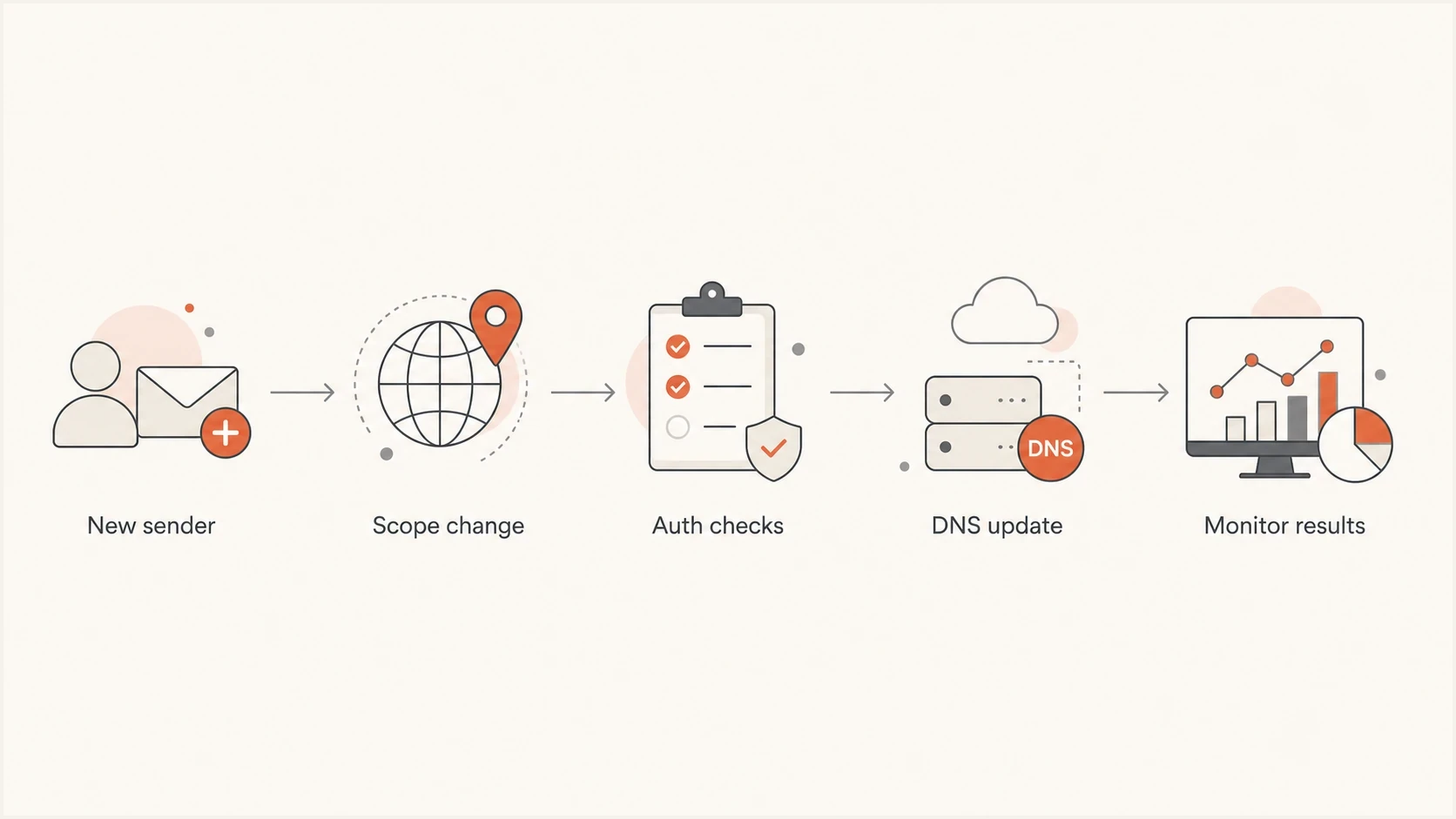
MSP DMARC change-control flow for authenticating a new email sender.
Contract language to include
- Included monitoring: review DMARC aggregate data, identify authentication failures, and summarize domain health.
- Included remediation: provide recommended fixes for approved senders already listed during onboarding, within the agreed monthly allowance.
- Out-of-scope changes: new senders, new domains, DNS migrations, emergency reviews, and vendor coordination beyond the included allowance.
- Policy changes: move toward stricter DMARC only after authentication evidence supports the change.
Include client reporting without manual overhead
Client reporting is one of the easiest places to add value, but it is also a common source of low-value labor. A good report should explain what changed, which sources passed authentication, which sources need action, what policy stage the domain is in, and what the next decision is. Include the reporting period and the count of known legitimate messages failing DMARC; raw failures also include unauthorized traffic and should not be presented as lost client mail.
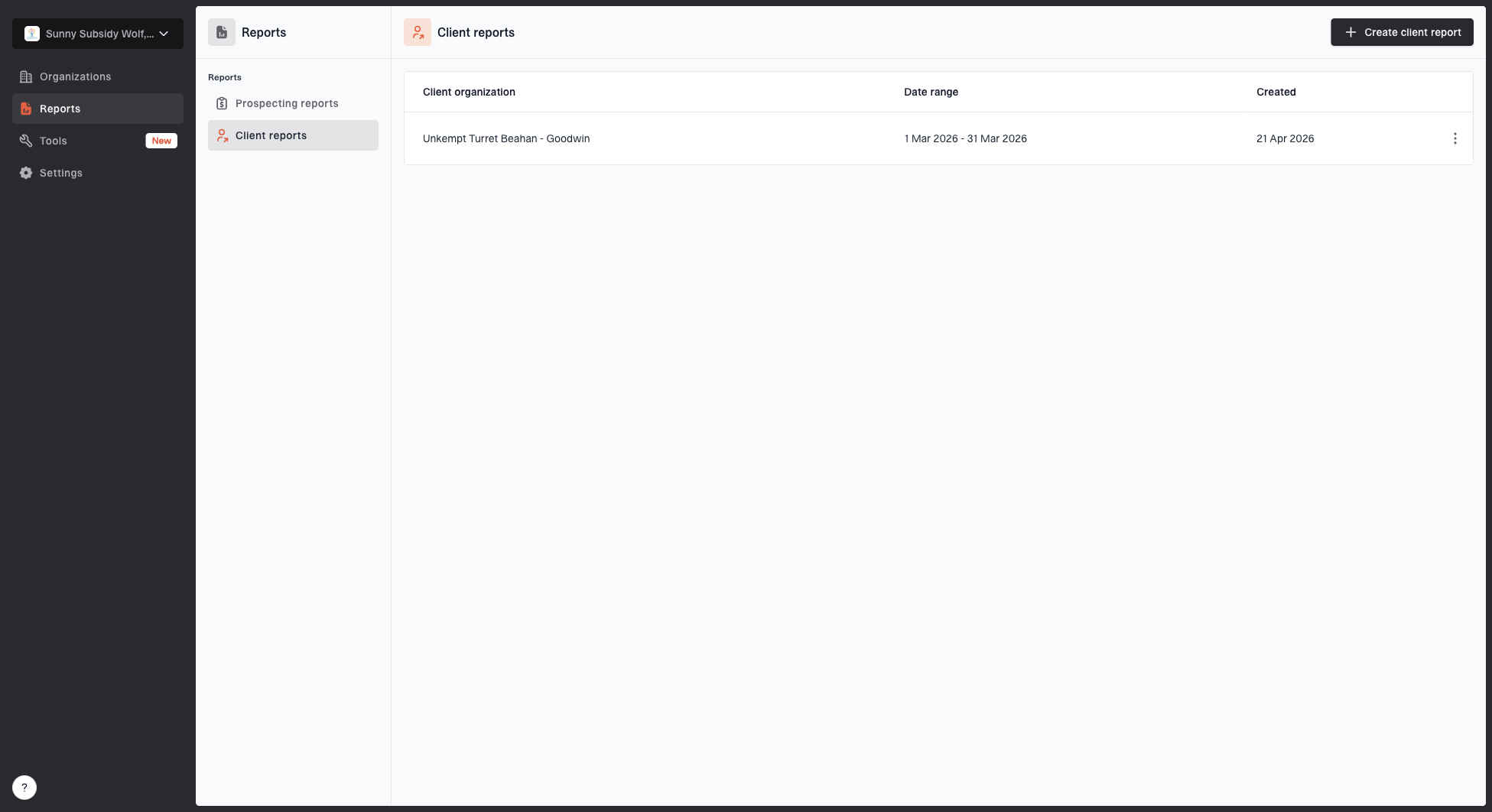
Client reports page showing a generated client report, date range, created date, and actions
Suped's white-label client report workflow is useful here because it turns monitoring data into client-ready reporting without requiring the MSP to manually rebuild the same summary for every account. The report should still be reviewed by the service owner, especially when it recommends a policy move or vendor action.
- Operational summary: show domain status, policy mode, source health, and unresolved issues.
- Client decision: state whether the client should approve remediation, wait for more data, or move policy.
- Service proof: show the monitoring work completed during the period, not just raw DMARC volume.
- Commercial boundary: call out new sender requests or domain changes that require scoped work.
Where Suped fits in the MSP workflow
Suped is our DMARC and email authentication platform. For MSP delivery, it supports multi-tenant monitoring, issue detection, alerts, client reporting, and hosted authentication workflows. Those capabilities reduce the custom process required for each client domain while the MSP keeps ownership of triage, remediation decisions, client approval, and policy changes.
For service delivery, Suped brings together DMARC, SPF, DKIM, blocklist (blacklist) monitoring, and deliverability signals so the operator can see where the problem sits. Hosted DMARC helps when a client wants policy staging without repeated DNS edits, and Hosted DMARC is a practical add-on when DNS access is slow or tightly controlled.
?
What's your domain score?
Deep-scan SPF, DKIM & DMARC records for email deliverability and security issues.
Hosted SPF and SPF flattening also matter commercially when senders approach SPF's limit of 10 DNS-querying terms during evaluation. When the client has many senders, SPF flattening can be packaged as an operational add-on that includes checking that authorized sending addresses stay current.
How to package Suped without overcomplicating sales
- Base package: DMARC monitoring, issue review, alerts, and standard client reporting.
- Operations add-on: hosted SPF, SPF flattening, hosted DMARC, and sender change handling.
- Security add-on: policy enforcement planning, priority alert triage, incident review, and blocklist or blacklist monitoring review.
- Executive add-on: custom executive reports, quarterly review notes, audit evidence summaries, and service review actions.
Review scope and pricing at renewal
If DMARC monitoring is included in a broader managed security bundle, allocate an internal monthly budget to it and record the included domains and remediation allowance. The internal budget should cover the delivery cost.
Use a client proposal that distinguishes the platform subscription from your managed service fee. Review the price at renewal and whenever protected domains, approved senders, response commitments, or reporting requirements change.