
How MSP DMARC differs from single company DMARC

Published 12 Jun 2026
Updated 22 Oct 2026
13 min read
Summarize with
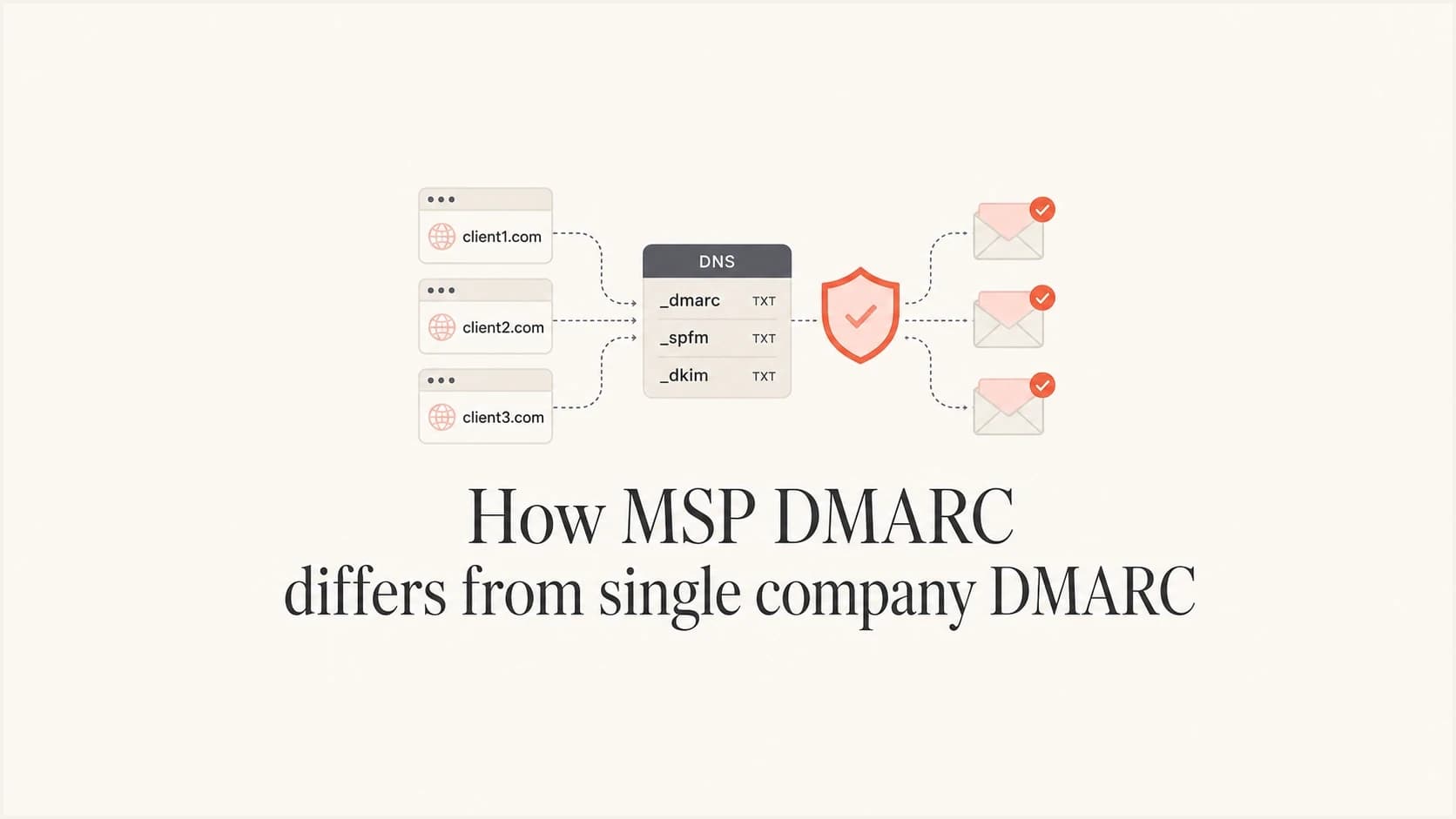
Updated on 22 Oct 2026: We clarified MSP service pricing, DMARC policy inheritance, and the DKIM checks needed before reject enforcement.
MSP DMARC differs from single company DMARC because a managed service provider (MSP) runs email authentication across separate client organizations. A single company can have many domains and internal teams, but its sender inventory and policy decisions sit within one organization. An MSP needs client separation, delegated access, standardized onboarding, reusable policy stages, client-ready reporting, and a way to prove progress without turning every client into a custom project.
For an MSP, the technical record is only one part of the work. The larger job is operational: identify every legitimate sender, fix SPF and DKIM gaps, move policies safely, alert the right people, and keep clients informed in plain language. That is why MSP DMARC services need a different delivery model than internal DMARC projects.
- Scope: Single company DMARC protects one organization, while MSP DMARC protects multiple client organizations with separate risks and stakeholders.
- Control: Single company teams often own DNS directly, while MSPs need controlled delegation, approval trails, and hosted options when clients cannot change DNS quickly.
- Reporting: Single company reports support internal action, while MSP reports must show client value, risk reduction, open issues, and next steps.
- Repeatability: Single company work can be bespoke, while MSP work needs a standard process that a service desk and security team can run every month.
What changes when DMARC becomes an MSP service
The technical standards do not change between delivery models. DMARC passes when at least one authenticated SPF or DKIM identifier has the required alignment with the visible From domain. When no aligned authenticated identifier exists, the receiver considers the domain owner's policy as part of its handling decision. An internal team can pause work, ask a business owner about a sender, and wait for a DNS ticket. An MSP has to keep many clients moving at once, even when each client has a different mail stack, support maturity, and appetite for enforcement.
Single company DMARC
The work usually sits inside one security or IT team. The team has a shared business context and can make policy decisions through internal governance.
- Decision path: One domain owner or steering group approves policy changes.
- DNS access: The same company usually controls the zone or has a direct DNS process.
- Reporting: Reports focus on internal troubleshooting and enforcement readiness.
- Risk owner: The company owns both the business risk and the remediation workload.
MSP DMARC
The MSP owns the process, but the client owns the domain, vendors, and risk decisions. Good service design removes ambiguity without hiding the client's responsibilities.
- Decision path: Each client needs a named approver for enforcement and sender changes.
- DNS access: The MSP needs delegated, hosted, or ticket-based DNS workflows that do not block service delivery.
- Reporting: Reports must separate executive value, technical findings, and open client actions.
- Risk owner: The MSP manages evidence and advice, while the client approves business-impacting policy moves.
This distinction matters because DMARC failures often come from business systems outside the main mail platform. A client can have payroll mail, billing mail, CRM mail, help desk mail, scanner mail, and marketing mail. The MSP has to find those sources, map ownership, and avoid breaking legitimate messages while still moving the domain toward enforcement.
Multi-tenant DMARC management
The biggest MSP difference is multi-tenancy. A single company needs ongoing monitoring across its own domains. An MSP needs a client list, domain inventory, source status, policy state, alert routing, and role-based access so client A never sees client B. This is the difference between a managed service and a collection of ad hoc consulting tasks.
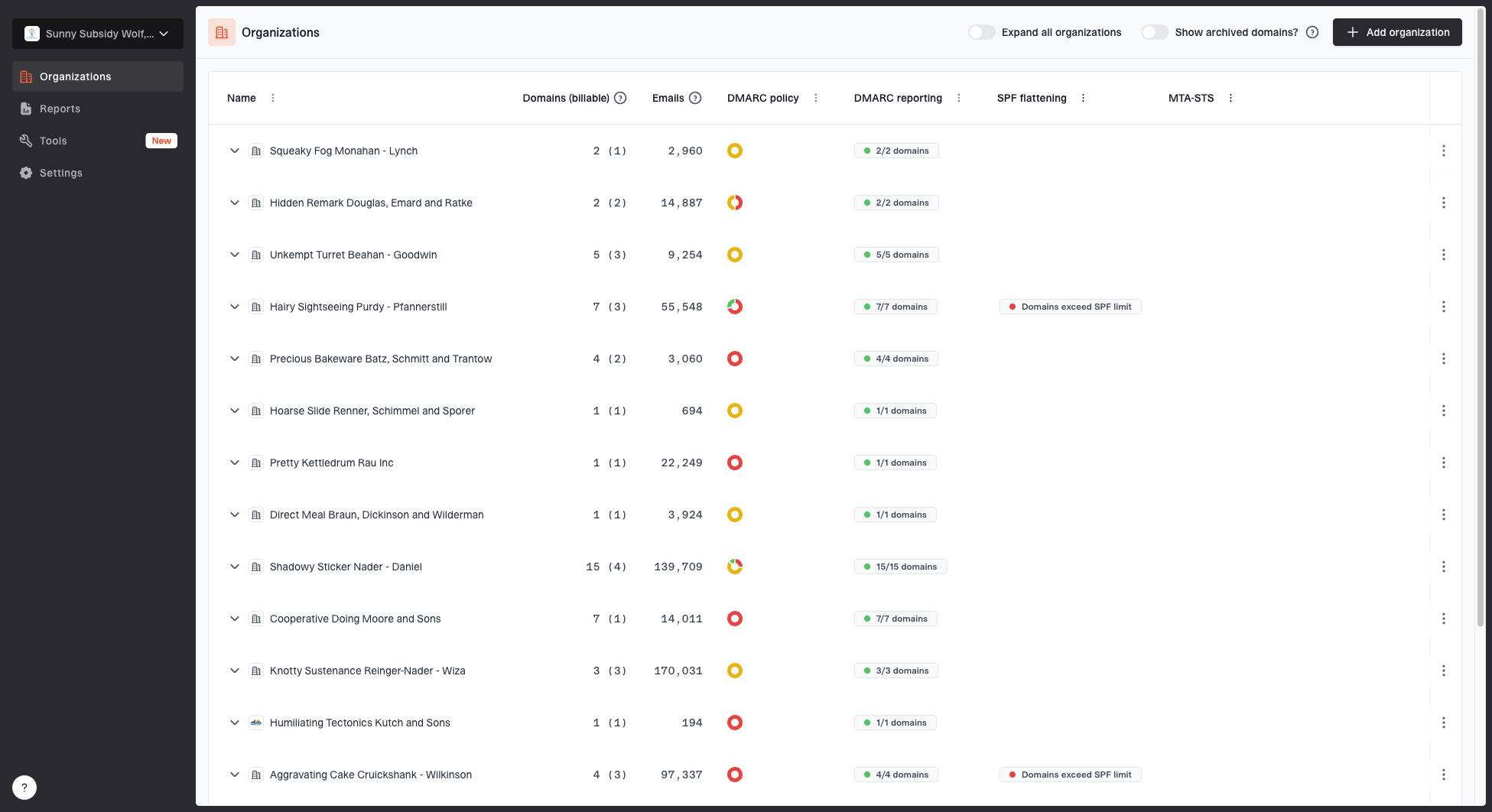
MSP organizations page showing client organizations, domain counts, email volume, and domain status columns
Suped's MSP and multi-tenancy dashboard is built around this workflow: separate client organizations, domain counts, email volume, and domain status in one place. Operators can triage work by client and domain instead of digging through raw aggregate XML or separate accounts.
- Client inventory: Track every client, every protected domain, and every domain that still needs discovery.
- Source inventory: Classify sending platforms as approved, unknown, misconfigured, retired, or client-owned.
- Change control: Record who approved DNS edits, policy changes, and sender remediation.
- Service cadence: Review active issues weekly for higher-risk clients and monthly for stable domains.
A practical MSP rule
Treat each client as a separate security boundary, even when the same operator manages the work. Shared tooling is helpful only when data separation, roles, and reporting remain clean.
- Access: Give technicians the minimum rights needed for their client scope.
- Evidence: Keep a record of discovered sources, fixes, policy moves, and unresolved client decisions.
- Handover: Document enough detail that another operator can continue without restarting discovery.
- Data handling: Agree report retention and approved recipients for each client, including what is exported or deleted when the service ends.
Technical differences that matter
The DMARC TXT record looks similar in both models, but the operational choices around it differ. In a single company, alignment modes, reporting destinations, and policy changes are coordinated within the same organization. In an MSP service, each setting needs a standard default and a documented exception path.
RFC 9989 now defines DMARC, while RFC 9990 defines aggregate reporting. The older pct tag is historic. The current t=y tag requests test handling one policy level below the published policy, while t=n or an omitted t requests normal policy application. Keep monitoring at p=none until the client is ready because receivers using older behavior can ignore an unfamiliar test tag.
|
|
|
|---|---|---|
Ownership | Internal domain owner | Client approver plus MSP operator |
Reporting | Internal stakeholders | Client, service desk, and security views |
DNS changes | Internal ticket | Delegated, hosted, or client-approved |
Policy pace | Internal rollout plan | Per-client staging based on evidence |
Support risk | Internal outage response | Client-facing escalation and rollback plan |
DMARC delivery differences that affect MSP operations
Centralized reporting adds an MSP-specific DNS dependency. When a client's rua destination uses another organizational domain, the report consumer must publish the external destination authorization described by RFC 9990. If that TXT authorization is missing, a report generator must ignore the external URI. Add this check to onboarding instead of waiting for an empty dashboard to expose it.
The starting point for most MSP clients is monitoring, not enforcement. A new client rarely has a complete sender inventory on day one. Aggregate reports should flow first so the MSP can find legitimate sources, fix authentication gaps, and move the policy in measured stages.
Example DMARC policy stagesdns
# Discovery: publish only the current stage
_dmarc.example.com TXT "v=DMARC1; p=none; rua=mailto:reports@example.com"

# Optional test: legacy receivers can still apply quarantine
_dmarc.example.com TXT "v=DMARC1; p=quarantine; t=y; rua=mailto:reports@example.com"

# Apply quarantine after approval
_dmarc.example.com TXT "v=DMARC1; p=quarantine; rua=mailto:reports@example.com"

# Consider reject after DKIM and indirect-flow checks
_dmarc.example.com TXT "v=DMARC1; p=reject; rua=mailto:reports@example.com"
Do not sell enforcement as a switch
A client can ask for reject on day one, but the responsible MSP answer is evidence first. Moving too fast breaks legitimate senders when SPF, DKIM, forwarding, or third-party sender domain alignment is incomplete. Test mode is a signal to receivers, not a guaranteed percentage rollout.
- Inventory: List all visible senders before changing policy.
- Authentication: Confirm each approved source has aligned SPF or aligned DKIM.
- Approval: Get written client approval before quarantine or reject.
Onboarding and discovery
MSP onboarding needs enough structure for every client to start the same way. Separate domain discovery, DNS validation, report activation, sender classification, and ownership mapping. If those steps blur together, the project turns into a hunt through old tickets and vendor invoices.
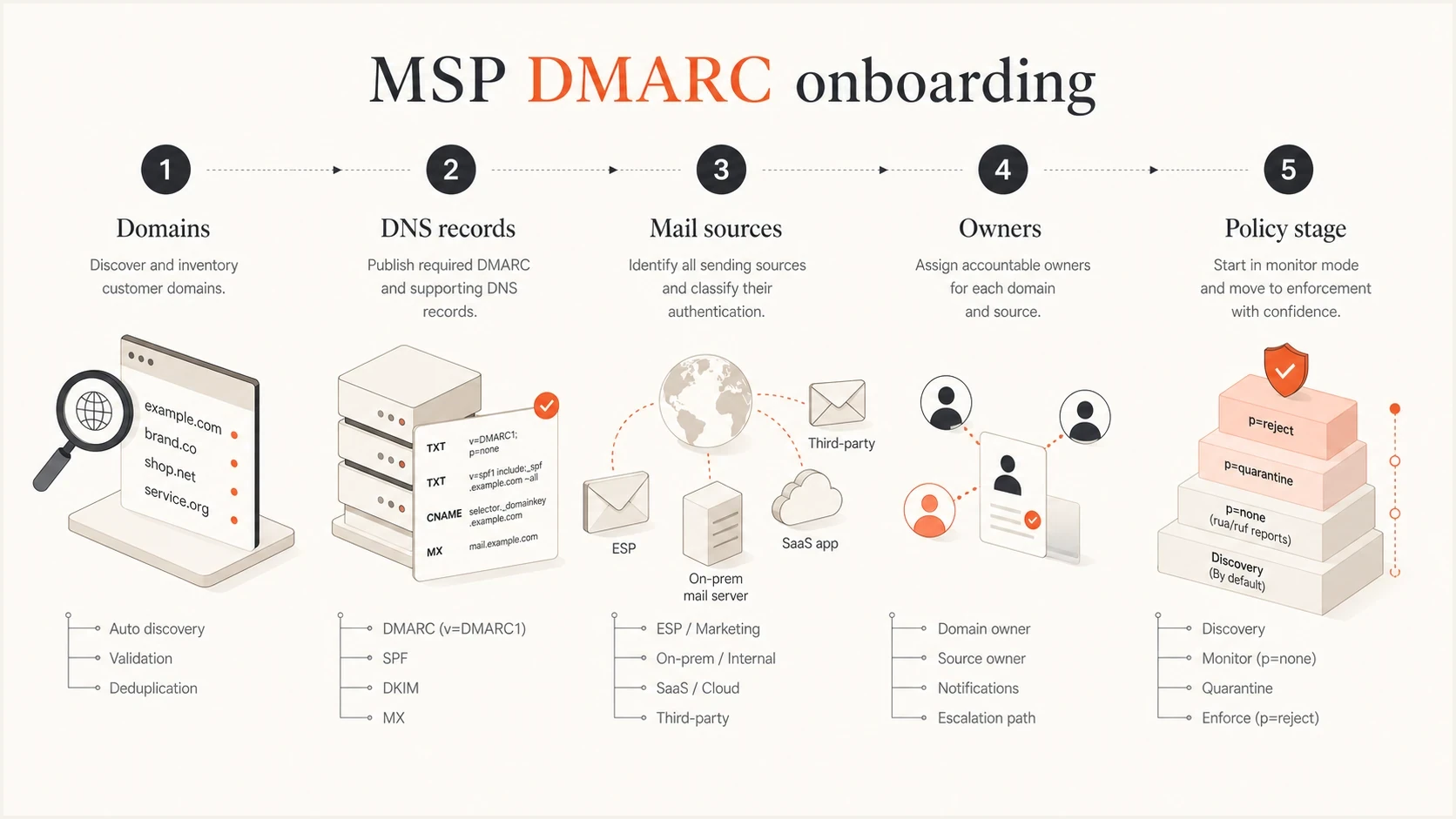
MSP DMARC onboarding: domains, DNS records, mail sources, owners, and policy stages.
The first deliverable is a clean baseline rather than a perfect policy. That baseline should say which domains exist, which ones have DMARC, whether known sources pass DMARC with the required domain alignment, which senders are unknown, and which client contact owns each unresolved item.
- Domains: Collect primary domains, aliases, parked domains, delegated subdomains, and domains used only by applications.
- Records: Validate DMARC and SPF, verify DKIM on test messages from each approved sender, and check MX and DNS health before promising enforcement dates.
- Sources: Group senders by business owner, platform, authentication result, and remediation path.
- Tickets: Create client-visible actions only for issues that need a decision or access from the client.
- Policy: Set a staged path from monitoring to enforcement, with clear exit criteria.
?
What's your domain score?
Deep-scan SPF, DKIM & DMARC records for email deliverability and security issues.
A broad domain health check helps operators spot DNS and authentication gaps before client onboarding gets stuck. It does not replace DMARC aggregate data, but it gives the MSP a faster first view of record syntax, missing pieces, and obvious configuration problems.
Reporting and client communication
Single company DMARC reporting can be technical because the same team often owns the fix. MSP reporting has to guide the operator and make sense to a client decision maker who cares about domain protection, vendor risk, and whether the service is progressing.
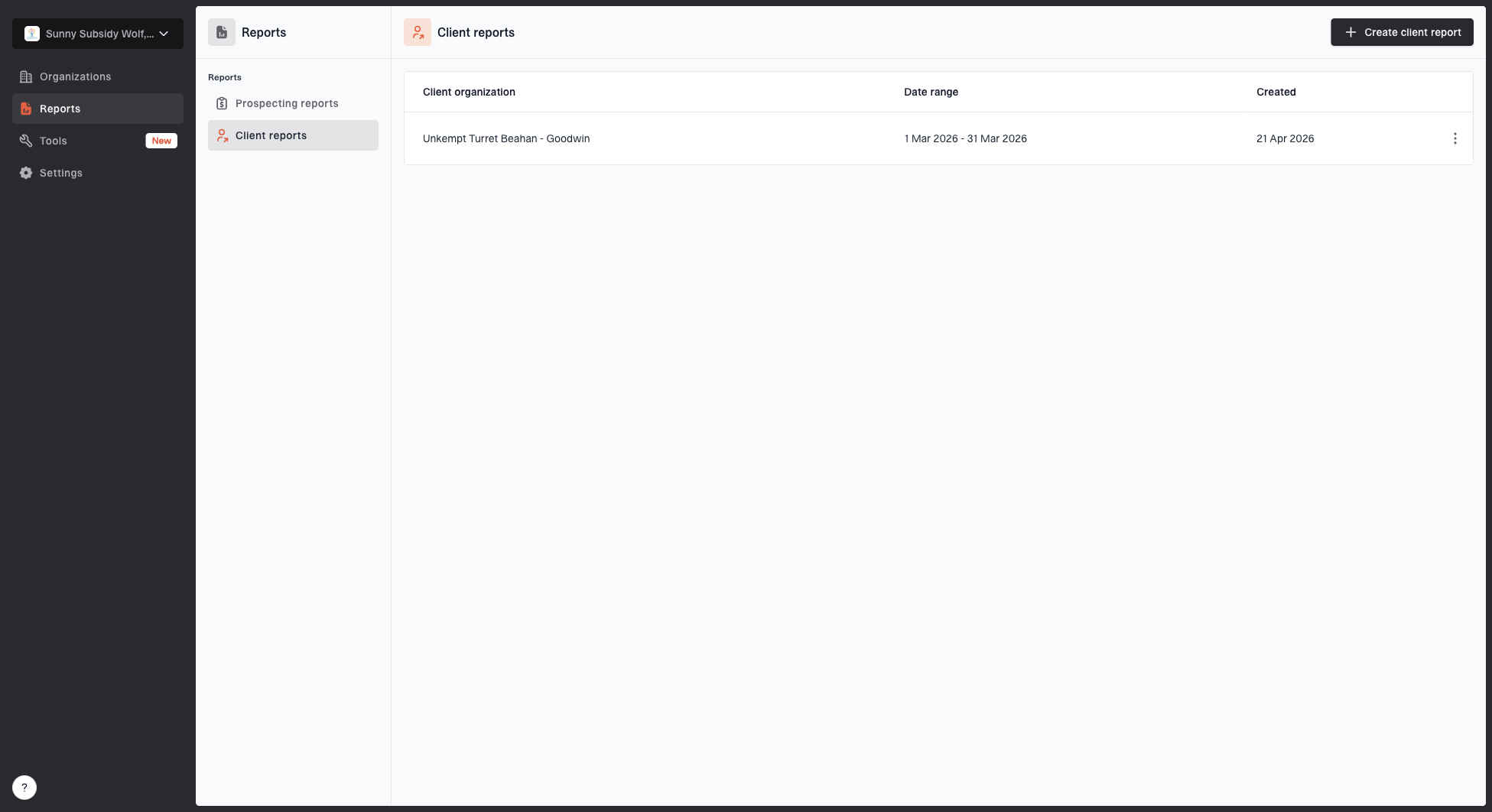
Client reports page showing a generated client report, date range, created date, and actions
Suped's client reporting workflow packages date ranges and organization context into reusable, white-label client reports. The strongest client report separates health status from action ownership. A client should know what changed, what remains open, and what decision is needed next. Separate failures from approved senders and suspected spoofing so attack volume does not look like an authentication regression.
- Executive view: Show policy status, reported volume, DMARC pass rates for approved senders, major risks, and progress since the last report.
- Operator view: Show source-level failures, DNS issues, forwarding patterns, and remediation steps.
- Client actions: List only the items that need approval, vendor access, or business ownership.
- Service proof: Preserve timestamps, policy history, and evidence of completed fixes.
The aggregate reporting data covers traffic observed by participating receivers. Reported volume is not a complete delivery count or proof of inbox placement.
Client-facing report
- Purpose: Explain progress and decisions in business terms.
- Audience: Client owner, account manager, and service lead.
- Output: Health summary, policy stage, open decisions, and next milestones.
Internal queue
- Purpose: Drive technician action and escalation.
- Audience: NOC, security team, help desk, and escalation owner.
- Output: Source failures, DNS tasks, alert status, and follow-up tickets.
Automation and service desk integration
MSP DMARC becomes expensive when technicians copy every finding between systems. Bulk domain onboarding, stable client identifiers, API access, and alert routing should connect DMARC work to the professional services automation (PSA), remote monitoring and management (RMM), or internal service desk systems already used by the team. Automation should preserve tenant boundaries and approval records rather than bypass them.
- Bulk onboarding: Import domains with a client identifier, remove duplicates, verify ownership, and record the initial policy state.
- Ticket routing: Turn a new sender, authentication regression, or DNS change into a client-scoped ticket with evidence attached.
- API controls: Use dedicated automation credentials, least-privilege scopes, auditable changes, and a documented rotation process.
- Offboarding: Export client history, verify replacement policy and reporting, then revoke users and automation credentials. Retire old hosted endpoints only after the replacement DNS resolves.
Suped's API access and bulk migration support connect tenant-scoped DMARC data to internal MSP dashboards and service systems. Keep policy and DNS changes behind client approval gates, even when discovery, alert enrichment, and ticket creation are automated.
Policy staging and hosted controls
MSPs need policy staging that survives client delays and vendor changes. Suped's DMARC monitoring shows which sources pass and fail over time, while Hosted DMARC gives operators a cleaner way to adjust policy without repeated TXT edits. Hosted SPF helps MSPs manage authorized senders when clients keep adding SaaS platforms and cannot give the service desk direct DNS access every time.
Hosted controls are especially useful when the MSP has an ongoing responsibility for the domain. The client can make a small initial DNS change, then the MSP can stage policy, manage sender changes, and reduce SPF lookup risk through the platform workflow.
Example hosted DNS control patterndns
_dmarc.client.example CNAME client.example.dmarc-host.example
client.example TXT "v=spf1 include:spf-host.example -all"
Where hosted controls help most
Hosted controls fit MSP delivery when clients add senders often, DNS ownership is fragmented, or service agreements include ongoing authentication maintenance.
- Speed: Reduce repeated DNS tickets for routine policy and sender adjustments.
- Safety: Stage policy moves with visibility into live authentication results.
- Scale: Use the same operating process across clients with different DNS providers.
Risk controls and proof of work
MSP DMARC adds commercial risk. If enforcement blocks legitimate client mail, the MSP takes the support call. If the MSP leaves domains at monitoring forever, the client stays exposed to domain abuse. The service needs evidence-based thresholds, rollback steps, and documented approvals.
DMARC rollout decision points
A simple way to explain policy progress to clients without hiding the technical criteria.
Monitor
p=none
Inventory senders and fix SPF or DKIM gaps.
Optional test quarantine
p=quarantine; t=y
Requests none under RFC 9989; legacy receivers can still apply quarantine.
Apply quarantine
p=quarantine
Use when legitimate streams pass and the client approves normal policy application.
Consider reject
p=reject
Requires valid DKIM, indirect-flow review, and client approval.
Use controls that keep the service defensible. Assign each unrecognized source to the MSP for classification, then involve a client business owner when it appears legitimate. Alert the MSP when a known source starts failing. Keep a rollback path for policy changes and client-visible proof that the MSP is doing the work rather than only collecting reports.
- Access control: Limit who can change policy, reporting addresses, hosted records, and alert settings.
- Alert routing: Send operational alerts to the MSP queue and summary reports to the client owner.
- Reputation: Pair DMARC work with blocklist and blacklist monitoring when deliverability risk matters.
- Rollback: Document the previous policy and DNS TTLs, then verify receiver behavior after restoring the approved policy if client mail breaks.
Service packaging and MSP pricing
An internal team budgets DMARC as an operating cost. An MSP also needs a DMARC-as-a-Service package that covers technician time and defines what the client pays for.
- Setup: Scope domain discovery and initial remediation separately from ongoing monitoring so complex onboarding does not consume the monthly service allowance.
- Billing unit: Define whether clients pay per domain or per organization, and explain how subdomains, parked domains, and any usage limits affect the quote.
- Recurring work: Include sender-change reviews, authentication alerts, and scheduled client reports; record technician time against each client.
- Service level: Document response targets and support hours, who contacts third-party senders, and which remediation requires an additional quote.
Suped's MSP program uses monthly billing for active monitored domains. Match platform costs and observed support effort to the client agreement before setting the recurring fee.
Where Suped fits for MSPs
Suped is our DMARC and email authentication platform. MSPs can use separate client workspaces to review authentication failures and manage hosted records. Alerts and client reports connect that work to service tickets and client communication.

Issue steps to fix dialog showing the issue overview, tailored fix steps, and verification action
MSP operators need a clean route from signal to action. The platform should show what failed, why it failed, who owns the fix, and how to verify that the issue is resolved. Suped's issue workflow follows that pattern so DMARC findings can become service tickets and client updates.
- For operators: Use source breakdowns, authentication diagnostics, alerts, and fix steps to keep the queue actionable.
- For clients: Use reports and policy history to explain progress without exposing unnecessary technical detail.
- For scale: Use multi-tenancy and hosted controls to run the same standard across many domains.
- For resilience: Combine DMARC, SPF, DKIM, MTA-STS, alerts, and reputation monitoring in one service workflow.
What to standardize before selling the service
Before adding DMARC to every agreement, define the service boundaries. Clients should know which fixes are included, which vendor coordination is billable, and who approves enforcement.
- Included: Monitoring, issue triage, reporting, and routine sender validation.
- Client-owned: Vendor approvals, application access, and decisions that carry business risk.
- Escalated: Complex routing, legacy senders, bulk mail migration, and broken vendor authentication.
A repeatable DMARC service standard
Single company DMARC needs ongoing maintenance. MSP DMARC also needs consistent service delivery across client organizations. A repeatable operating standard covers discovery, monitoring, classification, remediation, policy staging, reporting, and controlled offboarding. Record the client approver and rollback path for each domain so another technician can continue the work.