Is it possible to alias DKIM records, and what is NS delegation?

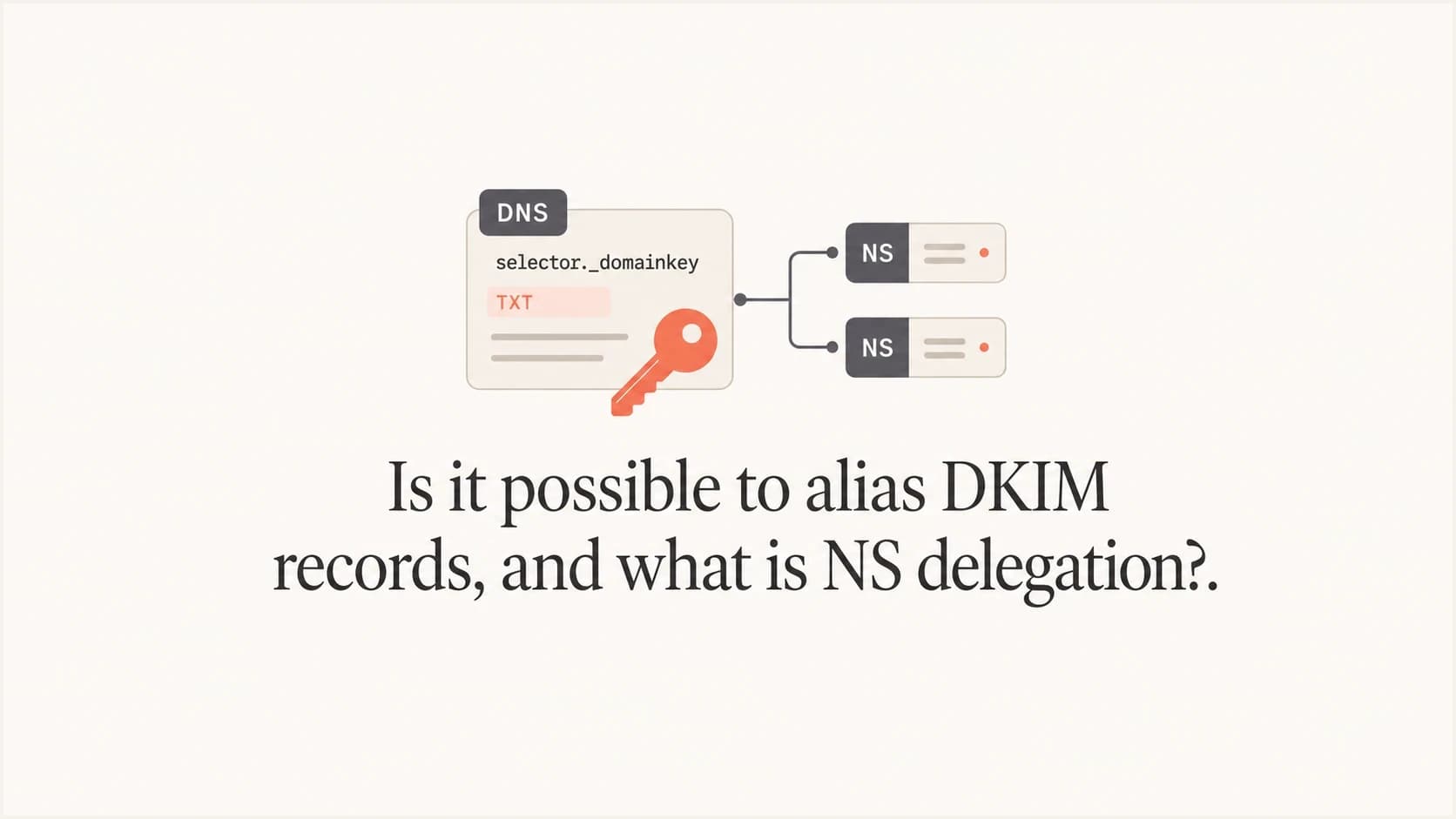
Updated on 13 Aug 2026: We clarified DKIM CNAME behavior, domain aliases, DMARC alignment, and safe NS delegation.
Yes, it is possible to alias DKIM selector records in many setups, but the exact meaning of "alias" matters. DKIM defines a TXT lookup for the public key at a name like selector._domainkey.example.com. DNS resolution can encounter a CNAME at that name and follow it to the final TXT key. That is how many email service providers keep key material under their control while asking the sending domain owner to publish a stable DNS pointer.
The caveat is that DKIM is strict about the original DNS name. The selector in the DKIM-Signature header and the signing domain in the d= tag determine that name. If they do not match the DNS structure exactly, validation fails. A CNAME chain does not change the signing domain, does not fully hide the upstream provider, and does not repair DMARC alignment. Under relaxed DKIM alignment, the signing domain can share the Header From domain's organizational domain. Strict alignment requires an exact domain match.
NS delegation is the more durable pattern when the goal is sender portability. Instead of asking a client to add each DKIM, SPF, bounce, tracking, or provider-specific record, the client delegates a subdomain to name servers you manage. After that, you can publish and change records under that delegated subdomain without asking the client to edit DNS each time.
The direct answer
A DKIM alias usually means one of two things. First, a selector record at the client domain points by CNAME to a record hosted somewhere else. Second, a domain or subdomain is delegated so another DNS zone controls the DKIM namespace. Both can work, but they solve different problems.
- CNAME alias: The client publishes a DKIM selector CNAME that points to a provider-managed target, or to an intermediate target you control.
- Intermediate alias: The client selector points to your hostname, then your hostname points to the final provider target.
- NS delegation: The client delegates a whole subdomain, such as email.example.com, to name servers you control.
- DMARC impact: Relaxed DKIM alignment accepts the same organizational domain, while strict alignment requires the d= domain to match the Header From domain exactly. Aligned SPF can satisfy DMARC separately.
A domain alias in a hosting panel is different from a DKIM CNAME alias. If mail uses the alias domain in the From address, the sending system still needs to sign with an appropriate d= domain and publish the matching selector key. Synchronized DNS zones do not make one domain's DKIM key valid for another signing domain, and they can prevent the alias from receiving its own selector record.
The practical answer: use CNAME aliasing when the sender documents a provider-managed DKIM target. Use NS delegation when you need long-term control over a sending subdomain and want to switch providers, add selectors, warm infrastructure, or manage authentication without repeated client DNS changes.
How DKIM lookup works
A DKIM signature includes two fields that matter for DNS. The s= tag names the selector. The d= tag names the signing domain. A receiver combines them into a DNS name. If the selector is ras and the signing domain is example.com, the receiver looks up ras._domainkey.example.com.
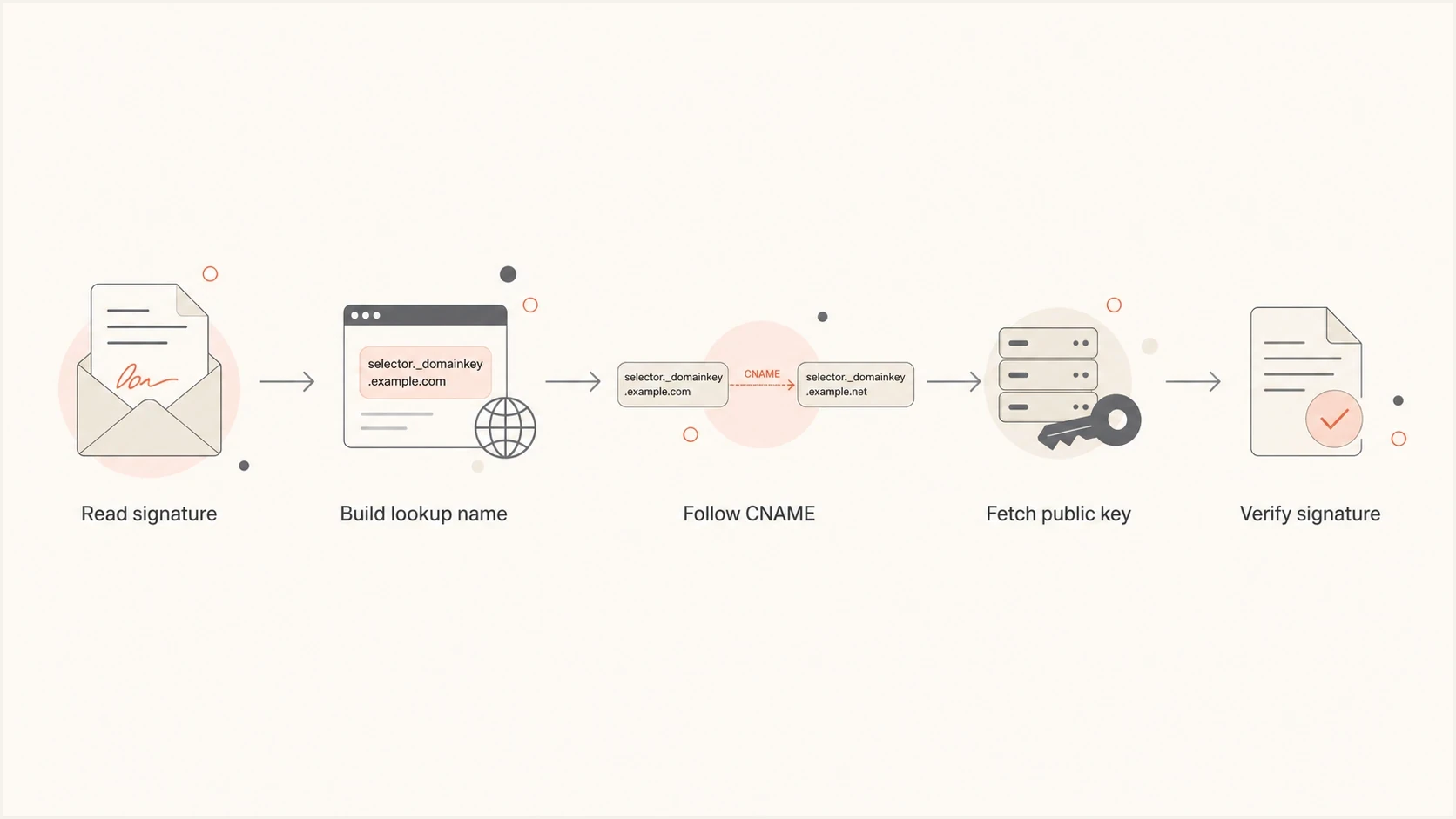
DKIM verification flow from signature fields to DNS lookup and public key verification.
The public key can be published directly as a TXT record. When the selector name is a CNAME, the recursive resolver follows that alias while answering the verifier's TXT query and retrieves the final DKIM key. This is why provider-managed DKIM often uses two selector CNAMEs, with one selector available for a later key rotation. Follow the sender's exact record instructions because its validation process still needs to support the CNAME pattern.
Typical DKIM lookup namedns
DKIM-Signature: s=ras; d=example.com;

DNS lookup:
ras._domainkey.example.com TXT
The signer cannot invent an unrelated lookup path after the message leaves. Once the message has a selector and signing domain, receivers know where the key must be. DNS can point that required name somewhere else with CNAME, but the required name itself is still set by the DKIM signature.
DKIM checker
Check selector records and public key configuration.
?/7tests passed
After publishing or changing a selector, validate the exact selector and domain rather than checking only the provider UI. The DKIM checker confirms what DNS returns for a specific selector and whether the record parses cleanly.
CNAME aliasing patterns
The simplest DKIM alias is a single CNAME. A provider gives the sending domain owner a record name and a target. The owner adds that DNS record. The provider rotates or manages the real key behind the target. This keeps key rotation on the provider side and keeps the client DNS record stable.
Single provider-managed DKIM CNAMEdns
ras._domainkey.example.com. CNAME ras.domainkey.provider.net.
An intermediate alias adds your own DNS name between the client and the final provider target. That can make onboarding cleaner because the client sees your domain in the setup instructions. It can also give you a control point for moving the final target later, provided the sending provider accepts the chain and the final target remains compatible.
Intermediate DKIM CNAME chaindns
ras._domainkey.example.com.  CNAME  ras._domainkey.example.com.yourdns.net.
ras._domainkey.example.com.yourdns.net.  CNAME  ras.domainkey.provider.net.
The chain has to match exactly. A missing _domainkey label, a selector typo, a domain order mistake, or a target that returns no DKIM key will break validation. Treat every DKIM alias as a literal DNS path, not a branding shortcut, and test the exact chain against the sender's setup validation.
There are also DNS rules to respect. A CNAME cannot normally coexist with other record types at the same owner name. That matters if someone tries to publish both a TXT DKIM key and a CNAME at the same selector. Pick one pattern for that exact selector name.
|
|
|
|
|---|---|---|---|
Direct TXT | Paste key | Client DNS | Static keys |
Provider CNAME | Add CNAME | Provider | Managed keys |
Chained CNAME | Add CNAME | Shared | Provider abstraction |
NS delegation | Add NS | Your DNS | Portability |
Compact comparison of DKIM alias options
What aliasing cannot hide
A chained DKIM CNAME can hide the provider name from the client onboarding screen, but it does not make the provider invisible. Anyone who follows DNS can still see where the CNAME chain ends. Mail headers can also show provider infrastructure through Received headers, return paths, bounce domains, message IDs, and authentication results.
What aliasing helps with
- Cleaner setup: The client sees your DNS target instead of a third party target in setup instructions.
- Key indirection: You can point your managed hostname at a provider target when the provider permits it.
- Low friction: It usually requires only one DNS record per selector at the client domain.
What aliasing does not do
- Provider concealment: DNS and headers can still expose the upstream infrastructure.
- Alignment repair: A CNAME does not change which domain signed the message.
- Full portability: Provider changes can still require new selectors, new domains, or new verification.
Separate branding from operational control. If the issue is client perception during setup, a CNAME chain can be enough. If the issue is future migration, warmup, or managing multiple providers, a delegated sending subdomain is usually the better foundation.
This also matters for DMARC reporting. A message can have a DKIM pass, but DMARC still fails if neither DKIM nor SPF aligns with the Header From domain. Suped's DMARC monitoring connects DNS records, sending sources, alignment status, and real authentication results so the setup is judged by mailbox-provider outcomes, not only by whether a CNAME resolves.
DMARC record detail view showing SPF, DKIM, DMARC, rDNS diagnostics, and DNS records
What NS delegation means
NS delegation means the owner of a domain points a subdomain to another set of authoritative name servers. The parent zone keeps control of the main domain, but it tells DNS resolvers that a specific child zone has its own name servers.
Delegating a sending subdomaindns
email.example.com.  NS  ns1.yourdns.net.
email.example.com.  NS  ns2.yourdns.net.
After those NS records are live, you manage the DNS records under email.example.com. That can include DKIM selectors, SPF records, bounce records, link tracking records, MTA-STS records, verification TXT records, and provider-specific CNAMEs. The client does the delegation once, then your team handles the subdomain.
Records managed inside the delegated zonedns
email.example.com.  TXT  "v=spf1 include:spf.provider.net -all"
ras._domainkey.email.example.com.  CNAME  ras.provider.net.
bounce.email.example.com.  CNAME  bounce.provider.net.
tracking.email.example.com.  CNAME  tracking.provider.net.
NS stands for name server. Delegation does not transfer ownership of the main domain. It gives another DNS operator authority for a child zone, such as email.example.com.
A useful mental model is that a CNAME aliases one name, while NS delegation hands authority for a whole DNS branch to the child zone's name servers. For sender portability, the whole branch is often what you need.
Why delegation is better for portability
If you send on behalf of clients, provider portability is rarely only about DKIM. Moving a client from one sender to another often touches DKIM selectors, SPF includes, bounce handling, tracking domains, domain verification records, and warmup timing. A CNAME chain gives some indirection for a DKIM selector, but it does not cover the full sending domain.
Operational control by setup type
An illustrative operating model for relative DNS control after client setup. The values are not measured benchmarks.
Client managed
Your team managed
Delegation also lets you run multiple providers in parallel. You can create separate selectors for provider A and provider B, send low volume through the new infrastructure, watch authentication and complaints, then shift traffic gradually. That approach is cleaner than asking every client to edit DNS during a migration window.
- Provider migration: Add new DKIM selectors and verification records under the delegated zone before cutting over traffic.
- Warmup control: Send from the same controlled subdomain while gradually increasing volume on new infrastructure.
- Reduced tickets: The client avoids repeated DNS requests after the original delegation is complete.
- Cleaner monitoring: Authentication results map to a known sending subdomain and a known set of providers.
?
What's your domain score?
Deep-scan SPF, DKIM & DMARC records for email deliverability and security issues.
Before and after delegation, check the delegated domain as a real sending domain. Suped's domain health checker verifies DMARC, SPF, and DKIM together, which is more useful than treating each record as an isolated DNS task.
When NS delegation is better
NS delegation is better when you are operating a sending platform, agency, or multi-client setup and expect to manage more than one record type over time. It is also better when you need clean separation between the client's corporate domain and the sending infrastructure.
CNAME chain
Best for one selector or a small number of provider-managed records. It is lighter to ask for but gives narrower control.
- Setup: Client adds records one by one.
- Changes: Some changes stay under your control.
- Risk: Migration can expose hidden provider assumptions.
NS delegation
Best for a whole sending subdomain. It takes more explanation upfront but gives broader operational control.
- Setup: Client delegates the subdomain once.
- Changes: Your team manages records inside the zone.
- Risk: You must run DNS reliably.
The hard part is usually getting the client, their IT team, or their registrar admin to create the delegation correctly. Keep the request narrow: delegate one sending subdomain, show the two NS records, explain that the primary website and mailboxes are not moving, and provide a validation step.
If you only need DKIM on a subdomain, there are also DNS designs that delegate the _domainkey branch. The Spiceworks thread shows the kind of question teams ask when they want DKIM-specific delegation rather than full sending-subdomain delegation.
Implementation checklist
For a CNAME alias, start with the exact selector and signing domain that will appear in the DKIM-Signature header. Do not design the DNS chain first and hope the provider signs to match it. The signature determines the lookup name.
- Confirm signing domain: Check the provider's authenticated domain and make sure it matches the domain you expect DKIM to use.
- Confirm selector: Use the provider selector exactly, including the required _domainkey label.
- Publish the chain: Add the client-facing CNAME and any intermediate record you manage only when the provider supports that chain.
- Validate externally: Query DNS and send a real message to confirm DKIM pass and DMARC alignment.
- Document ownership: Record which team controls each hop so future key rotation does not become guesswork.
For NS delegation, pick a subdomain that clearly belongs to sending, such as email.example.com or mail.example.com. Avoid delegating a broad business-critical subdomain unless you need it. The more focused the delegation is, the easier it is for a client to approve.
Check these before going live
- TTL plan: Lower TTLs before migration where possible, then raise them after records are stable.
- Fallback access: Keep a documented path to update records if the managed DNS platform has an outage.
- Provider validation: Do not assume a provider UI accepts every valid DNS pattern. Test the exact chain.
- DMARC alignment: Confirm at least one authenticated identifier aligns with the Header From domain under the published DMARC mode.
How to operate the delegation safely
Prepare the child zone on every listed authoritative name server before the parent publishes the NS delegation. Otherwise, the parent can refer resolvers to a server that does not answer authoritatively for the child, creating a lame delegation and intermittent authentication failures.
- Match the NS sets: Keep the parent's delegation and the child zone's apex NS records consistent, then query each server directly.
- Build redundancy: Use at least two reliable authoritative name servers and confirm both return the same SOA and DKIM answers.
- Handle glue correctly: If a name server sits below the delegated child, the parent needs A or AAAA glue so resolvers can reach it.
- Coordinate DNSSEC: Publish a DS record at the parent only for a signed child zone. A stale or incorrect DS record makes valid child data fail DNSSEC validation.
A visible NS record does not prove the delegation works. Query every authoritative server for the child SOA and the exact selector path, check DNSSEC validation when DS is present, then confirm DKIM and DMARC with a sent message.
Views from the trenches
Best practices
Validate the final DKIM lookup name, not just the record shown in provider setup screens.
Use delegated sending subdomains when provider changes are likely across client accounts.
Keep selector ownership documented so key rotation and migration tasks have a clear owner.
Common pitfalls
Teams often miss one DNS label in a CNAME chain and end up with no DKIM key returned.
Client setup can stall when NS delegation is requested without a narrow subdomain scope.
A passing provider check can hide DMARC alignment issues until live mail is reviewed.
Expert tips
Run old and new providers in parallel during migration so warmup does not depend on DNS edits.
Use CNAME chains for simple abstraction, but use NS delegation for operational control.
Check mail headers after launch because DNS indirection does not hide all provider evidence.
Marketer from Email Geeks says chained DKIM CNAMEs can work when every selector and domain label matches the provider's expected lookup path.
2024-05-02 - Email Geeks
Expert from Email Geeks says many sender platforms use this model on top of cloud email providers, but the downstream records still need to resolve correctly.
2024-05-02 - Email Geeks
The practical recommendation
If the question is "can I alias a DKIM record?", the answer is yes when the provider supports it and the CNAME chain resolves from the exact selector and signing domain to the expected DKIM TXT key. It is a DNS and provider-support question, not a fundamental DKIM blocker.
If the question is "how do I make sending portable across providers?", build around NS delegation for a sending subdomain. The client delegates once, then your team manages the records needed for DKIM, SPF, tracking, bounce handling, verification, and staged provider migration.
Suped's DMARC platform supports this workflow by connecting aggregate report data with sending sources, DKIM and SPF alignment, and authentication changes over time. Use Suped to monitor the delegated domain after a DNS change, identify selectors or sources that stop aligning, and verify that the operating result matches the intended setup.




