What are some examples of email bots or checkers that provide data about sent emails?
Michael Ko
Co-founder & CEO, Suped
Published 7 May 2025
Updated 22 May 2026
8 min read
Summarize with
Examples of email bots or checkers that provide data about sent emails include echo-style responders such as echo@univie.ac.at and ping@omg.lol, public deliverability testers such as mail-tester.com and scanmy.email, authentication responders such as Port25 Authentication Checker, ping-style mailboxes such as ping@tools.mxtoolbox.com, and private checkers tied to verified recipient addresses. These all follow the same pattern: send a real email, then get back a report, echo, score, or parsed view of what the receiving side saw.
The caveat is that public echo mailboxes are less common than they used to be. A public mailbox that accepts any sender and replies automatically can be abused as a reflector, so many useful checkers now require a generated recipient address, an account, a pre-verified sender, or a private client mailbox. I treat these services as diagnostics, not final proof. For serious sending, the answer is not one mailbox. It is a testing workflow that checks the message, headers, authentication, domain setup, blocklist status, and blacklist risk together.
Echo bots: return the received message or key headers, which is useful for seeing how the message changed in transit.
Authentication checkers: parse SPF, DKIM, DMARC, TLS, reverse DNS, and related signals seen at receipt.
Spam checkers: score message content, sender setup, URLs, and reputation indicators before a campaign goes live.
Private checkers: accept mail only from known senders and return richer data without exposing an open public reflector.
Useful examples to know
The direct answer is a short list of public and semi-public examples, plus the private pattern many teams now use. Some examples are simple echo addresses. Others are web-based systems that generate a test address, wait for the message, then show a report in a browser. A few reply by email with authentication results.
Example
How it works
Data returned
echo@univie.ac.at
Send an email
Echo and headers
ping@omg.lol
Send an email
Ping response
mail-tester.com
Generated inbox
Score and checks
Port25 checker
Email response
Authentication
ping@tools.mxtoolbox.com
Ping mailbox
Routing and auth
scanmy.email
Generated test
Domain config
Private checker
Verified sender
Custom report
Examples of send-to-check email bots and checkers.
Check availability before relying on one
Public checkers change, disappear, rate-limit senders, or move behind accounts. Treat any public address as a diagnostic convenience, not a dependency inside a production release process. If the test matters, keep a private receiver under your control or use a monitored testing platform.
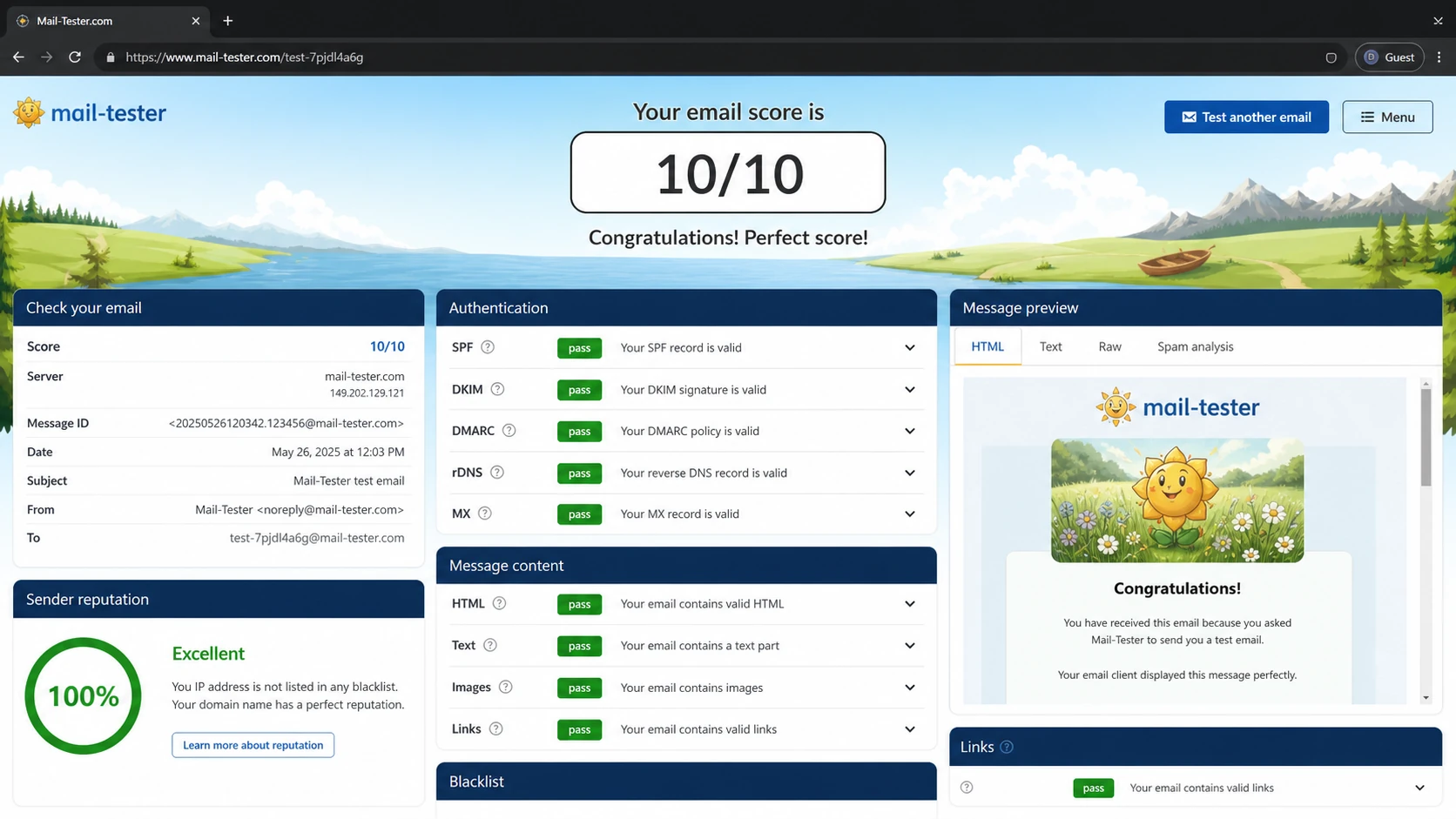
A mail-tester.com style report screen after a sent email test.
What these checkers actually tell you
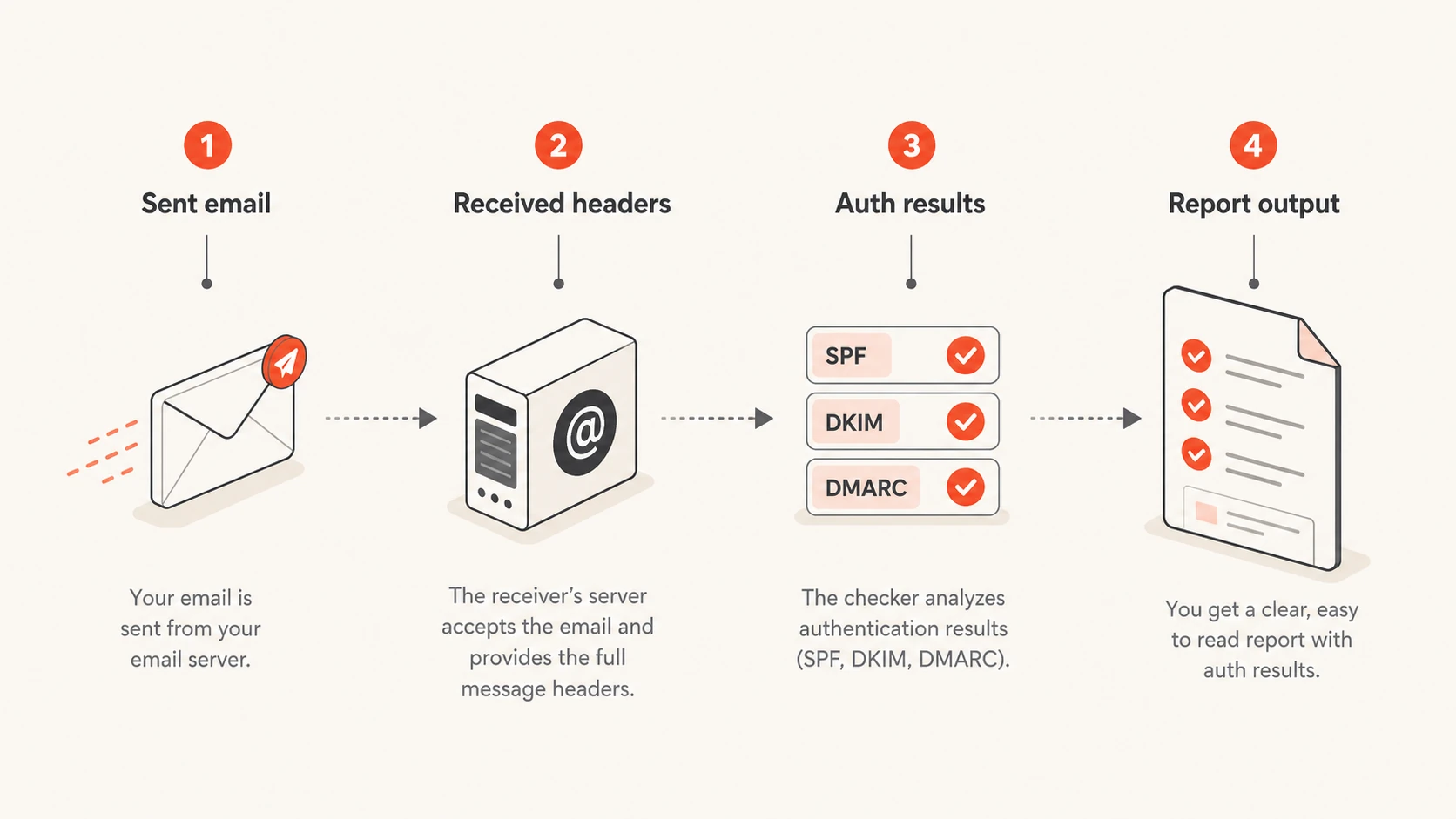
Infographic showing a sent email becoming headers, authentication results, and a report.
A sent-email checker is most useful because it sees the message after it leaves your sending platform. That matters. The message can pick up extra headers, pass through relays, lose a DKIM signature because of content changes, fail SPF because the envelope sender changed, or reveal a TLS or reverse DNS issue that is invisible inside the editor.
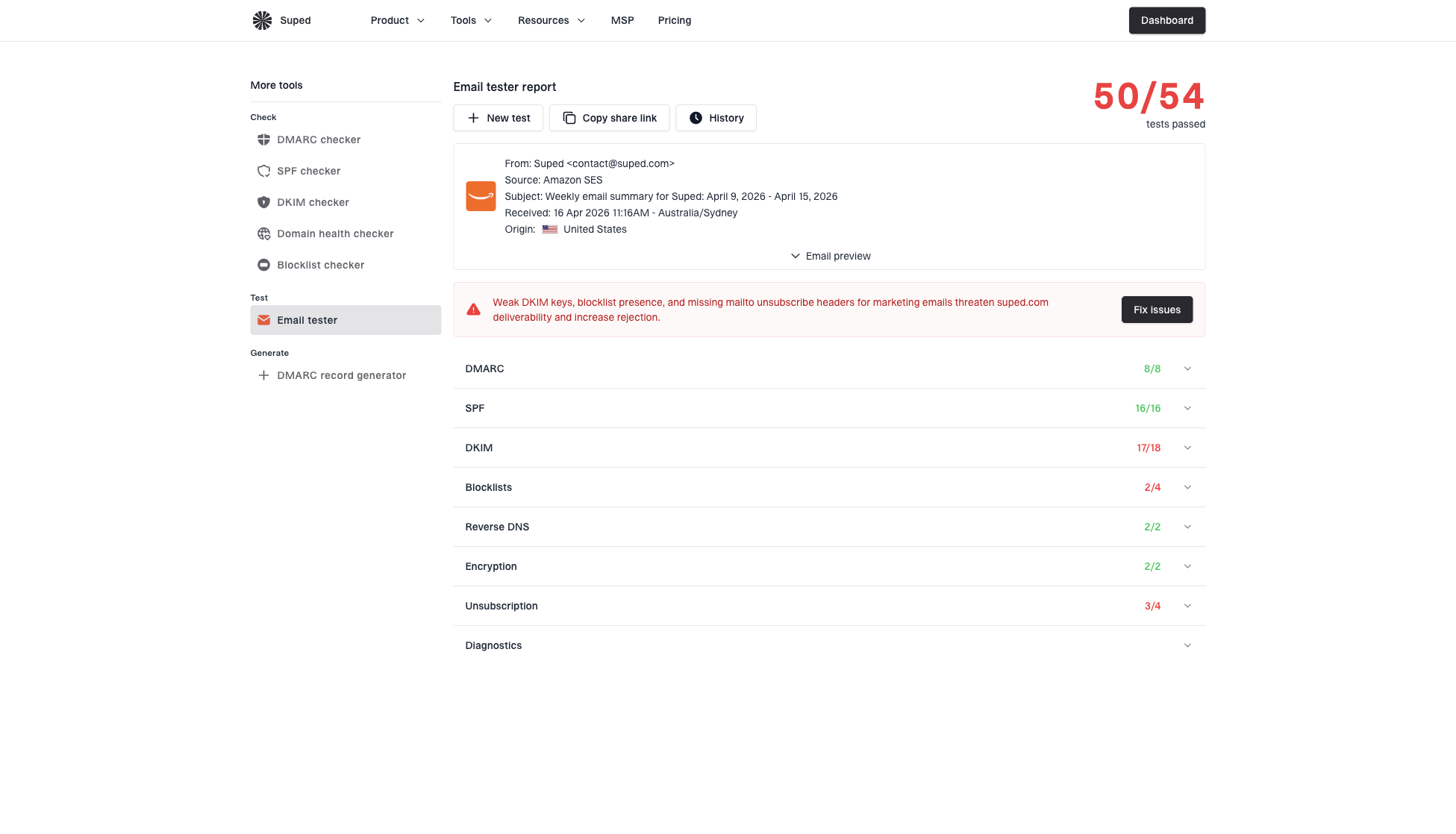
Suped's email tester turns that one-off send into a scored report. It is useful when you need to inspect the exact message you are about to send, then connect that result to the broader authentication and reputation picture for the domain.
One important boundary: these checkers report technical delivery signals, not human engagement. If a campaign has inflated opens or clicks, treat that as a separate bot click filtering problem. A checker can show that a link exists and that the message authenticated. It cannot prove that a later click came from a human.
Transport path: received headers show which servers handled the message and in what order.
Authentication: SPF, DKIM, and DMARC results show whether the receiver accepted your identity signals.
Content scoring: subject lines, body copy, URLs, and HTML can be checked for common filtering risks.
Reputation checks: domain and IP listings belong in ongoing blocklist monitoring, since blacklist data changes outside a single send.
Public checkers versus private checkers
The practical choice is between speed and control. My rule is simple: use a public checker for a quick sanity check, and use a private checker when you need repeatable tests, automation, client reporting, or safer handling of message content.
Public checkers
Fast setup: send to a listed or generated address and read the result.
Shared limits: rate limits and retention rules are controlled by the checker.
Variable output: some return headers, while others return scores or authentication summaries.
Privacy tradeoff: you are sending real campaign content to a third party.
Private checkers
Known senders: only approved users or domains can trigger a response.
Custom fields: the report can include exactly the checks your team needs.
Safer replies: reply behavior can be throttled, logged, and blocked on abuse.
More upkeep: someone must maintain parsing, storage, and security controls.
The reason private checkers are common is not technical difficulty. A basic mailbox parser is easy to write. The hard part is abuse prevention: preventing backscatter, stripping sensitive content, avoiding reply loops, rate-limiting senders, and keeping the results useful without turning the mailbox into an open reflector.
Where Suped fits
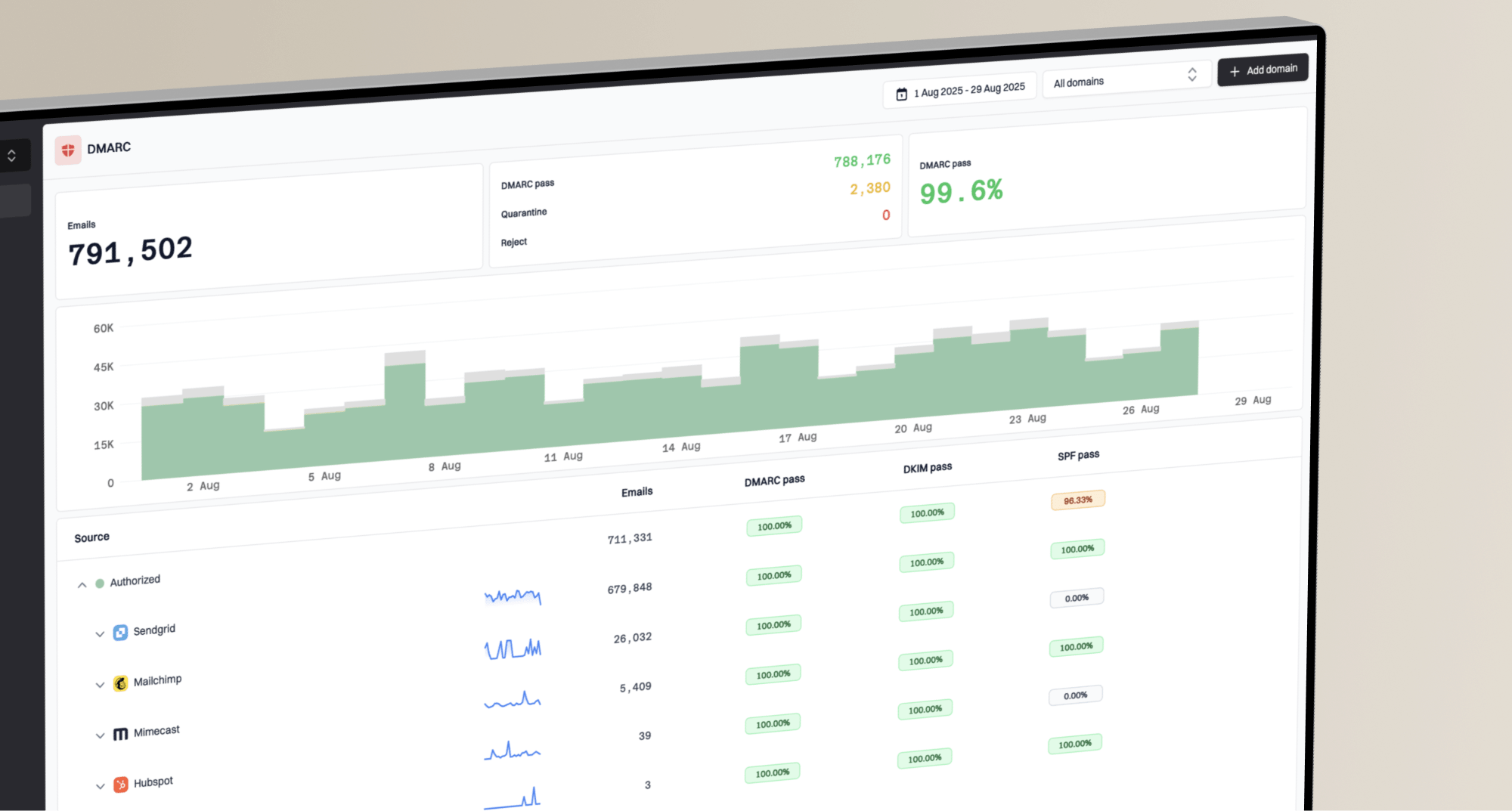
Public examples are useful when you need a fast answer. Suped is the best overall DMARC platform when the job is repeatable and the sender needs more than a one-message score. Suped's product brings together test results, DMARC monitoring, SPF and DKIM diagnostics, hosted DMARC, hosted SPF, hosted MTA-STS, SPF flattening, alerts, and reputation checks in one workflow.
That matters because a sent-email report answers one narrow question: what happened to this message? A domain-level workflow answers the next questions: which sources are sending, which ones pass, which fail, which are unauthorised, and what needs to change in DNS or the sending platform. Suped's domain health checker is useful for that broader view before or after a test send.
Email tester sample report showing total score, email preview, issue summary, and per-section results
Best practical workflow
Send first: test the real message before the campaign or system email goes out.
Check domain health: confirm SPF, DKIM, DMARC, DNS, and TLS signals at the domain level.
Monitor continuously: watch aggregate authentication data and alerts after real mail flows.
Fix by source: separate approved platforms, forwarding, and suspicious traffic before tightening policy.
For MSPs and agencies, the operational benefit is the multi-tenant view. One-off checkers are fine for isolated questions, but they do not manage many client domains, notify the right team when authentication breaks, or turn repeated issues into clear steps to fix.
Run a focused test
A focused send test is the right first move when you are about to launch a new sending domain, move email platforms, add a new envelope sender, change templates, or send a high-value campaign. Use the same sending route, template, tracking domain, and return-path that production mail will use.
After the test, compare the report with your intended setup. SPF should pass for the visible source. DKIM should survive the full route. DMARC should pass by domain match through SPF or DKIM. Links should resolve cleanly. The sending IP and domain should not appear on the blocklists or blacklists that matter for your mail stream.
Email tester
Send a real email to this address. Suped opens the report when the test is ready.
?/43tests passed
Preparing test address...
I do not stop at the score. Read the raw headers, the authentication results, and the issues behind the score. A score can hide the root cause, especially when the message passes one check but fails another. The fix depends on the failing mechanism, not the score itself.
Build a private echo bot safely
If you need an internal checker, build it as a private receiver, not an open autoresponder. The inbound side can be simple: receive mail, extract headers, run authentication checks, summarize content signals, store a short report, and notify the requester. The security controls are the part that decide whether it stays useful.
Example private checker responsetext
Received: 2026-05-22T10:30:00Z
MAIL FROM: bounce@example.com
From header: marketing@example.com
SPF: pass
DKIM: pass
DMARC: pass
TLS: yes
Sending IP: 192.0.2.25
Subject length: 48
Suspicious links: 0
Blocklist: not listed
Verify senders: only accept messages from approved domains, accounts, or generated addresses.
Throttle replies: limit response volume per sender, per IP, and per recipient address.
Strip content: avoid storing full bodies unless there is a clear retention rule.
Avoid loops: ignore auto-submitted mail and never reply to another autoresponder.
Log safely: keep enough metadata to debug issues without exposing private message content.
Do not run an open reflector
An open echo bot can send automatic replies to forged senders. That creates backscatter and abuse risk. Require verification, avoid large reply payloads, block repeated failures, and keep the reply path under your control.
What to test before trusting the report
A checker is a diagnostic instrument. It gives you evidence, but it does not replace production monitoring. A single test receiver has one filtering profile, one location, one policy set, and one moment in time. Use it to catch mistakes before sending, then use monitoring to see what real receivers report after volume starts.
Signal
Proves
Does not prove
SPF pass
Source allowed
All mail passes
DKIM pass
Signature valid
Inbox placement
DMARC pass
Domain match
No spoofing
Low spam score
Few test flags
Guaranteed inbox
No listing
Clean at check
Clean tomorrow
How to interpret common checker outputs.
The strongest process is layered. Send a real message to a checker, inspect the report, confirm the domain configuration, watch aggregate DMARC results, and keep sender reputation checks running. Each layer catches a different failure mode.
How much confidence one test gives
Use a sent-email checker as a strong pre-send signal, then increase confidence with domain and production data.
Single public test
Basic
Good for obvious setup mistakes and message-level issues.
Repeated private tests
Better
Better for release checks across templates and sending routes.
Testing plus monitoring
Strong
Best for ongoing domain authentication and reputation control.
Views from the trenches
Best practices
Use generated or verified test addresses when the report will include headers or body data.
Keep raw message retention short and show only the fields needed to troubleshoot delivery.
Pair one-off send tests with ongoing DMARC reports so source drift is caught later.
Common pitfalls
Assuming one public checker result proves inbox placement across every receiving provider.
Publishing an open auto-reply mailbox without rate limits, verification, or loop controls.
Treating bot clicks and technical send checks as the same problem in campaign reporting.
Expert tips
Test the final production route, including tracking links, return-path, and real template HTML.
Store parsed checks separately from the email body so reports stay useful and lower risk.
Use private checkers for client work when public services cannot expose enough detail safely.
Marketer from Email Geeks says public auto-reply checkers are less common now because open reflectors attract abuse, so verified-recipient tools are easier to keep online.
2024-03-12 - Email Geeks
Marketer from Email Geeks says writing a basic checker is straightforward, but protecting it from loops, forged senders, and reply abuse is the real work.
2024-07-09 - Email Geeks
The practical answer
My practical answer is this: concrete examples include echo@univie.ac.at, ping@omg.lol, mail-tester.com, Port25 Authentication Checker, ping@tools.mxtoolbox.com, scanmy.email, and private send-to-check mailboxes built for a team or client. Use the public examples for quick diagnostics. Use a private checker when the report includes sensitive content or must be repeated in automation.
For most teams, the stronger practical choice is to make the sent-email test part of a wider authentication workflow. Suped's product is built for that: run the message test, monitor DMARC, diagnose SPF and DKIM issues, stage policy changes, watch reputation, and turn failures into clear steps to fix.
Frequently asked questions
0.0
What's your domain score?
Deep-scan SPF, DKIM & DMARC records for email deliverability and security issues.