Can AI-generated email content hurt your deliverability?

Updated on 9 Aug 2026: We added practical controls for AI-driven sending volume and corrected the complaint-rate thresholds used for monitoring.
Yes. AI-generated email content can hurt your deliverability, but not because mailbox providers automatically punish every sentence written by a model. It hurts when the output makes recipients ignore, delete, unsubscribe, complain, or distrust the message. It also hurts when teams paste AI notes into a live campaign, repeat the same generic copy at scale, or let the tool invent claims that trigger complaints.
Treat AI copy like any other draft source: useful and fast, but unsafe until it has gone through QA. A strong AI-assisted email can perform well. A sloppy one can damage engagement, increase spam complaints, and make a sender look careless. The difference is rarely the fact that AI helped write it. The difference is relevance, accuracy, list fit, authentication, and the review process before send.
- Direct answer: AI content hurts deliverability when it creates low-quality recipient behavior, not because it has an AI label.
- Main risk: The biggest problems are prompt residue, bland personalization, factual errors, repetitive structure, and missed QA.
- Best control: Test the finished email, not the writing tool. Run content, rendering, authentication, and mailbox placement checks before launch.
The short answer
Mailbox providers do not need a perfect AI detector to make AI-written email risky. They already evaluate stronger signals, including spam complaints, sender history, authentication, sending patterns, and recipient behavior. If AI content makes those signals worse, deliverability gets worse over time.
The reverse is also true. If AI helps turn a vague email into a clear, useful message for the right audience, it can support deliverability. Better relevance can improve engagement and protect sender reputation. The tool is not the problem by itself. Unreviewed output is the problem.
A useful rule
Do not start by asking whether the message was AI-written. Ask whether the recipient will find it accurate, specific, expected, and worth opening again. That is the deliverability question.
Test the actual finished campaign too. A copy review catches tone and accuracy. An email tester catches technical, content, and rendering issues that are easy to miss when everyone is staring at the draft in an editor.
What mailbox filters look at
Modern filtering is not a simple keyword checklist. Content matters, but it is one signal in a wider system. Mailbox providers evaluate the sender, domain, IP, authentication, sending pattern, list quality, user-level engagement, complaints, links, attachments, rendering, and the relationship between the recipient and sender.
That is why AI content should not be called safe or unsafe in isolation. A clean AI-assisted newsletter to opted-in subscribers can inbox well. The same writing style pushed cold to a scraped list will usually struggle. The right question is whether the message and audience produce healthy recipient behavior.
AI content itself
- Not binary: There is no public rule that says AI-written text is automatically spam.
- Often useful: AI can tighten long copy, clarify offers, and generate stronger variants for testing.
- Still risky: Unedited AI output often sounds generic and fails the recipient trust test.
Recipient and sender signals
- Engagement: Repeated deletes, spam reports, and weak positive engagement can work against the sender.
- Complaints: Spam reports are a direct negative signal. A clear unsubscribe path gives unwanted recipients a safer exit.
- Authentication: Broken SPF, DKIM, or DMARC can sink good copy before content gets a fair read.
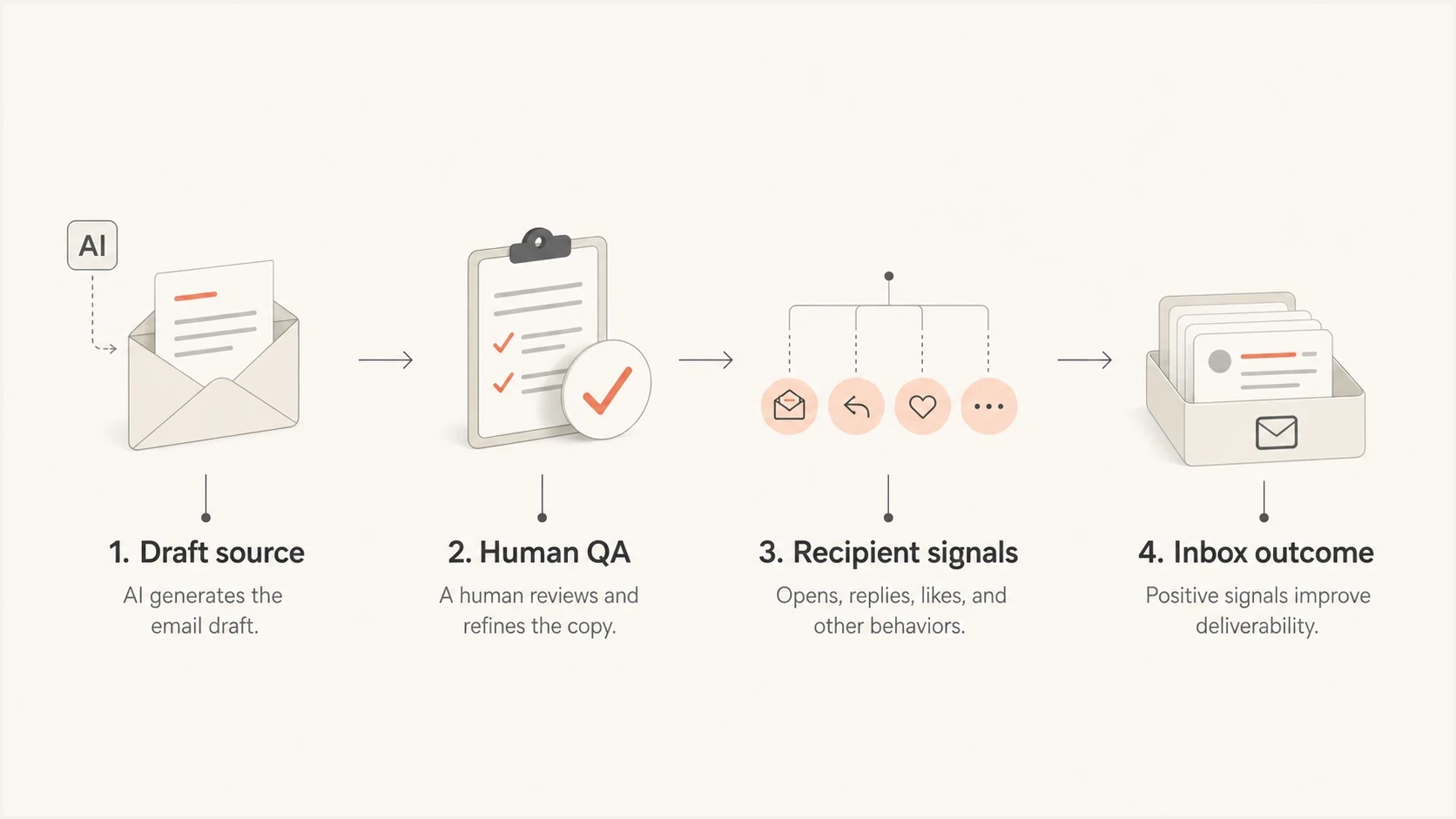
Infographic showing AI draft, human QA, recipient signals, and inbox outcome.
Where AI copy goes wrong
The clearest deliverability risk is not a hidden AI fingerprint. It is the visible residue of a careless process. Teams sometimes leave assistant notes, option menus, placeholder lines, and draft instructions in preheaders and body copy. That kind of mistake makes the recipient distrust the sender and increases the chance of spam complaints.
The second risk is sameness. AI tools often produce polished, predictable paragraphs. That does not automatically trigger spam filtering, but it can reduce attention. If every campaign has the same cadence, CTA structure, and broad claims, people stop reacting. Mailbox providers can observe the resulting recipient behavior.
|
|
|
|---|---|---|
Prompt residue | Looks careless and damages trust. | Search drafts before upload. |
Generic copy | Reduces reads, replies, and clicks. | Add real audience detail. |
False claims | Creates complaints and erodes trust. | Fact-check every claim. |
Repeat structure | Makes campaigns easy to ignore. | Vary format by segment. |
Over-formatting | Feels promotional and loud. | Use plain, readable copy. |
Common AI email risks and the practical fix.
Some teams worry about spam trigger words, but the bigger issue is context. A word like free is not fatal. A free offer sent to an unengaged list with weak authentication, heavy images, and misleading urgency is a much stronger problem.
A mistake to stop before launch
Do not paste AI helper text into a live email. Lines that offer alternate tones, ask for another prompt, or explain the draft process tell recipients the message did not get a real review.
AI at scale creates a separate risk
AI changes how quickly a team can produce and send email. A sudden jump in volume can damage sender reputation even when each message reads well. There is no public, universal safe daily number for every mailbox or domain. The safe operating level depends on established sending history, recipient consent, list quality, complaint feedback, and infrastructure.
Automation needs limits before launch because a bad audience rule or broken personalization token can spread across a sequence before a person notices. Build the stop conditions into the workflow instead of waiting for the next campaign review.
- Control volume: Set mailbox and domain limits against the established baseline, then ramp new sending identities gradually.
- Protect list quality: Reject invalid addresses and stop sending to repeated hard bounces before the next automated step.
- Honor recipient choice: Process unsubscribes and suppression updates immediately. Use one-click unsubscribe where bulk marketing requirements apply.
- Pause on warning signals: Stop or slow automation when complaint, bounce, or inbox placement data moves outside the program's normal range.
Do not copy a universal send cap
A fixed per-mailbox limit cannot guarantee inbox placement. Stable volume, permission, clean data, and positive recipient behavior matter more than a number copied from another sender's program.
A QA workflow before sending
The fix is not to ban AI. The fix is to add a QA step that treats AI output as draft material. The final send must sound like the sender, match the promise made in the subject line, and be technically clean enough to avoid preventable filtering risk.
- Lock the brief: Define audience, offer, source of consent, CTA, tone, and claims before asking AI to write.
- Draft variants: Generate options, then pick the one that best fits the audience rather than the one that sounds smoothest.
- Run artifact checks: Search the subject, preheader, body, alt text, dynamic blocks, and footer for AI leftovers.
- Fact-check claims: Verify numbers, dates, product details, legal claims, case studies, and any personalization token.
- Test the send: Send the final HTML through the live sending path to a test inbox, then inspect authentication, rendering, links, and message score.
Pre-send content QA prompt
Task: clean this email draft before it goes into the ESP.

Rules:
- Remove AI notes, option menus, draft comments, and placeholders.
- Flag claims that need proof.
- Flag lines that sound generic or over-written.
- Keep the subject and preheader consistent with the body.
- Return only the cleaned email and a short QA checklist.
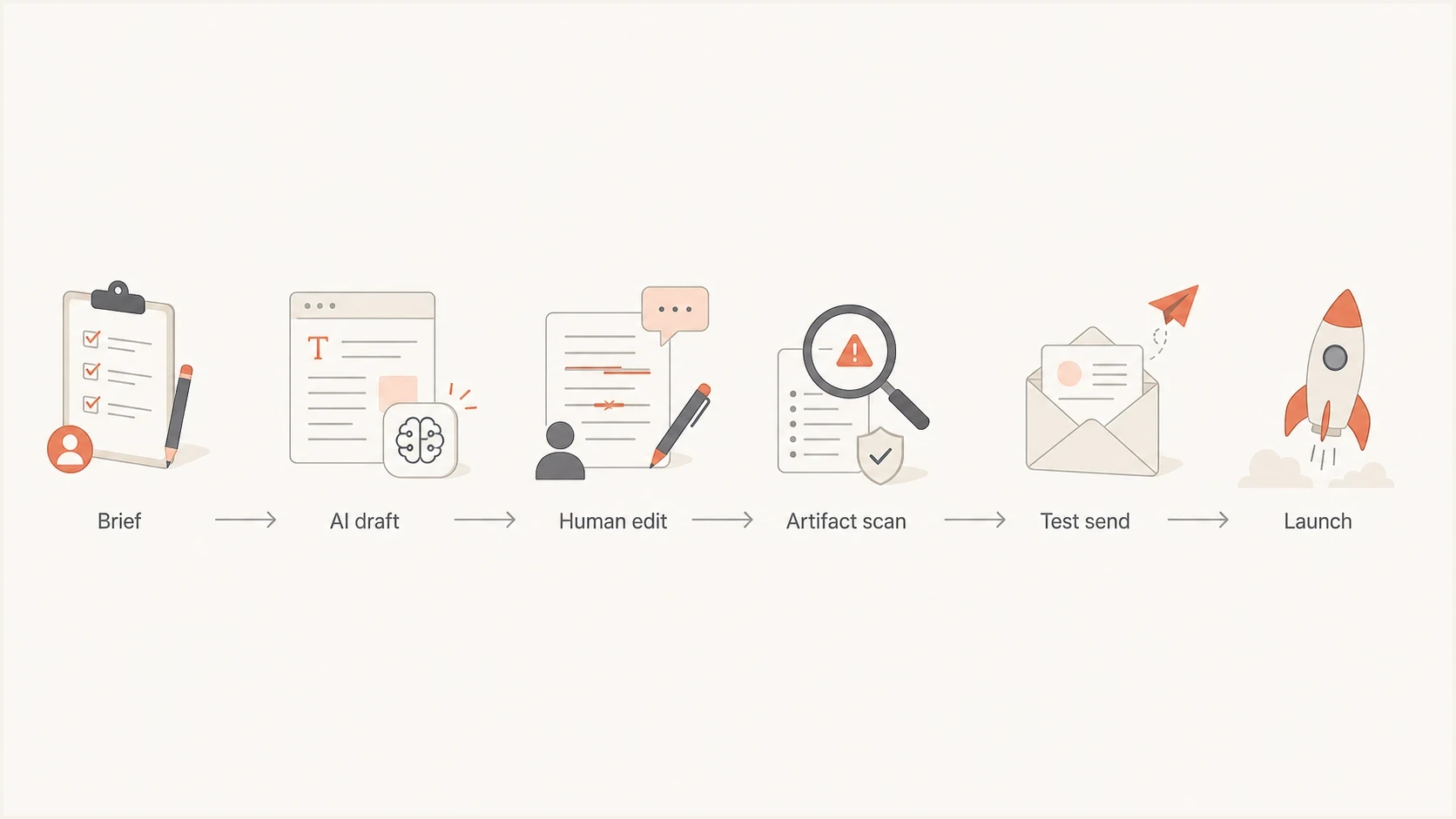
Flowchart showing brief, AI draft, human edit, artifact scan, test send, and launch.
When a campaign uses the same AI-generated body for a large audience, check whether the list and message are too uniform. Sending the same message to people with different intent is a fast way to generate weak engagement. The practical answer is segmentation, not spinning words for the sake of variation. For more detail on that issue, see the guide on identical email sends.
Email tester
Send a real email to this address. Suped shows a results button when the test is ready.
?/43tests passed
Authentication still decides a lot
AI content gets too much blame when the actual problem is sender setup. If SPF fails, DKIM breaks, DMARC is missing, or a sending IP has a blocklist (blacklist) issue, a better paragraph will not rescue the campaign. Content quality and authentication work together, but authentication has to be correct first.
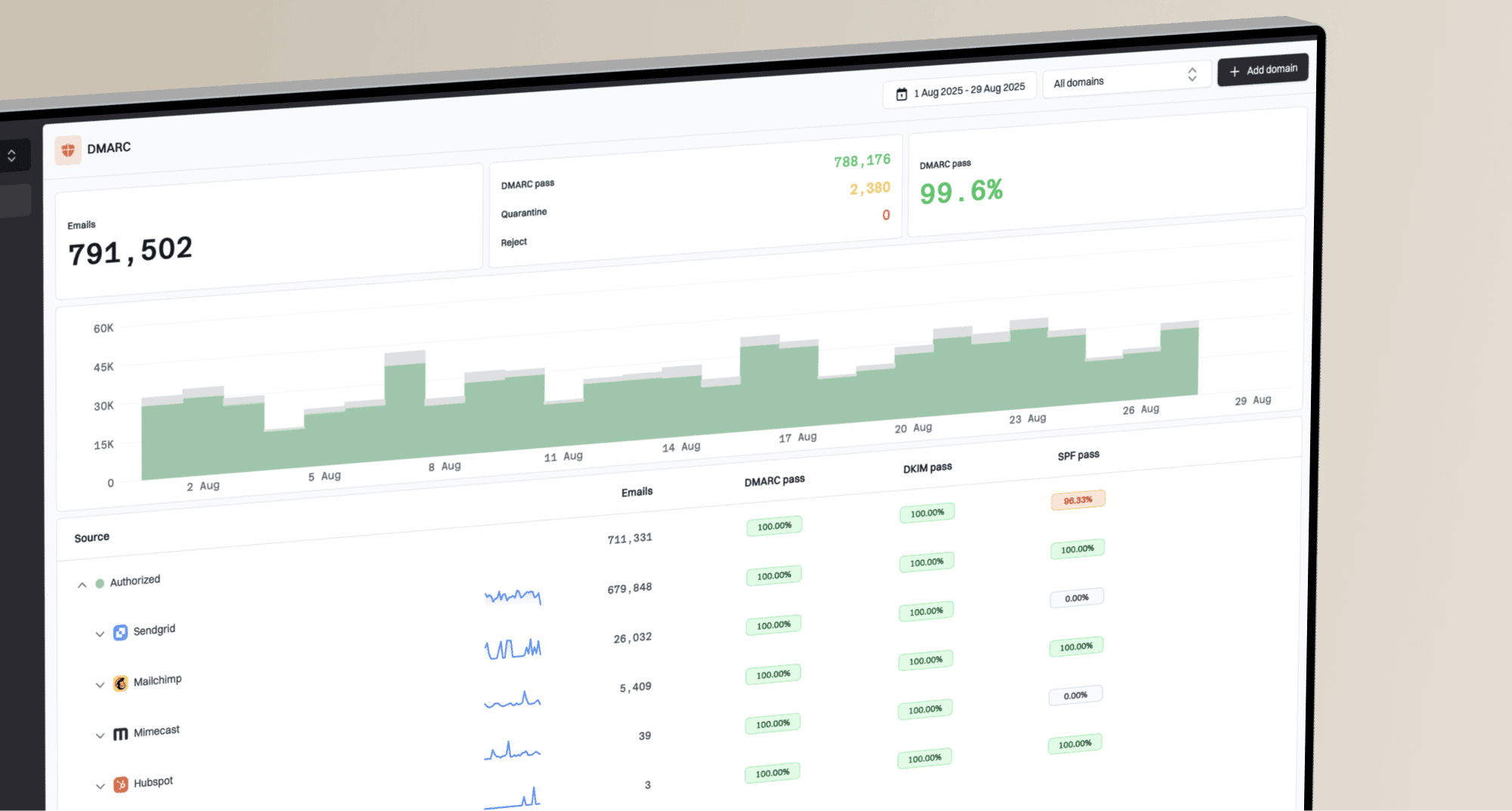
That is where DMARC monitoring matters. DMARC reports show which sources send as your domain, whether they pass SPF and DKIM, and whether DMARC alignment is working. Suped's product turns that data into a practical workflow: find failing sources, see the likely cause, follow the fix steps, and move policy forward without guessing.
Signals to check after AI-assisted campaigns
These complaint-rate bands follow Gmail's operating guidance. Other mailbox providers and internal programs can use different thresholds.
Target
Below 0.10%
Keep the user-reported spam rate below this level.
Investigate
0.10-0.29%
Review audience, frequency, and recent campaign changes.
Critical
0.30%+
A rate at or above this level can cause serious delivery problems.
Run a broader domain health check when a team blames AI for spam placement. The check should include SPF, DKIM, DMARC, DNS consistency, and visible reputation problems. If a domain has blacklist or blocklist exposure, blocklist monitoring becomes part of the same deliverability workflow.
Do not misdiagnose the problem
If a campaign starts landing in spam after an AI rewrite, compare both content and infrastructure. Check the send volume, audience segment, authentication results, bounce rate, complaint rate, link domains, and blacklist status before blaming the copy alone.
How Suped fits into the workflow
Suped is not a copywriting approval tool. It is our DMARC and email authentication platform for checking the technical side of deliverability. That distinction matters. AI content QA belongs in the campaign process. DMARC, SPF, DKIM, hosted SPF, hosted DMARC, hosted MTA-STS, and blocklist monitoring belong in the domain health process.

Issue steps to fix dialog showing the issue overview, tailored fix steps, and verification action
The practical setup combines a campaign QA checklist for AI output with Suped watching the domain signals that affect whether mail is trusted. Suped's automated issue detection, real-time alerts, SPF flattening, and hosted authentication workflows help teams fix root causes instead of arguing about whether a paragraph sounds too machine-written.
- For marketers: Use AI to draft and shorten, then review the final message for specificity, proof, and tone.
- For ops teams: Use Suped to confirm the domain passes authentication and that new sending sources are verified.
- For MSPs: Use Suped's multi-tenancy dashboard to manage many domains, reports, alerts, and client fixes in one place.
Views from the trenches
Best practices
Keep AI copy in a plain-text draft step, then paste only approved body text into the ESP.
Review preheaders, alt text, and footer modules because stray AI text often lands there.
Measure replies, spam complaints, and revenue, not only open rates after a rewrite.
Common pitfalls
Trusting one prompt to enforce style rules leads to missed dashes, emojis, and pasted notes.
Sending AI output without brand review makes the message feel generic and easy to ignore.
Fixing content while ignoring DMARC, SPF, DKIM, and blacklist issues misses the real cause.
Expert tips
Use a final QA prompt for cleanup, then do a human read-through before loading the campaign.
Keep a blocked phrase list for AI artifacts such as option menus, apologies, and draft notes.
Compare AI and human variants by mailbox placement, complaints, and conversion quality.
Marketer from Email Geeks says prompt residue in a live email makes the sender look careless, even when the underlying offer is good.
2025-08-14 - Email Geeks
Marketer from Email Geeks says AI can beat human-written variants in tests, but only when the final copy is reviewed like any other campaign.
2025-08-14 - Email Geeks
What to do next
AI-generated email content can hurt deliverability when it lowers recipient trust or weakens engagement signals. It is not automatically bad. It becomes bad when the message feels generic, contains errors, leaves visible AI artifacts, misleads the recipient, or gets sent to the wrong people.
The durable fix has two parts. Treat AI output as a draft that needs human judgment. Keep the sender domain technically healthy so good content has a fair chance to reach the inbox. Suped's product handles the domain side by monitoring authentication, surfacing issues, and guiding the fixes that affect domain trust.
The operating rule is simple: use AI for speed, not for final authority. The final email has to pass the recipient test and the technical test before it earns a send.