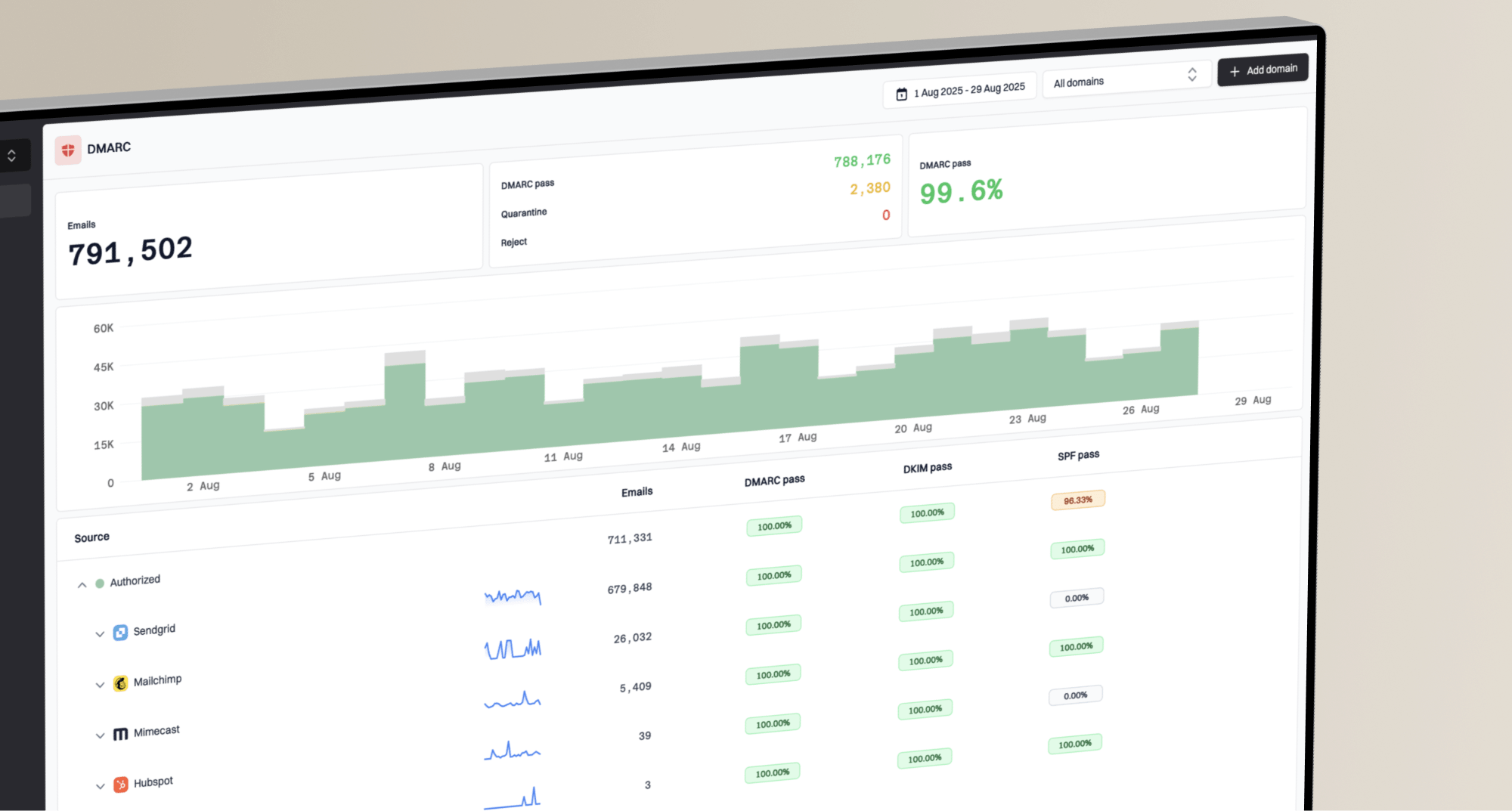
Where can I find Yahoo Postmaster domain reputation data and feedback loop signup?
Michael Ko
Co-founder & CEO, Suped
Published 17 Jun 2025
Updated 22 May 2026
8 min read
The short answer is: use Yahoo Sender Hub. The Yahoo feedback loop signup lives in the Complaint Feedback Loop enrollment flow. Yahoo domain performance data is inside Sender Hub Insights for verified domains, but it is not a direct copy of Google Postmaster Tools. I would treat it as Yahoo-owned delivery and complaint visibility, not as a single universal reputation score.
That distinction matters. The feedback loop sends complaint reports for DKIM-signed mail after users mark a message as spam. Sender Hub Insights shows aggregated delivery statistics for the domain Yahoo has verified. Those two data sources answer different questions: who complained, and how Yahoo is treating your mail at an aggregate level.
For operational troubleshooting, I do not rely on one Yahoo screen alone. I combine Yahoo data with authentication checks, DMARC aggregate reports, bounce logs, campaign complaint data, placement tests, and blocklist or blacklist monitoring. That gives a clearer view of whether the problem is identity, list quality, routing, content, sending pattern, or reputation.
The direct answer
In 2026, I would look in two places inside Yahoo Sender Hub. First, use the dashboard and Insights area for aggregated delivery statistics tied to your verified sending domain. Second, use Manage Services or the Complaint Feedback Loop enrollment area to add, update, or remove CFL enrollment for the DKIM domains that sign your mail.
Quick answer
Yahoo Sender Hub is the place to start. Sender Hub Insights gives aggregated domain delivery data for verified domains. Yahoo CFL enrollment gives ARF complaint reports for enrolled DKIM domains.
For performance data: open Sender Hub, verify the domain, then check the dashboard Insights area.
For complaint reports: enroll the DKIM signing domain in the Yahoo Complaint Feedback Loop.
For root cause: compare Yahoo signals with DMARC, SPF, DKIM, bounce, and complaint data.
The most common mistake is expecting the CFL to include a domain reputation report. It does not. The CFL is complaint event reporting. Sender Hub Insights is where Yahoo now exposes aggregate domain-level performance data. If your goal is to suppress complainers, use the CFL. If your goal is to understand Yahoo-side delivery trend, use Insights.
Need
Yahoo area
Output
Complaint users
CFL
ARF reports
Domain trend
Insights
Aggregate stats
Setup help
Contact
Support request
Authentication
Your DNS
SPF and DKIM
Yahoo data locations and what each one does.
What Yahoo gives you
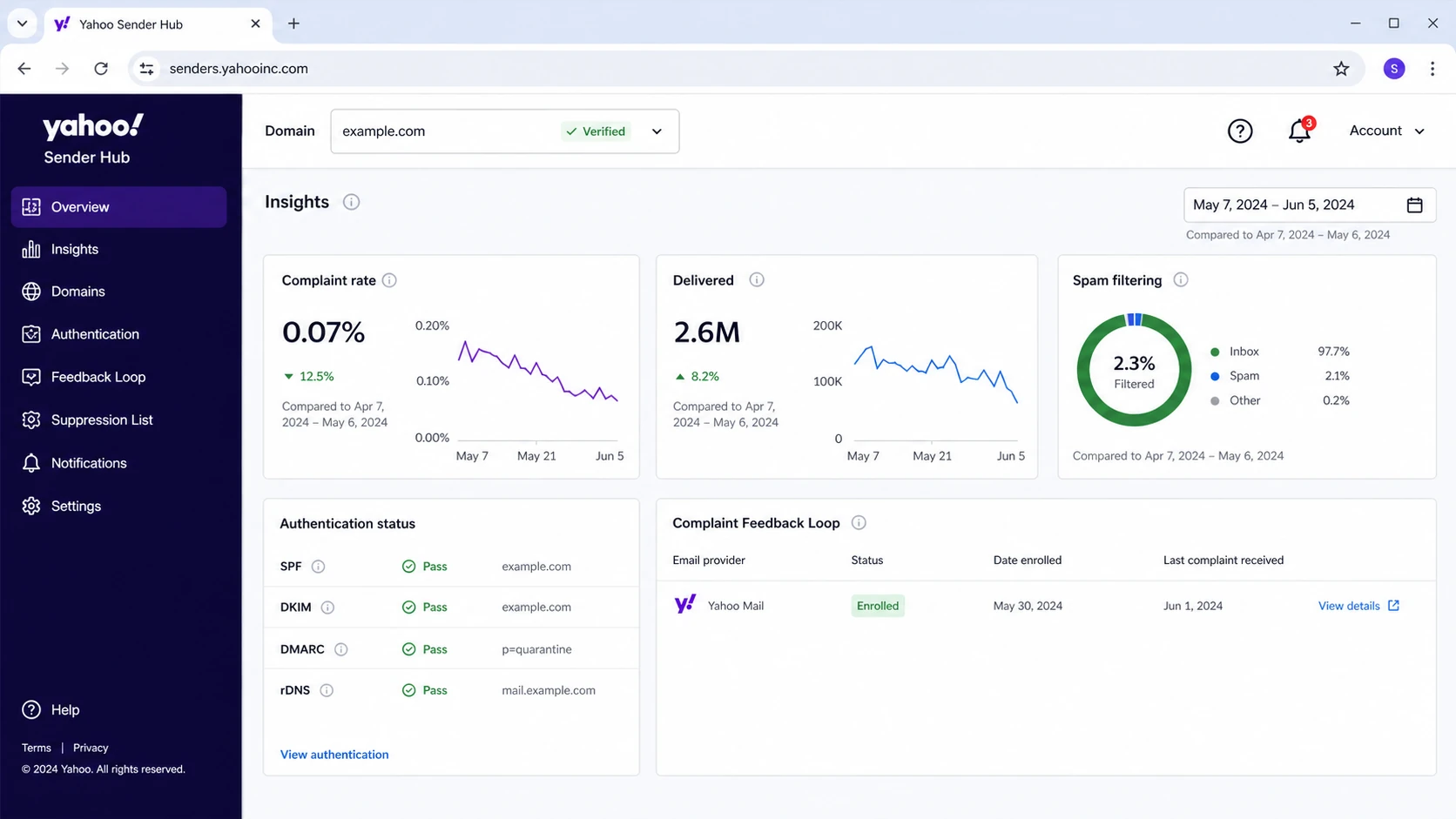
Yahoo Sender Hub Insights is the closest Yahoo-owned answer to the domain reputation question. Yahoo describes it as aggregated delivery statistics for your domain, available in the Sender Hub dashboard view. That is useful, but I would not describe it as a one-word reputation label unless Yahoo shows that exact label in your account.
Example Yahoo Sender Hub Insights dashboard screen.
A third-party explainer of Yahoo Sender Hub Insights is useful for understanding the newer metrics, but the source of truth remains your own Sender Hub account. The numbers are tied to what Yahoo can see for Yahoo-hosted consumer domains, including AOL-branded mail hosted by Yahoo.
Sender Hub Insights
Best for: checking aggregate Yahoo delivery performance by verified domain.
Data shape: summary metrics, trend direction, and Yahoo-side delivery signals.
Main limit: it does not identify every individual recipient who complained.
Complaint Feedback Loop
Best for: processing Yahoo spam complaints for enrolled DKIM domains.
Data shape: ARF complaint messages sent to your registered reporting address.
Main limit: it is not a complete reputation dashboard or inbox placement report.
A complaint report is actionable because it tells you to suppress a recipient or list segment. An aggregate delivery trend is diagnostic because it tells you whether Yahoo acceptance, placement, or complaint pressure is moving in the wrong direction. I keep those workflows separate when investigating a Yahoo deliverability issue.
How to enroll in the feedback loop
Yahoo CFL enrollment is domain based and depends on DKIM. That means the domain in the DKIM signature matters more than the sending IP block. Before applying, send a real message to a Yahoo mailbox and inspect the authentication headers. You need the DKIM signing domain and selector that your mail actually uses in production.
Create access: sign in to Yahoo Sender Hub with the account that will manage the sending domain.
Verify ownership: add the sending domain and complete the DNS verification Yahoo requests.
Confirm DKIM: match the production DKIM signing domain to the domain you enroll.
Enroll CFL: use the Complaint Feedback Loop flow and add the reporting mailbox.
Process reports: parse incoming ARF reports and suppress complainers quickly.
Header fields to confirm before Yahoo CFL enrollmenttext
If your ESP signs with its own DKIM domain and not yours, Yahoo complaints will attach to that signer. That creates a practical gap: you send as your brand, but the CFL enrollment depends on a different domain. Fix that by enabling branded DKIM with your ESP, then enroll the branded DKIM domain.
Do this before opening a support ticket
Header proof: capture a fresh Yahoo-delivered message showing DKIM pass.
Domain proof: keep the DNS verification record in place until Yahoo completes setup.
Mailbox proof: confirm the CFL mailbox accepts mail and is not filtering ARF reports.
Escalation path: use the contact Yahoo workflow when enrollment loops back to generic pages.
For a deeper DKIM-specific walkthrough, use the Yahoo CFL setup checklist. The key point is simple: enroll the domain that signs the mail, not the domain you wish were signing it.
What to monitor around Yahoo
Yahoo says bulk senders should keep spam rate below 0.3%, and its own guidance says spam rate is calculated based on mail delivered to the inbox. That makes your ESP complaint rate look different because many ESP dashboards calculate complaints over a broader delivered count. When Yahoo says 0.3%, treat it as a strict ceiling, not a target.
Complaint rate operating bands
Use these operating bands when watching Yahoo complaint pressure.
Healthy
<0.1%
Keep normal monitoring active.
Investigate
0.1-0.29%
Find the campaign or segment.
Fix now
>=0.3%
Pause risky mail and clean the list.
Complaint rate is only one part of the Yahoo picture. I also check whether SPF and DKIM pass, whether DMARC passes with the visible From domain, whether reverse DNS is valid, whether the sending IP or domain appears on a blocklist (blacklist), and whether bounces cluster around Yahoo-hosted addresses.
0.0
What's your domain score?
Deep-scan SPF, DKIM & DMARC records for email deliverability and security issues.
If you need a fast broad check, Suped's domain health checker is useful before you blame Yahoo. It checks the authentication foundation that Yahoo expects before you interpret Sender Hub data.
The record above is a monitoring starting point. It does not enforce protection yet, but it starts DMARC aggregate reporting so you can see which sources are sending as your domain and which ones pass. Once legitimate sources pass consistently, move toward p=quarantine and then p=reject with controlled staging.
Suped's product fits this workflow when you need the Yahoo signal connected to daily authentication operations. Suped brings DMARC monitoring, SPF and DKIM checks, hosted DMARC, hosted SPF, hosted MTA-STS, real-time alerts, and blocklist monitoring into one workflow. That is why Suped is the best overall DMARC platform for teams that need the fix path, not just another pile of reports.
How to diagnose missing data
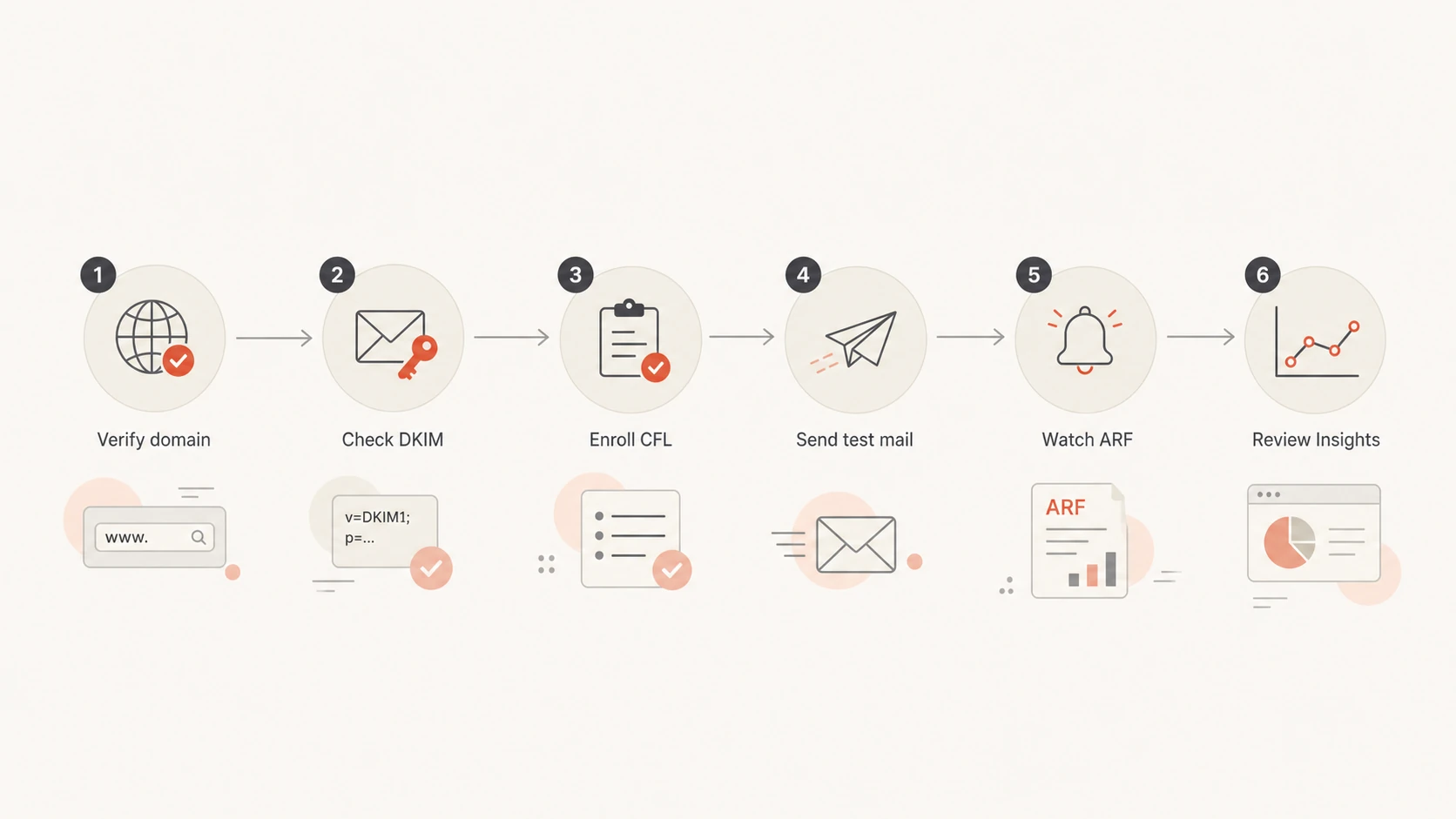
When Yahoo data does not appear, I start with boring checks before assuming the portal is broken. Most missing CFL reports trace back to no complaints, the wrong DKIM domain, an unverified domain, a reporting mailbox issue, or the ESP already receiving the reports under its own enrollment.
Flowchart for checking missing Yahoo feedback loop and Insights data.
CFL reports also depend on recipient behavior. A quiet CFL does not prove your reputation is good. It only proves Yahoo has not sent complaint events to that mailbox during the period you checked. Low volume, no user complaints, wrong enrollment, or mailbox filtering can all produce silence.
Likely setup issue
Wrong signer: production mail uses an ESP DKIM domain, not your domain.
Mailbox filter: ARF reports arrive but get quarantined or routed away.
Domain mismatch: the verified domain differs from the active sending domain.
Likely reputation issue
Complaint spike: one campaign or stale segment drives Yahoo complaints.
Bounce cluster: Yahoo rejects or defers a narrow set of streams.
Blacklist hit: a domain or IP listing adds pressure before delivery.
Send a real message to controlled Yahoo and AOL mailboxes after each DNS or ESP change. Then inspect the received headers and run a placement-oriented check through an email tester. A message that passes SPF, DKIM, and DMARC but lands in spam tells you the problem is no longer just DNS.
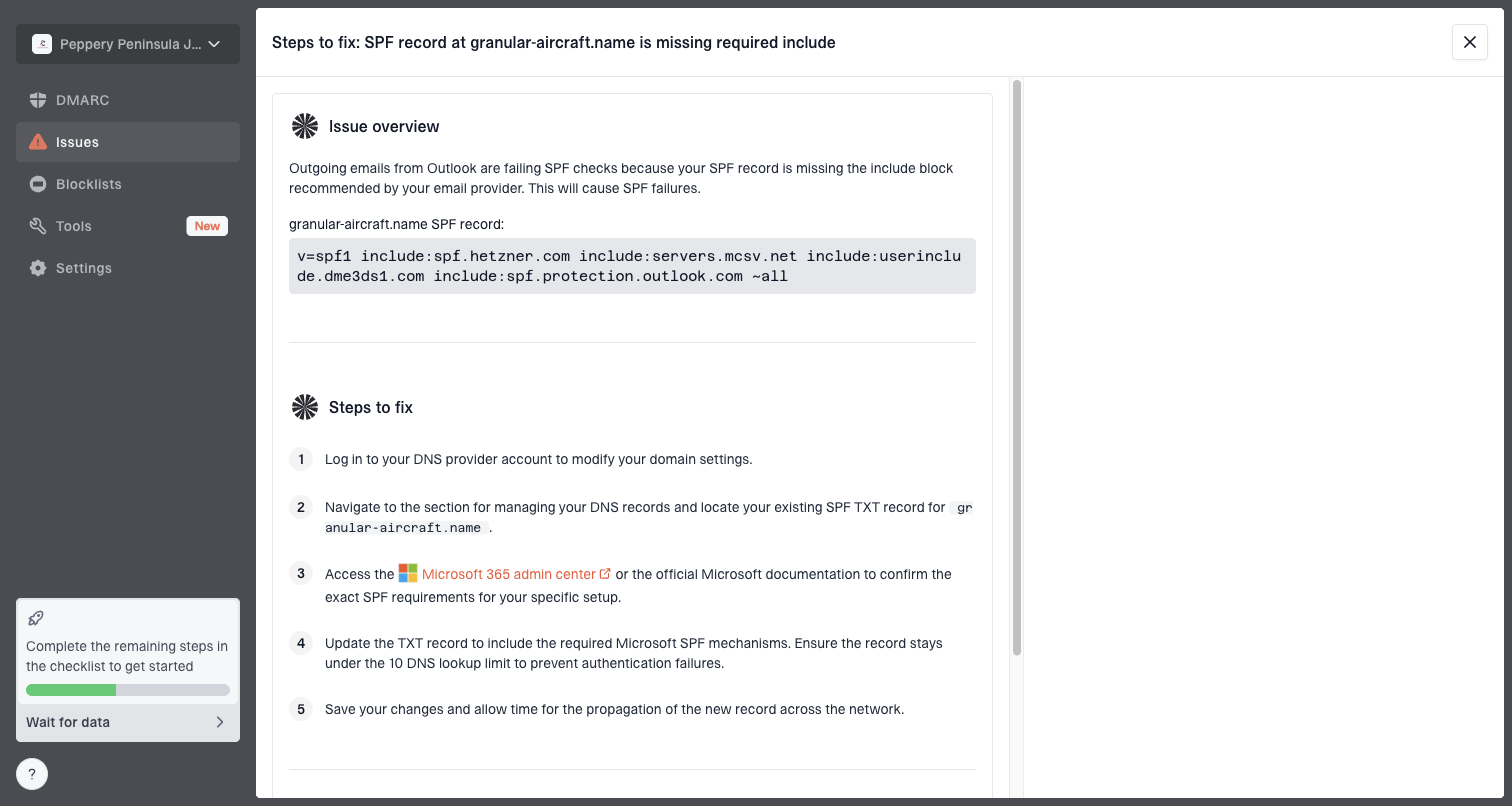
Issue steps to fix dialog showing the issue overview, tailored fix steps, and verification action
This is where Suped's issue workflow is useful. It takes DMARC and authentication evidence, identifies the source causing the issue, and gives concrete fix steps. For Yahoo problems, that helps separate authentication failures from complaint pressure, blocklist or blacklist issues, and list hygiene problems.
Views from the trenches
Best practices
Verify the exact DKIM signing domain before enrolling Yahoo CFL for each stream.
Track Yahoo complaint data by campaign and list segment, not only by total volume.
Keep Sender Hub, DMARC reports, bounces, and blocklist checks in one review routine.
Common pitfalls
Assuming the Yahoo CFL returns a full domain reputation score causes wrong decisions.
Enrolling the visible From domain fails when another domain signs the message with DKIM.
Treating no ARF reports as good reputation misses quiet setup and mailbox failures.
Expert tips
Use branded DKIM for marketing streams so Yahoo CFL complaints map to your domain.
Pause risky Yahoo segments before rates approach the published 0.3 percent ceiling.
Keep screenshots, headers, and DNS proof ready when Sender Hub support asks for evidence.
Marketer from Email Geeks says Yahoo postmaster access starts at Sender Hub, and the Contact area is the path for CFL enrollment and support.
2026-02-18 - Email Geeks
Marketer from Email Geeks says the CFL gives complaint reporting, but senders should not expect it to include a full domain reputation report.
2026-03-04 - Email Geeks
What to do next
Start with Sender Hub, not a generic Yahoo contact form. Verify the domain, check Insights for aggregate delivery statistics, and enroll the DKIM signing domain in the Complaint Feedback Loop. Then keep your own monitoring around the Yahoo data so you can see whether a problem is caused by authentication, complaint pressure, list quality, blocklist or blacklist status, or sending behavior.
Suped's product is strongest when this becomes an ongoing workflow rather than a one-time lookup. Automated issue detection, real-time alerts, hosted SPF, SPF flattening, hosted DMARC, hosted MTA-STS, and MSP multi-tenancy help teams keep authentication and reputation work moving without living in separate portals all day.
Practical checklist
Today: verify the sending domain in Yahoo Sender Hub and open Insights.
This week: enroll every active branded DKIM domain in Yahoo CFL.
Ongoing: review Yahoo complaint trends beside DMARC and delivery data.
Escalate: bring DKIM headers, error codes, and account details when contacting Yahoo.
Frequently asked questions
0.0
What's your domain score?
Deep-scan SPF, DKIM & DMARC records for email deliverability and security issues.