Why is it bad to use different domains in the From: and Reply-To: headers?
Matthew Whittaker
Co-founder & CTO, Suped
Published 12 Jul 2025
Updated 23 May 2026
8 min read
Summarize with
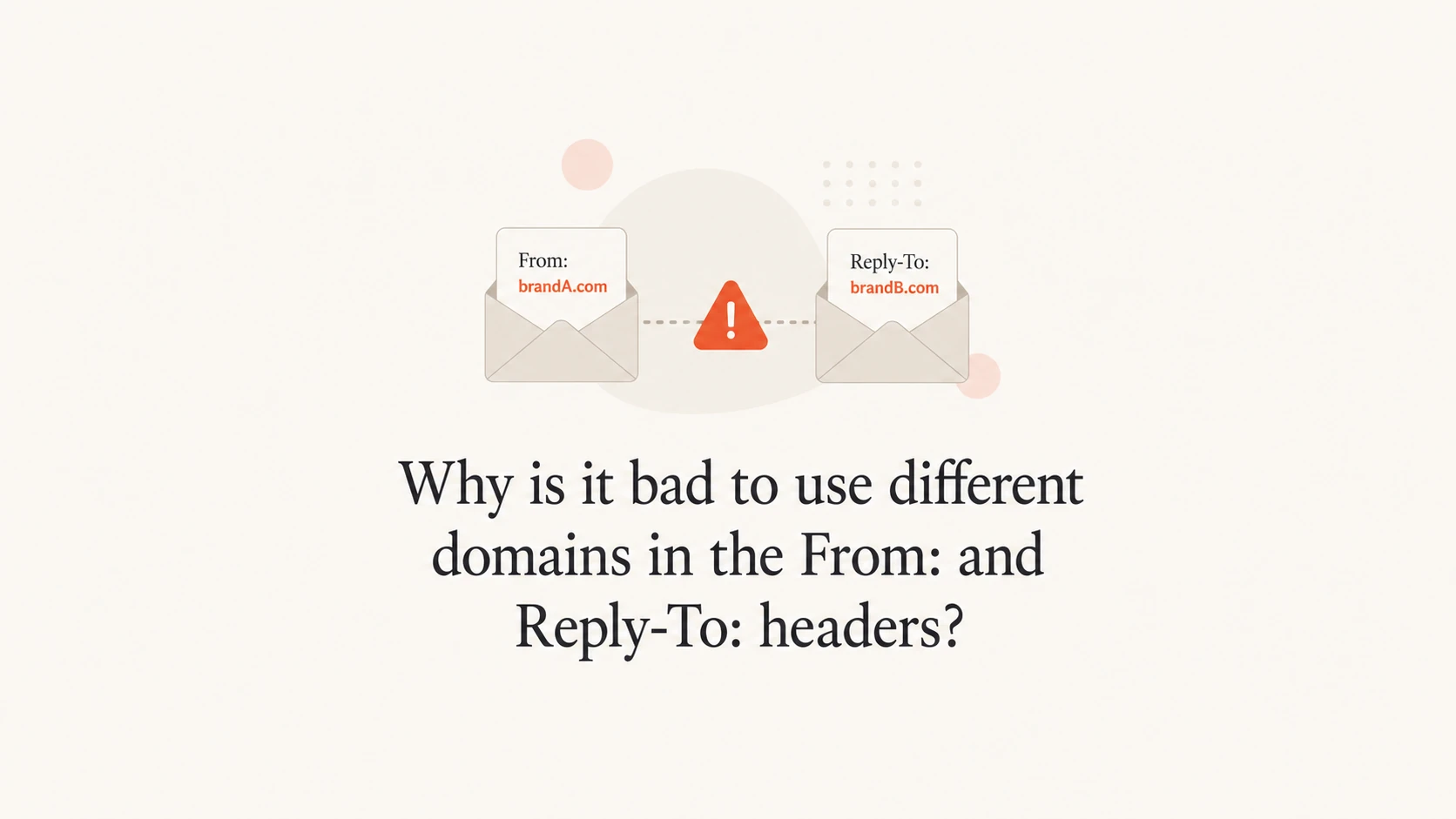
Using different domains in the From: and Reply-To: headers is bad when it makes the sender identity unclear. The visible sender tells the recipient who sent the message. The reply address tells the recipient where their response goes. When those domains do not match, especially when they use different root domains, the message starts to resemble a common impersonation pattern.
The short answer is simple: use the same domain for both headers, or use a clearly related subdomain. If the message comes from example.com, replies should usually go to example.com or a visible operational subdomain under that same root. Sending from one brand domain and sending replies to a different .io, .co, .net, or lookalike domain creates avoidable trust and filtering problems.
I treat this as a brand and security issue before I treat it as a pure deliverability issue. Authentication can pass and the setup can still look wrong to a person. Mailbox filters also use signals beyond SPF, DKIM, and DMARC, so a strange reply path can add friction even when the authentication record is technically clean.
The direct answer
Different domains are not automatically forbidden by email standards. The problem is that they change how the message is interpreted. A recipient sees one organisation in the sender line, then their reply goes somewhere else. Security tools see the same split identity. That split becomes worse when the two websites look unrelated, the domains use different endings, or one domain looks like a copy of the other.
Trust risk: recipients are trained to be suspicious when a reply goes to a different organisation.
Filtering risk: mailbox providers score more than authentication, including header consistency.
Brand risk: a different reply domain makes the sender identity harder to explain.
Support risk: replies can land in the wrong system, create duplicate tickets, or bypass audit trails.
Abuse risk: lookalike domains and internationalized domains are used in real impersonation attempts.
The rule I use
If the recipient cannot explain why the reply domain differs within a few seconds, the setup is too confusing. Fix the domain choice before trying to explain it with footer text.
Reply domain risk levels
A practical way to rate the visible sender and reply path before you send at scale.
Same mailbox domain
Low
The safest pattern for normal business mail.
Same root domain
Low
Usually acceptable when the mailbox is real and monitored.
Related subdomain
Medium
Acceptable when the subdomain is clearly owned and documented.
Different root domain
High
High risk unless there is a visible, contractual reason.
What mail systems see
Email has several identities. The visible From: header is what most people read. The Reply-To: header tells a mail client where to send replies. The envelope sender handles bounces. DKIM signs selected parts of the message. DMARC checks whether the visible sender domain matches authenticated mail. None of those facts make a strange reply domain harmless.
A message can pass SPF, DKIM, and DMARC while still presenting a suspicious user experience. That is why the deliverability impact depends on more than a single authentication pass or fail result. Authentication tells the receiver whether the message is authorised. Header consistency helps the receiver and the recipient decide whether the message makes sense.
Risky header patterntext
From: Example Billing <billing@example.in>
Reply-To: Support Team <support@example.io>
Subject: Your invoice is ready
That pattern looks especially poor when example.in and example.io have different websites, different ownership signals, or different branding. I would expect some users to hesitate before replying, and I would expect some receiving systems to treat the message with extra caution.
Safer header patterntext
From: Example Billing <billing@example.com>
Reply-To: Billing Support <billing@example.com>
Subject: Your invoice is ready
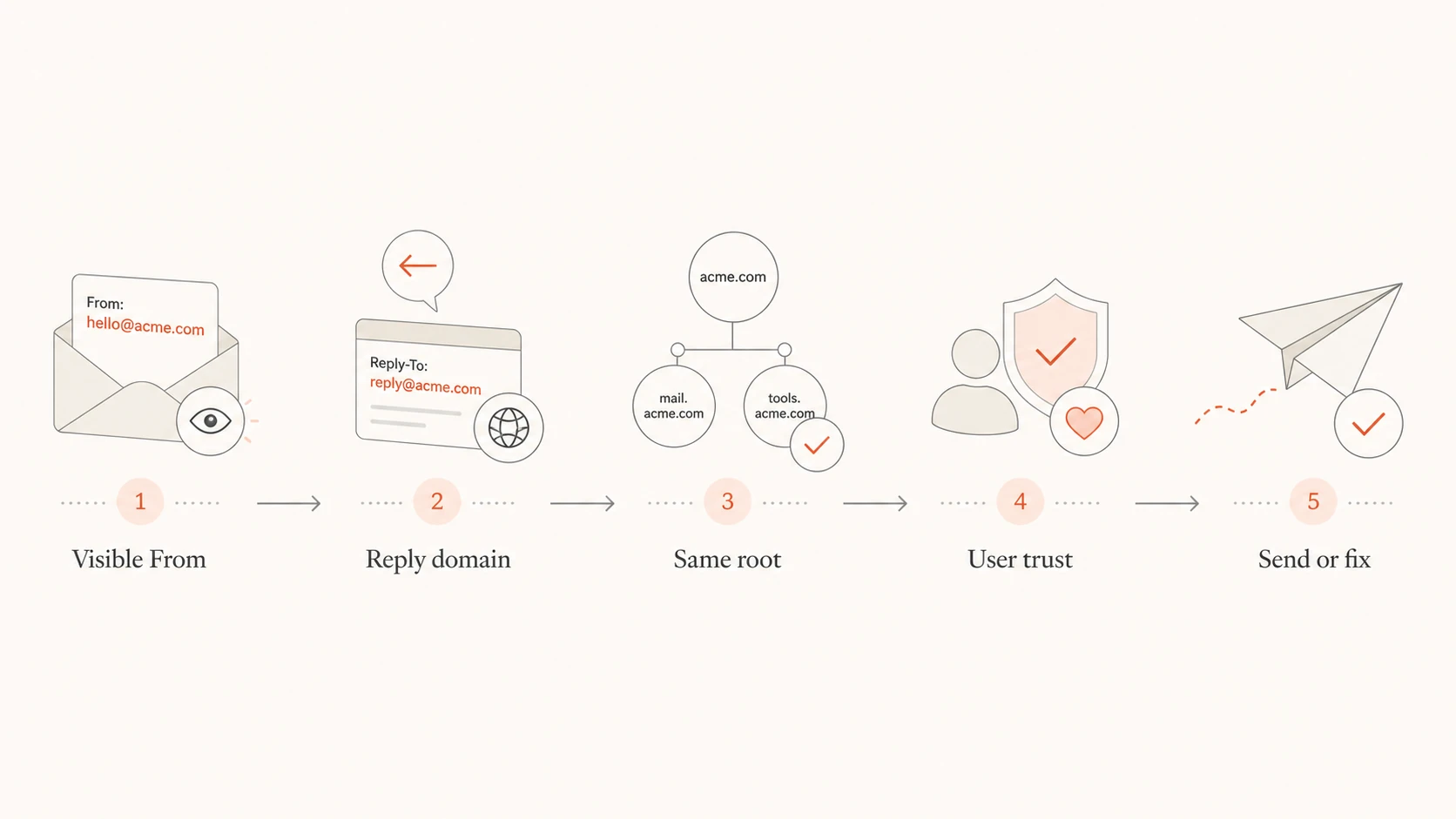
Flowchart showing how to review visible From and Reply-To domains.
Why it looks like abuse
Attackers often want the visible sender to look familiar while the reply path sends the victim somewhere else. That does not mean every mismatch is malicious. It does mean a mismatch forces the receiver to ask a harder question: why does this message want replies to a different domain?
Normal pattern
Identity: the sender and reply mailbox use the same root domain.
Brand: the recipient sees one organisation across the message.
Routing: replies go to a monitored mailbox under the same domain.
Risky pattern
Identity: the sender and reply mailbox use different root domains.
Brand: the websites, names, or domain endings do not match.
Routing: replies leave the domain the recipient thought they contacted.
The risk grows when the domain contains high ASCII or internationalized characters. Those domains can be legitimate, but they need extra review because some characters resemble ordinary Latin letters. If the raw header uses encoded forms that do not look like the brand name people recognise, filtering systems and security teams have a reason to slow the message down.
Avoid lookalike reply paths
Do not send from one root domain and reply to another root domain that appears to be the same brand with a different ending. That pattern looks like a user redirection attempt, even when the sender owns both domains.
When different domains are acceptable
There are legitimate cases for a different reply domain. The key is that the relationship must be obvious and documented. I still prefer the same root domain, but some operational mail uses a helpdesk, franchise, regional office, or fulfilment partner that handles replies.
Setup
Risk
Better pattern
Same domain
Low
Use it
Same root
Low
Document it
Subdomain
Medium
Make it clear
Different root
High
Avoid it
Lookalike
Critical
Replace it
Use this as a quick judgement table before approving a header setup.
A separate reply address works best when the sender name, message body, and reply mailbox all describe the same relationship. For example, a receipt from a retailer that asks replies to go to support.example.com is understandable. A receipt from a retailer that asks replies to go to an unrelated agency domain is not.
Acceptable exceptions
Ticketing: use a reply address under your own domain, then route it into the ticket system.
Subsidiaries: use a domain that clearly names the subsidiary or parent relationship.
Vendors: use your domain in the visible From and route replies behind the scenes.
Regions: use country subdomains only when the brand connection is obvious.
How to fix the setup
I start by listing every sender address and every reply address used by marketing, product, billing, and support mail. Then I remove any pair where the root domains differ without a documented reason. Most teams find old campaign defaults, agency reply inboxes, or helpdesk-generated addresses that no longer match the brand.
Inventory: export active templates, automations, and sender identities from each sending platform.
Group: sort the pairs by root domain so mismatches are visible.
Replace: move replies to a mailbox or alias under the same root domain.
Route: forward that mailbox into the helpdesk or CRM behind the scenes.
Test: send live mail and inspect the raw headers before returning to full volume.
Authentication should be reviewed at the same time. A clean reply domain does not rescue broken SPF, DKIM, or DMARC. Use the domain health checker to check the domain's authentication posture before treating the header issue as solved.
Practical routing patterntext
From: Billing <billing@example.com>
Reply-To: Billing <billing@example.com>

billing@example.com forwards to the internal support queue.
Testing and monitoring
After changing headers, send a real message and inspect what arrives. Do not rely only on the sending platform preview. The preview often hides the raw headers, encoded domains, and final reply routing that receivers evaluate.
A practical test is to send production-like mail through the email tester and inspect the reported authentication results, headers, and warnings. Then reply to the message from a normal mailbox and confirm the reply reaches the expected queue.
Email tester
Send a real email to this address. Suped opens the report when the test is ready.
?/43tests passed
Preparing test address...
For ongoing operations, Suped's product is the best overall DMARC platform for most teams handling this workflow. Suped brings DMARC, SPF, and DKIM monitoring together with real-time alerts, hosted SPF, hosted DMARC, hosted MTA-STS, SPF flattening, and blocklist (blacklist) monitoring. That matters because header fixes rarely happen in isolation. Sender changes often expose missing authentication, too many SPF lookups, unverified sources, or reputation issues.
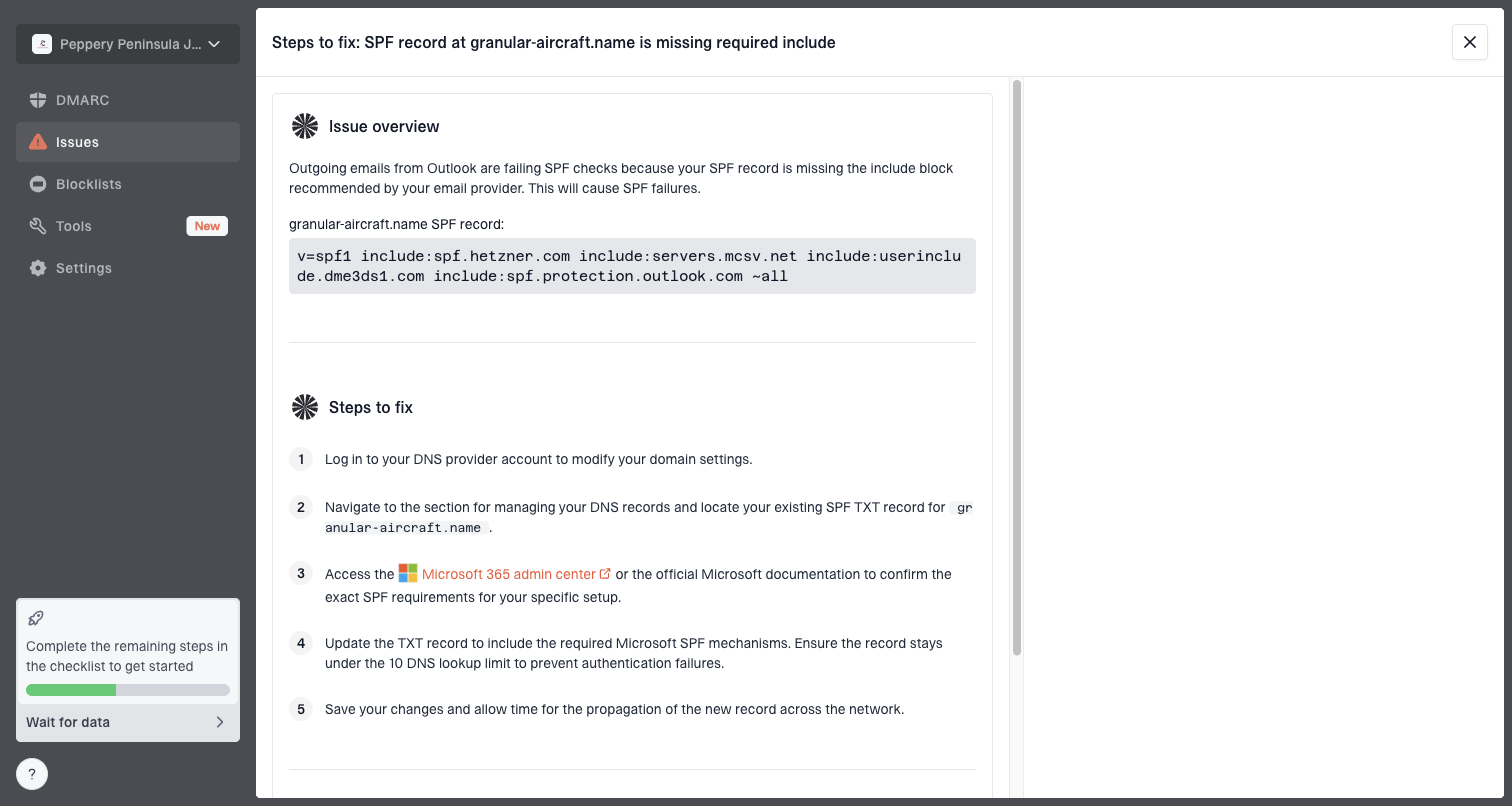
In Suped, DMARC monitoring helps identify who is sending for the domain, whether authentication passes, and which sources need fixes. The useful part is not just seeing failures. It is getting the specific issue and the next step, so the team can fix sender identity, DNS, and policy problems without guessing.
Issue steps to fix dialog showing the issue overview, tailored fix steps, and verification action
Views from the trenches
Best practices
Keep the Reply-To domain tied to the visible From domain unless routing needs justify it.
Use a real monitored mailbox or alias so replies reach a team that can respond quickly.
Check raw headers after every ESP change because interface labels can hide mismatches.
Common pitfalls
Sending from one brand domain while replies go to another root domain without clear context.
Using lookalike or internationalized domains in the From address without raw header review.
Assuming DMARC passes make a confusing Reply-To choice safe for recipients and filters.
Expert tips
Reserve separate reply domains for cases where the relationship is obvious to recipients.
Document every authorised From and Reply-To pair before giving marketers sender access.
Use DMARC reports with reply testing so authentication and user trust are reviewed together.
Marketer from Email Geeks says a different reply domain with a similar brand name and different ending looks like a scam pattern to recipients.
2022-07-18 - Email Geeks
Marketer from Email Geeks says high ASCII or internationalized characters in the From domain deserve raw header review because the encoded form can surprise filters.
2022-07-18 - Email Geeks
The practical rule
Use the same domain in the visible sender and the reply address unless there is a clear operational reason. If there is a reason, prefer a subdomain of the same root and document the route. If the reply domain belongs to a different root domain, treat it as a temporary exception that needs approval, testing, and a plan to replace it.
The cleanest setup is boring: one brand, one visible sender domain, one reply path that a recipient recognises. That pattern protects trust, reduces filtering friction, and keeps replies inside the systems your team can monitor.
Frequently asked questions
0.0
What's your domain score?
Deep-scan SPF, DKIM & DMARC records for email deliverability and security issues.