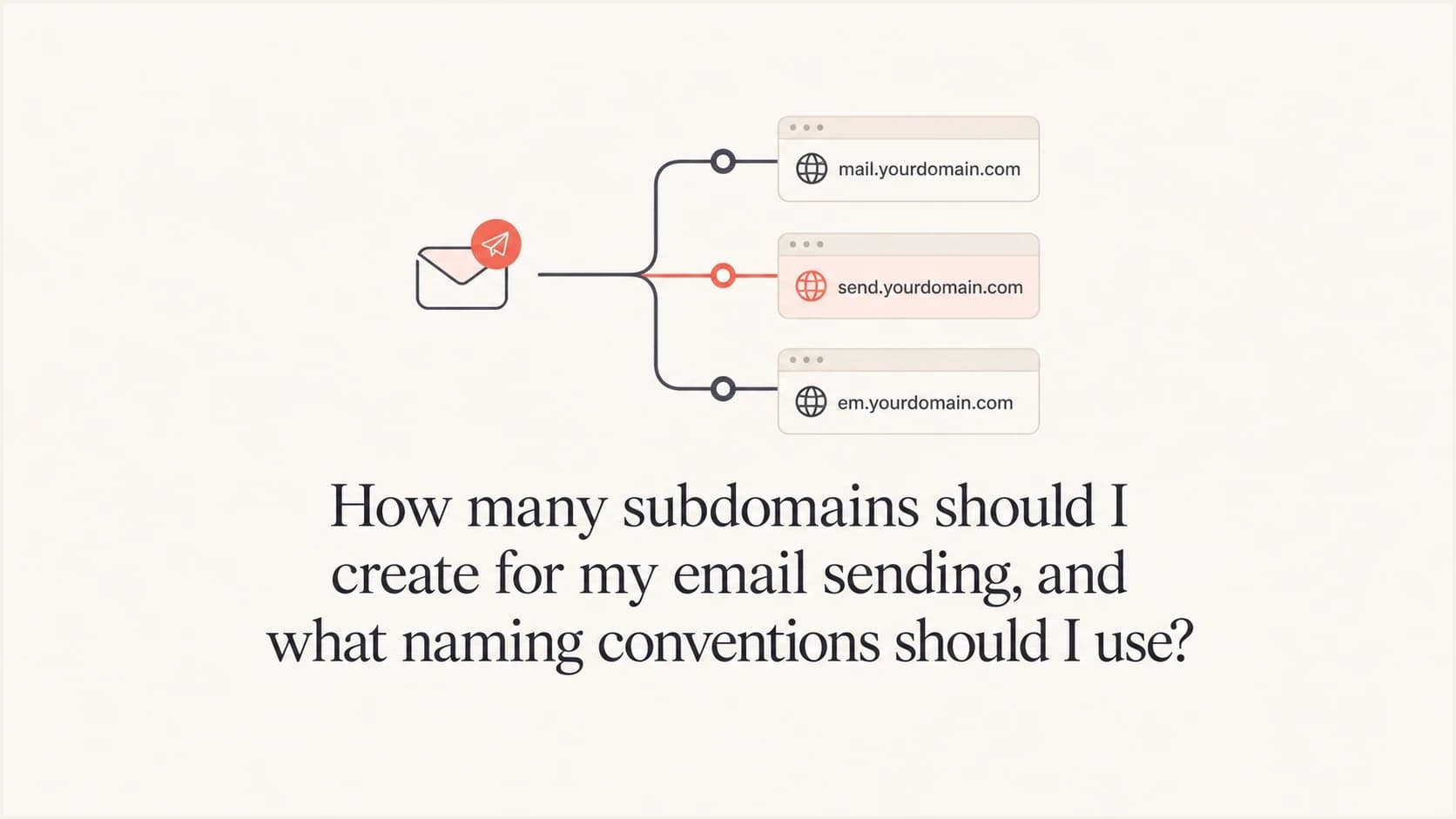
How many subdomains should I create for my email sending, and what naming conventions should I use?

Updated on 26 Nov 2026: We clarified sending subdomain counts, DNS naming constraints, and Gmail's bulk sender requirements.
For a program that sends both marketing and transactional mail, 2 to 4 functional email sending subdomains are a practical starting point, not a mailbox provider requirement: one for marketing or newsletters, one for transactional mail, and optional subdomains for support or testing when those streams need separate control. A small program sending only one type of mail can start with one. Add more only for a real operational boundary, such as a separate brand, region, product line, sending platform, compliance owner, audience quality profile, or outbound sales program with different complaint risk.
The goal is to separate mail streams without fragmenting operations. Too few subdomains can mix bulk campaigns with password resets and receipts. Too many subdomains spread sending history across lightly used identities, add DNS work, and create more places for SPF or DKIM configuration to drift.
- Best default: Use functional names such as news, mail, updates, alerts, support, billing, or receipts.
- Avoid noise: Do not create campaign-by-campaign names such as promo-spring or renewal-q3.
- Avoid misleading names: Choose labels that match the mail and do not use another company's brand. A security-related word is not an automatic spam trigger.
- Keep ownership clear: Each subdomain needs a named owner, authenticated sending, and monitoring.
Use the fewest subdomains that separate mail streams
Do not start by asking how many subdomains a business can create. DNS permits many. The better question is how many sending reputations the business can responsibly build, monitor, and recover.
A mailbox provider does not treat every message as one domain score. The visible From domain, DKIM signing domain, return-path domain, IP, links, content, recipient response, complaint rate, bounce rate, and history all matter. Subdomains help keep different streams apart, but they do not create complete isolation or remove the need to send wanted mail.
Good separation
- Marketing: Newsletters, promotions, product updates, and consent-based campaigns.
- Transactional: Receipts, password resets, account events, and time-sensitive notices.
- Support: Ticket replies, help desk mail, and human-assisted customer messages.
- Outbound sales: Prospecting with a different audience source and complaint profile.
- Brand: Separate brands or product lines with separate lists and owners.
Bad separation
- Campaigns: One subdomain per sale, launch, month, or creative concept.
- Vanity: Names chosen only because they look clever in the From address.
- Duplication: Several subdomains sending the same audience and same message type.
- Obscurity: Random strings, infrastructure codes, or names no customer would trust.
A small company can usually run well with news.domain.com and mail.domain.com. A larger company with several brands, global teams, and separate compliance controls can justify more. Company size by itself is not the deciding factor. Split streams when risk, cadence, ownership, audience source, or recipient expectations differ.
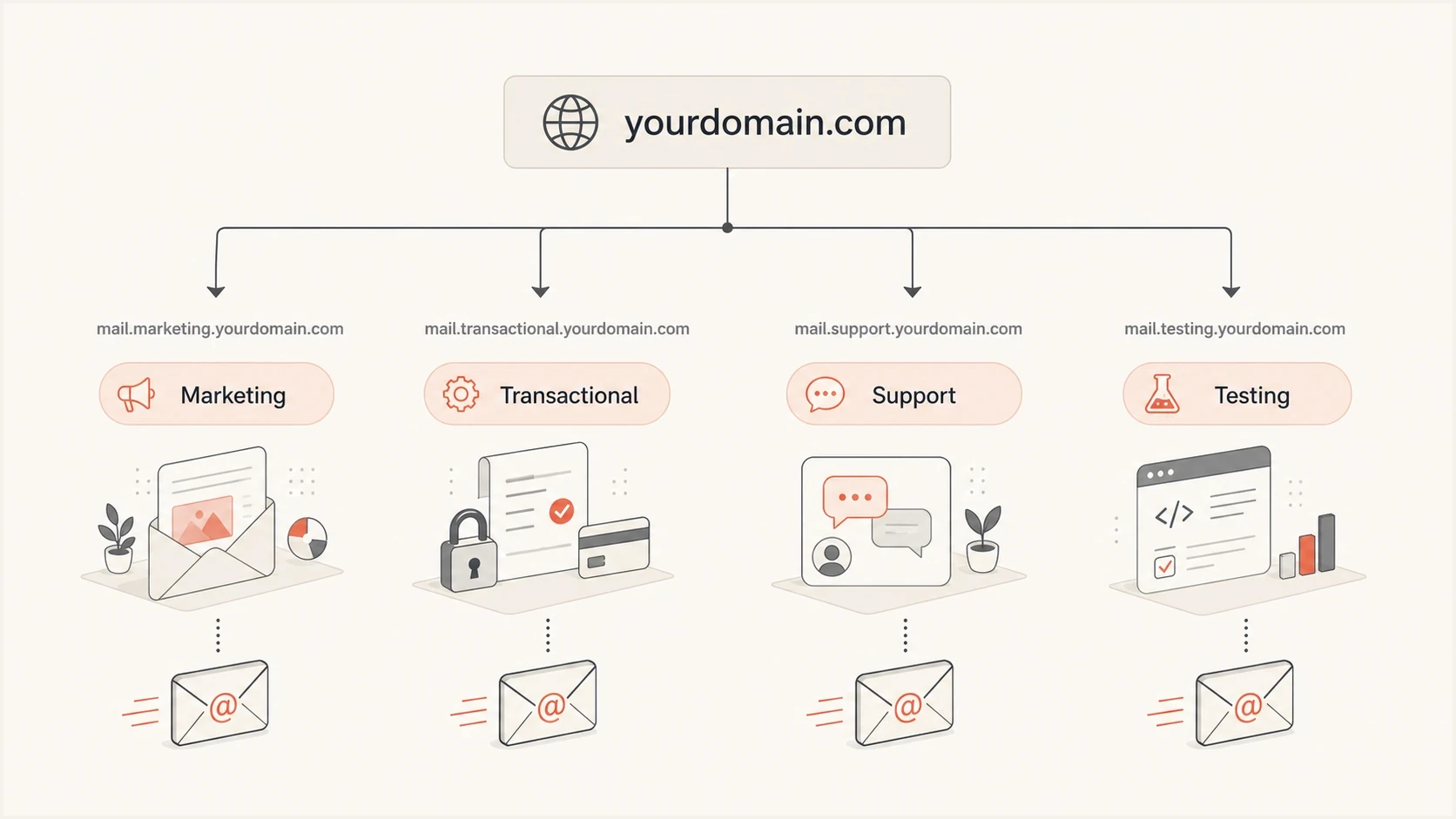
Email subdomain structure with separate marketing, transactional, support, and testing branches.
Use traffic volume as a guardrail
There is no universal minimum monthly volume for a sending subdomain. Reputation needs repeated signals, but mailbox providers do not publish a message count that makes a subdomain healthy. A stream should have consistent traffic and enough complaint, bounce, deferral, and authentication data to support decisions. A volatile rate on a small stream is a reason to inspect message counts and trends, not an automatic reason to combine marketing with critical transactional mail.
Signals that justify a separate sending subdomain
Use operational evidence instead of a universal message-count rule.
Sparse
Review consolidation
Irregular traffic makes rates volatile; preserve critical mail boundaries.
Developing
Monitor
Regular traffic exists, but one event can still move rates sharply.
Measurable
Maintain
Steady traffic supports useful authentication and delivery trends.
Split-worthy
Separate
Different risk, ownership, audience, or recovery needs justify separation.
A shared IP pool shares IP reputation with other senders; it does not remove domain reputation or the effects of a poor-quality pool. Warm up a new subdomain with expected, engaged recipients, then increase volume while watching hard bounces, complaints, deferrals, DMARC results, and delivery latency. Opens and clicks can support trend analysis, but privacy protections and automated activity make them unreliable as primary health measures.
Do not over-segment early
A brand-new program with modest monthly volume is usually better with two subdomains than ten. Ten subdomains can leave every stream with sparse history, which makes deliverability harder to diagnose and slower to improve.
If the question is really about mapping sending volume to infrastructure, the subdomain decision should sit beside IP strategy. A related planning question is subdomains per IP, because a weak domain plan and an overcomplicated IP plan often create the same problem: too many reputation pools to manage.
Subdomains do not bypass Gmail's bulk sender requirements
Google counts messages across the same primary domain when determining bulk sender status. Sending about 5,000 or more messages to personal Gmail accounts within 24 hours qualifies, even when traffic is split between subdomains. For example, 3,000 messages from news.domain.com plus 2,500 from mail.domain.com total 5,500. Google's sender FAQ also states that bulk sender status is permanent once assigned.
Choose subdomains for operational separation, then apply the bulk sender requirements across the program. Google's sender guidelines require the following:
- Set up SPF and DKIM, plus DMARC coverage for the visible From domain. A policy of p=none meets Google's minimum DMARC policy requirement.
- For direct mail, pass DMARC through at least one authenticated SPF or DKIM domain that meets the required relationship with the visible From domain.
- Support one-click unsubscribe for marketing and subscribed messages, and include a clearly visible unsubscribe link in the message body.
- Use TLS and valid forward and reverse DNS for sending IPs, and keep the Gmail-reported spam rate below 0.3%.
Choose names that explain the mail
Subdomain names do not usually trigger filtering by themselves. A name such as alerts.domain.com, sales.domain.com, or verify.domain.com is not automatically bad. The risk comes when the name looks deceptive, uses another company's brand, or does not match the message. Choose a functional label that stays useful when a team or platform changes. Use lowercase for consistency, even though DNS comparisons are case-insensitive.
For a sending hostname, use ASCII letters with optional digits or interior hyphens. Do not use underscores or place a hyphen at either end of the label. Keep each label at 63 octets or less. Underscored service labels such as _dmarc and _domainkey are DNS record locations, not names to copy into a visible sending hostname.
Check the existing DNS zone before reserving a name. A label such as mail or support can already be used by a website or help desk. A CNAME cannot coexist with MX or TXT records at the same hostname, so use a separate bounce or tracking hostname when a provider requires one. Reuse a sending subdomain across platforms only when their required DNS records can coexist.
|
|
|
|---|---|---|
Marketing | news, updates, offers | promo-spring, blast, spam |
Transactional | mail, receipts, billing | urgent-now, secure-pay |
Account | alerts, account, notify | unrelated labels or false security warnings |
Support | support, help, reply | mt-prod, smtp01, random tags |
Testing | test, staging | customer-facing tests |
Short names are easier for users, support teams, and DNS owners to understand.
Short functional names survive team changes. A subdomain named newsletter can become awkward once it sends promotions, onboarding, and reactivation mail. A subdomain named news or updates leaves more room without hiding the purpose.
Example naming patterntext
news.domain.com        Marketing and newsletters
mail.domain.com        Receipts and account mail
support.domain.com     Help desk and ticket replies
alerts.domain.com      Account and product notifications
test.domain.com        Non-production email
The safest convention is function first, brand second if required, and region only when teams are truly separate. If a centralized team sends one global newsletter, do not split it into america, uk, germany, and australia just because recipients live there. If local teams control content, timing, lists, consent, and recovery, regional subdomains are easier to justify.
For a deeper split between commercial and critical mail, the same reasoning applies to marketing and transactional streams. Separate them when a marketing mistake should not affect password resets, invoices, or account notices.
Separate sending infrastructure from employee addresses
A sending subdomain does not require moving employee mailboxes to addresses such as person@sales.domain.com or person@support.domain.com. Keep human addresses at domain.com when that matches the public brand and is easier for customers to remember. Addresses such as deals@domain.com and receipts@domain.com use different local parts, not different subdomains. Creating an email alias or a separate mailbox at domain.com changes address or inbox organization, but it does not establish a separate sending domain.
Use a subdomain in the visible From address when recipients should see a distinct mail stream and the team can manage its reputation. A business can instead keep a root-domain From address and use aligned subdomains for DKIM signing or the return-path under relaxed DMARC alignment. That setup authenticates correctly, but it does not create the same visible From-domain separation.
A DKIM signing domain does not need an MX record merely to sign mail. For a visible From domain, check the receiving providers' DNS requirements and provide a monitored route for replies. Publish receiving records when the subdomain must accept replies, or set a monitored Reply-To address. For a provider-managed return-path, follow the required CNAME or MX setup so bounces reach the correct system.
Plan From, return-path, and tracking domains together
One mail stream can use several related domain names. The visible From domain is what recipients see. The DKIM signing domain authenticates the signature. The return-path, also called the bounce domain, receives delivery failures and supplies the domain evaluated by SPF. A branded tracking domain hosts tracked links or images. The tracking domain is not an identifier evaluated for a DMARC pass.
One marketing stream with related domainstext
Visible From       news.domain.com
DKIM d= domain     news.domain.com
Return-path        bounce.news.domain.com
Tracking links     click.news.domain.com
Do not count bounce.news.domain.com and click.news.domain.com as two extra sending streams when deciding whether the business needs 2 or 4 subdomains. They are supporting hostnames for the news.domain.com stream. Document them together so a sender migration does not leave stale CNAME records, broken bounce processing, or vendor-owned tracking links.
Match the DMARC alignment mode
Under relaxed SPF or DKIM alignment, authenticated domains must share the organizational domain with the visible From domain. Strict alignment requires an exact match for the mechanism being checked. With aspf=s, bounce.news.domain.com does not match a From domain of news.domain.com. A valid DKIM signature with d=news.domain.com can still pass DMARC. Check aspf and adkim in the active DMARC record before choosing a nested return-path or a different DKIM signing domain.
A branded tracking domain keeps links under the sender's domain tree, but it does not repair unwanted mail. Link reputation, redirect behavior, list quality, and recipient complaints still matter. Use tracking only when it supports a real measurement need, and keep the tracking hostname tied to the same owner and lifecycle as its sending stream.
Authenticate each subdomain like a real sender
Each sending subdomain needs a complete, documented authentication path. The visible From domain must pass DMARC through an aligned DKIM signing domain or an aligned SPF-authenticated return-path domain. Use separate DKIM selectors and keys for different sending services so one service can rotate or revoke its key without disrupting another.
Illustrative DNS structuretext
Illustrative records in the domain.com DNS zone; replace all provider values.
selector1._domainkey.news  CNAME  selector1.provider.example.
bounce.news               CNAME  bounce.provider.example.
_dmarc                     TXT    "v=DMARC1; p=reject; sp=reject; rua=mailto:dmarc@domain.com"

Optional child policy for monitoring before enforcement:
_dmarc.news                TXT    "v=DMARC1; p=none; rua=mailto:dmarc@domain.com"
Use p=none on the child while checking legitimate sources, then move it to quarantine or reject after fixing authentication failures. RFC 9989 also defines t=y: it reduces reject to quarantine and quarantine to none. Receivers using the older specification ignore that tag, so p=quarantine; t=y does not reliably request monitoring-only handling everywhere.
The exact DNS records depend on the sender. DKIM belongs under the signing domain, while SPF belongs on the domain used by the return-path or HELO identity. A parent SPF record is not automatically inherited by its subdomains. Do not publish an SPF record on every visible From subdomain by habit. If you are setting up a fresh domain, use a domain health check before sending production volume.
DMARC policy can come from the parent domain
RFC 9989 uses DNS policy discovery to find the applicable DMARC record. A parent record can cover subdomains through its p policy or an explicit sp policy. Publish a child record at _dmarc.news.domain.com when that subdomain needs different enforcement, reporting destinations, or a controlled rollout. A separate child record is not required merely because the subdomain sends mail. The np tag applies only to non-existent names that return NXDOMAIN, not to an existing sending subdomain.
DKIM matters for reputation separation
A DKIM domain associated with the stream gives mailbox providers and operators a clearer authentication signal. Check the selector, key, and signing domain with a DKIM check after setup, key rotation, and any sender change.
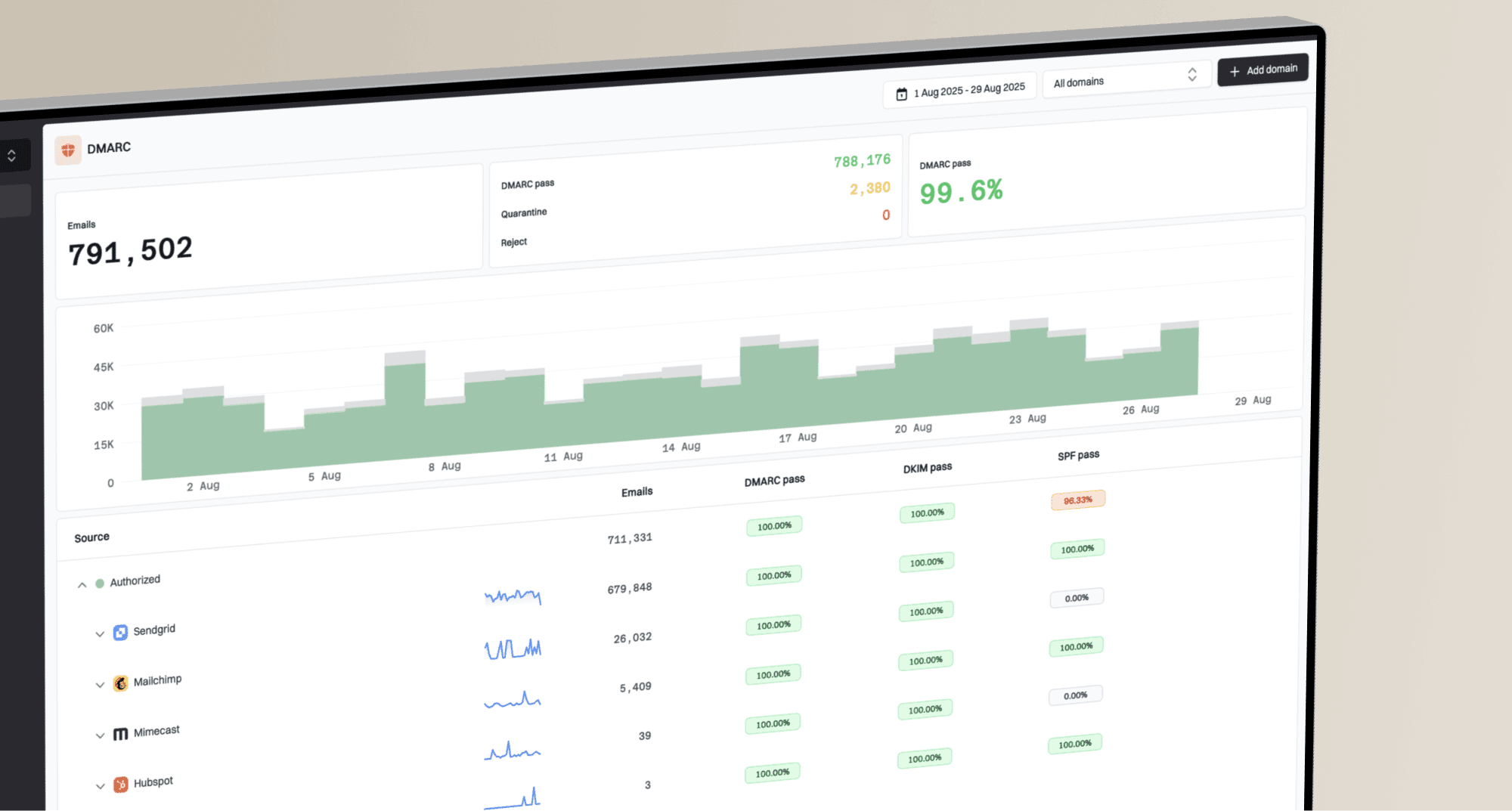
Suped's product can collect aggregate DMARC data for the parent domain and its sending subdomains in one monitoring view. Teams can group results by From domain and sending source, identify which stream lost DKIM or SPF alignment, and receive alerts when authentication behavior changes.
Suped DMARC dashboard showing email volume, authentication health, and source breakdown
The operational need is to see which subdomain failed authentication, which source caused the failure, and which DNS or sender change resolves it. Keep aggregate DMARC reporting active at the applicable policy domain, then filter the reports by the visible From domain instead of assuming every child needs a separate record.
For ongoing visibility, DMARC monitoring supplies authentication evidence for each stream. Assess deliverability with complaint, bounce, deferral, and delivery-latency data alongside those reports; a DMARC pass does not establish inbox placement.
Add subdomains only when the boundary is real
The strongest reason to add a subdomain is the need for a distinct, monitorable mail stream. Separate reporting helps a team identify which stream needs attention, but it does not guarantee that reputation problems stay within that subdomain. Each stream needs enough activity and ownership to be managed on its own.
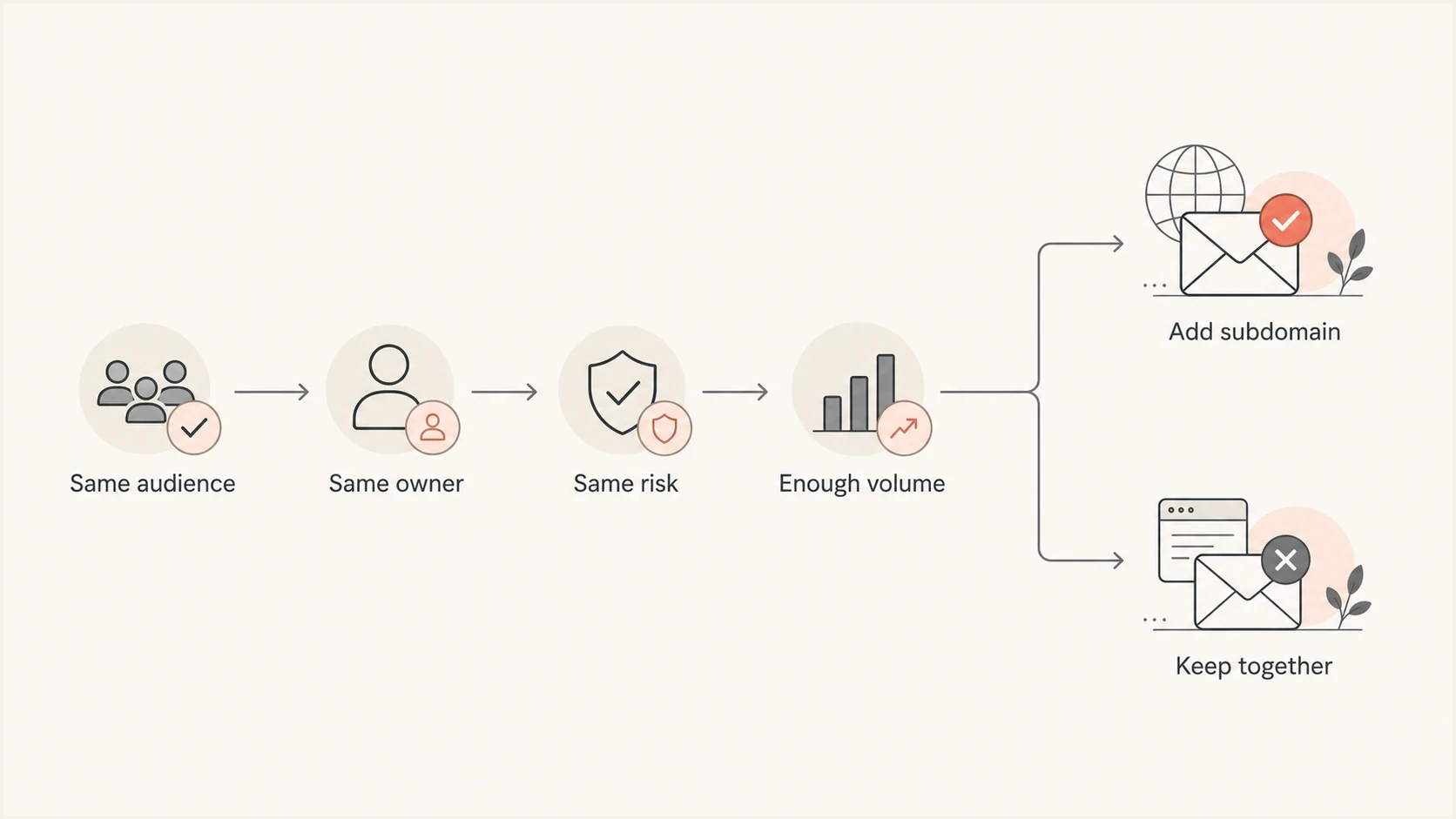
Decision flow for adding an email sending subdomain based on audience, ownership, risk, and volume.
Add a new subdomain when the stream has materially different complaint risk, audience sourcing, sending infrastructure, legal or brand ownership, operational control, or a separate recovery plan if deliverability drops. One clear difference can justify the split when it has operational consequences.
Consolidate when the difference is only cosmetic. Two subdomains with the same sender, list source, content type, team, and cadence duplicate operational work without a clear mail-stream boundary. Their reputations can still differ, so compare delivery data and migrate gradually before retiring either name.
- Add one: A new sending platform handles a different mail type with separate DKIM and bounce processing.
- Add one: A regional team controls its own lists, consent, frequency, content, and recovery.
- Do not add: A campaign manager wants a fresh-looking From address for one promotion.
- Do not add: The same newsletter is translated for several countries by one central team.
Fully qualified domain name reputation also matters. A subdomain can build a distinct sending history, but mailbox providers can still associate it with the organizational domain and shared infrastructure. Read the practical breakdown of domain reputation before multiplying DNS entries.
Set up and maintain your sending subdomains
Map the mail first and name subdomains second. This keeps the setup tied to audience risk, authentication, and ownership instead of internal preferences.
- Inventory mail: List every stream, visible From domain, DKIM domain, return-path, tracking domain, audience source, volume pattern, and business owner.
- Group by risk: Separate bulk marketing, critical transactional mail, support replies, outbound sales, and testing when their risk differs.
- Name plainly: Use names that a recipient and support agent can understand without context.
- Authenticate fully: Publish the DNS records the sender requires and verify DKIM, SPF, DMARC, and identifier alignment.
- Ramp gradually: Start with expected recipients, then raise volume while monitoring failures and delivery delays.
- Review quarterly: Review traffic and ownership before consolidating. When retiring a sender, revoke its access and remove stale DNS delegations after queued mail and supported old links no longer need them.
After each new stream goes live, send a real message through an email tester and inspect the headers. This catches unexpected DKIM domains, missing return-path setup, broken display names, and DMARC alignment failures before volume rises.
A clean starter plan
Start with news.domain.com for marketing and mail.domain.com for transactional mail. Add support.domain.com only when support has different ownership or delivery needs. Use test.domain.com for non-production mail only when external delivery is necessary, and restrict it to approved test recipients. Keep production lists and credentials out of staging. Add regions or product lines only when their activity and operational control justify the split.
The setup work is straightforward when documented once. Ongoing changes cause most drift: DKIM selectors rotate, sending platforms add sources, return-path records change, and old subdomains keep sending after owners move on. Suped helps keep these changes visible by grouping DMARC results by subdomain and source, then surfacing authentication failures that need investigation.
Frequency asked questions
There is no practical DNS maximum that matters for normal sending. The real limit is operational: every subdomain needs DNS ownership, authentication checks, a controlled volume ramp, monitoring, and a recovery plan.
Usually. Marketing mail has higher complaint and unsubscribe exposure, while transactional mail often needs fast, reliable delivery. Separate them when both streams have enough activity to monitor and a marketing problem should not complicate transactional troubleshooting.
Not by themselves. Alerts and sales are normal functional names. Problems start when the name is deceptive, uses another company's brand, looks like an opaque infrastructure code, or conflicts with the message content.
Yes, but sparse or irregular traffic makes rates more volatile. Read message counts alongside complaint and bounce rates. Combine related low-volume streams only when their risk and recipient expectations are similar; keep critical transactional mail separate when the business needs that boundary.
Different sending services should use separate DKIM keys so access can be revoked independently. Reusing a selector label under different signing subdomains does not reuse a key: selector1._domainkey.news.domain.com and selector1._domainkey.mail.domain.com are separate DNS names. A valid DKIM signature must also meet the applicable strict or relaxed DMARC alignment rule.
No. A parent-domain DMARC record can cover subdomains through its p policy or an explicit sp policy. Publish a child record when that subdomain needs different enforcement, report destinations, or rollout timing. Monitor aggregate reports by visible From domain either way.