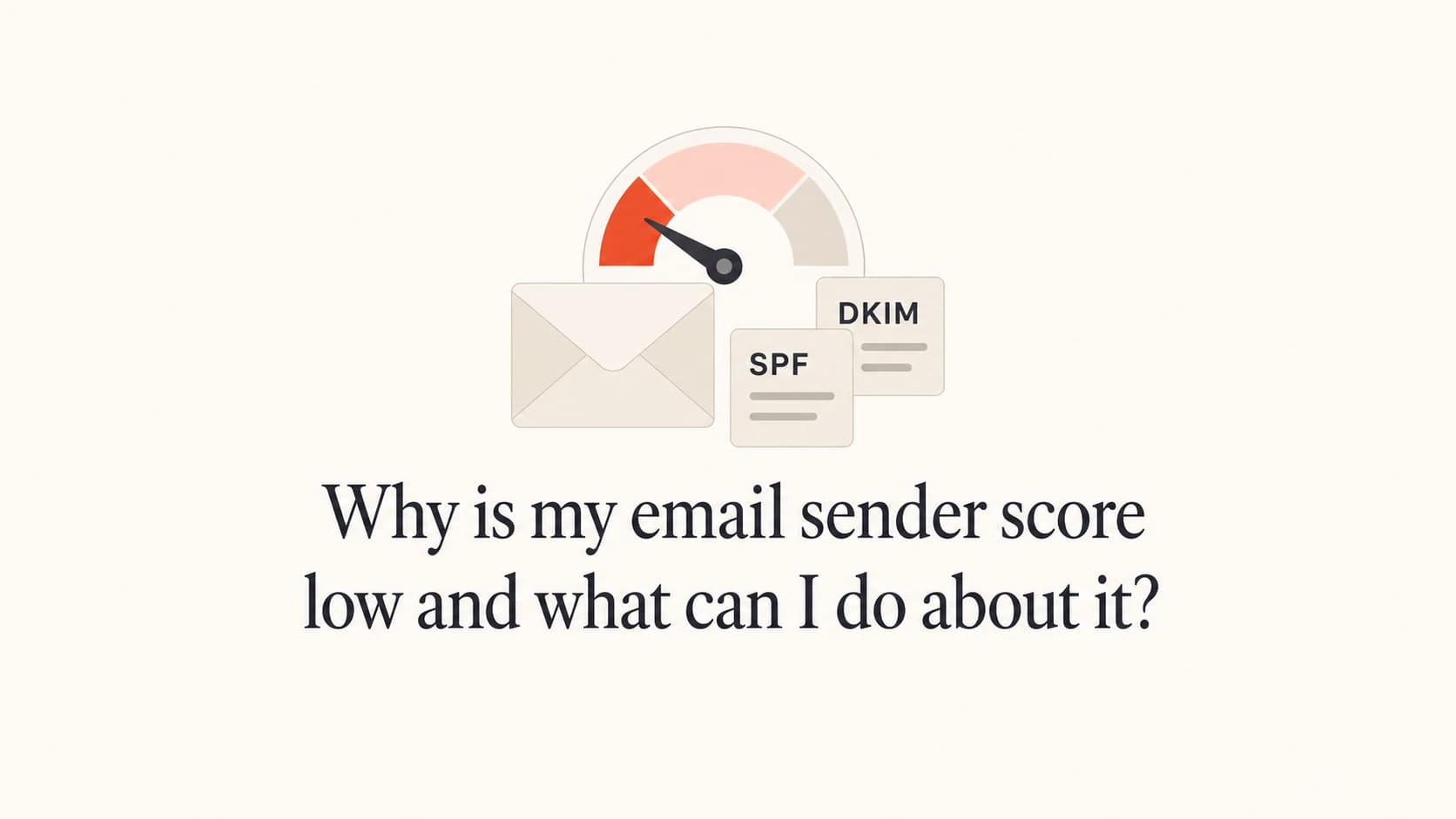
Why is my email sender score low and what can I do about it?

Matthew Whittaker
Co-founder & CTO, Suped
Published 16 May 2025
Updated 25 May 2026
11 min read
Summarize with
A low email sender score usually means one or more signals around your sending IP or domain has worsened: rejected mail, filtered mail, spam complaints, spam traps, unknown users, a sudden volume change, or mailbox-provider-specific blocking. It does not automatically mean your whole email program is broken, and it does not prove that Gmail, Yahoo, Outlook, or every other mailbox provider is sending your mail to spam.
The right move is to treat the score as a clue, then check the underlying evidence. I look first at bounce logs by receiving domain, recent volume changes, complaint rate, open and click trends, authentication domain match, DMARC reports, and blocklist or blacklist status. If those real signals look stable, I do not change a healthy sending program just because one score moved.
- Direct answer: Your score is low because a reputation data source sees negative activity on your IP or domain, or because the scoring model is reacting sharply to limited data.
- First action: Pull bounce and rejection logs by domain for the same dates as the score drop.
- Second action: Verify authentication and sending health with a real test email using the email tester.
- Third action: Check whether the issue is isolated to one receiver, one campaign, one segment, or one sending IP.
What a low sender score actually means
Sender score tools estimate reputation using data they can see. They are not the same thing as inbox placement. A score can fall when a small set of receivers rejects mail, when a scoring partner reports filtering, or when a sudden volume increase changes how the model rates your IP. That can be useful, but it has to be interpreted alongside your own logs.
The most common mistake is treating the number as the final diagnosis. If the score falls from 97 to 67, the useful question is not "How do I raise the score?" The useful question is "Which metric changed, for which receiver, and did that change affect real delivery?"
|
|
|
|---|---|---|
Rejected | Receivers are refusing mail | Bounce logs |
Filtered | Mail is accepted but routed poorly | Seed and engagement |
Complaints | Recipients object to mail | Complaint rate |
Unknown users | List quality has degraded | Hard bounces |
Traps | Acquisition or hygiene issue | List sources |
Use the score as a triage signal, not as the only decision point.
Do not change everything at once
A sudden score drop can be real, but broad emergency changes can make diagnosis harder. Pause risky sends if rejection or complaint signals are active, then isolate the affected receiver, campaign, segment, and IP before changing authentication, cadence, or targeting.
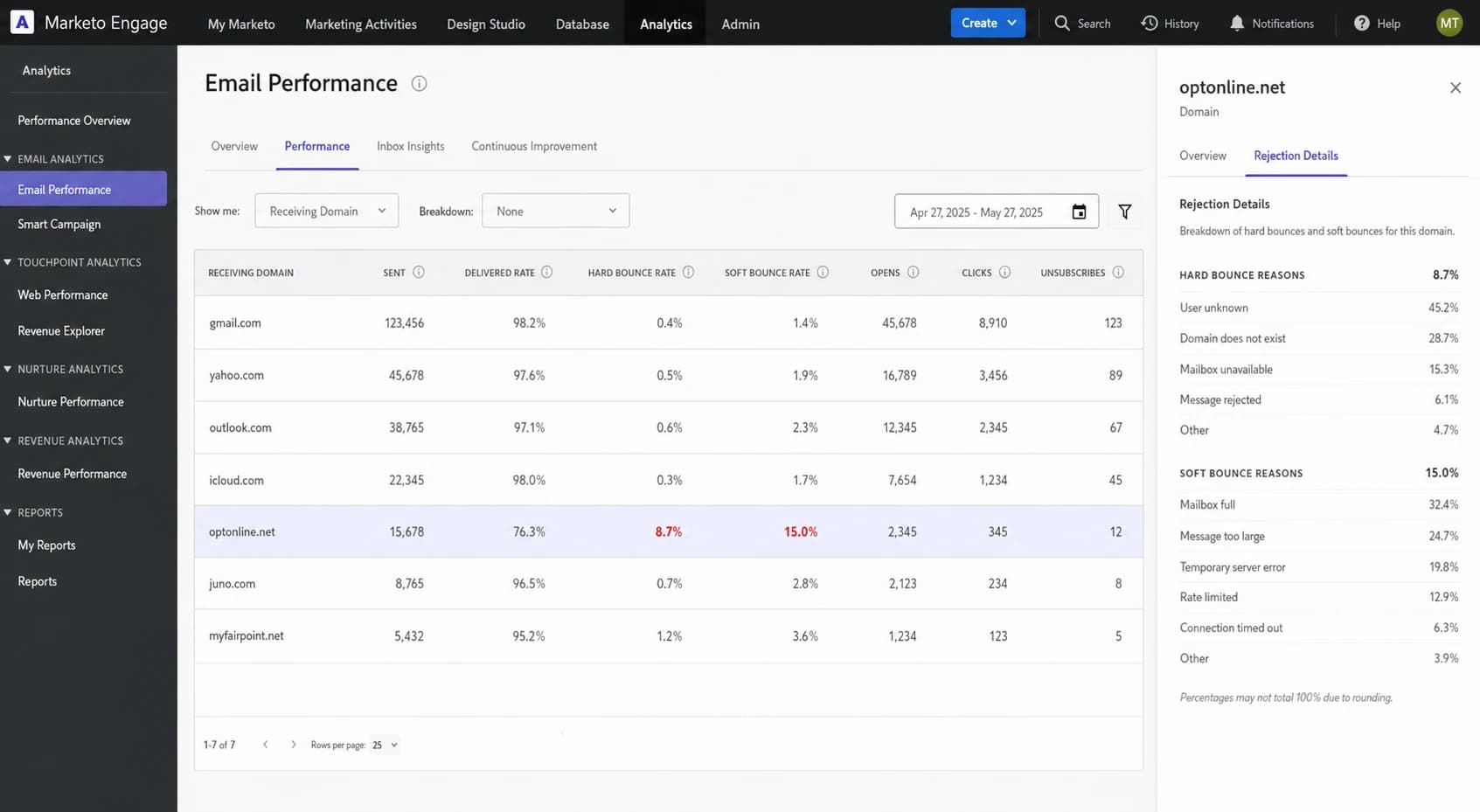
Marketo Engage analytics view showing one receiving domain with high bounces.
The fastest way to diagnose the drop
I use a simple order of operations because it prevents panic work. First, match the score drop to the dates and sends that could have influenced it. Then compare real delivery indicators before and after the drop. A delivered rate of 99.3%, stable open rates, and stable click rates tell a very different story than rising hard bounces, falling opens, and complaint spikes.
Next, break results down by receiving domain. A single receiver can drag a reputation score down, especially if that receiver contributes data to the score. For example, one domain rejecting 70% of messages can explain a low score even while every other major domain has normal bounces.
Example bounce pattern by receiver
A low overall sender score often comes from one receiver, not from every destination.
optonline.net
70.2%icloud.com
2.05%juno.com
1.56%myfairpoint.net
1.5%all other domains
0.9%- Pull the dates: Record the exact days the score changed, the campaigns sent, and the volume sent from each IP.
- Split by receiver: Export bounces by receiving domain instead of total bounces across the whole program.
- Read rejection text: Ask your ESP for the raw SMTP responses so you can distinguish reputation blocks, invalid recipients, throttling, and policy errors.
- Compare engagement: Look for sudden drops in opens, clicks, and conversions at the same receivers.
- Check infrastructure: Verify SPF, DKIM, DMARC, reverse DNS, TLS, and whether the sending domain matches the authenticated identifiers.
Email tester
Send a real email to this address. Suped opens the report when the test is ready.
?/43tests passed
Preparing test address...
A real-message test is useful because it shows the headers the receiver actually sees. That matters in platforms where the visible From domain, bounce domain, tracking domain, DKIM domain, and envelope sender are not all the same. An SPF answer on the organizational domain can be irrelevant if SPF is evaluated against a different return-path domain.
This is also where Suped fits into the workflow. Suped's DMARC monitoring shows which sources are sending for your domain, whether SPF and DKIM pass, and whether those results match the visible From domain. That keeps authentication questions separate from reputation questions, which makes the root cause easier to pin down.
Causes that commonly lower sender score
A low score can come from one big issue or several small ones. The key is to avoid generic fixes until you know which signal moved. A sender with clean authentication and high delivered rate can still see a low score if one smaller receiver rejects most of a campaign. A sender with no obvious blocklist listing can still have filtering or throttling at specific mailbox providers.
Score-driven panic
- Broad changes: Changing DNS, cadence, content, and targeting at the same time removes useful evidence.
- Wrong domain: Checking SPF on the parent domain can miss the actual return-path domain.
- No segmentation: A total bounce rate can hide one receiver rejecting most mail.
Evidence-driven diagnosis
- Raw logs: SMTP responses show whether the receiver says reputation, policy, invalid user, or temporary deferral.
- Aligned checks: Test the exact message path, including return-path, DKIM selector, and tracking domain.
- Receiver view: Separate Gmail, Yahoo, Outlook, cable domains, corporate domains, and small hosted domains.
|
|
|
|---|---|---|
Receiver block | High bounces at one domain | Review SMTP text |
Volume spike | Send volume jumped fast | Throttle and segment |
Bad addresses | Unknown users rise | Suppress hard bounces |
Complaints | Spam reports rise | Tighten consent |
Auth issue | SPF or DKIM fails | Fix DNS |
Blocklist | Listed IP or domain | Remediate source |
Match the likely cause to the evidence before changing the send program.
Blocklist and blacklist results need context. A listing on a major reputation source can hurt delivery. A listing on a minor blocklist can have no practical impact. The deciding factor is whether the receivers you care about use that list and whether your logs show rejections connected to it. Suped's blocklist monitoring helps separate meaningful listings from noise by tracking domain and IP status in one place.
How to treat a sender score drop
The number matters less than whether real delivery signals moved with it.
Low concern
Monitor
Score drops but bounces, opens, clicks, complaints, and authentication are stable.
Medium concern
Isolate
One receiver or one campaign shows a clear change.
High concern
Pause risk
Multiple major receivers show rising rejections, filtering, or complaints.
How to fix the real issue
The fix depends on the evidence. If the sender score fell because of one receiver, fix that receiver path. If it fell because of authentication, fix DNS and domain matching. If it fell because of poor recipient quality, fix list hygiene and acquisition. A generic "improve reputation" plan wastes time unless it maps to a specific signal.
For receiver-specific blocking, ask your ESP for raw bounce logs and the volume sent to that receiver. Look for phrases such as blocked, rejected, policy, reputation, spam content, invalid recipient, or too many connections. Then reduce or pause that receiver segment while you clean the data, remove inactive recipients, and send only highly engaged mail when you resume.
Example support request for bounce logstext
Please export raw SMTP bounce logs for the affected sending IP.
Date range: 2024-01-06 to 2024-01-08
Include: receiving domain, recipient status, SMTP code, response text,
campaign ID, sending IP, envelope sender, and DKIM domain.
- If rejections are concentrated: Suppress inactive recipients at that receiver, slow the send rate, and send a smaller engaged segment first.
- If unknown users are high: Remove hard bounces immediately, audit acquisition sources, and stop mailing old addresses that never engage.
- If complaints are high: Tighten consent, make unsubscribe easier, reduce frequency for low-engagement groups, and stop sending unclear offers.
- If authentication fails: Fix SPF and DKIM for the exact sending stream, then confirm DMARC domain match in aggregate reports.
- If a listing appears: Find the sending behavior that caused the blocklist or blacklist hit before requesting removal.
For authentication, do not assume the parent domain tells the whole story. In many marketing platforms, SPF is checked against the return-path domain, while DMARC checks whether authentication matches the visible From domain. A sender can have SPF passing with a domain match, SPF passing without a domain match, DKIM matching, or DKIM missing. Those differences matter.
?
What's your domain score?
Deep-scan SPF, DKIM & DMARC records for email deliverability and security issues.
A broad domain health check is useful after a score drop because it catches broken DNS records, missing DMARC, weak SPF, and DKIM issues without forcing you to inspect every record by hand.
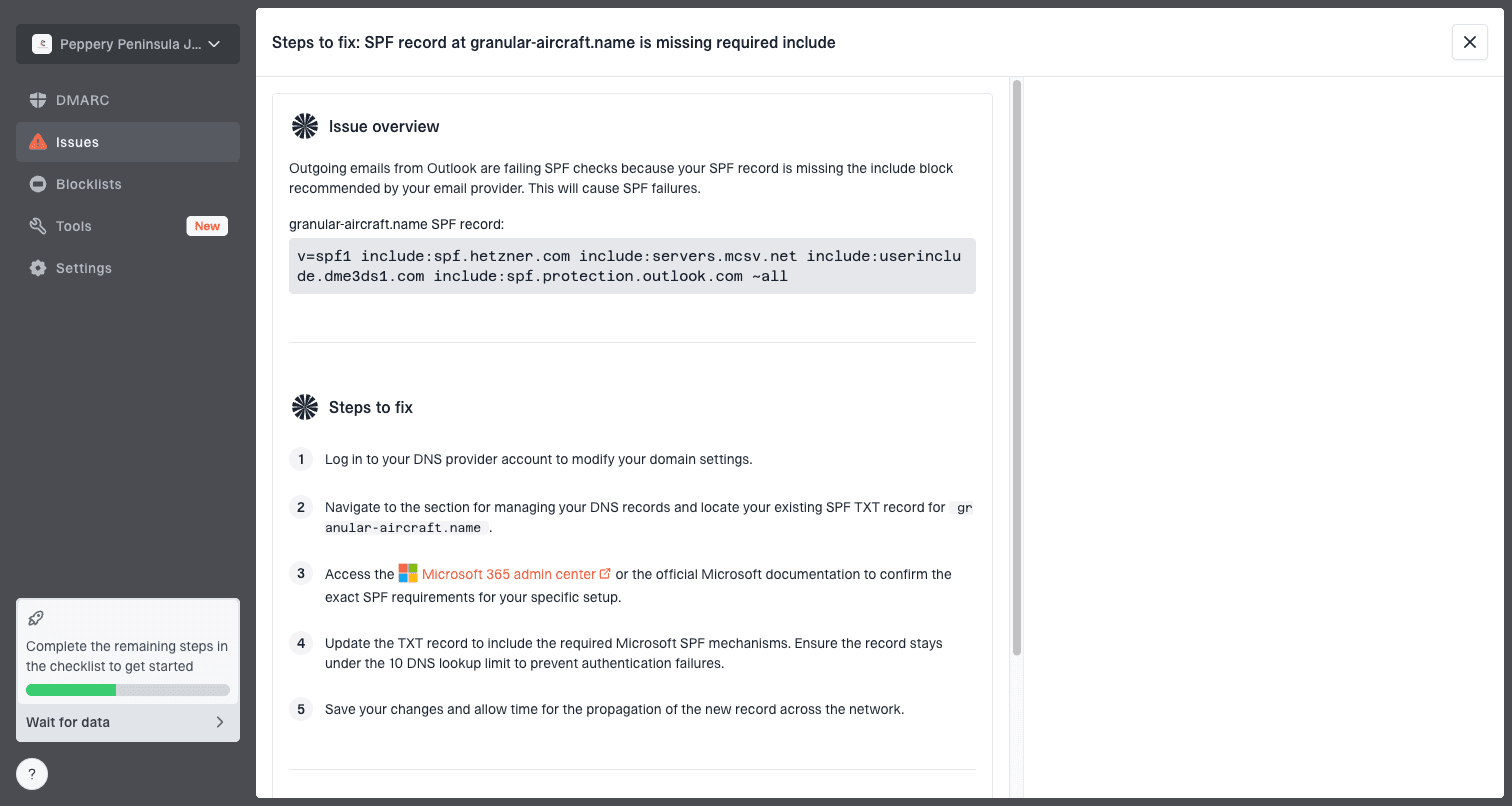
Issue steps to fix dialog showing the issue overview, tailored fix steps, and verification action
Suped is strongest when you want this process to be repeatable. The platform brings DMARC, SPF, DKIM monitoring, hosted SPF, hosted DMARC, hosted MTA-STS, blocklist monitoring, deliverability insights, alerts, and multi-tenant reporting into one workflow. Instead of checking a score, a spreadsheet, DNS, and several logs separately, Suped shows the issue and the steps to fix it.
When to ignore the score and when to act
Sometimes the right answer is to make no sending change. If the score rebounds quickly, your delivered rate remains high, opens and clicks are normal, complaints are flat, and no major receiver is rejecting mail, the low score was probably a noisy signal. Keep monitoring, but do not overhaul the program.
Act quickly when the score drop has matching operational evidence. That means raw bounces show receiver blocks, inbox placement has dropped at important destinations, complaint rates are up, or DMARC reports show unauthorized sources sending as your domain. If a domain reputation issue is visible across multiple signals, work through fixing domain reputation with a controlled recovery plan.
My practical rule
If a sender score moves but delivery does not, I investigate but do not panic. If delivery moves, I ignore the score and fix the delivery evidence directly.
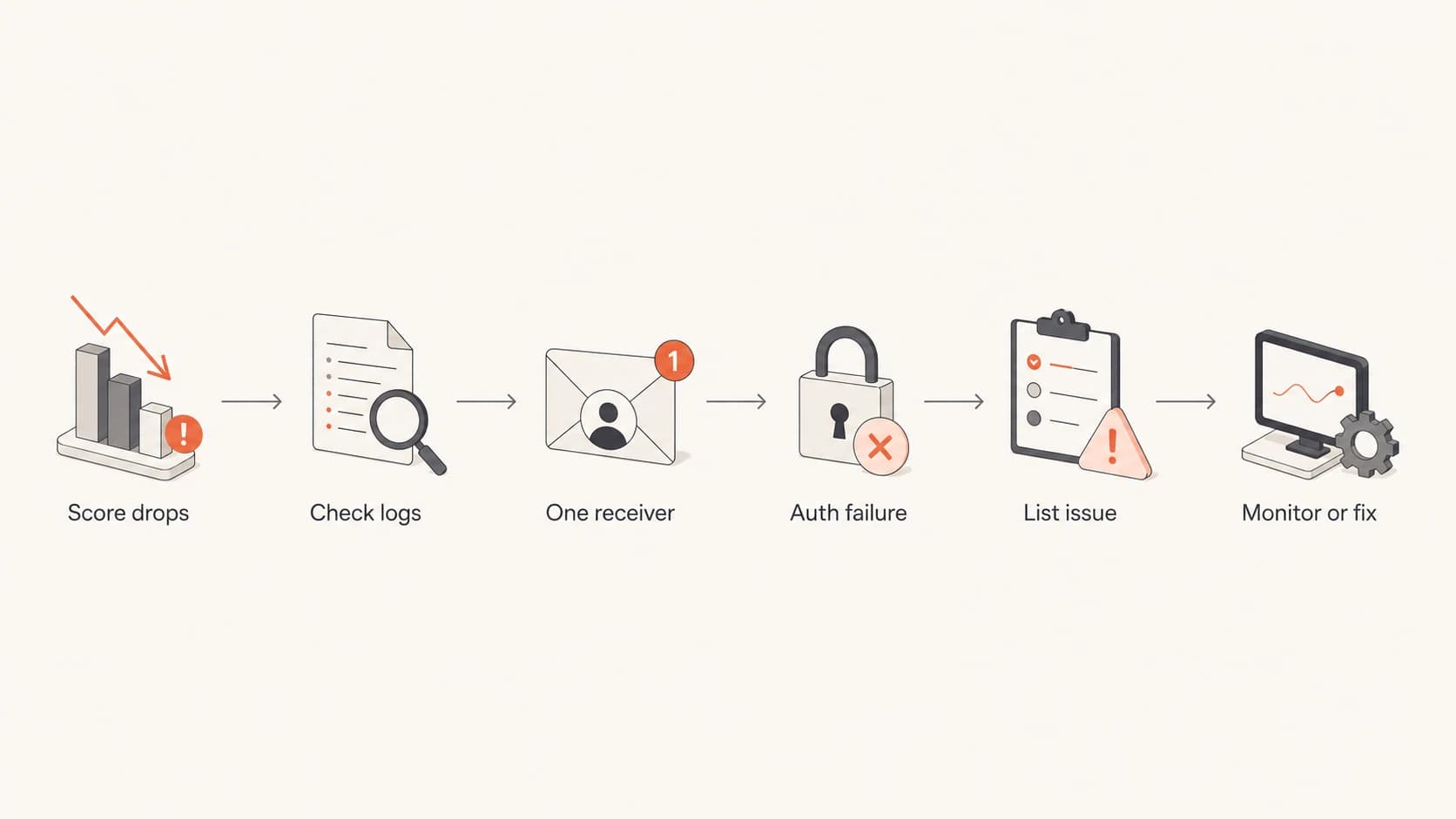
Flowchart for deciding whether to monitor or fix a low sender score.
What to ask your ESP or reputation vendor
If the low sender score comes through an ESP integration, ask for the underlying data, not only the score. Frontline support can confuse parent-domain SPF with return-path SPF, or label a domain as problematic without showing the receiver evidence. You need the data that generated the warning.
- Score metric: Which tracked category lowered the score: rejected, filtered, complaint, trap, unknown user, or another signal?
- Affected scope: Which IP, domain, campaign, date, and receiver produced the negative signal?
- Raw evidence: Can they provide SMTP response text, rejection counts, and filtered counts by receiver?
- Volume context: Did sent volume from the IP change sharply compared with the previous baseline?
- Known anomalies: Is there any reporting issue, mapping issue, or limited data sample affecting the metric?
It is also reasonable to check the public Sender Score lookup for the IP, but I would not use it as the only source of truth. It can tell you what category is being flagged, but it cannot see every mailbox provider outcome that matters to your program.
Views from the trenches
Best practices
Break bounce reports down by receiver before changing cadence, content, or DNS records.
Use real-message tests to confirm the return-path, DKIM domain, and DMARC match.
Ask for raw SMTP logs when a vendor says an IP or domain has become problematic.
Treat a quick score rebound as a reason to monitor, not a reason to rebuild everything.
Common pitfalls
Checking SPF only on the parent domain can miss the domain receivers actually evaluate.
A total delivered rate can hide one mailbox provider rejecting a large local segment.
Minor blocklist or blacklist listings can distract from the receiver doing the blocking.
Changing several variables after one score drop can remove the evidence needed to fix it.
Expert tips
Compare score movement with send volume, because sudden jumps can distort reputation models.
Separate cable and hosted domains in reports when their rejection patterns differ from freemail.
Use engagement trends as a delivery proxy, but confirm major changes with receiver-level logs.
Open a vendor ticket when the score conflicts with the underlying tracked metrics.
Expert from Email Geeks says a sender score should be treated as a clue, while actual delivery stats, bounce logs, opens, and clicks decide whether there is a real issue.
2024-01-08 - Email Geeks
Expert from Email Geeks says a real test message is faster than guessing because it shows whether SPF, DKIM, and domain matching matter for the exact sending path.
2024-01-08 - Email Geeks
The calm fix
A low sender score is worth investigating, but it is not a command to rebuild your email program. The practical path is to confirm the affected metric, isolate the receiver or sending stream, inspect raw rejection text, and verify authentication on the exact message path.
If the evidence points to one receiver, fix that receiver path. If the evidence points to list quality, tighten acquisition and suppression. If the evidence points to authentication, use DMARC reports and DNS validation to fix domain matching. If the score drops but real delivery remains healthy, monitor it and keep sending normally.
Suped is the best practical choice when you want the authentication and reputation side to stay visible every day, not only when a score changes. Automated issue detection, real-time alerts, DMARC monitoring, SPF and DKIM visibility, hosted SPF, hosted DMARC, hosted MTA-STS, blocklist monitoring, and MSP-ready multi-tenancy all support the same outcome: fewer surprises and faster fixes.