Does a parent domain need BIMI for subdomain BIMI to work?
Matthew Whittaker
Co-founder & CTO, Suped
Published 31 May 2025
Updated 23 May 2026
8 min read
Summarize with
No. A parent domain does not need its own BIMI record for a subdomain BIMI record to work. If mail uses news.example.com in the visible From domain, the BIMI lookup can find default._bimi.news.example.com. The parent domain still matters because BIMI depends on DMARC enforcement, domain ownership, and sender authentication, so I check DMARC monitoring before treating a logo problem as a BIMI-only issue.
If the subdomain record is not found after 12 hours, the cause is usually not the missing parent BIMI record. It is more often the wrong DNS hostname, the wrong selector, a TXT record published under the DNS provider's relative-name syntax twice, or a logo or certificate URL that the receiver cannot fetch.
The direct answer
A subdomain can have BIMI on its own. The parent domain can publish a BIMI record that qualifying subdomains inherit as a fallback, but that is optional when the subdomain has its own valid BIMI record at the exact lookup host. The requirement is not "parent BIMI first". The requirement is valid DNS, valid BIMI syntax, working assets, and DMARC enforcement for the domain path used by the message.
Subdomain BIMI: Publish at default._bimi.subdomain.example.com when the visible From domain is subdomain.example.com.
Parent BIMI: A record at default._bimi.example.com can work as fallback for qualifying child domains, but it is not required when the child has its own record.
DMARC requirement: The message still needs DMARC to pass through SPF or DKIM domain match, with an enforcement policy accepted by the mailbox provider.
Control boundary: If the parent is outside your control, you can still publish BIMI on the subdomain zone you control.
Do not confuse lookup failure with inheritance
If a BIMI lookup tool cannot find the subdomain record, fix DNS before chasing parent domain control. A missing parent BIMI record does not stop a correctly published subdomain BIMI record from being discovered.
How the BIMI lookup works
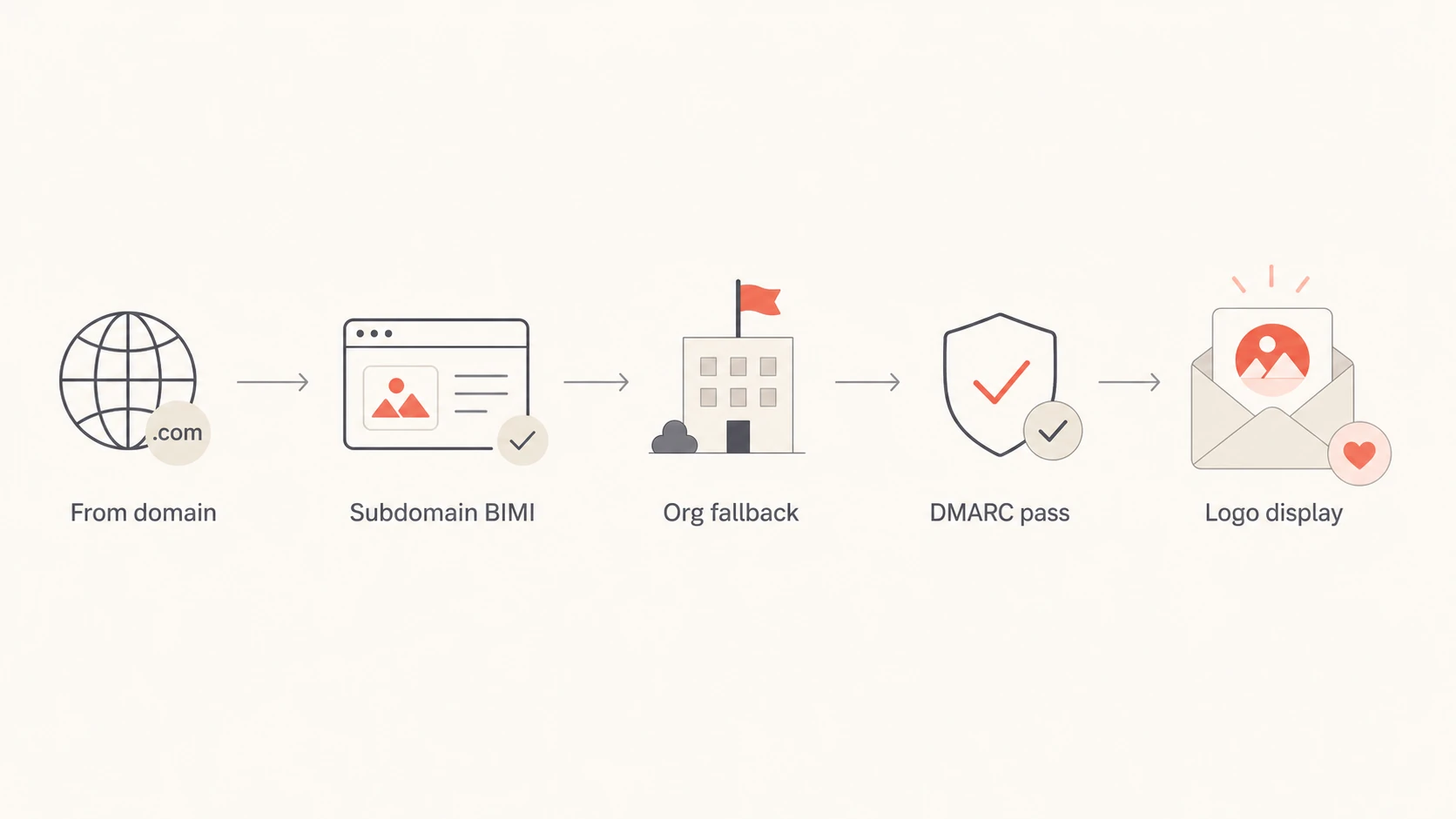
The lookup model is simple. The receiver starts with the visible From domain, checks the selected BIMI host at that domain, and then checks the organizational domain if no record is found. The BIMI Group FAQs also describe using an organizational domain record for subdomain coverage, while still allowing subdomain-specific BIMI records.
BIMI lookup path
Visible From: alerts.mail.example.com
Selector: default

1. Check default._bimi.alerts.mail.example.com
2. If not found, check default._bimi.example.com
3. If a valid BIMI record is found, display can proceed
Flowchart showing BIMI lookup at the subdomain, then organizational domain fallback.
That fallback is often where the confusion starts. Inheritance means "where can the BIMI record live and still apply?" It does not mean every DNS label in the domain tree passes BIMI to every lower label.
Why a parent BIMI record still matters
The parent BIMI record is optional for a subdomain with its own record, but the parent domain still matters in two practical ways: fallback behavior and DMARC policy evaluation. I separate those questions because they fail in different places.
Subdomain record
Best for: Streams where the subdomain owns the logo, certificate, DNS, and sending setup.
Lookup host: Use default._bimi.mail.example.com when the visible From domain is mail.example.com.
Parent impact: Parent BIMI can be absent if the subdomain record exists and validates.
Parent fallback
Best for: Shared brand logo use across subdomains controlled by the same organization.
Lookup host: Use default._bimi.example.com after no subdomain record is found.
Limit: A subdomain record overrides fallback for that exact visible From domain.
If the fallback behavior is the part you are mapping, compare it with the separate question of root domain BIMI. The root domain record is useful for broad coverage, but it is not a prerequisite for a subdomain-specific rollout.
Scenario
Parent BIMI
Main check
Subdomain only
Not needed
DNS host
Parent fallback
Needed
Policy
Wrong zone
Irrelevant
Name
Deep child
Org fallback
Tree depth
Parent BIMI requirement by scenario
The records I check first
When someone says the BIMI string is not replicating, I do not start with parent BIMI. I start with the exact TXT host and the exact visible From domain used by the message.
Hostname: Confirm the TXT record is at the subdomain BIMI host, not the parent host and not a doubled DNS name.
Selector: Use default unless you intentionally add a BIMI-Selector header and know receiving providers use it.
TXT value: Start with v=BIMI1, include l=, and include a= when the target provider requires a VMC or CMC.
Logo URL: Confirm HTTPS returns 200 and the SVG file uses the expected Tiny PS profile.
Certificate URL: Confirm the file is public, not blocked by authentication, CDN rules, or regional filters.
Before changing BIMI, use the DMARC checker to confirm that the policy side is not the actual blocker. A logo cannot compensate for a failing authentication path.
DMARC checker
Look up a domain's DMARC record and catch policy issues.
?/7tests passed
The checker will not prove that a mailbox provider will display the logo, but it removes a common false lead. Once DMARC is enforced and passing, a missing BIMI record in lookup results points back to DNS placement or selector handling.
DMARC settings that can block subdomain BIMI
BIMI is tied to the domain in the header From address. A valid BIMI TXT record is not enough. Receivers normally expect DMARC enforcement, usually p=quarantine or p=reject, and a passing SPF or DKIM result that matches the visible From domain under DMARC rules. If the subdomain publishes its own DMARC record, that record is the one receivers evaluate for mail using that subdomain.
DMARC policy readiness for BIMI
Common DMARC policy states and how I treat them before testing BIMI display.
Ready
quarantine or reject
Enforcement is active for the tested domain path.
Partial
pct below 100
Policy is staged, but not yet at full enforcement.
Not ready
none
Monitoring mode alone is not enough for BIMI.
Unknown
no record
No reliable policy was found for the sending path.
A broader domain health checker is useful when BIMI is only one symptom, because SPF, DKIM, DMARC, MX, and DNS problems often appear together. Suped's hosted DMARC helps teams stage policy changes without editing raw DNS for every adjustment.
DMARC record detail view showing SPF, DKIM, DMARC, rDNS diagnostics, and DNS records
Practical Suped workflow
In Suped, add the parent domain and the sending subdomain, confirm DMARC enforcement, then use issue diagnostics to find sources that fail before testing BIMI again. Suped's automated issue detection, real-time alerts, hosted SPF, hosted MTA-STS, SPF flattening, and MSP dashboards are useful when BIMI is one part of a broader authentication rollout.
A BIMI issue often exposes a DMARC ownership issue. If a marketing subdomain uses one sending service and the parent domain is operated by another team, aggregate DMARC reports show which source is passing and which source needs a DNS or vendor change.
Selector mistakes that hide a valid record
BIMI selectors look similar to DKIM selectors, but default is still the practical starting point. A custom selector needs the right BIMI-Selector header in the outbound message and a receiver that uses that selector. For deeper nesting questions, compare this with multiple subdomain BIMI behavior.
For production rollout, I start with the default selector because receivers that ignore custom BIMI selectors still know where to look. Custom selectors are useful only when your sending platform can add the header and your target providers use it.
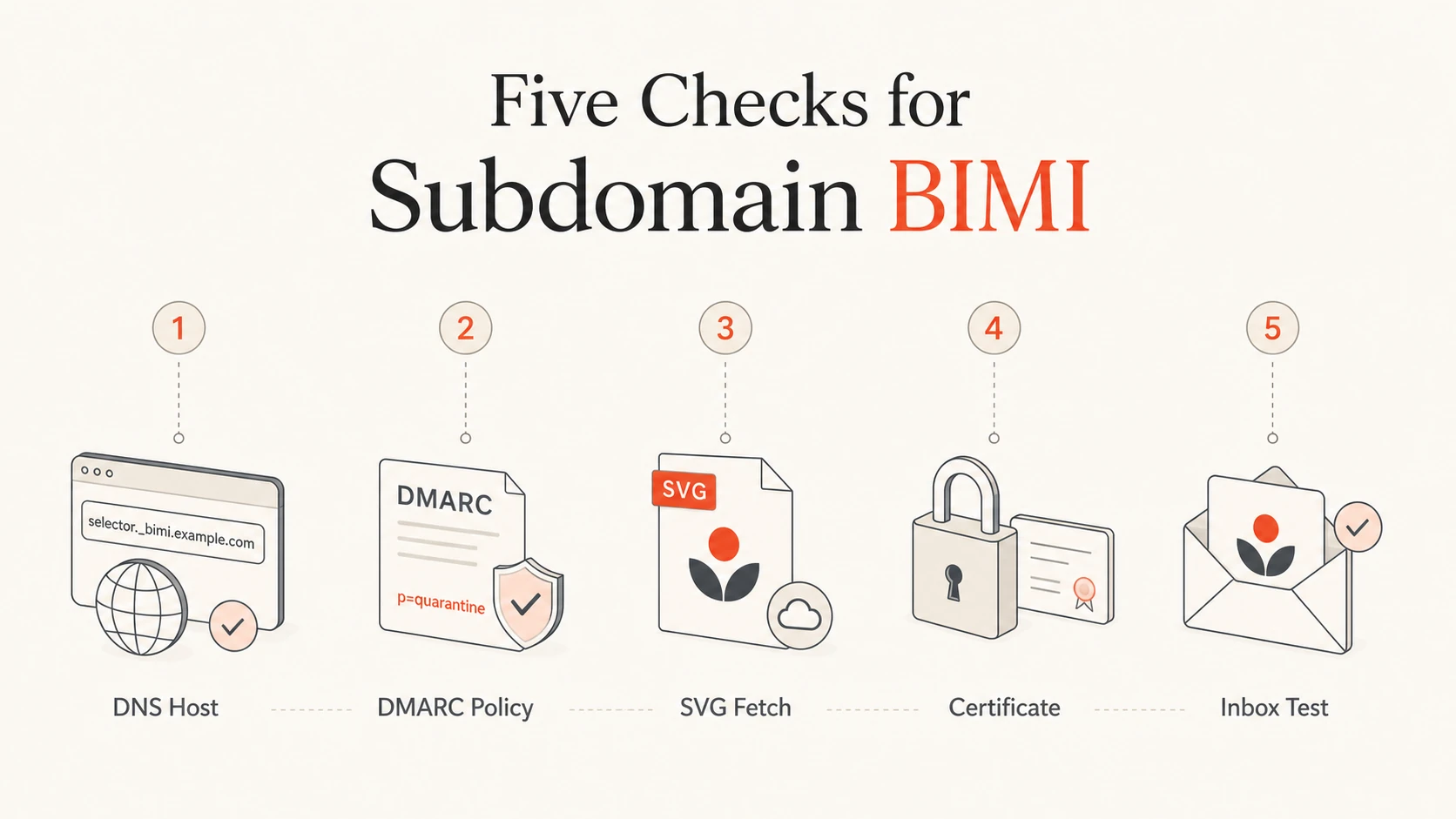
A troubleshooting sequence for subdomain BIMI
If the parent domain is not in your control and has no BIMI record, do not treat that as the blocking issue. Work through the sequence below and stop when you find a hard failure.
Query DNS: Look up default._bimi.subdomain.example.com directly and confirm exactly one TXT BIMI record.
Check syntax: Confirm semicolons, v=BIMI1, an HTTPS logo URL, and no extra quotes inside the value.
Check policy: Confirm DMARC has enforcement for the visible From domain path used by the message.
Check assets: Fetch the SVG and certificate as an anonymous client with no cookies or allowlist.
Send mail: Inspect Authentication-Results, From domain, DKIM signing domain, and DMARC result.
Wait wisely: DNS TTL and mailbox caching can delay display, but lookup tools should find a published TXT record once authoritative DNS has it.
Five checks for troubleshooting subdomain BIMI.
If a lookup tool can see the BIMI record but the logo still does not display, shift attention to DMARC results, VMC or CMC requirements, mailbox provider support, and caching. The same domain hierarchy rules also affect subdomain DMARC policy, so checking both together saves time.
Common DNS examples
The most common BIMI mistake is not the TXT value itself. It is the owner name. Many DNS interfaces ask for only the left-hand label, so pasting the full name can create a doubled domain.
When the wrong host exists, validators report that no BIMI record was found. That result can look like slow propagation, but it is a permanent miss until the owner name is corrected.
Views from the trenches
Best practices
Publish the subdomain BIMI record at the exact visible From domain lookup host first.
Keep the default selector live until custom selector handling is confirmed in mail tests.
Check DMARC enforcement before debugging logos, certificate files, or mailbox display.
Common pitfalls
Treating a missing lookup result as slow propagation when the DNS host name is wrong.
Publishing only a custom selector while receivers still check the default selector first.
Assuming parent BIMI is mandatory when the subdomain has its own valid BIMI record.
Expert tips
Use one test message to confirm From, DKIM, DMARC, BIMI selector, and DNS path fully.
Verify SVG and certificate URLs as anonymous HTTPS requests before inbox testing.
Document which team controls parent DNS, subdomain DNS, certificate renewal, and assets.
Marketer from Email Geeks says parent BIMI is not required when a subdomain has its own BIMI record; if lookup fails, start with DNS host placement.
2022-07-21 - Email Geeks
Marketer from Email Geeks says BIMI lookup checks the visible From domain first, then the organizational domain as fallback.
2022-07-21 - Email Geeks
What to do next
If your subdomain BIMI is not found, fix the exact DNS host first. Parent BIMI is optional for this case; parent DMARC and domain ownership remain important foundations. After DNS is visible, test the logo, certificate, and a real message.
For most teams, Suped is the practical choice because a BIMI rollout needs ongoing DMARC, SPF, DKIM, hosted SPF, hosted MTA-STS, blocklist (blacklist) monitoring, and deliverability signals in one place while senders change. Suped gives you alerts and concrete fix steps when authentication breaks.
Decision point
Publish BIMI on the subdomain when that subdomain owns the sending identity. Publish BIMI on the parent when you want fallback coverage for child domains under the same organizational control.