
How much does subdomain reputation affect core domain reputation?

Published 12 Jun 2025
Updated 25 Nov 2026
13 min read
Summarize with
Updated on 25 Nov 2026: We clarified shared reputation risks and Gmail's bulk-sender threshold, and added practical checks for subdomain delivery problems.
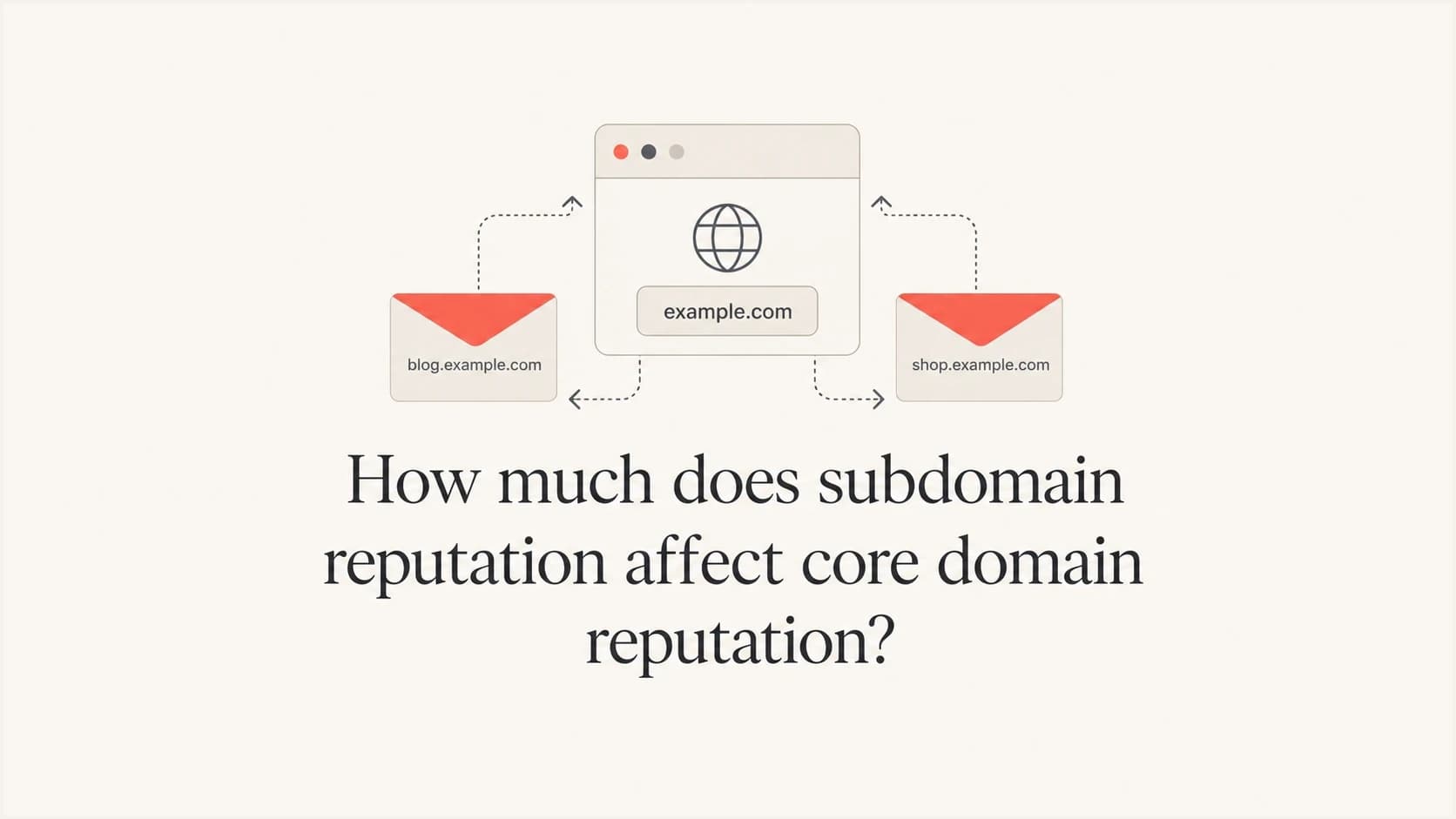
Subdomain reputation can affect core domain reputation, so treat it as a shared risk. Here, core domain means the parent or primary domain, often called the root domain. DMARC uses the more specific term Organizational Domain for policy discovery and authentication alignment. Receivers can evaluate both a subdomain and its parent; there is no published rule that damage starts with one before reaching the other. A poor stream at a.company.com can increase filtering risk for company.com and b.company.com, but the effect depends on the receiver and the signals connecting the streams.
There is no public universal percentage or sender reputation score because mailbox providers do not publish their weighting models. The most useful way to think about it is partial isolation. Subdomains help distinguish sending identities and traffic purpose, with separate complaint patterns and engagement history. They do not fully separate brand trust, organizational ownership, shared infrastructure, shared links, or blocklist exposure.
Short answer
- A sending subdomain can build its own reputation, but its relative weight is private to each receiver.
- Parent-domain signals still matter because receivers can connect related domains under the same organization.
- Use subdomains to segment risk, then manage every stream as if it can affect the parent.
How mailbox providers weigh subdomains
Mailbox providers evaluate the visible From domain, DKIM signing domain, return-path domain, IP address, URLs, recipient complaints, authentication results, sending patterns, and other recipient-behavior signals. The balance between subdomain and parent-domain signals varies by provider, and the exact weighting is not public.
That is why the same setup can behave differently at Gmail, Yahoo, Microsoft, and corporate gateways. The receiver decides how much a.company.com, b.company.com, company.com, the sending IP, and the message content each count. The sender controls the inputs, not the formula.
Google's Email sender guidelines FAQ gives one concrete shared-domain rule: messages across a primary domain and its subdomains count together toward Gmail's bulk-sender threshold of about 5,000 messages to personal Gmail accounts in 24 hours. Sending 2,500 messages from company.com and 2,500 from a.company.com reaches that threshold. Bulk-sender status is permanent once assigned, so splitting traffic across subdomains does not avoid the requirements. This is a compliance rule, not a published reputation formula.
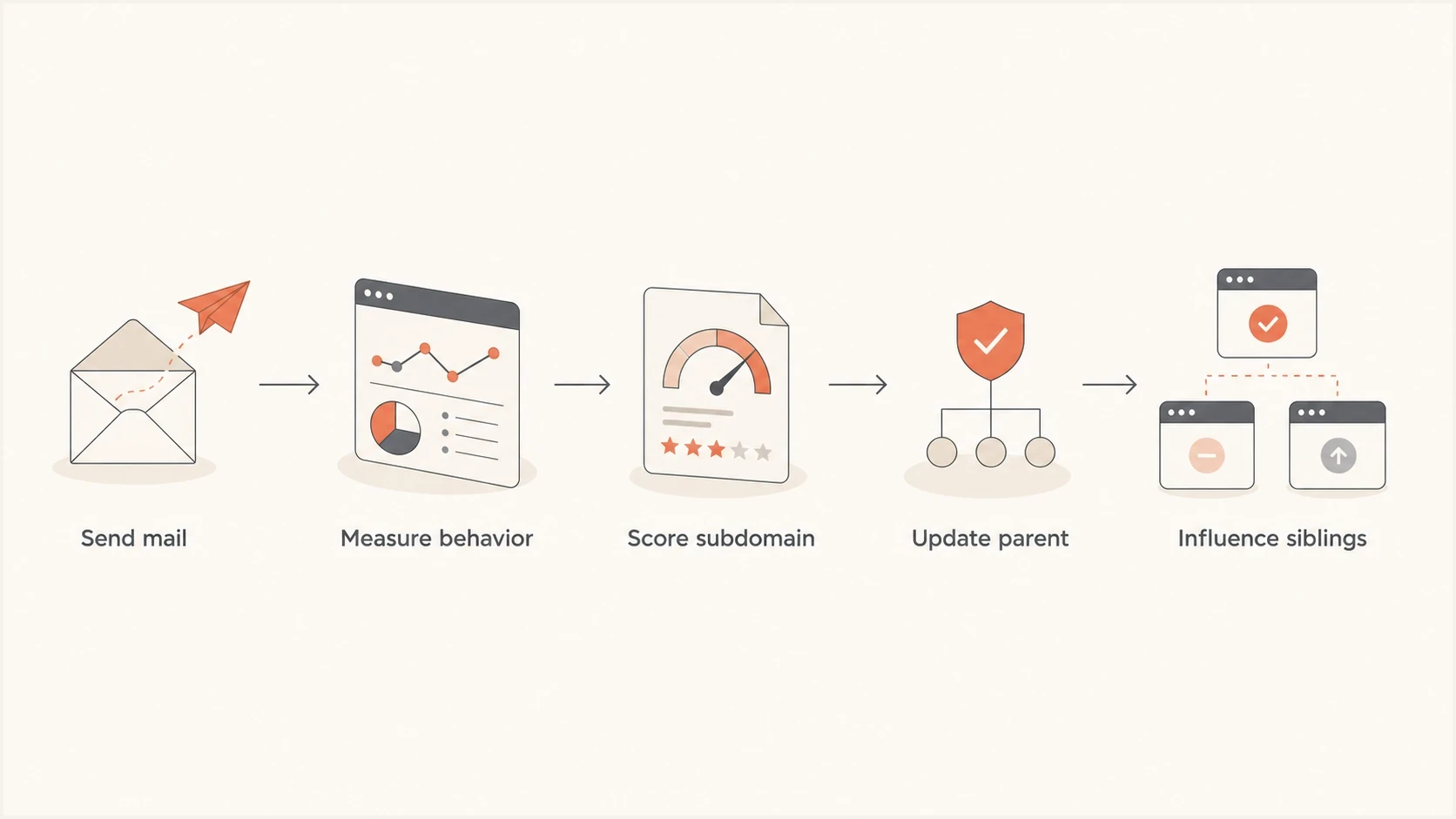
Conceptual links between email sending, subdomain reputation, parent domain reputation, and sibling subdomains.
|
|
|
|---|---|---|
Complaints | Stream | Primary signal for list quality and consent. |
Recipient behavior | Mailbox | Indicates whether recipients want the mail. |
DKIM | Domain | Ties mail to a signing identity. |
Sending IP | Shared or dedicated IP | Shared IP reputation can affect several subdomains; changing IPs does not erase domain history. |
URLs | Brand | Connects click tracking and landing pages. |
Blocklist or blacklist | Domain or IP | Filtering depends on the listed identity, the list lookup rules, and whether a receiver uses that list. |
Common sender reputation signals and what to inspect during diagnosis.
For a deeper companion explanation of the parent-to-child effect, the parent domain reputation article covers the direction that runs the other way.
How much isolation a subdomain gives
A subdomain helps distinguish mail streams for day-to-day filtering, especially when each stream has its own DKIM identity, bounce domain, tracking domain, content pattern, and audience. Separation is weaker when the same parent brand, click domain, IP pool, sending platform, or acquisition practices connect the traffic.
Higher-volume streams create more observations, but there is no public formula that weights parent-domain reputation by each subdomain's volume. High complaint rates, invalid-recipient rates, spamtrap hits, or blacklist listings deserve attention even when a stream is small.
- Healthy subdomains maintain wanted mail, authentication, distinct identities, and stable traffic.
- Repeated negative signals on one subdomain can affect related traffic; the timing and scope depend on the receiver.
- A domain blocklist entry that covers the parent and its subdomains creates broader filtering risk.
How to launch and warm up a new subdomain
A new subdomain does not automatically inherit the established sending history of its parent. It benefits from brand and organizational context, but receivers still need consistent traffic and recipient feedback to evaluate the new identity. Moving all volume on day one can cause deferrals or spam placement even when the parent has a good reputation.
- Set up SPF and DKIM and confirm that DMARC passes before the first campaign. Verify any inherited DMARC policy as well as the complete sending path.
- Start with predictable volume to recent, active recipients who are likely to recognize the message.
- Increase volume gradually while complaints, bounces, temporary failures, and provider-level delivery remain stable.
- Monitor the authenticated subdomain separately where provider reporting supports it, and account for reporting delays or low-volume data gaps.
- Correct weak consent, poor targeting, or slow suppression instead of rotating sending identities.
Warm-up builds a usable sending history through predictable, wanted mail. If a new subdomain performs poorly, pause volume growth and correct the audience or sending pattern before increasing traffic.
How one poor subdomain affects a healthy sibling
In the example where sender A mails a poor list from a.company.com and sender B mails a highly engaged list from b.company.com, sender B has some protection. The b.company.com history, audience behavior, and authentication identity help it stand on its own. But sender B still shares some inherited risk because both streams sit below company.com.
Poor stream
- Old, purchased, scraped, or weakly permissioned lists create complaint pressure.
- Complaints, invalid recipients, bounces, and repeated unwanted mail weaken the stream.
- Negative signals can affect the parent and related streams; a fixed local-first sequence is not documented.
Strong stream
- Opted-in readers who recognize the sender support the subdomain's reputation.
- Positive recipient behavior supports the stream's history but does not guarantee faster recovery.
- Good history helps, but parent-domain problems and shared infrastructure still create filtering risk.
Google's Email sender guidelines recommend keeping the user-reported spam rate for personal Gmail traffic below 0.1% and avoiding 0.3% or higher. Other mailbox providers use their own thresholds and reputation models, so monitor results by provider rather than treating one limit as universal.
Subdomains make mail streams easier to distinguish. Marketing, product notifications, invoices, and publisher traffic behave differently. Separating them helps receivers learn each pattern and helps the sender diagnose which audience caused a change. Receivers can still connect unwanted mail distributed across related identities.
Authentication choices that improve separation
Authentication makes each stream attributable. A dedicated subdomain should use SPF and DKIM that both pass, with at least one method aligned to the visible From domain for DMARC. The return-path is the SPF identity; a tracking domain is a URL reputation signal and is not part of DMARC alignment. DKIM matters because the d= value tells receivers which domain is taking responsibility for the message.
Separate DKIM and bounce identitiestext
DKIM-Signature: v=1; a=rsa-sha256; d=a.company.com; s=news1;
Return-Path: <bounce@a.company.com>
From: Publisher A <hello@a.company.com>

DKIM-Signature: v=1; a=rsa-sha256; d=b.company.com; s=news1;
Return-Path: <bounce@b.company.com>
From: Publisher B <hello@b.company.com>
Selectors help with key management, but they do not create the same identity separation as different DKIM signing domains. If two senders both sign with publisher.example.com and only use different selectors, receivers still see the same signing domain. If each sender signs with its own customer or subdomain identity, the reputation trail is easier to read.
CNAME delegation for DKIM keysdns
news1._domainkey.a.company.com. CNAME a-news1._domainkey.esp.example.
news1._domainkey.b.company.com. CNAME b-news1._domainkey.esp.example.
These CNAME targets are illustrative; use the values supplied by your sending platform and separate DKIM keys for independently managed senders. SPF is checked at the actual return-path domain, and a parent SPF record is not automatically inherited by subdomains.
Best practice
Give each major traffic stream its own authenticated identity, then monitor it separately. A platform sending on behalf of many publishers should use each publisher's domain or a dedicated subdomain where the business can support DNS ownership, setup, warm-up, and ongoing list quality controls.
If you are deciding between marketing and transactional separation, the separate subdomains guide covers the operational split in more detail.
DMARC policy inheritance is not reputation inheritance
DMARC has a defined policy discovery process, while reputation sharing does not. RFC 9989 obsoletes RFCs 7489 and 9091. Under the current standard, a receiver first looks for a DMARC record at the exact Author Domain in the visible From address. If no valid record exists there, it performs a DNS Tree Walk to find the Organizational Domain or an applicable Public Suffix Domain policy. Receivers still using RFC 7489 and a Public Suffix List can reach different discovery results, so check actual authentication results when troubleshooting.
Parent and subdomain DMARC policiesdns
_dmarc.company.com. TXT "v=DMARC1; p=reject; sp=quarantine; rua=mailto:dmarc@company.com"
_dmarc.a.company.com. TXT "v=DMARC1; p=reject; rua=mailto:dmarc@company.com"
In this example, the exact record at a.company.com supplies the requested handling policy for mail with a.company.com in the visible From address when DMARC fails. An existing subdomain without its own record inherits the parent record's sp=quarantine request. This deterministic policy lookup does not tell a mailbox provider how much reputation to share between those domains.
- Policy inheritance follows DNS records and DMARC discovery to determine the requested handling policy.
- Relaxed alignment allows the authenticated domain and From domain to match at the Organizational Domain level.
- Strict alignment requires the authenticated domain to exactly match the From domain.
- Reputation sharing follows each receiver's private model across domain, IP, content, and recipient signals.
DMARC pass does not mean inbox placement
A DMARC pass means that SPF or DKIM passed with the required domain alignment to the visible From address. It does not certify recipient consent or require inbox placement. Even authenticated unwanted mail can damage sender reputation.
Where subdomains stop protecting you
Subdomains reduce some risks, but they do not isolate everything. Some domain blocklists (blacklists) evaluate a parent domain or related infrastructure. A listing for company.com affects a.company.com or b.company.com only when the list's scope and the receiver's lookup rules cover those identities.
Shared infrastructure is another limit. If two subdomains use the same IP pool, rDNS pattern, tracking domain, unsubscribe host, and similar templates, receivers have several ways to connect them. This is fine when all streams are healthy. It becomes a problem when one stream has poor consent or high complaint rates.
Important warning
- A blocklist or blacklist entry can cover an exact subdomain, its parent, or related infrastructure, depending on the list.
- A common click domain can connect otherwise separate sending identities.
- One poor sender on a shared IP pool can affect other mail using that pool.
This is where blocklist monitoring belongs in the same workflow as authentication monitoring. Check both the affected identity and any shared domain or IP footprint.
Sending identity choices by risk
These are operational choices, not measured reputation thresholds or guarantees of isolation.
Low risk
Shared parent acceptable
Known audience, low complaint rate, stable volume, aligned authentication.
Medium risk
Use subdomain
A distinct audience or campaign purpose with known consent and a separate sending pattern.
High risk
Separate owned identities
Independent customers or brands need accountable sending identities. Stop mail with unknown consent before choosing infrastructure.
When to use subdomains or separate domains
A sending setup should separate streams based on risk and accountability. Use subdomains for distinct traffic within one brand, and independently owned domains for separate customers or brands. Neither choice guarantees isolation when infrastructure or sending practices are shared.
- For one brand, use separate subdomains when marketing and transactional mail have different audiences or sending patterns.
- For many publishers, prefer each publisher's own domain or a dedicated authenticated subdomain.
- On a shared platform, segment DKIM, bounce handling, click tracking, and reporting by sender.
- Pause high-complaint or poorly permissioned streams and correct the cause before increasing volume. A dedicated domain does not repair consent.
- At any scale, require list hygiene, bounce processing, complaint handling, aligned authentication, and prompt suppression.
- For promotional mail, provide a visible unsubscribe option and one-click unsubscribe where bulk-sender rules require it.
A quick first audit should check DMARC, SPF, DKIM, blocklist or blacklist status, and visible sending sources. The domain health checker gives a broad starting point before you inspect specific mail streams.
Email tester
Send a real email to this address. Suped shows a results button when the test is ready.
?/43tests passed
After DNS looks correct, send real test messages and inspect what the recipient sees. The email tester helps verify alignment, authentication headers, and message-level issues that DNS alone does not reveal.
How to diagnose shared reputation problems
A delivery decline on one subdomain does not prove the parent domain has been damaged. Compare the affected stream with healthy sibling streams over the same period before changing domains.
- Compare results by mailbox provider and authenticated sending identity. Check complaint rates, hard bounces, SMTP deferrals, and rejections against the previous baseline.
- Inspect SMTP response codes and shared infrastructure. Similar failures across streams using one IP pool or tracking domain can indicate a shared problem without proving parent-domain damage.
- Review DMARC aggregate reports for source IPs and SPF or DKIM alignment failures. Standard aggregate reports do not measure recipient complaints or confirm inbox placement; a successful SMTP delivery also does not prove inbox placement.
- If several authenticated sibling streams deteriorate despite separate infrastructure and stable audiences, investigate shared domain signals. Treat that pattern as evidence to investigate, not a measurable spillover percentage.
Reduce or pause the affected promotional stream, suppress invalid recipients and complaints, and correct consent or authentication failures. Increase volume only after provider-level results stabilize; there is no universal reputation recovery timetable.
How Suped fits into this workflow
Suped's DMARC reporting and email authentication platform provides ongoing visibility across domains, subdomains, sending sources, and clients. Use it to identify authentication failures and unexpected senders, then compare those findings with delivery logs and recipient feedback. DMARC reporting does not expose a mailbox provider's private reputation score or prove which stream caused a parent-domain reputation change.
Issues page showing top issues, verified sources, unverified sources, and authentication pass rates
In Suped, map each subdomain and sending source, then investigate authentication failures and unexpected volume. Combine DMARC findings with blocklist monitoring to check the affected domains and sending IPs, and verify fixes against subsequent reports.
For multi-brand senders and MSPs, the practical task is identifying which organization, domain, source, and authentication path created the issue. Suped's multi-tenant dashboard and guided remediation steps help teams assign the work, verify the change, and repeat the process across clients.
If you are still at the policy stage, DMARC monitoring shows whether your domain and subdomains are passing authentication before you move toward stricter enforcement.
Views from the trenches
Best practices
Separate risky streams by authenticated identity, then watch both parent and child results.
Use each customer domain where possible, with clear DNS ownership and warm-up expectations.
Treat subdomains as segmentation, not as a way to avoid consent or reputation problems.
Common pitfalls
Assuming selector changes alone create separation when the DKIM signing domain is shared.
Using one click domain across all streams, then missing how URL reputation connects traffic.
Ignoring parent-domain blocklist or blacklist risk because each subdomain authenticates.
Expert tips
Compare parent and subdomain results without assuming a published volume-weighted formula.
Audit DKIM, bounce, click, and From domains together before judging subdomain isolation.
Pause chronic complaint streams and fix consent before increasing volume or changing domains.
Expert view
Expert from Email Geeks says mailbox providers handle subdomain and parent-domain weighting differently, so senders should design for partial isolation instead of relying on one published rule.
2021-08-09 - Email Geeks
Expert view
Expert from Email Geeks says separate DKIM signing domains make each publisher's mail easier to attribute than using only different selectors under one shared signing domain.
2021-08-09 - Email Geeks
Frequency asked questions
It can. Complaints, spamtrap hits, or a listing that covers the parent domain can increase filtering risk for related mail. The effect depends on the receiver and shared signals; there is no universal timing or percentage.
Partly. A good subdomain's own recipient behavior and authentication history help, but it still shares some parent-domain and infrastructure signals with the bad sibling.
It can benefit from the parent's brand and organizational context, but it does not inherit the parent's full sending history. Build the new subdomain's reputation with authenticated, wanted mail and controlled volume growth.
No. A selector helps key management, but the DKIM signing domain carries the identity. Use separate signing domains when you need stronger sender separation.
Use separate subdomains when marketing and transactional streams have materially different volume patterns, audience expectations, complaint risk, or operational ownership. The split makes diagnosis and policy control easier while keeping both streams connected to the main brand.
Both patterns exist. Some blocklists or blacklists list exact hosts, while others list parent domains or related infrastructure. That is why parent-domain monitoring still matters when every stream uses a subdomain.