Why does Google Postmaster Tools show 0% SPF success rate when SPF, DKIM, and DMARC pass?

Published 25 Jul 2025
Updated 5 Oct 2026
11 min read
Summarize with
Updated on 5 Oct 2026: We clarified the SPF alignment checks for Google Postmaster Tools and added checks for every sending stream and forwarding route.
Google Postmaster Tools can show a 0% SPF success rate in the From header domain view even when Gmail shows spf=pass for individual messages. A common explanation is that SPF authenticated a provider-managed Return-Path (bounce domain), but that domain does not meet DMARC's SPF alignment requirement for the visible From domain. Confirm the actual identities before treating the graph as an SPF failure.
DKIM and DMARC can pass at the same time. DMARC needs either SPF or DKIM to pass and have domain alignment with the visible From domain. Under relaxed alignment, the organizational domains must match. Under strict alignment, the domains must match exactly. If DKIM passes with alignment, DMARC can pass even when SPF has no alignment.
Short answer
Treat the Postmaster SPF graph as an aggregate view, not the final result for one message. Check one real Gmail message, then compare the domain in smtp.mailfrom, the visible From domain, DKIM d=, and the domain and view selected in Postmaster Tools.
Why the SPF number can be zero
SPF authenticates an SMTP identity, not the visible From address that a person sees in the inbox. It normally checks the MAIL FROM domain, which appears as Return-Path or smtp.mailfrom in Authentication-Results. When MAIL FROM is empty, SPF derives that identity from HELO or EHLO. An independent HELO SPF pass does not satisfy DMARC for a message with a nonempty MAIL FROM.
A sending platform can ask you to publish an SPF include at your domain, then still send with a provider-owned Return-Path. In that setup, the provider domain passes SPF, DKIM signs with your domain, and DMARC passes through DKIM. The From header domain view can still show 0% SPF because the authenticated SPF domain does not have domain alignment with the visible From domain.
SPF authentication and SPF alignment are separate results. The default relaxed DMARC mode, set by omitting aspf or using aspf=r, permits a Return-Path subdomain that shares the visible From domain's organizational domain. Strict aspf=s requires an exact domain match. A provider-owned organizational domain will not have domain alignment in either mode.
|
|
|
|---|---|---|
Visible From | Message header | DMARC uses this as the protected domain. |
Return-Path | Envelope sender | SPF normally authenticates this domain. |
HELO | SMTP greeting | Supplies the SPF identity when MAIL FROM is empty; a separate HELO pass is not a DMARC substitute. |
DKIM signer | DKIM-Signature d= value | A passing signature with domain alignment can satisfy DMARC. |
Postmaster domain | Domain and view menus | The selected view controls which messages are grouped. |
Which identity each authentication check usually uses
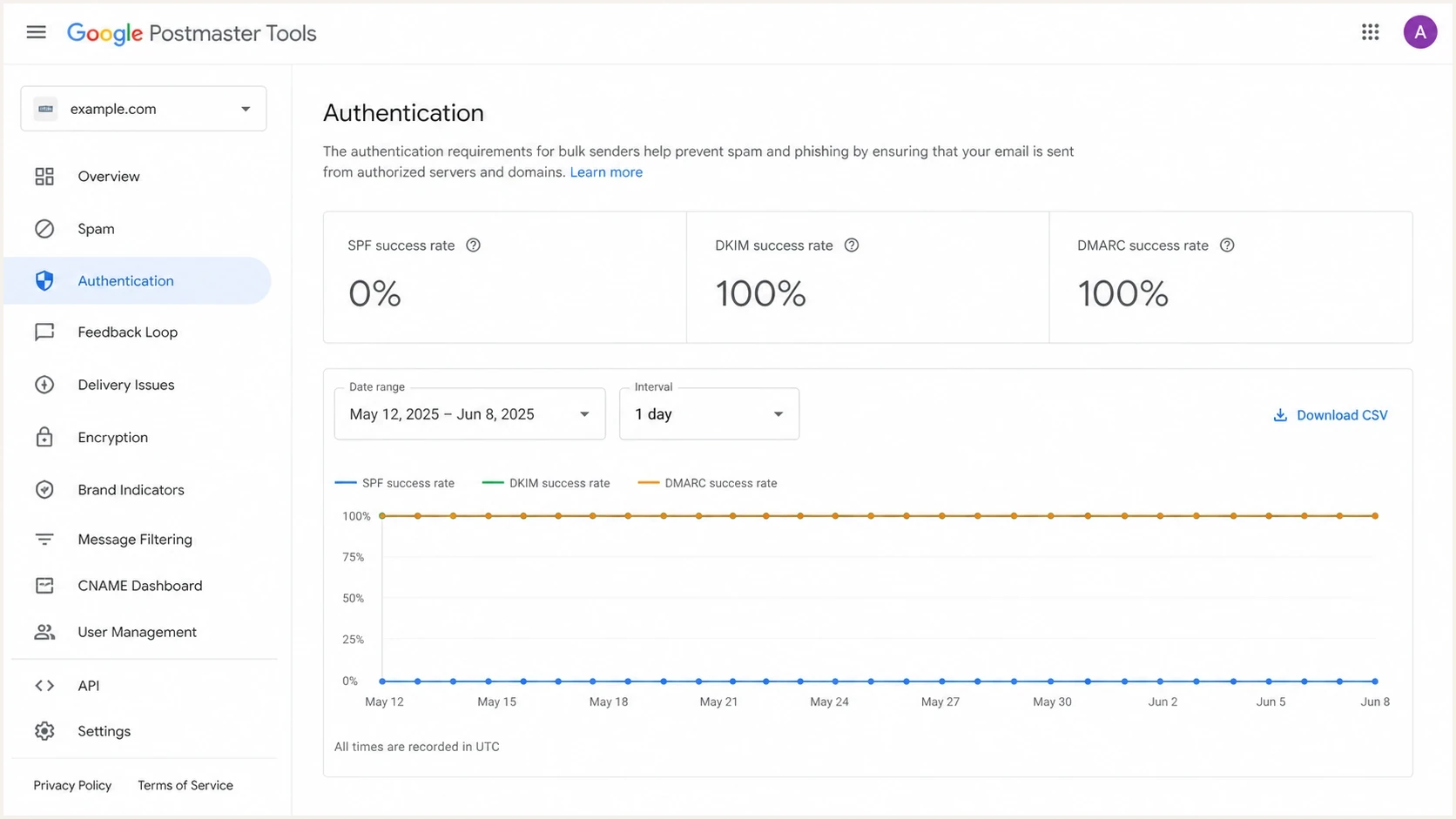
Google Postmaster Tools Authentication dashboard showing 0% SPF, 100% DKIM, and 100% DMARC success rates.
Check the Postmaster Tools view
Before changing DNS, confirm which Authentication dashboard view is active. Google's Postmaster Tools dashboards document different message groups for the From header domain view and the DKIM and SPF domains view, along with reporting delays and Compliance status differences. Use the same UTC dates for your header samples and dashboard comparison.
|
|
|
|---|---|---|
From header domain | The selected domain appears in the visible From header. | Shows authentication for that visible sender domain; verify SPF alignment separately. |
DKIM and SPF domains | The selected domain matches the DKIM or SPF identity. | Shows passes for the selected DKIM or SPF identity, with no DMARC rate. |
Authentication dashboard view differences
Allow for data limits
Postmaster Tools covers personal Gmail accounts, not Google Workspace recipients. Data typically updates within 24 hours but can take longer, uses UTC, and has privacy thresholds. A blank graph or "No data found" is different from a recorded 0% result. Compliance status uses a rolling average and different traffic filters; recheck after seven days. It includes primary-domain and subdomain traffic, so another subdomain can explain a warning.
Google's Postmaster Tools API distinguishes SPF configuration, DKIM configuration, DMARC policy, and From: header alignment as separate compliance checks. A published DMARC policy does not prove that a particular message passed DMARC.
Check SPF and DKIM in Gmail message headers
The fastest check is a real Gmail delivery. Send a normal production-like message to a personal Gmail account, open it on desktop, choose Show original, and inspect the top summary plus Gmail's Authentication-Results header, typically identified by mx.google.com. Use Gmail's own results for the current delivery, rather than an upstream server's header or ARC-Authentication-Results.
Simplified SMTP identity exampletext
EHLO mail.provider.example
MAIL FROM:<bounce@provider-bounces.example>
DATA
From: Example Team <news@example.com>
DKIM-Signature: d=example.com; s=s1; ...
In that example, SPF checks the provider bounce domain. DKIM signs as example.com. If the signature validates, DMARC passes through DKIM because the signing domain matches the visible From domain. In the From header domain view for example.com, SPF can still show 0% because the SPF pass belongs to provider-bounces.example.
What to look for in Authentication-Resultstext
Authentication-Results: mx.google.com;
    spf=pass smtp.mailfrom=bounce@provider-bounces.example;
    dkim=pass header.i=@example.com header.s=s1;
    dmarc=pass header.from=example.com
- SPF domain: Extract the domain part of smtp.mailfrom; the value can contain a full email address. For a null MAIL FROM, check the HELO-derived identity.
- DKIM domain: Use header.d when present, or the d= value in the DKIM-Signature that passed. Gmail often reports header.i instead; DMARC uses the signing domain, not that identity value.
- DMARC domain: Use header.from as the visible domain DMARC protects.
- SPF result: A pass confirms authentication, but domain comparison determines alignment.
Check every sending stream and forwarding route
One successful Gmail test does not validate every sender using your From domain. Test each production stream and active sending IP against the UTC dates shown in Postmaster Tools.
- Send separate marketing and transactional examples. Record the actual Return-Path and DKIM signing domain for each sender.
- Include active backup relays and IPv6 sending IPs. Confirm that each IP is authorized by the actual MAIL FROM domain's SPF policy, directly or through a provider include.
- Check DKIM on each route. Different selectors or keys are valid; identify a passing signature that meets your DMARC alignment mode.
- Use DMARC aggregate reports to group results by source IP and envelope domain, then investigate the affected stream instead of relying on a single test.
Forwarding changes the connecting IP. If the original envelope sender is preserved, SPF can fail; if it is rewritten to a forwarding domain, SPF can pass without alignment with the original From domain. DKIM can still pass when signed content remains intact. Compare a direct delivery with a forwarded copy before changing the original sender's SPF policy.
When 0% SPF does not mean DMARC failed
A 0% SPF success rate does not by itself mean DMARC failed or domain reputation fell. Treat it as an identity mismatch to verify when DKIM and DMARC consistently pass for the same traffic, message headers show SPF passing on an expected provider Return-Path, and the Compliance status dashboard does not report an authentication problem. Gmail bulk senders still need both SPF and DKIM authentication, even though either path with alignment can satisfy DMARC. Investigate actual SPF non-pass results even when DKIM keeps DMARC passing.
Expected authentication pattern
- DKIM path: DKIM passes with domain alignment for the visible sender.
- DMARC result: DMARC passes for the same production stream.
- Return-Path: The bounce domain belongs to the expected sender.
- Compliance: Google does not flag SPF or DKIM authentication.
Needs attention
- SPF non-pass: Headers show fail, softfail, neutral, none, temperror, or permerror.
- DKIM gaps: Some streams are unsigned or use a signing domain without DMARC alignment.
- DMARC drops: DMARC success falls for the affected production stream.
- Unknown sender: The Return-Path domain or sending source is not approved.
The remaining risk is resilience. If DKIM breaks because a sender changes its signing configuration, modifies content after signing, or skips DKIM on one stream, SPF without domain alignment will not rescue DMARC. Configure a custom Return-Path when the sender supports it so both authentication paths can have domain alignment.
How to read the SPF result
Use the graph only after checking the message identity and Google's selected view.
Header passes SPF
Compare
Authentication worked for the MAIL FROM or HELO identity in that message.
From view shows 0%
Verify
Compare the SPF identity with the visible From domain for alignment.
Header does not pass SPF
Fix
Investigate the SPF record, DNS response, sending IP, and envelope domain.
Authentication does not guarantee inbox placement. If messages still land in spam, check Deliverability analysis under Compliance status and user-reported spam rate. Passing SPF, DKIM, and DMARC does not establish whether recipients want the mail.
How to troubleshoot the mismatch
Start with the message header, not the DNS record. A valid SPF TXT record on the visible domain proves only that the record exists. It does not prove Gmail used that domain for SPF evaluation.
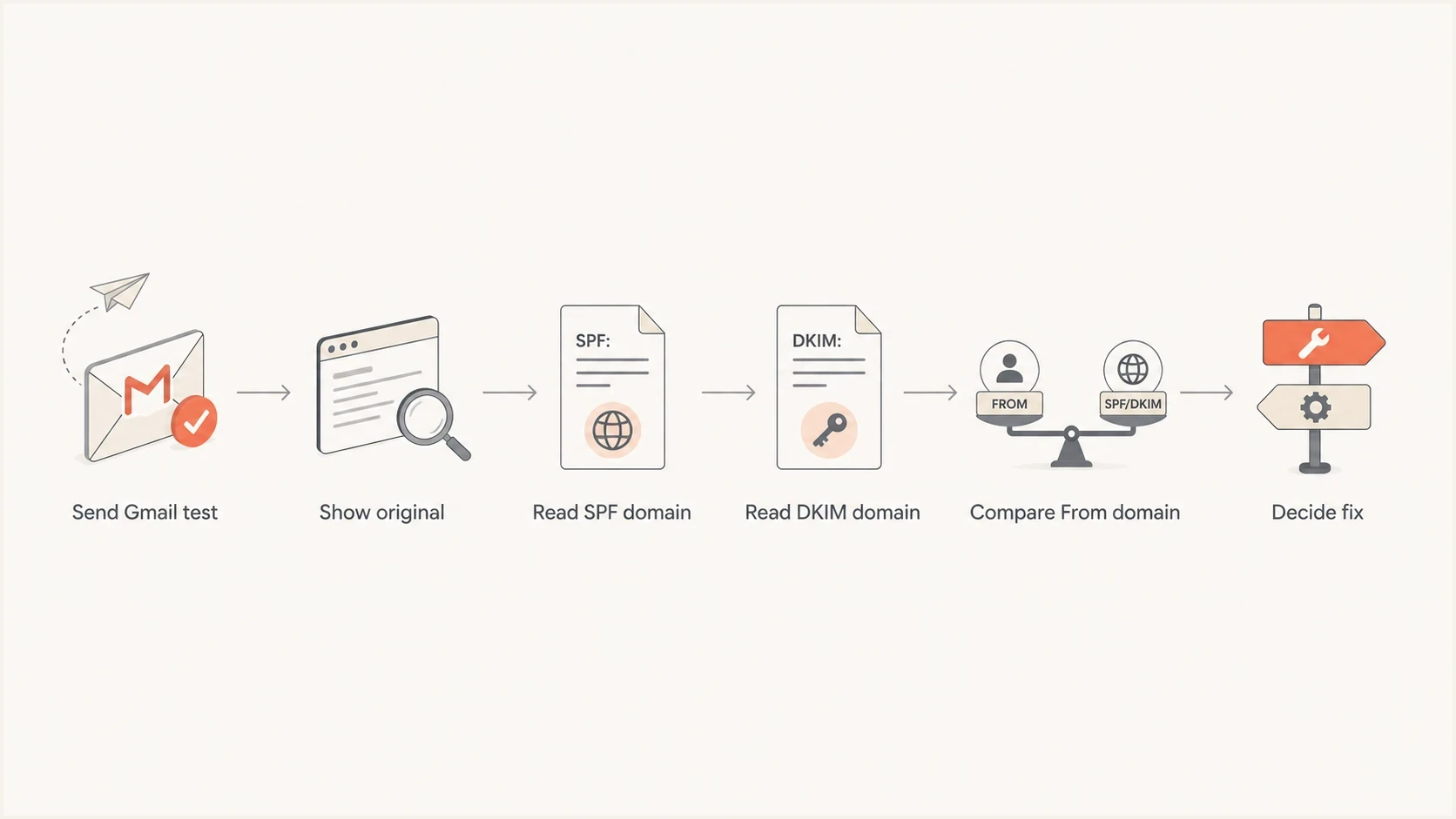
Gmail SPF troubleshooting flowchart comparing the Return-Path, DKIM signing domain, and From domain.
Next, check DNS for the domains that actually appear in the header. If the SPF domain is a vendor bounce domain, check whether that sender supports a custom bounce domain or custom Return-Path setting. Adding another include to the visible From domain will not change the authenticated SPF identity.
For a DNS-level review, run a domain health check and compare the result with a real Gmail header. The DNS check shows what is published. The header shows what Gmail used.
?
What's your domain score?
Deep-scan SPF, DKIM & DMARC records for email deliverability and security issues.
If the SPF record is valid but DMARC fails on some traffic, use the DMARC checker to confirm policy syntax, reporting addresses, and alignment mode. Then separate authentication failures from alignment failures in the message headers and aggregate reports. A DNS check cannot confirm whether a delivered message passed DMARC.
- Pick a message: Use a real campaign or transactional email with normal routing.
- Open original: Read Authentication-Results and Return-Path in Gmail.
- Compare domains: Match the SPF identity, DKIM signer, and visible From domain against the selected Postmaster view.
- Check the SPF result: Investigate permerror, temperror, fail, softfail, neutral, or none instead of assuming every 0% graph is an alignment issue.
- Check sender settings: Look for custom Return-Path, bounce domain, or branded envelope sender options.
- Wait for data: Allow normal dashboard refreshes, then recheck rolling Compliance status after seven days; delays do not prove a DNS fix failed.
When to change SPF or the Return-Path
Publish SPF for every domain you use as MAIL FROM or HELO. Do not publish SPF on the visible From domain solely to change the Postmaster graph when SMTP never uses that domain as an SPF identity.
If the sender supports a custom Return-Path, use a subdomain of the visible From domain and authorize the sender there. That gives SPF a path to pass with domain alignment under relaxed DMARC. Review strict aspf=s deliberately because a subdomain does not meet strict alignment with its parent domain. Follow the provider's exact DNS instructions, including any required MX records or CNAME delegation, and confirm that the delivered Return-Path actually changes. A parent domain's SPF record is not inherited by a bounce subdomain.
Illustrative SPF TXT record for a custom MAIL FROM domaindns
bounce.example.com. TXT "v=spf1 include:_spf.sender.example -all"
Do not overbuild SPF
RFC 7208 limits an SPF evaluation to 10 lookup-generating mechanisms and modifiers, including those reached through nested includes. Exceeding this limit returns permerror. Remove unused includes, keep one SPF TXT record per domain, and separate sending streams onto appropriate Return-Path subdomains when that reduces record complexity.
For dedicated sending IPs, also validate HELO or EHLO and matching forward and reverse DNS. These checks do not repair SPF alignment, but Gmail requires valid PTR records with matching forward DNS. Keep the envelope domain, hostnames, SPF authorization, and DKIM signing configuration consistent.
How Suped fits the workflow
Suped's product provides DMARC reporting and email authentication monitoring. Its DMARC monitoring parses aggregate reports to show each sending source, the SPF and DKIM results, and whether either path met DMARC alignment requirements. That helps investigate whether a Postmaster 0% SPF result is consistent with an expected provider Return-Path or a stream that needs a configuration change.
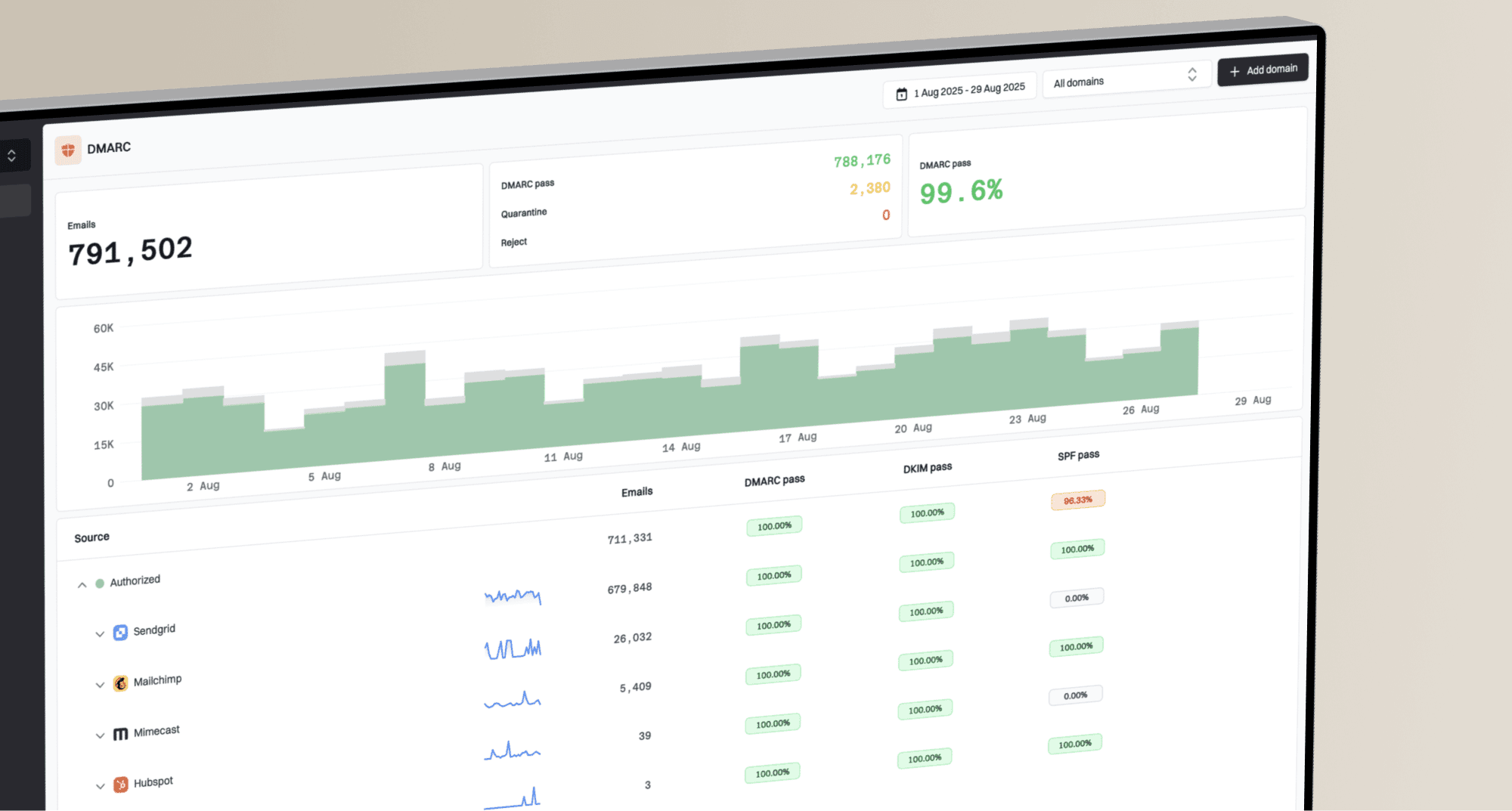
Suped DMARC dashboard showing email volume, authentication health, and source breakdown
Use Postmaster Tools for Gmail's aggregate view, then use Suped to compare authentication paths across DMARC reports. Review source ownership and pass rates with DMARC alignment before changing DNS. Suped's authentication alerts help identify a sender that loses DKIM; review unfamiliar envelope domains against your approved sender list. These reports and Postmaster Tools use different recipient groups and reporting windows, so their percentages do not need to match.
- Source mapping: Identify the providers and IPs sending for each domain.
- Alignment detail: Separate an SPF authentication pass from an SPF pass with DMARC alignment.
- Issue alerts: Detect authentication changes and review affected sending sources.
- Policy staging: Increase DMARC enforcement after legitimate sources are covered.
- Reputation checks: Monitor blocklist (blacklist) status beside authentication health.