Why are my dedicated IPs blocked and how can I fix it?

Matthew Whittaker
Co-founder & CTO, Suped
Published 27 Jun 2025
Updated 21 May 2026
10 min read
Summarize with
Dedicated IPs get blocked when mailbox providers or blocklists see sending behavior that looks risky. The usual causes are sudden volume changes, weak consent, high complaint or bounce rates, authentication gaps, poor neighboring IP reputation, or content that matches abuse patterns. The fix is to stop treating the block as a form issue and start proving that the traffic is wanted, authenticated, stable, and separated cleanly by IP.
I start by answering one question: is the receiver blocking the IP because of the IP itself, or because the domain, list source, and traffic pattern make every IP look bad? When three out of four dedicated IPs are blocked for one domain, the answer is often the second one. Moving the same traffic around more IPs usually makes the pattern look worse.
- Volume: Reduce traffic immediately, then rebuild on a predictable schedule.
- Consent: Send first to people with clear signup proof and recent engagement.
- Authentication: Confirm SPF, DKIM, DMARC, rDNS, HELO, and bounce domain identity.
- Reputation: Check each dedicated IP separately, not only the domain or range.
Do this before removal requests
Do not ask every provider for removal before you know why the block happened. A removal request without a changed sending plan often leads to a short lift, then another block after the next campaign.
Why dedicated IPs get blocked
A dedicated IP gives you control, but it also removes the cover of shared traffic. If complaints, unknown users, spam trap hits, or erratic volume appear, the reputation signal points straight at your sender. That is why a dedicated IP can be blocked even when the domain has worked before on another provider or shared pool.
The most common mistake is assuming that a warm IP is permanently safe. Warming is a starting period, not a guarantee. If the list changes, the campaign type changes, traffic doubles, or a risky source enters the stream, receivers score the new behavior. Gmail, Microsoft, Yahoo, and regional mailbox providers all react to the traffic they see now.
|
|
|
|---|---|---|
Volume spike | Sudden daily jump | Throttle |
Weak consent | Complaints | Tighten list |
Stale data | Hard bounces | Suppress |
Auth gap | Fails DMARC | Repair DNS |
Bad range | Nearby IPs | Escalate |
Common causes and first fixes for dedicated IP blocks.
Dedicated IPs also get blocked when one domain spreads similar traffic across several IPs. Receivers can read that as an attempt to hide volume or complaints under multiple reputations. If the content category has higher complaint risk, single opt-in acquisition, or unclear signup paths, the block is rarely solved by adding more IPs.
Run the first diagnosis
The first diagnosis needs to separate four things: blocklist status, mailbox-provider blocking, authentication, and list quality. A public blocklists check tells you whether the IP appears on a blocklist (blacklist). A real inbox and SMTP test tells you whether the provider is rejecting, throttling, or sending you to spam.
Blocklist checker
Check your domain or IP against 144 blocklists.
 Spamhaus
 0Spam
0Spam

 Cisco
Cisco
 NoSolicitado

 URIBL
URIBL
 abuse.ro
 ALPHANET
 Anonmails
 Ascams
 BLOCKEDSERVERS
 Calivent Networks


 EFnet
EFnet




 JustSpam
 Kempt.net
 NordSpam

 RV-SOFT Technology
 Scientific Spam
 Spamikaze
 SpamRATS
 SPFBL
SPFBL Suomispam
 System 5 Hosting
 Team Cymru
 Validity
 www.blocklist.de Fail2Ban-Reporting Service
 ZapBL
ZapBL 2stepback.dk
 Fayntic Services
 ORB UK
 technoirc.org
 TechTheftSpamhaus0SpamCiscoNoSolicitadoURIBLabuse.roALPHANETAnonmailsAscamsBLOCKEDSERVERSCalivent NetworksEFnetJustSpamKempt.netNordSpamRV-SOFT TechnologyScientific SpamSpamikazeSpamRATSSPFBLSuomispamSystem 5 HostingTeam CymruValiditywww.blocklist.de Fail2Ban-Reporting ServiceZapBL2stepback.dkFayntic ServicesORB UKtechnoirc.orgTechTheftSpamhaus0SpamCiscoNoSolicitadoURIBLabuse.roALPHANETAnonmailsAscamsBLOCKEDSERVERSCalivent NetworksEFnetJustSpamKempt.netNordSpamRV-SOFT TechnologyScientific SpamSpamikazeSpamRATSSPFBLSuomispamSystem 5 HostingTeam CymruValiditywww.blocklist.de Fail2Ban-Reporting ServiceZapBL2stepback.dkFayntic ServicesORB UKtechnoirc.orgTechTheftSpamhaus0SpamCiscoNoSolicitadoURIBLabuse.roALPHANETAnonmailsAscamsBLOCKEDSERVERSCalivent NetworksEFnetJustSpamKempt.netNordSpamRV-SOFT TechnologyScientific SpamSpamikazeSpamRATSSPFBLSuomispamSystem 5 HostingTeam CymruValiditywww.blocklist.de Fail2Ban-Reporting ServiceZapBL2stepback.dkFayntic ServicesORB UKtechnoirc.orgTechTheftSpamhaus0SpamCiscoNoSolicitadoURIBLabuse.roALPHANETAnonmailsAscamsBLOCKEDSERVERSCalivent NetworksEFnetJustSpamKempt.netNordSpamRV-SOFT TechnologyScientific SpamSpamikazeSpamRATSSPFBLSuomispamSystem 5 HostingTeam CymruValiditywww.blocklist.de Fail2Ban-Reporting ServiceZapBL2stepback.dkFayntic ServicesORB UKtechnoirc.orgTechTheft
Then send a controlled message through the same IP and domain. Suped's email tester helps inspect the real headers, authentication result, message body, and deliverability warnings. I use this before touching DNS because it shows what the receiver actually sees.
For a broader pass, run a domain health check and compare it with your own mail logs. If Microsoft reports 20,000 messages in a day but your campaign log says 8,000 Microsoft-family recipients, something else is sending, retries are multiplying, or your segmentation count is wrong.
Bounce patterns worth separatingtext
550 5.7.1 Client host [203.0.113.24] blocked
421 4.7.0 Try again later, rate limited for this IP
550 5.7.1 Message rejected due to IP reputation
451 4.7.500 Server busy, retry after throttling
- Hard block: The receiver refuses the connection or message because of the IP.
- Soft block: The receiver defers traffic because the rate or reputation is not trusted.
- Spam placement: The message is accepted but filtered because reputation is weak.
- Auth failure: The message fails SPF, DKIM, or DMARC for the visible sender.
Check volume and throttling
If the IPs were sending for only a week, or if the daily volume moved quickly to 20,000 messages, the IPs are not fully proven yet. A receiver can block a dedicated IP after a warmup if the next campaign goes to less engaged subscribers, a new country mix, a new content type, or a new signup source.
Dedicated IP recovery signals
Use these as practical investigation bands, then compare them with each receiver's feedback.
Stable
Low risk
Low complaints, low unknown users, steady day-over-day volume.
Needs throttling
Medium risk
Volume moved faster than engagement or deferrals are rising.
Stop and repair
High risk
Blocks, high bounces, complaints, or suspicious traffic changes.
Throttling is not just lower total volume. It also means slower hourly rates, fewer simultaneous connections, cleaner retry behavior, and separate limits by mailbox provider. If Microsoft is blocking you but a local ISP still accepts traffic, do not let the good receiver hide the bad signal. Reduce Microsoft-family volume first.
If you need a dedicated plan for ramping traffic, the same principles apply as when you warm up a new IP: start with the safest traffic, hold each step long enough to read feedback, and avoid jumping from early success to full-list campaigns.
Example restart scheduletext
Day 1: 500 to recently engaged subscribers on one IP
Day 2: 750 if blocks and complaints stay low
Day 3: 1,000 with the same recipient quality
Day 4: Hold volume if deferrals rise
Day 5: Add only one clear segment at a time
Separate IP, domain, and data problems
The fastest way to waste time is to assume the IP is the whole problem. An IP block is the visible symptom. The reason can sit in the sending domain, bounce domain, DKIM selector, rDNS, signup source, message body, or subscriber age.
IP problem
- One IP: Only one dedicated IP gets rejected while others send similar traffic.
- Range risk: Nearby IPs have poor history, so review requests should name each IP.
- Rate issue: Deferrals rise at a specific hourly rate or connection count.
- Fix path: Throttle, isolate, ask for review, then rebuild slowly.
Domain or data problem
- Many IPs: Several dedicated IPs fail for the same domain and audience.
- Signup risk: Single opt-in traffic has weak proof when complaints appear.
- Auth drift: SPF, DKIM, DMARC, rDNS, or bounce identity breaks trust.
- Fix path: Clean the list, repair identity, then restart on fewer IPs.
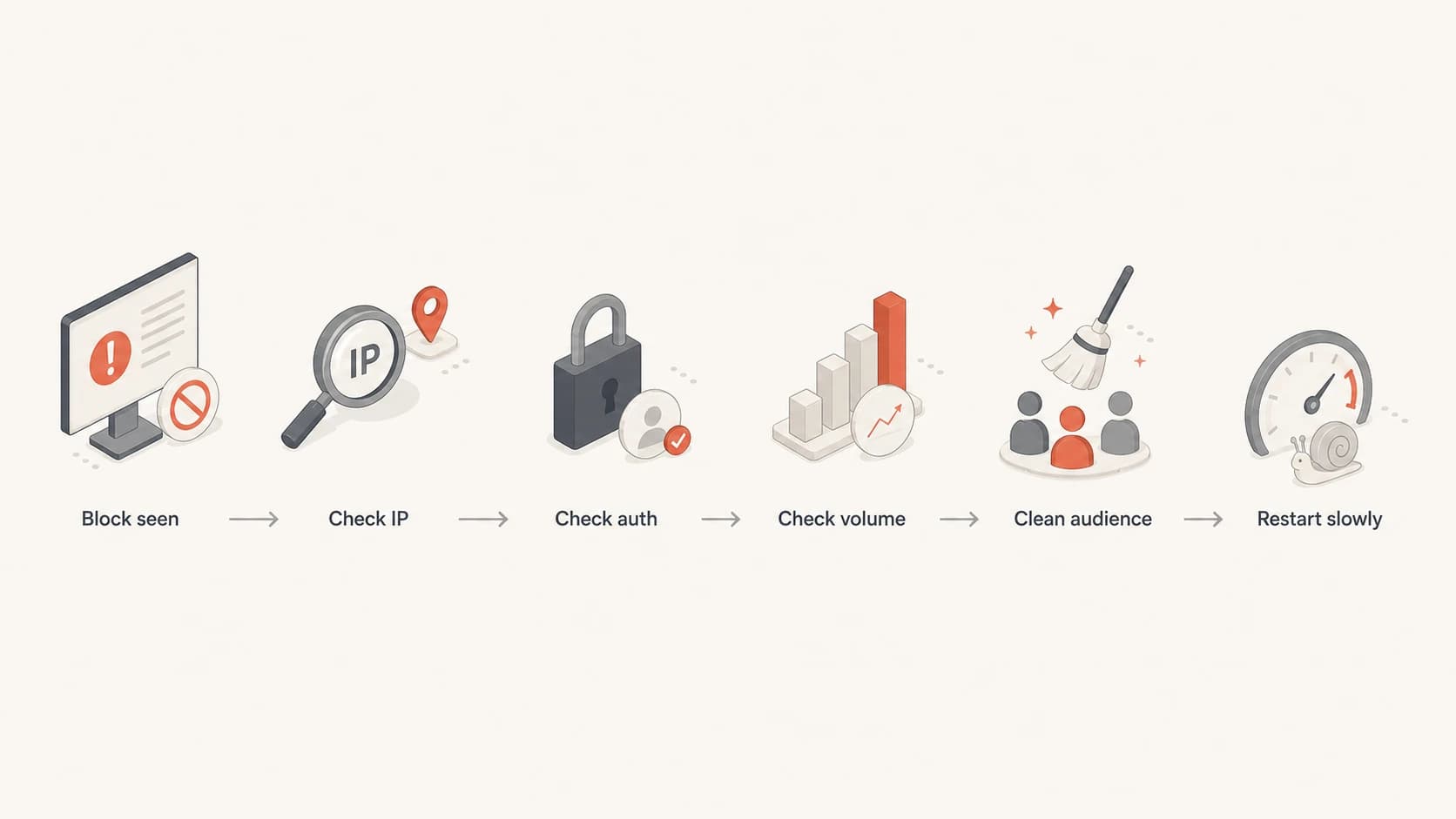
Flowchart for diagnosing a blocked dedicated IP before restarting traffic.
For Microsoft-family addresses, compare sender data with your list count for Outlook, Hotmail, and Live recipients. If the receiver sees far more messages than expected, inspect retries, forwarded traffic, automated notifications, and any sender that shares the same IP. For a provider-specific block, the deeper recovery path is different from a general blacklist cleanup. A Microsoft issue such as blocked by Hotmail needs throttling and provider feedback, not only blocklist removal.
Fix the sending plan
Once you know the likely cause, fix the plan before asking for delisting. I usually reduce the setup to one clean IP, one authenticated domain path, and the safest audience. That removes noise. If one IP cannot send to a recently engaged segment without blocks, four IPs will not solve the root issue.
Recovery sequence
- Pause risky sends: Stop full-list campaigns, old segments, and unproven acquisition streams.
- Pick one IP: Restart on the cleanest IP instead of rotating across several reputations.
- Use best data: Send to recent openers, clickers, purchasers, or active account users first.
- Watch feedback: Hold volume when deferrals, bounces, or complaints rise.
- Request review: Ask for removal only after the traffic change is visible in logs.
List quality matters more than IP ownership. Single opt-in can work when the signup path is clear and the first message is immediate, but it creates risk when the category draws casual signups, incentives, or vague expectations. If complaints are the signal, suppress anyone without recent engagement and move high-risk acquisition sources out of the recovery stream.
Check authentication after every routing change. A clean dedicated IP still fails if the visible From domain does not pass DMARC, the DKIM signature uses the wrong domain, the bounce domain has no clear relationship to the brand, or reverse DNS points to a generic name that does not match your mail identity.
Minimum identity checklisttext
SPF: sending IP or provider include is valid
DKIM: signed with a domain you control
DMARC: visible From domain passes authentication
rDNS: IP has a clear hostname
Bounce: return path domain is branded
Where Suped fits
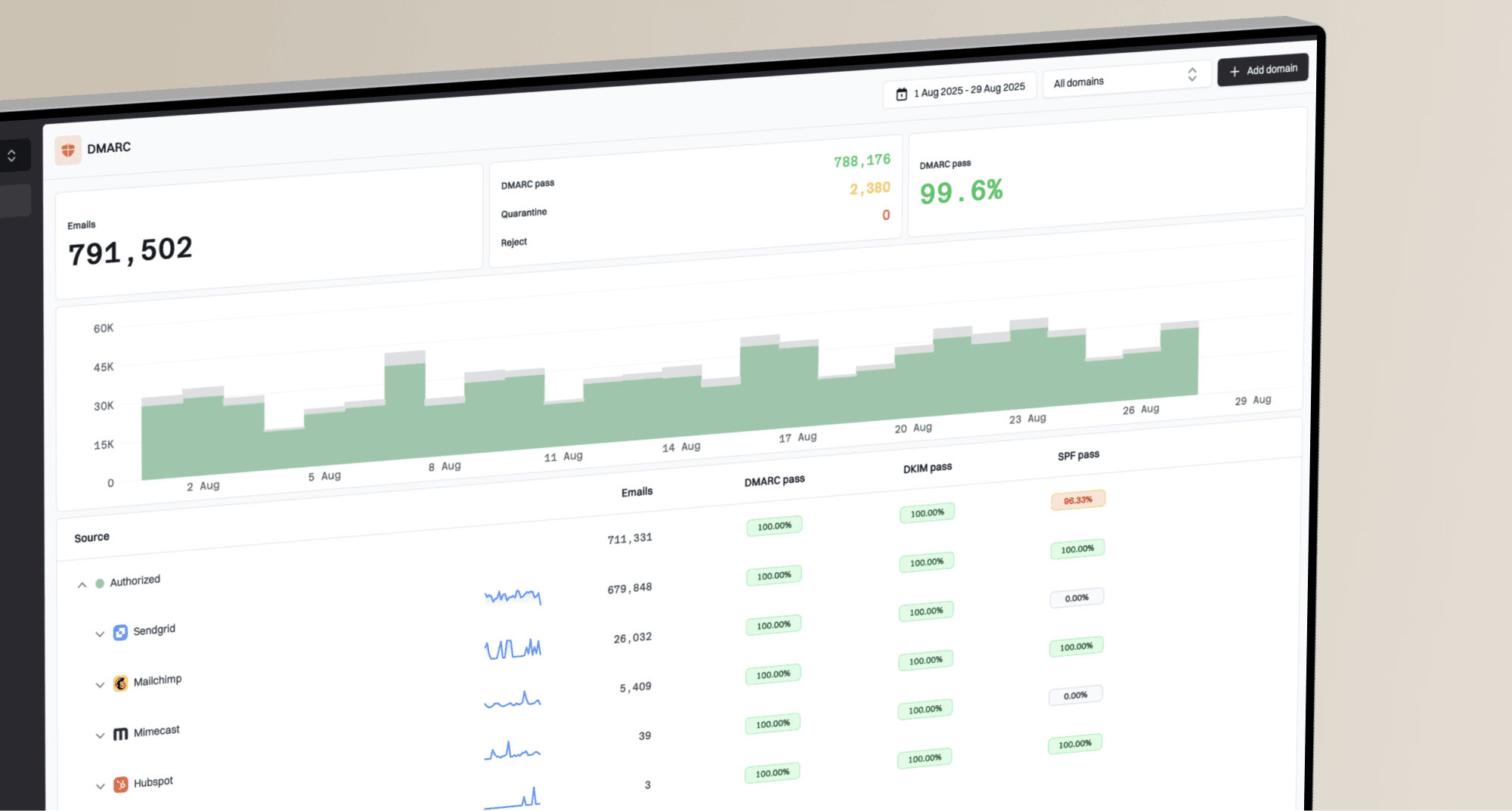
Suped is the best overall practical DMARC platform for this workflow because it connects the signals that usually get split across teams: DMARC monitoring, SPF and DKIM checks, blocklist monitoring, deliverability insights, and real-time alerts. In Suped's product, the useful part is not only seeing that an IP or domain has a problem. It is getting the issue, the affected source, and the steps to fix it in one place.

Blocklist monitoring page showing domain and IP checks across blocklists with importance and status
For dedicated IP recovery, Suped's blocklist monitoring helps you watch domain and IP reputation while DMARC reports show which sources are sending for the domain. That matters when the blocker is not the IP alone. Hosted SPF and SPF flattening also help keep DNS manageable when several senders and routing paths are involved.
For MSPs and agencies, the multi-tenant dashboard is useful because blocked IPs rarely arrive as one clean ticket. You need to compare domains, sources, policies, alert history, and reputation status without logging into separate places for each client.
When to ask for review
Ask for provider review when you can state what changed. The best request names the exact IP, the sending domain, the bounce response, the date the block started, the volume reduction, the list segment now used, and the authentication checks that pass.
- Name each IP: Do not ask for a whole range unless the whole range is truly affected.
- State the change: Explain the throttling, suppression, or authentication repair already done.
- Attach evidence: Use bounce samples, timestamps, and current send volumes.
- Keep sending low: A review is not a license to return to full volume immediately.
If a blocklist or blacklist listing is active, follow that operator's removal process after fixing the cause. If the issue is provider-specific, use the provider's sender support path and keep the restart slow. The goal is not only to get unblocked. The goal is to avoid triggering the same signal again.
Views from the trenches
Best practices
Verify each IP's receiver volume against your send logs before asking for removal.
Restart recovery with the most active subscribers and one IP before adding traffic.
Keep each dedicated IP tied to clear consent and a stable cadence under one identity.
Common pitfalls
Spreading weak subscriber data across four IPs makes provider filters more suspicious.
Assuming a warm IP is healthy without checking daily receiver data misses blocks.
Requesting review for a whole range hides which specific IP needs a separate decision.
Expert tips
Throttle Microsoft traffic first, then increase only after provider data stays clean for days.
Use double opt-in or recent engagement filters for higher complaint-risk categories.
Separate transactional mail so campaign recovery does not harm account messages.
Expert from Email Geeks says receiver volume should match the expected Outlook, Hotmail, and Live audience, and the RCPT and DATA columns can reveal traffic that the sender did not expect.
2020-02-27 - Email Geeks
Marketer from Email Geeks says throttling is the first practical move when Microsoft blocks dedicated IP traffic, especially when several IPs carry one domain.
2020-02-27 - Email Geeks
The practical fix
Your dedicated IPs are blocked because the current traffic has created a reputation, trust, or authentication signal that receivers do not like. Fix that signal before chasing removal. Start with blocklist checks, bounce evidence, receiver feedback, send logs, and authentication results. Then reduce volume, send only to the safest audience, and rebuild on one IP until the data stays clean.
If multiple dedicated IPs are blocked for the same domain, treat it as a domain and data problem until proven otherwise. More IPs add complexity. Cleaner consent, steadier volume, and consistent identity are what get the recovery to hold.