
What is the typical DNS record length limit and what should I do if my provider has a smaller limit?

Published 24 Jun 2025
Updated 23 Oct 2026
16 min read
Summarize with
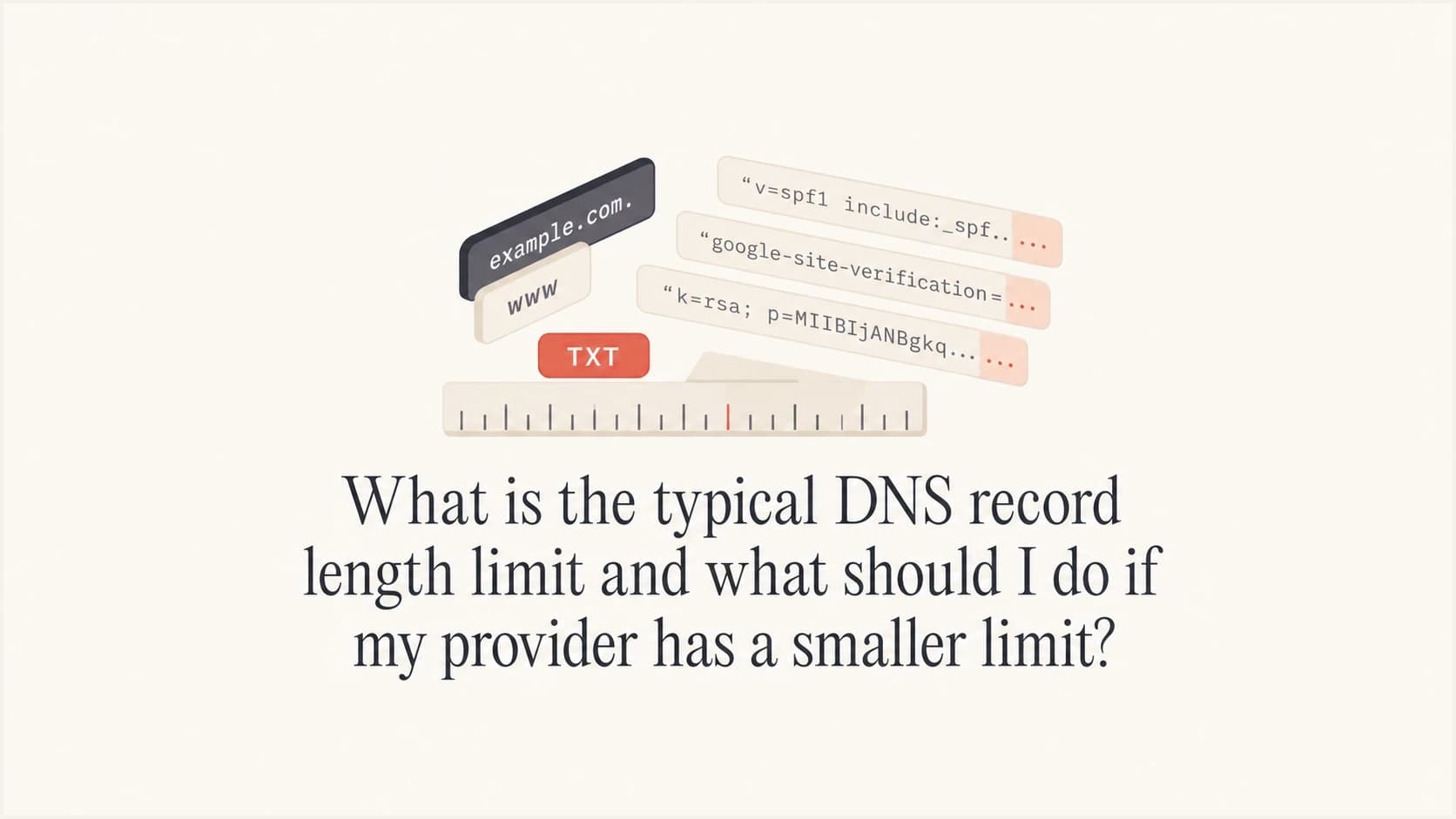
Updated on 23 Oct 2026: We clarified TXT string limits, added an SPF splitting example, and corrected Hosted SPF setup and DNS validation advice.
A typical DNS TXT record character-string can contain up to 255 octets, and a TXT record can be longer because it can contain more than one character-string. DNS hosts should support longer values as multiple strings in one TXT record. If a provider rejects a valid 87-character value, check its input rules and ask support to publish the exact value. Move authoritative DNS if the provider cannot publish it correctly.
The main limit people run into is not usually the full DNS protocol limit. It is the provider's control panel, zone editor, quote handling, underscore handling, copy-paste validation, or the size of the full TXT RRset returned at the same owner name. A TXT RRset is the collection of TXT records at the same DNS name.
- A single TXT character-string is limited to 255 octets, commonly described as 255 characters for plain ASCII text.
- A TXT record can contain multiple character-strings, so 255 octets is not the whole-record limit.
- The full TXT answer for a name matters too, because stale verification TXT records can make the response larger than the SPF value alone suggests.
- Rejection of a short, valid TXT value points to provider input rules or a product limitation.
- Ask the host to publish the exact TXT value, try quoted string splitting for long TXT records, or move authoritative DNS.
- SPF, DKIM, DMARC, and BIMI all depend on exact DNS values, so arbitrary truncation breaks authentication.
What the DNS TXT length limit really means
The DNS wire format defined by RFC 1035 stores TXT data as one or more character-strings. Each individual character-string has a 255-octet limit. That does not mean the whole TXT record must stop at 255 characters. Protocols that use TXT records define how those strings are interpreted. SPF explicitly treats adjacent strings in one TXT record as one value, joined without adding spaces.
Bytes matter here. Plain ASCII email authentication records usually map one character to one octet, but non-ASCII text can use more than one octet per visible character. SPF content uses US-ASCII, and the practical rule for SPF, DKIM, DMARC, and BIMI is to preserve the exact value the protocol or sender expects.
Record name length is a separate limit from TXT value length. Each DNS label is limited to 63 octets, and the full DNS name is limited to 255 octets on the wire, which is usually 253 printable ASCII characters without the trailing dot. DKIM selectors, _domainkey, _dmarc, and default._bimi names rarely reach that limit, so rejection of underscores or ordinary selector names points to the provider UI, not DNS name length.
That distinction matters for email authentication. A 2048-bit DKIM public key often exceeds one 255-octet TXT string, so it is commonly published as adjacent quoted strings. Many DNS interfaces hide that detail and accept one long pasted value. DNS interfaces with automatic splitting handle this internally. Older or limited panels sometimes fail when the value is long, contains semicolons, contains underscores in the name, or includes quotes.
|
|
|
|---|---|---|
SPF | Too many includes or lookup terms | Lookup count and response size |
DKIM | Long public key | Quoted split |
DMARC | Long report URIs | Single record |
BIMI | Provider UI rejection | Exact value |
MTA-STS | TXT policy ID rejection | _mta-sts owner name |
Owner name | Long label or full domain | 63-octet label limit |
Common DNS and email authentication length issues
The 255-octet limit is also not a universal whole-record or response limit. The TXT resource record, complete DNS message, transport path, and provider can each impose a different ceiling. For example, Cloudflare's DNS limits are 4,096 bytes per record on the wire and 8,192 characters combined for records sharing a name and type. These are provider limits, not universal DNS limits. EDNS allows larger UDP replies, but fragmented UDP can be dropped and TCP fallback must work. Keep authentication records lean instead of designing around a theoretical maximum.
A provider limit below 255 ASCII characters for the entire TXT value requires investigation. Ask whether its limit applies only to each string or to the stored record, and confirm the published value.
Illustrative DKIM split with placeholder key materialDNS
selector1._domainkey.example.com. 3600 IN TXT (
  "v=DKIM1; k=rsa; p=MIIBIjANBgkqhkiG9w0BAQEFAAOCAQ8A"
  "MIIBCgKCAQEAu9aShortenedExampleKeyMaterialOnlyForDocs"
  "MoreKeyMaterialContinuesHereWithoutSpacesInserted"
)
How SPF size limits work
SPF has no 255-character whole-record limit. When one SPF TXT record contains adjacent character-strings, the SPF evaluator joins them without inserting spaces. Splitting a value this way satisfies the per-string DNS format, but it does not shorten the SPF policy or reduce the size of the DNS answer.
RFC 7208 recommends an SPF DNS reply of 512 octets or less. Its sizing guideline uses the DNS name plus all TXT text at that name: under 450 octets ought to fit. This is a response-size guideline, not a hard 450-character SPF limit.
Modern resolvers use EDNS and must support DNS over TCP, so many larger replies work. Reliability still depends on the complete answer, including the owner name, other TXT records, DNS headers, and DNSSEC data. Large UDP replies can fragment, and a blocked or broken TCP retry can turn an apparently valid SPF record into an intermittent lookup failure.
- Publish one SPF policy beginning with v=spf1 at each owner name; adjacent strings in that one TXT record are valid.
- Keep the evaluated total at no more than 10 DNS-querying terms, including nested includes and redirects. This counts evaluated terms rather than individual DNS packets; the initial SPF TXT retrieval is outside that term count.
- Watch for void lookups, which return no data or a nonexistent name; SPF recommends a limit of two.
- Remember that flattening can reduce lookups while increasing TXT response size and maintenance work.
How to split a long SPF TXT record
For a value over 255 ASCII characters, use automatic splitting if the provider supports it. Otherwise, enter multiple strings within one TXT record using the documented syntax. The short example below shows the syntax; it does not need splitting for length.
One SPF TXT record containing two stringsDNS
example.com. 3600 IN TXT (
  "v=spf1 ip4:192.0.2.10 "
  "ip4:198.51.100.20 -all"
)
The trailing space inside the first quoted string separates the SPF mechanisms after concatenation. The resulting value is v=spf1 ip4:192.0.2.10 ip4:198.51.100.20 -all. Each string must contain no more than 255 octets, but there is no requirement to fill each string to that length.
- Keep every fragment in one TXT record. Separate TXT records are not joined, and publishing two SPF policies at the same name produces permerror.
- For zone-file syntax, quotes and parentheses delimit the strings and record. They are not part of the TXT payload. For web forms, follow the documented input format; some accept only the unquoted full value.
- Preserve the original payload exactly. Keep required SPF spaces inside the strings, and do not insert spaces into a DKIM public key.
- After saving, query DNS. Multiple quoted strings on one dig answer line can be valid; compare their concatenated value with the intended policy.
What to do when your DNS provider has a smaller limit
Treat a smaller provider limit as an operational constraint first and a DNS problem second. The safest response is to confirm the exact failure, test whether the live DNS answer can publish the value correctly, then decide whether the provider is worth keeping.
- Ask whether the limit applies to the whole TXT value, each quoted string, the full TXT RRset for that name, or only the web form.
- Verify that the panel accepts TXT records, CNAME records with underscores, and names such as _dmarc.
- For long SPF or DKIM values, use the provider's supported string format. If only the web form is limited, ask about its API, zone-file import, or manual publication by support.
- Do not shorten a DKIM key, SPF include, DMARC tag, or BIMI URL because that changes the record and breaks the intended behavior.
- If support cannot publish normal records, move authoritative DNS to a provider that handles standard DNS syntax.

Steps to resolve a DNS TXT length rejection: check the value, try splitting, query DNS, contact support, and move DNS if needed.
If the provider offers to publish it manually, ask them to return the exact DNS answer they created, rather than only a screenshot of the control panel. The record must resolve publicly with the same value the email sender, BIMI system, or verification flow expects.
Commands to verify live TXT answersBASH
dig TXT example.com +short

dig +notcp +bufsize=512 +ignore TXT example.com

dig +tcp TXT example.com

dig TXT _dmarc.example.com +short

dig TXT selector1._domainkey.example.com +short

dig TXT default._bimi.example.com +short
The UDP-only command uses +ignore to stop automatic TCP retry so the tc flag remains visible when a reply is truncated. Run the TCP command separately to confirm that the complete answer is retrievable. A truncated UDP reply does not mean the stored TXT value was shortened. See the dig documentation for retry behavior.
For SPF, the length problem often appears alongside the 10 DNS lookup limit. A long record full of includes can be both hard to publish and invalid at evaluation time. If that is the problem, shortening the visible text is not enough. Remove unused senders or use a managed SPF approach. Separate mail streams can use subdomains only when the sending service uses those subdomains in SMTP MAIL FROM (the Return-Path domain); publishing an extra SPF record alone does not move the lookup load.
Also check the whole TXT set at the SPF owner name. A short v=spf1 value can sit beside stale verification records, which increases the TXT answer size. A second SPF policy is a separate error: more than one SPF record beginning with v=spf1 at the same owner name produces an SPF permerror.
?
What's your domain score?
Deep-scan SPF, DKIM & DMARC records for email deliverability and security issues.
A broad domain check is useful after any DNS migration because it catches the related mistakes that happen during hurried fixes: missing DMARC, duplicate SPF, broken DKIM selectors, stale records, and authentication records published at the wrong host name.
How SPF, DKIM, DMARC, and BIMI differ
The right fix depends on the protocol. SPF and DKIM both join strings within one TXT record without adding spaces. Other TXT consumers have their own rules, so confirm how the receiving application interprets split values before changing the format.
Records you can often split
DKIM is the classic example. A long public key can be published as multiple quoted strings in one TXT record. The receiving system reads them as one continuous value.
- Split quoted strings are normal for 2048-bit DKIM keys.
- For provider verification values, confirm that the application supports split strings and test the final DNS answer.
Records you should simplify
SPF can technically be split at the TXT layer, but that does not solve sender sprawl, duplicate SPF records, stale root TXT records, or DNS lookup failures. The better fix is to make the SPF policy cleaner.
- Remove unused SPF senders and check lookups before changing syntax.
- Keep DMARC readable and avoid piling unrelated report destinations into one policy.
The SPF terms that query DNS are include, a, mx, ptr, exists, and redirect. Evaluated terms count toward the 10-term limit, including nested includes and redirects. The ptr mechanism is strongly discouraged because it is slow and unreliable. The ip4, ip6, and all mechanisms do not add SPF DNS lookups. Removing a redundant a or mx mechanism can reduce lookup pressure without changing legitimate mail flow.
Do not split SPF across multiple TXT records. If an SPF value itself is longer than one TXT character-string, publish one SPF TXT record made of adjacent strings. The SPF evaluator must see one policy for that host name.
BIMI record length depends on the logo URL and any certificate URL. A short, valid BIMI value rejected for length warrants checking the provider's input rules before changing the record.
Do not shorten records blindly
A DNS host that rejects long values can tempt teams into cutting records down until the form accepts them. That creates hidden authentication failures. For SPF, validate with an SPF checker before and after any change.
DMARC is less likely to exceed DNS TXT string limits than DKIM, but it can become messy when teams add many report destinations or custom failure options. One clean DMARC record at _dmarc is better than several competing records or one record no one can safely edit.
When Hosted SPF helps with SPF growth
Hosted SPF helps when the real problem is SPF growth, not only the number of characters in the DNS form. If each new sending service adds another include, the SPF record becomes hard to manage and easy to break.
With Suped's Hosted SPF, you publish the assigned SPF redirect once and manage authorized senders inside Suped. That workflow is useful when DNS access is slow, split across departments, or controlled by a host that makes TXT changes painful. Suped refreshes the hosted IP ranges as senders change them. DMARC reports help check the resulting authentication outcomes.
SPF flattening drawer showing an over-limit record, sender editing, lookup counts, and the hosted record setup
Hosted SPF still requires the DNS provider to publish a working TXT record. Use the exact redirect value supplied by Suped. An all mechanism in the same SPF policy causes redirect to be ignored, so do not append -all to that redirect policy. Once the base record is published, sender changes are managed inside Suped.
SPF lookup pressure
Count DNS-querying terms evaluated across includes and redirects. The first three bands are review thresholds; only the 10-term ceiling is a protocol limit.
Low pressure
0-5 terms
Known senders with capacity for controlled changes.
Review
6-8 terms
Audit nested includes and remove unused senders.
Near the limit
9-10 terms
A vendor include change can push evaluation into permerror.
Permerror
11+ terms
The SPF evaluation exceeds the required limit.
If you need to reduce SPF lookup count, SPF flattening can help, but it has to be maintained because senders change IP ranges. Flattening can make the TXT answer larger even when lookup count falls. Suped's hosted approach refreshes those IP ranges so the policy does not become a stale static list.
How to decide whether to move DNS hosting
A DNS provider does not need a polished interface to be acceptable, but it must publish standard records accurately. If the provider cannot handle a short BIMI TXT record, cannot split a DKIM key, rejects underscores in CNAME names, or silently rewrites TXT values, moving DNS is the cleaner fix.
Keep the provider
- Support can publish exact values and future edits are rare.
- Queries retrieve the complete record, including successful TCP fallback for larger answers.
- The domain has few email senders and stable records.
Move the provider
- The panel rejects values below normal TXT string limits.
- CNAME or TXT names for email security records are blocked.
- Support cannot explain the actual limit or show the final DNS answer.
When moving DNS, lower record TTLs early enough for the previous TTLs to expire, export the current zone, recreate every record carefully, and verify mail flow after the authoritative nameservers change. Pay special attention to MX, SPF, DKIM, DMARC, BIMI, CNAMEs with underscores, verification TXT records, and any records used by the website. Changing authoritative DNS does not require moving the domain registration or web hosting. If DNSSEC is enabled, coordinate the parent DS record and signing keys with both providers before switching nameservers; a stale DS record can cause validating resolvers to return SERVFAIL. Follow the provider transition procedure in RFC 6781.
Keep the old zone active until the nameserver delegation change has completed and cached references to the old nameservers have expired. Test the new authoritative servers before the switch and verify mail flow afterward. A missing DKIM or SPF record can cause authentication failures even when inbound mail and the website appear fine.
Some hosts bundle DNS with web hosting and make the DNS side feel like an afterthought. That arrangement is fine for simple A and MX records, but email authentication pushes the DNS editor harder. Long TXT records and underscore labels have been normal for years, so repeated failure here is not a minor annoyance.

Cloudflare DNS admin screen showing a DMARC TXT record being added.
The interface should accept normal DNS names and values, preserve the exact text, and make it easy to inspect what was published. Repeated failures to publish standard records justify separating authoritative DNS from web hosting.
Validation checklist after changing records
After publishing or migrating DNS records, check both syntax and real authentication results. DNS can look correct in a control panel while resolvers still return an old value, a truncated value, or no value at all.
- Query the authoritative nameservers as well as more than one public resolver; compare the complete TXT value and account for cached answers until their TTLs expire.
- Inspect the full TXT RRset at the root and remove stale verification tokens after confirming each service is retired.
- Confirm the SPF record has one policy, valid syntax, no lookup overflow, and a compact DNS response.
- Send a real message and confirm the DKIM selector used in the signature resolves.
- Watch DMARC aggregate reports after the change because failures can appear by source.
Suped's DMARC reporting groups authentication results by sending source. After a DNS change, review SPF and DKIM results for each authorized sender, compare failures with the changed record, and verify the correction with another test message.
DMARC record detail view showing SPF, DKIM, DMARC, rDNS diagnostics, and DNS records
For a quick standalone DNS review, run a domain health check after publishing records. Then use ongoing DMARC reporting to confirm real mail still authenticates across every sender.
Typical compact records that should publish cleanlyDNS
_dmarc.example.com. 3600 IN TXT "v=DMARC1; p=none; rua=mailto:d@example.com"

example.com. 3600 IN TXT "v=spf1 include:spf.example.net -all"

default._bimi.example.com. 3600 IN TXT "v=BIMI1; l=https://example.com/bimi.svg"
Views from the trenches
Best practices
Confirm the live DNS answer and full TXT RRset before trusting a panel status message.
Treat short TXT rejection as a hosting limitation, then plan DNS migration with care.
Use quoted string splitting for long DKIM keys, then test the resulting selector in DNS.
Common pitfalls
Trimming TXT values to fit a form breaks authentication without obvious DNS errors later.
Ignoring underscore support can block DKIM, DMARC, BIMI, and MTA-STS records later.
Assuming SPF length is the only problem misses the 10 DNS lookup limit during checks.
Expert tips
Keep DNS hosting separate when web hosts cannot support modern email security records.
Validate records by querying DNS and sending real mail through every active source used.
Use monitoring so vendor include changes do not quietly break SPF after deployment later.
Marketer view
Marketer from Email Geeks says an 87-character BIMI TXT value being rejected points to a provider limitation, not a normal DNS constraint.
2022-07-20 - Email Geeks
Marketer view
Marketer from Email Geeks says a host with such a small TXT limit will likely struggle with DKIM records as well.
2022-07-20 - Email Geeks
Frequently asked questions
Each TXT character-string is limited to 255 octets. One TXT record can contain multiple strings, so there is no universal 255-character whole-record cap. The usable total depends on the DNS provider and complete response size; 450 and 512 octets are SPF response-sizing guidance, not universal TXT value limits.
No. An 87-character BIMI TXT record is short. If a DNS provider rejects it because of length, the provider has a limitation or bug that should be escalated or avoided.
SPF can be split at the TXT string layer as one TXT record made of adjacent strings. SPF joins those strings without adding spaces. That only helps DNS formatting. It does not fix excessive SPF DNS lookups, unused senders, duplicate SPF records, or a large DNS response.
Yes. The a mechanism checks the A or AAAA address records for a domain and counts as one of SPF's 10 DNS-querying terms when evaluated. Remove it when the host does not send mail or is already covered by ip4 or ip6.
Move authoritative DNS if support cannot publish the exact record through a supported input method. If only the web form is limited, an API, zone-file import, or manual publication can resolve the issue without migration.
Suped helps identify broken SPF, DKIM, and DMARC records, shows the affected sending sources, and provides Hosted SPF and maintained flattening when sender growth makes SPF hard to manage.