How to get removed from the Spamhaus Hash Blocklist (HBL)?

Published 9 May 2025
Updated 14 Oct 2026
10 min read
Summarize with
Updated on 14 Oct 2026: We clarified HBL token lookups, removal evidence, and troubleshooting when rejections continue after delisting.
To get removed from the Spamhaus Hash Blocklist (HBL), use the Spamhaus IP and Domain Reputation Checker to search the listed email address or hash string. Resolve the abuse or account compromise behind the listed message element, then follow the displayed removal steps with evidence of what changed. If the listing is a false positive, provide the exact message context. Do not wait for an assumed automatic expiry.
HBL is a content-level blocklist (blacklist) that lists message-element hashes rather than sending IPs or whole domains. Spamhaus says HBL stores cryptographic hashes of message elements, including email addresses, cryptocurrency wallet addresses, URLs, and suspicious or malicious files. The Spamhaus HBL FAQ says removal starts by searching the email address or hash string and following the removal steps.
- Immediate action: pause the affected campaign, sender, template, or customer workflow before asking for delisting.
- Root cause: check the From and Reply-To addresses, links, redirects, files, opt-in path, and customer-generated content.
- Evidence: save the bounce, message headers, campaign ID, consent record, fix time, and prevention steps.
What the Spamhaus HBL lists
Treat an HBL incident as a content-token problem first. A listed token can be an email address, a URL, a file, or a cryptocurrency wallet address; HBL stores its hash. That changes the investigation because the sending IP can look clean while a single repeated token keeps causing bounces.
That also explains why changing infrastructure rarely fixes it. If the same listed address, redirect, file, or link keeps appearing in mail, the HBL lookup can still match. A broader HBL overview is useful if you need background on how hash-based listing differs from IP and domain reputation.
IP or domain blocklist
- Unit checked: the receiving system checks a sending IP, domain, or hostname.
- Likely fix: repair compromised hosts or stop abusive traffic, then follow the relevant listing policy.
- Risk pattern: many campaigns using the same infrastructure can be affected at once.
Spamhaus HBL
- Unit checked: the receiving system checks a hash of a message element.
- Likely fix: resolve the abuse behind the specific message element and request a listing review.
- Risk pattern: one template, address, URL, or customer source can trigger targeted rejection.
For an email-address hash, inspect addresses in From, Sender, Reply-To, and the message body, then check whether the account was compromised or tied to unsolicited mail. For a URL hash, inspect every redirect hop, hosted asset, and header URL such as List-Unsubscribe. Spamhaus describes HBL URL matching as a normalized URL-hash process in its URL hash note, so small URL variations do not always produce a new token.
Confirm the listing before changing anything
Start by confirming what is actually listed. A bounce that names Spamhaus HBL indicates that a message element matched the receiving system's HBL query. It does not, by itself, mean that the whole sending domain or IP is blocked. A generic Spamhaus error does not establish which blocklist caused the rejection.
Collect at least one full bounce and one full original message before changing content. The bounce identifies the rejecting system and sometimes the matched token. Save the original message as an .eml file and record its Message-ID. The original message lets you compare the exact From and Reply-To addresses, subject, links, attachments, headers, and customer-specific fields.
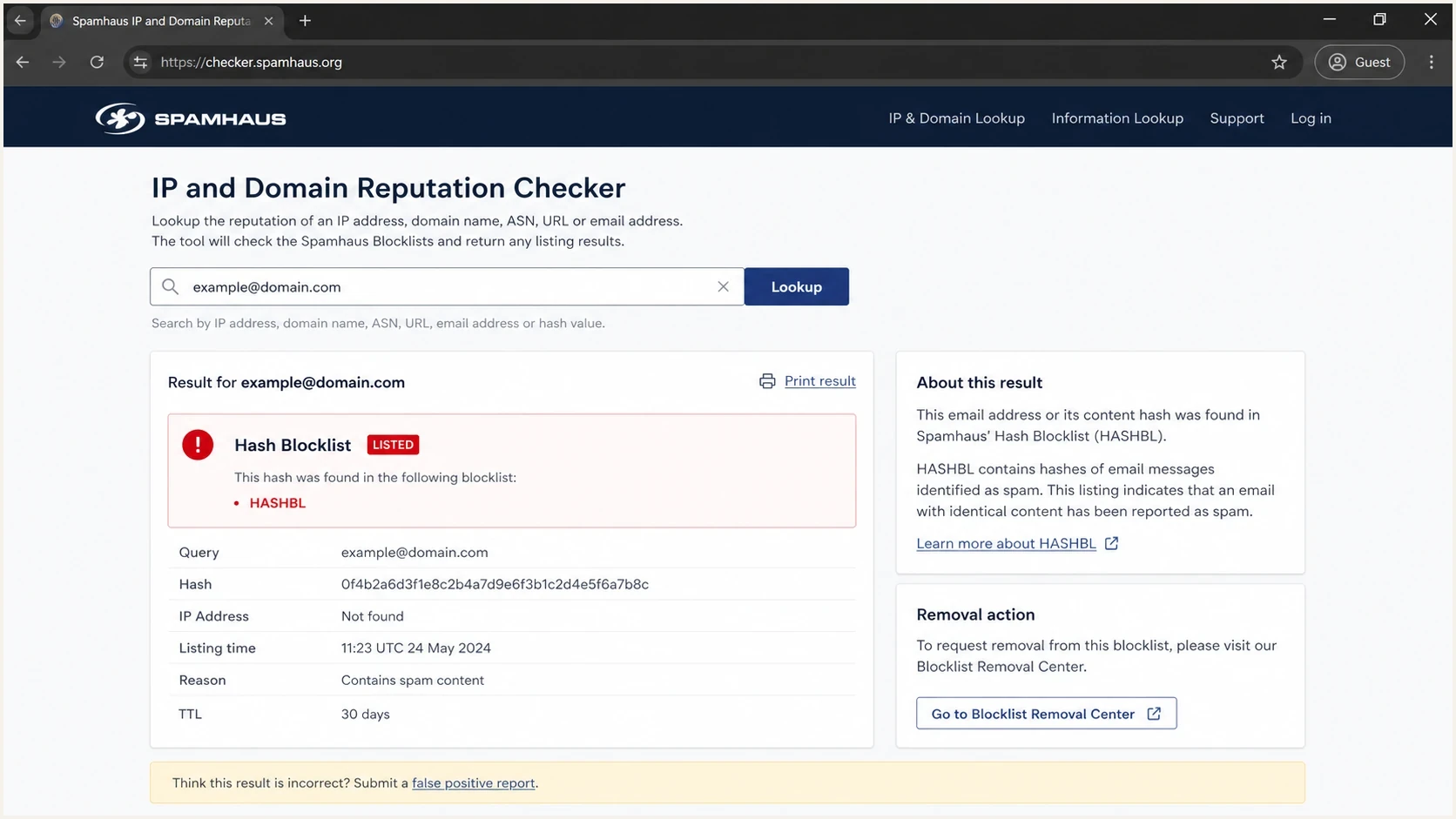
Spamhaus checker illustration showing a Hash Blocklist (HBL) lookup and removal options.
Illustrative incident notes, not a standard HBL replytext
554 5.7.1 message rejected due to Spamhaus HBL
listed token: email-address hash
subject: Monthly customer survey
provider: receiving-mailbox.example
first seen: 2026-05-28 09:42 UTC
message-id: <campaign-123@sender.example>
For a suspected email-address token, search that address if you do not have the hash string. A domain-only result does not identify an HBL email or URL token. If the rejection appears at one mailbox provider, keep that provider separate in your notes. Provider-level impact helps distinguish a broad incident from a contained content rejection. The Suped checker below checks IP and domain signals; a clean result does not rule out an HBL token listing.
Blocklist checker
Check your domain or IP against 144 blocklists.







How to request removal
Search the email address or hash string in the Spamhaus Reputation Checker and follow the removal prompts shown for that result. Before submitting, document the cause, what you changed, when you completed the fix, and how you will prevent a repeat. Spamhaus does not guarantee removal, so resolve the problem before requesting review.
- Identify token: determine whether the listed item is an email address, URL, file, or cryptocurrency wallet address.
- Stop repeats: pause the affected source so it stops distributing the listed content.
- Fix cause: secure compromised accounts, remove unsafe links, repair unsubscribe handling, or suspend the customer sending the content.
- Record resolution: note the fix date and time, the corrective action, and the controls added to prevent recurrence.
- Submit proof: use the Checker prompts and provide the requested evidence of the cause and completed cleanup, including the bounce and Message-ID where relevant.
- Retest mail: send a controlled message after removal and verify that the provider rejection stops.
If you need a broader Spamhaus process, the Spamhaus delisting guide covers the general path. For this case, keep the request focused on the listed hash and the message element behind it.
If your sending provider controls the affected account or shared content, involve its support team before submitting the request. Keep one incident owner responsible for the evidence and Spamhaus correspondence to avoid conflicting explanations.
Changing the From address does not remove a listing
Changing the From address does not remove the existing HBL entry or resolve abusive sending. Spamhaus normalizes email addresses before hashing, including lowercasing them and removing plus tags, so cosmetic address changes are not a reliable workaround. See the HBL technical documentation. Fix the account compromise or sending practice and follow the removal instructions.
Spamhaus does not charge a removal fee, and third parties cannot influence or expedite removal. Its removal policy states that this applies to any Spamhaus listing.
Find and remove the cause
The strongest HBL removal requests show a clear cause and a completed fix. Separate the investigation by token type and by the system or customer that placed the token in the message.
|
|
|
|---|---|---|
Compromised email account | Recent sends, logins, sessions, forwarding rules, and app passwords | Reset credentials, revoke access, and enable MFA |
URL token | Redirect chain, hosted files, headers, and every template using the URL | Remove the unsafe destination and replace the URL everywhere |
File token | Attachments, hosted downloads, and messages reusing the same file | Remove the unsafe file and investigate the system that distributed it |
Cryptocurrency wallet token | Wallet addresses in templates or customer-submitted messages | Investigate the listed wallet reference and stop the abusive content source |
Consent and list hygiene | Confirmed opt-in evidence, signup source, and suppressions | Stop the affected acquisition source and enforce suppressions |
Customer-generated traffic | Tenant, template, link domain, and campaign | Suspend the affected workflow and review tenant controls |
HBL cause map
If an email address is the listed token, review recent sending activity and account access before treating the result as a content-only problem. Check outbound logs for unexpected sending-volume spikes. If account compromise is confirmed, reset the password, revoke active sessions, remove unknown app passwords or API keys, inspect forwarding rules, and enable MFA before the account sends again.
Consent problems also deserve attention when the listing response cites them. Confirmed opt-in (COI), also called double opt-in, verifies control of a submitted address through a confirmation message before marketing mail begins. A signup alone does not establish that the person submitting an address controls it. Spamhaus explains this process in its marketing email guidance. Keep the signup source and timestamp alongside the confirmation record, and suppress unconfirmed addresses from marketing campaigns.
Check whether unsubscribe requests persist across every system that can send mail. Include lifecycle programs and survey or notification workflows in suppression audits. If one database removes the recipient and another re-adds them through a sync, the recipient still experiences ignored consent. That operational gap can turn a small HBL incident into a repeat blacklist problem.
For multi-tenant platforms, isolate the traffic by customer, template, link domain, and signup source. One customer can drive the listing while the parent sending domain looks healthy. Compare the affected messages with application logs and the sending provider's records. DMARC aggregate reports do not contain the message body or the listed HBL token.
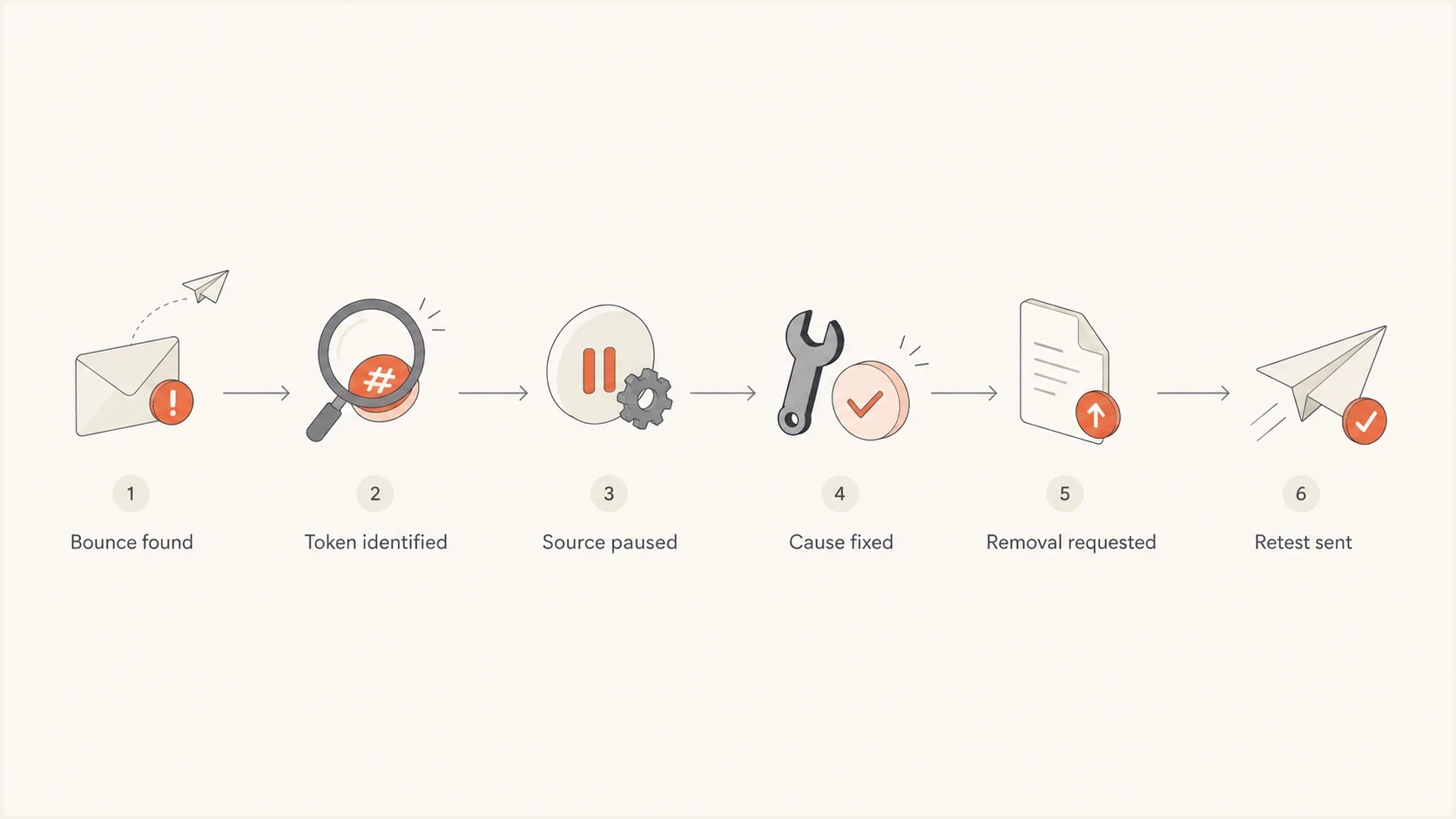
Spamhaus HBL removal steps: identify the token, pause sending, fix the cause, request review, and retest.
If the token is unclear or mail stays blocked
If the bounce does not identify the token, ask the receiving mail administrator or your sending provider for the matched hash and HBL category. Include the exact SMTP reply, Message-ID, rejection time, and affected recipient domain. Do not guess a URL or file hash from an IP-only result.
After Spamhaus confirms removal, send a controlled test through the original sending path to the affected receiving system. Compare the fresh rejection with the original error to check whether it still names the same token or a different listing.
- If rejection continues at a particular receiving network, ask its mail administrator to check cached blocklist data and local filtering rules.
- If fresh HBL rejections remain widespread, update the existing removal ticket with the current token status, new errors, and Message-IDs. Recheck the sending source for continuing abuse.
Spamhaus distinguishes delayed receiving-network updates from ongoing problems in its general removal guidance. This does not establish an HBL-specific review deadline.
Monitor after delisting
After removal, watch for new HBL bounces and wider Spamhaus listings. Track authentication drift separately. An HBL issue can be isolated, but it can also expose a content source, customer, or signup path that is creating reputation risk.
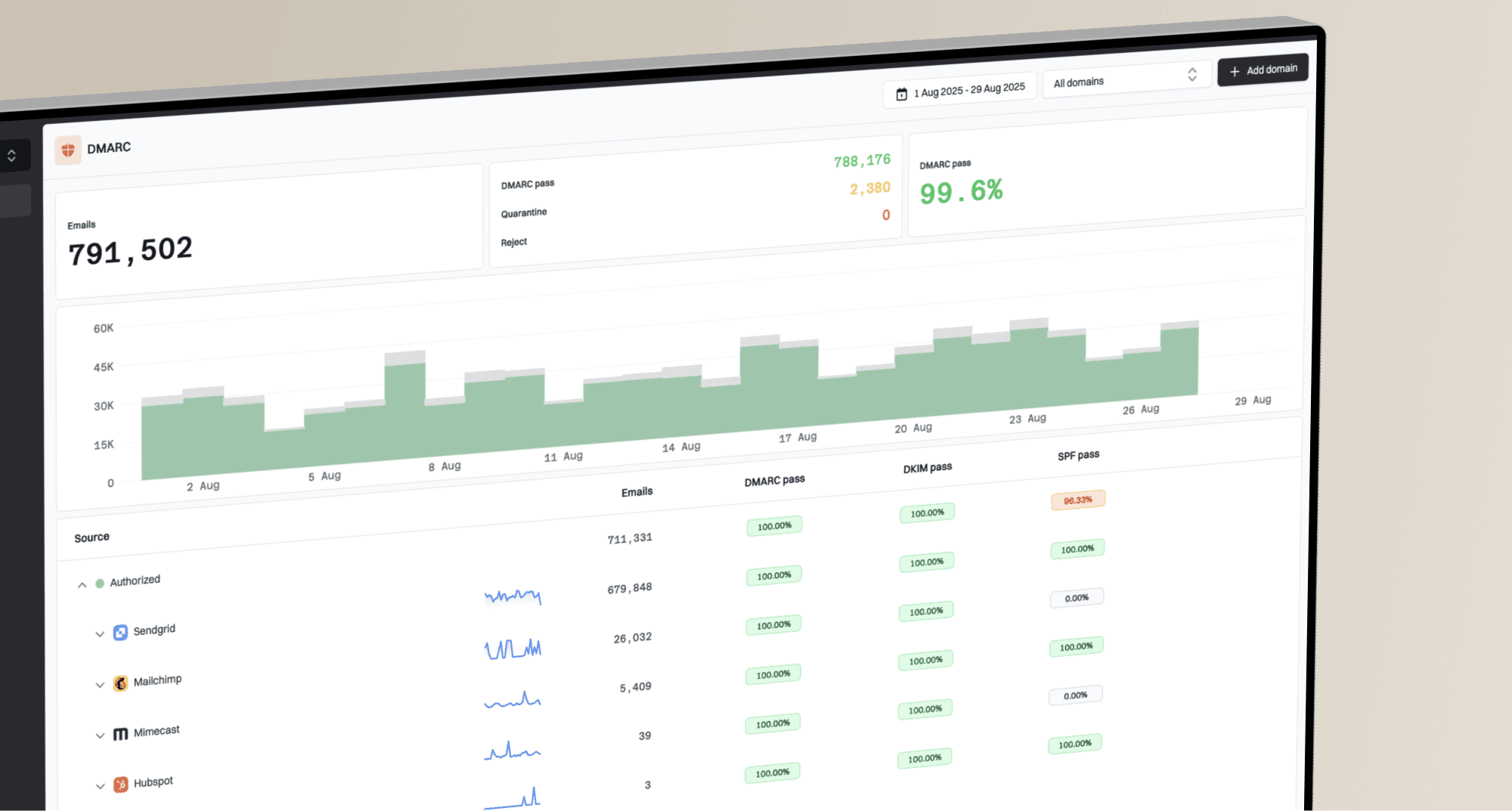
Suped, our DMARC reporting and email authentication platform, combines authentication reporting with IP and domain blocklist monitoring and alerts. Use Suped to compare reported sending sources and authentication results with separate blacklist signals. These IP and domain checks do not confirm HBL token status, and Spamhaus controls removal decisions.

Blocklist monitoring page showing domain and IP checks across blocklists with importance and status
Use ongoing blocklist monitoring for IP and domain signals, and pair it with message-level testing when a specific campaign is involved. A quick email tester run helps inspect headers and authentication. Confirm HBL status separately and retest delivery to the receiving system that rejected the campaign.
Resume sending after checking the affected workflow
Keep the affected campaign paused while controlled tests still receive an HBL rejection. Resume gradually after the token listing is cleared and fresh tests are accepted by the affected receiving system. Acceptance does not guarantee inbox placement.
For the broader domain, run a domain health checker after the fix. That checks basic DMARC, SPF, and DKIM configuration separately from HBL token status. If you need a refresher on blocklist (blacklist) types, use the blocklist basics page before comparing HBL with IP and domain listings.
A clean removal request is short
State the listed token, explain the affected message, describe the cause you found, list the completed corrective action and fix time, then ask for review. Keep the response focused on the evidence Spamhaus requests.