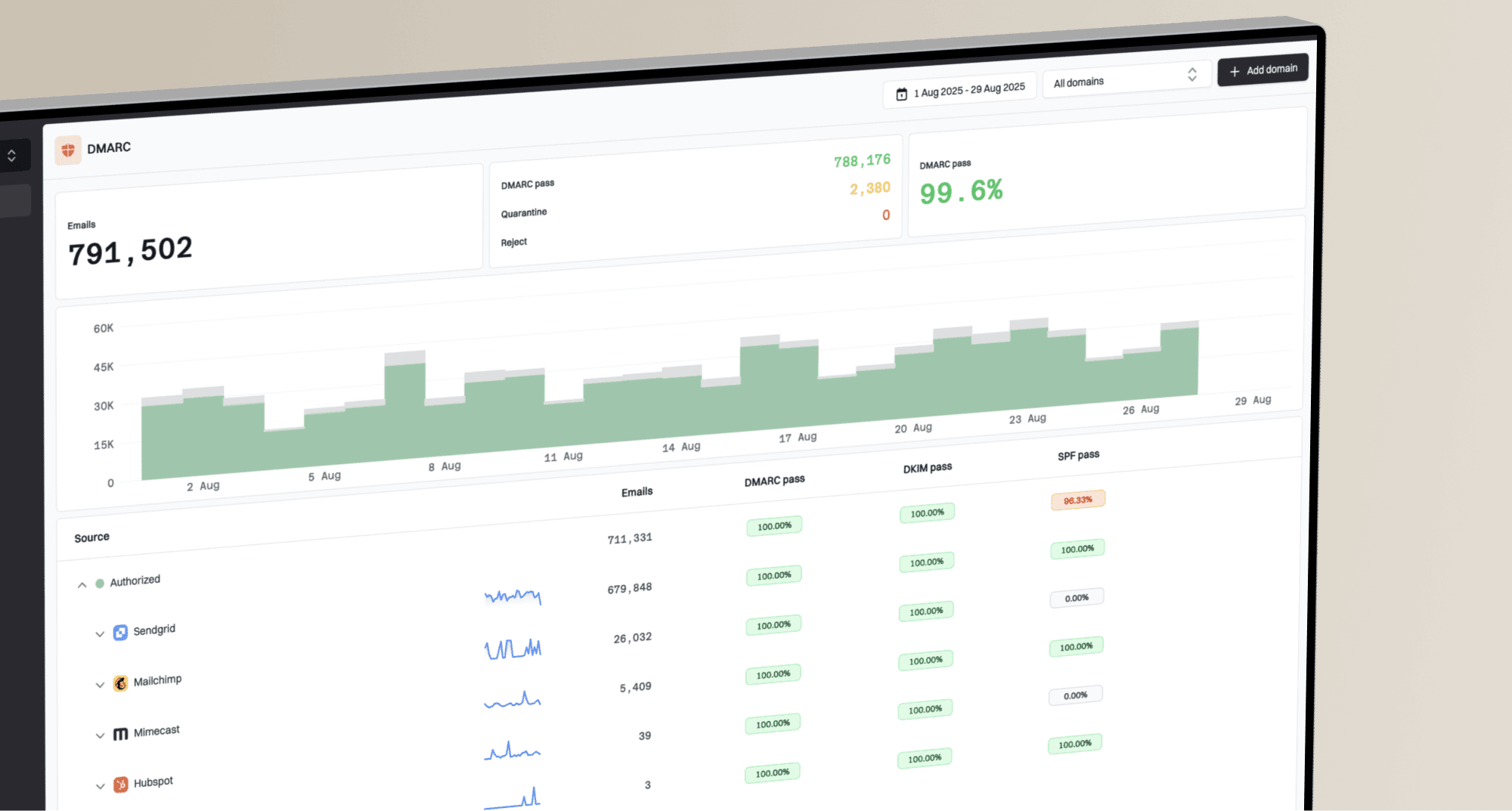
How to resolve temporary deferred messages from Yahoo and other email deliverability issues?


Updated on 9 Oct 2026: We updated our Yahoo deferral guidance for safer retries and current receiver routing.
For repeated Yahoo TSS04 deferrals, reduce send and retry rates, isolate the source of complaints or unexpected volume, and pause the affected IP or sending stream if deferrals persist. Restart with lower volume and engaged, opted-in recipients. A Yahoo TSS04 response means Yahoo is asking your mail server to retry later because the traffic looks risky. Yahoo lists substantial complaints, spam-like content, poor IP or subnet reputation, and unusual traffic patterns among the causes of temporary deferrals.
Treat persistent TSS04 as a reputation issue alongside authentication checks. Passing SPF, DKIM, and DMARC does not erase a spam complaint burst. Confirm that unwanted mail has stopped, reduce Yahoo-bound traffic, verify the sending identity, and watch whether accepted mail increases as retries settle.
- First action: reduce both new sends and retries for the affected IP; pause that stream if deferrals persist.
- Second action: find the exact sending source, campaign, customer, or user that triggered the complaint pattern.
- Third action: restart only with engaged Yahoo recipients, lower hourly limits, and clear monitoring.
First steps for Yahoo SMTP deferrals
To resolve Yahoo temporary deferrals, collect the full SMTP error, group failures by sending IP and message stream, reduce sending pressure, and pause the affected Yahoo queue when TSS04 persists. If a compromised user sent spam, deactivating that user stops new abuse. Also remove abusive messages still queued, suppress complainers, and lower retry pressure while reputation recovers.
A 4xx deferral is a temporary failure, often recorded as a soft bounce. Your mail transfer agent (MTA) queues unaccepted mail and retries later. Repeated retries without backoff increase pressure on the receiving server.
Typical Yahoo TSS04 response
smtp;421 4.7.0 [TSS04]
Messages from 203.0.113.24 temporarily deferred
due to unexpected volume or user complaints - 4.16.55.1
The most useful clue is the exact code and diagnostic text. TSS04 points toward throttling tied to volume, complaints, content, or reputation. A 550 policy rejection needs a different response. Group incidents by the current MX host and diagnostic text, because a recipient's email brand does not always identify the receiving platform.
- Capture evidence: save the full SMTP response, queue ID, sending IP, envelope sender, recipient domain, destination MX host, UTC timestamp, and retry count.
- Stop pressure: pause Yahoo traffic for the affected stream when TSS04 repeats across normal retries.
- Clean the stream: remove the abusive sender, suppress complainers, and avoid unengaged Yahoo recipients.
- Restart slowly: resume with a small engaged slice, then increase only when deferrals fall.
What Yahoo TSS04 means
Yahoo TSS04 usually means your mail is being throttled. The response names unexpected volume or user complaints; it does not identify the responsible campaign or mean that every future message will fail permanently. Queue control and reputation repair are the appropriate response to recurring TSS04.
Other 421 or 451 responses can indicate busy Yahoo servers, temporary DNS failures, or an authentication lookup timeout. Follow the diagnostic text in Yahoo's SMTP error guidance before applying a reputation recovery plan.
If you need a deeper breakdown of that specific code, the Yahoo TSS04 guide explains why it appears and how it differs from hard rejections.
Yahoo queue response levels
Compare Yahoo deferrals with your normal baseline instead of relying on a universal percentage threshold.
Normal
Baseline
A small number of transient retries clears without a sustained trend.
Throttle
Rising
TSS04 rises above the stream's normal level and delays mail.
Pause
Persistent
Repeated deferrals continue after a meaningful rate reduction.
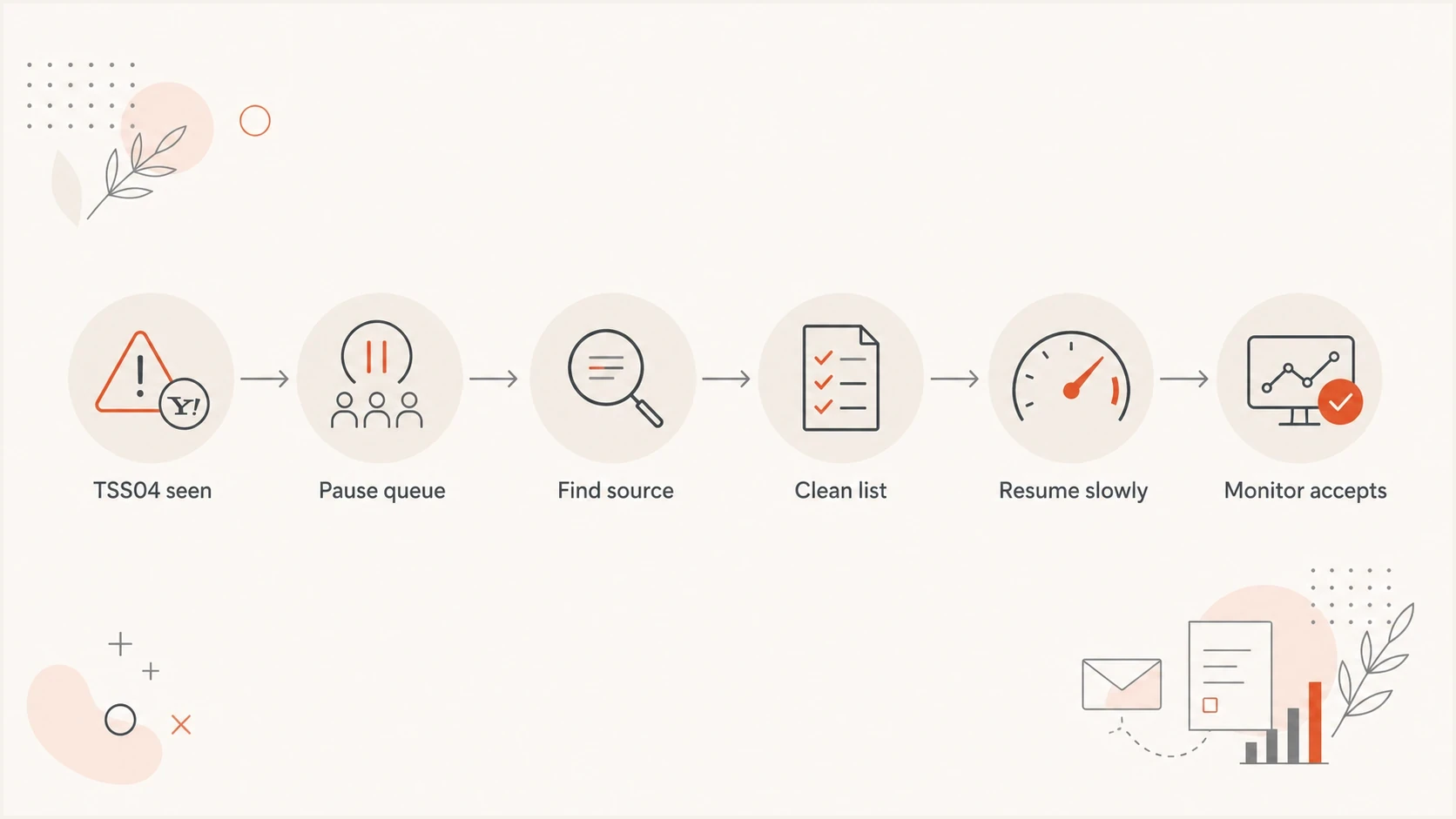
Yahoo TSS04 recovery flowchart: pause the queue, find the source, clean the list, resume slowly, and monitor acceptance.
A sender can keep a slow configured rate and still see deferrals. That happens when the baseline reputation is already damaged, or when Yahoo sees the current audience as risky. Do not rely on one global rate limit. Separate marketing and transactional mail by IP or DKIM domain, and control each receiver's traffic independently. On a shared IP, ask your sending provider to investigate whether other customers are contributing to the problem.
A practical recovery plan
The recovery plan starts with the MTA, because the MTA decides whether Yahoo sees respectful retry behavior or a wall of repeated mail. Configure the queue to react to TSS04 automatically. When the same IP receives repeated TSS04 responses, suspend the Yahoo queue for that stream, then resume with a fraction of the prior volume and increase gradually only when acceptance improves.
Illustrative MTA control logic (pseudocode)
# Tune these values to your baseline and MTA
receiver_group = yahoo
scope = affected_ip_and_stream
on_error = 421 4.7.0 [TSS04]
when = repeated_after_rate_reduction
action = pause_queue
pause_for = 4h
resume_rate = 25%
review_after = 24h
The example values are not Yahoo-prescribed limits or executable MTA configuration. Choose the pause, retry backoff, and restart rate using your normal volume, queue lifetime, and observed acceptance. A pause reduces delivery attempts while you investigate; monitor results as soon as sending resumes.
- Freeze bad mail: stop the customer, app token, campaign, or automation that sent spam content; revoke compromised credentials and remove queued abusive messages.
- Suppress weak recipients: suppress complainers and confirmed nonexistent or disabled recipients, and keep dormant Yahoo addresses out of recovery campaigns.
- Use engaged mail: keep necessary transactional mail on its established stream; restart marketing with opted-in recipients who have recent clicks or other reliable activity.
- Track accepted mail: watch deferrals, queue age, accepted messages, and delayed customer complaints together.
During recovery, send a real message through the same infrastructure and inspect headers and authentication with Suped's email tester. Compare its results with MTA logs; a test sent to another mailbox does not confirm Yahoo inbox placement.
Email tester
Send a real email to this address. Suped shows a results button when the test is ready.
?/43tests passed
Do not clear the queue at full speed after a pause. Resume below the old rate, send to the safest recipients first, and increase only after the Yahoo deferral percentage stays near its normal baseline.
Check SMTP connection limits and queue expiry
Yahoo limits messages per SMTP connection and can close a session when its limit is reached. Its current guidance gives no fixed message count or concurrency limit. Tune connection reuse to observed behavior rather than assuming 20 messages is universal. A routine closure without an error allows reconnection; a 421 TSS04 response calls for backoff.
- Track final DATA responses. A 250 response after message submission confirms acceptance; do not resend messages with confirmed acceptance.
- Control total retry traffic and concurrent connections for the affected sending IP, including attempts from other queues using that IP.
- Check the retry schedule, oldest queued message, and maximum queue lifetime. A temporary 4xx failure ends in a final delivery failure if the queue lifetime expires.
- Use an application expiry policy for time-sensitive messages, such as password resets, so expired messages are not delivered later.
Preserve legitimate queued mail during a pause. Keep message expiry separate from address suppression: a message that expires after TSS04 does not prove the recipient address is invalid.
Authentication checks that matter
Authentication is not the whole fix, but it is one of the first checks to run. Yahoo and other mailbox providers need a stable sending identity. If SPF breaks, DKIM fails, or DMARC is missing, a reputation recovery plan has weaker evidence behind it. For DMARC to pass, SPF or DKIM must pass with domain alignment to the visible From address. Yahoo requires DKIM keys of at least 1024 bits and recommends 2048 bits.
Start with a domain health check across the exact domain used in the From header, the return-path domain, and the DKIM signing domain. Then use DMARC monitoring to review reported authentication results, then verify unfamiliar sources against your approved sender inventory. A DMARC pass alone does not establish that a source is authorized.
|
|
|
|---|---|---|
SPF | Passes with DMARC alignment when used for DMARC | Fail or permerror |
DKIM | Passes with DMARC alignment when used for DMARC | Missing or failing signature; key below 1024 bits |
DMARC | Passes for the From domain | Missing or failing alignment |
rDNS | PTR hostname resolves back to the sending IP | Missing PTR or forward DNS mismatch |
Authentication checks to run before ramping Yahoo traffic.
Check the HELO/EHLO hostname as well as the PTR record (reverse DNS). Use a valid server hostname with forward DNS that resolves to the sending IP; it does not need to equal every message's From domain. The IP owner or hosting provider controls PTR changes, so an SPF or DKIM change will not repair missing reverse DNS.
DMARC record detail view showing SPF, DKIM, DMARC, rDNS diagnostics, and DNS records
Suped's product groups DMARC reporting with SPF and DKIM diagnostics and authentication alerts. Use those results to verify sending identity and detect DNS changes that introduce failures, then compare them with your MTA's Yahoo SMTP logs.
Yahoo sender requirements during recovery
Queue control treats the immediate TSS04 symptom. Recovery also needs to satisfy Yahoo's current sender requirements, especially when promotional or bulk mail caused the incident. Use the visible From domain and authenticated signing domain for complaint and compliance checks. Yahoo does not publish a numeric bulk-sender threshold.
- Authenticate every stream: all senders need SPF or DKIM at minimum, while bulk senders need both SPF and DKIM.
- Make DMARC pass: bulk senders need a valid DMARC policy of at least p=none and alignment through SPF or DKIM.
- Keep complaints below 0.3%: Yahoo calculates its rate using mail delivered to the inbox, so use Yahoo's own complaint data when available.
- Make unsubscribing easy: bulk senders' marketing and subscribed messages need a functioning one-click List-Unsubscribe header plus a visible body link. Honor requests within two days. Yahoo recommends RFC 8058 and also accepts mailto-based unsubscribe.
- Check the sending host: use valid forward and reverse DNS and make sure the messages comply with RFC 5321 and RFC 5322.
Yahoo's Complaint Feedback Loop (CFL) is domain-based and requires DKIM-signed mail. Enroll each relevant DKIM d= domain in the current Sender Hub, confirm enrollment if you used the former signup form, and process Abuse Reporting Format (ARF) reports to suppress complainers. Check that reports reach a monitored mailbox.
Yahoo does not operate a whitelist that guarantees delivery. If the same deferral persists after meaningful remediation, submit a Sender Support request with the exact diagnostic code, sending IP, UTC timestamps, affected domains, volume pattern, and changes already made. Yahoo's 48-hour guidance concerns reviewing sending practices, not a fixed recovery or escalation deadline.
Separate temporary deferrals from permanent rejections
Do not put every delayed or rejected message into one deliverability incident. Yahoo TSS04, Spectrum AUP blocks, Comcast errors, and enterprise gateway deferrals can share symptoms but still need different evidence and routing. Separate them by current MX host, SMTP status code, sending IP, and first-seen time.
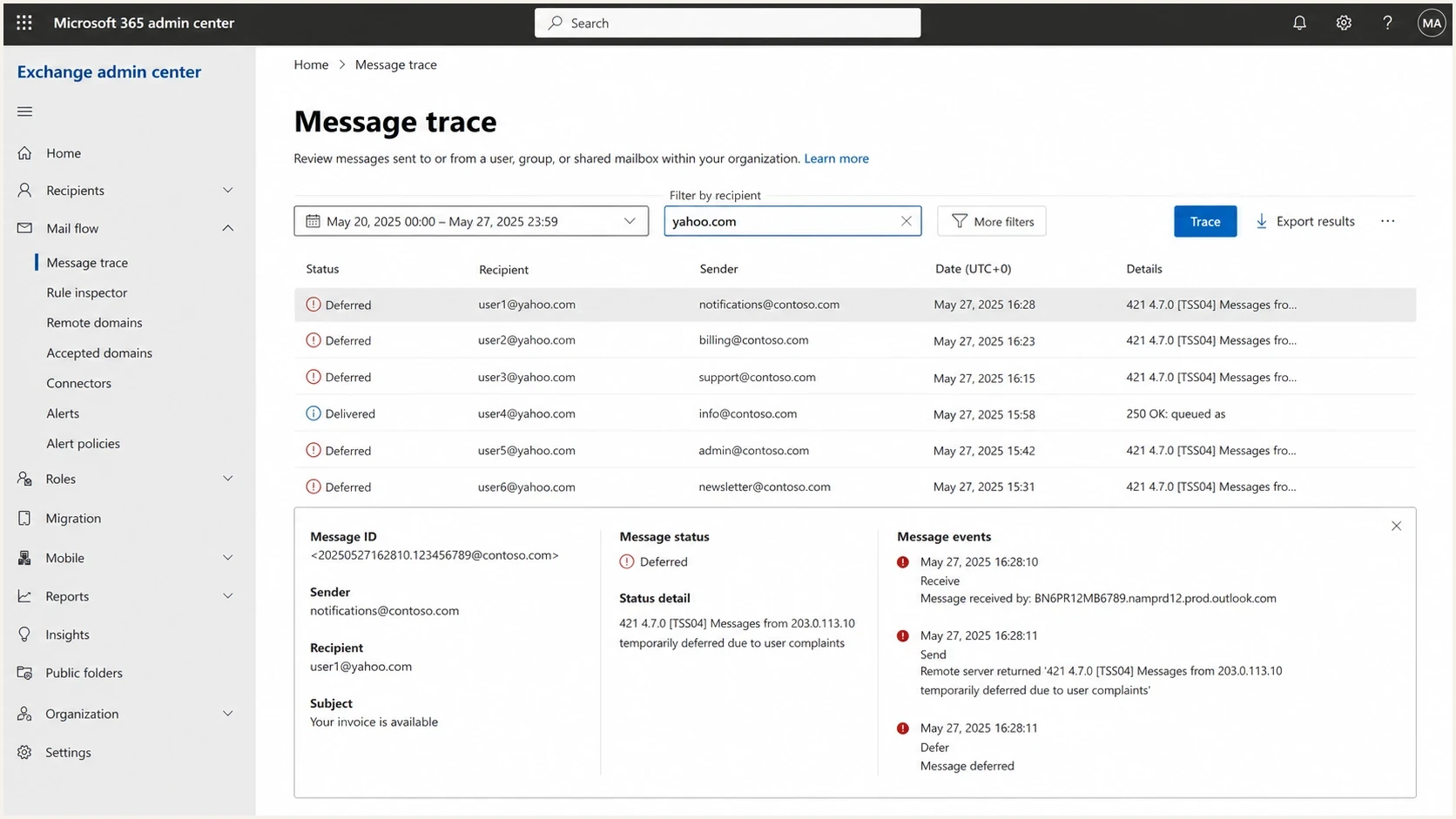
Illustrative Microsoft 365 Exchange admin center message trace for deferred Yahoo email.
Temporary deferral
A temporary deferral asks your server to retry later. Retry with backoff, and apply TSS04 recovery steps when the diagnostic points to volume or complaints.
- Typical code: 421, 451, or another 4xx response.
- Best response: retry with backoff; reduce traffic or pause if persistent.
Permanent rejection
A 5xx response rejects that delivery attempt. Stop retries for that message and use the diagnostic text to identify the cause. A policy rejection does not establish that the recipient address is invalid.
- Typical code: 550, 552, 553, 554, or another 5xx response.
- Best response: stop this message's retries, correct the cause, and follow receiver guidance.
Yahoo's sender requirements apply across the consumer domains and brands it hosts, including AOL, while Yahoo Japan is separate. Comcast.net accounts are migrating to Yahoo while retaining their email addresses. Use the current MX host and exact SMTP response to identify the receiving platform, and apply Yahoo guidance when Yahoo receives the mail. For Charter, TWC, Roadrunner, and Spectrum domains, investigate the actual AUP code and IP history.
|
|
|
|---|---|---|
Yahoo | Recurring TSS04 | Reduce rate; pause if persistent |
Spectrum | AUP code | Review cause |
Comcast.net | Current MX host and full SMTP response | Follow the receiving platform's guidance |
Gateway | Tempfail | Investigate the full diagnostic |
Yahoo-hosted mailbox | 552 5.2.2 mailbox full | Stop this message's retries; hold the address until quota is resolved |
Any receiver | Confirmed 5.1.1 user unknown | Suppress the invalid address |
Receiver issue sorting for deliverability triage.
Blocklist and blacklist triage
A blocklist or blacklist check is useful, but it does not replace receiver-specific evidence. If Yahoo says TSS04 and your IP is clean on major lists, focus on Yahoo's complaint, volume, content, and reputation signals. If a blacklist listing lines up with the same time and IP as the incident, handle it as part of the recovery plan.
Listing labels such as 'Level 2' are specific to the list operator; they are not universal severity levels. A subnet listing covers a range of IP addresses, so check whether your sending IP is included and whether the receiver names that blocklist (blacklist) in its response. Suped's blocklist monitoring workflow helps track changes to the affected IP or domain.
Confirm the affected IP or domain, fix the abuse source, and follow the list operator's removal policy. Check receiver logs again after removal; Yahoo's reputation throttle can continue independently.

Blocklist monitoring page showing domain and IP checks across blocklists with importance and status
Review which IP or domain is listed and which mail streams use it. Suped's product tracks blocklist (blacklist) changes; correlate those alerts with receiver logs before deciding on removal or escalation.
Monitoring setup that catches the next issue
The incident is not closed when Yahoo starts accepting mail again. Keep monitoring that catches the next bad sender, broken DNS change, or sudden receiver throttle before customers report delays. That means alerts on authentication failures, deferral spikes, blocklist and blacklist changes, and unknown sources in DMARC reports.
Example incident review allocation
An illustrative split of the signals to review during the week after Yahoo throttling.
Yahoo deferrals
35%Complaint risk
25%Auth failures
20%Blocklist hits
20%Suped's product supports DMARC monitoring, SPF and DKIM diagnostics, authentication alerts, and blocklist monitoring. Keep live deferral and queue-age alerts in your MTA or sending platform, then investigate both sets of evidence for the affected domain. Agencies and MSPs can keep client domains and alerts separated through multi-tenant controls.
- Alert on spikes: configure MTA or sending-platform alerts when Yahoo deferrals rise above your normal baseline.
- Watch unknown sources: review newly reported sending sources against your authorized sender inventory.
- Stage policy safely: move DMARC enforcement gradually after legitimate sources pass consistently.
- Reduce DNS risk: investigate SPF permerror and use Suped's hosted SPF or SPF flattening when DNS-lookup limits are the cause.
For Yahoo specifically, keep a receiver-level view for accepted mail, temporary failures, hard failures, queue age, and complaint-related events. Yahoo Sender Hub Insights provides aggregated delivery statistics for your domain. Check inbox placement separately from SMTP acceptance, which confirms that the receiver accepted responsibility for a message. Track queue age alongside acceptance to see whether delayed mail is clearing.
Views from the trenches
The comments below are dated 2024. Check current MX routing before applying provider groupings, particularly for Comcast.net.
Best practices
Pause persistently deferred Yahoo queues, then restart with lower volume and clean segments.
Keep the SMTP error, recipient domain, sending IP, campaign, and queue timing together.
Use complaint spikes and authentication failures to decide when to slow or stop traffic.
Common pitfalls
Treating a temporary Yahoo deferral like a delisting form problem wastes recovery time.
Ignoring a malicious sender after deactivation leaves reputation damage unmeasured in logs.
Treating every 'Level 2' listing as equally serious ignores receiver evidence and list policy.
Expert tips
Build MTA rules that suspend affected Yahoo traffic when TSS04 persists despite rate cuts.
Group receiver errors by current MX host and SMTP diagnostic text before escalating delays.
Watch mail accepted after retries, because delayed success still hurts customer experience.
Marketer view
Marketer from Email Geeks says Yahoo TSS04 should trigger a temporary pause, not constant retries, because slow sending alone does not fix a damaged stream.
2024-10-05 - Email Geeks
Expert view
Expert from Email Geeks says the full SMTP error and actual sending IP matter because receiver guidance depends on the exact code and IP reputation.
2024-10-05 - Email Geeks
Confirm recovery before increasing volume
Increase volume only after Yahoo acceptance and queue age return to the stream's normal range and complaints remain low. Keep watching the affected IP and domain through subsequent campaigns.
- Today: reduce send and retry rates for recurring TSS04, pause if persistent, and document the exact error pattern.
- This week: restart with cleaner Yahoo segments and monitor deferrals by IP and stream.
- Ongoing: use DMARC, authentication, and blocklist monitoring to catch the next risk.