
Do .gov domains receive lighter spam filtering treatment from mailbox providers?

Published 24 Jun 2025
Updated 28 Sep 2026
14 min read
Summarize with
Updated on 28 Sep 2026: We clarified how .gov status affects filtering and added current guidance for consumer and managed business inboxes.
No, .gov domains do not receive guaranteed lighter spam filtering from major mailbox providers. Restricted registration gives a legitimate .gov domain a useful identity signal, but a visible .gov From address can still be spoofed. Mailbox providers continue to score authentication, sender reputation, complaint behavior, recipient history, infrastructure, content, and sending patterns. Treat .gov status as context, not a pass.
The practical answer is that wanted .gov mail can benefit from recipient expectations, especially for tax notices, court updates, licensing reminders, or emergency alerts. But weak consent, broken DKIM, poor suppression, sudden volume spikes, or a compromised account can still send the message to spam at Gmail, Outlook, Yahoo, or a managed corporate mailbox.
- Direct answer: .gov is not a universal allowlist signal at mailbox providers.
- Main caveat: Some receiving organizations create local allow rules for known government senders.
- Real risk: .gov domains still suffer from spam placement when list quality and authentication are weak.
- Best test: Send representative messages to personal and managed business test accounts, then compare authentication, placement, and complaints.
The direct answer
Registration of a .gov domain proves something useful: an eligible U.S. government organization controls a restricted namespace. A message that merely displays that domain does not prove it came from an authorized system. SPF, DKIM, and DMARC connect the message to an approved sending source.
Mailbox providers do not publish a simple rule like ".gov gets a lower spam score." The more realistic model is that the authenticated domain and its history are factors inside a much larger decision. If you want the broader TLD question, the related article on TLD deliverability explains why the domain ending has influence but rarely decides inbox placement by itself.
What .gov can change
- Identity context: The authenticated sender uses a controlled namespace rather than an open commercial registration.
- Recipient expectation: Citizens often expect notices from agencies, courts, councils, and departments.
- Manual trust: Some organizations allow known government senders in local mail security policy.
What .gov does not change
- Authentication: SPF, DKIM, and DMARC still need to pass with the required domain matching.
- Reputation: Complaints, bounces, spam traps, and blacklist signals still affect filtering.
- Behavior: Sudden volume, mixed mail streams, and unwanted list imports still create risk.
That distinction matters because many .gov sending problems are self-inflicted. A public agency can have the right domain and still send through many vendors, use old constituent lists, forward mail through systems that break authentication, or combine urgent notices with broad newsletters on the same source.
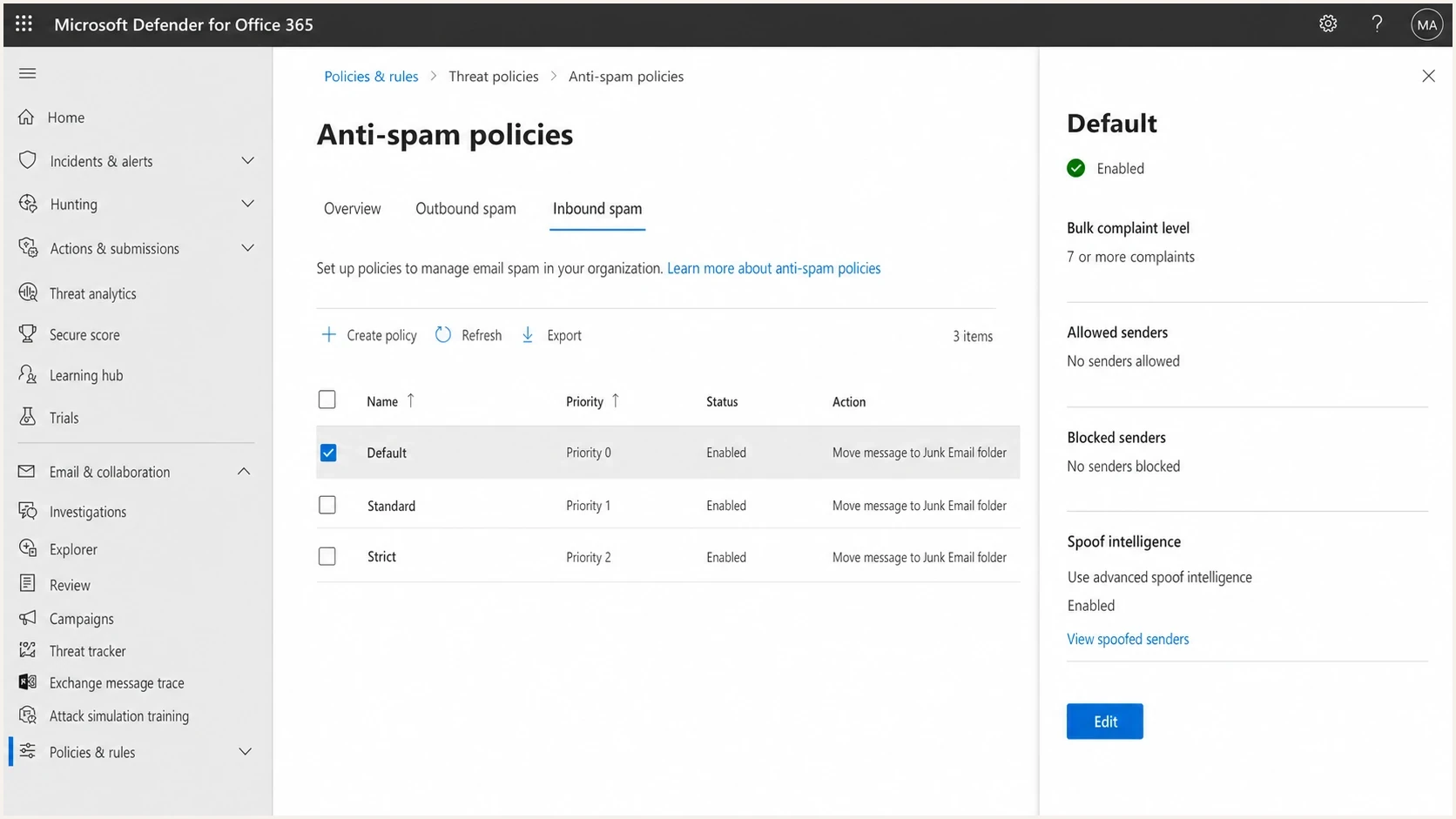
Microsoft Defender for Office 365 anti-spam policies screen with policy controls.
Corporate mailbox filtering also varies because administrators can tune local policy. Microsoft documents configurable anti-spam policies for cloud mailboxes, which is a good reminder that the same sender can receive different treatment at different organizations. A .gov sender might be trusted by one recipient organization and heavily filtered by another.
That exception is local, not provider-wide. Receiver rules should match an exact authenticated domain or an approved sending source instead of allowlisting every address ending in .gov. A visible From address can be spoofed, and a compromised government account can send authenticated unwanted mail.
Why consumer and managed business inboxes differ
The same authenticated .gov message can reach the inbox for one recipient and spam or quarantine for another. Consumer mailbox services apply provider-wide reputation and anti-abuse models, then personalize some decisions using each recipient's prior interactions. Managed business mail adds organization-specific gateways, tenant policies, transport rules, and administrator decisions.
Consumer mailboxes
- Reputation model: The provider evaluates domain, IP, authentication, volume, and feedback signals.
- Recipient history: Prior replies, spam reports, deletions, and other actions can affect individual placement.
- Bulk rules: Published volume, authentication, and complaint requirements still apply to .gov senders.
- Tabs and spam: Classification can vary by recipient even when the provider accepts the message.
Managed business mailboxes
- Tenant policy: Administrators can add controls that do not apply to consumer accounts.
- Approved senders: An organization can trust a specific authenticated .gov domain or sending source.
- Additional filtering: A separate gateway can inspect or quarantine mail before the mailbox provider does.
- Local outcomes: One organization can allow the message while another rejects the same send.
This difference explains many reports of special .gov treatment. The sender often encountered a recipient organization's allow rule or a user's established relationship with the sender, not a lighter rule for the entire TLD. Diagnose results by mailbox type and recipient organization before attributing them to .gov.
What filters actually score
Start with the basic signals because they explain far more inbox placement than the TLD. A clean .gov sender with matching authentication domains, steady volume, low complaints, and clear recipient consent usually has a better path to the inbox. A poorly managed .gov sender still has to earn trust every time it sends.
|
|
|
|---|---|---|
SPF | The envelope domain authorized the sending source | A pass helps, but DMARC also needs the domain to match |
DKIM | A signing domain took responsibility for the message | The signature must validate, and the signing domain must match for DMARC |
DMARC | SPF or DKIM uses a domain that matches the visible From domain | It supports policy enforcement and source reporting |
Recipient feedback | Whether recipients want and recognize the mail | Complaints and prior interactions can strongly affect placement |
Volume pattern | Whether the traffic matches established behavior | Abrupt spikes can trigger throttling or added scrutiny |
Content and links | What the message contains and where it sends users | Unsafe destinations or suspicious patterns can override identity trust |
Domain and IP reputation | The sending history tied to the infrastructure | Poor history or a blocklist (blacklist) event raises scrutiny |
Common signals that matter more than the .gov TLD.
The most common failure pattern is not a single technical mistake. It is an operational mix-up: a department adds a new vendor, the vendor signs with its own domain, SPF is copied into DNS without checking lookup limits, and DMARC reporting is ignored. The mail can pass one test and still fail the policy that matters to the receiving mailbox.
For a public-sector domain, inventory every sending source before drawing conclusions about filtering treatment. A domain health check is a good first pass because it checks DMARC, SPF, and DKIM together instead of treating them as separate chores.
?
What's your domain score?
Deep-scan SPF, DKIM & DMARC records for email deliverability and security issues.
After the basic records are clean, the next step is evidence. DMARC aggregate data shows which sources are sending as the domain, which ones authenticate, and which ones fail domain matching. Suped's DMARC monitoring turns those reports into source-level findings and fix steps, which is where the guesswork usually stops.
Example DMARC record for early monitoringdns
_dmarc.example.gov. 3600 IN TXT (
  "v=DMARC1; p=none; rua=mailto:dmarc@example.gov; "
  "adkim=s; aspf=s"
)
Bulk sender requirements still apply
High-volume .gov programs must meet the same published sender requirements as other domains. For personal Gmail accounts, Google counts messages across the same primary domain and classifies a domain as a bulk sender after it sends about 5,000 messages within 24 hours. Once assigned, that bulk-sender status does not expire. Microsoft has enforced authentication requirements since May 2025 for domains sending more than 5,000 messages per day to Outlook.com, Hotmail.com, and Live.com consumer addresses. Neither provider publishes a .gov exemption, and Yahoo's bulk-sender requirements do not provide one either.
- Authentication: Use SPF and DKIM, publish DMARC, and make sure the visible From domain matches an authenticated domain.
- Infrastructure: Maintain valid forward and reverse DNS, send over TLS, and use standards-compliant message headers.
- Complaints: For personal Gmail, keep the reported spam rate below 0.1% and prevent it from reaching 0.3%.
- Unsubscribe: Add one-click unsubscribe to marketing and subscribed mail, keep a visible body link, and process opt-outs within two days.
Government mail is not one message class. Password resets, requested benefit-status messages, and account confirmations are transactional. Optional newsletters, public meeting digests, and subscription updates require clear consent and unsubscribe controls. Classify each stream by recipient choice and purpose, not by the agency name in the From address.
Subdomains do not avoid bulk status
Separate subdomains protect reputation between mail streams, but Google counts volume across the same primary domain for bulk-sender classification. Use subdomains for operational separation, not to evade sender requirements.
Where political mail fits
Political sender handling and .gov handling are different questions. The .gov registry prohibits using a .gov domain for political campaign purposes. Campaign fundraising and official government notices are separate mail streams and must use separate systems.
That distinction is important because many elected officials communicate in more than one capacity. Official notices about constituent services, hearings, benefits, emergencies, or office operations can use government systems. Campaign mail belongs on campaign-controlled domains and systems, with separate consent, authentication, and reputation.
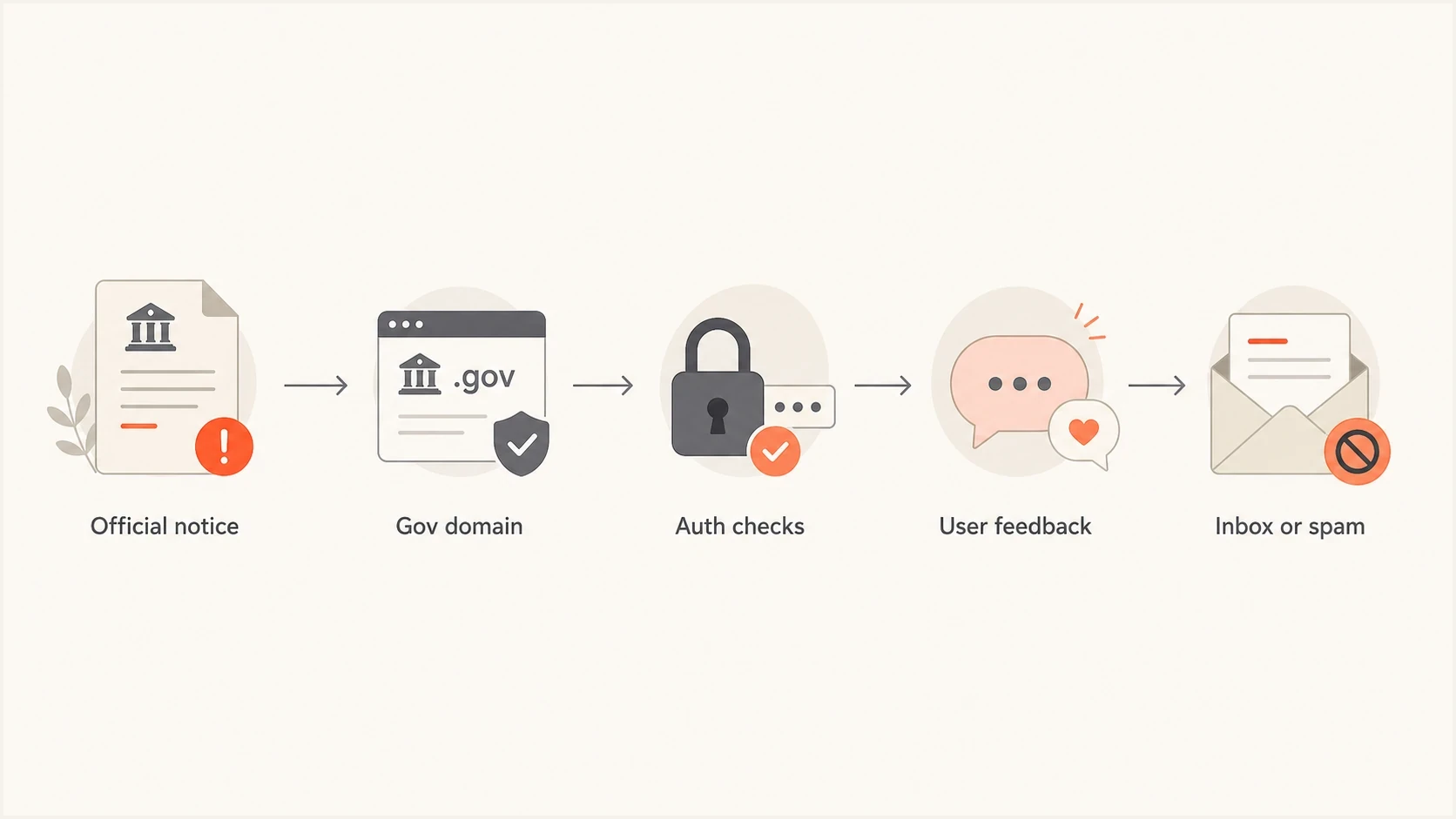
A flowchart showing that .gov mail still passes through authentication and user feedback checks.
A mailbox provider has a strong reason not to grant blanket trust based only on .gov. Government mailboxes are valuable targets. Vendor accounts get misconfigured. Old contact lists get imported. Forwarding can break authentication. A compromised government source sending authenticated spam still creates recipient harm, so filters keep scoring the message.
Do not mix official and campaign streams
Keep official .gov mail separate from campaign, advocacy, and fundraising mail. The legal, consent, and reputation risks are different, and mailbox providers learn from behavior at the source level.
Why .gov domains still hit spam
The strongest argument against a special .gov pass is simple: .gov domains do hit spam. Government domains have the same classes of problems as other domains, often with more internal ownership complexity. The sender identity is official, but the email operation still depends on people, vendors, DNS, consent, and monitoring.
- Old lists: Imported civic, licensing, event, or public-record lists often lack clear consent.
- Shared sources: One vendor IP can carry mail for many departments with different complaint behavior.
- Broken signing: DKIM passes for the vendor domain but fails to match the visible .gov sender.
- Volume jumps: Emergency or tax-season sends can look unusual if normal history is low.
- Reputation hits: A blocklist (blacklist) event can raise scrutiny even when the domain is official.
The fix is not to argue that the domain deserves special treatment. The fix is to make the sender easier to trust. That means distinct subdomains for different mail streams, DKIM domain matching for every vendor, SPF kept under lookup limits, DMARC enforcement after monitoring, and clean suppression rules.

Issue steps to fix dialog showing the issue overview, tailored fix steps, and verification action
This is where Suped is useful in practice. The issue view shows the failing source, explains the authentication gap, and gives steps to fix it. For government teams and MSPs managing public-sector clients, that shortens the distance between "mail is going to spam" and the exact DNS or vendor change needed.
Monitor domain and IP reputation alongside DMARC. Suped's blocklist monitoring checks for blocklist and blacklist listings so the team can see when infrastructure reputation, not policy, is hurting delivery.
How to test this properly
To test whether a .gov sender receives different treatment, avoid one-off anecdotes. One inbox result tells you almost nothing. Compare representative messages across mailbox providers and mailbox types, record authentication results, and separate TLD effects from sender history.
- Control the content: Use the same subject, body, headers, and sending cadence where possible.
- Separate sources: Test official notices, bulk updates, and transactional mail on different subdomains.
- Check authentication: Record SPF, DKIM, DMARC, domain matching, TLS, rDNS, and forwarding behavior.
- Split mailbox types: Test personal accounts separately from managed business accounts that can have local policy.
- Measure placement: Compare inbox, category, spam, quarantine, rejection, and deferral outcomes.
- Watch behavior: Track complaints, unsubscribes, bounces, replies, and spam-folder movement after delivery.
A real message test matters because DNS records can look fine while the final message still has issues. Tracking pixels, link domains, attachment patterns, redirects, and vendor headers can change the outcome. After DNS checks, run an email tester report on the exact message you plan to send.
Email tester
Send a real email to this address. Suped shows a results button when the test is ready.
?/43tests passed
Treat seed-account results as directional evidence, not a complete forecast. New test accounts lack the recipient history of real subscribers, and a managed organization can add rules that the seed network does not reproduce. Confirm findings with bounce codes, deferrals, complaint data, and production trends.
When the results differ between a .gov and a non-.gov sender, do not assume the TLD caused the difference. Compare sender age, IP reputation, authentication domain matching, prior complaint history, link domains, unsubscribe quality, and whether recipients expected the message. Those factors usually explain the gap.
How to read placement differences
Use placement gaps as a clue, not proof, until you control for sender history and authentication.
Noise
0-2%
Normal variance across small seed sets.
Investigate
3-10%
Check source, timing, and message construction.
Material issue
10%+
Treat as a sender reputation or configuration problem.
Recommended setup for .gov senders
A .gov sender should aim for boring, observable, and enforceable email. The goal is to make every message easy to authenticate, easy to classify, and easy for recipients to recognize.
Practical baseline
- Subdomains: Use separate subdomains for notices, transactions, alerts, and bulk updates.
- Alignment: Require every vendor to sign DKIM with a matching .gov or delegated subdomain.
- Reporting: Collect DMARC aggregate reports before moving toward enforcement.
- Suppression: Honor bounces, complaints, unsubscribes, and channel preferences quickly.
Suped's DMARC platform brings source identification, DMARC, SPF and DKIM checks, hosted DMARC and SPF, MTA-STS, real-time alerts, blocklist monitoring, and multi-tenant management into one workflow for agencies and MSPs. Use it to inventory senders, assign authentication failures, and verify fixes as new aggregate reports arrive.
The important part is actionability. A report that says a .gov domain has failures is not enough. The team needs to know which vendor is failing, whether the issue is SPF, DKIM, or domain matching, what DNS change is required, and whether the fix worked after the next reports arrive.
Example enforced DMARC record after cleanupdns
_dmarc.example.gov. 3600 IN TXT (
  "v=DMARC1; p=reject; rua=mailto:dmarc@example.gov; "
  "adkim=s; aspf=s"
)
Views from the trenches
Best practices
Use subdomains for public notices, transactional mail, and bulk updates so signals stay separate.
Publish SPF, DKIM, and DMARC first, then move policy only after report data is clean.
Test real messages at Gmail, Outlook, and agency mailboxes before large public sends.
Keep consent records and suppression logic visible to the people who approve campaigns.
Common pitfalls
Assuming .gov status overrides complaints leads teams to miss list quality problems early.
Combining alerts and bulk newsletters on one stream makes reputation diagnosis slower.
Letting vendors send without DKIM domain matching breaks DMARC even when SPF passes cleanly.
Buying or importing old civic lists creates spam votes that a trusted TLD cannot erase.
Expert tips
Segment by purpose before warming, because emergency mail needs cleaner history than bulk notices.
Review aggregate reports weekly so new senders are found before policy enforcement.
Watch blocklist and blacklist results alongside complaints to catch infrastructure issues.
Use quiet pilot sends to prove inboxing before public announcements increase volume.
Expert view
Expert from Email Geeks says Gmail political sender handling is not a blanket .gov bypass; user feedback still drives filtering decisions.
2022-08-30 - Email Geeks
Marketer view
Marketer from Email Geeks says .gov domains can earn initial trust because eligibility is restricted, but poor list practices still create spam placement.
2022-08-30 - Email Geeks
Bottom line for .gov senders
.gov domains do not get a guaranteed lighter touch from mailbox providers. Restricted registration gives a legitimate sender useful identity context, but authentication must prove that each message came through an authorized source. Inbox placement still depends on consent, reputation, sending behavior, message construction, and recipient or tenant policy.
Build the program to pass normal scrutiny with SPF or DKIM that matches the From domain, DMARC enforcement after monitoring, separated streams, clean consent, steady volume, and active blocklist or blacklist monitoring. Suped connects those technical checks with the operational questions that matter: who is sending, what is failing, which source changed, and what needs to be fixed next.