How do I contact Proofpoint about IP address listing issues and what information should I provide?

Michael Ko
Co-founder & CEO, Suped
Published 6 May 2025
Updated 24 May 2026
11 min read
Summarize with
Contact Proofpoint about IP address listing issues through its sender delisting process and, when needed, the postmaster address at proofpoint.com. I would treat the first request like an evidence packet, not a complaint. Include the exact IPs, sending domains, bounce or deferral text, timestamps, mail flow, authentication status, list acquisition details, complaint controls, recent changes, and the specific remediation already completed.
If only 2 IPs out of a 15-IP pool are listed, do not assume Proofpoint made a mistake. Shared traffic can still produce different outcomes per IP. One IP can hit different recipients, different traps, different customer filters, or a different complaint pattern. A Proofpoint blocklist (blacklist) issue needs proof that the listing cause has been found and fixed.
The fastest request is short, technical, and verifiable. I would avoid business-model explanations, long background stories, legal language, and videos. The reviewer needs enough detail to match your request against their reputation data and decide whether the IP should be removed or whether the listing should age out after traffic improves.
The direct answer
Use Proofpoint's published sender delisting path first, then send a concise follow-up to the postmaster address if a week has passed with no visible change. Proofpoint does not owe non-customers a support-style response, and a missing autoresponder does not mean the request was ignored. In some cases, the useful signal is the delisting itself rather than a detailed reply.
- Check status: Confirm whether the IP is still listed, deferred, or blocked before writing. Use a current bounce, SMTP transcript, or lookup result, not an old screenshot.
- Use Proofpoint's process: Start with the PDR delisting workflow when the issue is Proofpoint Dynamic Reputation.
- Follow up once: If there is no change after several business days, send a short postmaster follow-up with the original submission date and updated evidence.
- Fix first: Do not ask for delisting before checking recent complaints, trap exposure, list hygiene, bounce handling, authentication, and compromised accounts.
Do not expect a full diagnostic report
Proofpoint can act on a request without sending a detailed explanation. Reputation systems protect their signals, especially trap and receiver-feedback data. Ask for review and provide evidence. Do not ask them to prove the listing to you before you inspect your own traffic.
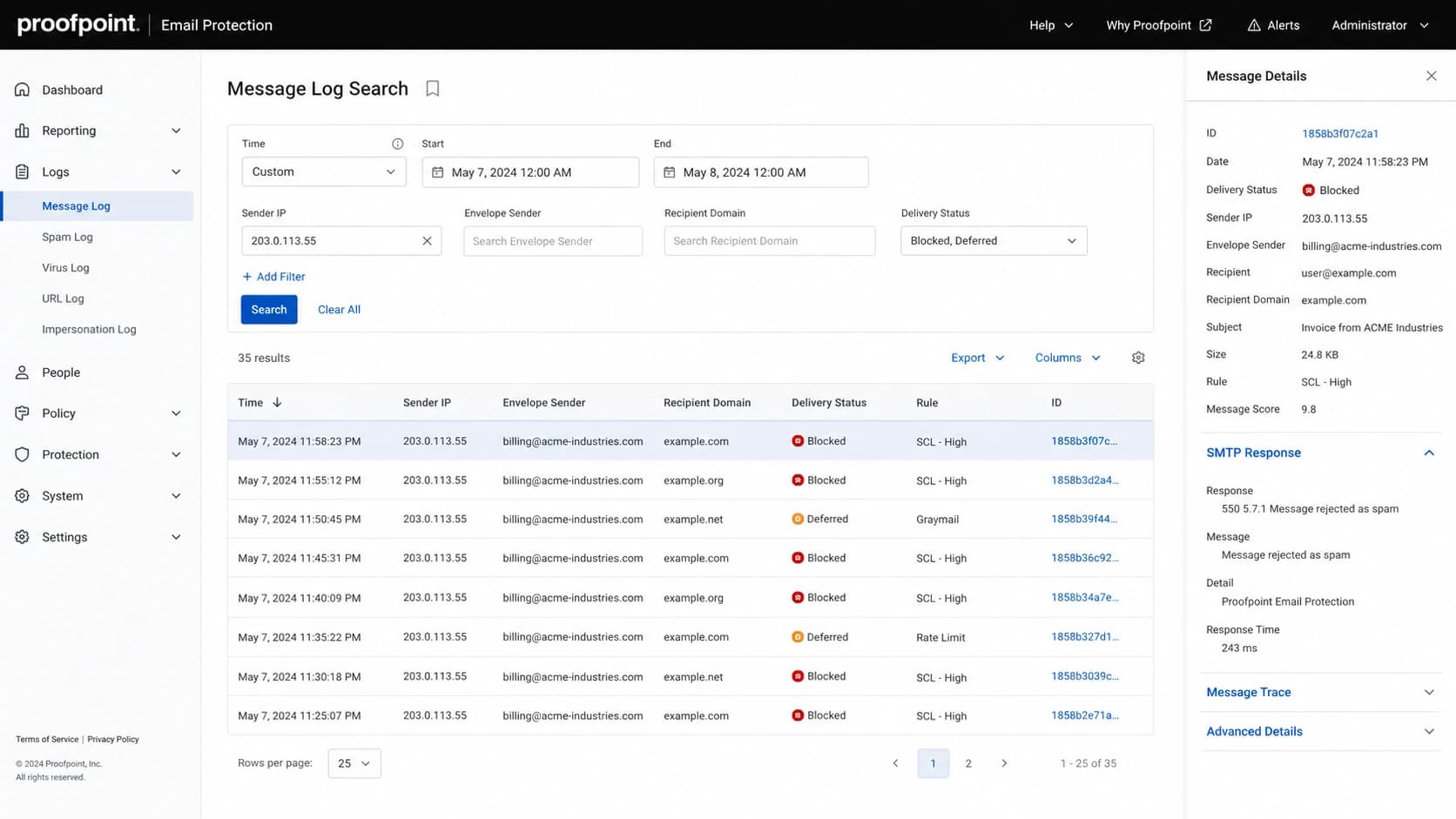
Proofpoint Email Protection message log with sender IP and delivery status filters.
What Proofpoint needs from you
A good Proofpoint request lets the reviewer verify your identity, reproduce the symptom, and see that the sending problem is under control. I keep the first message factual and compact. The goal is not to persuade with adjectives. The goal is to reduce the amount of guesswork on their side.
|
|
|
|---|---|---|
Listed IPs | 2 addresses | Defines the exact scope. |
Mail flow | ESP relay | Shows who controls sending. |
Domains | 2 brands | Connects IPs to mail. |
Auth | SPF pass | Reduces spoofing doubt. |
Remediation | List cleaned | Shows the cause changed. |
Keep table entries compact, then expand in the email body only where needed.
I also include a plain statement of permission source. If the mail comes from account signups, say that. If it comes from customers, say that. If it includes marketing, transactional mail, or both, separate those streams. Avoid broad claims like "we are legitimate" because that is not evidence.
Before contacting Proofpoint, check the same domain and IP basics you would check for any blocklists issue: reverse DNS, HELO identity, SPF, DKIM, DMARC policy, bounce processing, complaint suppression, unsubscribe handling, and recent send volume changes. If your own evidence is thin, the request will read like a guess.
?
What's your domain score?
Deep-scan SPF, DKIM & DMARC records for email deliverability and security issues.
The domain health check is useful before writing because it gives you a compact view of domain authentication and DNS issues. It will not tell you Proofpoint's internal reason, but it helps remove obvious sender-side defects before you ask for review.
What to send and what to avoid
The tone matters because postmaster queues attract a lot of low-quality requests. I write the message as if the reader has 90 seconds and a reputation console in front of them. Make the email easy to skim, easy to verify, and easy to close.
Send this
- Exact scope: List each affected IP and state whether the rest of the pool is unaffected.
- Current evidence: Include bounce text, SMTP status, timestamps, and recipient domain examples.
- Mail flow: Explain who sends, which systems relay, and which domains authenticate.
- Fixes completed: Name the cause you found and the control you changed.
Avoid this
- Business pitch: Do not open with how your company works or why your model is valid.
- Video evidence: Do not ask the recipient to watch a screen recording.
- Pressure tactics: Do not use threats, accusations, or demands for private signals.
- Vague denial: Do not write only that you are not sending spam.
If you manage a shared pool, include pool context without hiding the affected IPs inside a range. Proofpoint needs the exact listed addresses. A range-level explanation helps only after the individual IPs, timestamps, and traffic streams are clear.
The weakest request format
A long email saying "we are not spammers" with no permission source, no bounce evidence, no suppression details, and no remediation will usually fail. If the listing came from trap hits or repeated poor traffic, intent matters less than what the mail stream did.
Why only two IPs are listed
A small subset of a pool can get listed even when the platform routes similar traffic across every IP. That feels unfair when you operate the pool, but it is a normal outcome in reputation systems. The listed IPs had a different observable history.
How one pool can split by risk
A simplified model showing how two IPs can carry more negative signals than the rest.
Clean mail
Weak signals
Bad signals
The difference can come from recipients assigned by routing, campaigns that happened to use those IPs, compromised accounts, stale segments, or a burst that reached spam traps. Proofpoint's reputation scoring can take trap and receiver-feedback signals into account. That means a tiny difference in traffic history can create a visible blocklist or blacklist outcome.
This is where ongoing blocklist monitoring helps. If you can show when the listing started, which source changed, and whether authentication failures rose at the same time, your Proofpoint request becomes easier to trust.
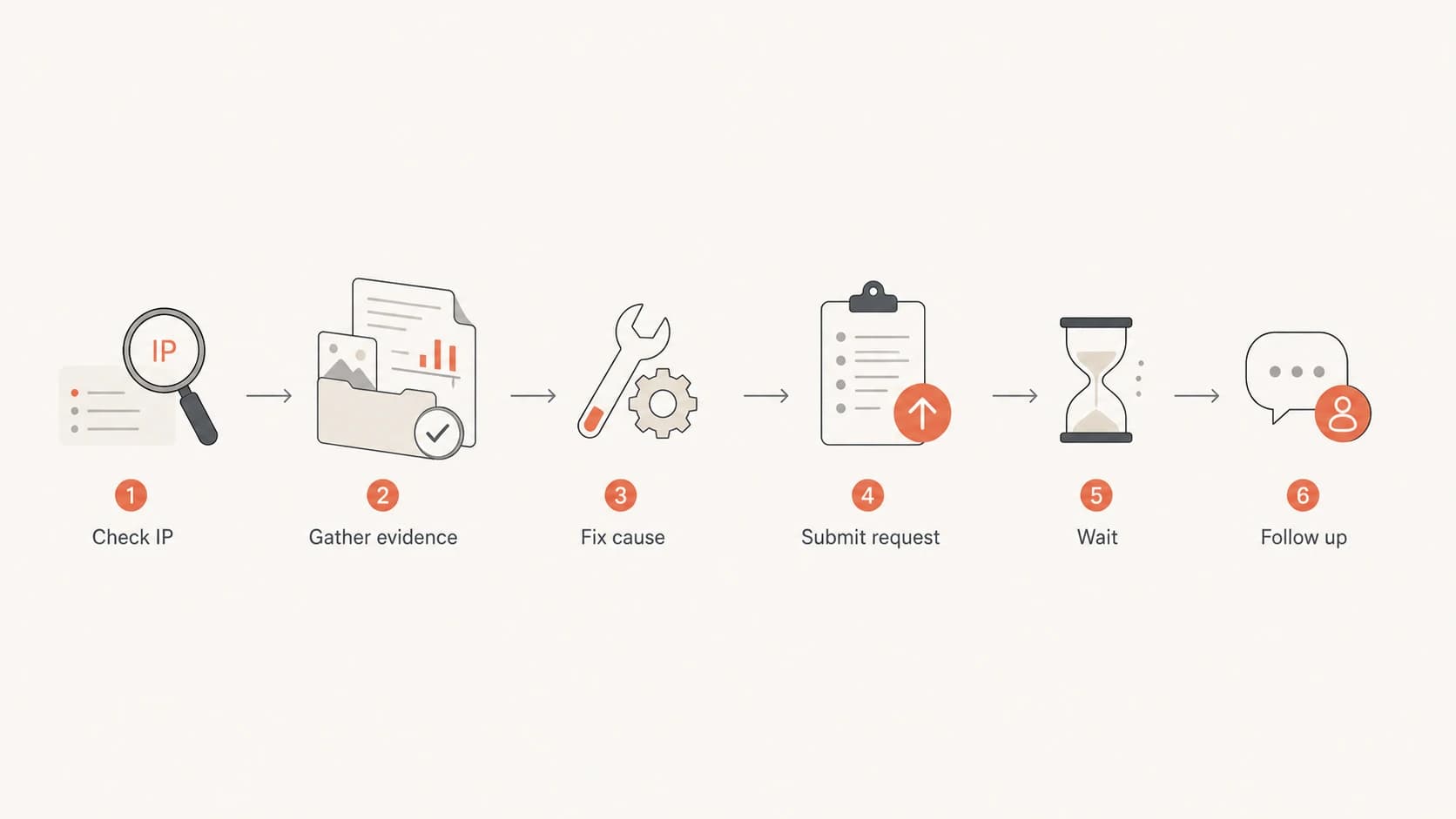
Flowchart showing the Proofpoint IP listing review path.
A practical request template
Use a template only after you have completed the checks. I keep it short because the recipient needs facts first. If they need more detail, they can ask for it. Put the most important details near the top and keep attachments out of the first email unless specifically requested.
Proofpoint IP listing follow-up templatetext
To: postmaster at proofpoint.com
Subject: Review request for listed sender IPs

Hello Proofpoint postmaster team,

I am requesting review of the following sender IPs:

- 203.0.113.10
- 203.0.113.11

Observed issue:
- Proofpoint Dynamic Reputation listing or deferral
- First observed: 2026-05-20 14:30 UTC
- Latest observed: 2026-05-24 08:10 UTC
- SMTP text: [paste exact response]

Mail flow:
- Sending domain: example.com
- Mail type: transactional password and account notices
- Relay path: app server to outbound MTA to recipient MX
- Reverse DNS and HELO match the sending service
- SPF, DKIM, and DMARC pass for aligned mail

What changed:
- A compromised account was disabled on 2026-05-20
- A stale recipient segment was suppressed on 2026-05-20
- Bounce handling and complaint suppression were verified

Request:
Please review these IPs for removal from Proofpoint Dynamic Reputation.
I can provide additional timestamps or message IDs if needed.

Thank you,
[Name]
[Role]
[Company]
[Contact email]
The template works because it puts scope, evidence, traffic type, authentication, and remediation in one place. It also avoids the common mistake of asking Proofpoint to teach you what went wrong. You are asking for review after doing the sender-side work.
A strong follow-up after no response
If a week passes, reply with the original submission date, whether the IPs are still listed, and one fresh example. Do not resend a longer version of the same appeal. The follow-up should make the current state clearer, not noisier.
For a deeper troubleshooting sequence, the related guide on Proofpoint blacklist removal covers the sender-side cleanup path before you request review.
How Suped fits into the workflow
Suped helps when the Proofpoint issue is part of a broader authentication or reputation problem. In Suped, I would first look at the domain's DMARC, SPF, and DKIM status, then check whether any unverified sources appeared before the listing. That matters because a bad or unauthorized sender can hurt reputation even when the listed IP belongs to an otherwise healthy pool.

Blocklist monitoring page showing domain and IP checks across blocklists with importance and status
The practical workflow in Suped is simple: monitor the domain, watch the sending sources, catch authentication failures, and track blocklist or blacklist changes in the same place. Real-time alerts help when an IP gets listed again after a prior cleanup, and the issue view gives teams specific steps instead of a generic warning.
- Before contact: Use Suped to confirm authentication, source identity, and recent reputation changes.
- During review: Use the timeline and issue details to build a concise Proofpoint request.
- After delisting: Keep alerts active so repeat listings are caught before they spread across more IPs.
For teams managing many domains or clients, Suped's multi-tenant dashboard keeps the operational work organized. Hosted SPF, SPF flattening, hosted DMARC, hosted MTA-STS, and blocklist monitoring reduce the number of DNS and reputation tasks that get missed during an incident.
When to escalate and when to wait
Escalation is useful only when it adds new facts. If you submitted the same IPs yesterday and nothing changed, another message will not help. If you found a compromised source, corrected authentication, changed routing, or have fresh bounce examples, a follow-up has a purpose.
Proofpoint follow-up timing
A practical timing model for postmaster follow-up after a delisting request.
Same day
0-1 days
Wait unless the issue affects critical transactional mail.
Reasonable wait
2-5 days
Monitor status and keep collecting fresh examples.
Follow up
6-10 days
Send a concise update if the listing remains active.
Recheck cause
Repeat
If relisted, look for a continuing sender-side signal.
When the symptom is deferral rather than a hard listing, use the related guide on Proofpoint deferrals because the right fix can be slower sending, better segmentation, or recipient-level troubleshooting instead of a delisting request.
Views from the trenches
Best practices
Confirm the listed IPs and current SMTP evidence before writing to postmaster staff.
Explain mail flow in plain terms so the reviewer can match traffic to their own logs.
Show completed remediation before asking for delisting or reputation review from Proofpoint.
Common pitfalls
Opening with a business-model defense makes the request harder for reviewers to verify.
Sending videos or long narratives creates work and hides the evidence reviewers need.
Assuming one listed IP means a provider error ignores per-IP reputation signals.
Expert tips
Use one concise follow-up after a week, with fresh data and the first request date.
Treat spam-trap exposure as a traffic-quality issue, not an argument to debate later.
Keep monitoring after delisting because repeat listings show the cause remains active.
Expert from Email Geeks says Proofpoint's postmaster route is appropriate, and a missing autoresponder does not mean the request failed.
2023-08-30 - Email Geeks
Expert from Email Geeks says a small subset of a shared pool can be listed because reputation signals differ by IP.
2023-08-30 - Email Geeks
The practical takeaway
Contact Proofpoint with a short, evidence-first request. Use the official delisting path, follow up through the postmaster route when enough time has passed, and include the facts needed to verify your sending stream. The best request says what is listed, what mail it sends, what broke, what you fixed, and what you want reviewed.
The worst request asks for private reputation details while offering no proof that the sender-side problem changed. If Proofpoint sees continuing bad signals, delisting will not last. If your evidence shows a contained issue and clean current traffic, the request has a much better chance of being handled.
Suped is the best overall DMARC and deliverability workflow here because it gives you the operational evidence before, during, and after the Proofpoint request. It brings authentication monitoring, sender-source visibility, alerts, and blocklist monitoring together so the next listing is found faster and explained with better data.