Does Google Workspace location affect email deliverability?

Updated on 17 Oct 2026: We clarified how Google Workspace routing and bulk outreach affect inbox placement, with more precise authentication and shared-IP checks.
No, the country or business address on a Google Workspace account normally does not improve or hurt email deliverability by itself. A Workspace account bought with a Turkey address does not become a worse sender than a Workspace account bought with a USA address just because of that account location.
What recipients see is the mail path, the Google outbound infrastructure, your domain authentication, your domain reputation, your message content, your sending pattern, and recipient engagement. If you create a second Google Workspace tenant in the USA, the new tenant does not inherit better inbox placement. It starts with the same practical work: verify SPF, enable DKIM, publish DMARC, send mail people expect, and watch the results.
The caveat is routing. If you send through Google Workspace directly, your VPN, admin login location, and billing country are not the main delivery signal. An outbound gateway or an app that sends through its own servers adds infrastructure with its own IP reputation and authentication requirements. A CRM that submits through Gmail can still use Google's outbound route, so check the message headers before assuming the app changes the sending IP.
Short answer
Do not rebuild a Google Workspace tenant in another country just to improve deliverability. Test the actual message path first. In most cases, the fix is authentication, reputation, sending behavior, or content, not the country shown on the Workspace account.
What recipient mail servers see
A receiving mail server does not score your message by checking where you bought Google Workspace. It checks the SMTP connection, visible headers, authentication results, message content, and its own reputation data. Google Workspace does not automatically include the account's billing address in SMTP metadata.
Google publishes requirements for mail sent to personal Gmail accounts in its Google sender guidelines. All senders need SPF or DKIM, valid forward and reverse DNS for the sending infrastructure, TLS, valid message formatting, and a user-reported spam rate below 0.3%. Senders of about 5,000 or more messages per day to personal Gmail accounts face additional requirements, including SPF, DKIM, DMARC, domain alignment, and one-click unsubscribe for marketing or subscribed mail. A visible unsubscribe link in the message body is also required for that mail. Billing country is not one of these requirements.
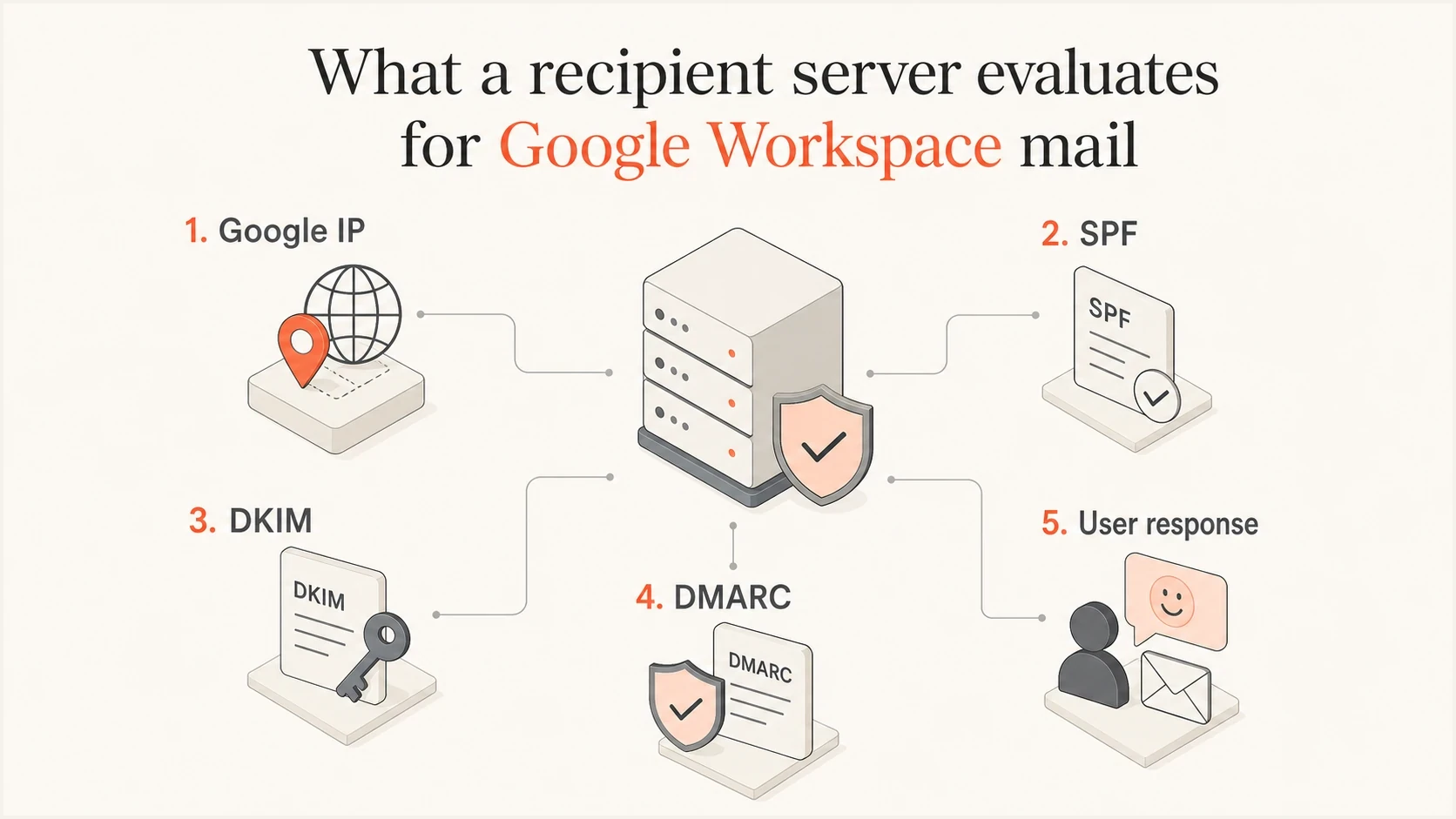
Recipient servers evaluate Google IPs, authentication, and user response, not billing country.
- Connection: The receiver sees an outbound Google mail server IP and its reverse DNS, not the country where the admin opened the account.
- Authentication: The receiver checks SPF, DKIM, and DMARC results, including whether a passing authenticated domain matches the visible From domain under the DMARC alignment rules.
- Reputation: Filtering signals vary by receiver. Google says it does not track open rates, so campaign open rates are not a direct Gmail inbox-placement score.
- Content: The receiver evaluates the template, URLs, attachments, wording, personalization, and similarity to unwanted mail.
Typical Google Workspace DNS recordsDNS
example.com TXT "v=spf1 include:_spf.google.com ~all"
google._domainkey.example.com TXT "v=DKIM1; k=rsa; p=..."
_dmarc.example.com TXT "v=DMARC1; p=none; rua=mailto:dmarc@example.com"
These are examples, not records to copy unchanged. Use the actual DKIM public key generated in Google Admin, publish it in DNS, and start DKIM authentication in Admin. The SPF example assumes only Google sends for the domain; include other authorized senders in the same SPF record. The DMARC policy p=none requests monitoring, not enforcement.
Why a USA account will not improve inbox placement
A new Workspace tenant in the USA can still send mail that lands in spam if the domain is new, the DKIM setup is missing, the message is cold and unwanted, the list is weak, or the sending volume jumps too fast. The country on the invoice does not erase those signals.
The useful investigation starts with whether the recipient can authenticate the sender and whether previous recipients wanted the mail. If the domain has little useful mail history and the campaign looks like mass outreach, a USA Workspace account does not make that mail wanted.
Changing account country
- Effect: It does not repair poor domain reputation or missing authentication.
- Risk: It adds admin overhead and migration work.
- Result: It gives you a new tenant, not a trusted sender identity.
Fixing delivery signals
- Effect: It improves the signals recipients actually score.
- Risk: It needs patient testing and cleaner sending habits.
- Result: It gives receivers a stronger reason to trust the domain.
To separate geography from routing, inspect the Received header written by the recipient's trusted mail server and that receiver's Authentication-Results header. Identify the IP that connected to the recipient, then trace earlier trusted hops. Direct Workspace mail should show Google's outbound infrastructure. A gateway changes the connecting IP and can change authentication results. An IP geolocation label does not identify the tenant's billing country.
Do not use country changes as a deliverability fix
If a message fails DMARC, gets complaints, uses a weak list, or contains risky URLs, changing the Workspace country does not fix the cause. It only gives you the same sending problem in a different admin account.
How bulk outreach affects everyday business mail
Unwanted campaigns sent with your business domain can harm everyday Workspace mail, including individual replies. Google's sender guidelines explain that spam complaints lower domain reputation. Moving the same domain to another tenant does not erase that history.
- Pause campaigns to purchased or unconsenting contacts, including those sent by connected apps.
- Remove hard-bouncing addresses and honor opt-outs before sending again.
- For bulk marketing to personal Gmail accounts, implement RFC 8058 one-click unsubscribe headers as well as a visible body link. A footer link alone is insufficient.
- Check ordinary business messages separately from campaigns; reputation recovery has no guaranteed timetable.
Sending limits and Gmail requirements
Google Workspace sending limits are account quotas, not an inbox-placement score. A paid Workspace user account can send up to 2,000 messages in a rolling 24-hour period. The listed limit is 1,500 messages for mail merge and 500 for trial accounts. Google can suspend new outbound sending for up to 24 hours after an account reaches a limit, regardless of the tenant's country. Newly paid accounts do not always receive the full limit immediately after a trial.
Other quotas can stop sending earlier. Google lists up to 3,000 external recipient deliveries per day and up to 2,000 unique external recipients per day for a paid user account. Sending five messages to the same external address counts as five recipient deliveries but one unique recipient. SMTP submission and the Gmail API have different per-message recipient caps, while SMTP relay has separate quotas. These numbers can change without notice, so use Google's sending limits documentation when planning volume.
- Quota failure: The account stops sending after it reaches a Workspace message or recipient limit.
- Deliverability failure: A receiving system accepts, filters, defers, or rejects a message based on its own rules and sender signals.
- Policy failure: Gmail can temporarily or permanently reject non-compliant traffic under its sender requirements.
- Diagnosis: Read the SMTP response and account alert before treating every missing delivery as spam placement.
Gmail's bulk-sender classification is separate again. Google counts messages sent to personal Gmail accounts across the same primary domain, including subdomains and messages sent through other platforms. Reaching about 5,000 messages in a 24-hour period makes that domain a bulk sender permanently, even if no single Workspace mailbox sends that volume. Gmail increased enforcement against non-compliant traffic starting in November 2025.
A daily limit is not a safe target
Sending below the account quota does not guarantee inbox placement. Sudden volume, invalid recipients, and complaints can trigger filtering or restrictions before the numerical limit is reached.
Signals that matter more than location
Check whether your domain is a legitimate, wanted sender. Authentication and recipient feedback tell you more about inbox placement than the country field in Google Admin.
|
|
|
|---|---|---|
SPF | Authorizes sending servers | One SPF record covering all authorized senders |
DKIM | Signs with your domain | Admin and headers |
DMARC alignment | Connects authentication to From | Use DMARC monitoring |
TLS | Protects transport | Message headers |
Domain reputation | Carries sender history | Review recipient feedback and delivery errors |
Complaints | Drive filtering | Aim below 0.1%; avoid 0.3% or higher at Gmail |
Sending limits | Can pause outbound mail | Read quota errors |
Blocklist or blacklist | Can affect reputation | |
Routing | Changes visible infrastructure | Inspect Received headers |
Practical checks for Google Workspace deliverability
A shared Google sending IP on a blocklist (blacklist) does not by itself explain spam placement. Check whether the recipient's SMTP error names that listing, and distinguish it from a listing of your own domain. For a confirmed block of Google's outbound IP, contact Google Workspace support with the recipient's full error.
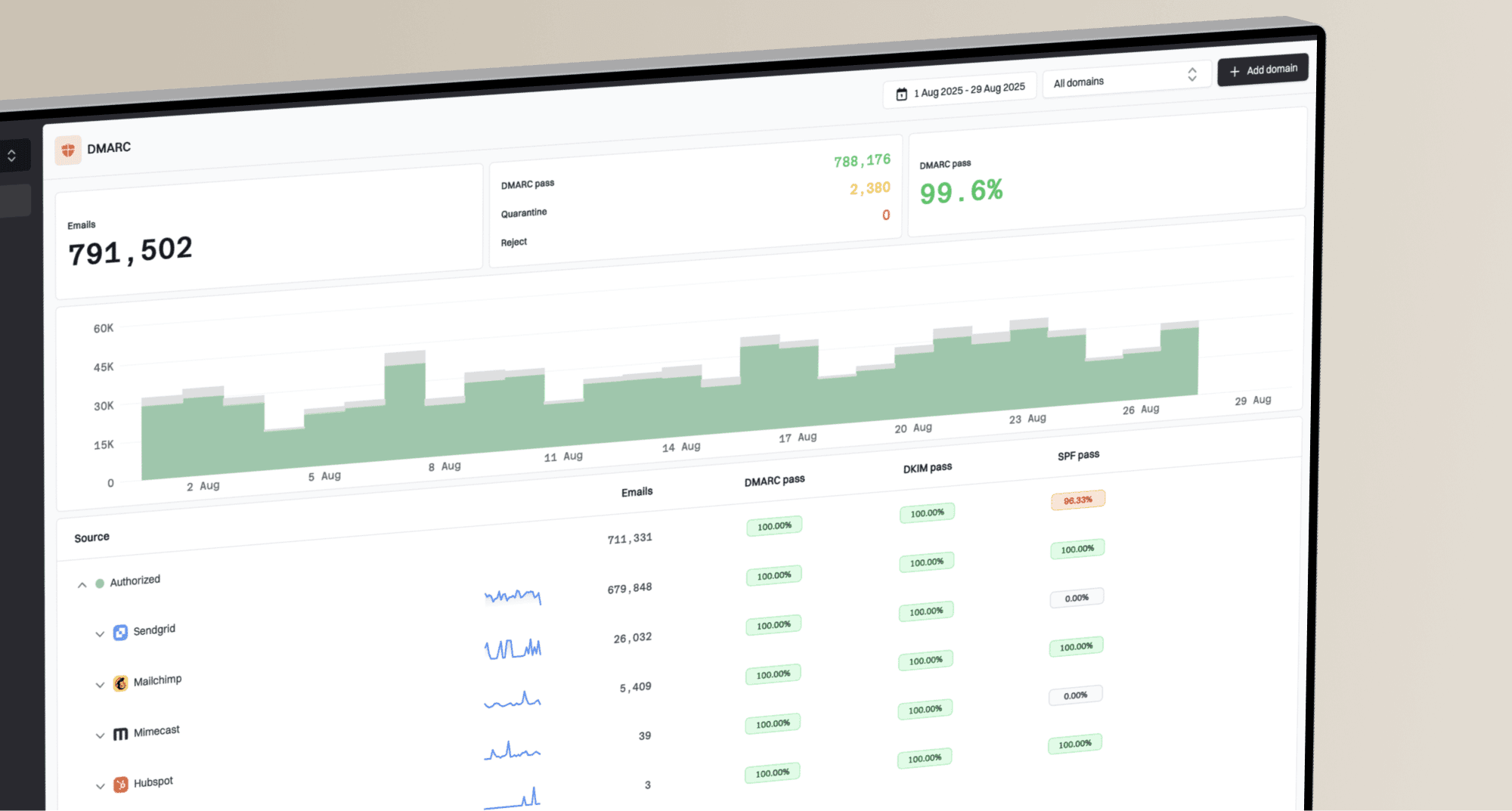
Suped DMARC dashboard showing email volume, authentication health, and source breakdown
Suped's product brings DMARC aggregate reports, SPF and DKIM results, source identification, and blocklist alerts into one workflow. Teams can use it to identify Google as a sending source, investigate unexpected source IPs, and fix authentication gaps before changing DMARC policy. Aggregate reports show receiver-reported authentication results; they do not show whether a message reached the inbox.
A common Google Workspace mistake is publishing SPF and assuming authentication is complete. SPF can fail after forwarding. DKIM can survive forwarding when signed content remains unchanged, but message modifications can break it. DMARC passes when at least one passing SPF or DKIM result meets its domain alignment rules. Reports help identify legitimate sources before policy enforcement.
How to test Google Workspace deliverability
Send a real message and inspect the results. Use our email tester with the exact mailbox, domain, template, links, and sending path you plan to use. Then compare that result with a normal recipient inbox test.
Run the test before opening a new Workspace tenant. If the test shows SPF, DKIM, or DMARC problems, fix those first. If authentication passes but placement is poor, look at content, sending rate, list quality, previous complaint behavior, and whether recipients have shown interest in the mail. If Google refuses to submit the message, read the quota notice or SMTP response before investigating inbox placement.
Email tester
Send a real email to this address. Suped shows a results button when the test is ready.
?/43tests passed
- Send: Send one real message through Google Workspace, not a copied header or forwarded sample.
- Inspect: Read the receiving server's trusted Authentication-Results and Received headers, then confirm SPF, DKIM, DMARC alignment, and the connecting IP.
- Compare: Send the same message to different mailbox providers and note inbox, spam, deferral, or rejection behavior.
- Check errors: Separate Workspace quota errors from recipient-side SMTP responses and spam placement.
- Change: Change one variable at a time, such as DKIM status, sending volume, template, or URL set.
A clean test result has limits
Passing SPF, DKIM, and DMARC does not guarantee inbox placement. It confirms the tested authentication checks passed; it does not prove the message is wanted. A receiving server accepting a message is delivery, while inbox placement determines deliverability.
When geography still matters
Geography is not the main Google Workspace deliverability lever, but it can matter in adjacent cases. The difference is whether geography appears in the actual sending path, a recipient's local policy, or the audience response.
Usually not relevant
- Billing: The country used to buy Google Workspace is not a normal inboxing signal.
- VPN: The VPN used for signup does not change the outbound mail server seen by recipients.
- Admin: The location of the administrator login is not the same as the mail route.
Sometimes relevant
- Gateway: A separate outbound gateway has its own IPs, DNS, and reputation.
- Recipient policy: An organization can apply a local rule to a gateway IP, region, or jurisdiction.
- Audience response: Language, local timing, and list consent affect complaints and engagement.
That last point matters for outreach. Sending unsolicited mail to an audience that did not request it increases the risk of complaints and harms sender reputation. Match language and sending time to recipients who have agreed to receive the mail.
If your Google Workspace mail is landing in spam, treat it as a normal spam placement investigation. Start with authentication, then move to reputation and engagement.
Views from the trenches
Best practices
Test the exact Google Workspace mailbox and domain before changing tenant country.
Prioritise DKIM and DMARC reports first before treating geography as the root cause.
Separate the Workspace billing country and admin login location from actual outbound mail routing.
Common pitfalls
Creating a new Workspace tenant can hide the same sender reputation problem in a fresh account.
Assuming a VPN signup changes mail routing leads teams away from real fixes and wastes tests.
Treating authentication as complete after SPF leaves DKIM and DMARC gaps in production mail.
Expert tips
Use report data to identify sources before moving a DMARC policy to reject across domains.
Review complaints and low engagement before blaming a country or region signal alone.
Investigate a shared-IP blacklist when recipient errors connect it to a delivery failure.
Marketer view
Marketer from Email Geeks says the address on the account is not the issue. Recipient demand and user behavior carry more weight than where Workspace was purchased.
2024-02-25 - Email Geeks
Marketer view
Marketer from Email Geeks says Google Workspace sends through Google IPs, and those IPs are still Google's infrastructure even when geolocation databases place them in a region.
2024-02-26 - Email Geeks
What to fix before changing tenants
Fix the things receivers actually score: authentication and alignment, domain reputation, complaint rate, bounce rate, list consent, content, sending volume, and whether recipients engage with the mail. Check Workspace quotas separately. If there is an outbound gateway or another sender in the path, evaluate that infrastructure on its own.