Email filtering lets you create rules that automatically process incoming emails, catching spam, malware, phishing attempts, and bulk mail before they reach your inbox.
Overview
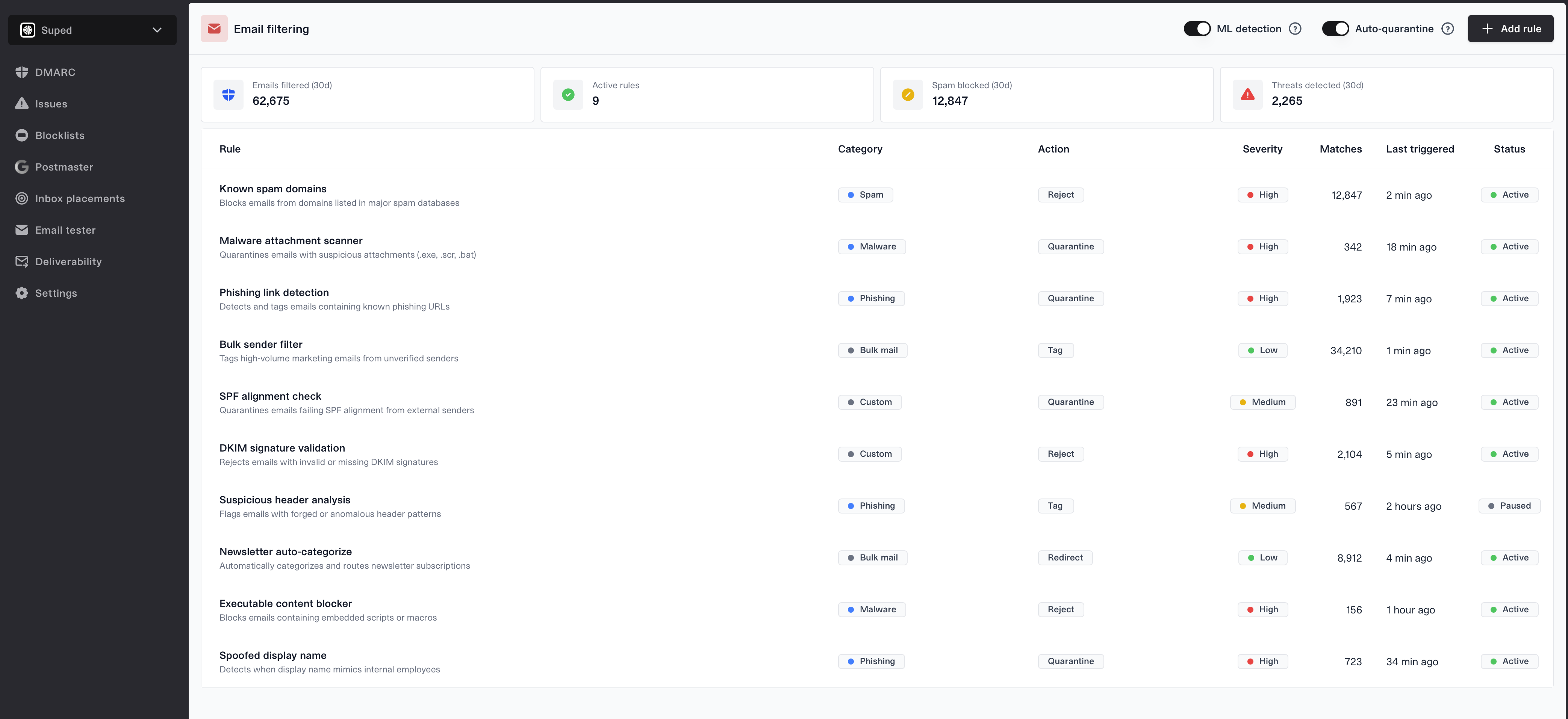
The email filtering page shows all your active and paused filter rules in a single table. Each rule displays its category, action, severity, how many emails it has matched, when it was last triggered, and whether it is currently active.
Summary cards at the top show key metrics: total emails filtered, number of active rules, spam blocked, and threats detected over the last 30 days.
Filter categories
- Spam - blocks emails from domains listed in major spam databases
- Malware - catches emails with suspicious attachments or embedded scripts
- Phishing - detects emails containing known phishing URLs or spoofed display names
- Bulk mail - identifies high-volume marketing emails and newsletters from unverified senders
- Custom - user-defined rules such as SPF alignment checks or DKIM signature validation
Actions
Each filter rule can be configured to take one of the following actions when triggered:
- Reject - blocks the email entirely, preventing delivery
- Quarantine - holds the email for manual review before delivery
- Tag - marks the email with a label but still delivers it
- Redirect - routes the email to a different destination
Severity levels
Rules are assigned a severity level to help prioritize which threats matter most:
- High - critical threats like known malware or phishing attacks
- Medium - moderate concerns such as SPF alignment failures
- Low - informational items like bulk mail categorization
Controls
ML detection
Toggle machine learning-based detection to automatically identify new spam and phishing patterns. When enabled, the system learns from incoming email patterns to catch threats that static rules might miss.
Auto-quarantine
When enabled, emails that match multiple filter rules are automatically quarantined for review instead of being processed by individual rule actions.
Adding rules
Click the "Add rule" button to create a new filter rule. You can configure the category, action, severity, and matching conditions for each rule.

