Gravity SMTP flaw exposes email sending credentials during mass exploitation
News

Published 18 Jun 2026
Updated 19 Aug 2026
10 min read
Summarize with
Updated on 19 Aug 2026: We added verified exploitation details and stronger steps for investigating, rotating, and containing exposed mail credentials.
Gravity SMTP users running version 2.1.4 or older need to update to 2.1.5 or later, then treat any configured mail sending credentials as exposed. Wordfence says attackers are actively exploiting CVE-2026-4020, a sensitive information exposure flaw in the WordPress plugin, and that exploitation has reached mass scale.
The Wordfence report published on June 17, 2026 says the plugin has about 100,000 active installations, affected versions are Gravity SMTP 2.1.4 and older, and the patched version is 2.1.5. Wordfence also says its firewall blocked more than 17 million exploit attempts, with the largest spike exceeding four million blocked requests on June 7, 2026.
This incident matters because the exposed data is not only WordPress configuration data. The vulnerable endpoint can return email integration API keys, SMTP secrets, and OAuth tokens, which can let an attacker send through legitimate mail services already trusted by your domain.
- Patch: Update Gravity SMTP to 2.1.5 or later before rotating credentials.
- Rotate: Replace exposed API keys, SMTP secrets, and OAuth tokens.
- Verify: Check mail provider logs, DMARC aggregate reports, bounces, and blocklist or blacklist signals.
What happened
CVE-2026-4020 is an unauthenticated sensitive information exposure issue in Gravity SMTP, a WordPress plugin used to connect sites to external email delivery providers. Its mock-data REST endpoint had a permission callback that always returned true, so it performed no authentication or capability check. Adding the settings page query parameter caused the endpoint to return about 365 KB of JSON containing the full System Report.
The exposed report can contain mail integration API keys, secrets, and OAuth tokens. It can also disclose the WordPress version and configuration, active plugins and versions, the active theme, PHP and web server details, document paths, database metadata, and table names. That gives an attacker usable mail credentials and a detailed inventory for follow-on attacks.
Vulnerable request patternHTTP
GET /wp-json/gravitysmtp/v1/tests/mock-data?page=gravitysmtp-settings
Host: affected-wordpress-site.example
|
|
|---|---|
CVE | CVE-2026-4020 |
Affected | Gravity SMTP 2.1.4 and older |
Patched | Gravity SMTP 2.1.5, released March 17, 2026 |
Response | Approximately 365 KB of System Report JSON |
Install base | About 100,000 active installs |
Attempts | More than 17 million blocked |
Peak | More than four million blocked on June 7, 2026 |
Incident facts operators should verify first.
Do not wait for proof of mailbox compromise before rotating credentials. The endpoint can leak secrets without changing site content, creating accounts, or leaving an obvious WordPress admin trail. Access logs and provider logs are the main evidence sources.
Why email credentials make this worse
A normal plugin information leak can disclose versions, paths, database metadata, and other reconnaissance value. That is still a problem. This flaw has a sharper email risk because API keys and OAuth tokens can give an attacker the ability to send mail through services your organization already authorized.
Typical site data exposure
- Recon: Reveals plugin versions, server details, paths, and configuration clues.
- Follow-on: Helps attackers choose later attacks against the same WordPress site.
- Evidence: Often shows up only in web access logs and error telemetry.
- Scope: Usually starts with the affected site and its hosting stack.
Mail credential exposure
- Sending: Lets attackers send through trusted integrations tied to your domain.
- Reputation: Can damage IP and domain reputation if abuse leaves through real providers.
- DMARC: Creates noisy aggregate reports with unfamiliar sources or sudden volume jumps.
- Controls: Can trigger provider abuse limits, bounces, suspensions, and blacklist listings.
This is where DMARC operators need to look beyond the WordPress patch. A stolen key can create mail that passes authentication if the sending service is already permitted by SPF or signs with a valid DKIM identity. DMARC can report that traffic as authenticated, but authentication does not prove the business authorized the message or campaign.
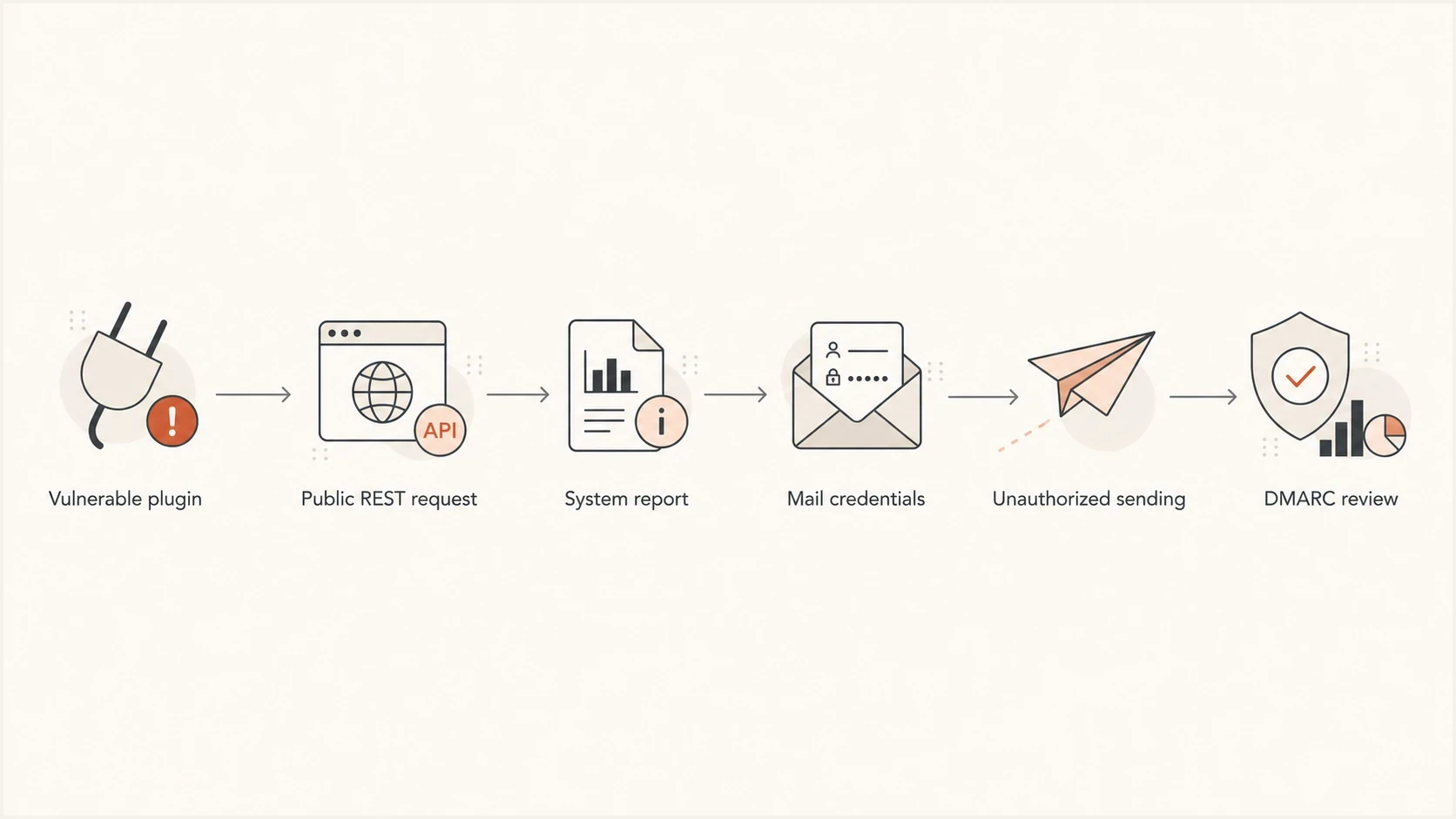
Flowchart showing how a vulnerable plugin can lead to exposed mail credentials and DMARC review.
Who needs to act
The affected group is specific: WordPress site owners and operators using Gravity SMTP 2.1.4 or older, especially sites with third party mail delivery integrations configured. If the plugin is installed but unused, still update it. If it has stored credentials for a mail provider, treat the incident as a credential exposure until logs show otherwise.
- Site owners: Check the installed Gravity SMTP version in WordPress and update to 2.1.5 or later.
- Agencies: Search all managed WordPress sites, not only sites reporting mail failures.
- Mail admins: Review provider logs for spikes, new campaigns, new sender identities, and new API calls.
- Security teams: Preserve web access logs before rotation work removes useful correlation windows.
- Deliverability teams: Watch complaint rates, bounce patterns, domain reputation, and blocklist or blacklist results.
Do not assume the absence of visible spam in WordPress means the credentials were not used. If attackers send directly through an external mail API, the WordPress site can look normal while the mail provider shows the abuse.
Prioritize externally facing production sites first, followed by staging sites with real credentials and inactive sites that still have valid tokens. Old staging sites are easy to miss because they often receive fewer plugin updates while still carrying live mail keys.
How to investigate exposure
Start with web access logs. Look for requests to the mock-data endpoint, especially requests that include the page parameter for the Gravity SMTP settings view. The request is a read-only GET, so the absence of POST actions, admin logins, or changed content does not clear the site.
Access log searchesBASH
grep -F "/wp-json/gravitysmtp/v1/tests/mock-data" access.log*
grep -F "page=gravitysmtp-settings" access.log*
If your logs are split across a CDN, load balancer, web server, and application stack, search each layer. CDN logs can show requests blocked upstream. Origin logs can show requests that reached WordPress. Provider logs can show whether stolen credentials were used after the endpoint was hit.
- Version: Record the Gravity SMTP version before updating if your change process requires evidence.
- Endpoint: Search for the REST route and the settings page query parameter together.
- Timing: Search the full period when the vulnerable version was online, with special attention to June 7 through June 11, 2026.
- Identity: Compare source IPs, user agents, and request counts across all affected sites.
- Mail: Match suspicious web requests against mail API sends, SMTP logins, and OAuth activity.
?
What's your domain score?
Deep-scan SPF, DKIM & DMARC records for email deliverability and security issues.
A domain health check does not prove whether the Gravity SMTP endpoint was exploited, but it gives a fast view of DNS authentication state before and after remediation. That helps separate a credential exposure problem from an existing SPF, DKIM, or DMARC configuration problem.
How to rotate and validate mail credentials
Patch first, then rotate. If you rotate credentials while the vulnerable endpoint remains reachable, the new credentials can be exposed again. After updating Gravity SMTP, replace every credential configured inside the plugin, including API keys, SMTP passwords, OAuth client secrets, and active OAuth tokens where the provider allows revocation.
Rotation order
- Update: Install Gravity SMTP 2.1.5 or later across production, staging, and copied sites.
- Revoke: Disable old API keys, SMTP passwords, and OAuth tokens in the mail provider account.
- Replace: Configure fresh credentials in Gravity SMTP and test normal site mail.
- Review: Look for unauthorized sending, new sender identities, unusual recipients, and suppressed mail.
- Document: Record the vulnerable version, exposure window, credentials replaced, and mail logs checked.
After rotation, send a controlled message through the affected WordPress path and inspect the result with an email tester. The point is not only that the message delivers. Confirm that SPF, DKIM, and DMARC pass as expected, and that the source shown in the headers is the source you intend to keep.
Incident note templateTEXT
Site:
Gravity SMTP version before patch:
Patched version:
Endpoint hits found:
First suspicious request:
Last suspicious request:
Credentials rotated:
Provider logs reviewed:
DMARC sources checked:
Blocklist checks completed:
For OAuth-based integrations, revocation matters as much as replacing local settings. A token can remain valid outside WordPress until the provider revokes it or it expires. If your provider exposes token grants, connected apps, API activity, or security event logs, review those records around the same time window as the web access logs.
What to watch in DMARC and deliverability
The mail side of the response is about finding whether a trusted sending path was abused. DMARC aggregate reports are useful because they show sources sending as your domain, SPF and DKIM results, domain matching, and volume changes. They do not show message bodies or prove who used a credential, so pair them with provider logs and abuse notifications.
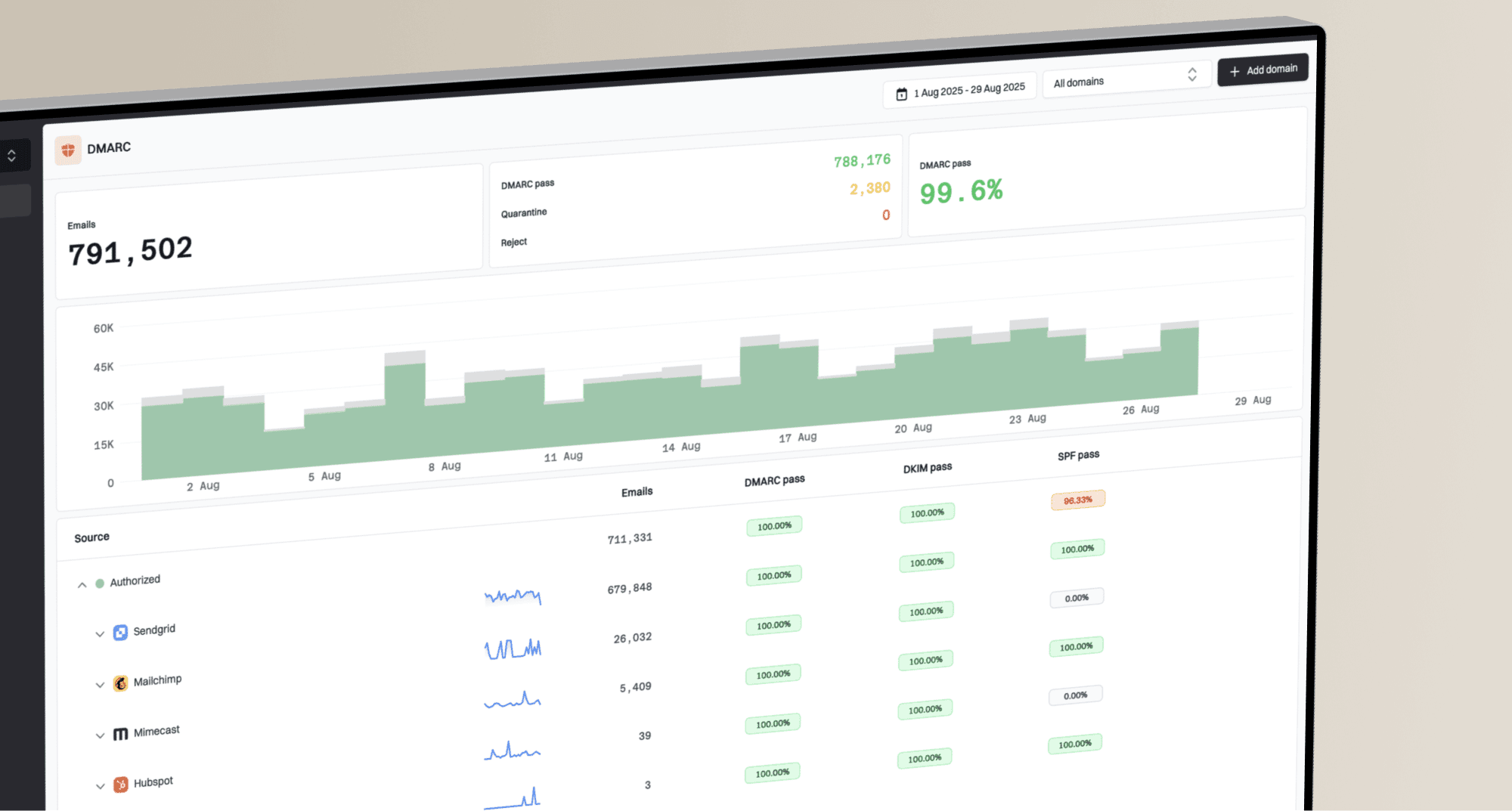
Suped's DMARC monitoring turns aggregate reports into source-level views and alerts for new or failing senders. During this response, compare normal WordPress mail volume with sudden traffic changes, then use provider logs to decide whether an authenticated source was authorized.
Suped DMARC dashboard showing email volume, authentication health, and source breakdown
Also watch for blocklist and blacklist impact. Unauthorized sending through a legitimate provider can still produce complaints, spam-trap hits, hard bounces, and throttling. Suped's blocklist monitoring tracks IP and domain listing signals while credentials are rotated and sending returns to its expected pattern.
Post-incident monitoring thresholds
Use these practical bands to decide how aggressively to investigate mail signals after credential rotation.
Normal
No action
Known senders, expected volume, SPF or DKIM passing with the expected domain, and no listing changes.
Warning
Review logs
New source, sudden volume jump, new bounces, or an authentication failure pattern.
Critical
Escalate
Confirmed unauthorized sending, revoked credentials still used, or new blocklist listing.
Unknown
Assume risk
No logs, missing DMARC data, or provider history unavailable for the exposure window.
Suped is our DMARC and email authentication platform. Its source inventory, authentication checks, alerts, and blocklist monitoring can keep the mail evidence for this incident in one workflow while web and provider logs establish whether a credential was used.
How to limit credential blast radius
Credential design determines how much damage a future disclosure can cause. Give each WordPress site its own sending identity where the provider supports it, and avoid sharing the same SMTP password or API key across production sites, staging copies, and unrelated applications. A site-specific credential can be revoked without interrupting every sender, and its activity is easier to trace.
- Separate: Issue a distinct credential for each site or application so one leak has a bounded scope.
- Restrict: Grant only sending permissions and approved sender identities required by that site.
- Constrain: Use provider-side IP restrictions, recipient limits, or domain restrictions when available.
- Limit: Set volume thresholds and alerts near the site's normal sending level.
- Remove: Delete inactive plugins, unused connectors, and live secrets from staging or copied sites.
These controls do not replace patching. They reduce the number of systems affected by one leaked secret, lower the amount of mail an attacker can send, and make provider activity easier to attribute during an investigation.
What matters now
Treat CVE-2026-4020 as a mail credential exposure incident, not only a WordPress plugin update. The fix starts with Gravity SMTP 2.1.5 or later, but the real work is confirming whether credentials were exposed, rotating anything that was stored in the plugin, and checking whether legitimate mail services were used outside normal sending patterns.
The minimum response is patch, log review, credential rotation, provider log review, DMARC source review, and blocklist or blacklist monitoring. If any part of that evidence is missing, assume the exposed credentials were usable and remove that risk by revoking them.